Receipts and debtors

Record receipt · Reverse receipt · Debtors

  • The claim is Sent or Part Paid
Accountant
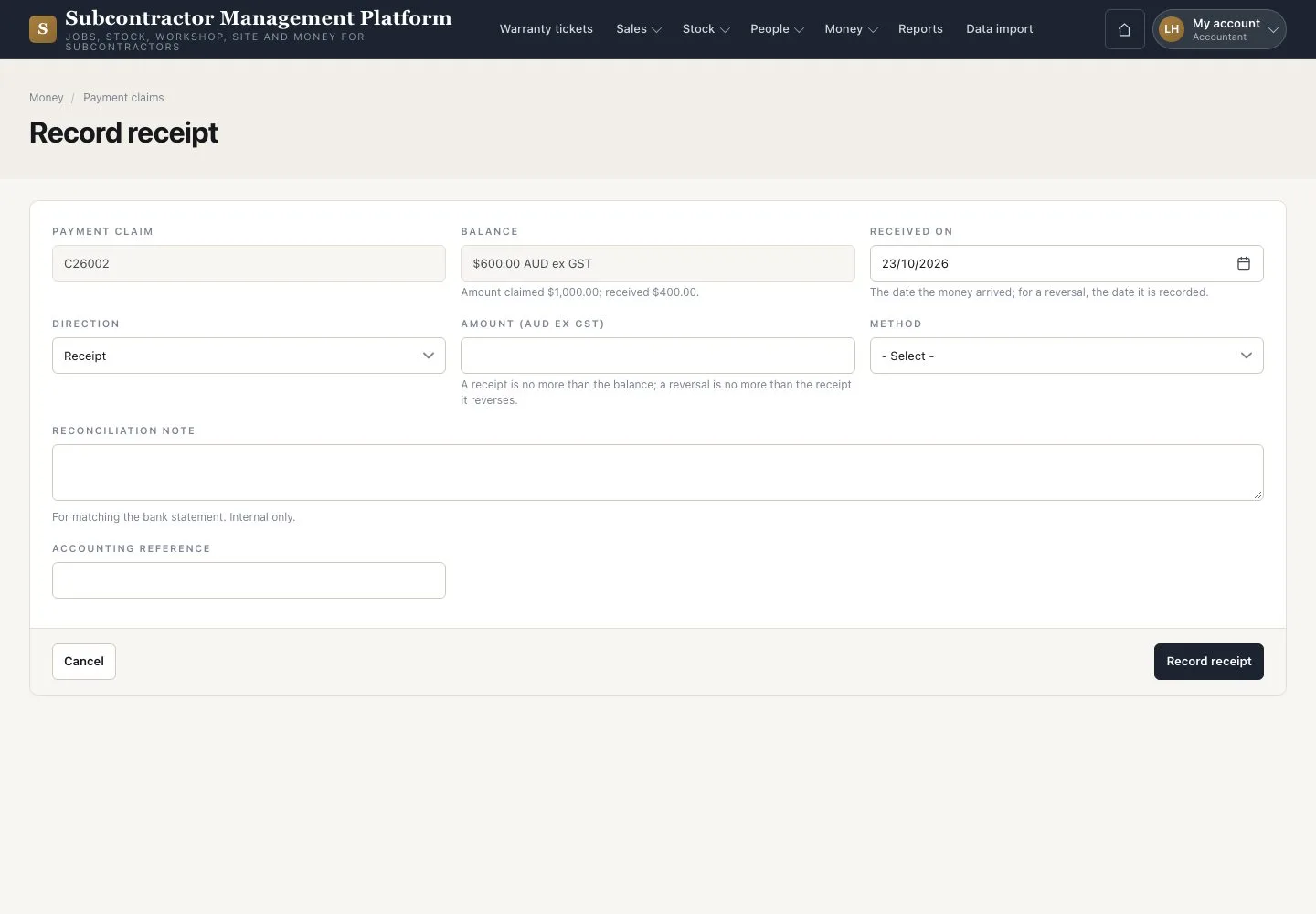
Record receipt

Accountant

Record receipt

1Step 1 of 3

  1. On the claim press “Record receipt”
  2. Enter the date, amount ex GST and method
  3. Press “Record receipt”

Open illustrated screen ↗Full image ↗

Accountant · Receipts and debtors01

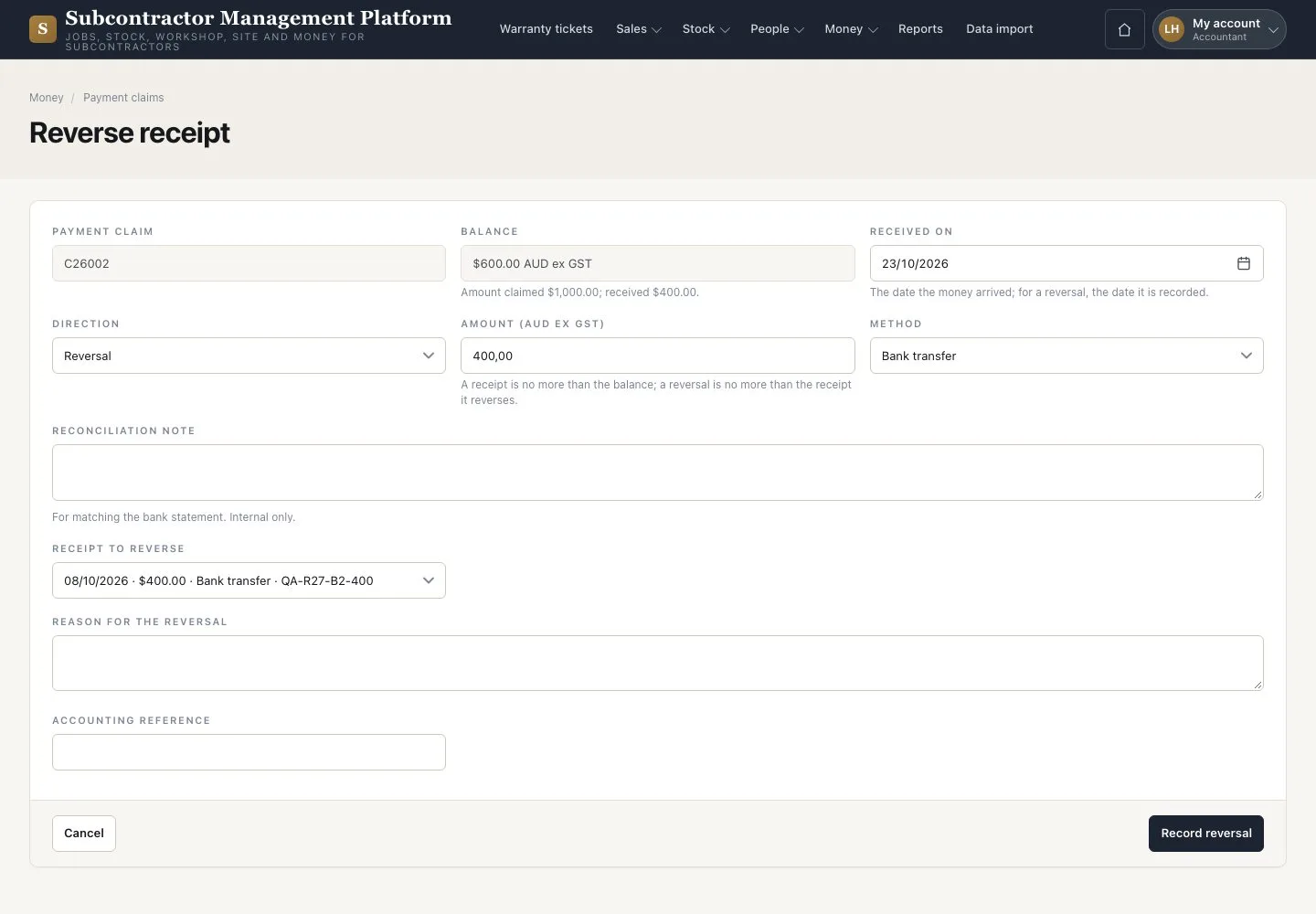
Reverse a receipt

Accountant

Reverse a receipt

2Step 2 of 3

  1. Press “Reverse” on the wrong receipt
  2. Enter the date, amount, reason and method
  3. Press “Record reversal”

The original receipt and its reversal both stay visible.

Enlarge, then scroll

Open illustrated screen ↗Full image ↗

Accountant · Receipts and debtors02

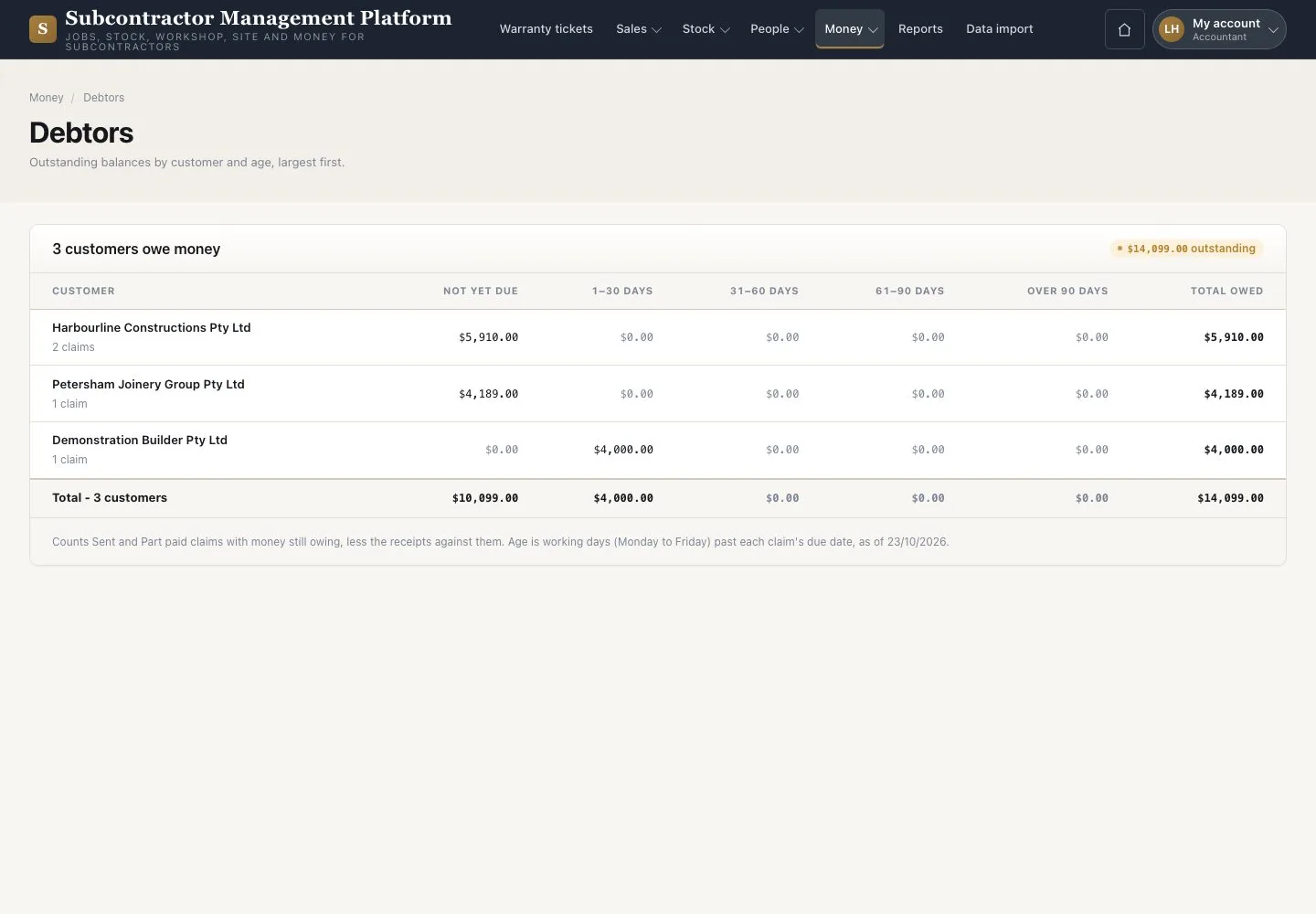
Debtors

Accountant

Debtors

3Step 3 of 3

  1. Open Money → “Debtors”
  2. Compare the ageing buckets and the retention held

Ageing uses working days.

Open illustrated screen ↗Full image ↗

Check

The claim is Part Paid or Paid; Debtors show what is still owed.

Accountant · Receipts and debtors03
1 / 4
Privacy Terms