










Costs
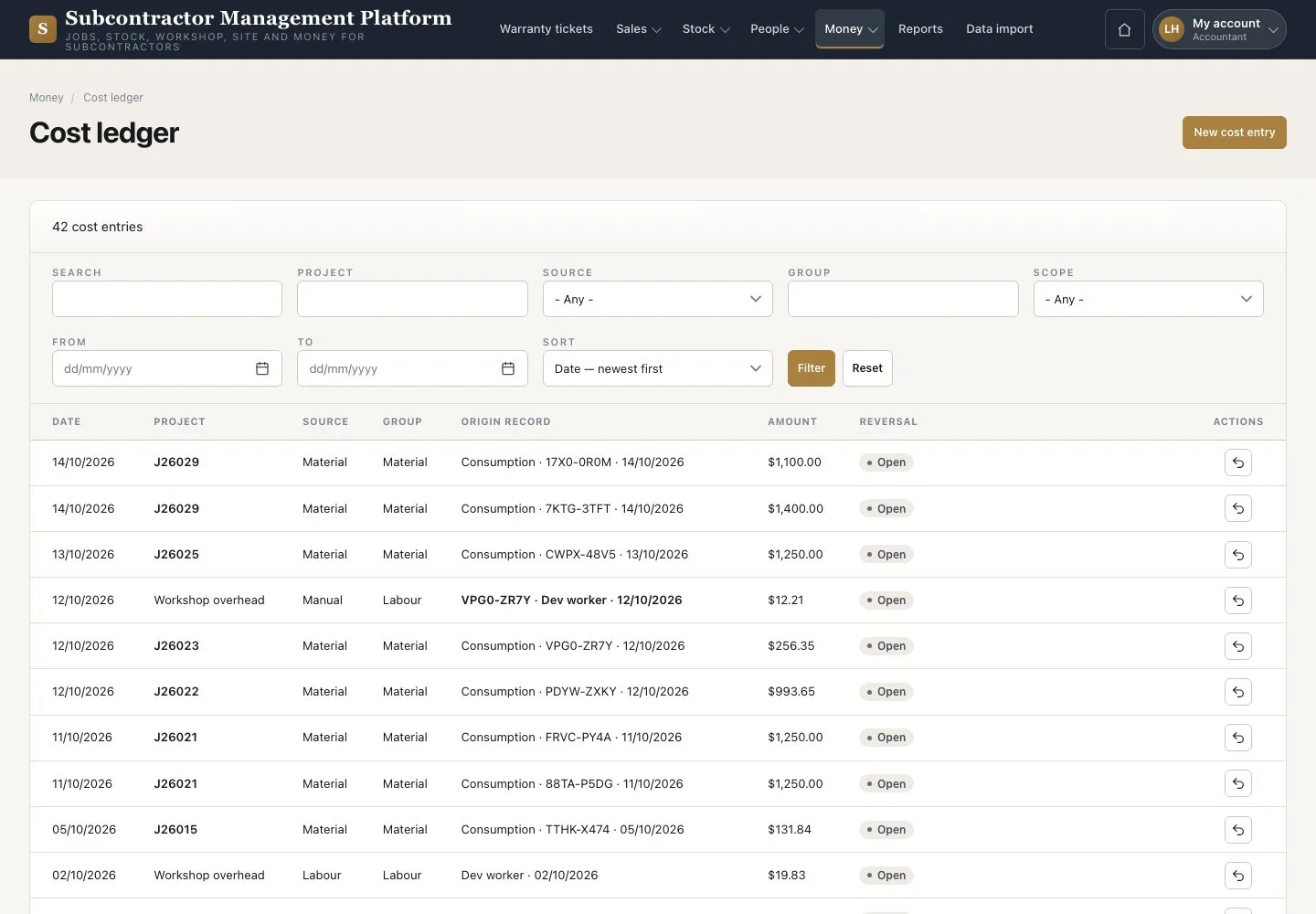
Cost ledger · New cost entry · Reverse
- The supplier and invoice facts
Accountant
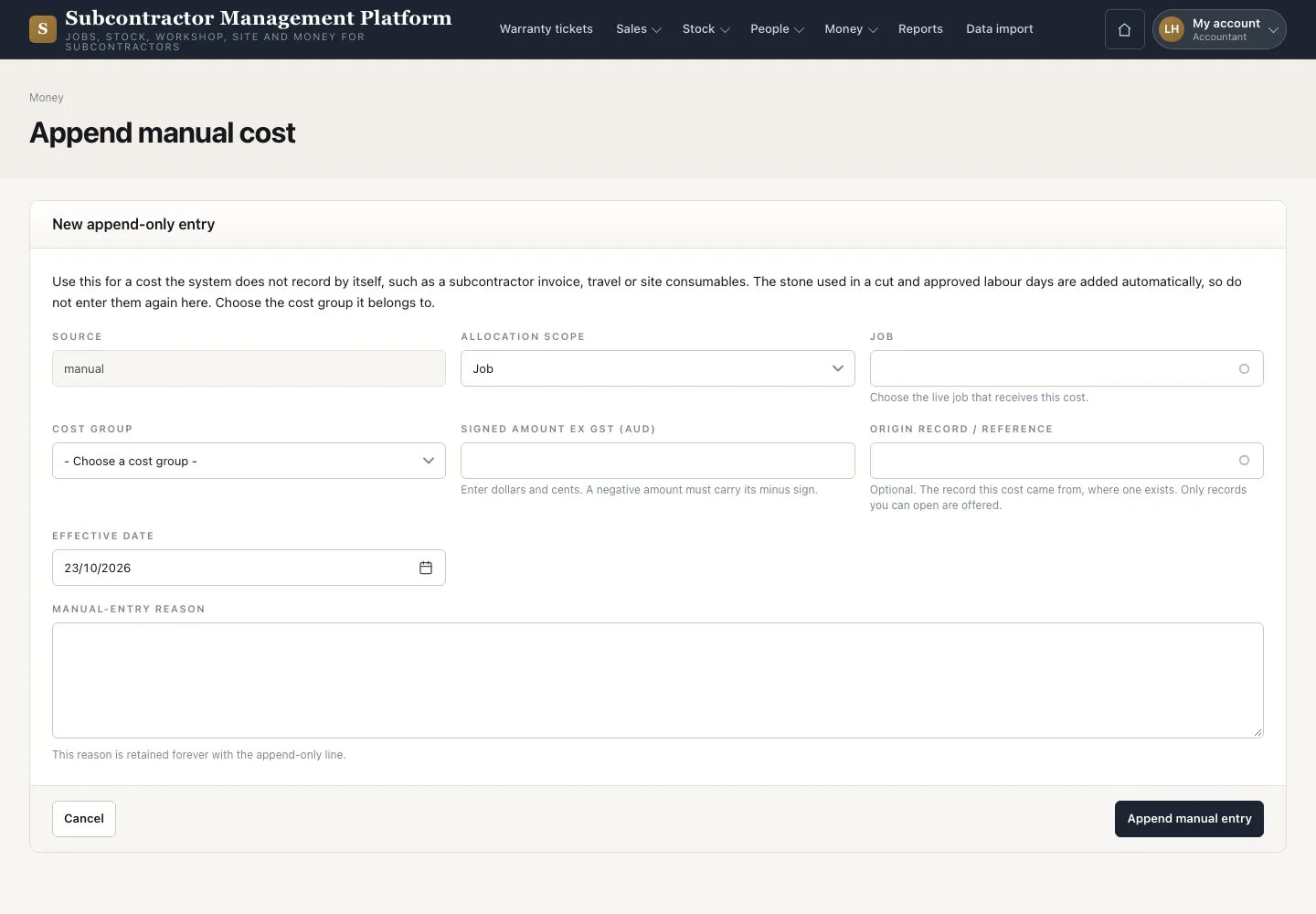

Append manual cost
Accountant

2Step 2 of 2
- Press “New cost entry”
- Enter the job, cost group, signed amount ex GST and date; put the supplier and invoice in the reason
- Press “Append manual entry”
For subcontract work use the Subcontract cost group on the package.
Enlarge, then scroll
Open illustrated screen ↗Full image ↗
Check
Each cost line traces to its source; corrections are linked reversals.
1 / 3