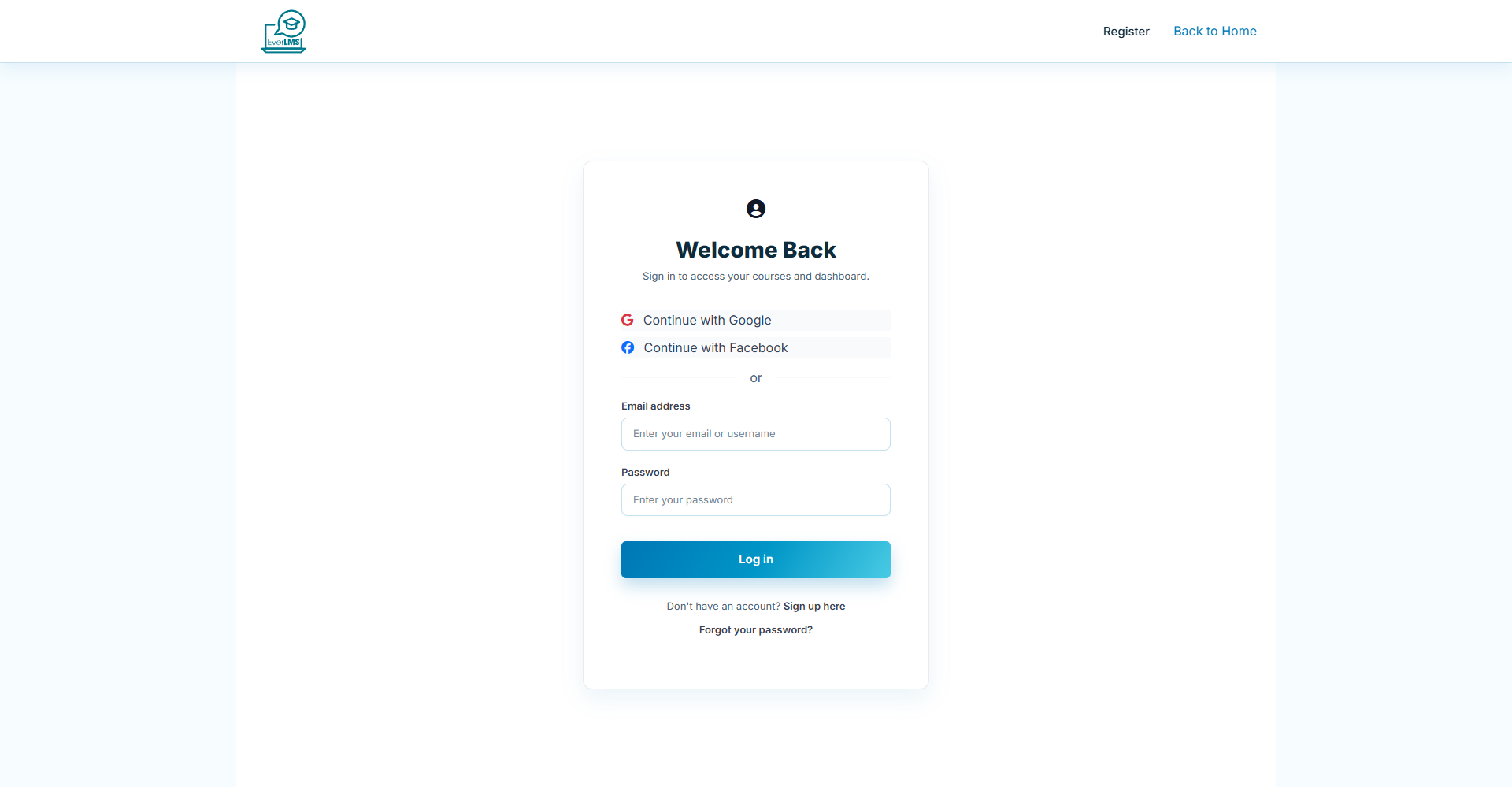
🔐 System Login
Feature: To access system functions, you must log in with an authorized account.
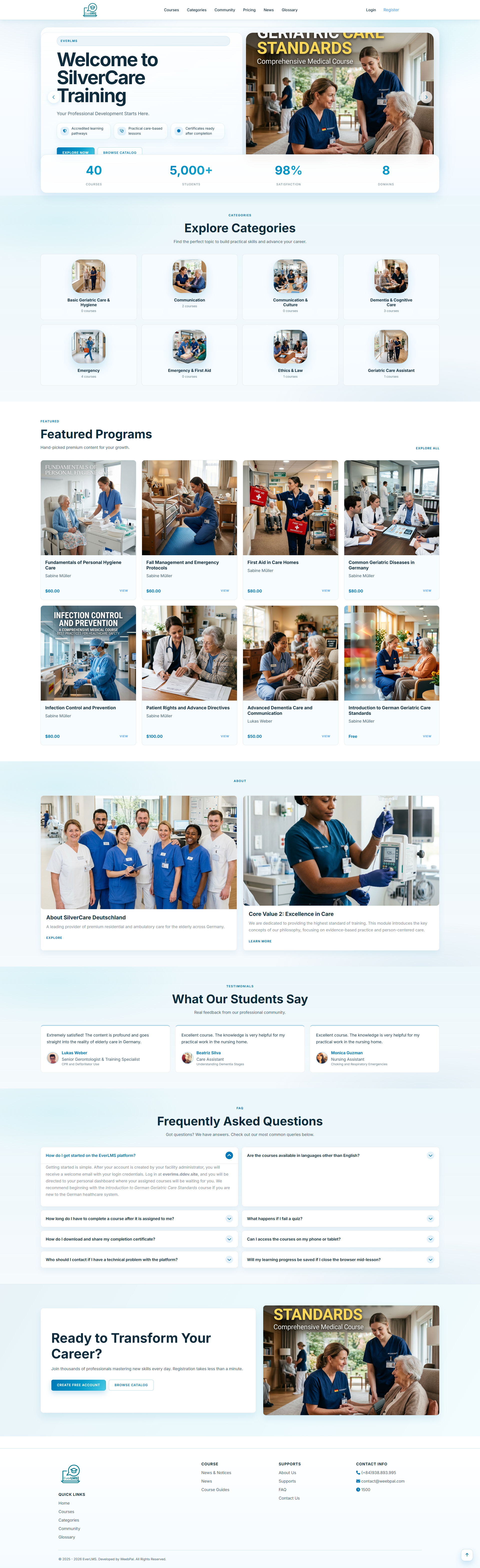
Navigation: Homepage → Log In
- Fill in the Username (or Email) and Password fields
- Demo access: sandbox accounts are issued on request — request a guided demo.
- Click Log In to access the internal system.
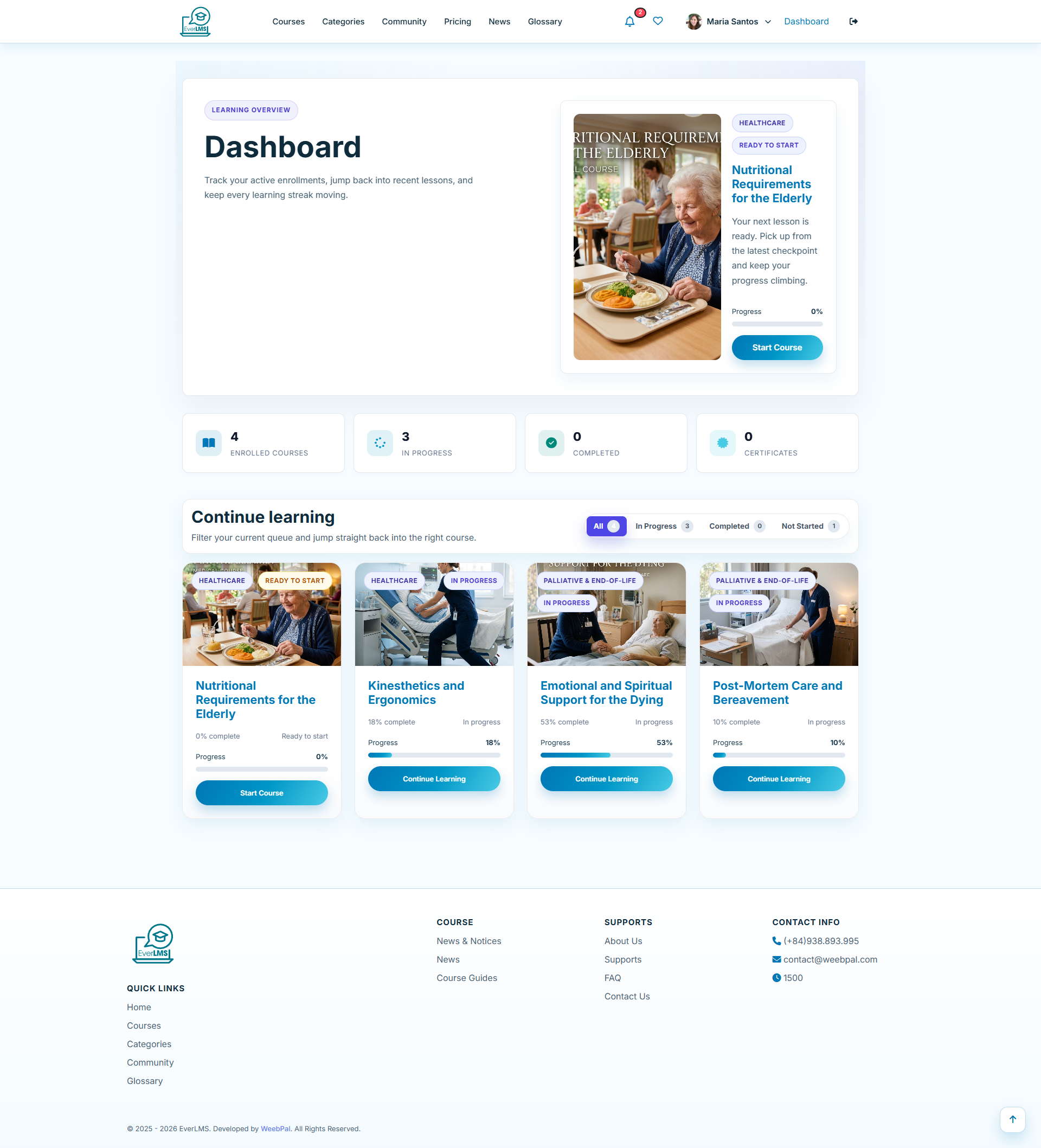
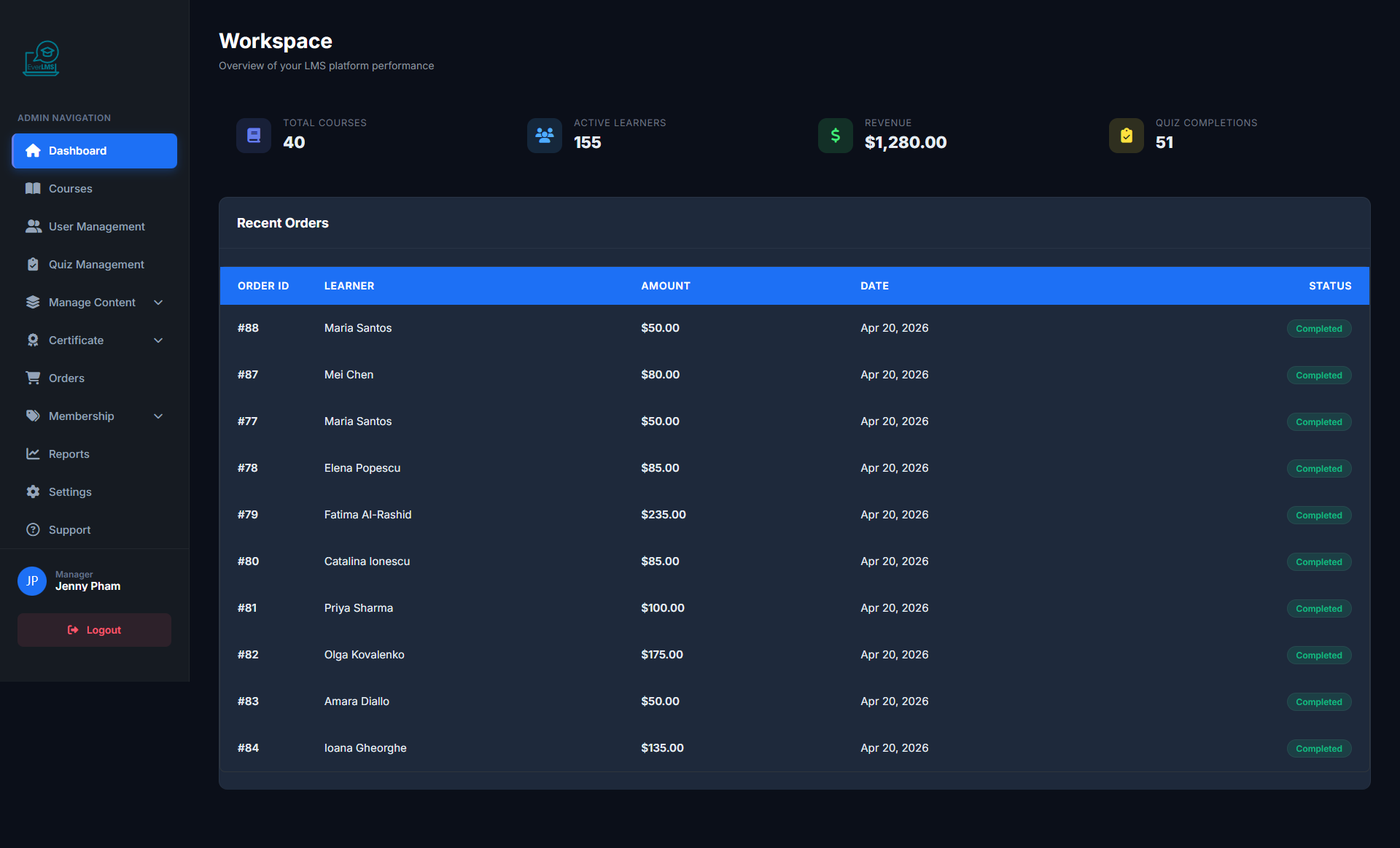
📊 Manager Dashboard
Feature: The Dashboard provides real-time operational metrics for the entire system.
Navigation: Login → Workspace
- Overview statistics: Courses, Users, Revenue
- Enrollment and revenue trend charts
- Featured courses and latest enrolled students
- Quick access to management features
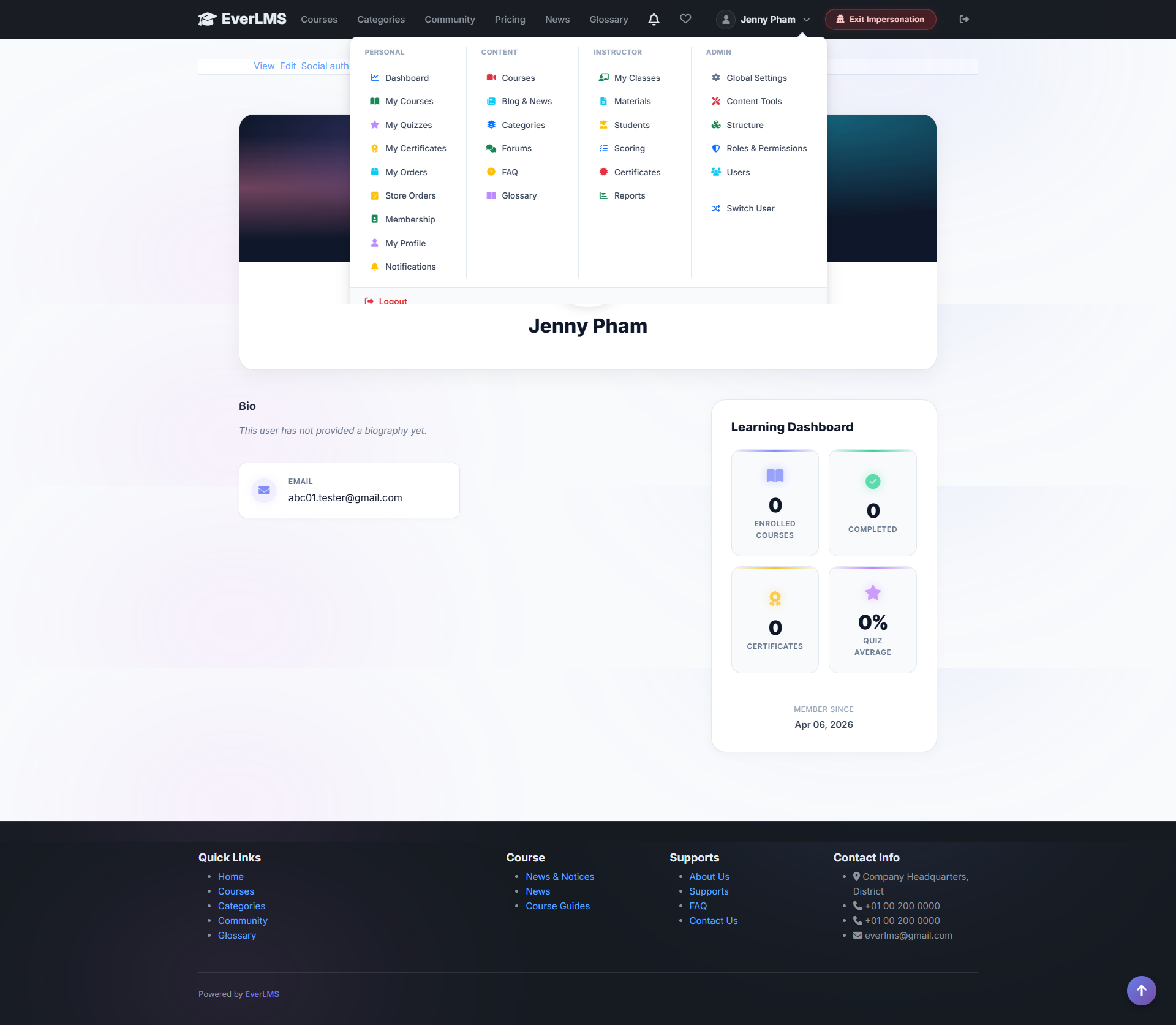
👤 Manager Account
Feature: The account menu provides quick navigation between Workspace and personal features.
Navigation: Click avatar/name in top right corner
- Workspace — Return to management dashboard
- My Courses — Enrolled courses
- My Certificates — Personal certificates
- Profile — Edit profile
- Switch to Learner — Switch to student interface
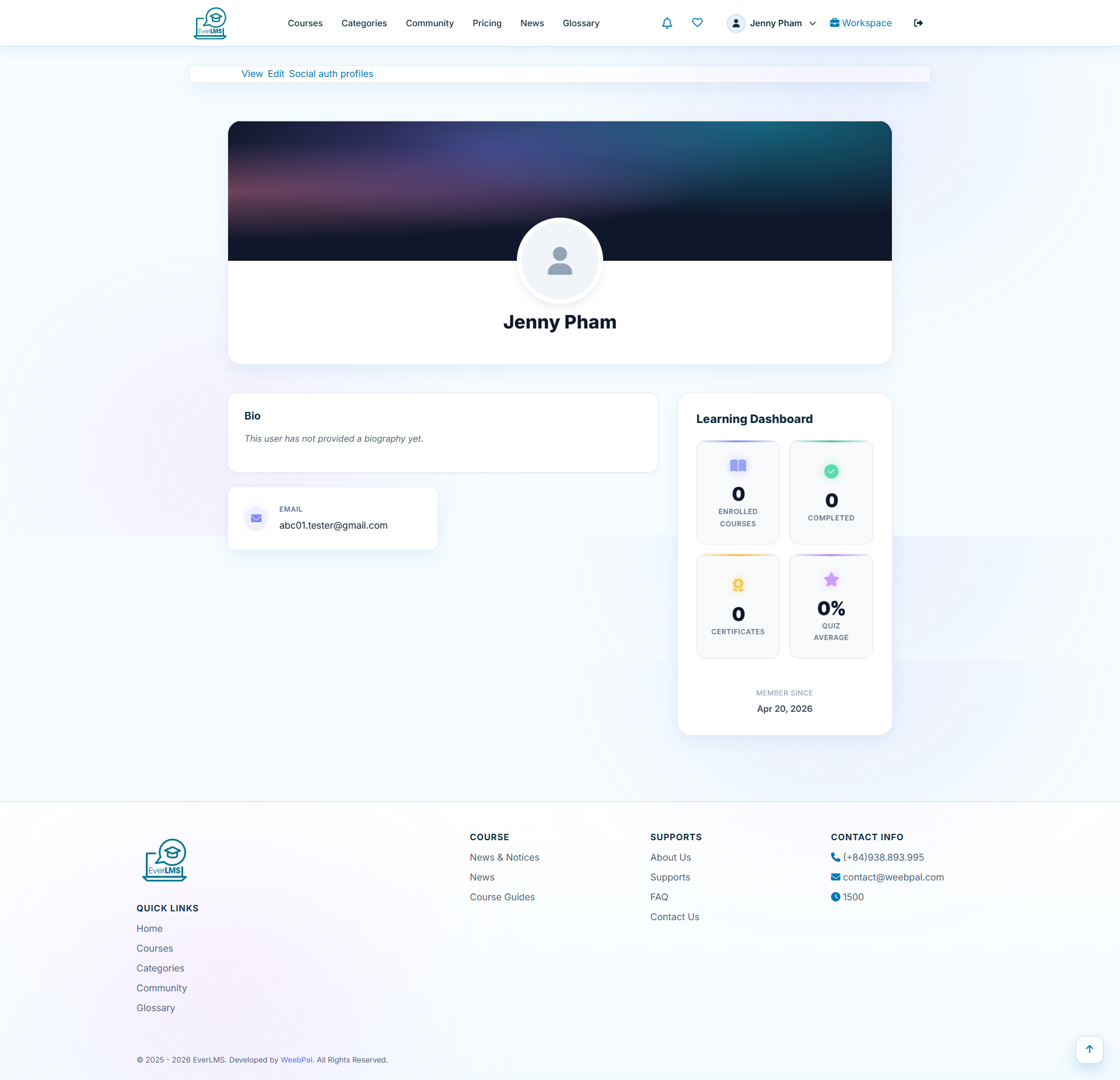
👤 Manager Profile
Feature: The Profile page lets managers update their personal information, avatar, and contact details.
Navigation: Account Menu → Profile
- Update display name and profile avatar
- Change email and contact information
- Update biography and personal description
- Change password for account security
🎓 Course Management
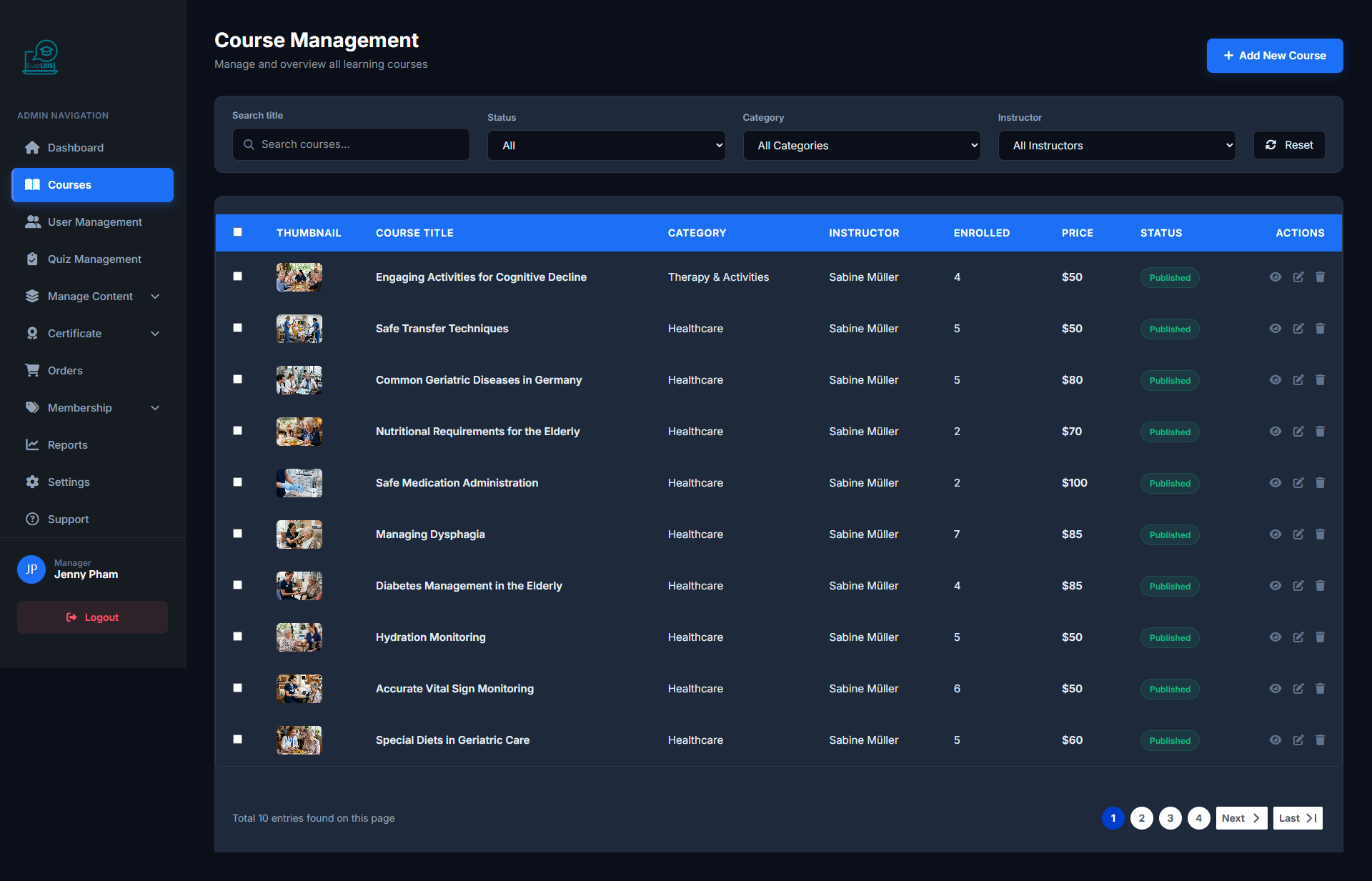
Feature: The Workspace Courses page displays the entire course catalog on the platform.
Navigation: Workspace → Courses
- View all courses with Published/Draft status
- Search by name, instructor, category
- Create new courses or edit existing ones
- Toggle course visibility
✏️ Edit Course
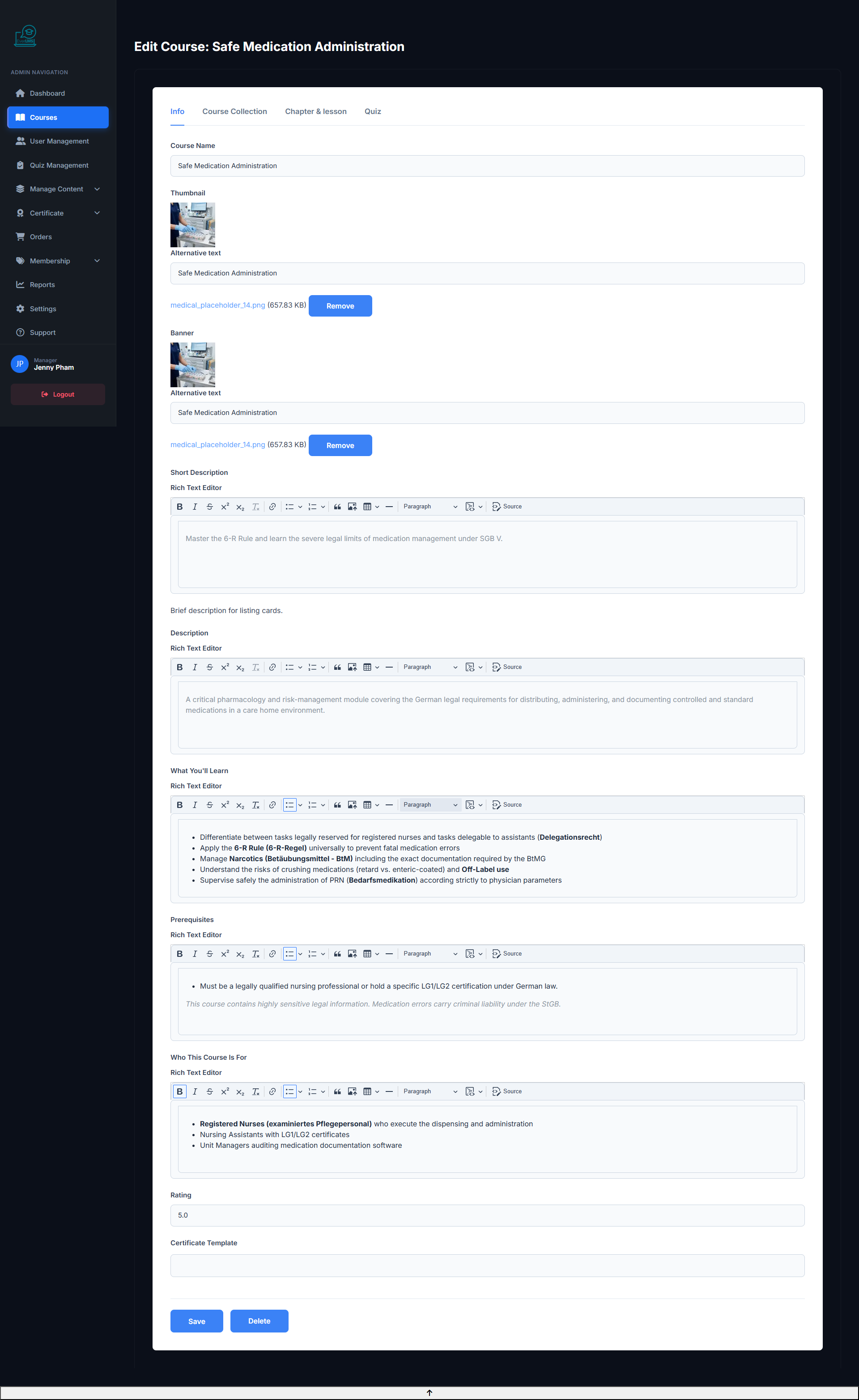
Feature: Update all information, content, and settings for a course.
Navigation: Workspace Courses → Click course name → Edit
- Edit title, description and learning objectives
- Update Curriculum — add/remove sections and lessons
- Change price, category, and instructor
- Publish/Unpublish the course
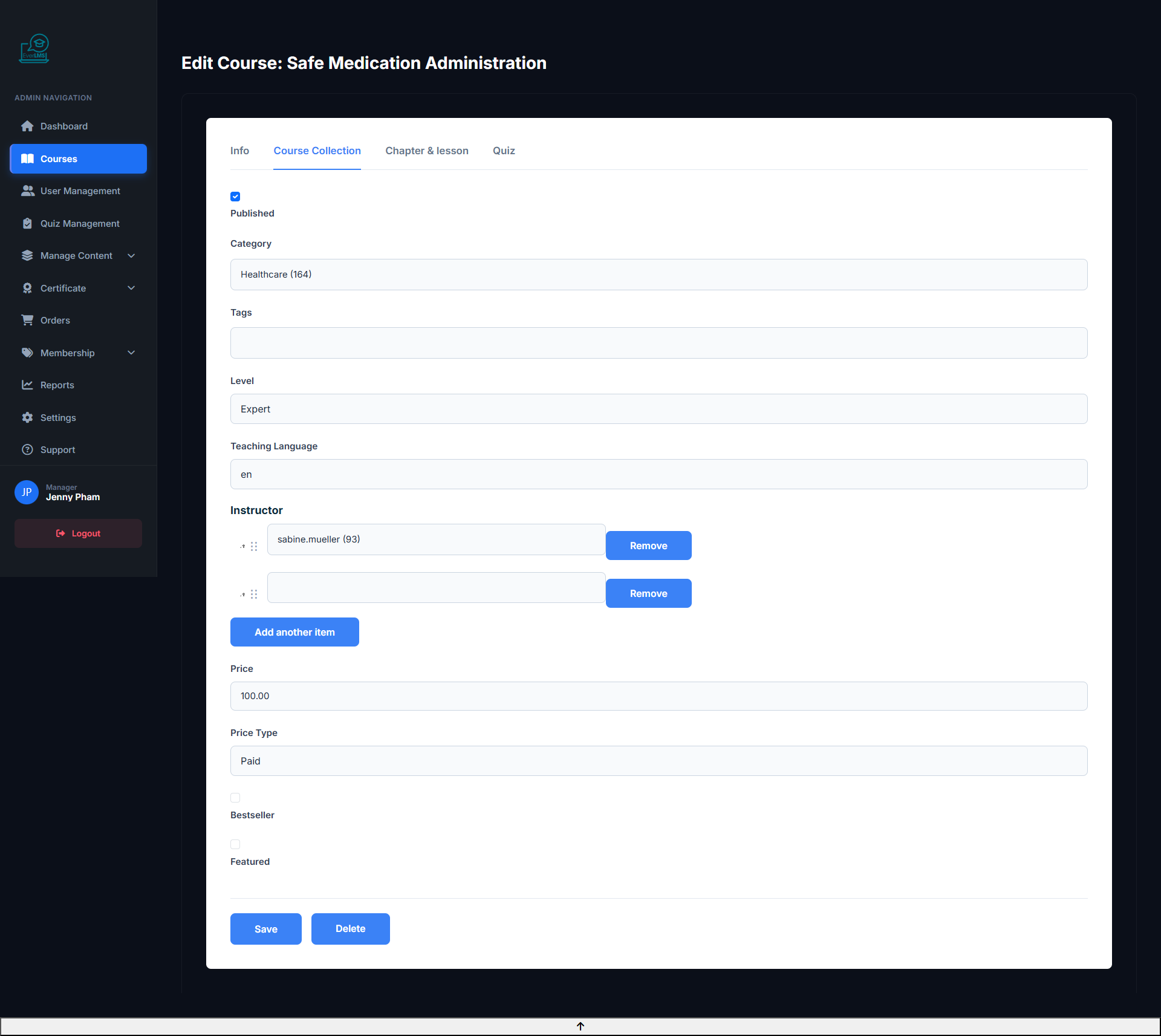
�️ Course Structure
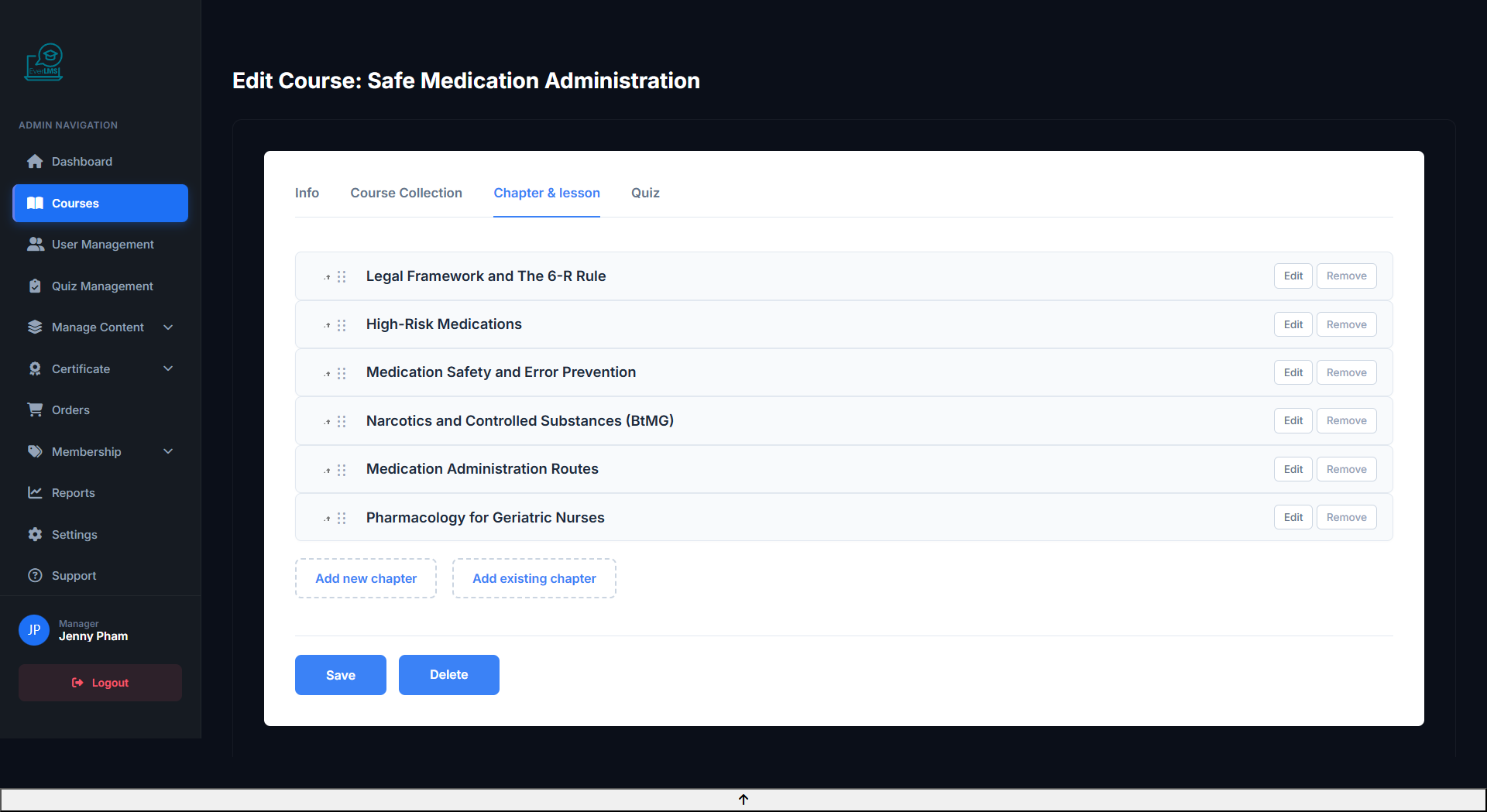
Feature: The course structure editor lets you manage chapters and lessons inside a course with drag-and-drop reordering.
Navigation: Workspace → Courses → Edit → Curriculum Tab
- Add, remove, or reorder chapters via drag-and-drop
- Create lessons within each chapter: Video, Quiz, Text, Zoom Live, SCORM, H5P
- Set prerequisite conditions per chapter (must complete previous to unlock)
- Configure Drip Content — auto-unlock lessons after X days from enrollment
✏️ Edit Chapter
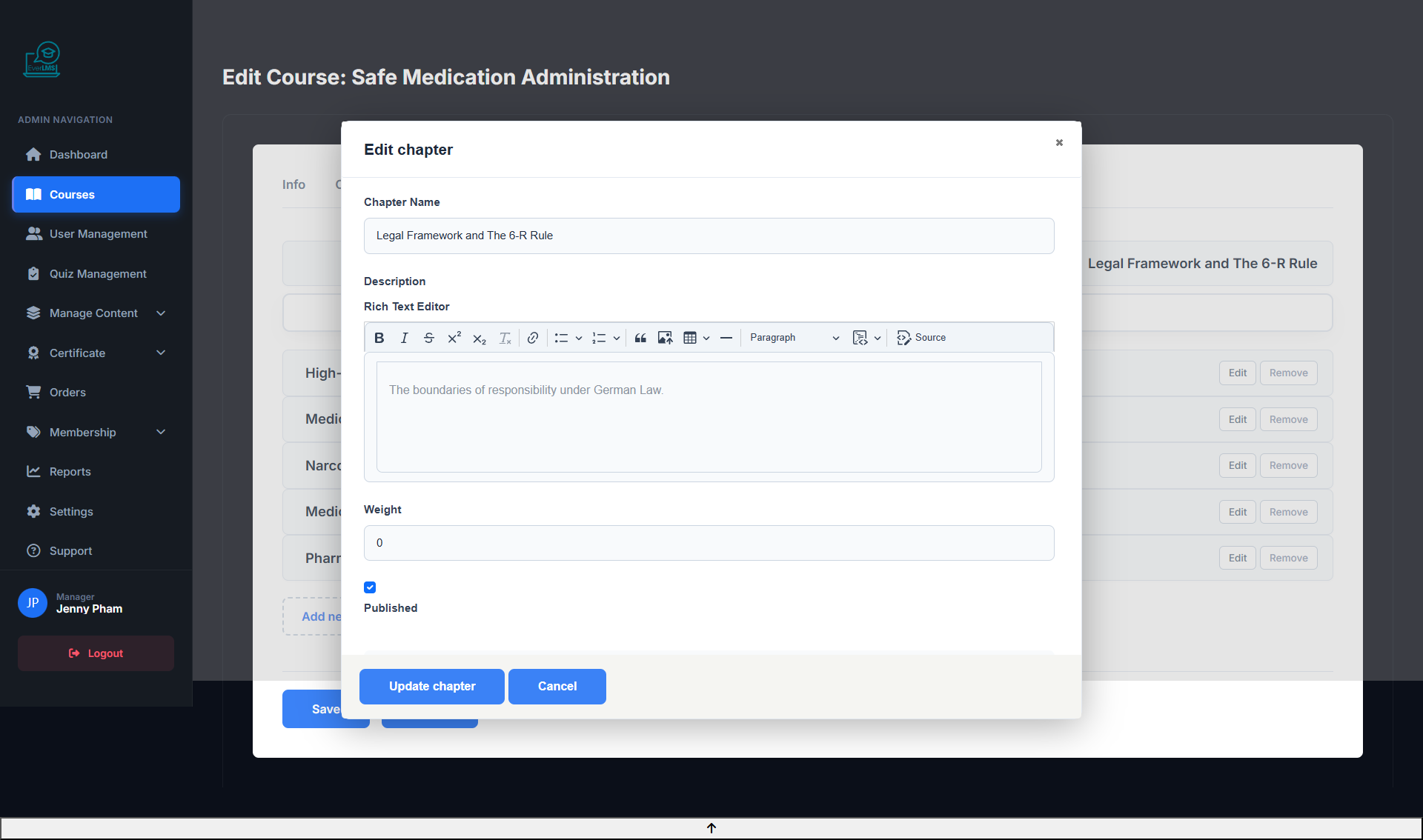
Feature: Edit the details of a specific chapter within a course, including its title, description, and access settings.
Navigation: Workspace → Courses → Edit → Curriculum Tab → Chapter Edit
- Update chapter title and description
- Configure prerequisite requirements
- Set drip content — schedule unlock date or delay after enrollment
- Reorder lessons within the chapter
📚 Course Collections
Feature: Course Collections let you group multiple courses into a single bundle for purchase or enrollment.
Navigation: Workspace → Courses → Collections
- Bundle multiple courses into one collection
- Set a combined price for the collection
- Manage enrollment access for collection members
- Edit collection title, description, and cover image
�👥 User Management
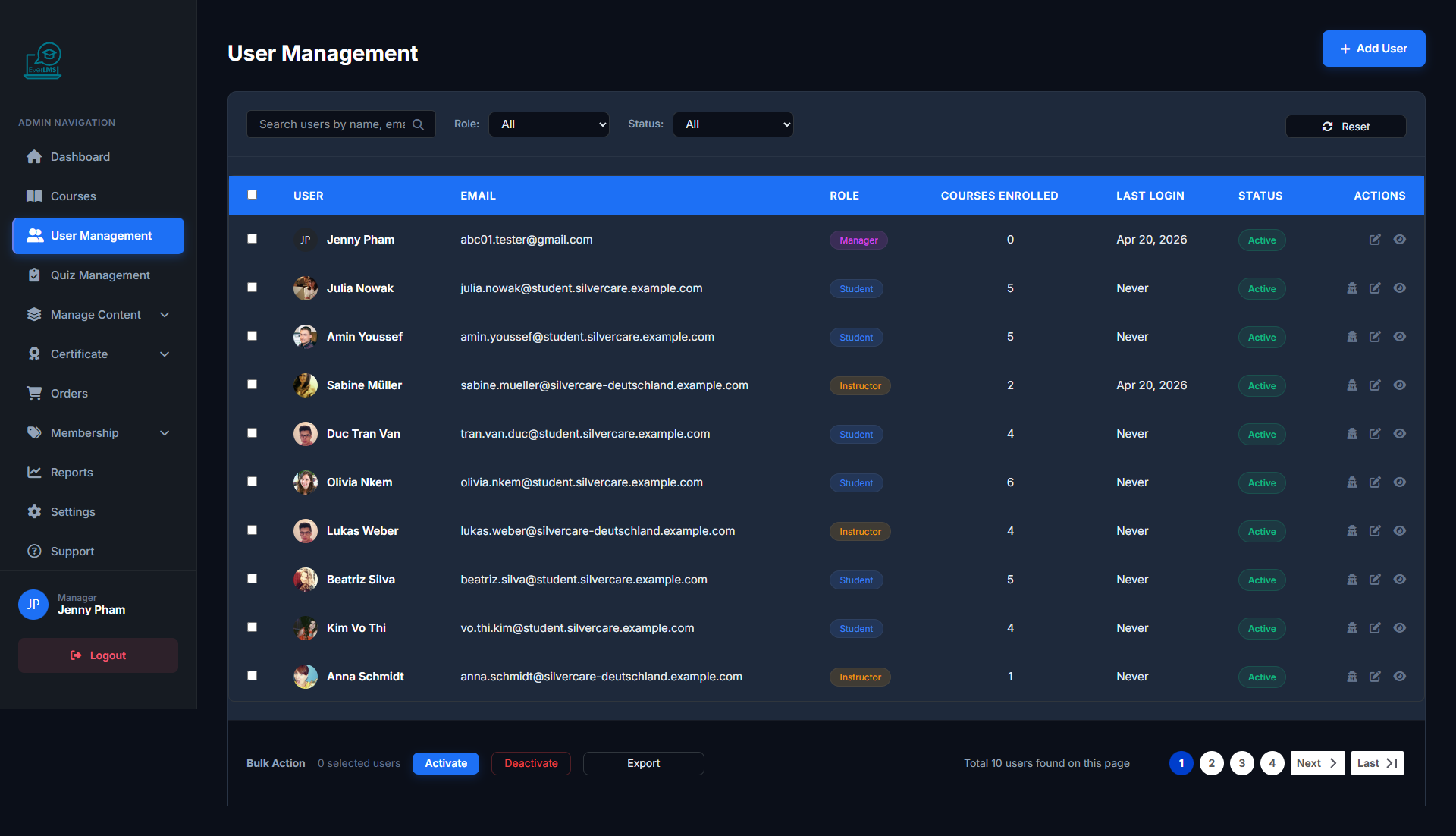
Feature: The Workspace Users page lists all user accounts on the platform.
Navigation: Workspace → Users
- View user list with roles and status
- Search by name, email, role
- Create new accounts or edit information
- Lock/unlock user accounts
➕ Create New User
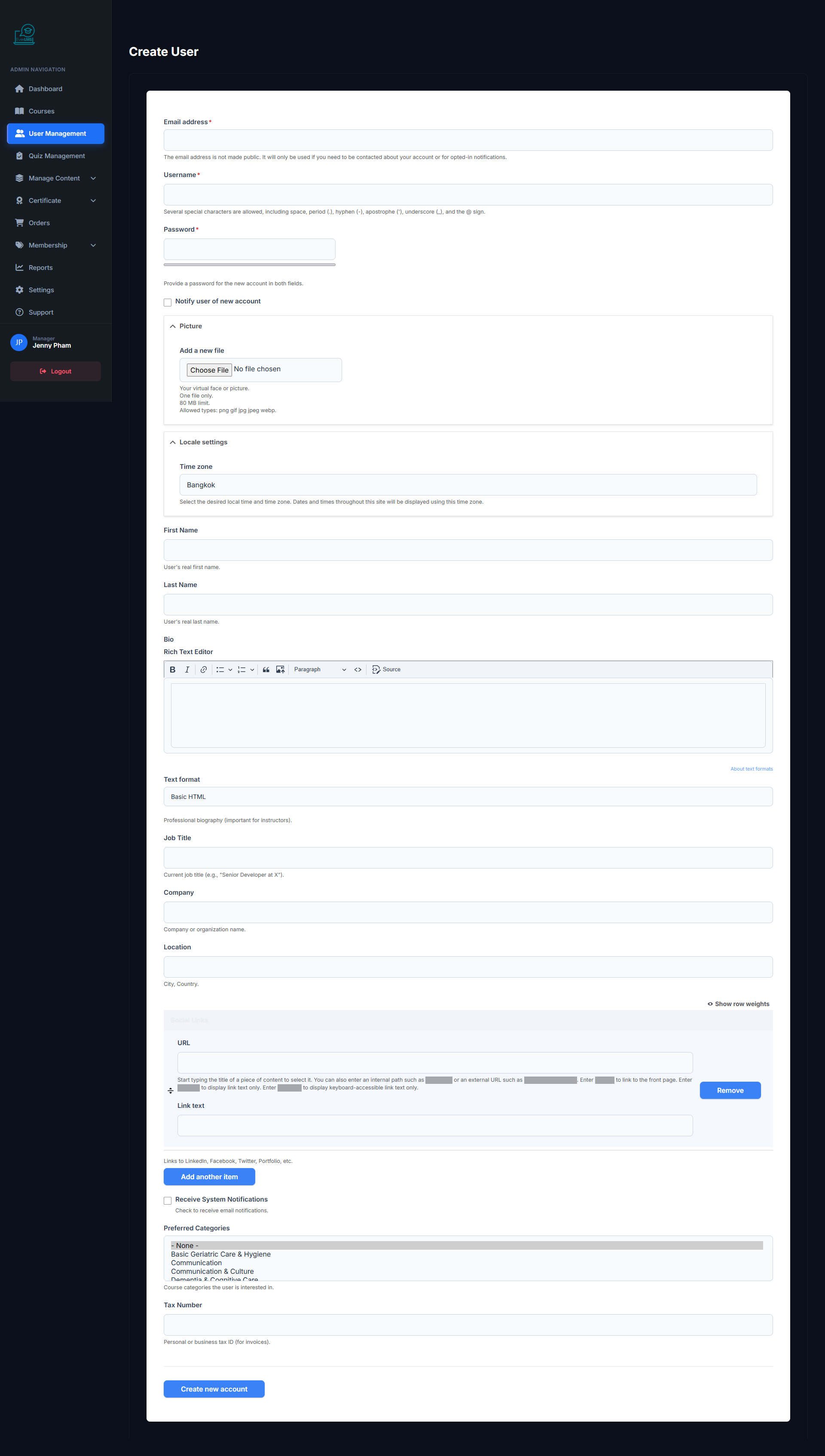
Feature: Admin/Manager creates a new user account with specific role and information.
Navigation: Workspace → Users → Add User
- Enter email, username and temporary password
- Select appropriate role (Student/Instructor/Manager)
- Fill in personal information: name, phone
- Send welcome email automatically
✏️ Edit User
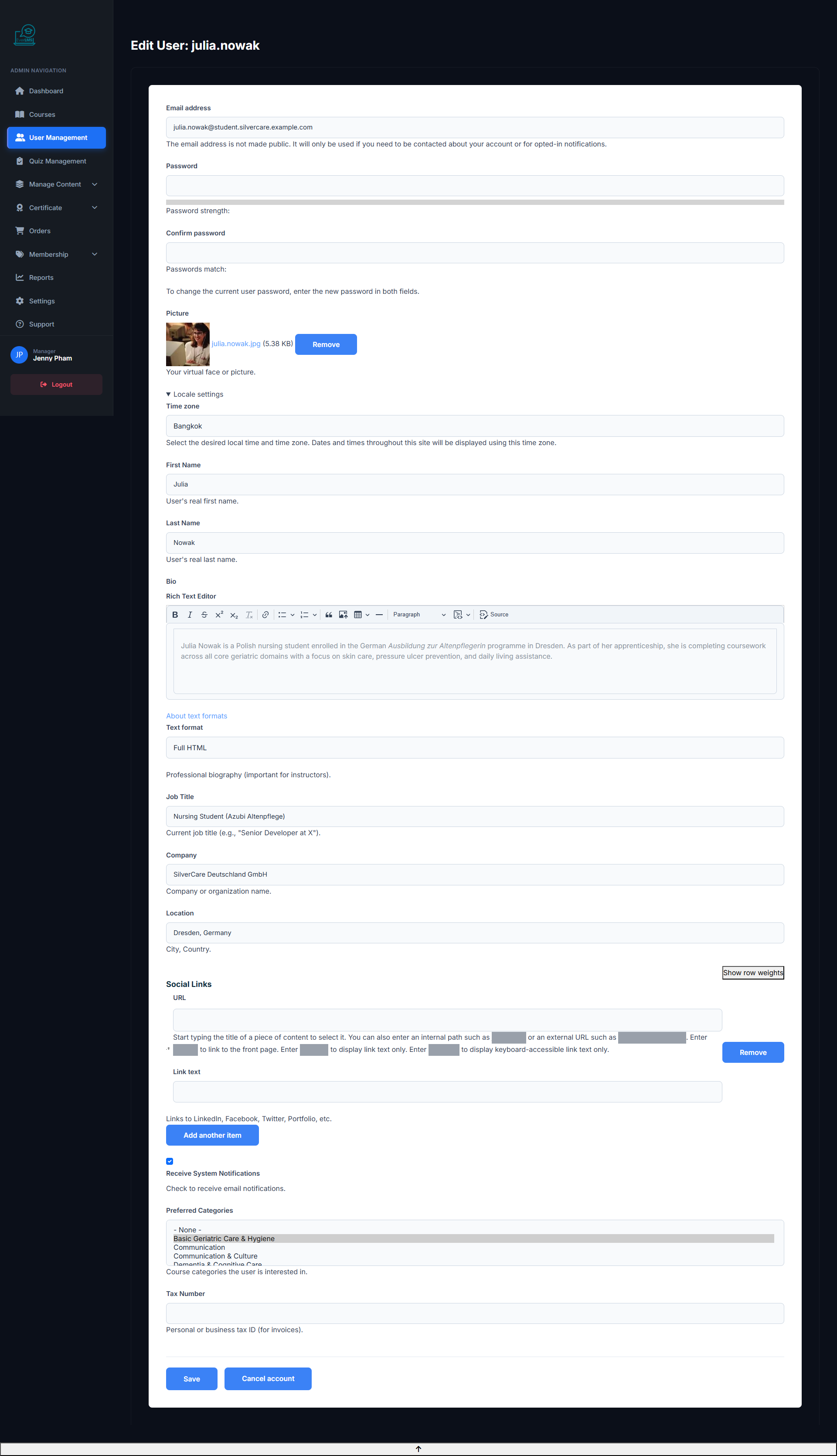
Feature: Update information, role, and account status for a specific user.
Navigation: Workspace Users → Click name → Edit
- Change role (Student ↔ Instructor ↔ Manager)
- Update email, name and contact information
- Reset password when a user forgets theirs
- Activate/deactivate the account
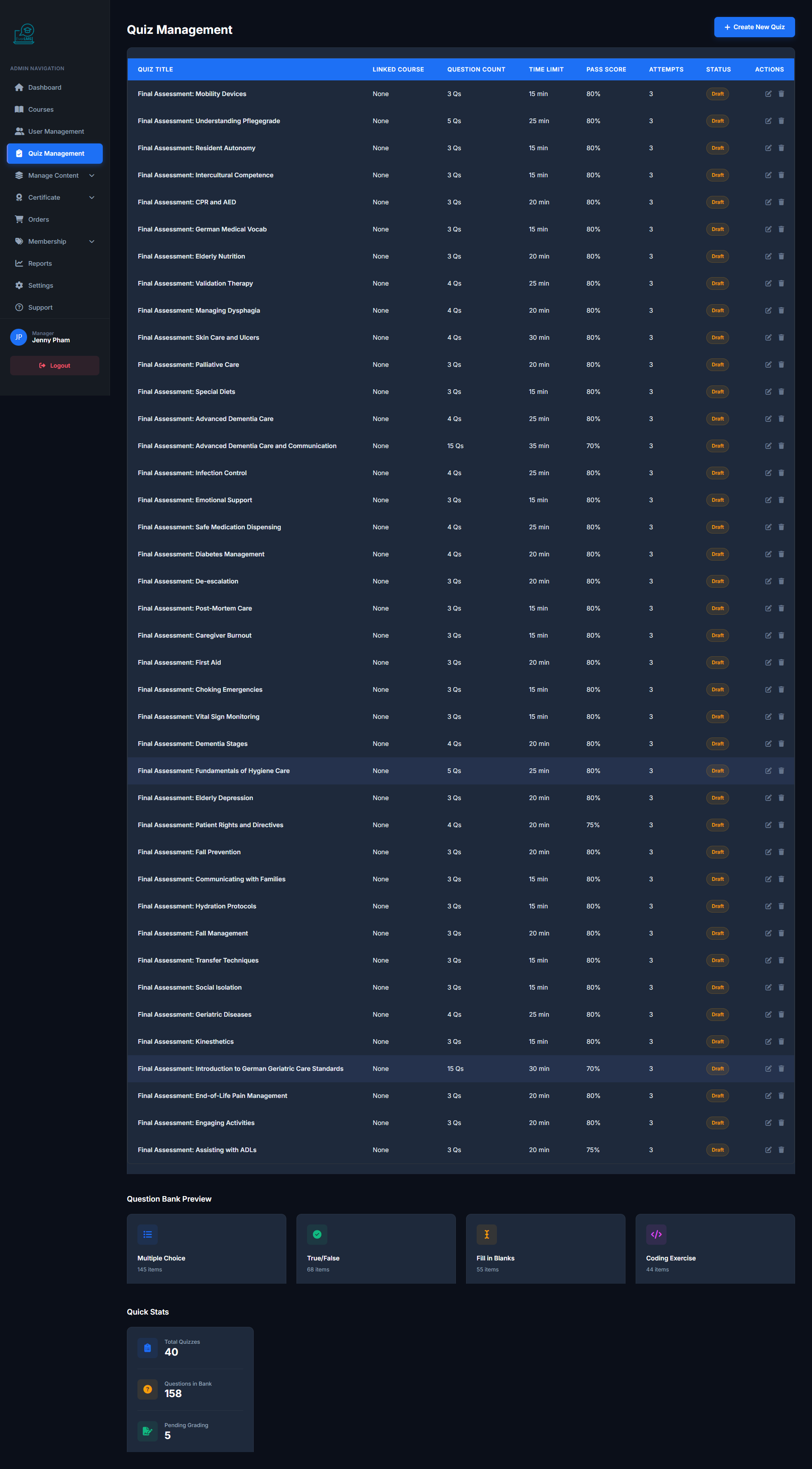
📝 Quizzes
Feature: The central hub for organizing and managing all quizzes on the platform.
Navigation: Workspace → Quizzes
- View quiz list with question count and settings
- Create new quizzes or edit existing ones
- Assign quizzes to specific lessons or chapters
- View student score statistics
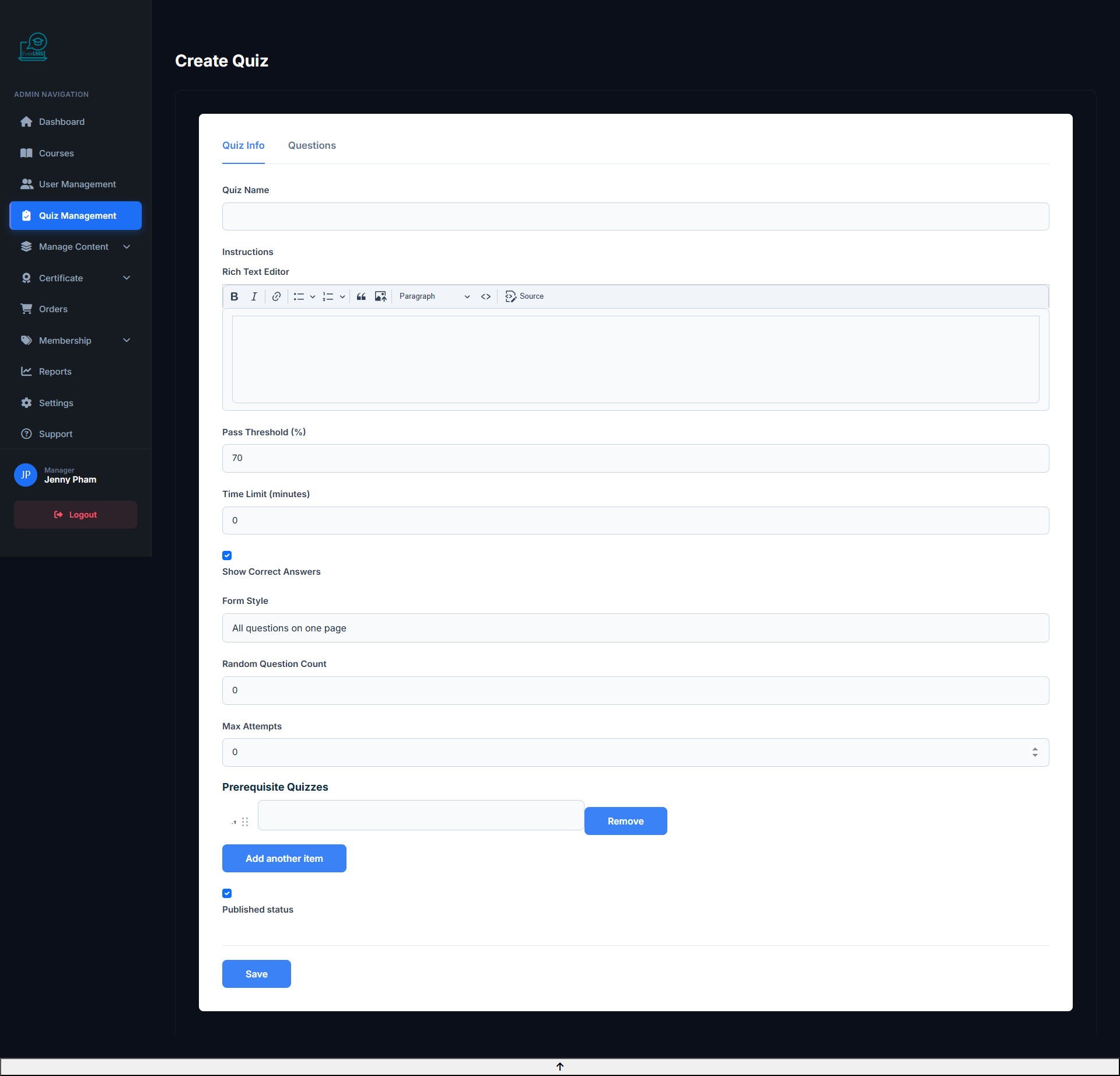
➕ Create New Quiz
Feature: Managers create new quizzes with score and time configurations.
Navigation: Workspace → Quizzes → Add Quiz
- Set quiz name and assessment objective description
- Configure time limit and number of retake attempts
- Set passing score (Pass Score %)
- Add questions from the question bank
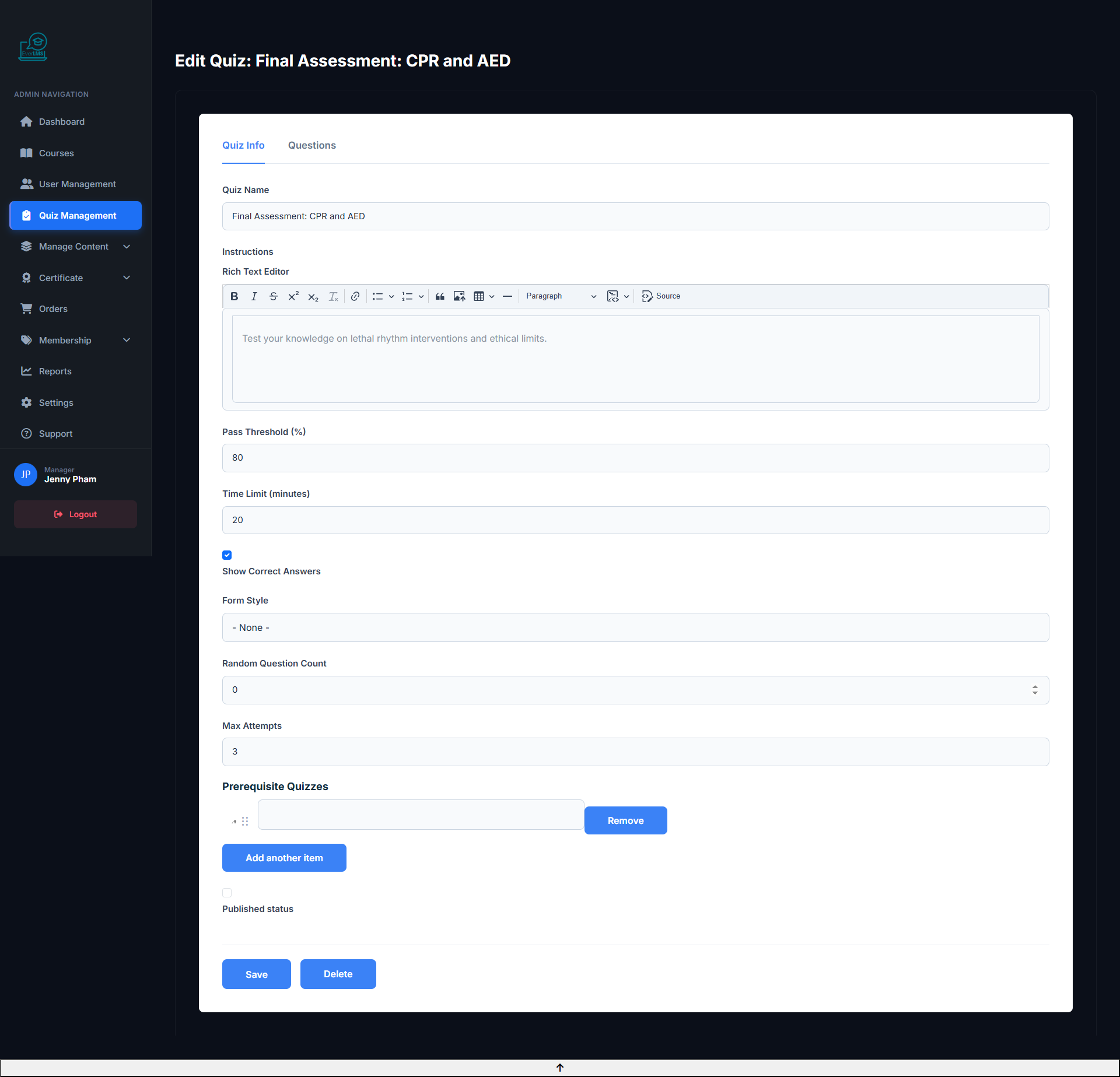
✏️ Edit Quiz
Feature: Update content, questions, and settings of an existing quiz.
Navigation: Workspace Quizzes → Click quiz → Edit
- Add/remove/reorder questions in the quiz
- Adjust scores per question and passing score
- Update time limit and retake attempts
- Enable/disable the quiz without deleting it
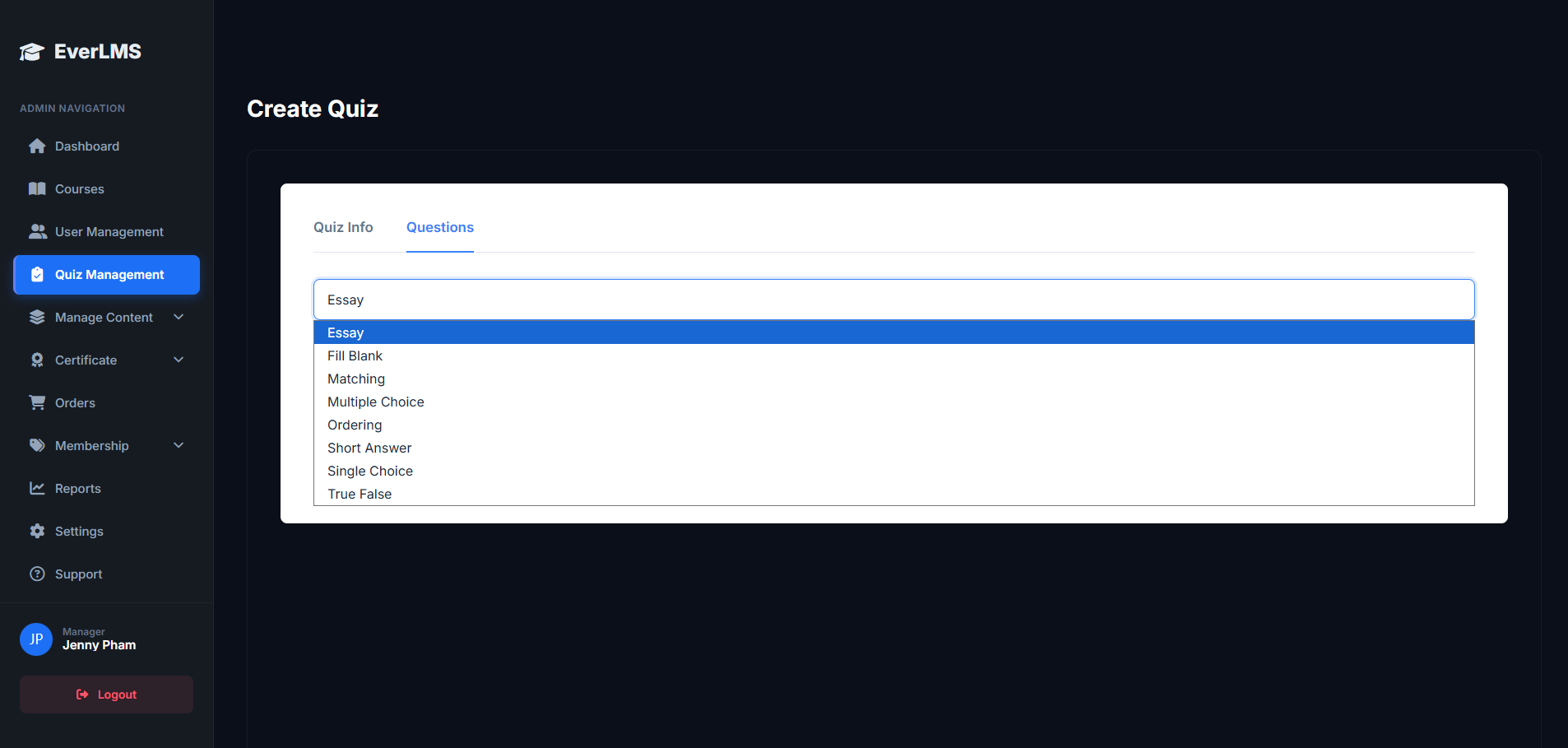
❓ Question Types
Feature: EverLMS supports various question types for comprehensive assessment.
Navigation: Quiz Editor → Add Question → Select type
- Multiple Choice: Single Choice (1 answer), Multiple Choice (multiple answers), True/False.
- Written: Short Answer, Essay.
- Other: File Upload (attach files), Matching (pair data).
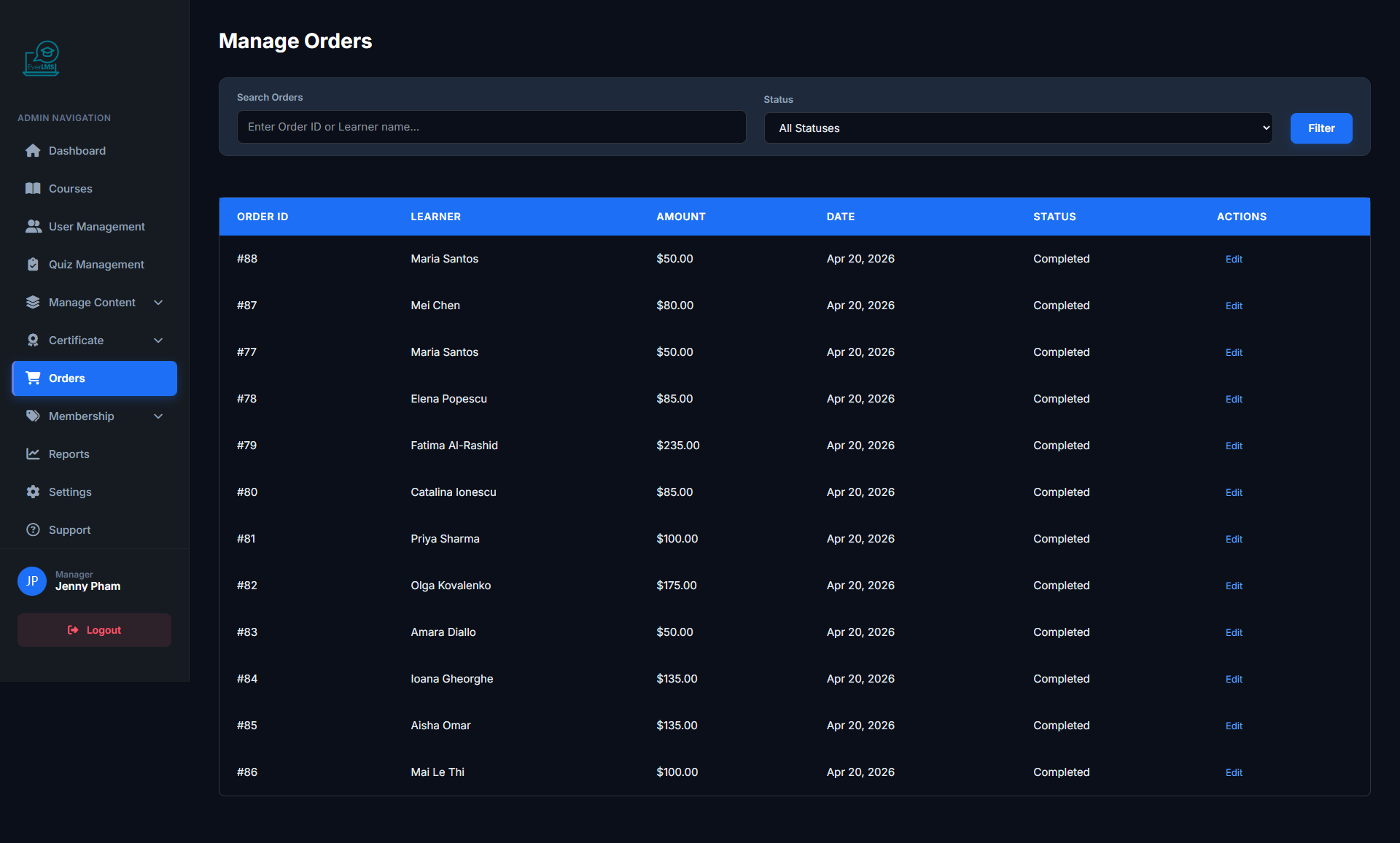
🛒 Order Management
Feature: The Workspace Orders page manages all course purchase and membership orders.
Navigation: Workspace → Orders
- View order list with status (Pending/Completed)
- Filter by date, payment method
- Confirm bank transfer orders
- Export order reports as CSV/Excel
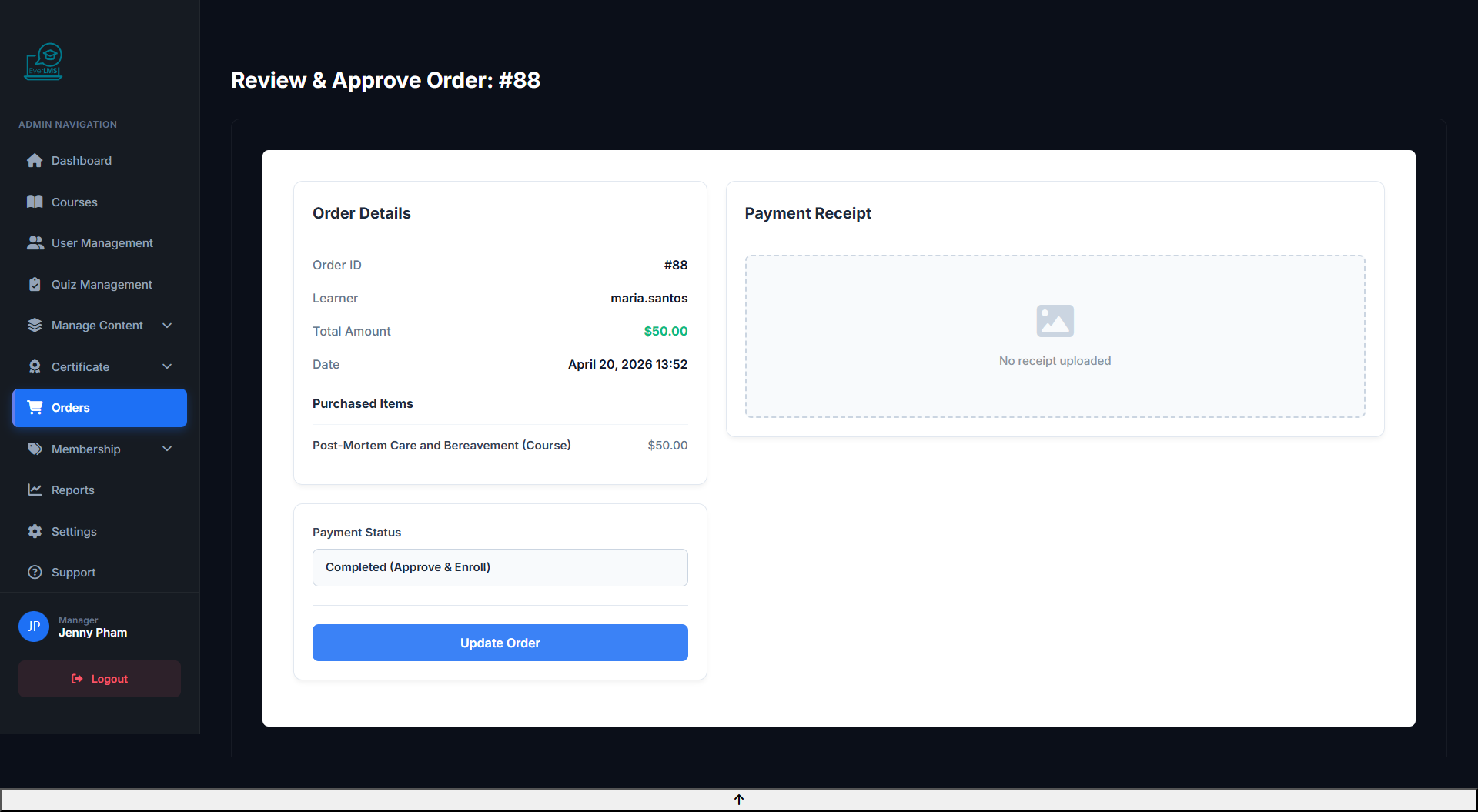
🔍 Order Details
Feature: View and update the status of individual orders.
Navigation: Workspace Orders → Click order → Edit
- View student information and purchased course
- Check payment method and transaction code
- Change status (Pending → Completed)
- Resend confirmation email to the student
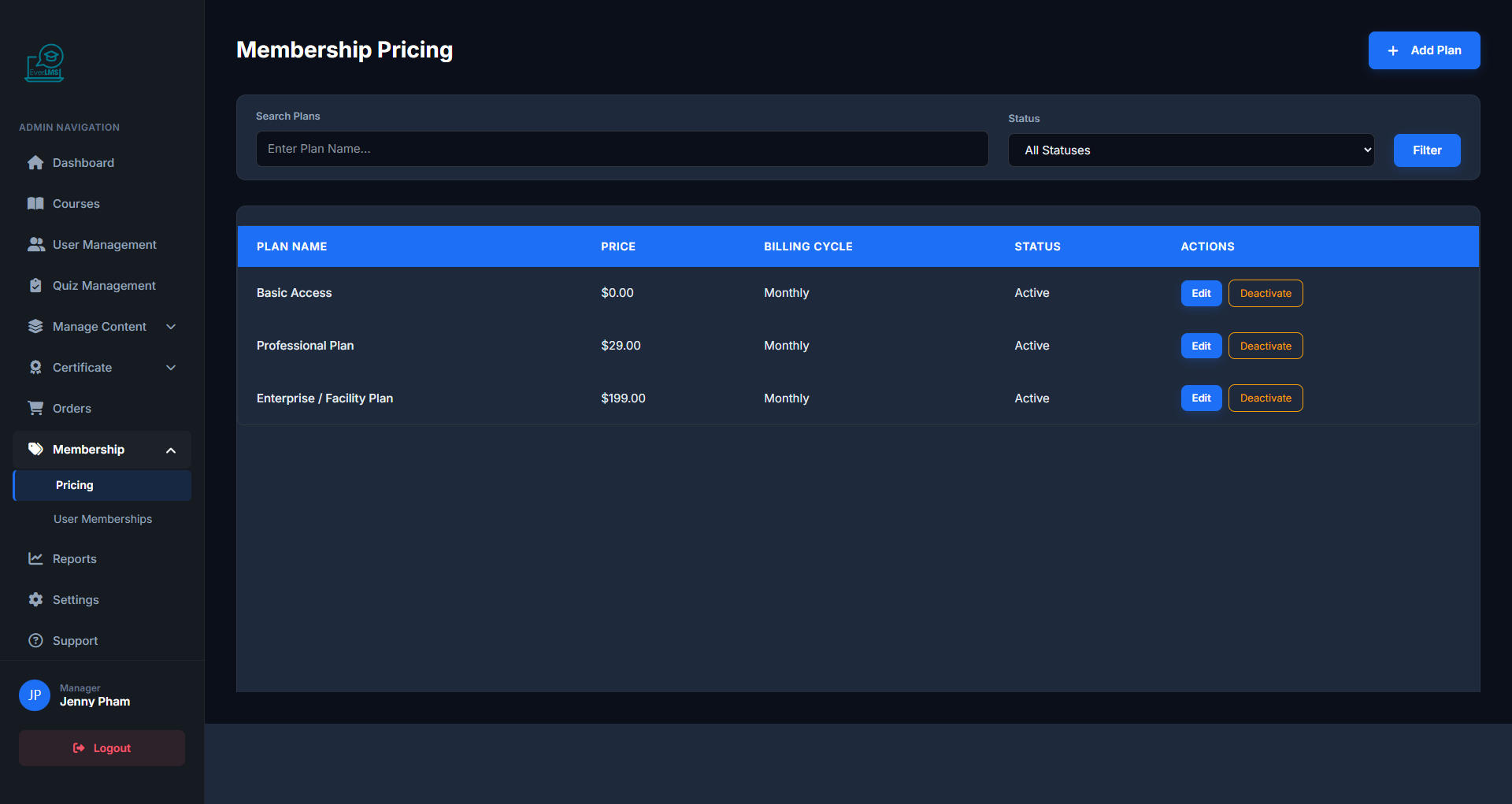
💎 Pricing Plans
Feature: The Workspace Pricing page manages membership plans and pricing strategies.
Navigation: Workspace → Pricing
- View plan list: Silver, Gold, Platinum
- Track subscriber count for each plan
- Enable/disable plans based on business strategy
- Create new plans or edit existing ones
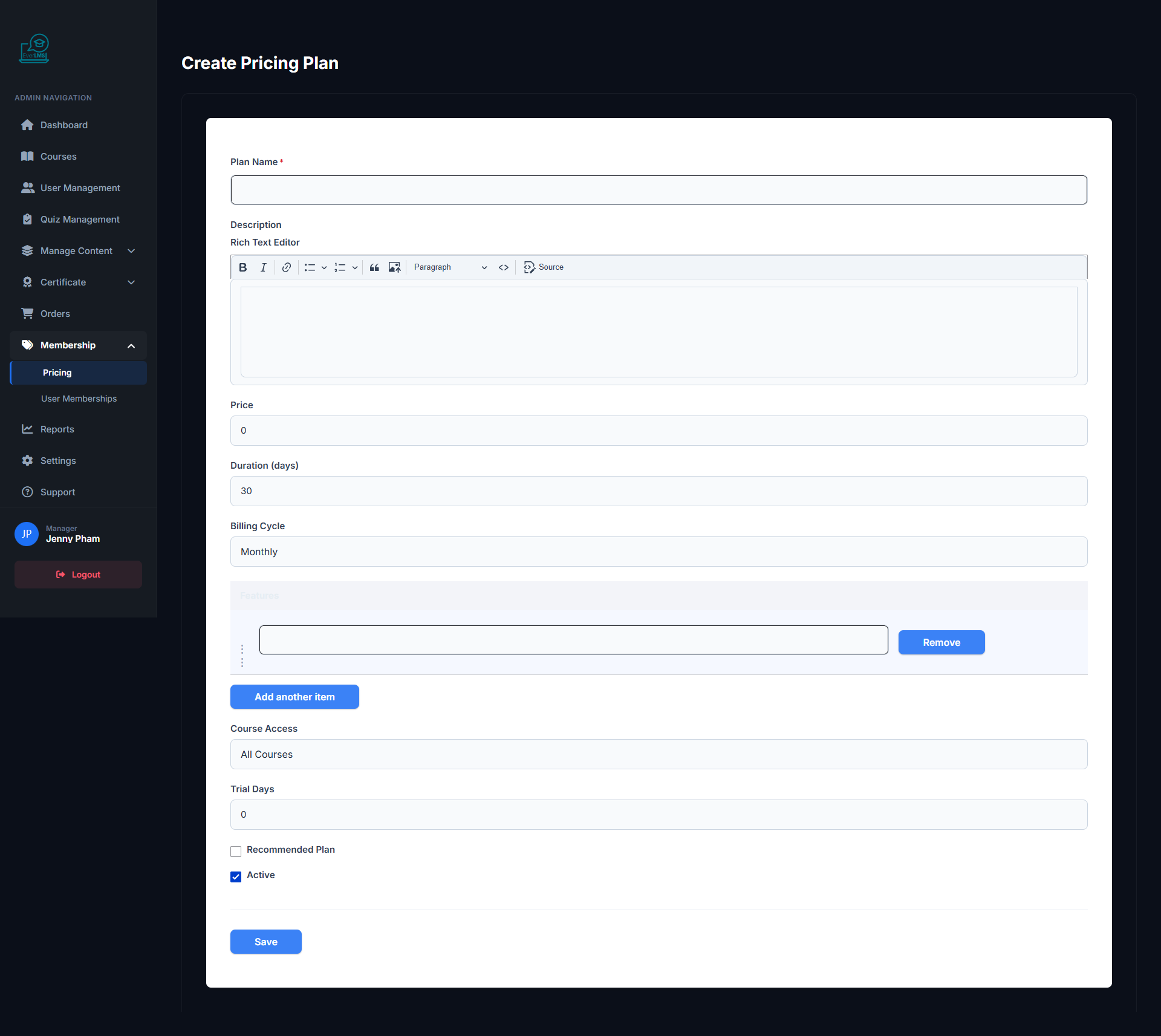
➕ Create Pricing Plan
Feature: Managers create new membership plans with specific access rights and pricing.
Navigation: Workspace → Pricing → Add Plan
- Set plan name and benefits description
- Configure price and billing cycle (monthly/annual)
- Select course categories included in the plan
- Set limited or unlimited course access
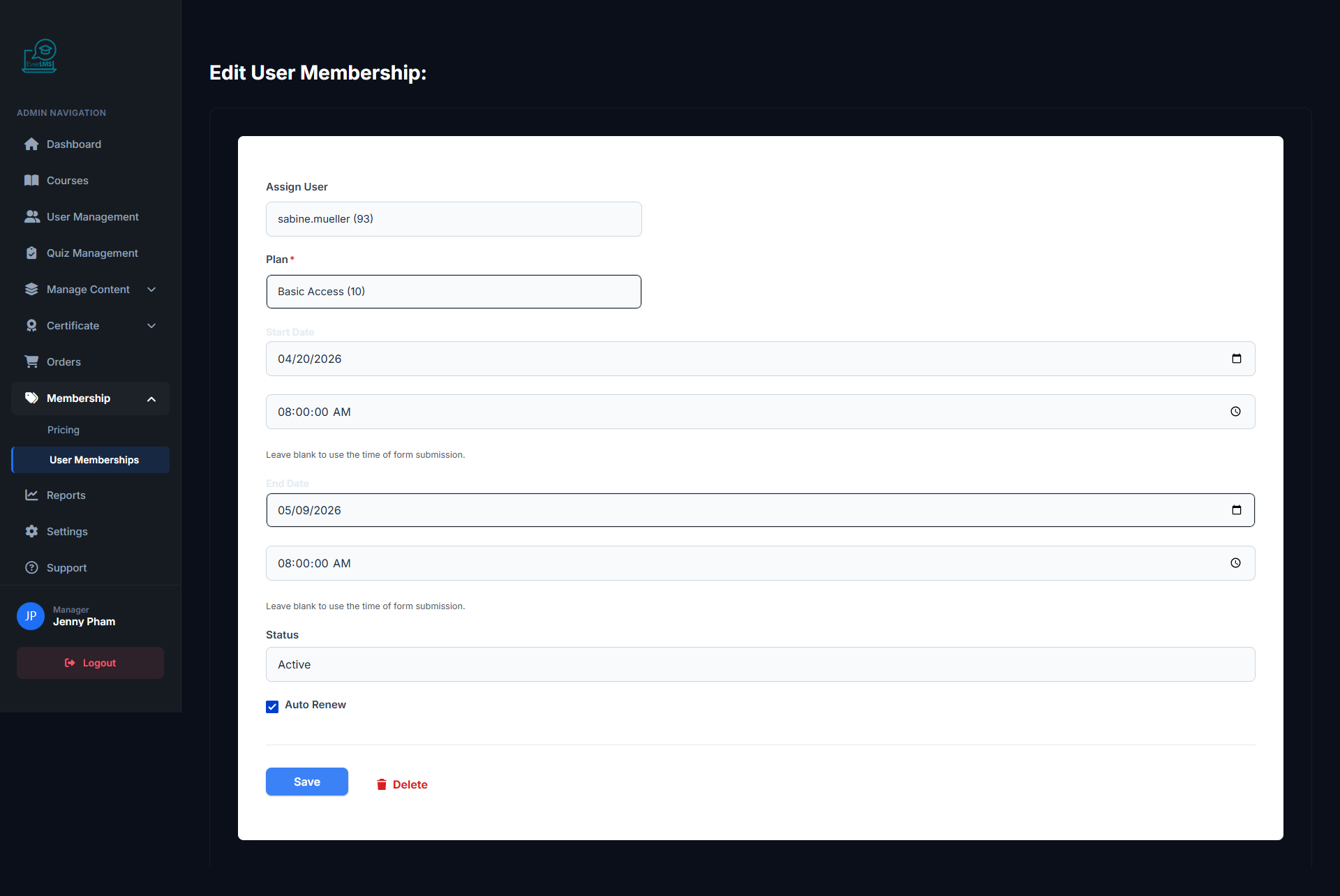
✏️ Edit Pricing Plan
Feature: Update information, pricing, and benefits of a membership plan.
Navigation: Workspace Pricing → Click plan → Edit
- Update name, description and benefit list
- Adjust price and plan duration
- Add/remove course categories in the plan
- Activate/deactivate the plan
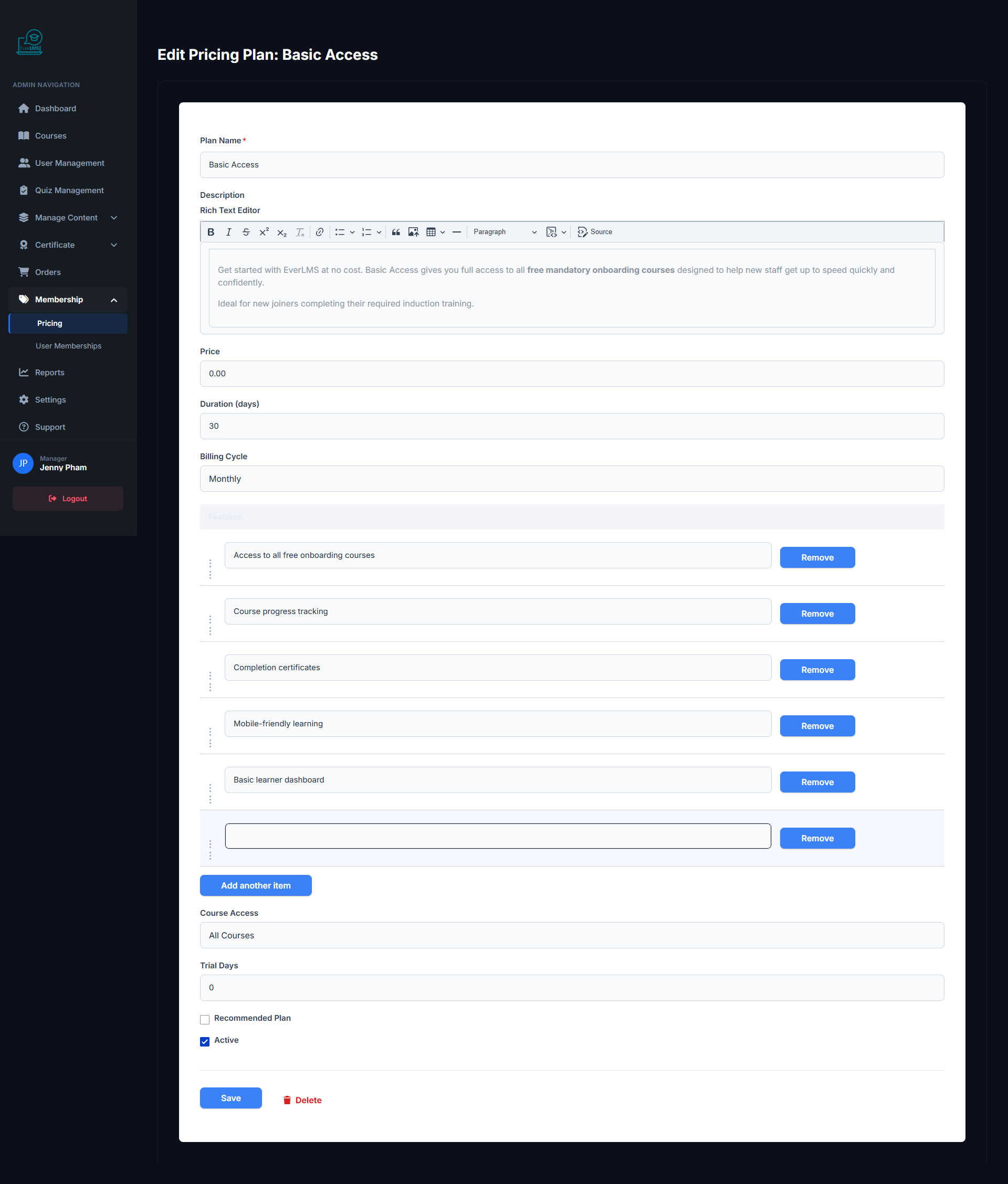
👤 User Membership
Feature: Manage individual user subscription memberships on the platform.
Navigation: Workspace → Memberships → User Memberships
- View list of users with active subscriptions
- Check expiration dates and current plans
- Manually renew or upgrade plans
- View membership history for each account
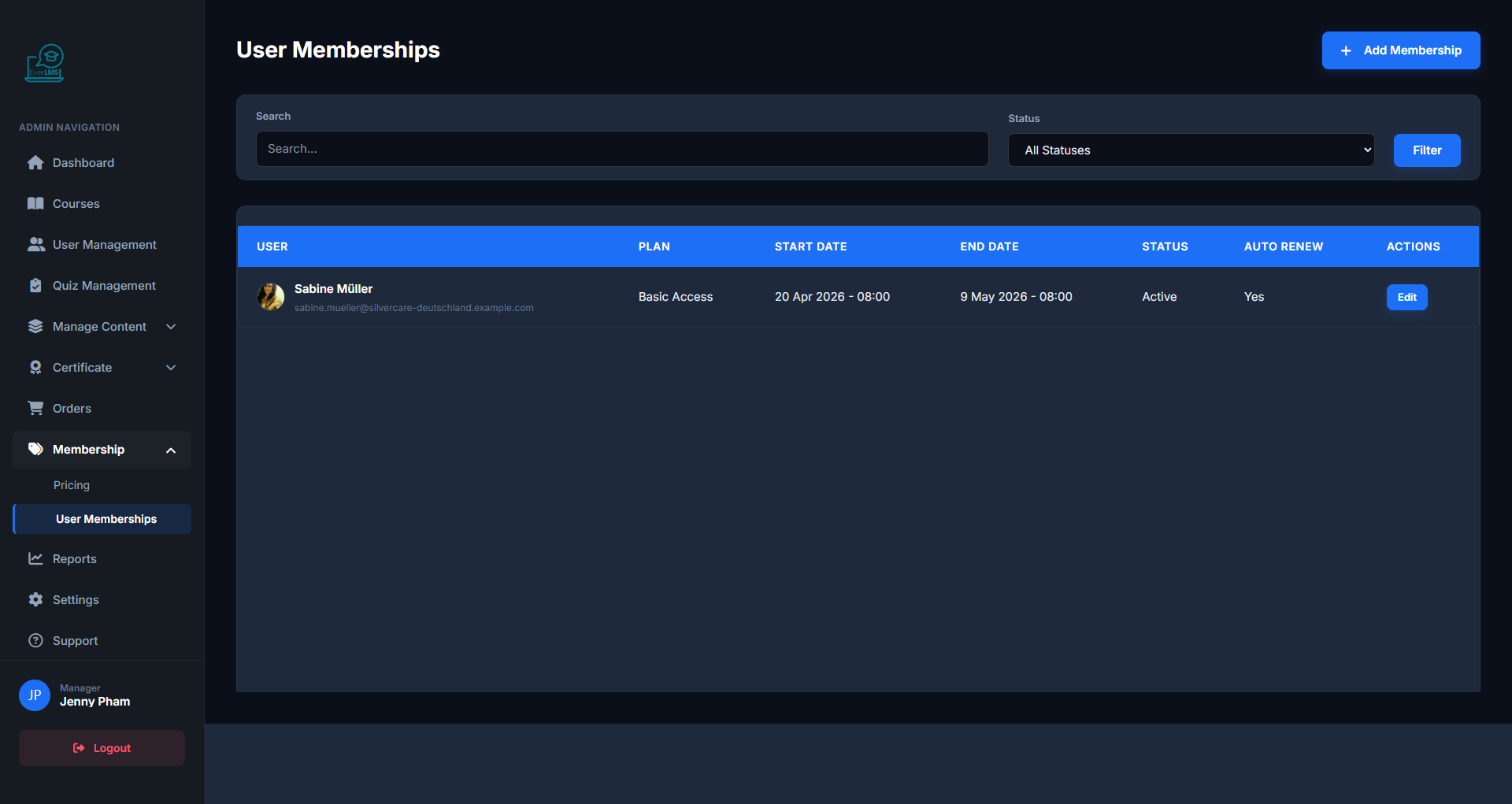
➕ Add User Membership
Feature: Managers manually assign membership plans to specific users.
Navigation: Workspace → Memberships → Add
- Select the user account to assign
- Choose membership plan (Silver/Gold/Platinum)
- Set start date and expiration date
- Save and notify the user
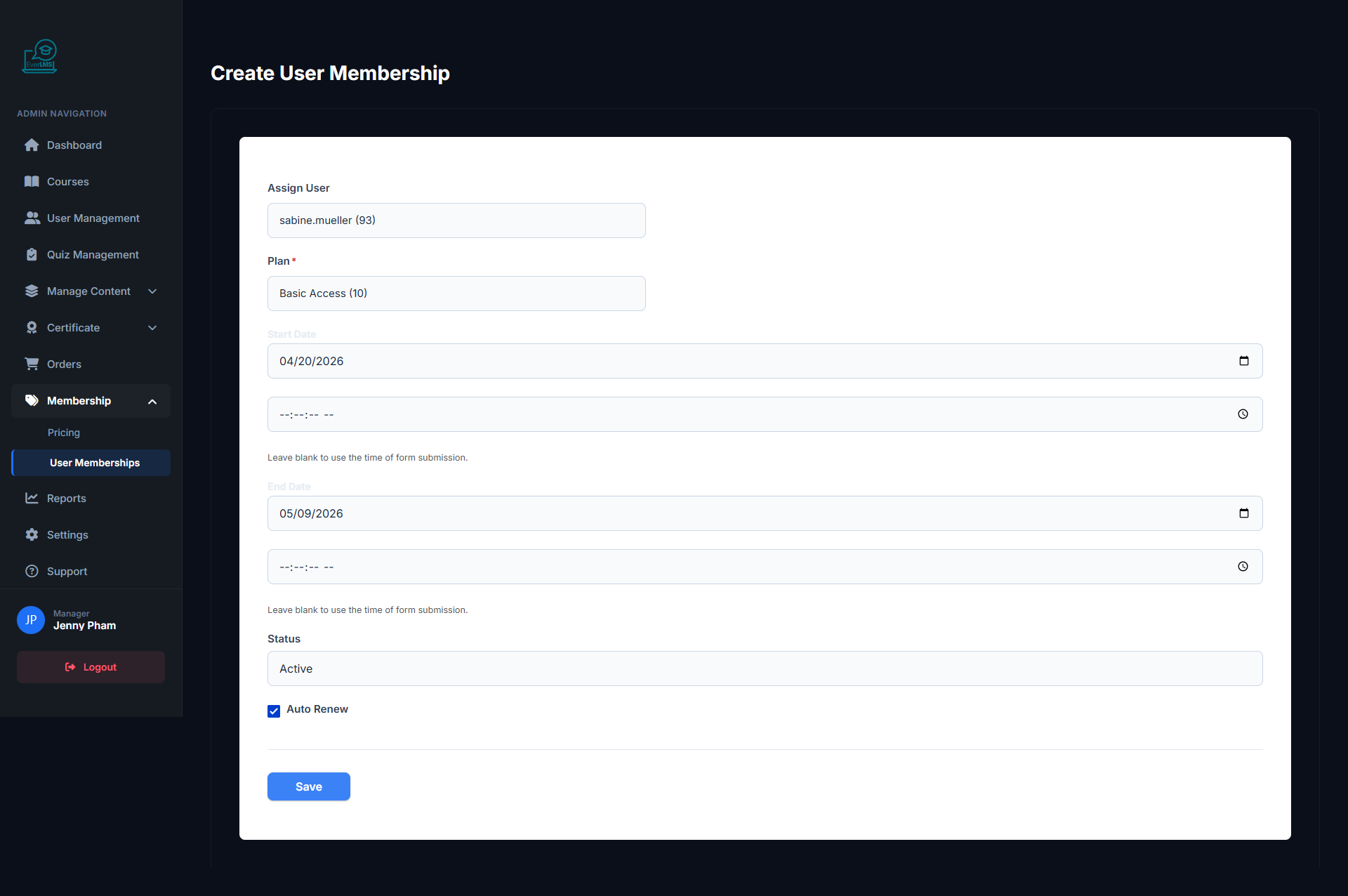
✏️ Edit Membership
Feature: Update membership plan and expiration date for a specific user.
Navigation: User Memberships → Select user → Edit
- Change membership plan (upgrade/downgrade)
- Update new expiration date
- View payment and renewal history
- Cancel or pause the membership
🏆 Certificate Management
Feature: The Workspace Certificates page manages templates and issued certificates.
Navigation: Workspace → Certificates
- View list of certificate templates
- Create new templates or edit designs
- View all certificates issued to students
- Verify and revoke certificates as needed
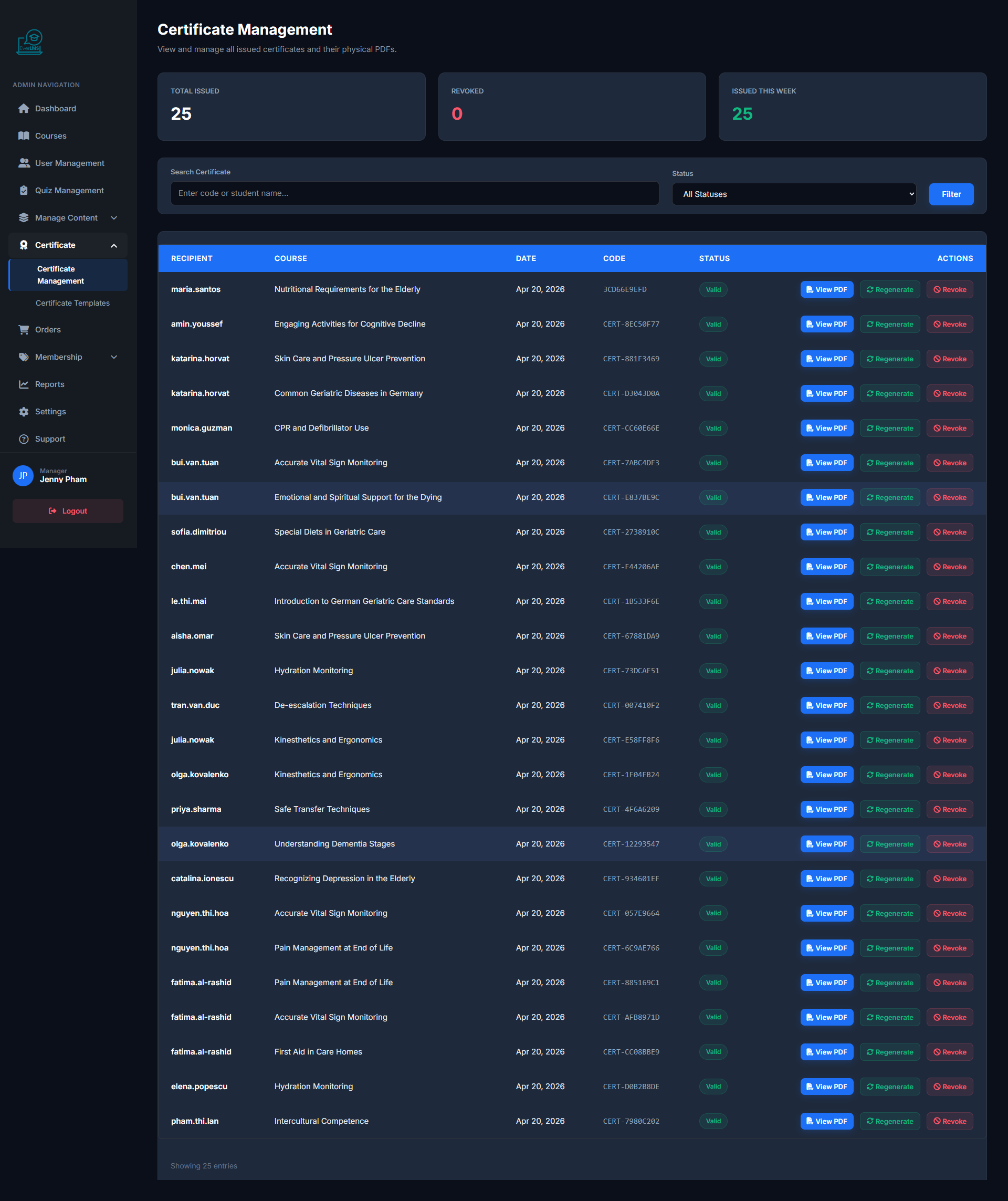
📜 Certificate Templates
Feature: The Certificate Templates list shows all available design templates that can be assigned to courses.
Navigation: Workspace → Certificates → Templates
- View all template designs with a preview thumbnail
- See which courses each template is currently assigned to
- Duplicate an existing template to create a variant quickly
- Delete unused templates to keep the library organized
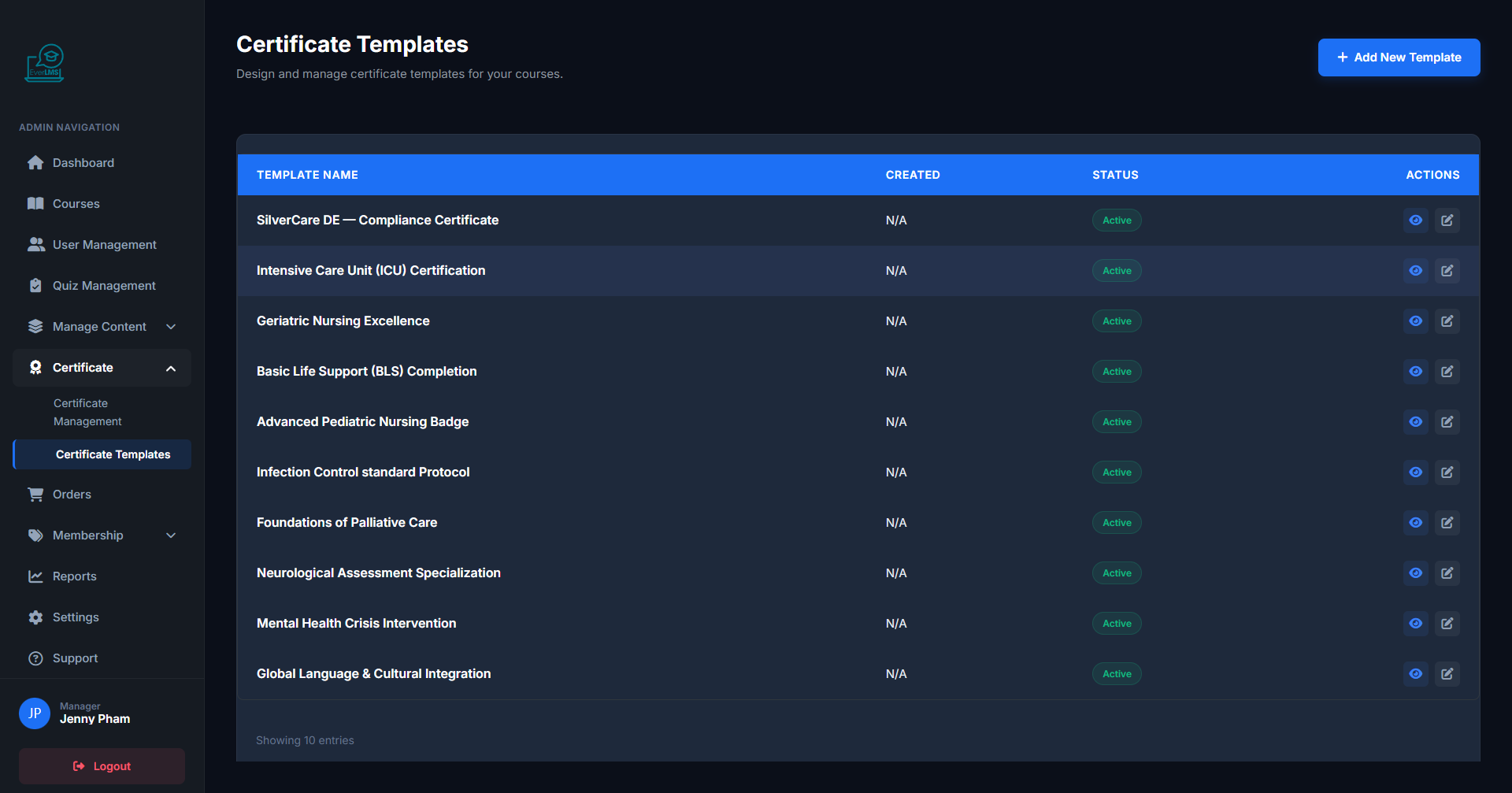
➕ Create Certificate Template
Feature: Managers create new certificate templates with custom design and content.
Navigation: Workspace → Certificates → Templates → Add
- Set template name and choose a basic layout
- Upload background image or organization logo
- Configure dynamic fields: student name, issue date
- Preview and save the template
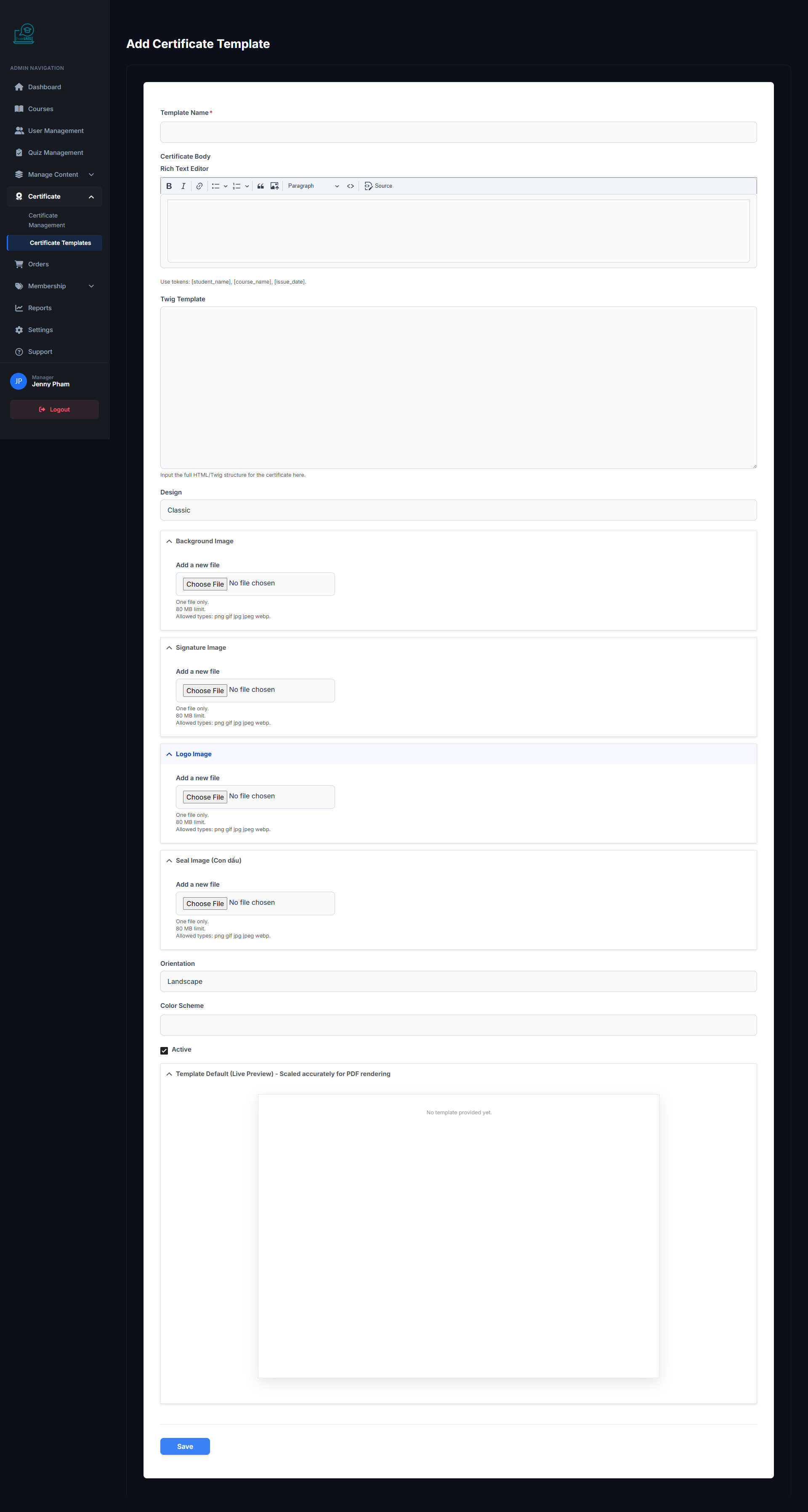
✏️ Edit Certificate
Feature: Update the design and content of an existing certificate template.
Navigation: Workspace → Certificates → Templates → Edit
- Change layout, fonts, and colors
- Update organization logo and background image
- Adjust information field positions
- Preview before saving
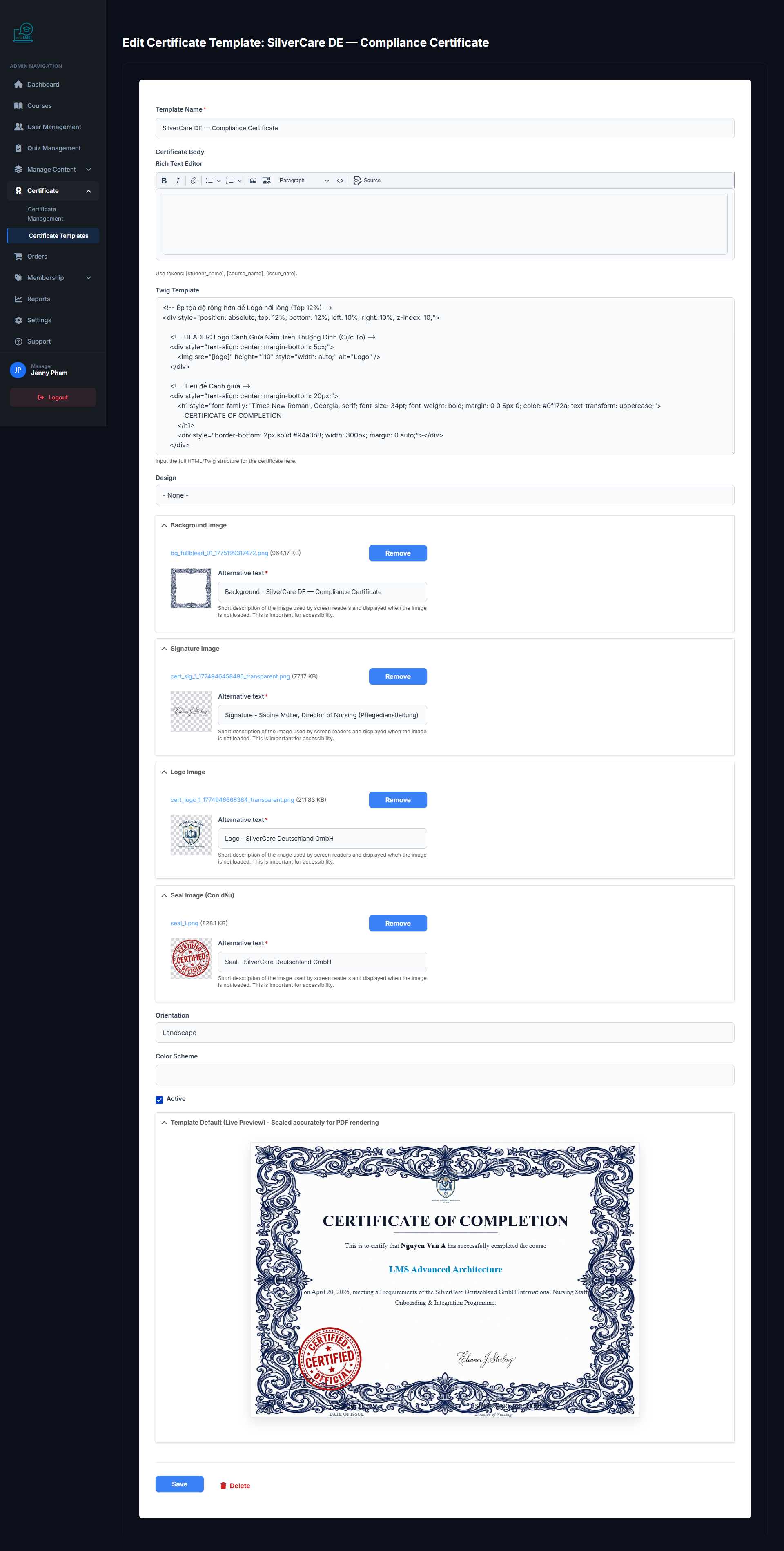
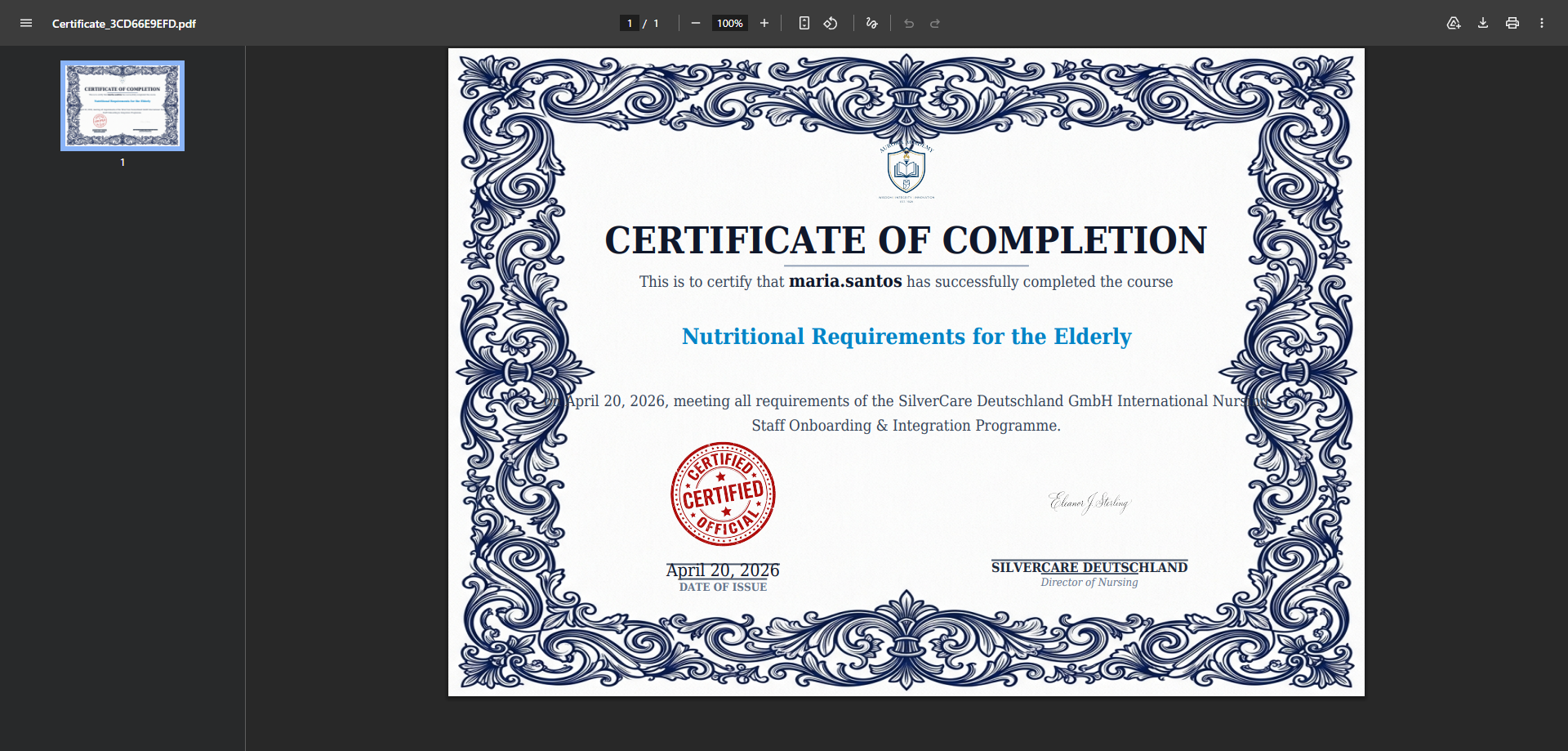
📄 View Certificate PDF
Feature: Managers preview and download student certificates in PDF format.
Navigation: Workspace → Certificates → View PDF
- View high-quality full-page certificate
- Download the PDF for storage or printing
- Verify that all printed information is correct
- Share the certificate URL link with the student
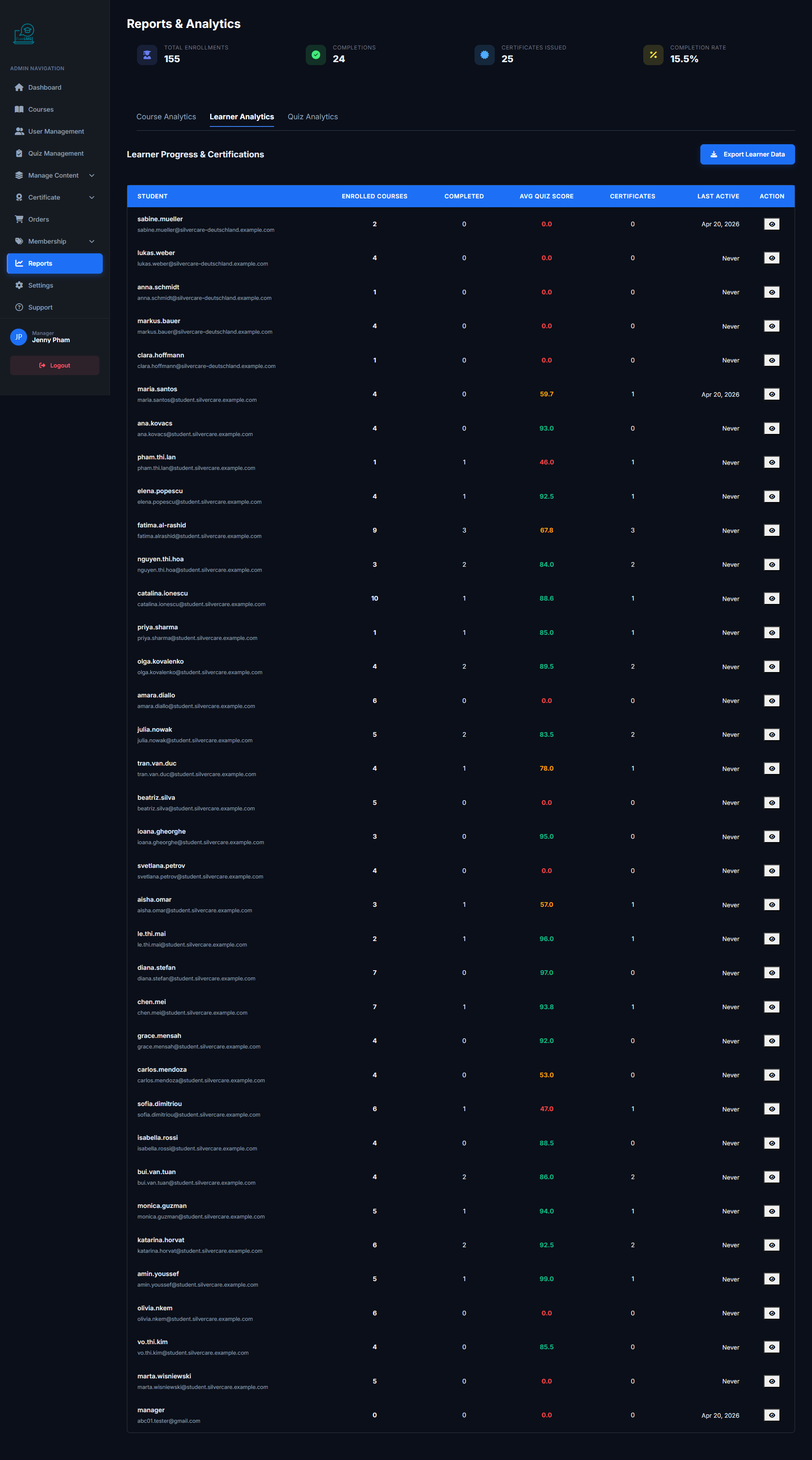
📊 Learner Reports
Feature: The Learner Reports page provides detailed reports on learning progress.
Navigation: Workspace → Reports → Learner
- View actual progress for each student per course
- Statistics on completion rates and study time
- Filter by course, time period, student
- Export CSV reports for detailed analysis
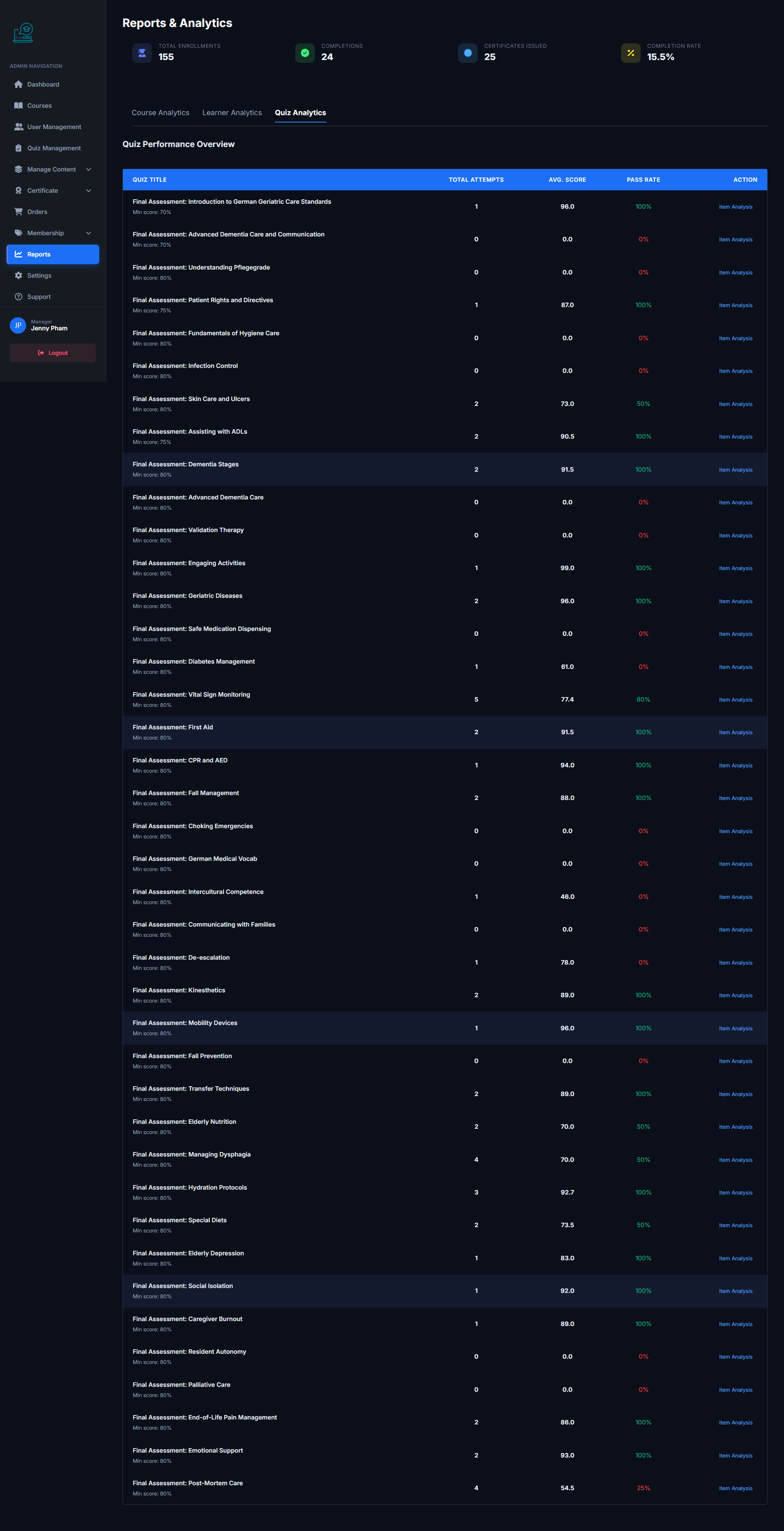
📈 Quiz Reports
Feature: The Quiz Reports page analyzes quiz results across the entire platform.
Navigation: Workspace → Reports → Quiz
- View average scores and pass/fail rates
- Analyze difficult questions (high error rates)
- View individual student score history per quiz
- Evaluate content quality for improvement
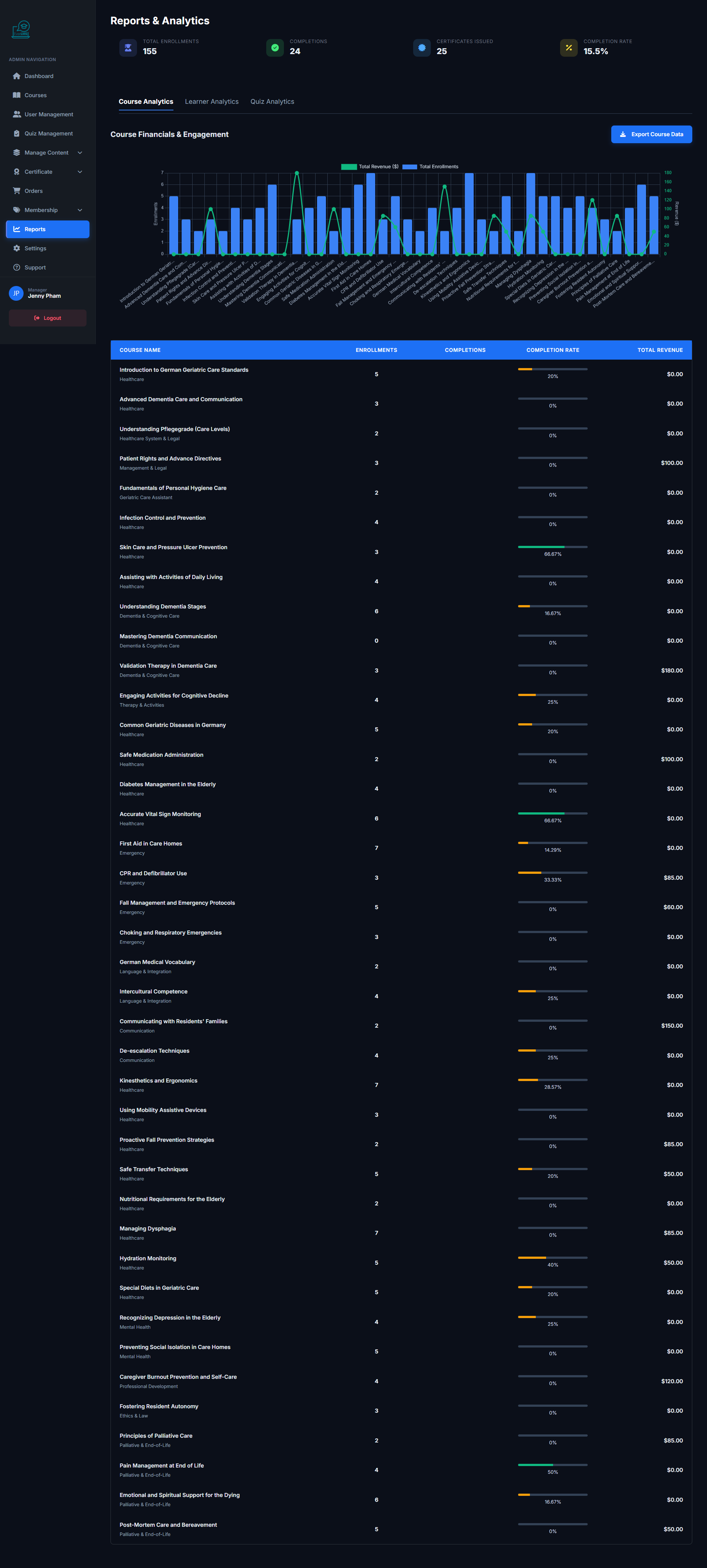
📉 Course Reports
Feature: The Course Reports page provides performance statistics for each course on the platform.
Navigation: Workspace → Reports → Course
- View student enrollment count per course
- Statistics on completion rates and average scores
- Compare performance across courses
- Export reports to share with instructors
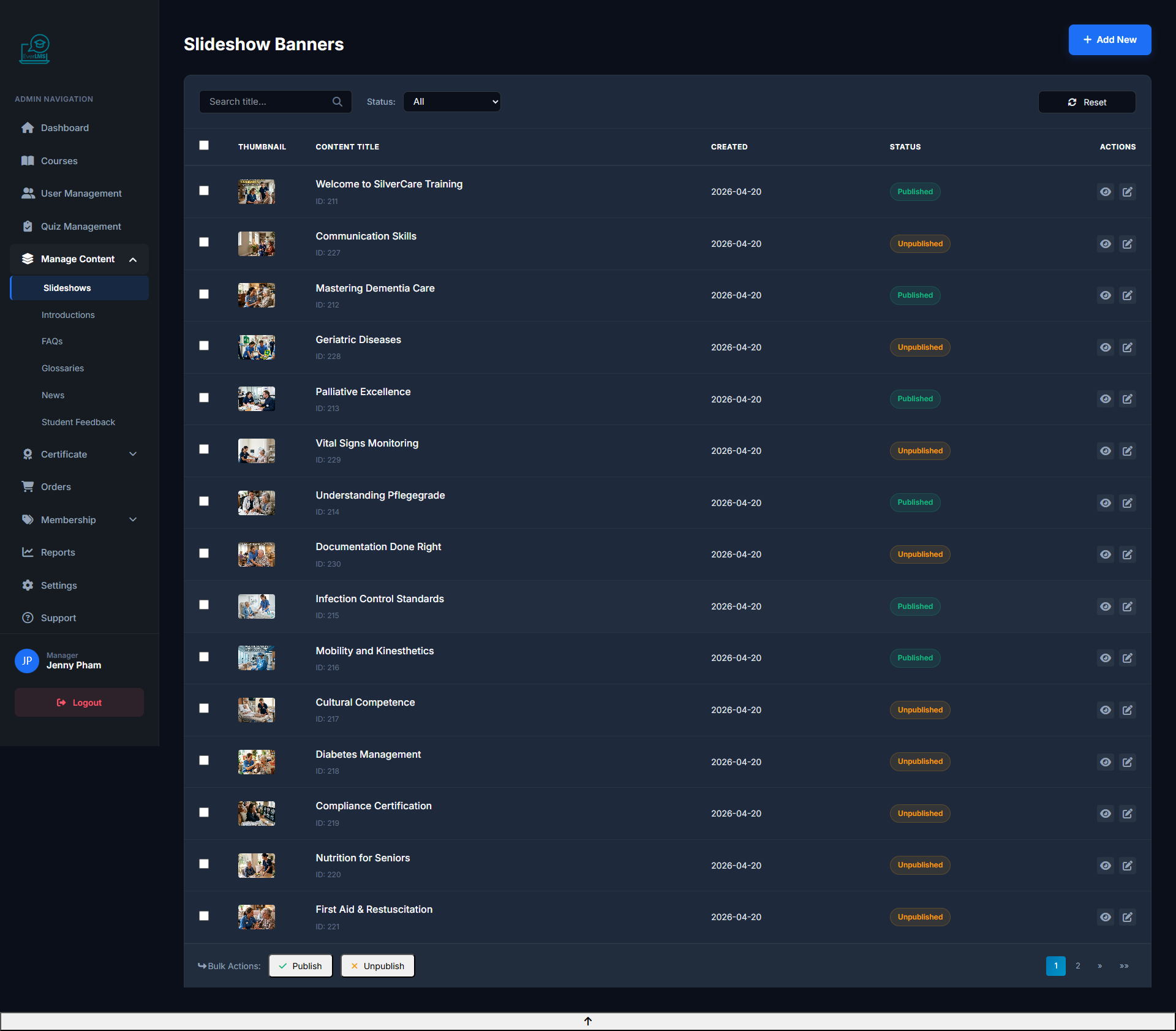
🖼️ Slideshow Management
Feature: Manage banners/carousels displayed on the platform homepage.
Navigation: Workspace → Content → Slideshows
- View the list of slides currently displayed on the homepage
- Edit the order and status of each slide
- Add new slides with images and CTA links
- Enable/disable slides based on marketing strategy
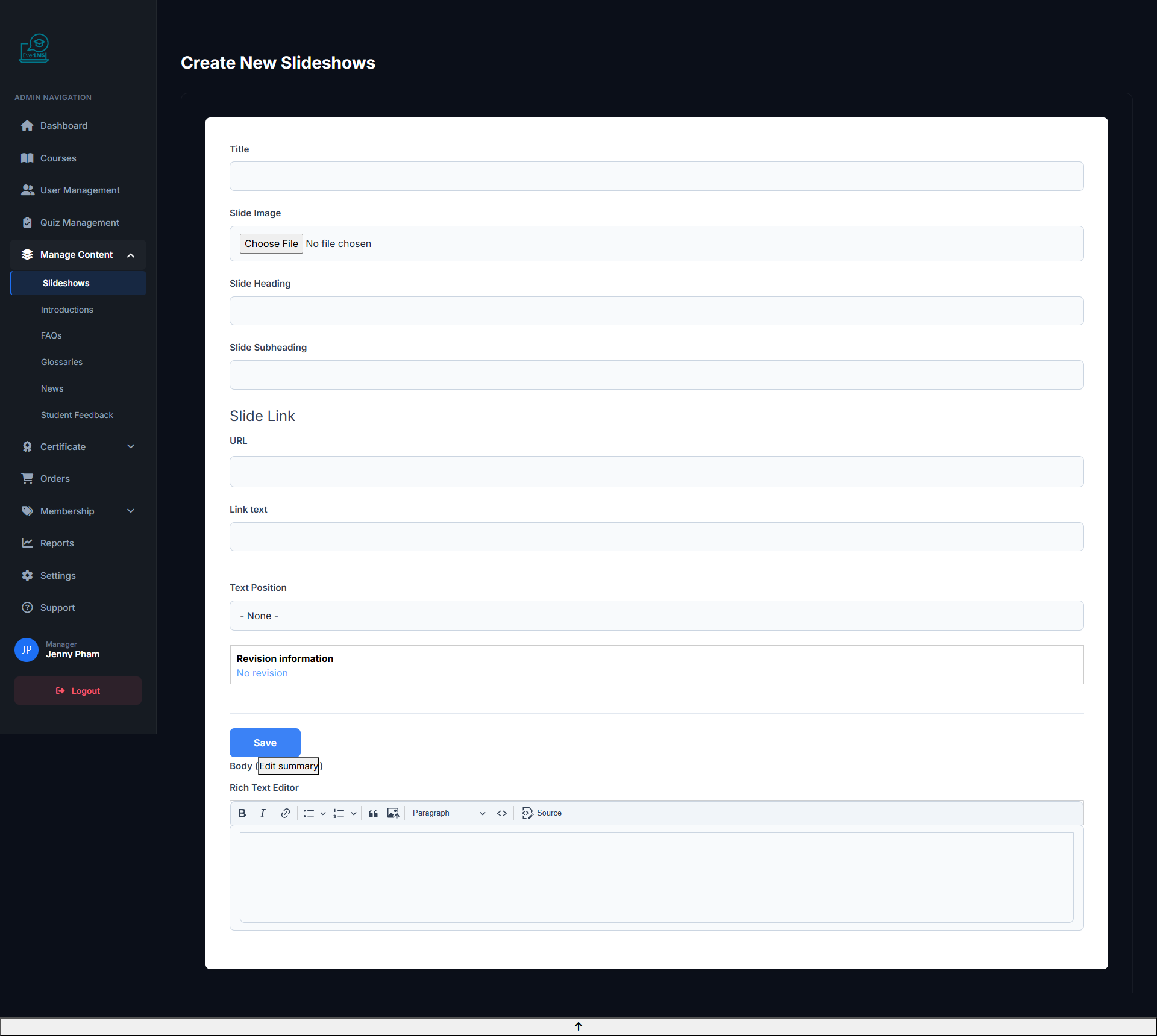
➕ Add Slideshow
Feature: Create a new homepage banner slide with custom image, headline, and call-to-action link.
Navigation: Workspace → Content → Slideshows → Add Slideshow
- Upload a high-quality banner image (recommended: 1920×600px)
- Set the headline, subtitle, and CTA button text
- Configure the CTA link to a course, category, or promotion page
- Set display order and schedule start/end dates for the slide
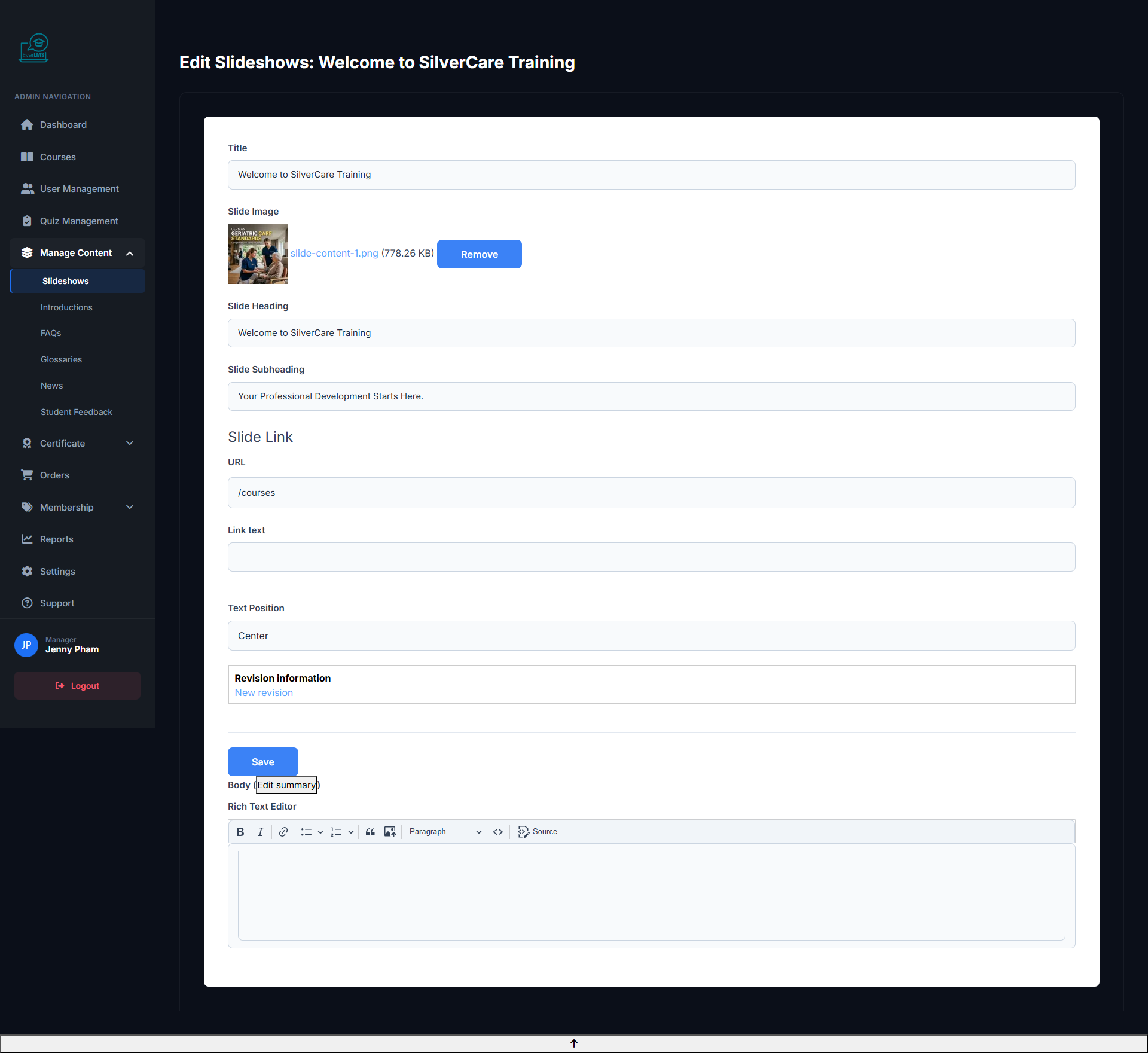
✏️ Edit Slideshow
Feature: Update content, images, and configuration of a displayed slide.
Navigation: Content → Slideshows → Click slide → Edit
- Replace banner image without losing settings
- Update title, description and CTA link
- Adjust order and display duration
- Enable/disable the slide without deleting it
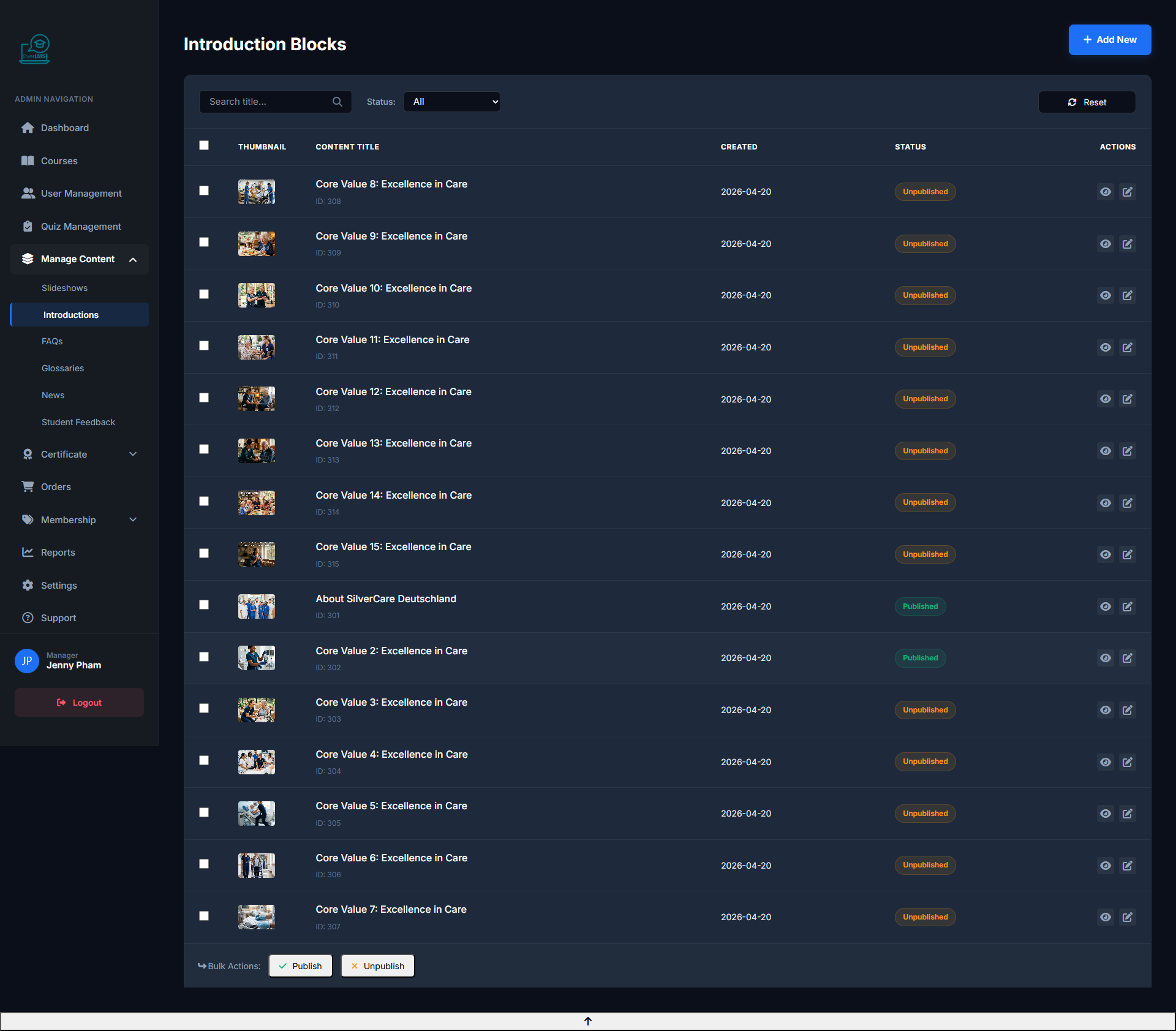
📄 Introductions Page
Feature: The Workspace Introductions page manages introductory content about the platform.
Navigation: Workspace → Content → Introductions
- View and edit platform introductory content
- Add new introductions for special pages
- Update mission and vision statements
- Manage landing page content
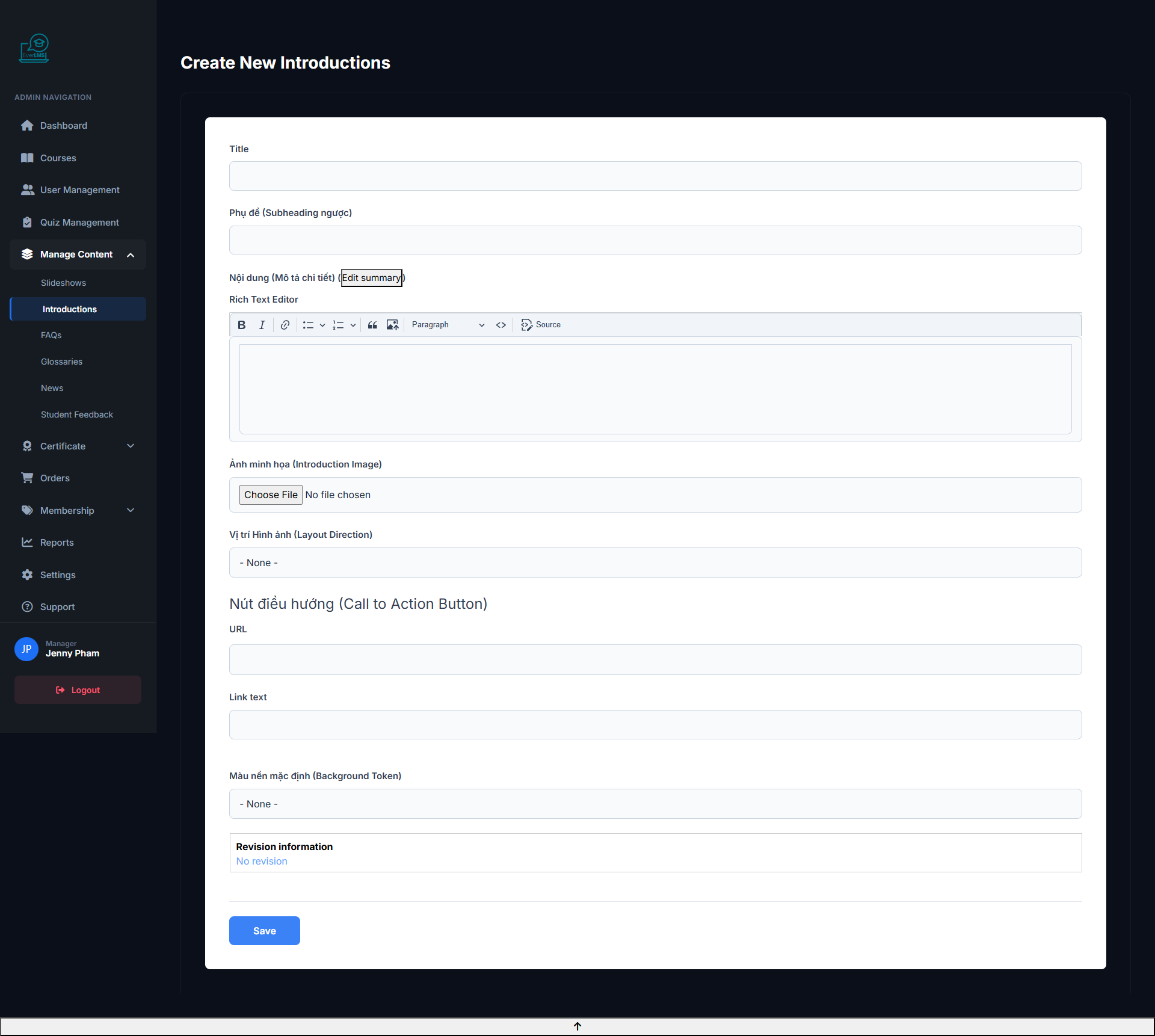
➕ Add Introduction
Feature: Create new introductory content for information pages or landing pages.
Navigation: Workspace → Content → Introductions → Add
- Enter title and short description
- Write full content with the editor
- Upload illustrative images
- Assign to a specific page (Home, About, etc.)
✏️ Edit Introduction
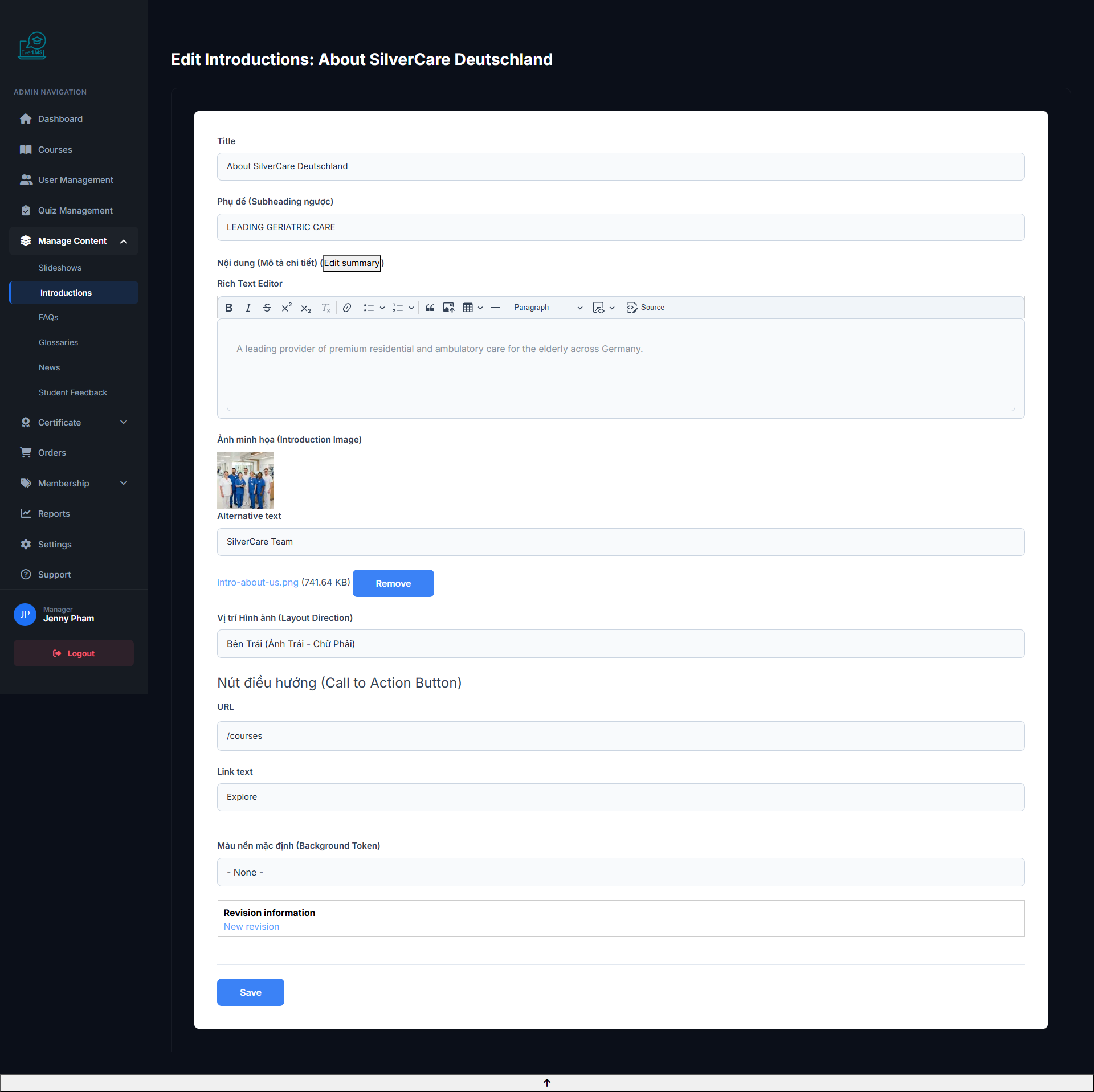
Feature: Update introductory information displayed on the platform.
Navigation: Workspace → Content → Introductions → Edit
- Update title and content to reflect current state
- Change illustrative images
- Edit mission and core values
- Enable/disable introduction sections by campaign
❓ FAQ Management
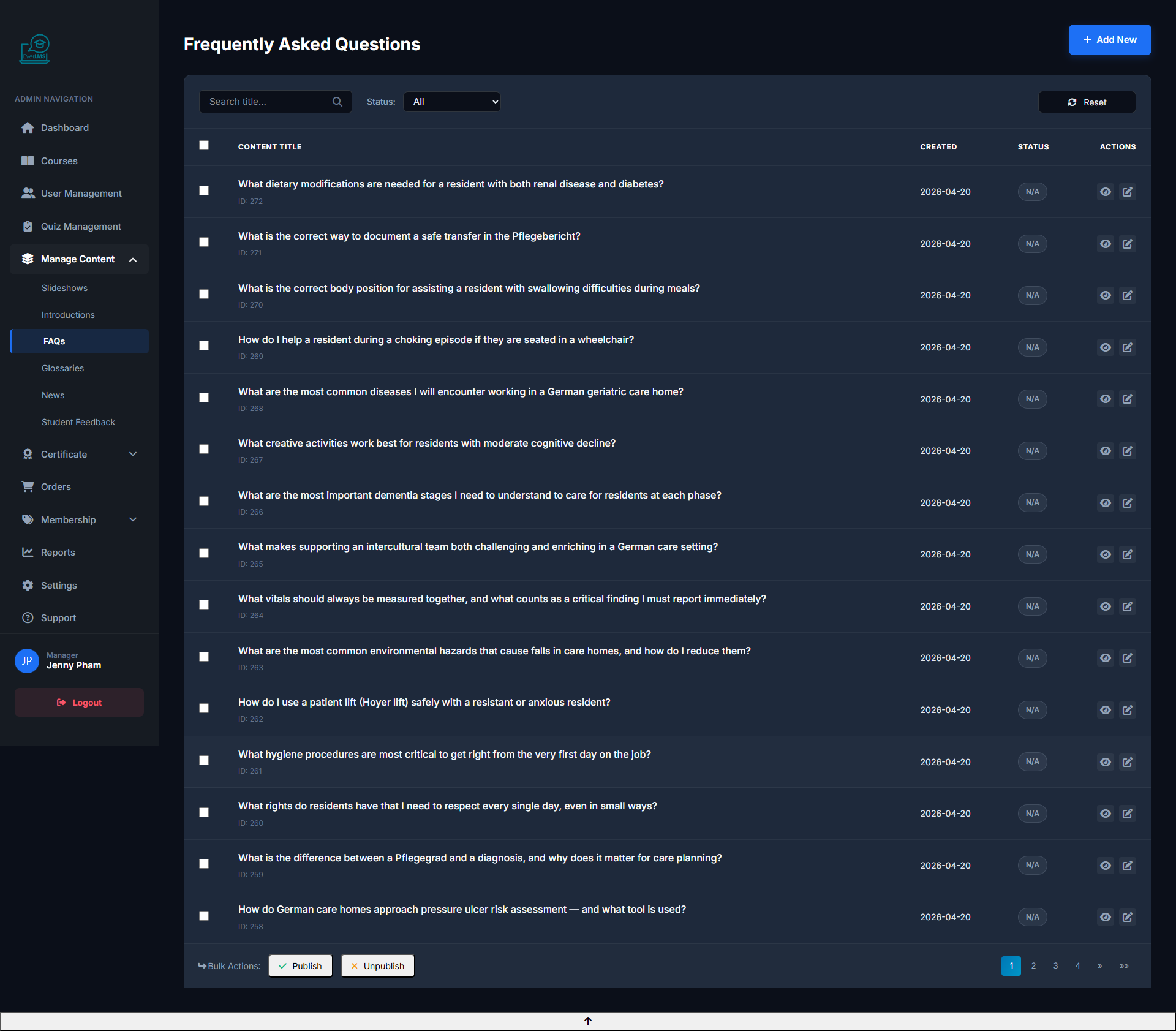
Feature: Manage frequently asked questions displayed on course detail pages.
Navigation: Workspace → Content → FAQs
- View and edit the existing FAQ list
- Add new questions from student feedback
- Sort FAQs by importance level
- Assign FAQs to courses or the homepage
➕ Add New FAQ
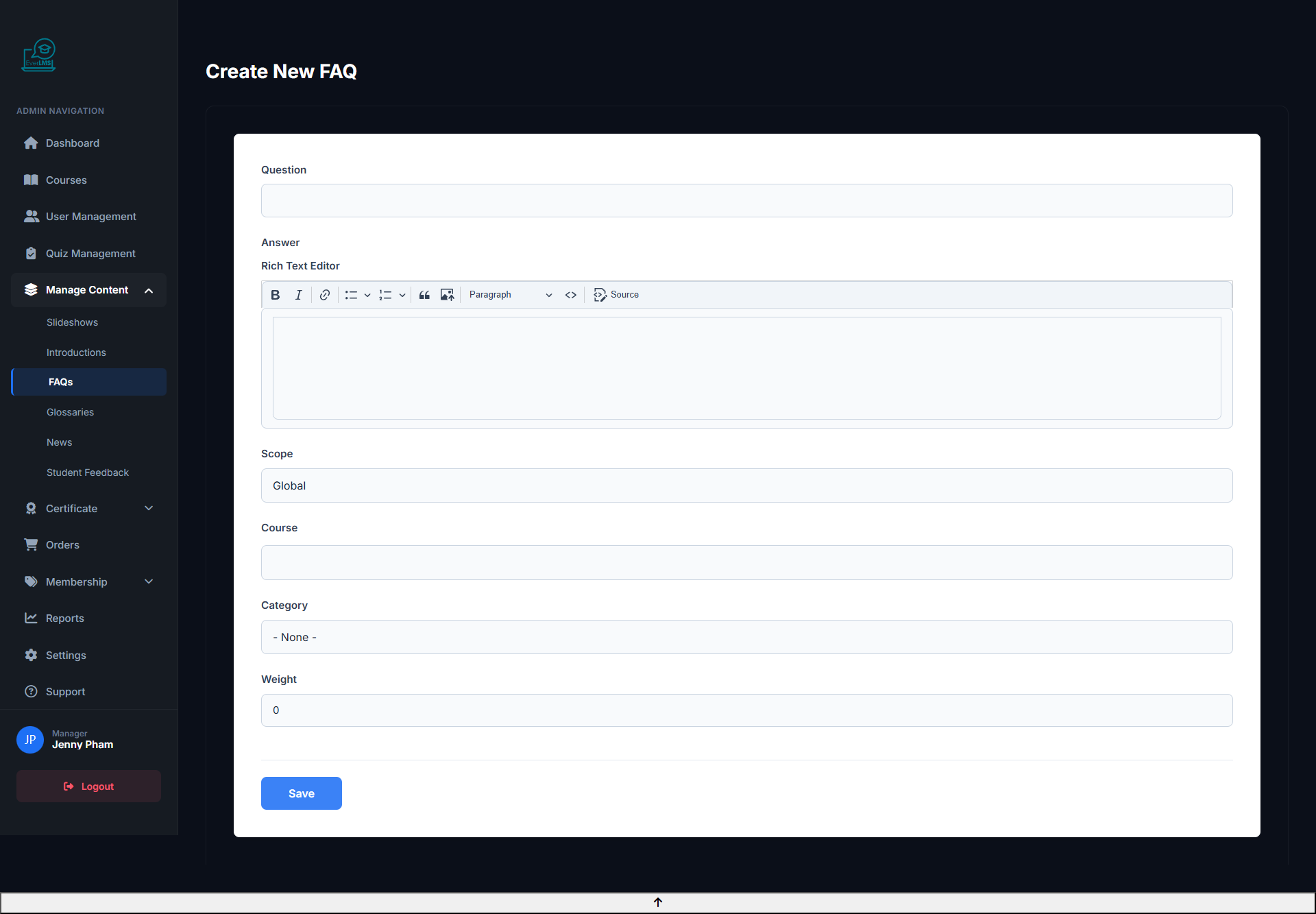
Feature: Managers add new frequently asked questions to support students.
Navigation: Workspace → Content → FAQs → Add
- Enter a clear and concise question
- Write a detailed answer with rich formatting
- Select the appropriate FAQ category
- Set status to Published for immediate display
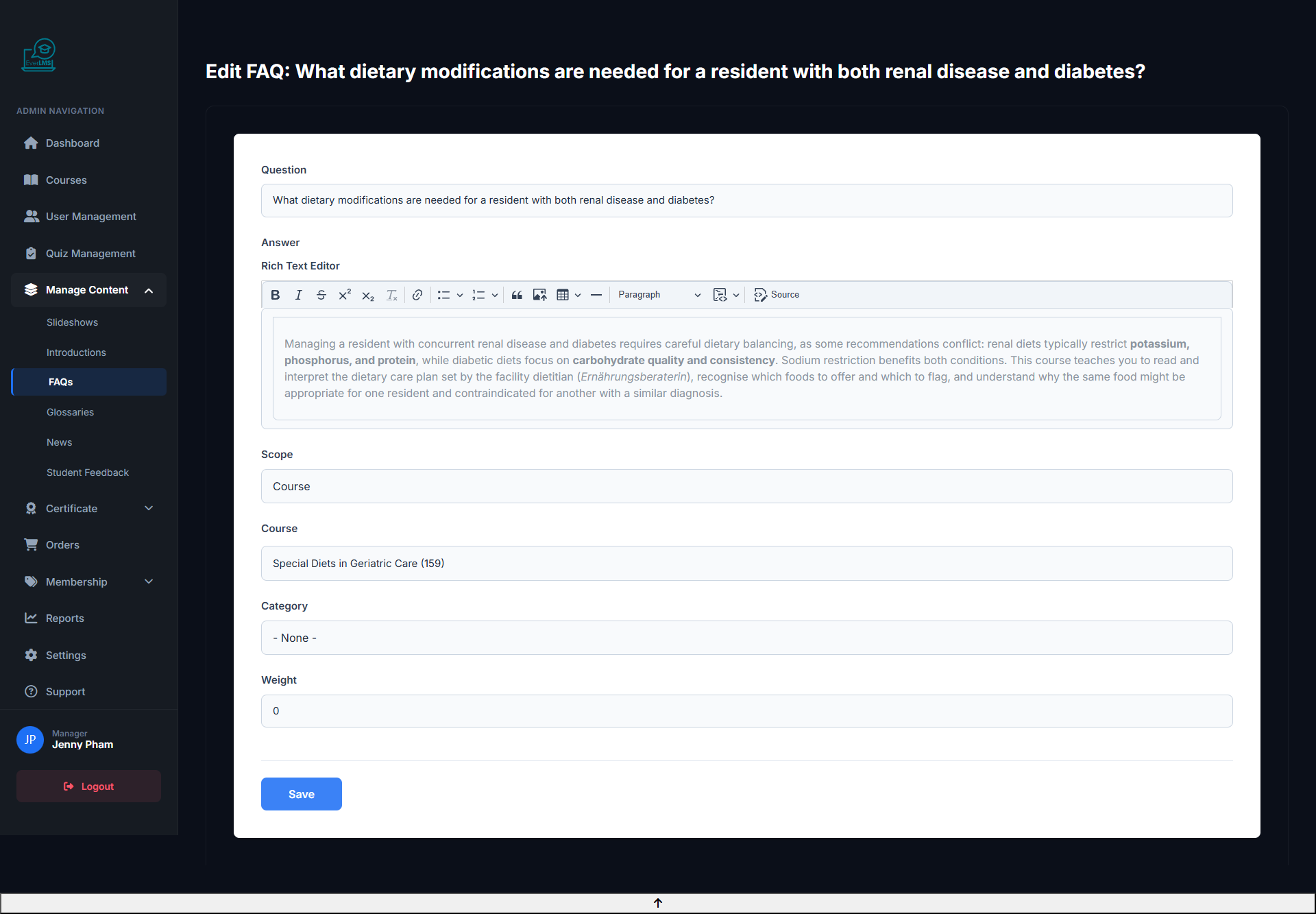
✏️ Edit FAQ
Feature: Update question or answer content for an existing FAQ.
Navigation: Workspace → Content → FAQs → Edit
- Edit the question for better clarity
- Update the answer based on actual feedback
- Change category or display order
- Hide FAQs that are no longer relevant
⭐️ Review Management
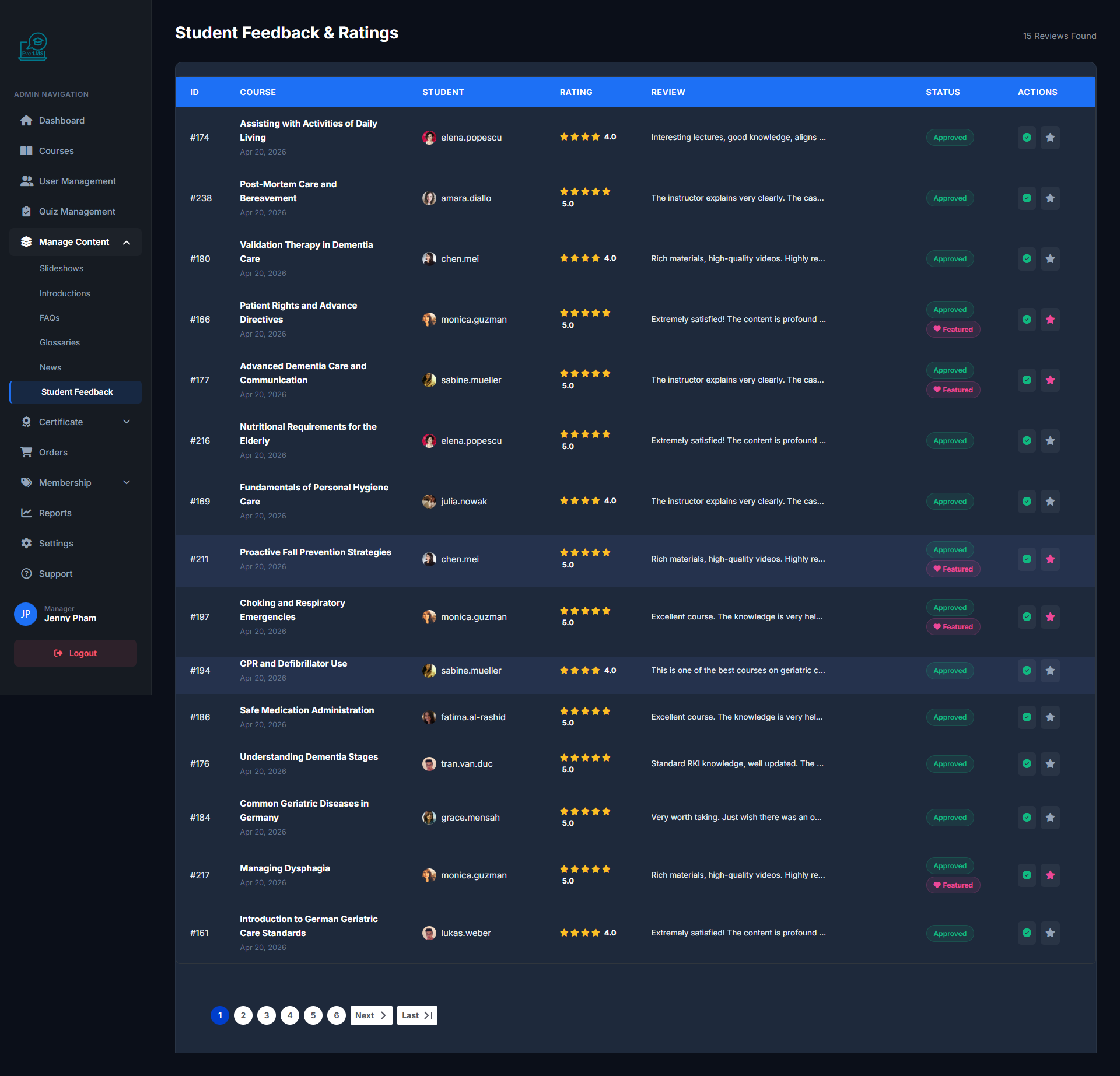
Feature: View and manage student reviews to control content quality.
Navigation: Manage Content → Student Feedback
- Track quality scores (1 to 5 stars) for courses
- View detailed actual feedback from students
- Approve, hide, or delete spam/policy-violating reviews
- Use feedback to update lecture quality
📰 News Management
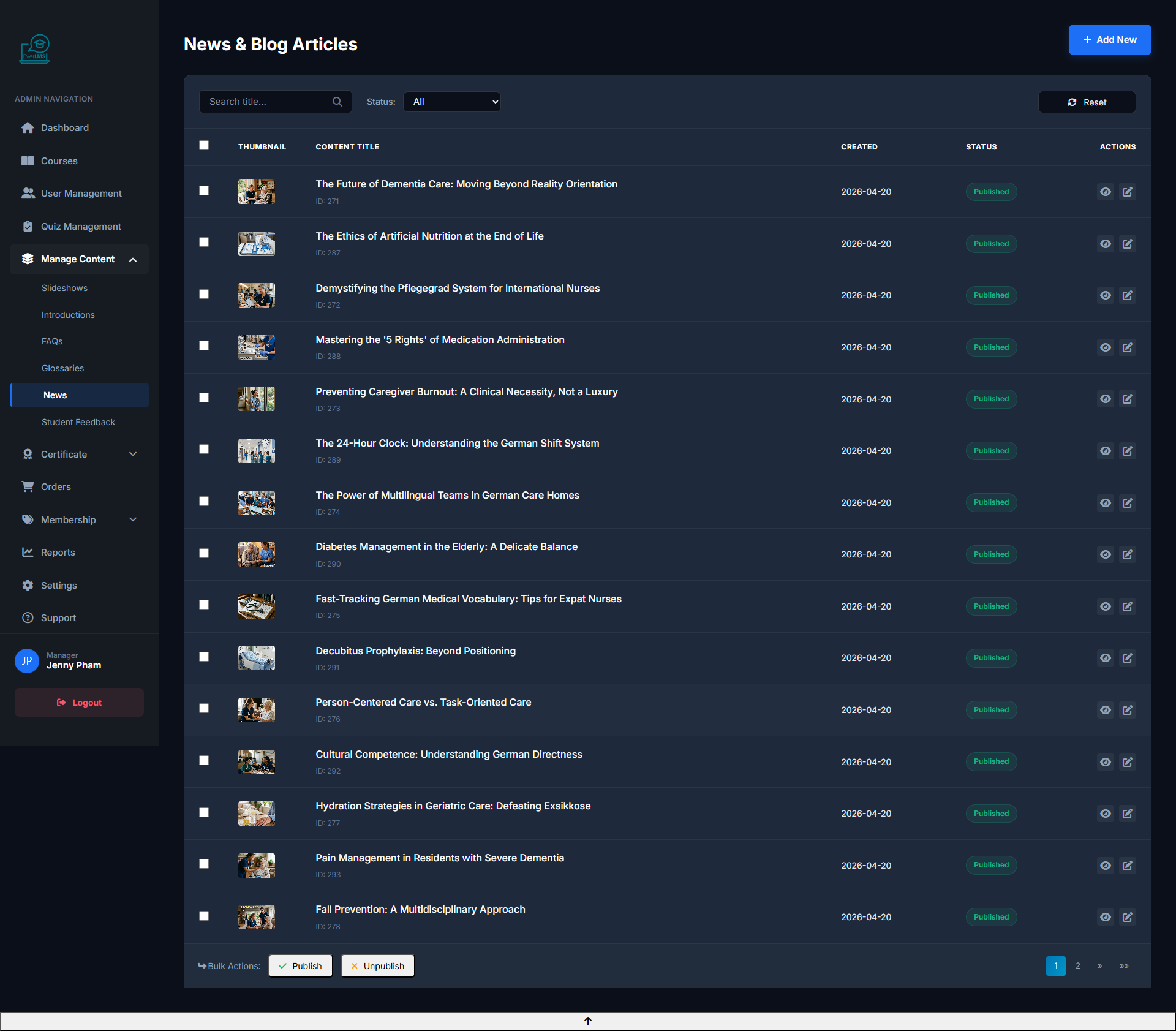
Feature: Manage news articles and blog posts on the platform.
Navigation: Workspace → Content → News
- View articles with Published/Draft status
- Search by title or author
- Edit or delete inappropriate articles
- Check view counts and engagement
➕ Add News Article
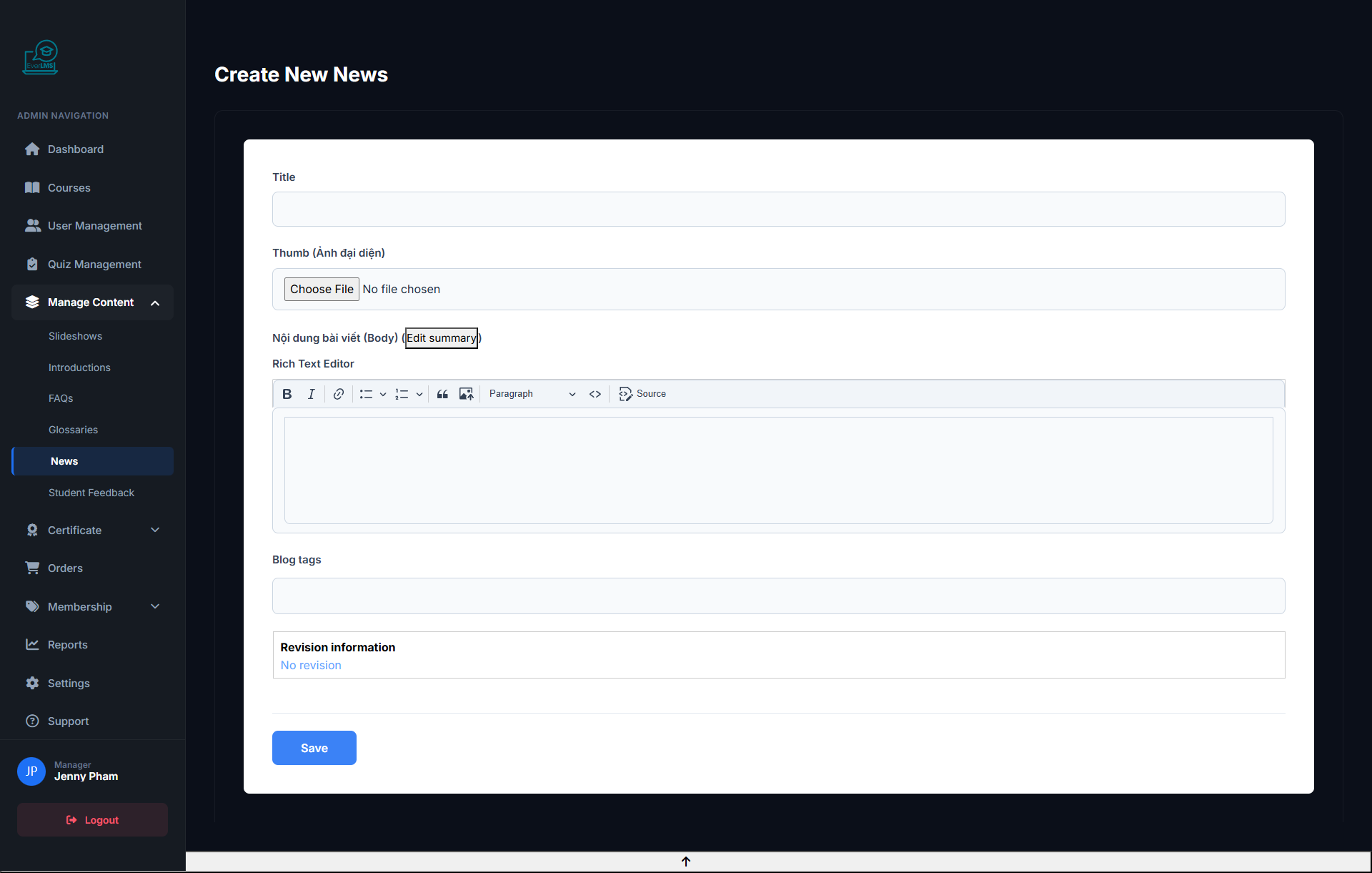
Feature: Managers create new news articles to update the community with information.
Navigation: Workspace → Content → News → Add
- Enter an engaging, SEO-friendly title
- Write content with the rich editor
- Upload a high-quality thumbnail image
- Select category and add tags
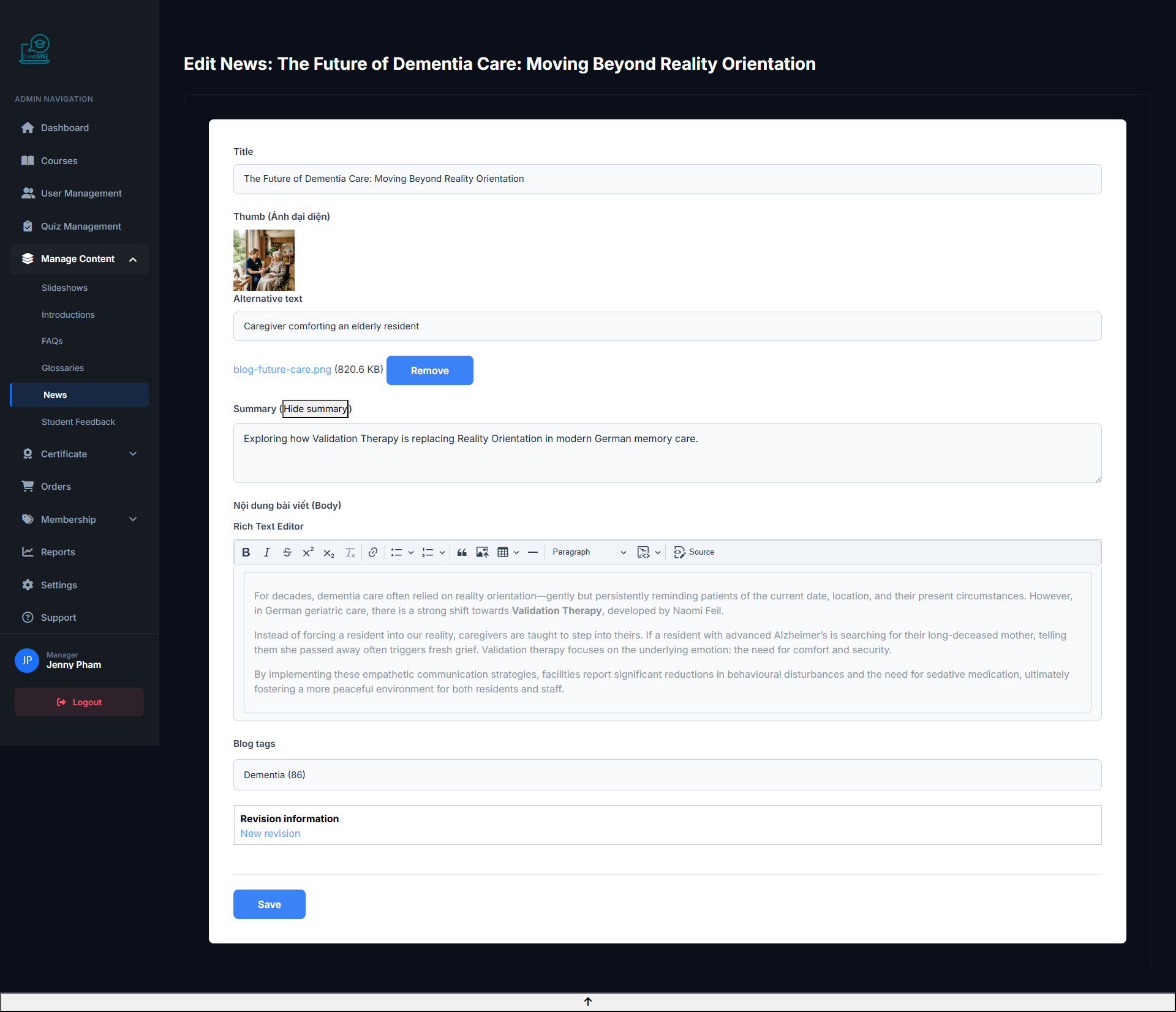
✏️ Edit News
Feature: Update content, images, and information of a published article.
Navigation: Workspace → Content → News → Edit
- Edit article title and content
- Replace thumbnail or in-article images
- Update categories and tags
- Hide or delete when content is outdated
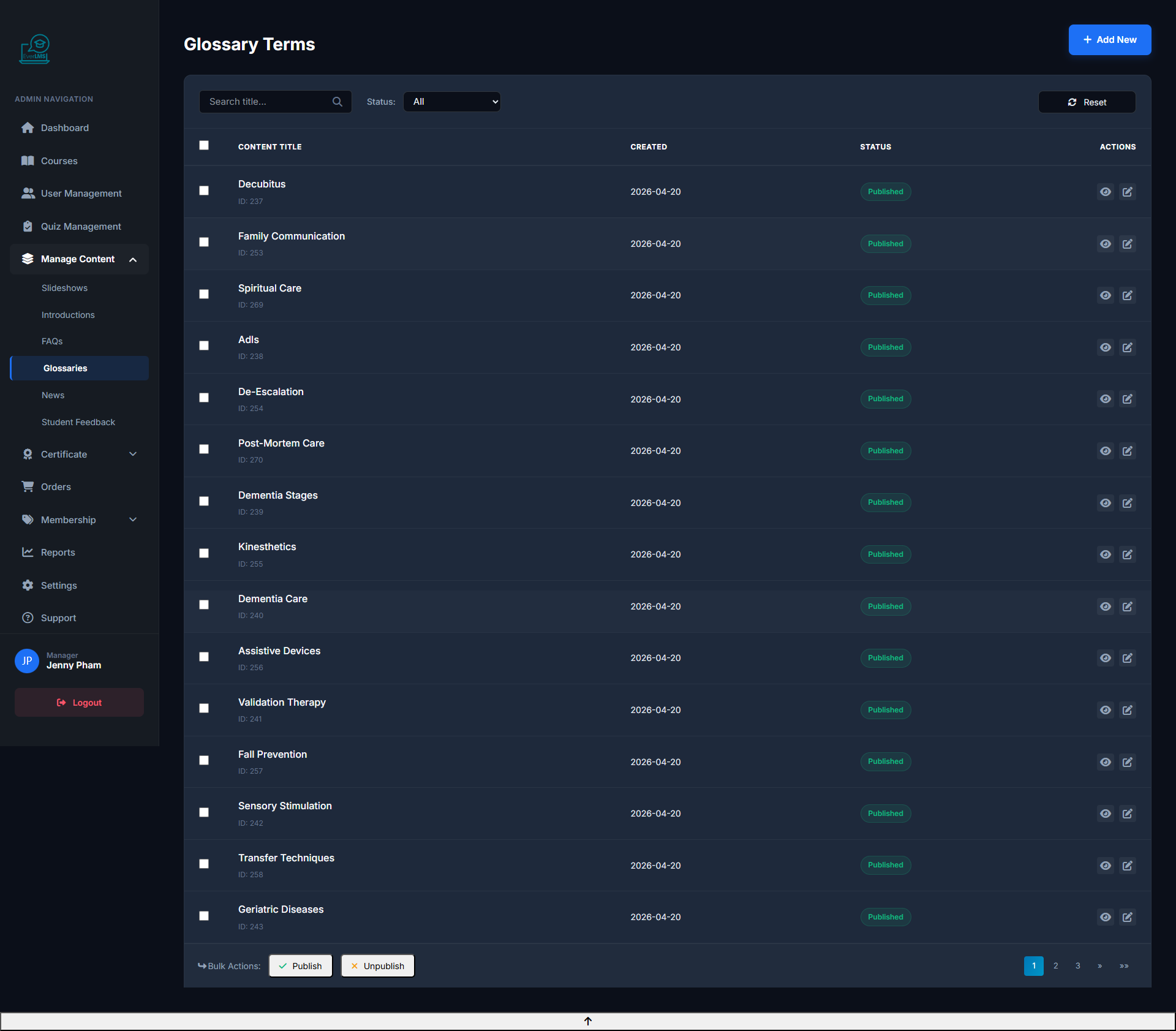
📖 Glossary Management
Feature: Manage the specialized terminology dictionary displayed on the platform.
Navigation: Workspace → Content → Glossaries
- View and manage the terminology catalog
- Add new terms as requested by instructors
- Edit definitions to ensure accuracy
- Expand the term library by field
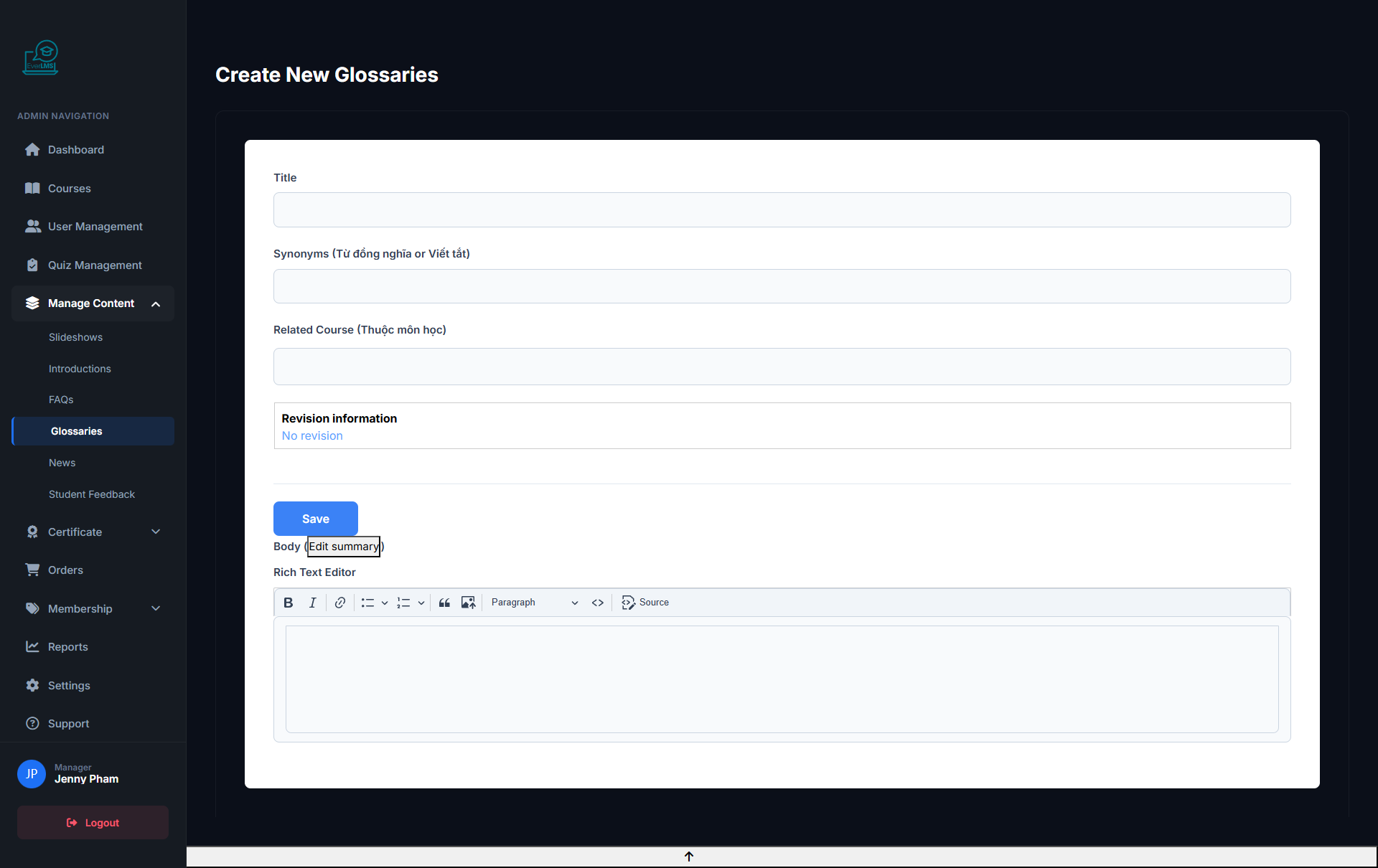
➕ Add Glossary Term
Feature: Managers add new terms to the Glossary to support students.
Navigation: Workspace → Content → Glossaries → Add
- Enter the accurate term name
- Write a clear definition with practical examples
- Select the alphabet letter for classification
- Add related terms for student exploration
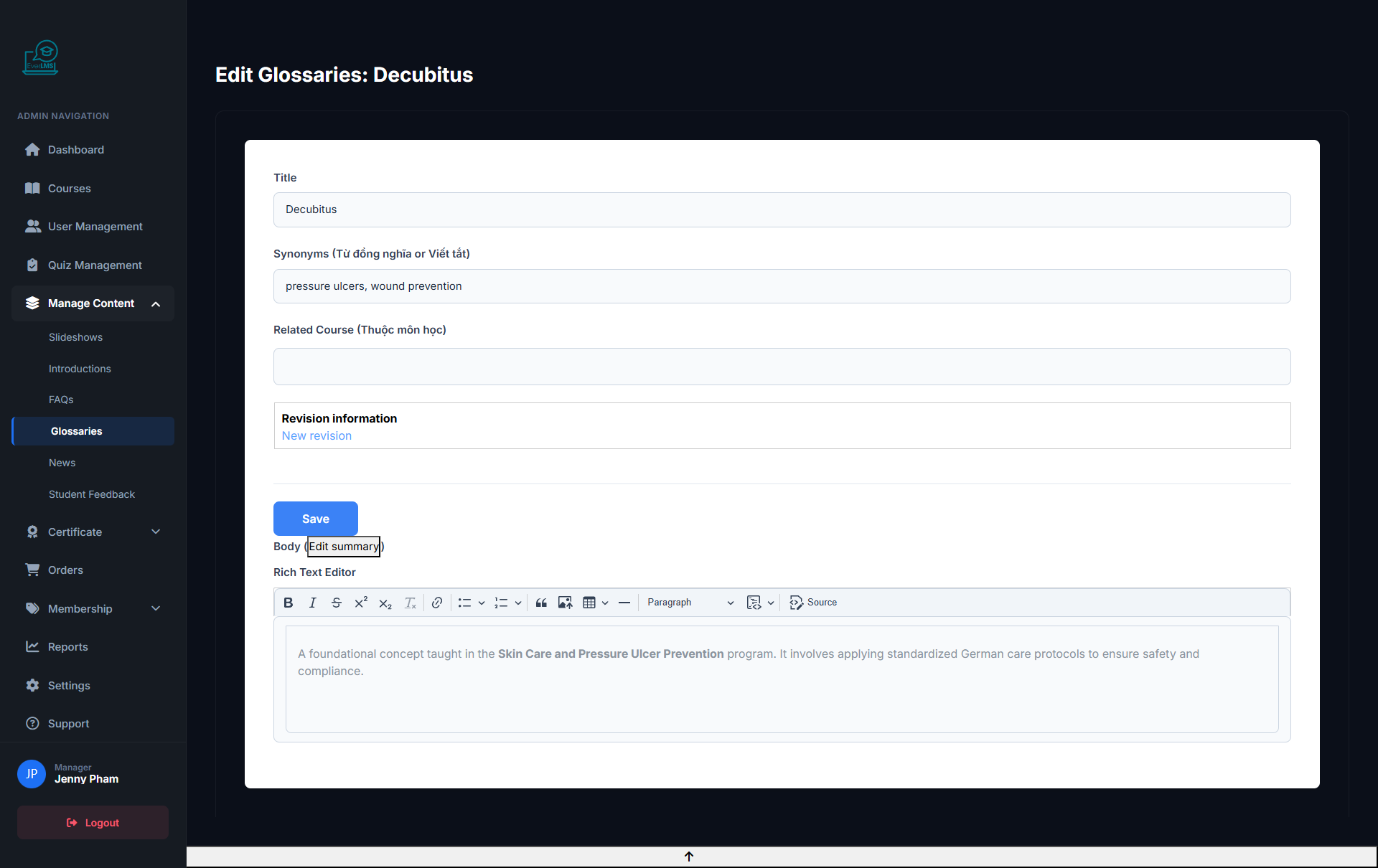
✏️ Edit Glossary Term
Feature: Update definitions or information for existing terms in the Glossary.
Navigation: Workspace → Content → Glossaries → Edit
- Edit definitions for accuracy and currency
- Add new practical examples relevant to context
- Update related terms when new terms are added
- Delete or hide outdated terms