An enquiry on the brand site finds its local team

Workflow 03 · Find your local team · Routing · Enquiry review

Customers do not know which local team to ring. They give their home address on the brand site, and the enquiry goes to the one franchise whose territory covers it.

When no territory covers the address, or two do, the enquiry waits for Head Office to decide by hand, so nothing is lost on the way.

  • A visitor on the brand site
Visitor

A visitor presses "Find your local team"

Visitor

A visitor presses "Find your local team"

1Step 1 of 9 · workflow step 01

  1. Find your local team

It is in the menu, in the banner at the top and on the home page. There is no list of franchises to choose from.

Enlarge, then scroll

Open illustrated screen ↗Full image ↗

Visitor · An enquiry on the brand site finds its local team01

They give their details, their home address and the clean they want

Visitor

They give their details, their home address and the clean they want

2Step 2 of 9 · workflow step 02

  1. Name and contact
  2. Home address
  3. Service
  4. Consent

Contact consent is required; marketing emails are a separate, optional tick.

Enlarge, then scroll

Open illustrated screen ↗Full image ↗

Visitor · An enquiry on the brand site finds its local team02

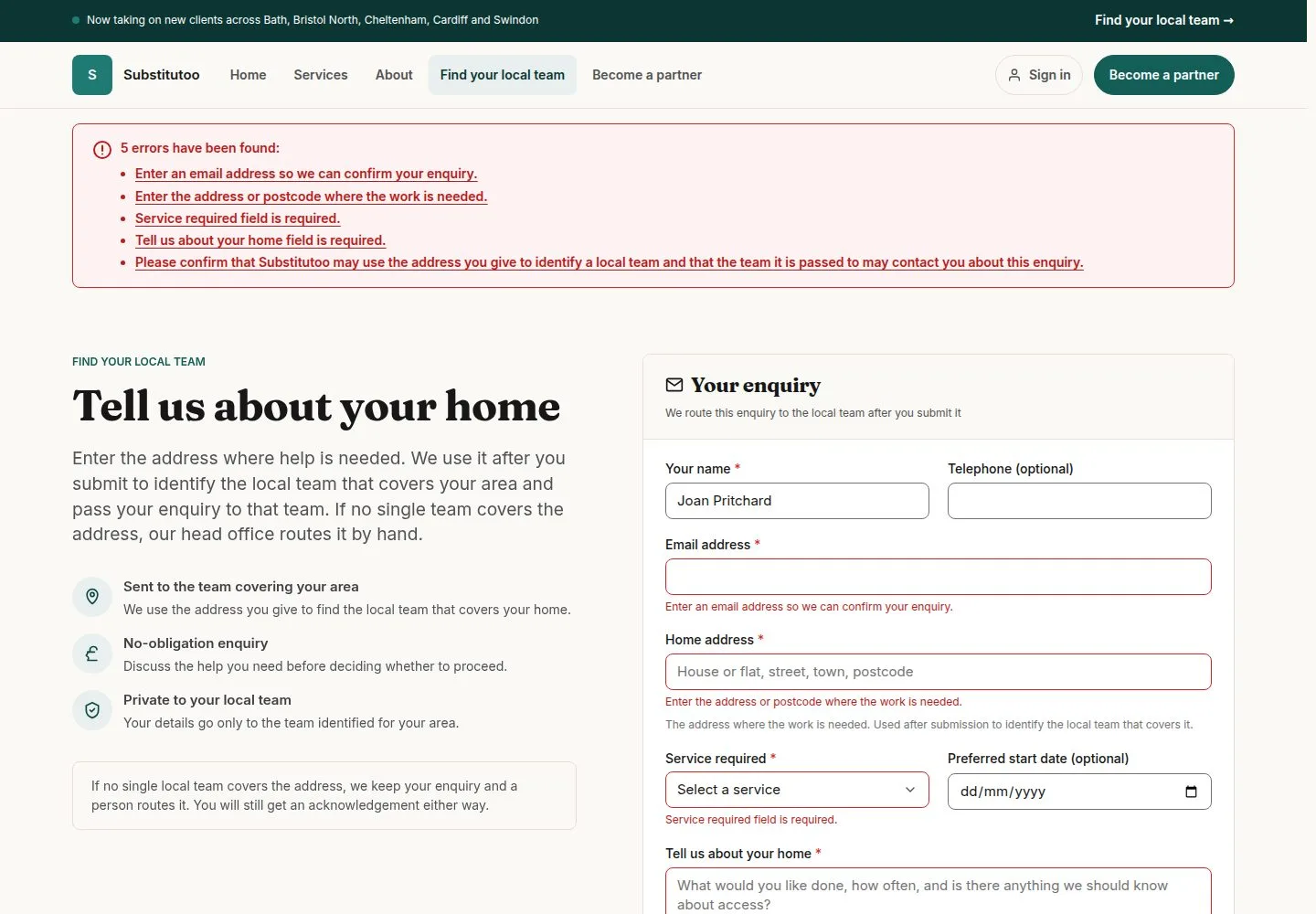
Anything missing is named next to its field

Visitor

Anything missing is named next to its field

3Step 3 of 9 · workflow step 02.1

  1. Named next to each field

Nothing is saved until the form is complete.

Enlarge, then scroll

Open illustrated screen ↗Full image ↗

Visitor · An enquiry on the brand site finds its local team03

They press "Send enquiry" and see what happens next

Visitor

They press "Send enquiry" and see what happens next

4Step 4 of 9 · workflow step 03

  1. Send enquiry
  2. What happens next

The page names the local team when exactly one franchise took the enquiry. It never repeats what was typed.

Enlarge, then scroll

Full image ↗

The system does this
  • Save the enquiry with Website as its source and email the visitor an acknowledgement
  • Match the address to a territory: on Substitutoo the postcode districts kept with each territory decide (Bath holds BA1 and BA2)
  • One territory: send the enquiry straight to that franchise's pipeline as New and tell its office
  • No territory, or more than one: keep the enquiry in Head Office's Enquiry review
Visitor · An enquiry on the brand site finds its local team04

Head Office opens "Enquiry review" for the ones the map could not decide

Head Office

Head Office opens "Enquiry review" for the ones the map could not decide

5Step 5 of 9 · workflow step 05

  1. Enquiry review
  2. No match / Ambiguous

Each enquiry shows why it is waiting (No match or Ambiguous), the address and the territories that could take it.

Enlarge, then scroll

Open illustrated screen ↗Full image ↗

Visitor · An enquiry on the brand site finds its local team05

Press "Allocate", choose the franchise and give the reason

Head Office

Press "Allocate", choose the franchise and give the reason

6Step 6 of 9 · workflow step 06

  1. Allocate
  2. Franchise
  3. Reason

For an Ambiguous enquiry only the candidate franchises are offered; for No match, every Active franchise. A reason is needed when the franchise's territory does not cover the address.

Enlarge, then scroll

Open illustrated screen ↗Full image ↗

Visitor · An enquiry on the brand site finds its local team06

Press "Review this allocation", then "Allocate enquiry"

Head Office

Press "Review this allocation", then "Allocate enquiry"

7Step 7 of 9 · workflow step 06

  1. Review this allocation
  2. Allocate enquiry

The allocation is final and recorded in the audit log with your reason.

Enlarge, then scroll

Full image ↗

The system does this
  • Put the allocated enquiry in that franchise's pipeline as New, with nobody assigned; Head Office no longer sees it
Visitor · An enquiry on the brand site finds its local team07

The franchise office finds the enquiry under New

Office Administrator

The franchise office finds the enquiry under New

8Step 8 of 9 · workflow step 08

  1. New column

Enlarge, then scroll

Open illustrated screen ↗Full image ↗

Visitor · An enquiry on the brand site finds its local team08

Open it to read exactly what the visitor asked for

Office Administrator

Open it to read exactly what the visitor asked for

9Step 9 of 9 · workflow step 08

  1. What the visitor sent

From here the office works it in the Enquiry pipeline (workflow 05).

Enlarge, then scroll

Open illustrated screen ↗Full image ↗

The system does this
  • Freeze the matched territory when the enquiry is won: redrawing a boundary later never changes past allocations
Check

Enquiry in the right franchise's pipeline, or allocated by Head Office

Visitor · An enquiry on the brand site finds its local team09
1 / 10
Privacy Terms