Evidence, supersede and the offline queue

Workflow 12 · Photos · Documents · Supersede · Offline queue

Photographs before, during and after the clean are the visit's proof of work, for the office and for the customer.

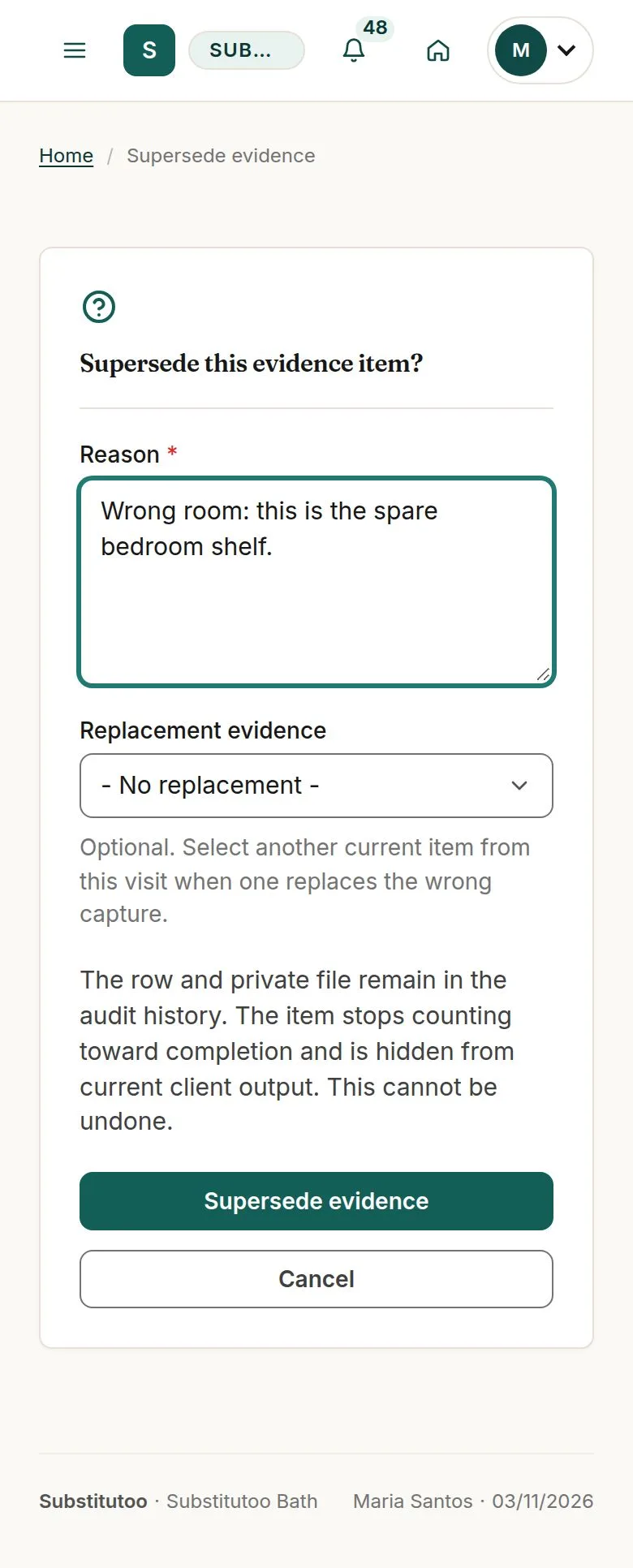
Nothing linked to a visit is ever edited or deleted: a wrong photo is superseded with a reason, and photos taken without signal wait on the phone until they can be sent.

  • Operative assigned to a visit in progress
Operative
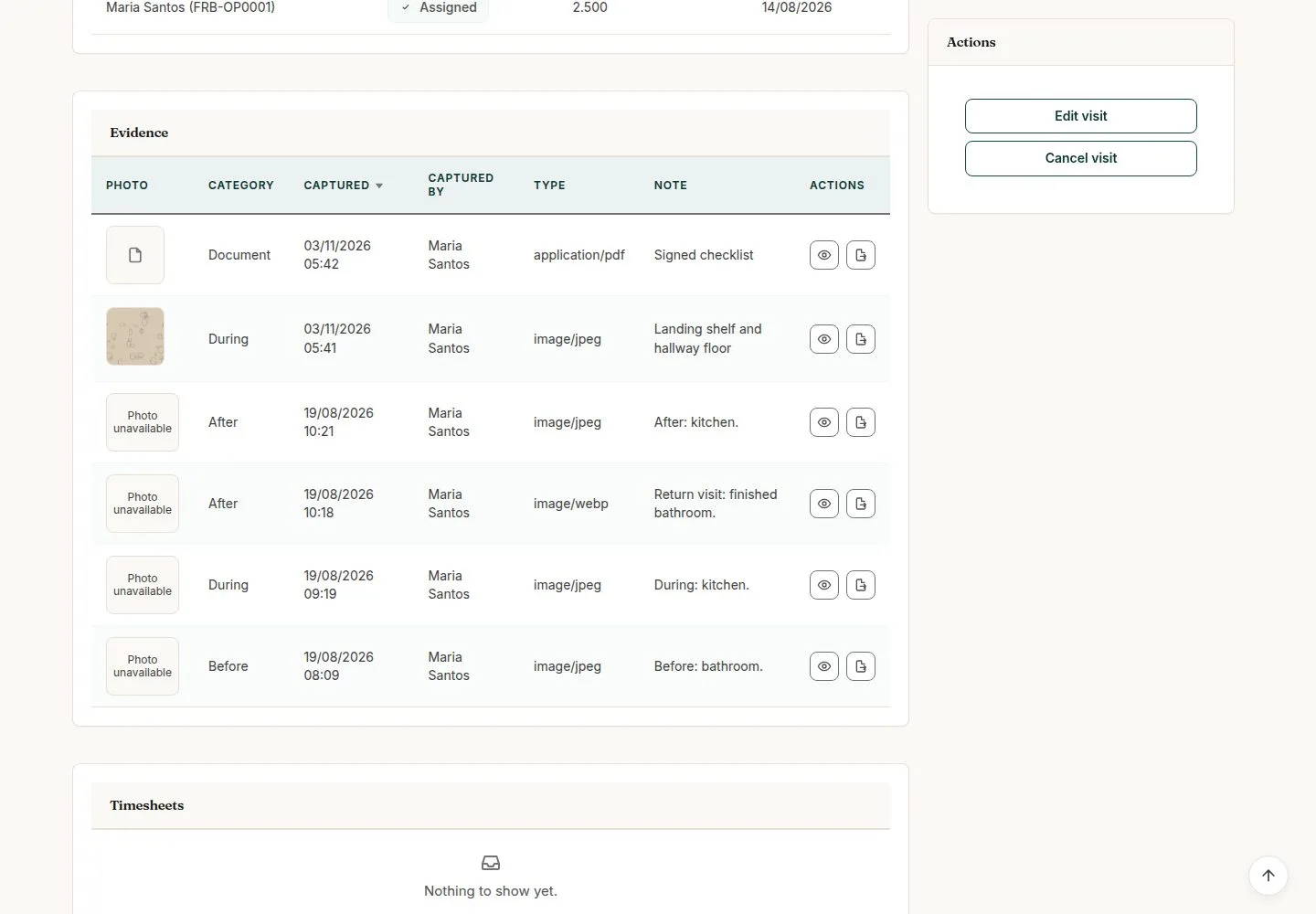
Evidence on the visit

Operative

Evidence on the visit

1Step 1 of 8 · workflow step 01

  1. Before, During, After, Document
  2. Photos counted

Enlarge, then scroll

Open illustrated screen ↗Full image ↗

Operative · Evidence, supersede and the offline queue01

Take a photo, add a note

Operative

Take a photo, add a note

2Step 2 of 8 · workflow step 02

  1. Category
  2. Take a photo or choose several
  3. Note
  4. Save evidence

Enlarge, then scroll

Open illustrated screen ↗Full image ↗

Operative · Evidence, supersede and the offline queue02

Five photos per visit

Operative

Five photos per visit

3Step 3 of 8 · workflow step 02.2

  1. Limit 5 photos
  2. Supersede to free a place

Also refused with the reason: a file over 12 MB, a format that is not a photo, a picture too large.

Enlarge, then scroll

Open illustrated screen ↗Full image ↗

Operative · Evidence, supersede and the offline queue03

A signed checklist as a document

Operative

A signed checklist as a document

4Step 4 of 8 · workflow step 02

  1. Category Document
  2. PDF
  3. Save evidence

Enlarge, then scroll

Open illustrated screen ↗Full image ↗

The system does this
  • Check each file by its real content, not its name; read the time and place a photo was taken; turn HEIC photos into JPEG
  • Keep a photo taken without signal on the phone as not yet confirmed and send it when the connection returns, once only
Operative · Evidence, supersede and the offline queue04

Supersede a wrong photo

Operative

Supersede a wrong photo

5Step 5 of 8 · workflow step 05

  1. Supersede
  2. Reason
  3. Replacement photo

Your own photo, while the visit is in progress. The old photo stays on the record.

Enlarge, then scroll

Open illustrated screen ↗Full image ↗

Operative · Evidence, supersede and the offline queue05

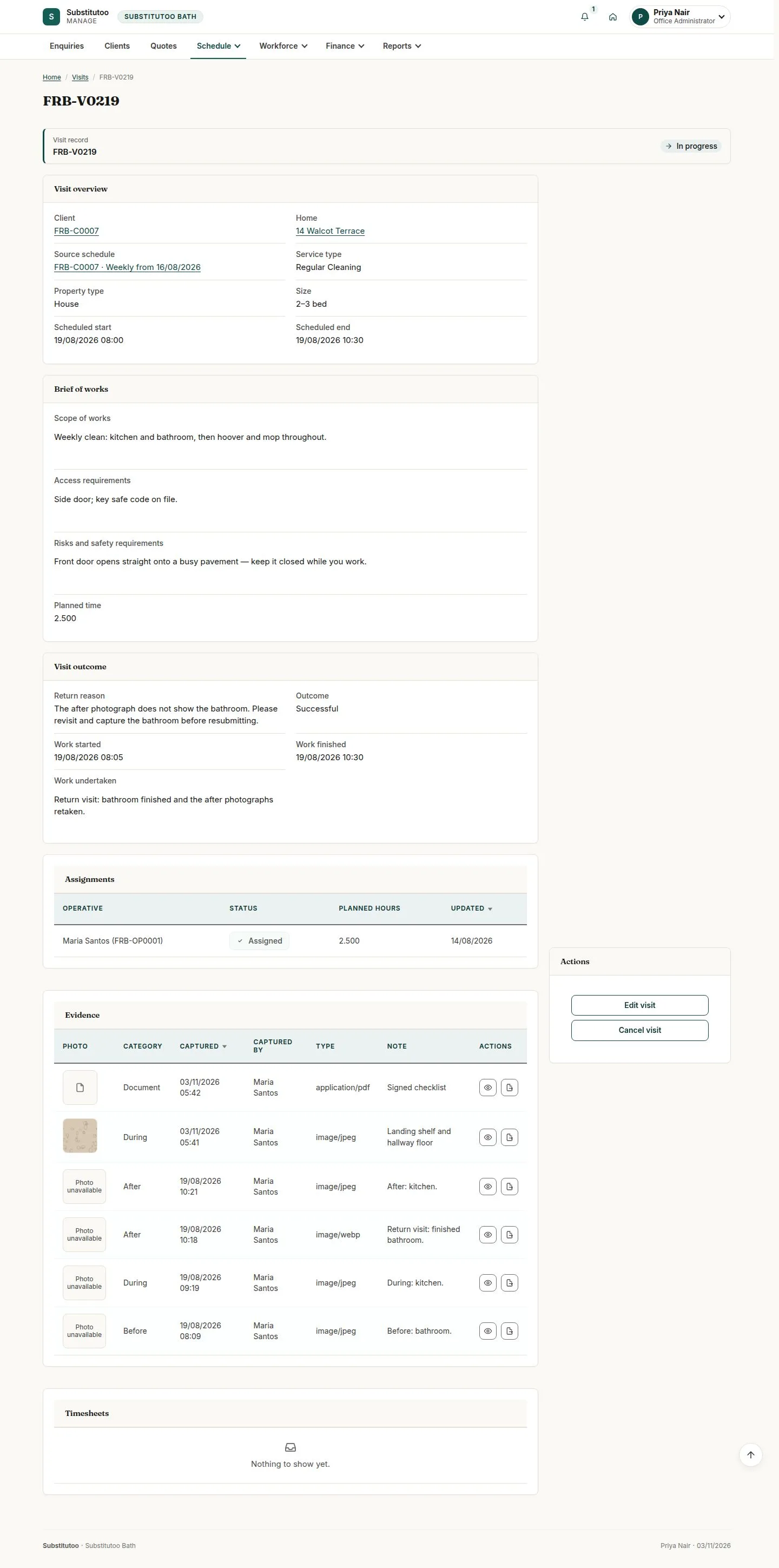
The office sees it on the visit

Office Administrator

The office sees it on the visit

6Step 6 of 8 · workflow step 07

  1. Category, who, when
  2. View

Enlarge, then scroll

Open illustrated screen ↗Full image ↗

Operative · Evidence, supersede and the offline queue06

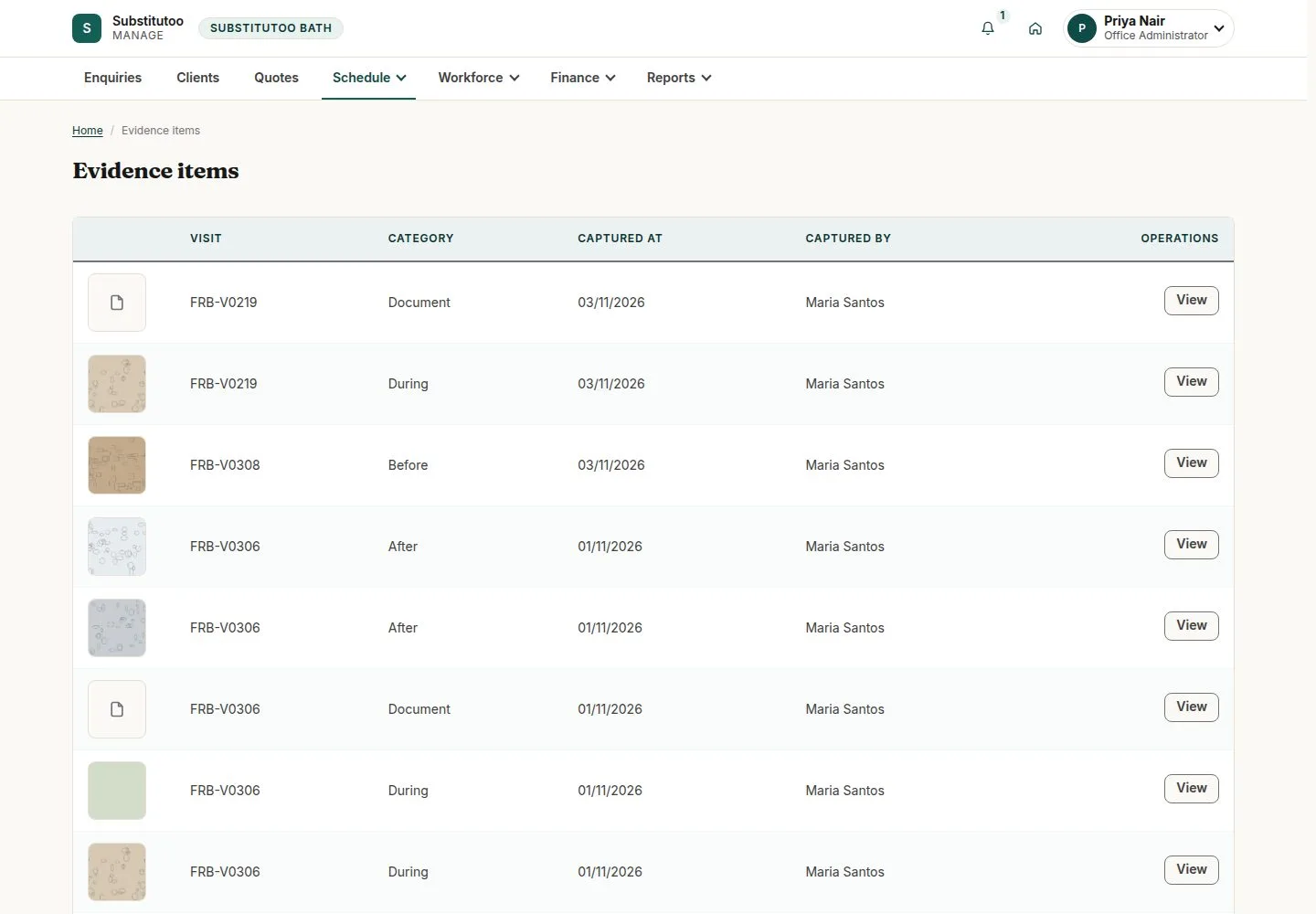
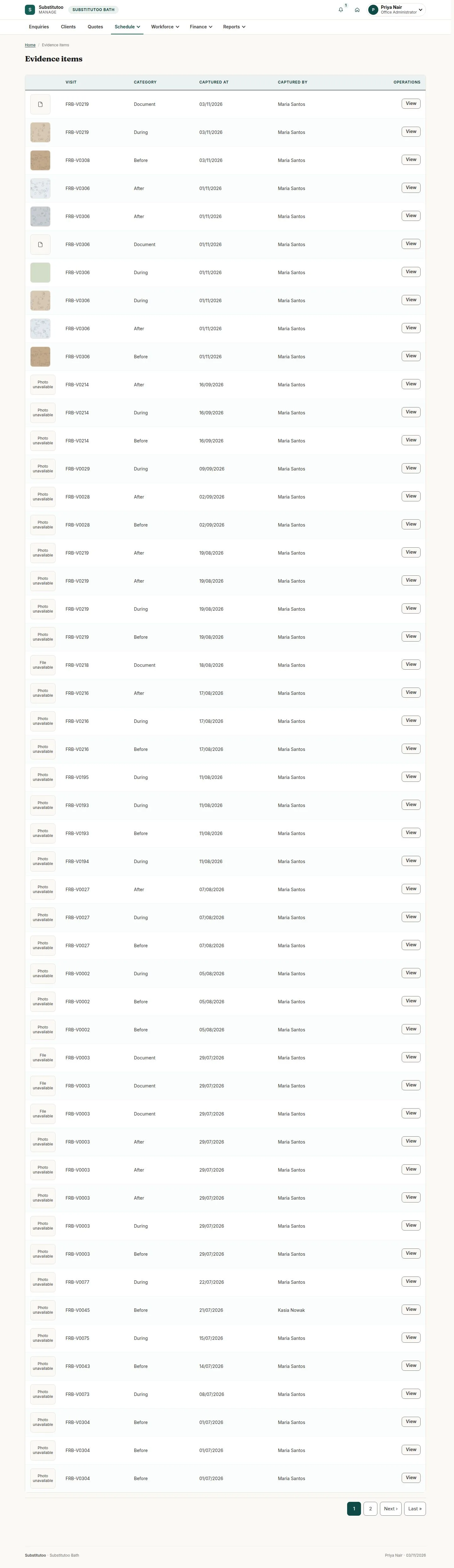
Schedule, Evidence

Office Administrator

Schedule, Evidence

7Step 7 of 8 · workflow step 07

  1. Newest first
  2. View enlarges

Enlarge, then scroll

Open illustrated screen ↗Full image ↗

Operative · Evidence, supersede and the offline queue07

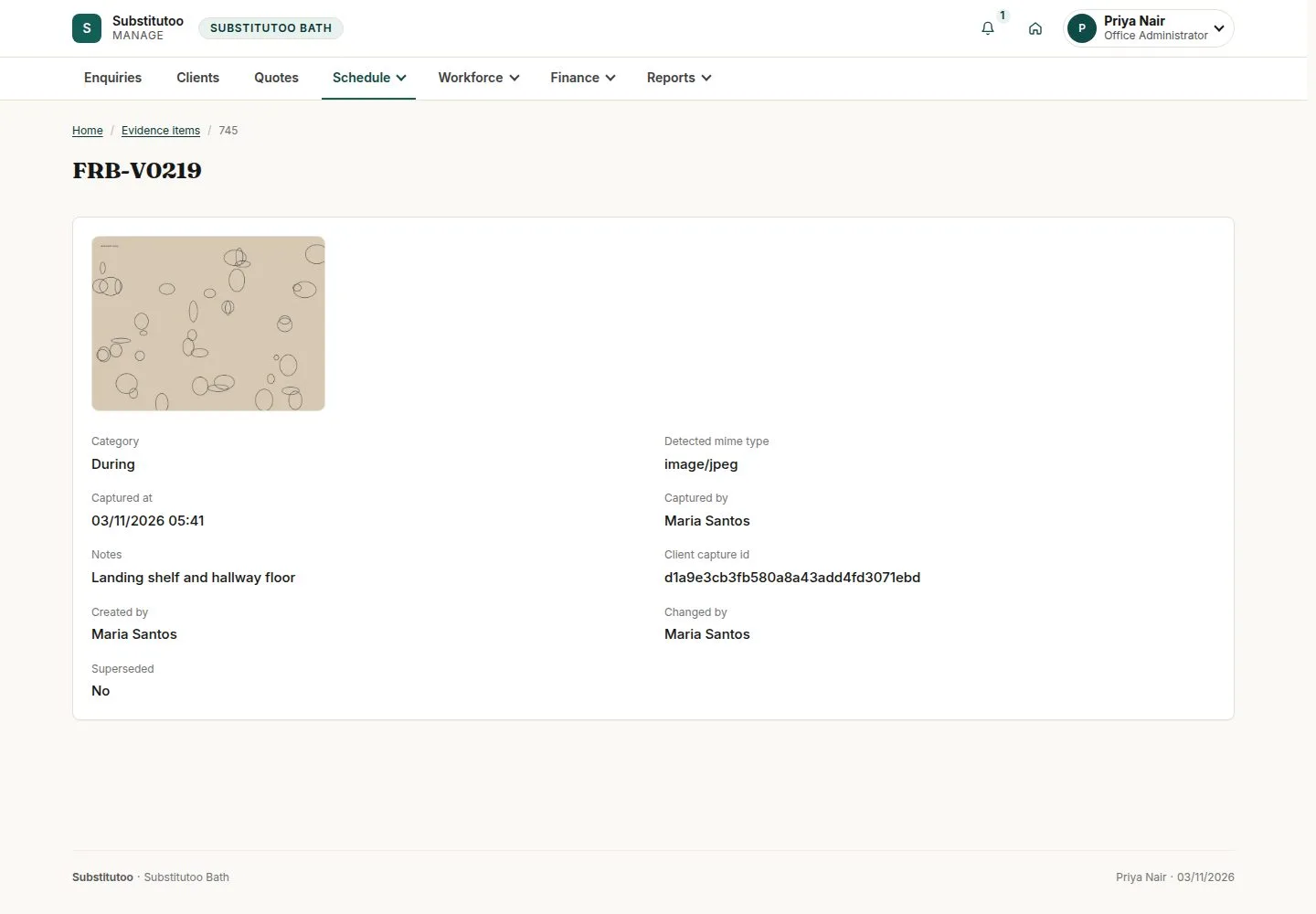
One photo, enlarged

Office Administrator
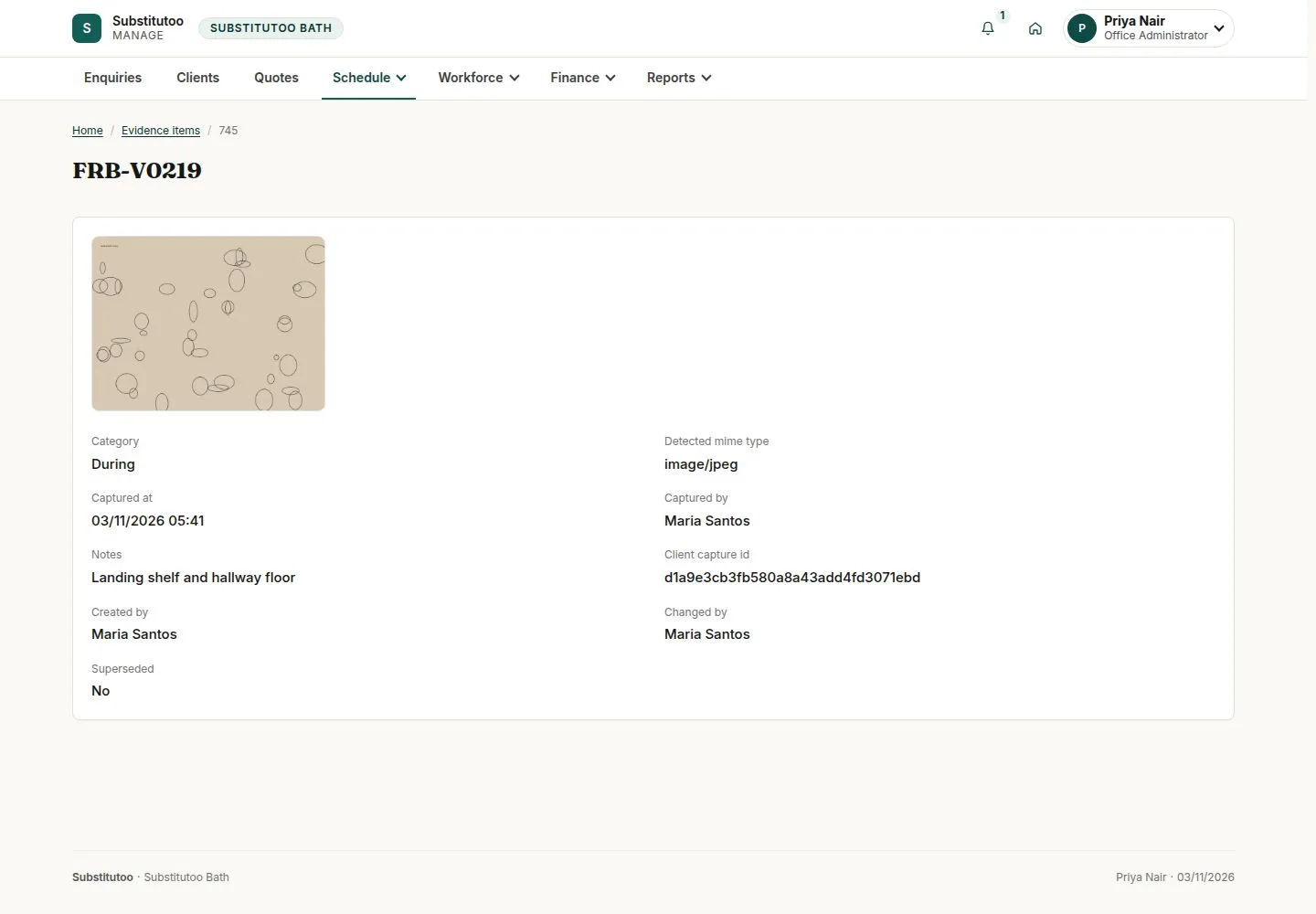
One photo, enlarged

8Step 8 of 8 · workflow step 07

  1. Where and when it was taken
  2. History

Enlarge, then scroll

Open illustrated screen ↗Full image ↗

The system does this
  • Never delete evidence, not even for the administrator; only a GDPR erasure removes it
Check

Photos and documents on the visit; nothing edited or deleted

Operative · Evidence, supersede and the offline queue08
1 / 9
Privacy Terms