Visit review and office actions

Workflow 13 · Visits · Approve · Return · Reschedule · Replace

The office checks each finished visit (the outcome, the photos, the hours) before it can be invoiced.

Everything else the office does to a visit is here too: move it, cancel it, send it back for rework or book a replacement, always with a reason.

  • Office Administrator
  • A completed or failed visit
Office Administrator
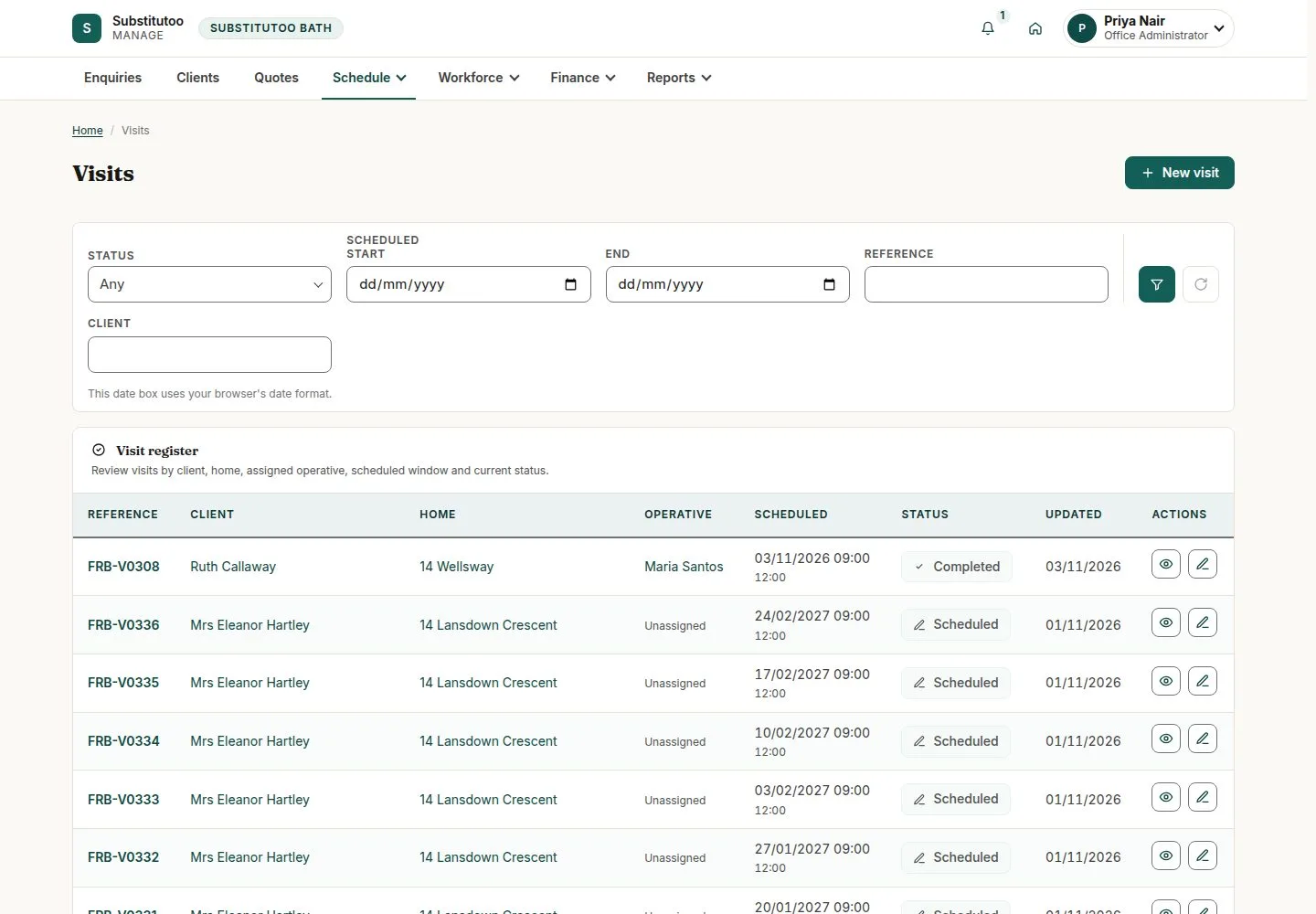
Schedule, Visits

Office Administrator

Schedule, Visits

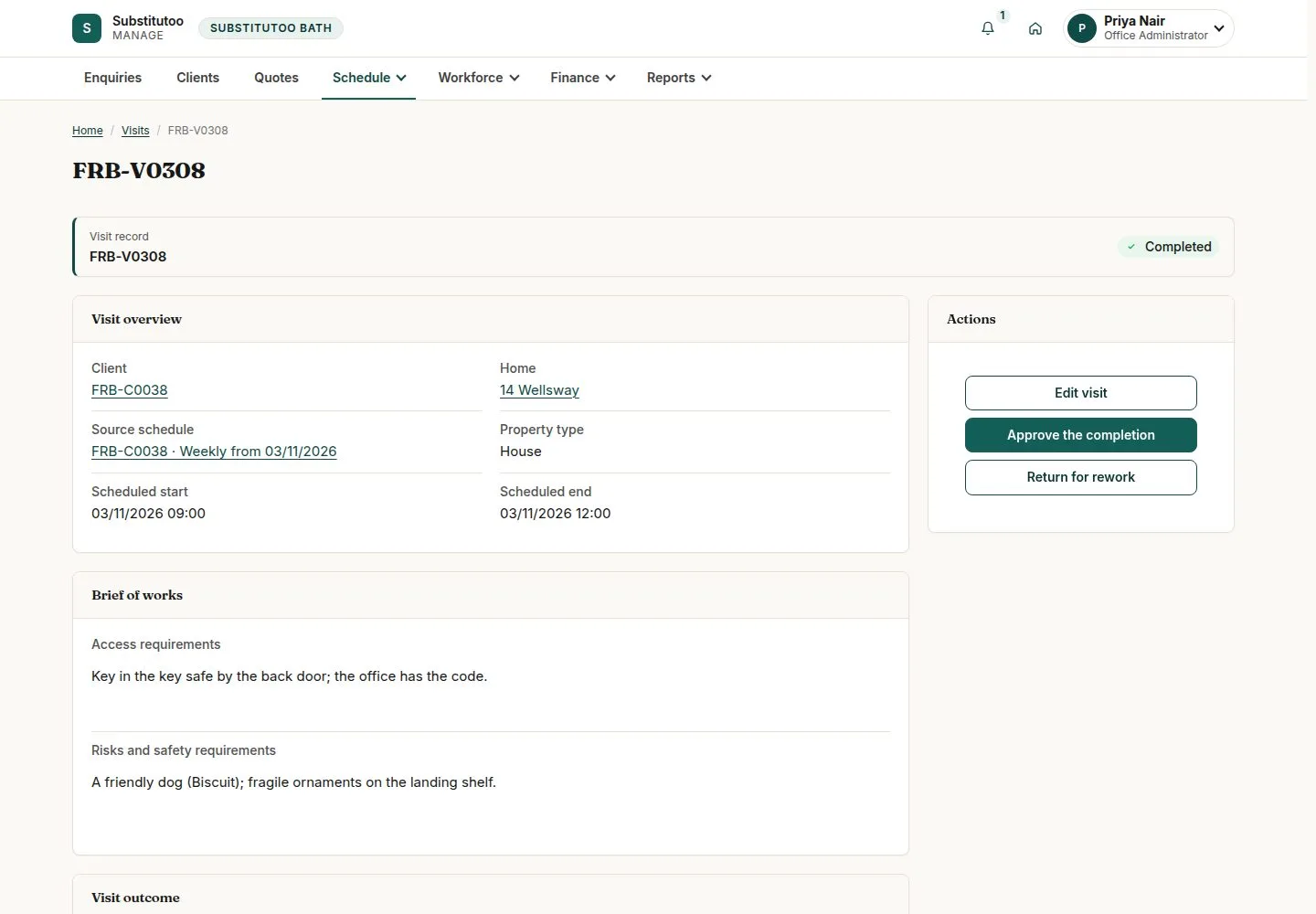
1Step 1 of 8 · workflow step 01

  1. Reference, client, home
  2. Operative and window
  3. Status

Enlarge, then scroll

Open illustrated screen ↗Full image ↗

Office Administrator · Visit review and office actions01

A completed visit

Office Administrator

A completed visit

2Step 2 of 8 · workflow step 02

  1. Outcome
  2. Evidence
  3. Timesheets

Enlarge, then scroll

Open illustrated screen ↗Full image ↗

Office Administrator · Visit review and office actions02

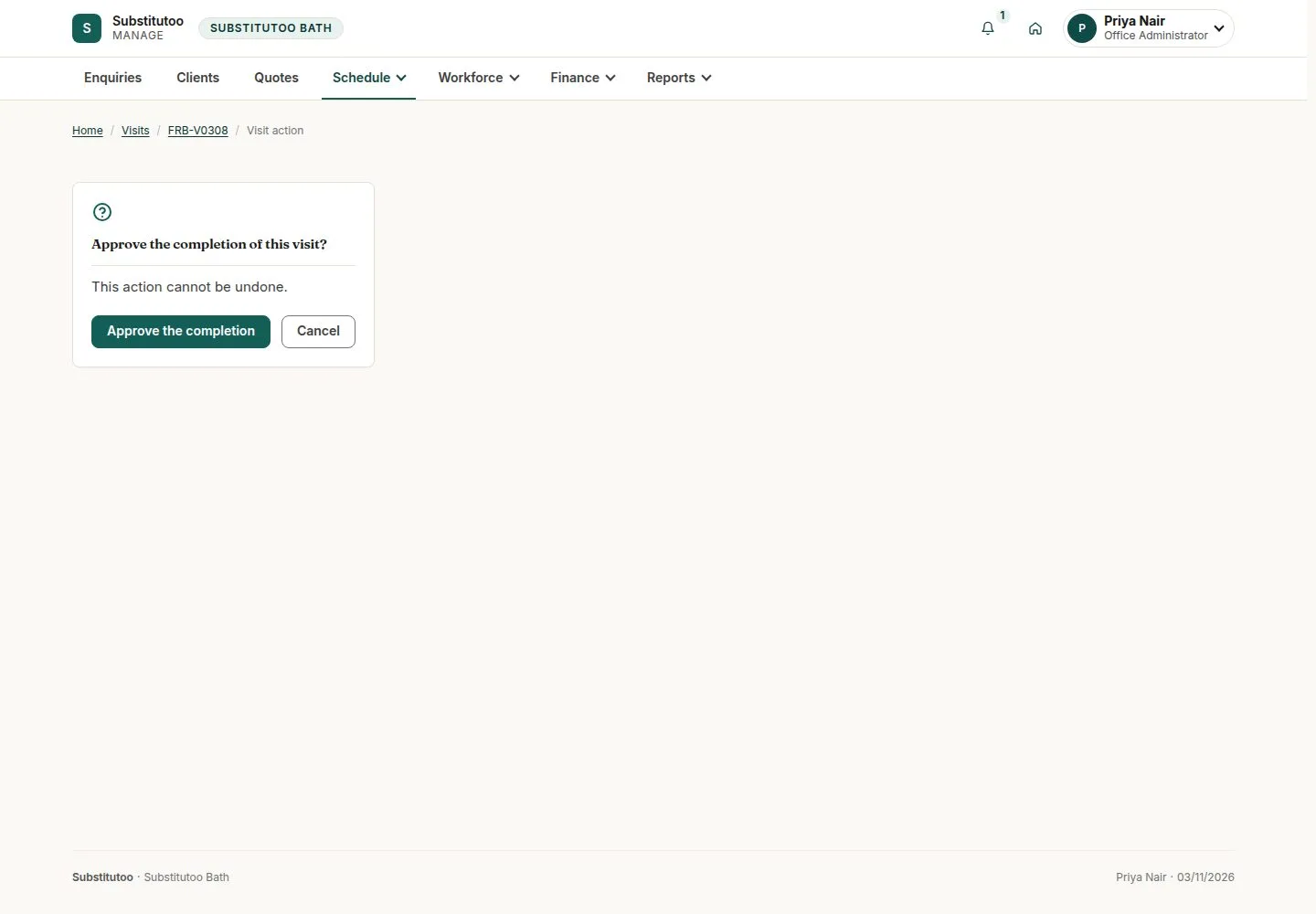
Approve the completion

Office Administrator

Approve the completion

3Step 3 of 8 · workflow step 03

  1. Approve the completion
  2. Confirm

Enlarge, then scroll

Open illustrated screen ↗Full image ↗

Office Administrator · Visit review and office actions03

Approved and read-only

Office Administrator

Approved and read-only

4Step 4 of 8 · workflow step 09

  1. Approved
  2. Generate invoice

Enlarge, then scroll

Open illustrated screen ↗Full image ↗

Office Administrator · Visit review and office actions04

Return for rework

Office Administrator

Return for rework

5Step 5 of 8 · workflow step 03.1

  1. Return for rework
  2. Reason

The same visit is reopened for the operative, who is told why.

Enlarge, then scroll

Open illustrated screen ↗Full image ↗

Office Administrator · Visit review and office actions05

Move a visit

Office Administrator

Move a visit

6Step 6 of 8 · workflow step 05

  1. Edit visit
  2. Scheduled window

Rechecked against holds, closures and the operative's hours; not possible once work, evidence or a timesheet exists.

Enlarge, then scroll

Open illustrated screen ↗Full image ↗

Office Administrator · Visit review and office actions06

Cancel visit

Office Administrator

Cancel visit

7Step 7 of 8 · workflow step 06

  1. Cancel visit
  2. Reason for cancelling

Enlarge, then scroll

Open illustrated screen ↗Full image ↗

Office Administrator · Visit review and office actions07

Replace a failed visit

Office Administrator

Replace a failed visit

8Step 8 of 8 · workflow step 07

  1. Read why it failed
  2. Replacement visit
  3. Reason

Enlarge, then scroll

Open illustrated screen ↗Full image ↗

The system does this
  • Archive a visit once its invoice is paid, credited or cancelled
  • Record every action in the audit log; tell the office about completed and failed visits, and the operative about returned ones
Check

Visit approved and read-only; Generate invoice offered

Office Administrator · Visit review and office actions08
1 / 9
Privacy Terms