Territories

Workflow 21 · Territory register · Draw the area · Postcode districts · Assign

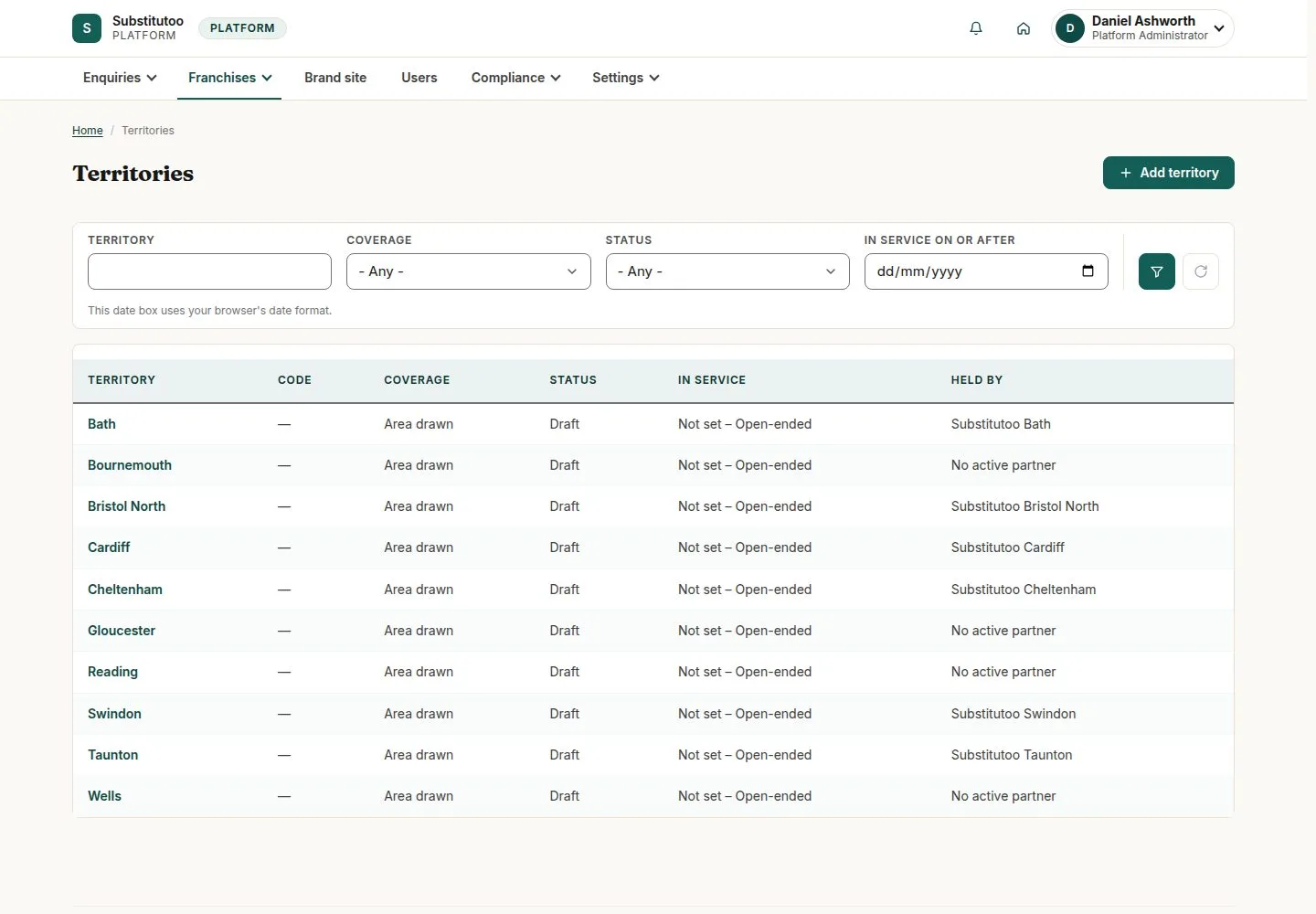
A territory is the area a franchise serves: its postcode districts and, where drawn, its shape on the map.

The brand site's enquiries go to the franchise whose territory covers the address.

  • Head Office
Head Office

Territories

Head Office

Territories

1Step 1 of 4 · workflow step 01

  1. Status and dates
  2. Coverage
  3. Add territory

Enlarge, then scroll

Open illustrated screen ↗Full image ↗

Head Office · Territories01

Add territory

Head Office

Add territory

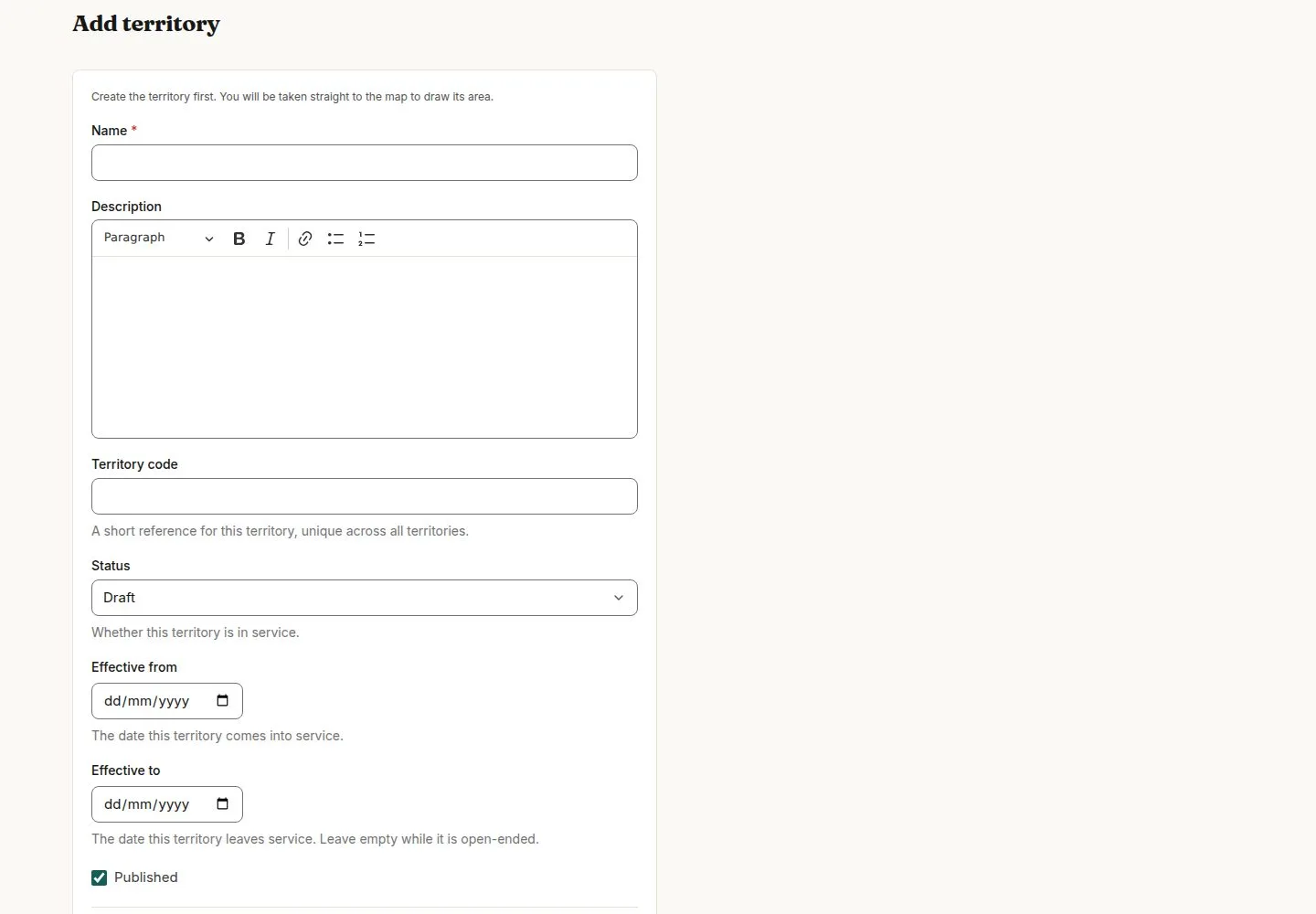
2Step 2 of 4 · workflow step 02

  1. Name and code
  2. Postcode districts
  3. Status

Enlarge, then scroll

Open illustrated screen ↗Full image ↗

Head Office · Territories02

Draw the area

Head Office

Draw the area

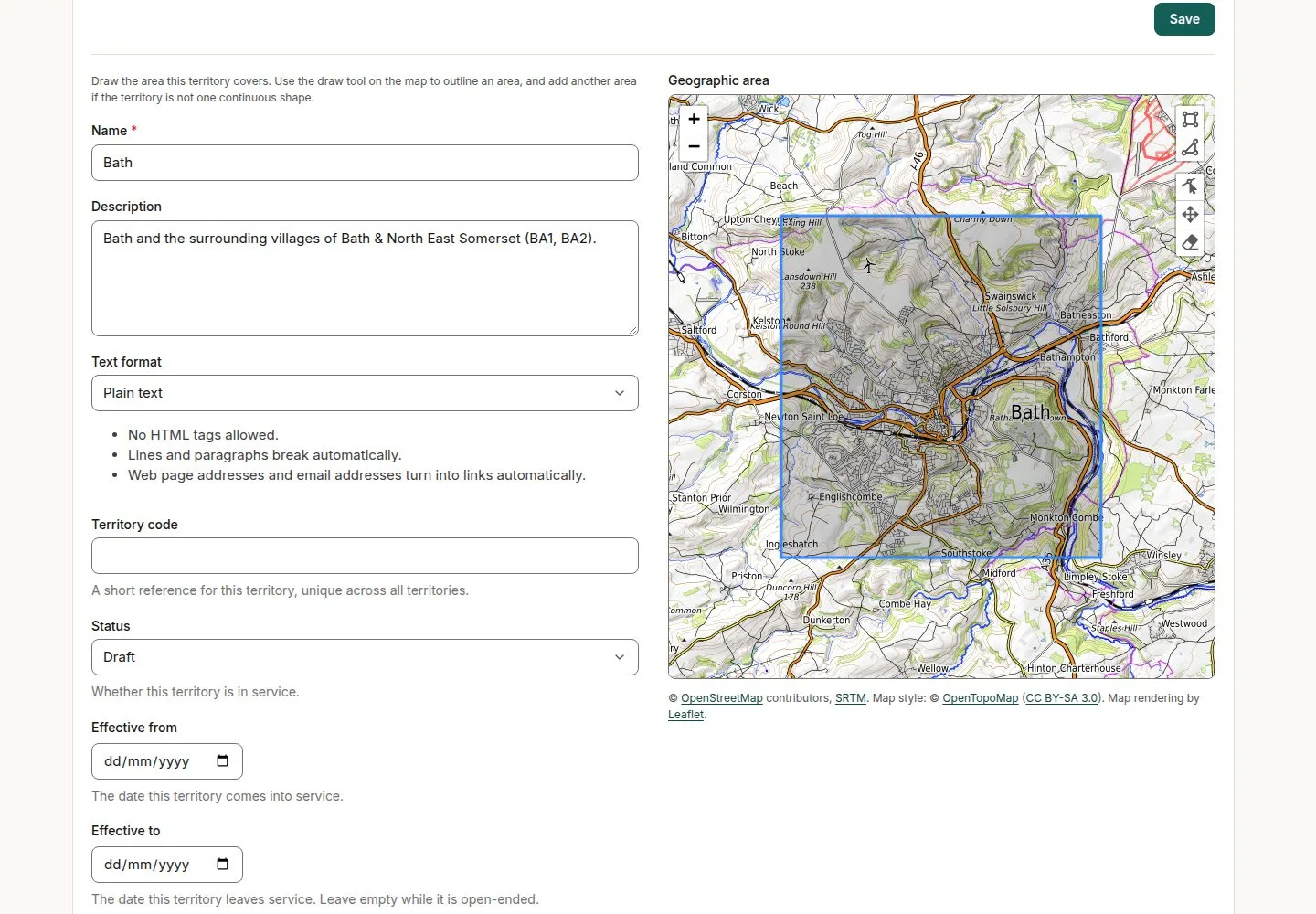
3Step 3 of 4 · workflow step 03

  1. Add another area
  2. Reshape
  3. Remove

If the map background does not load, press Try the map again; nothing is lost.

Enlarge, then scroll

Open illustrated screen ↗Full image ↗

Head Office · Territories03

Give it to its franchise

Head Office

Give it to its franchise

4Step 4 of 4 · workflow step 05

  1. Franchise edit
  2. Territory

Enlarge, then scroll

Open illustrated screen ↗Full image ↗

The system does this
  • Route each brand site enquiry by the territory that covers its address; freeze it when the enquiry is won
Check

Each Active franchise has its territory; enquiries route by it

Head Office · Territories04
1 / 5
Privacy Terms