Franchisor view

Workflow 25 · Franchises · Figures · Period · Audit summary · Export

The Franchisor follows the whole network: each franchise's customers, work and money, for all time or a month or a quarter, without reaching into their records.

The view is read-only, and every look across franchises is itself recorded.

  • Franchisor
Franchisor

Franchises

Franchisor

Franchises

1Step 1 of 5 · workflow step 01

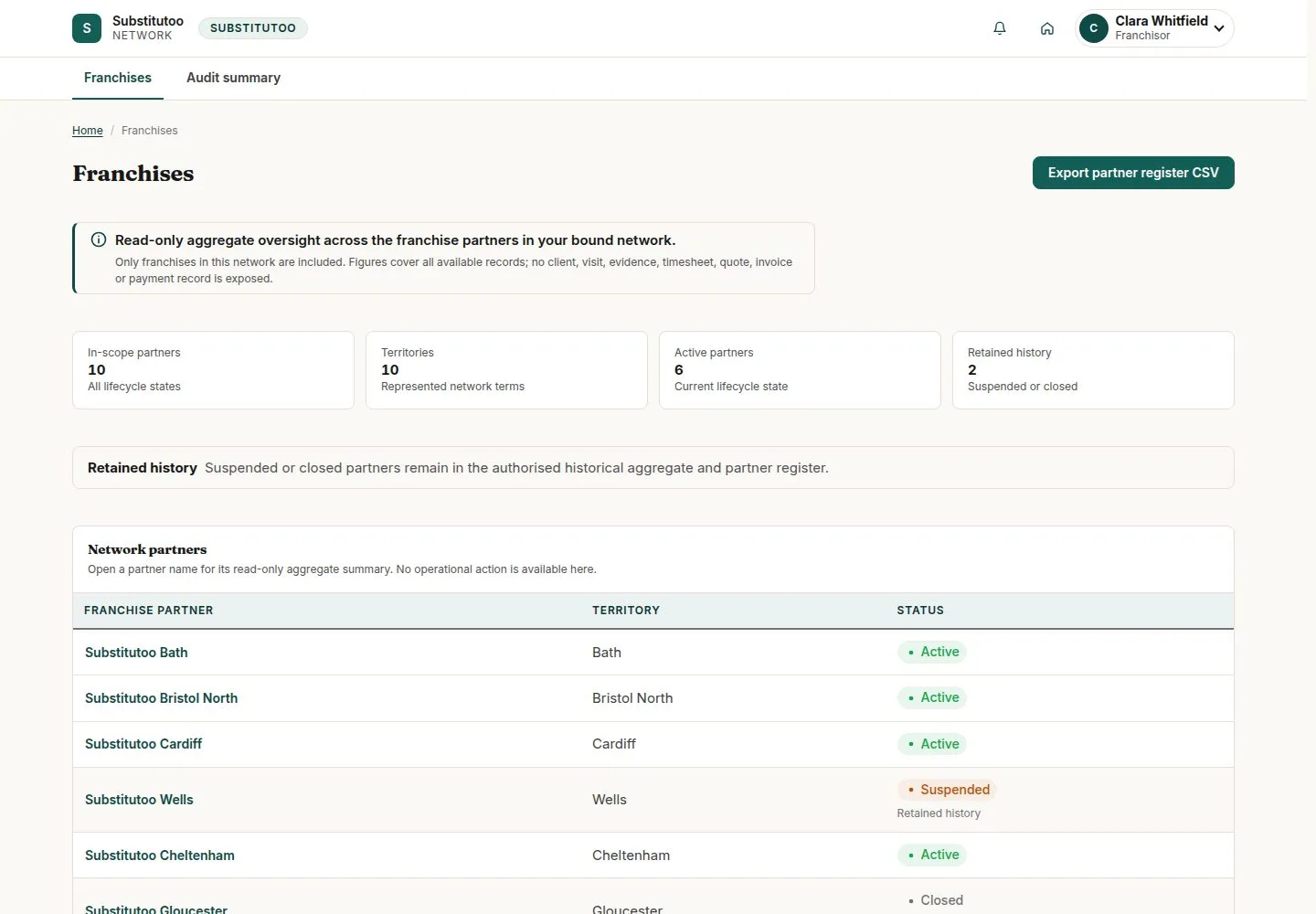
  1. Every franchise
  2. Status
  3. Key figures

Enlarge, then scroll

Open illustrated screen ↗Full image ↗

Franchisor · Franchisor view01

Customers, work and money

Franchisor

Customers, work and money

2Step 2 of 5 · workflow step 02

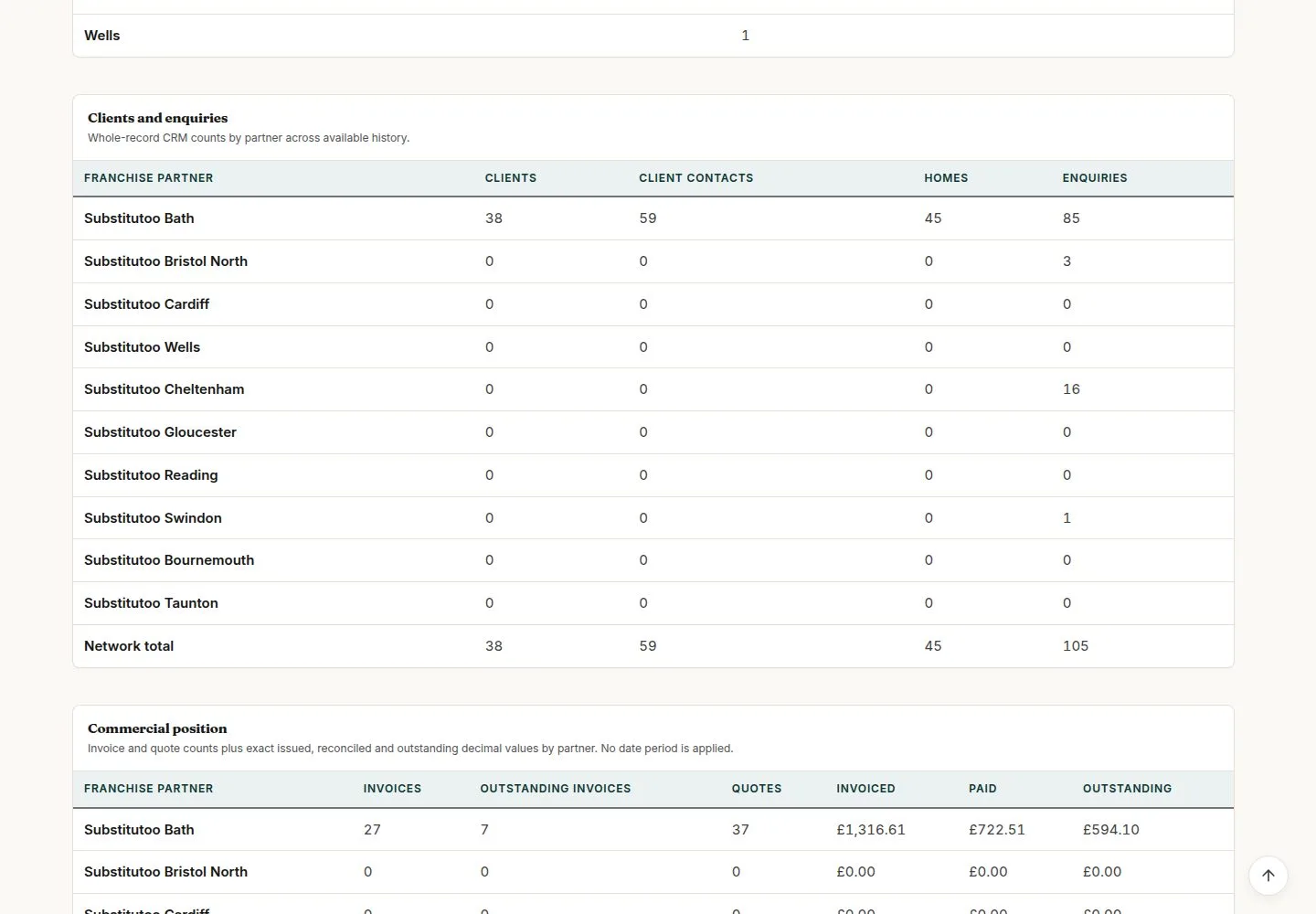
  1. Clients and enquiries
  2. Visits
  3. Invoiced and paid

Enlarge, then scroll

Open illustrated screen ↗Full image ↗

Franchisor · Franchisor view02

Figures for a month or a quarter

Franchisor

Figures for a month or a quarter

3Step 3 of 5 · workflow step 03

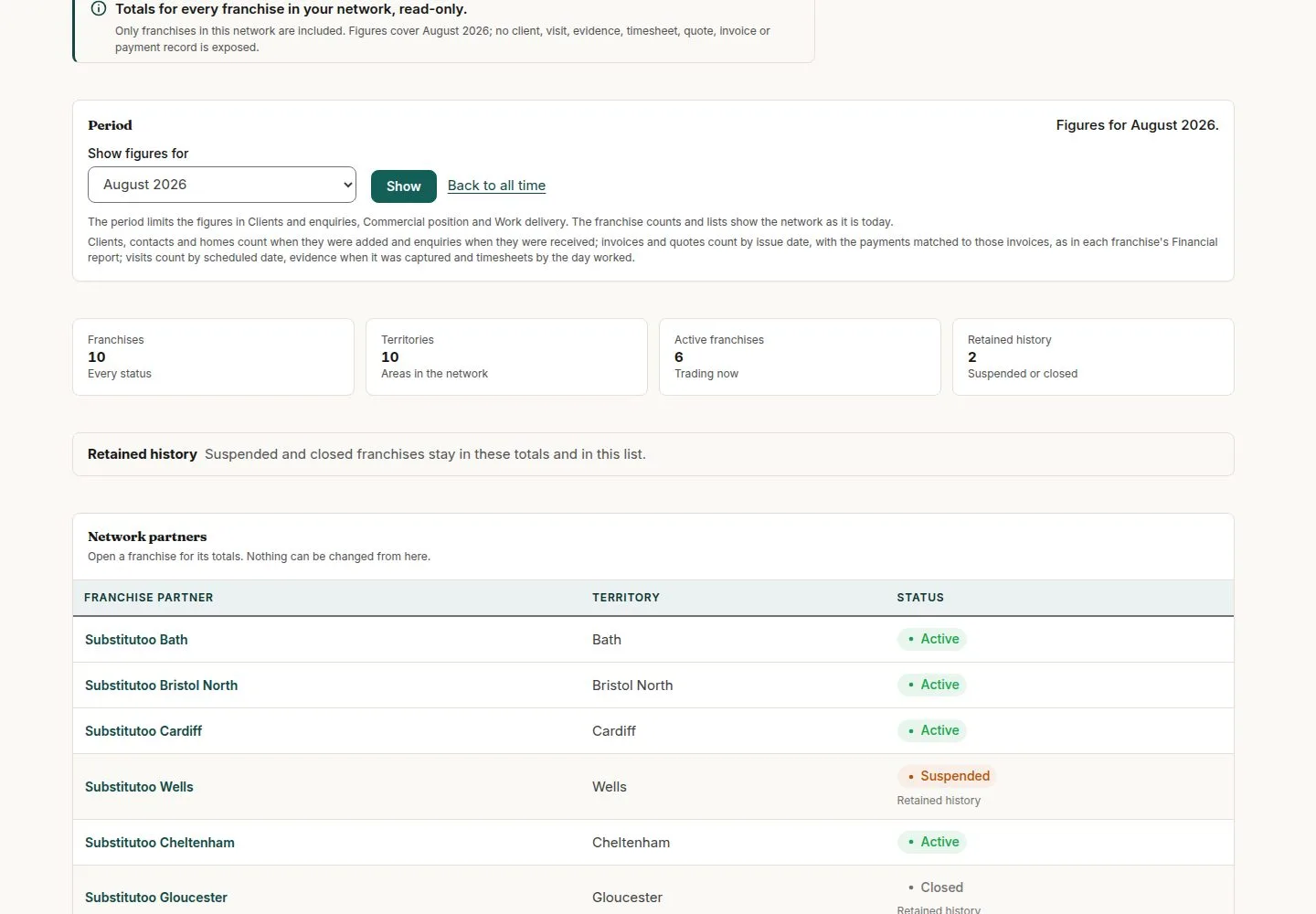
  1. Show figures for
  2. Show
  3. Export figures CSV

Each franchise's month equals its own Financial report.

Enlarge, then scroll

Open illustrated screen ↗Full image ↗

Franchisor · Franchisor view03

One franchise's figures

Franchisor

One franchise's figures

4Step 4 of 5 · workflow step 04

  1. Totals only
  2. No customer records

Enlarge, then scroll

Open illustrated screen ↗Full image ↗

Franchisor · Franchisor view04

Audit summary

Franchisor

Audit summary

5Step 5 of 5 · workflow step 05

  1. Events by franchise and type
  2. Export CSV

Enlarge, then scroll

Open illustrated screen ↗Full image ↗

Check

The network's figures read; nothing changed

Franchisor · Franchisor view05
1 / 6
Privacy Terms