










Xero sync
Workflow 17 · Connection · Sync log · Try again · Reconnect
Each franchise keeps its own books in its own Xero organisation; the system sends its invoices, credit notes and self-bills there and brings the payments back.
Every attempt is written to a log first, so nothing is sent twice and nothing goes missing without a row saying why.
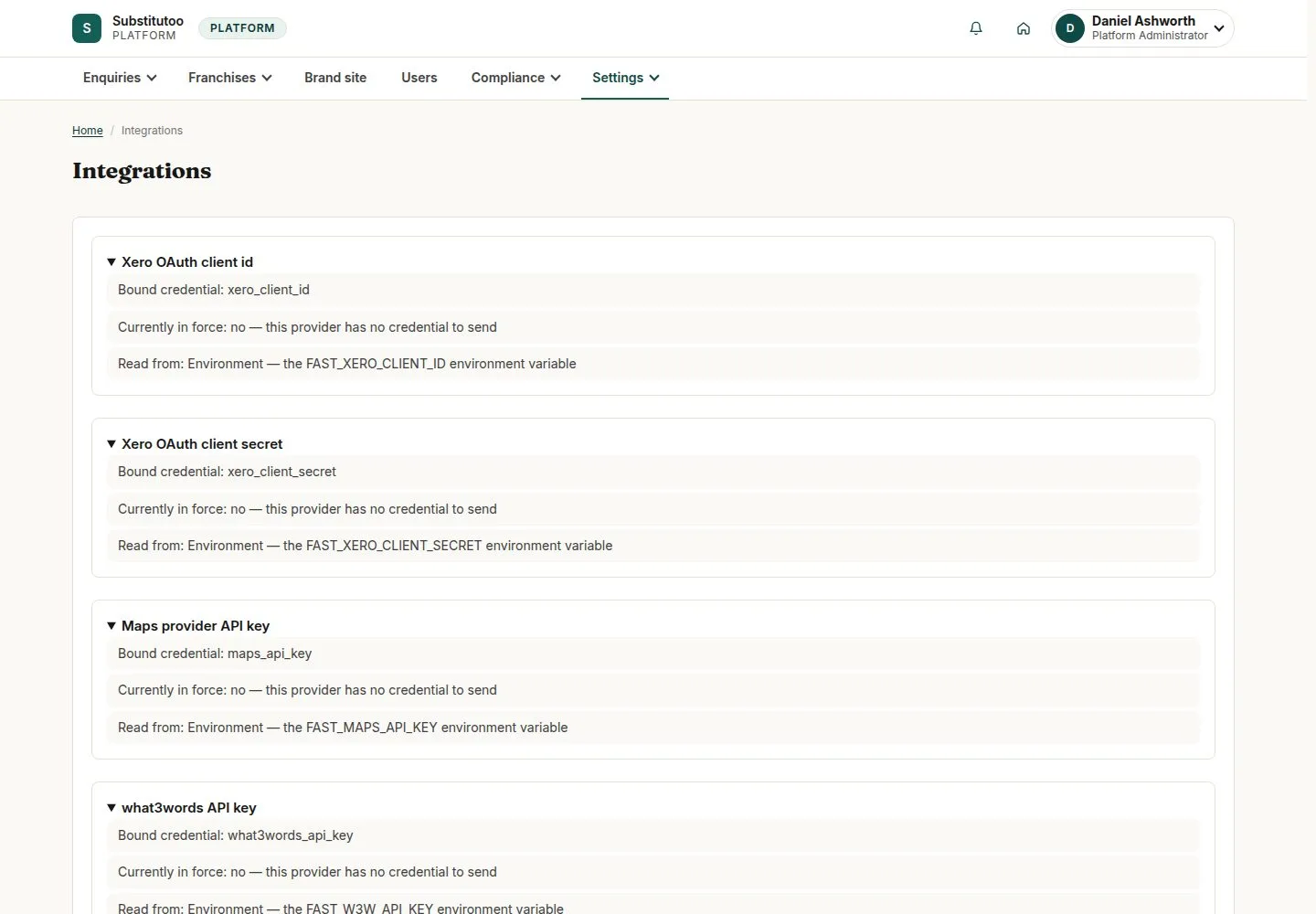
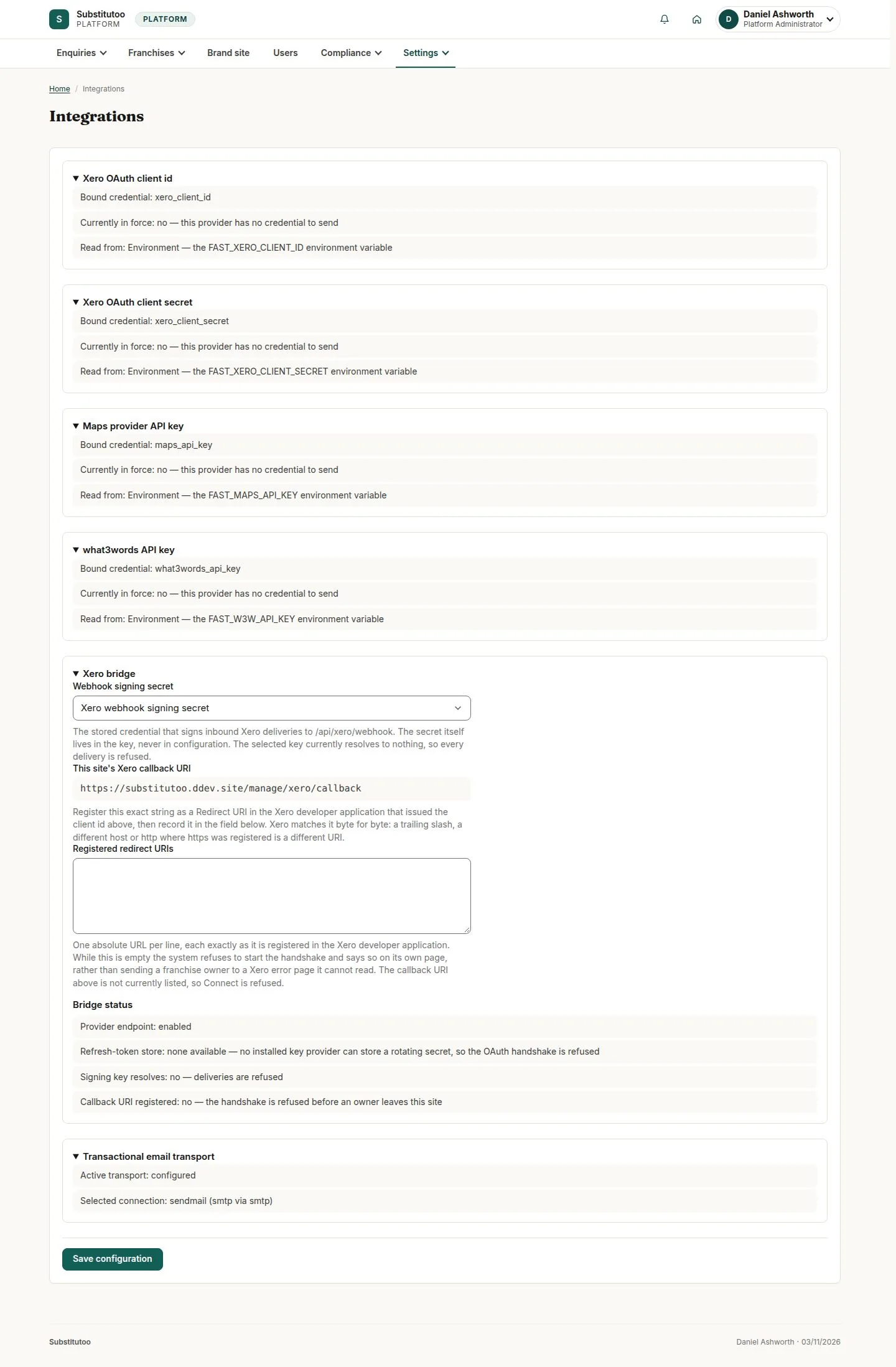
- Head Office has entered the Xero app settings
- Franchise Owner of the franchise
Franchise Owner
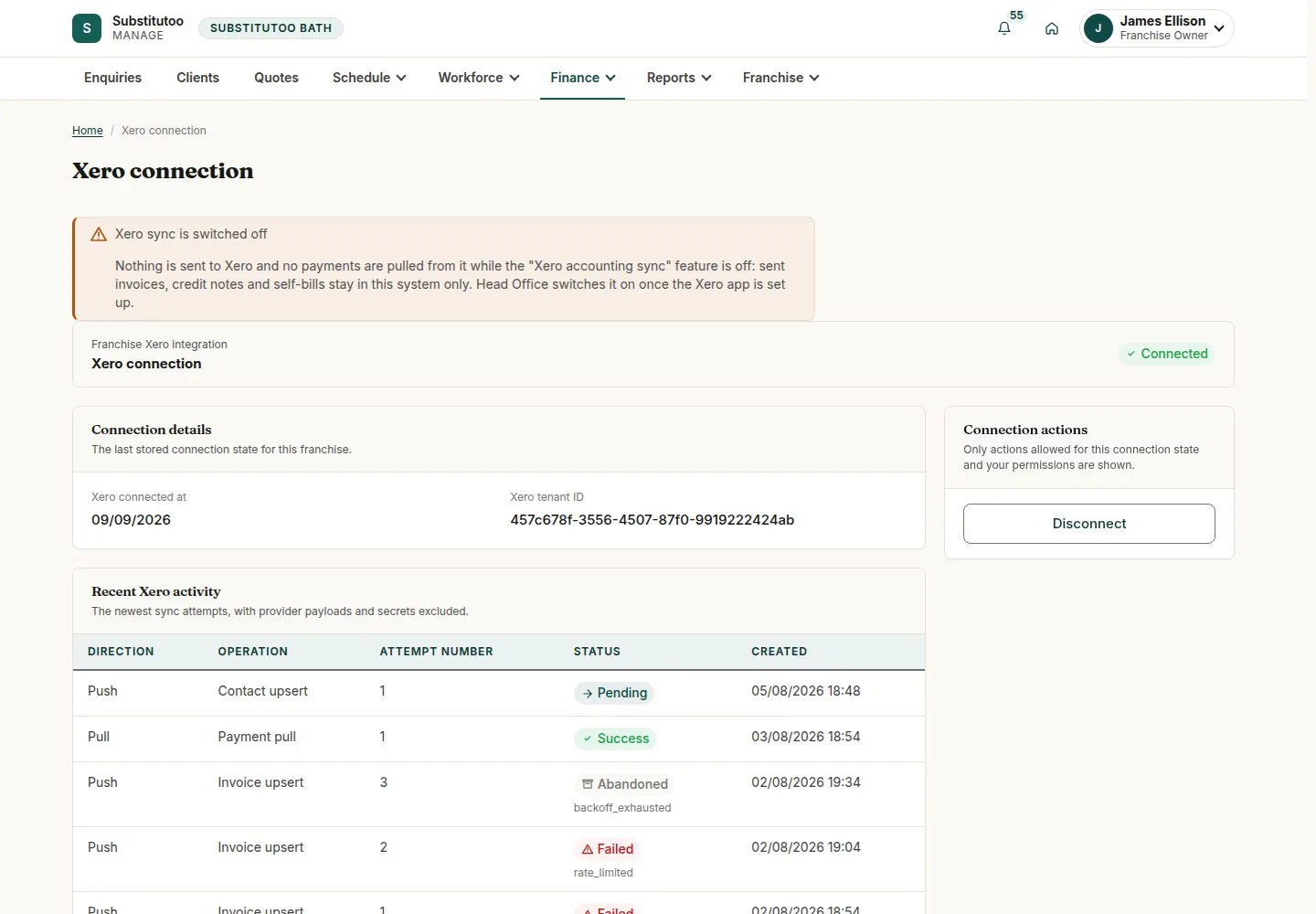
Finance, Xero connection
Franchise Owner
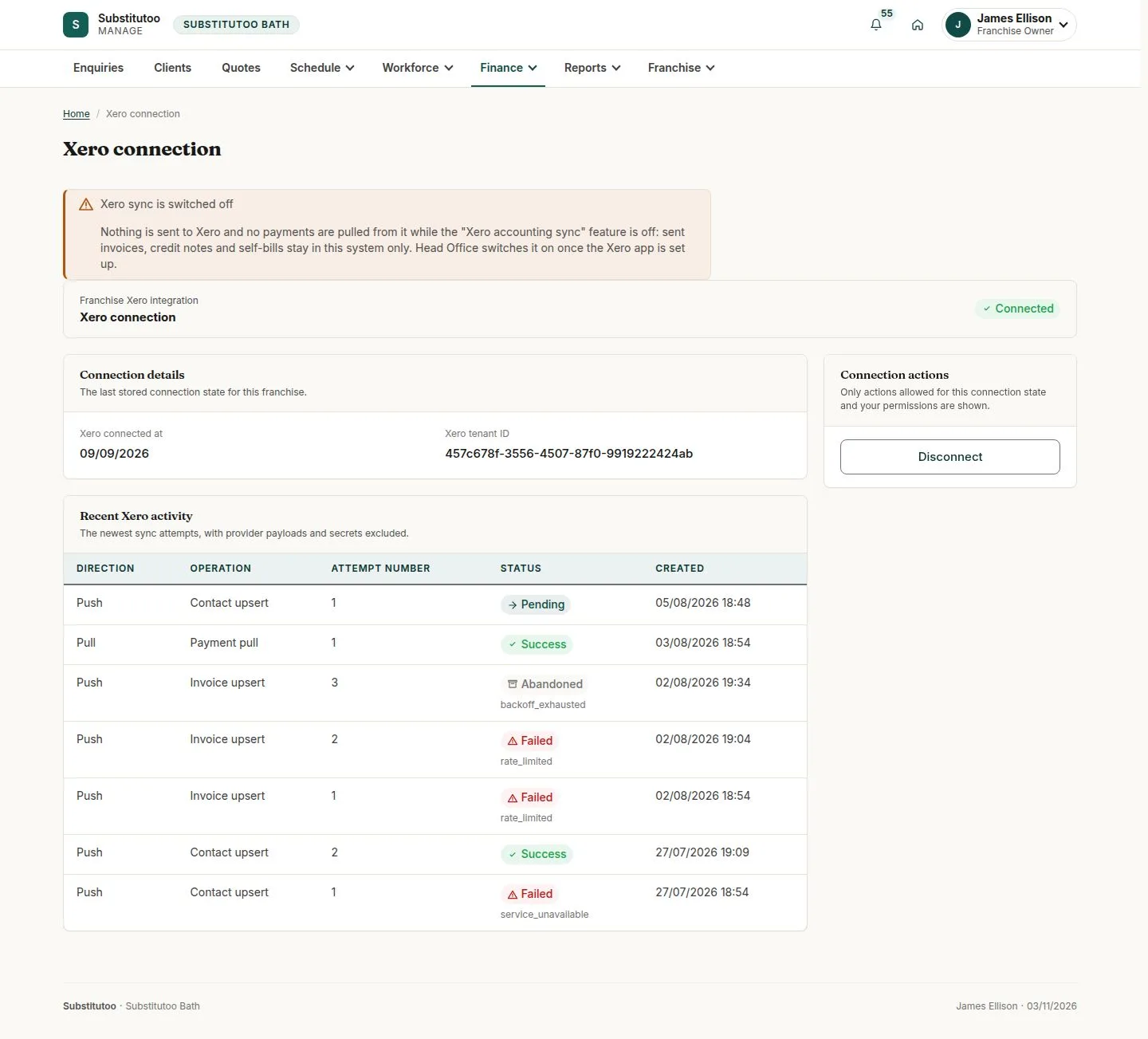
2Step 2 of 3 · workflow step 02
- Status and since when
- Xero organisation bound
- Connect, Reconnect, Disconnect
Enlarge, then scroll
Open illustrated screen ↗Full image ↗
The system does this
- After an invoice is sent: create or update the contact, then the invoice in Xero; later credit notes, voids and self-bills the same way
- Write a log row before each call and close it once, with no personal data; stop before calling Xero when an account code or tax type is missing
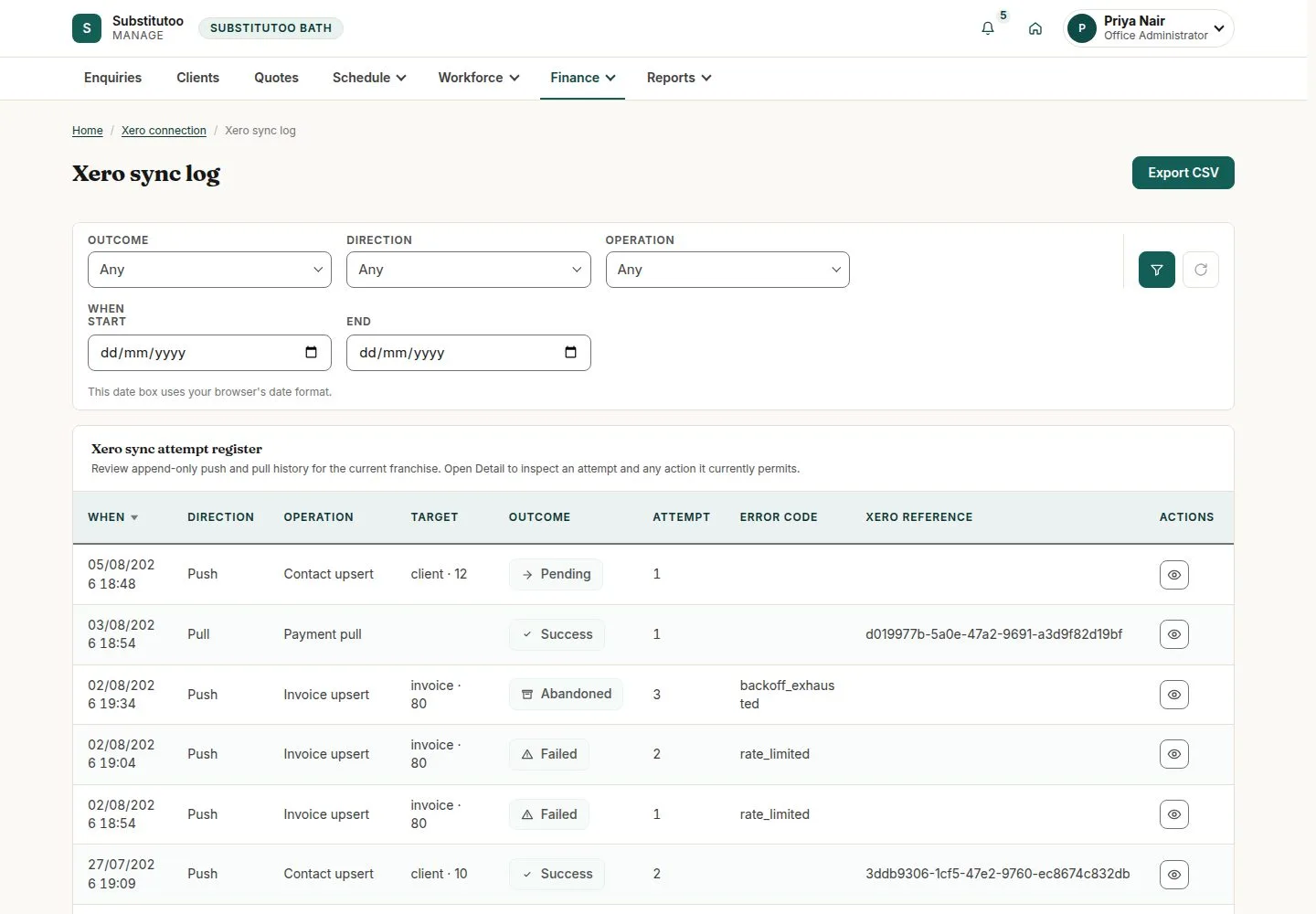
Xero sync log
Office Administrator
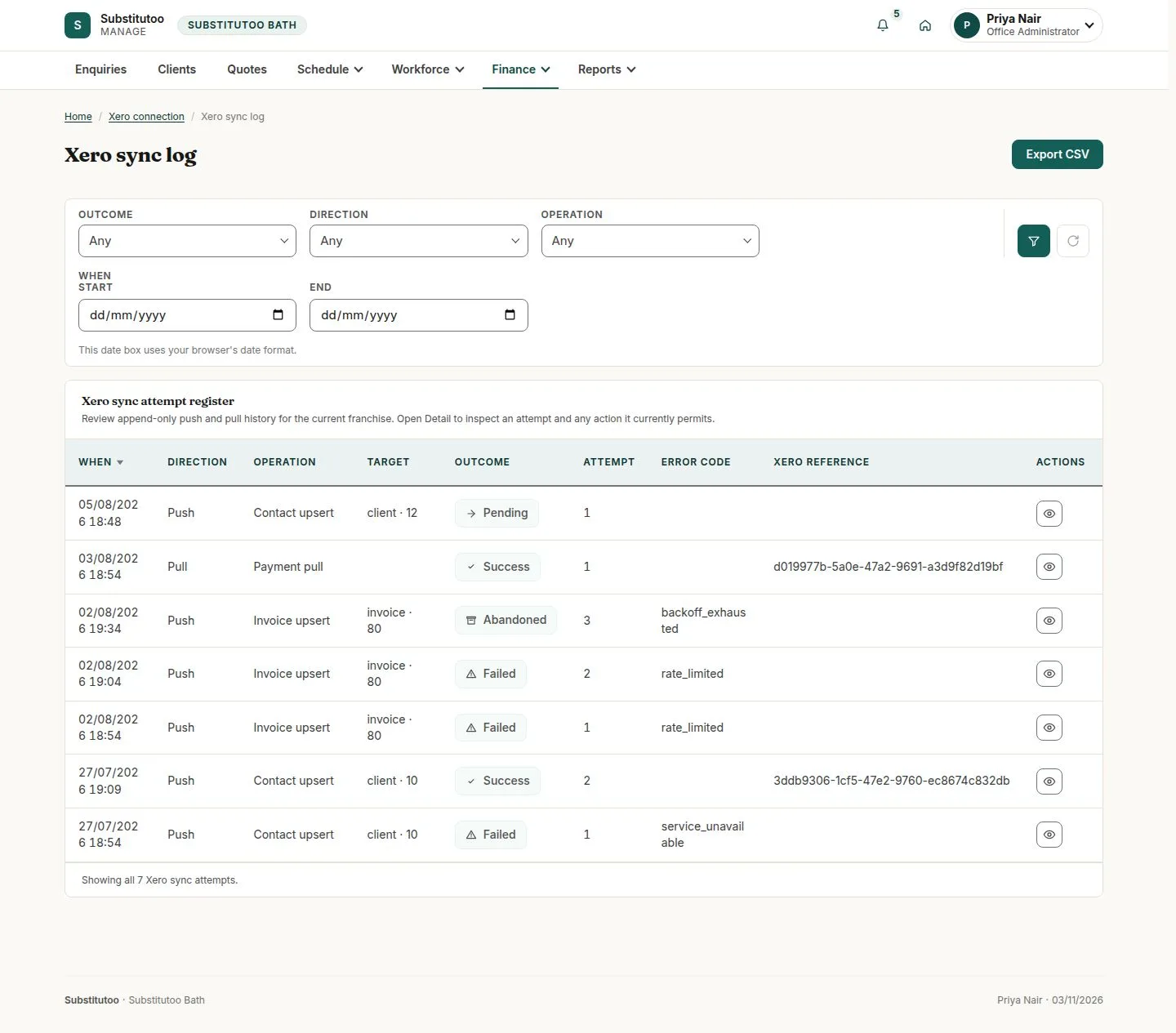
3Step 3 of 3 · workflow step 06
- Every push and pull
- Outcome and operation
- Detail
Enlarge, then scroll
Open illustrated screen ↗Full image ↗
The system does this
- Offer "Try this Xero operation again" on a failed attempt that has not been retried
- Bring payments back on a schedule and through Xero's signed webhook; when Xero stops accepting the connection, stop sending, tell the Owner once and show Reconnect required
Check
Franchise connected; every push and pull in the sync log
1 / 4