Reports and audit

Workflow 26 · Operational · Financial · Approved hours · Audit · Export CSV

The Franchise Owner reads the month: the work done, the money invoiced and received, and the hours behind the labour cost.

Every change and sign-in is in an audit log: the franchise's own, and Head Office's for the platform.

  • Franchise Owner (franchise reports and audit)
  • Head Office (platform audit log)
Franchise Owner
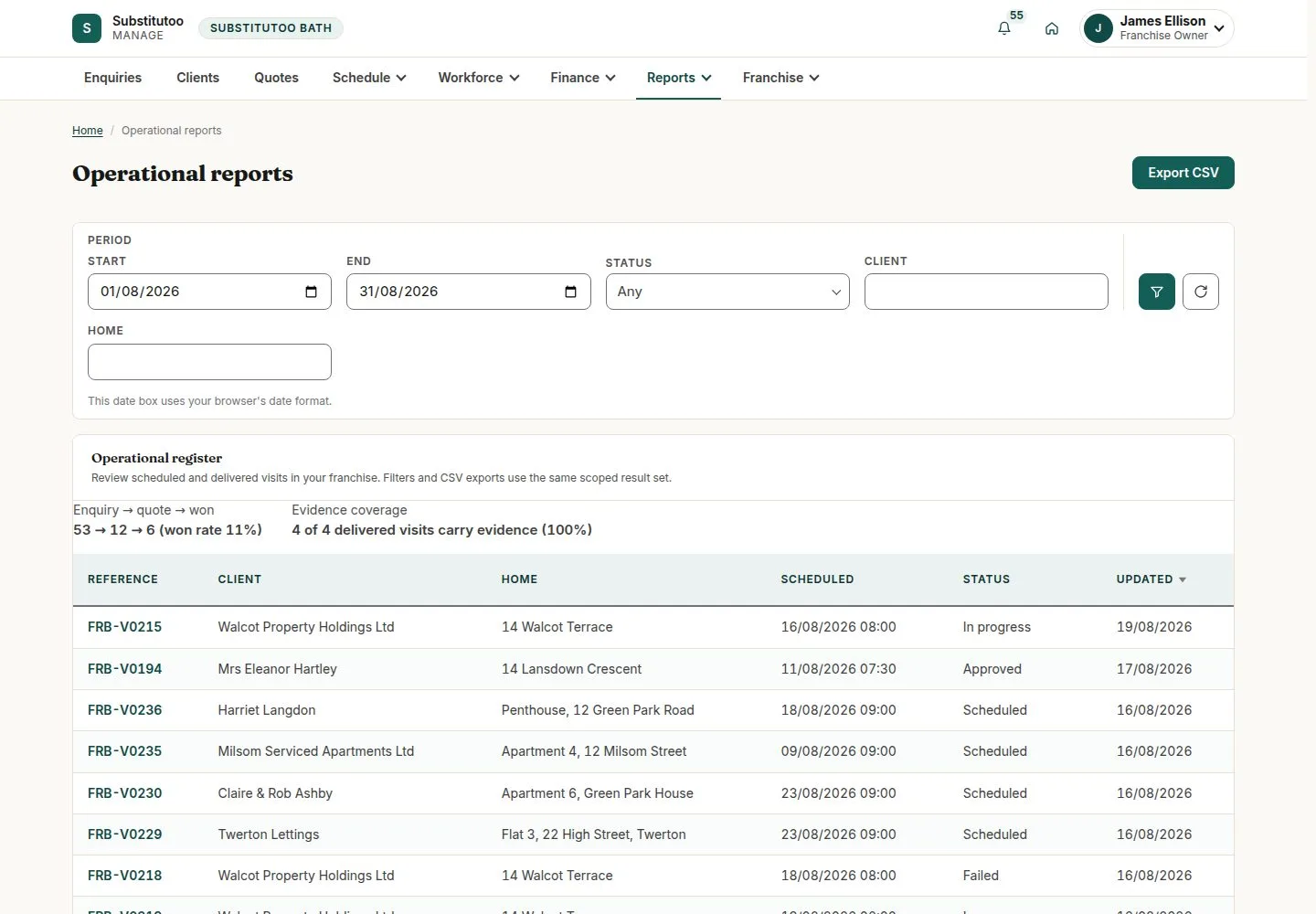
Reports, Operational

Franchise Owner

Reports, Operational

1Step 1 of 5 · workflow step 01

  1. Pick the month
  2. Visits by status
  3. Export CSV

Enlarge, then scroll

Open illustrated screen ↗Full image ↗

Franchise Owner · Reports and audit01

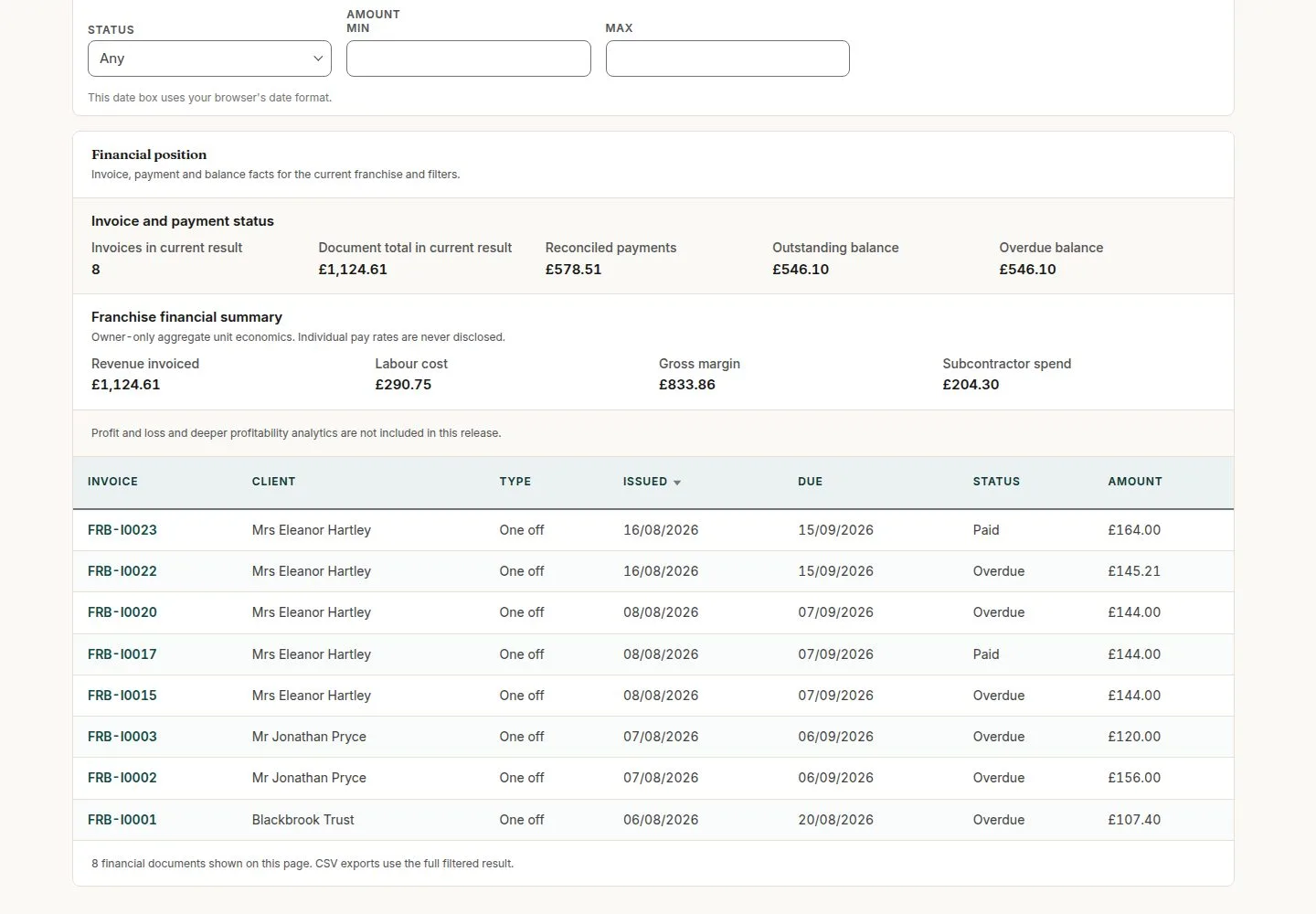
Reports, Financial

Franchise Owner

Reports, Financial

2Step 2 of 5 · workflow step 02

  1. Invoiced, paid, owed
  2. Export CSV

Enlarge, then scroll

Open illustrated screen ↗Full image ↗

Franchise Owner · Reports and audit02

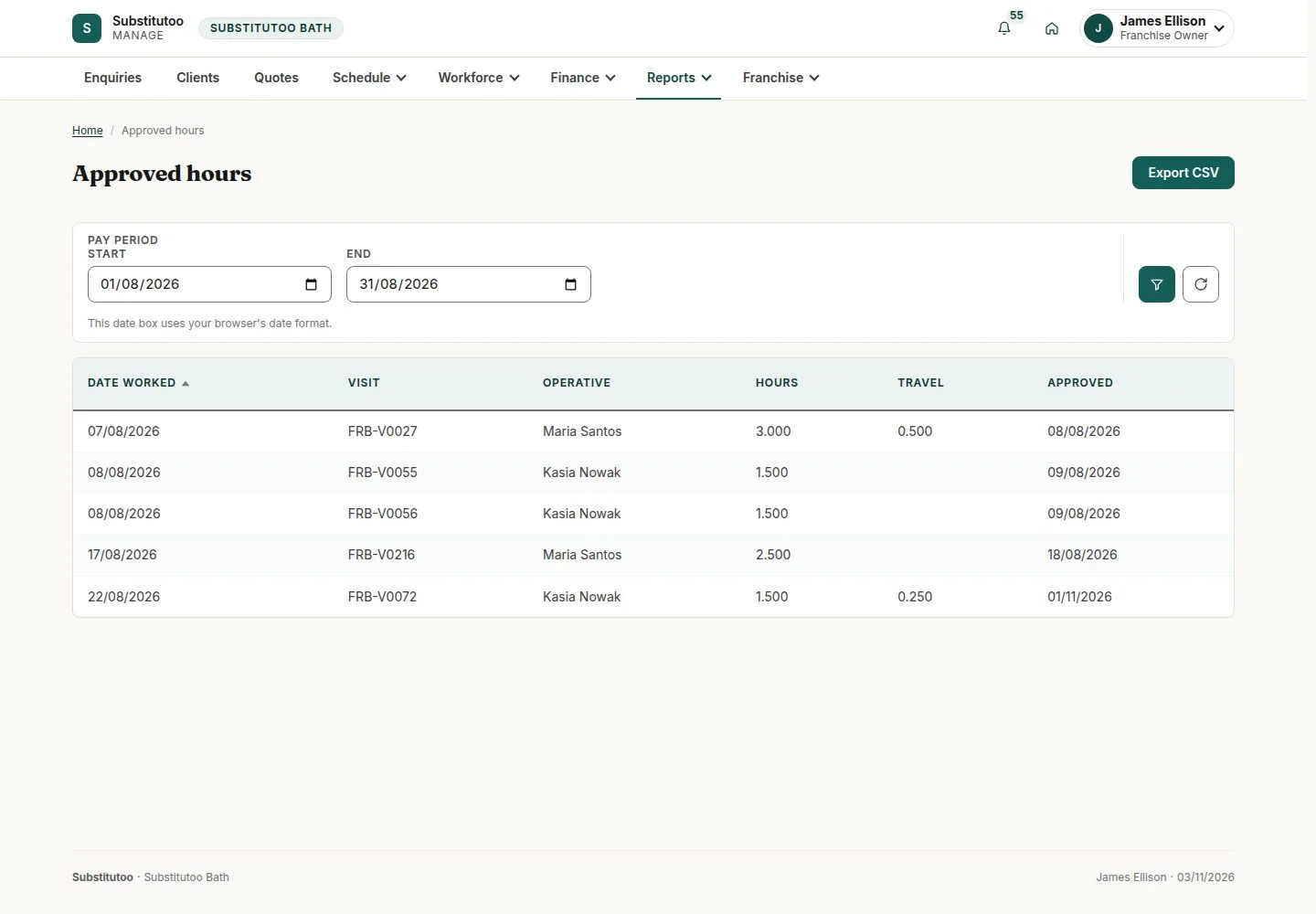
Reports, Approved hours

Franchise Owner

Reports, Approved hours

3Step 3 of 5 · workflow step 03

  1. Hours behind the labour cost
  2. Export CSV

Enlarge, then scroll

Open illustrated screen ↗Full image ↗

Franchise Owner · Reports and audit03

Reports, Audit

Franchise Owner

Reports, Audit

4Step 4 of 5 · workflow step 04

  1. Event, actor, record
  2. When
  3. Export CSV

Enlarge, then scroll

Open illustrated screen ↗Full image ↗

Franchise Owner · Reports and audit04

Head Office: Compliance, Audit log

Head Office

Head Office: Compliance, Audit log

5Step 5 of 5 · workflow step 05

  1. Platform events
  2. Filters

Enlarge, then scroll

Open illustrated screen ↗Full image ↗

The system does this
  • Write every create, change, status move, sign-in, refusal and export to the audit log; nobody can edit or delete it
Check

The month's figures read and exported; changes traced in the audit

Franchise Owner · Reports and audit05
1 / 6
Privacy Terms