Switch users in the demo

Workflow 02 · Switch users · Switch back · Audit

In the demo one account, the Switcher, can step into any of the sample people and see exactly what they see, without a password for each.

The Switcher can do nothing else, every switch is recorded, and on a live system the switch is turned off.

  • The demo's Switcher account
  • Switch turned on (demo only)
Account

Sign in as the Switcher: you start on "Switch user"

Switcher

Sign in as the Switcher: you start on "Switch user"

1Step 1 of 13 · workflow step 01

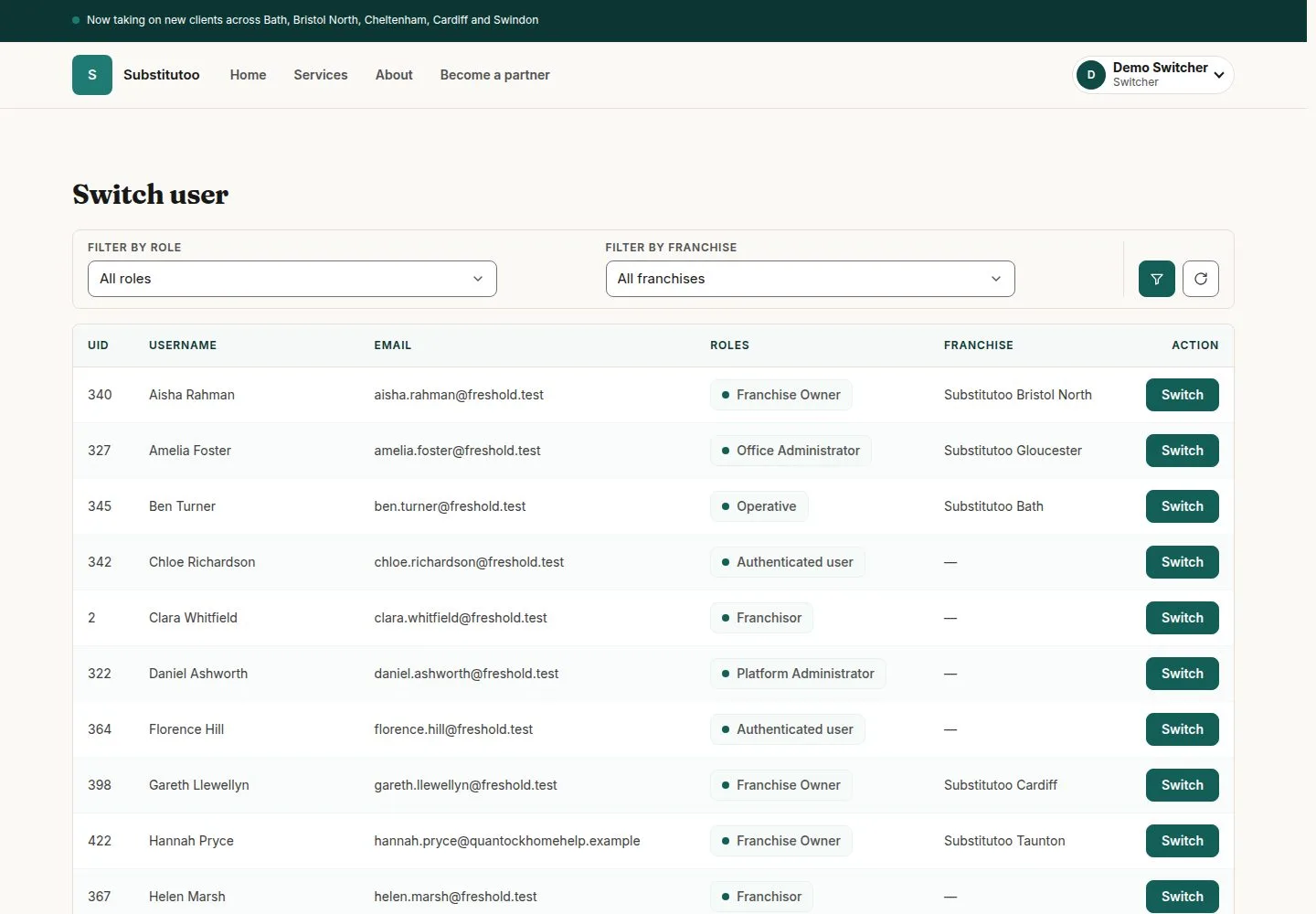
  1. Switch user
  2. Every active account

The Administrator starts here too. The list holds every active account except the administrator and other switchers.

Enlarge, then scroll

Open illustrated screen ↗Full image ↗

The system does this
  • Show no list at all when the switch is turned off, or on a live system
Account · Switch users in the demo01

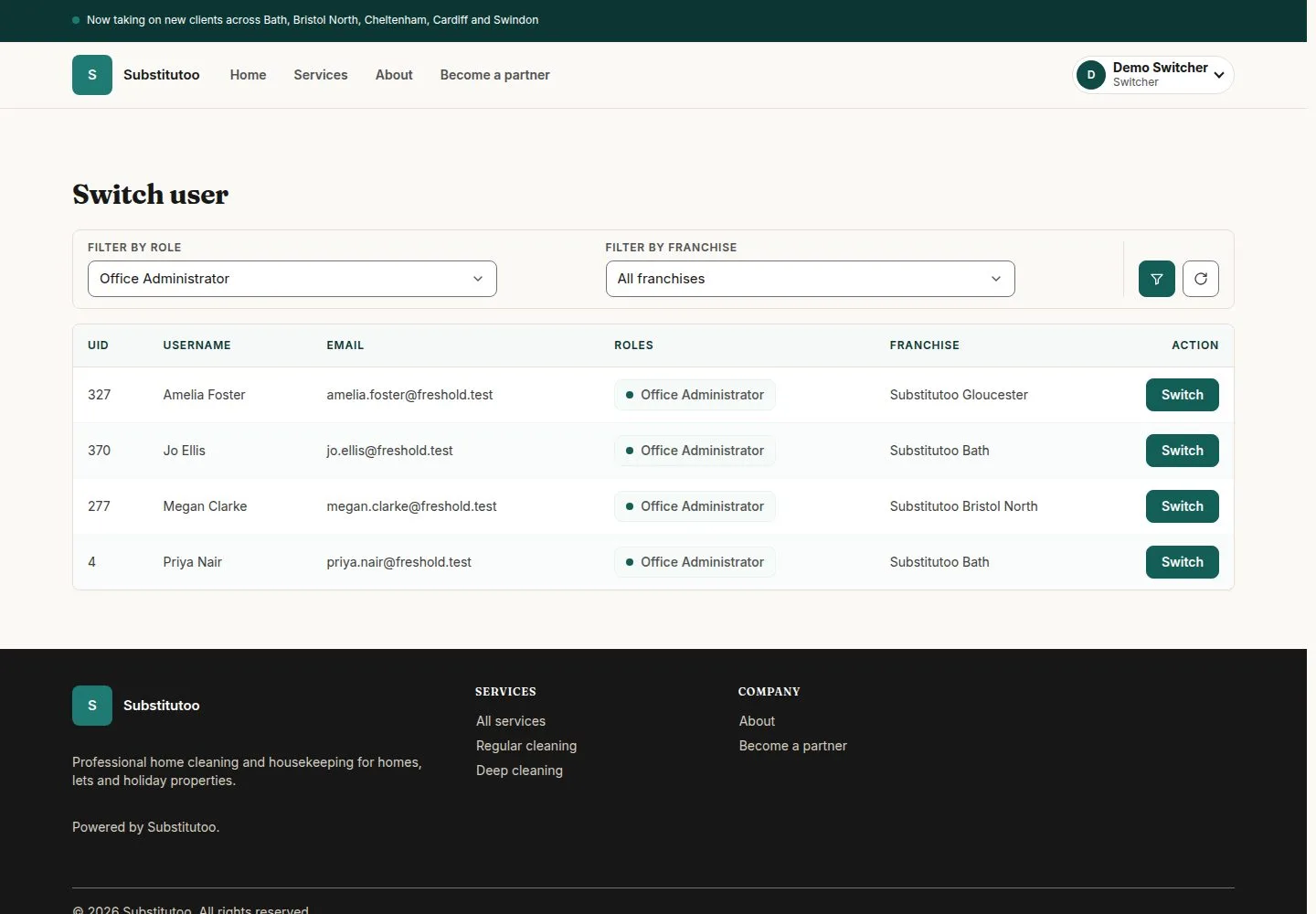
Narrow the list by role or by franchise

Switcher

Narrow the list by role or by franchise

2Step 2 of 13 · workflow step 02

  1. Filter by role
  2. Filter by franchise

Enlarge, then scroll

Open illustrated screen ↗Full image ↗

Account · Switch users in the demo02

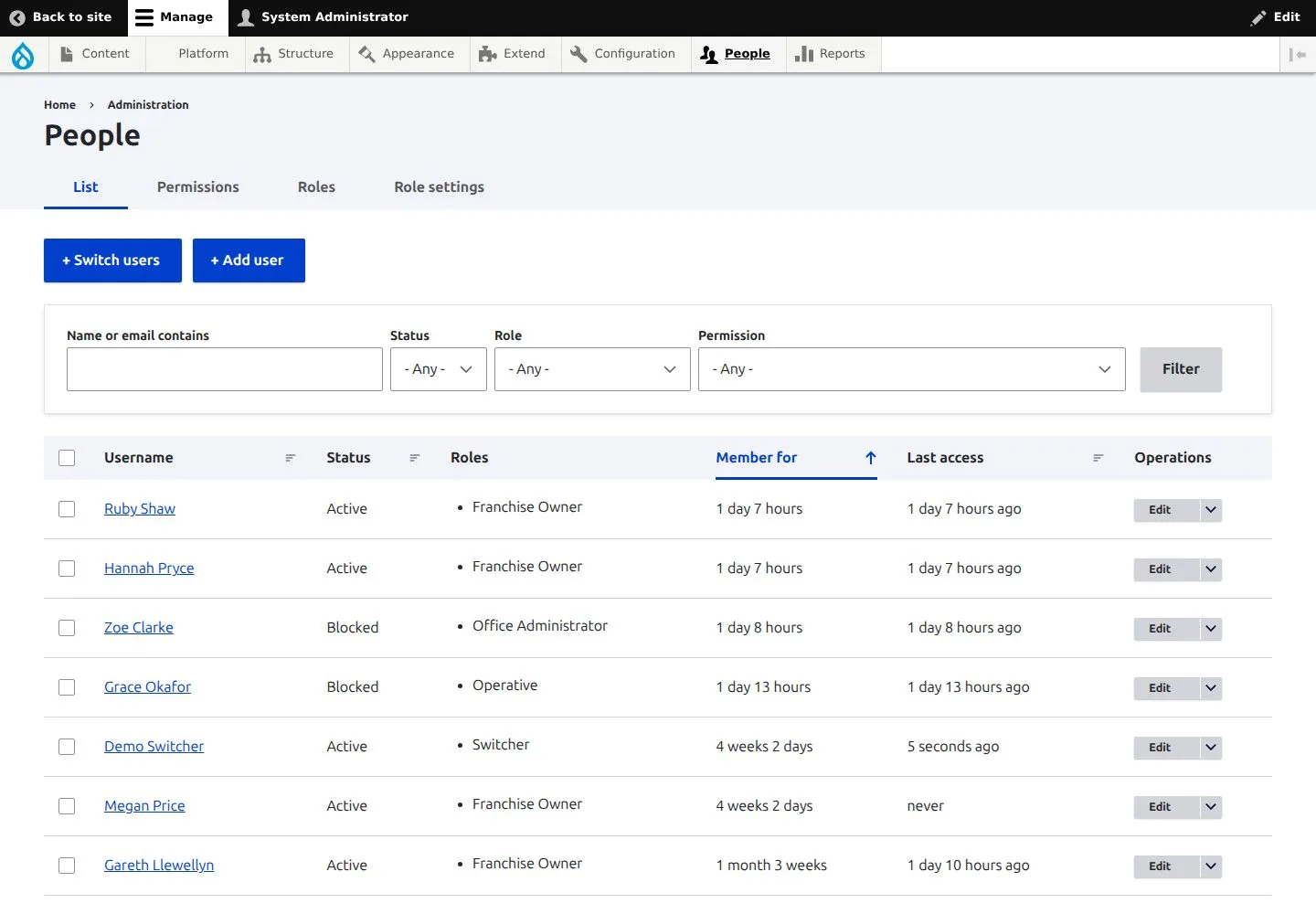
The Administrator also has the full list of accounts under People

Administrator

The Administrator also has the full list of accounts under People

3Step 3 of 13 · workflow step 02.1

  1. People

Enlarge, then scroll

Open illustrated screen ↗Full image ↗

Account · Switch users in the demo03

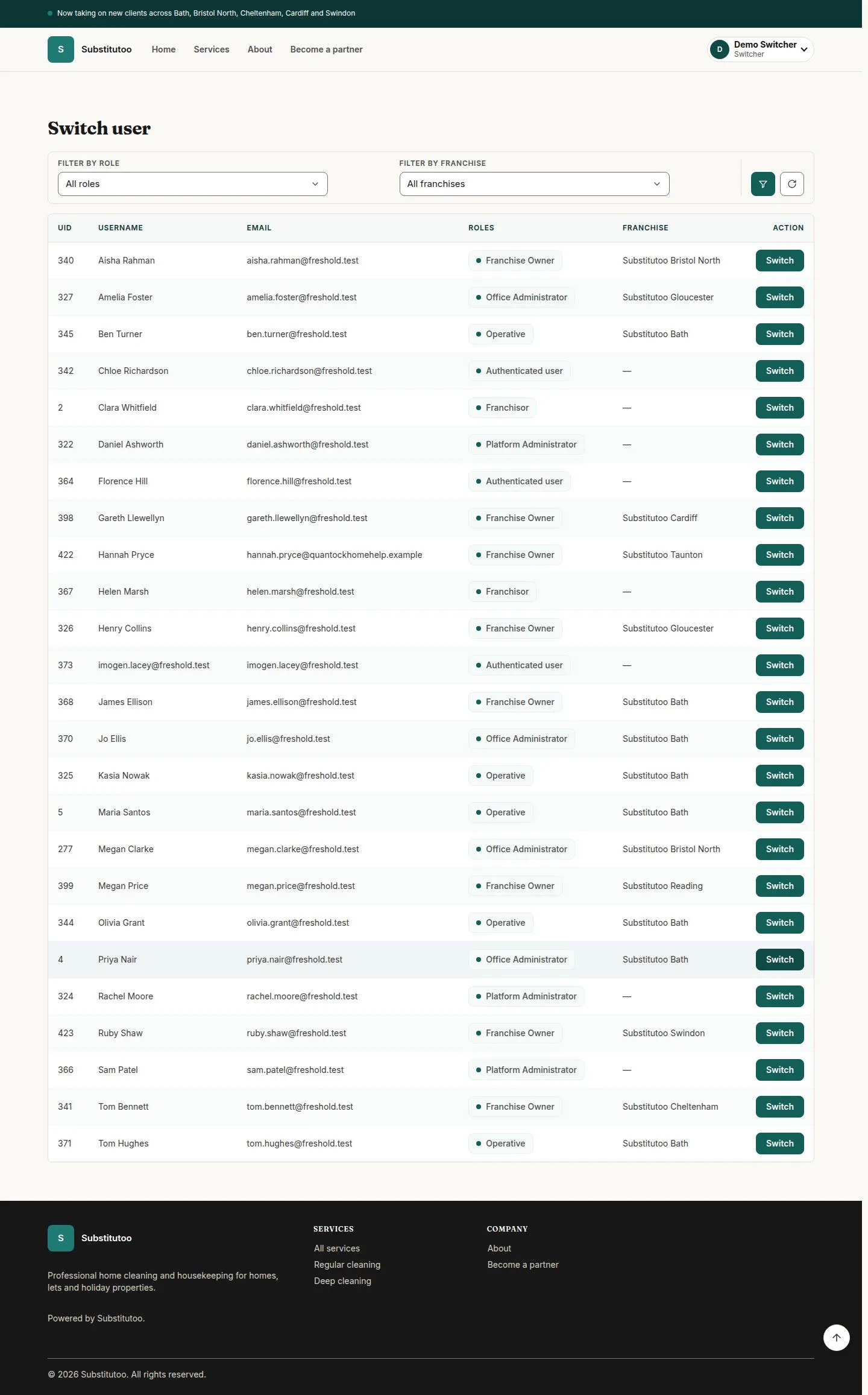
Find the person you want to be and press "Switch"

Switcher

Find the person you want to be and press "Switch"

4Step 4 of 13 · workflow step 03

  1. Find the person
  2. Switch

Priya Nair is the Office Administrator of Substitutoo Bath.

Enlarge, then scroll

Open illustrated screen ↗Full image ↗

Account · Switch users in the demo04

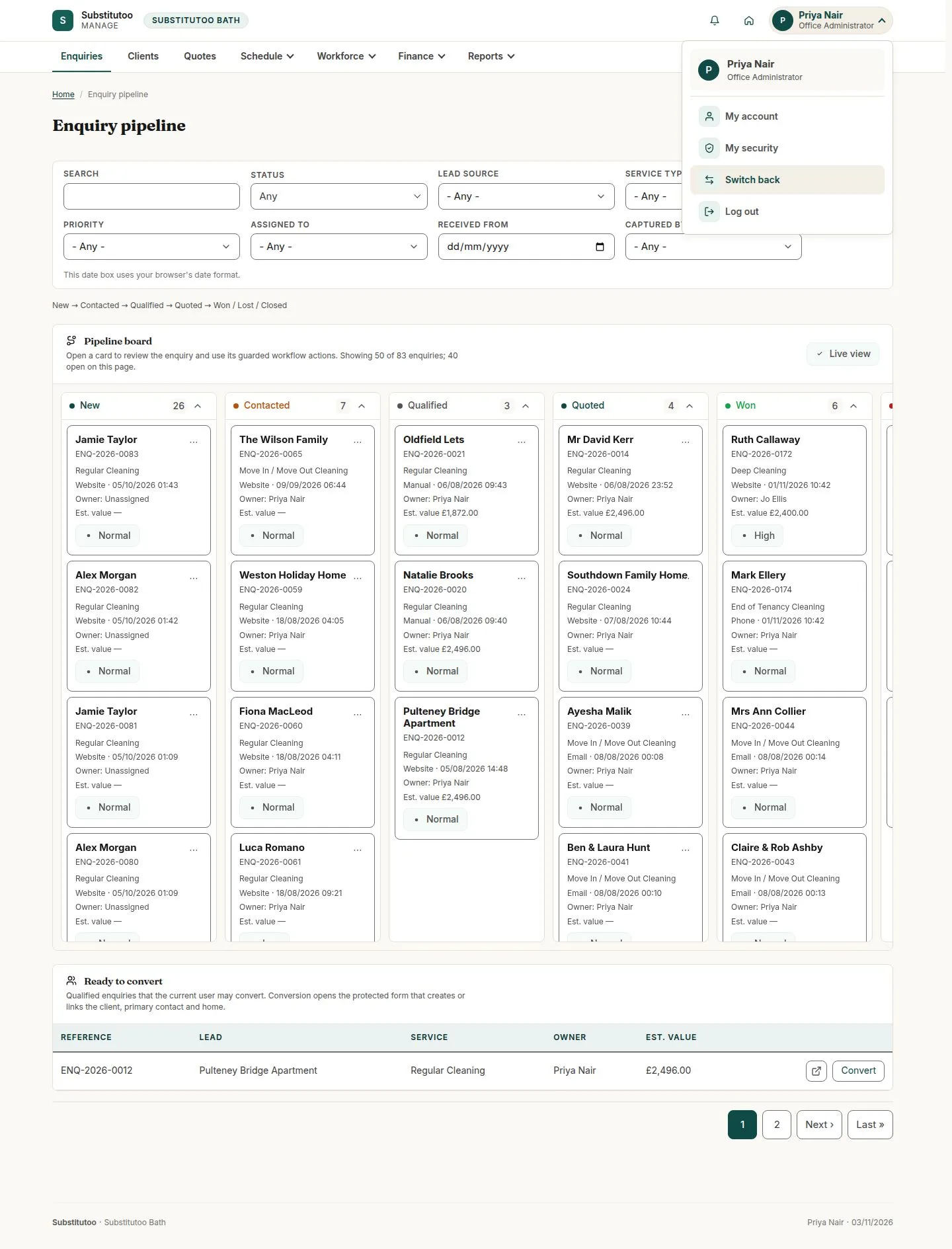
You are in Priya's back office, with her menus and nothing more

Office Administrator
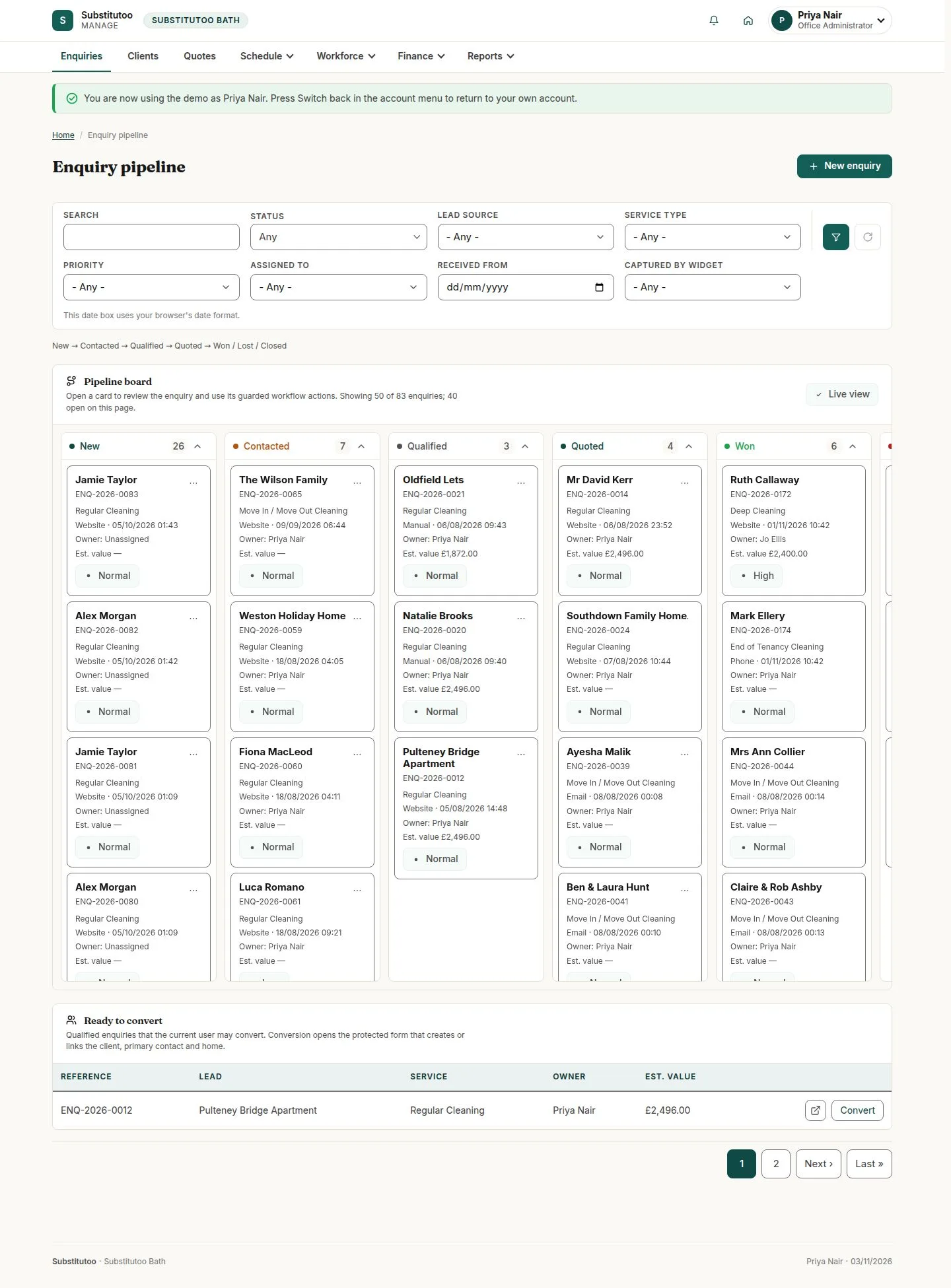
You are in Priya's back office, with her menus and nothing more

5Step 5 of 13 · workflow step 03

  1. Their start page
  2. Their menus only

You start on her Enquiry pipeline. You cannot switch again from here: switching back comes first.

Enlarge, then scroll

Full image ↗

The system does this
  • Record the switch in the audit log under the Switcher's own name, with the person switched into
  • Refuse a switch link without its valid token
Account · Switch users in the demo05

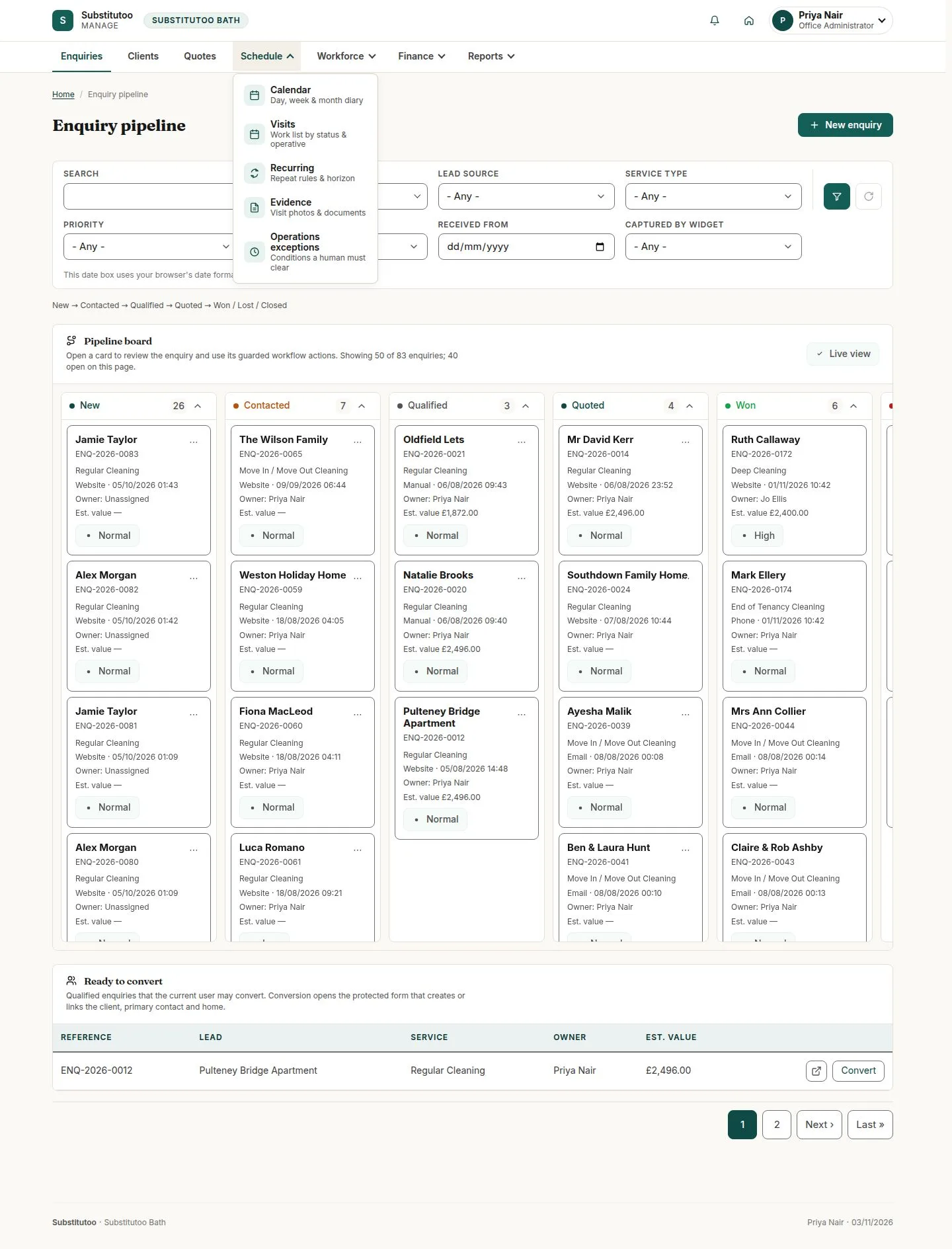
Move around with the menu bar

Office Administrator

Move around with the menu bar

6Step 6 of 13 · workflow step 04

  1. Menu bar

Enquiries, Clients, Quotes, Schedule, Workforce, Finance and Reports. The brand name at the top left always brings you back to Enquiries.

Enlarge, then scroll

Full image ↗

Account · Switch users in the demo06

The house icon opens the franchise's public site; "Back office" brings you back

Office Administrator

The house icon opens the franchise's public site; "Back office" brings you back

7Step 7 of 13 · workflow step 04

  1. House icon
  2. Back office

Enlarge, then scroll

Full image ↗

Account · Switch users in the demo07

Open the account menu and press "Switch back"

Office Administrator

Open the account menu and press "Switch back"

8Step 8 of 13 · workflow step 05

  1. Account menu
  2. Switch back

Enlarge, then scroll

Full image ↗

Account · Switch users in the demo08

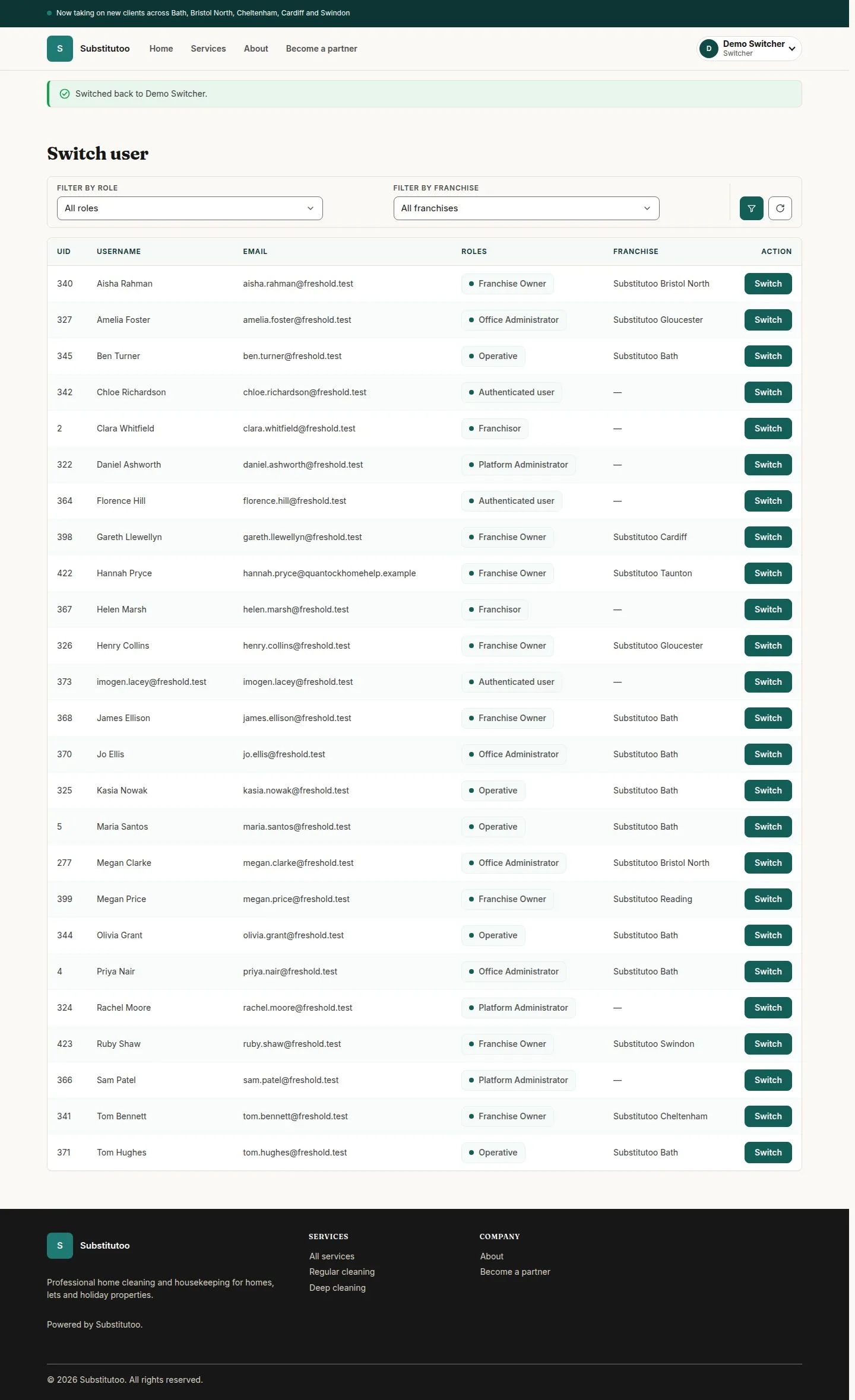
You are the Switcher again, back on the list

Switcher

You are the Switcher again, back on the list

9Step 9 of 13 · workflow step 05

  1. Switch user list

Enlarge, then scroll

Open illustrated screen ↗Full image ↗

Account · Switch users in the demo09

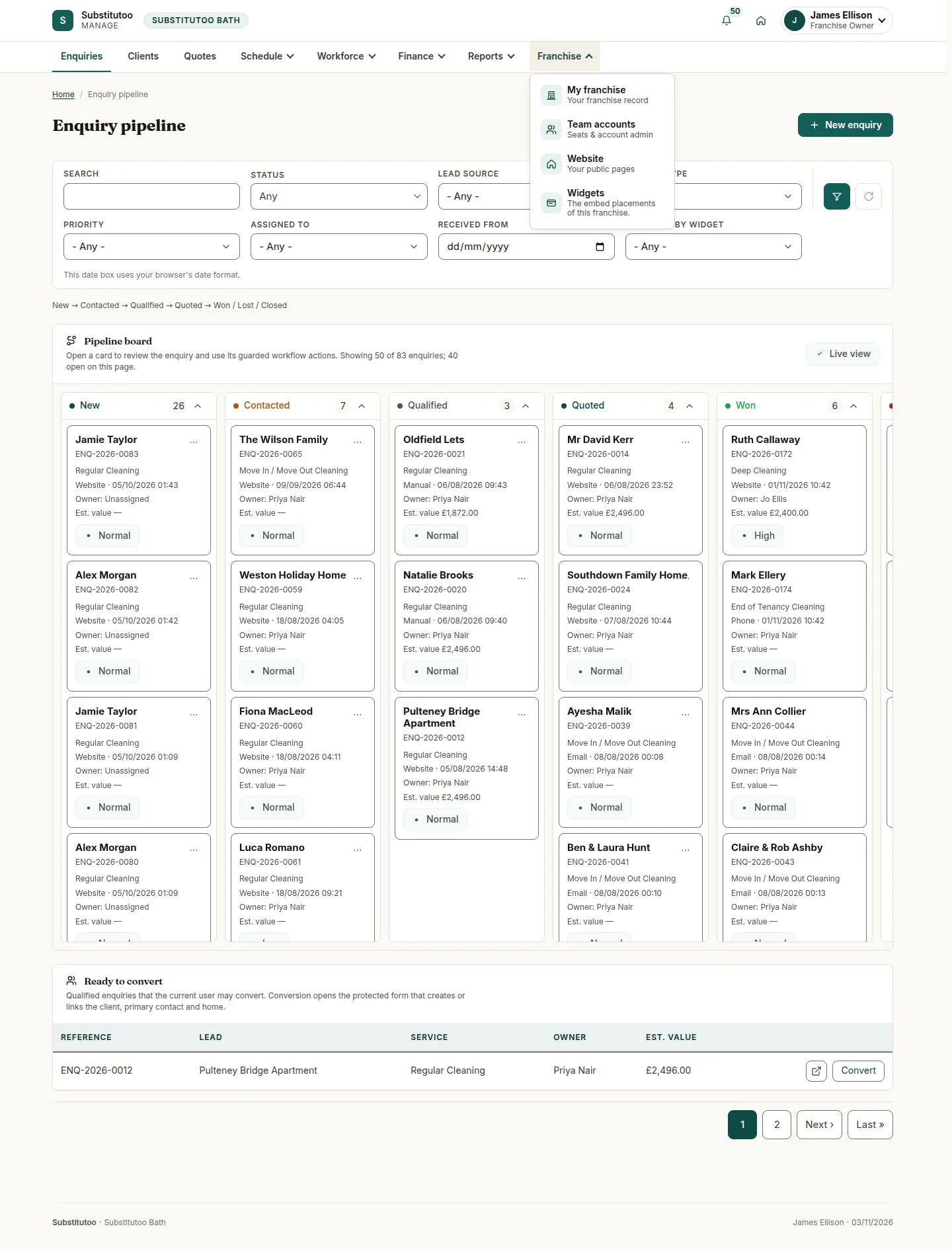
Switch into the others one by one: James sees the Franchise menu too

Franchise Owner

Switch into the others one by one: James sees the Franchise menu too

10Step 10 of 13 · workflow step 06

  1. Franchise menu

James Ellison owns Substitutoo Bath, so he has the owner's own menu and actions on top of the office's.

Enlarge, then scroll

Full image ↗

Account · Switch users in the demo10

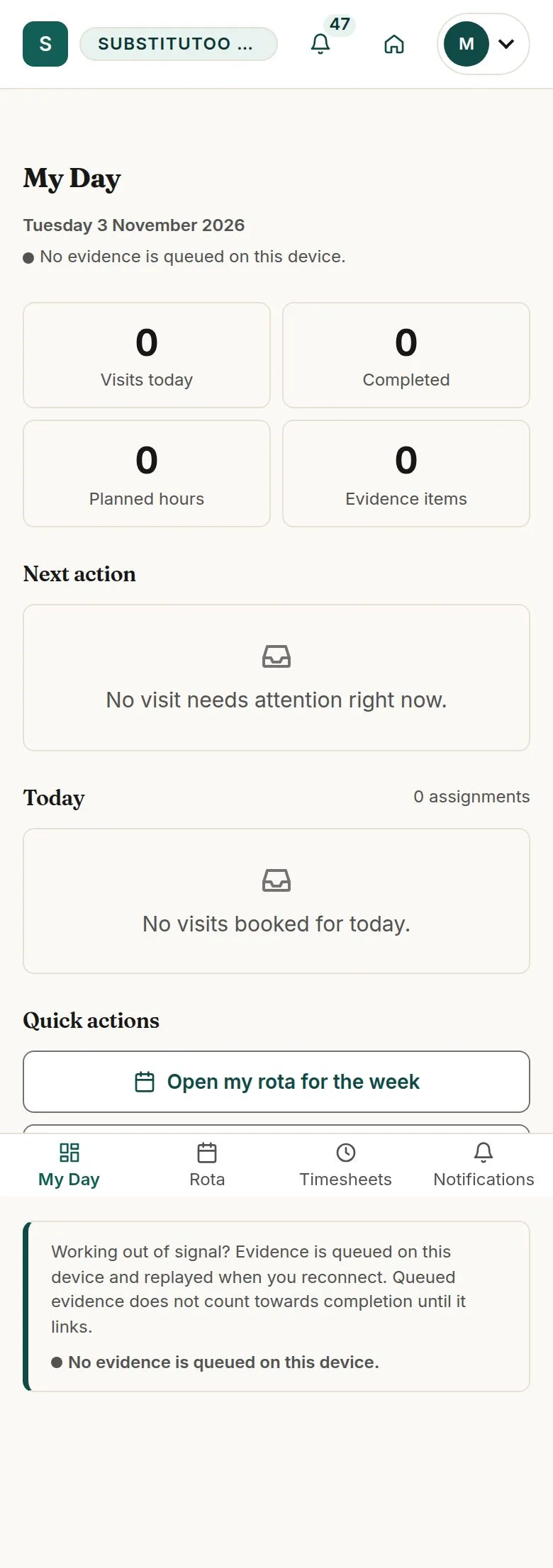
Maria Santos, an Operative, has the field app: My Day

Operative

Maria Santos, an Operative, has the field app: My Day

11Step 11 of 13 · workflow step 06

  1. Field app
  2. My Day

Enlarge, then scroll

Full image ↗

Account · Switch users in the demo11

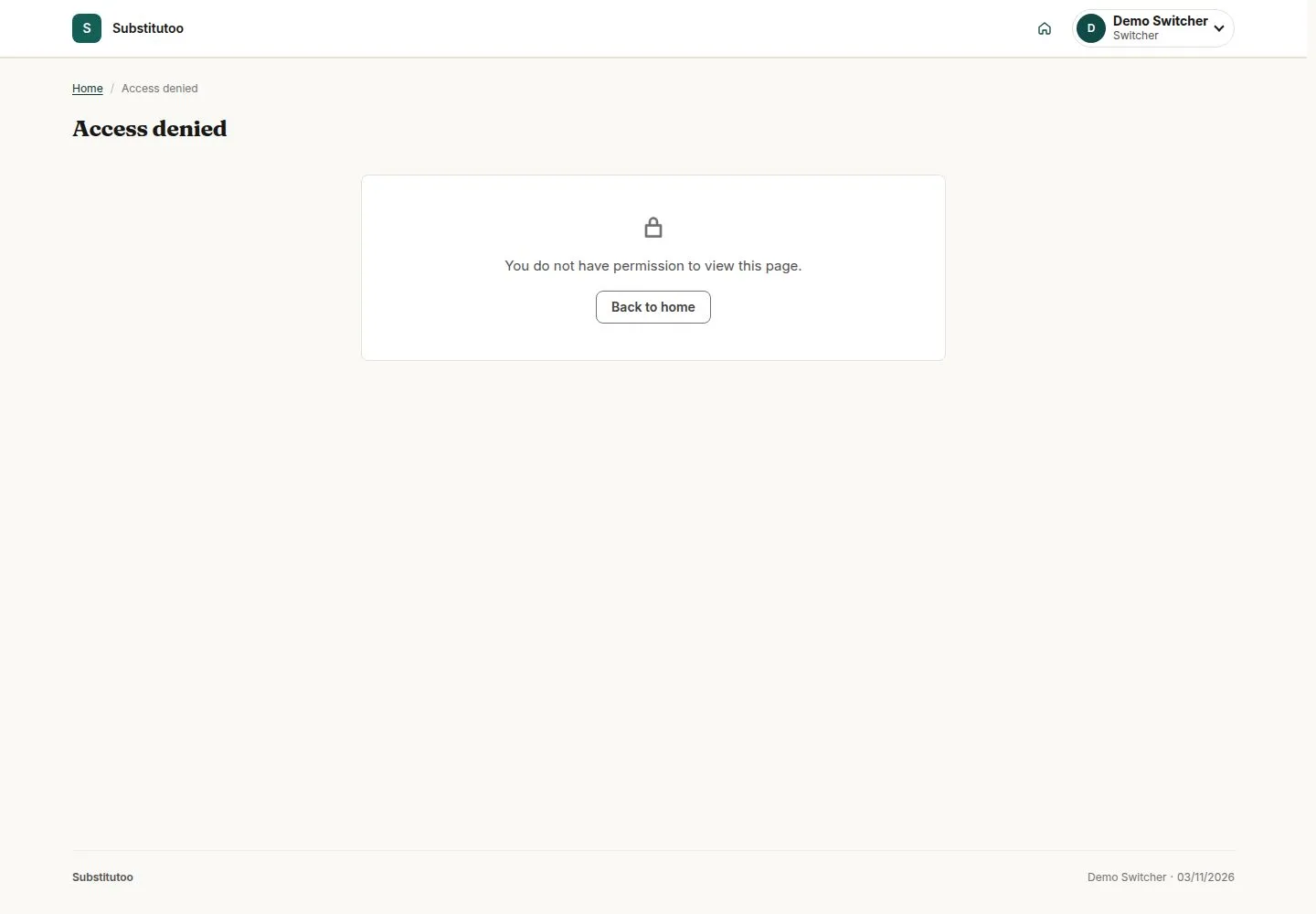
Without switching, the Switcher can open no business page

Switcher

Without switching, the Switcher can open no business page

12Step 12 of 13 · workflow step 06.1

  1. No business page

Enlarge, then scroll

Full image ↗

Account · Switch users in the demo12

Every switch and switch back is in the audit, under the Switcher's own name

Franchise Owner
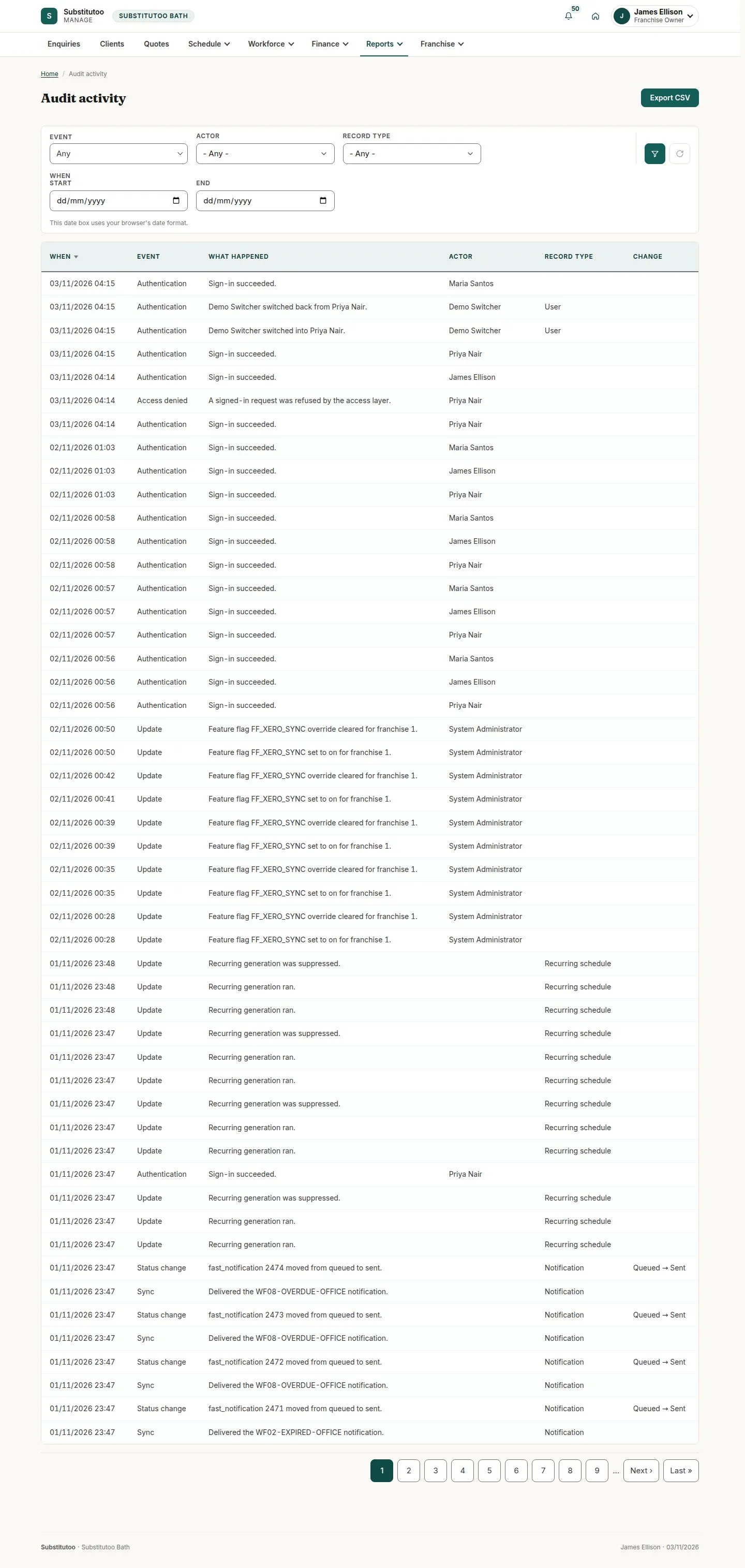
Every switch and switch back is in the audit, under the Switcher's own name

13Step 13 of 13 · workflow step 07

  1. Reports, Audit
  2. Switched into

A switch into a franchise account is recorded in that franchise's audit, which its Franchise Owner reads under Reports, "Audit".

Enlarge, then scroll

Open illustrated screen ↗Full image ↗

The system does this
  • Keep the switch turned off on a live system: the demo accounts, the Switcher and the administrator's password are reviewed before go-live
Check

Back as the Switcher; every switch recorded

Account · Switch users in the demo13
1 / 14
Privacy Terms