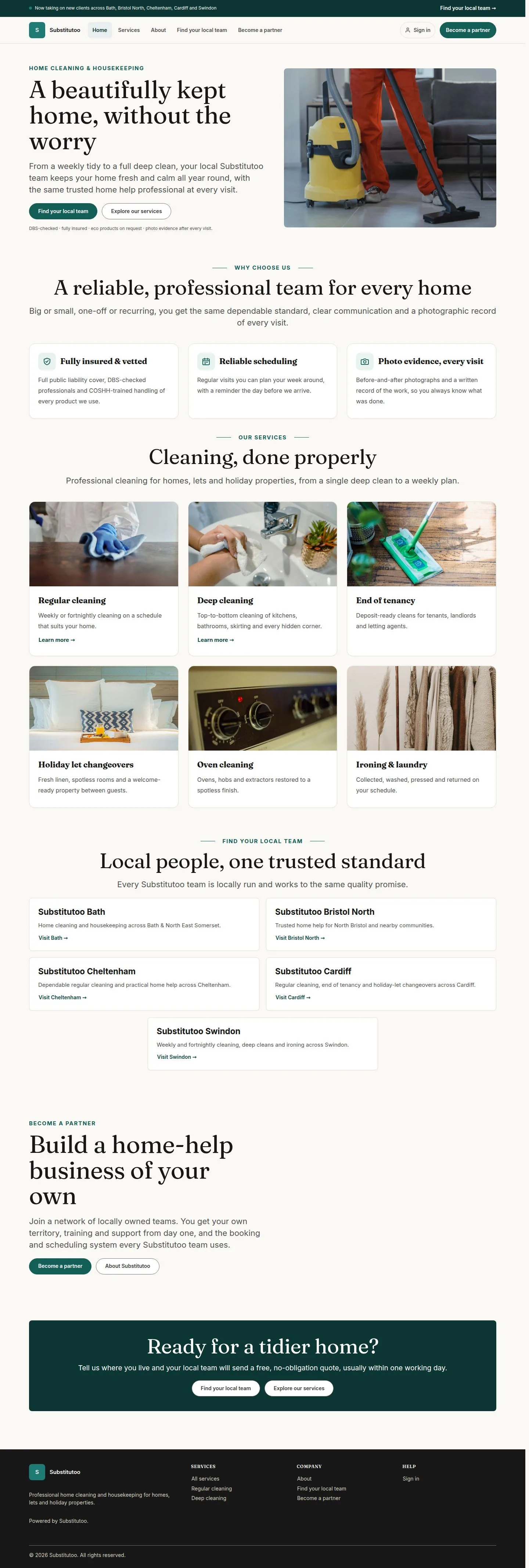
Sign in and your account

Workflow 01 · Sign in · Start page · My account · My security

Everyone signs in on the same plain page with their email address and password, and lands where their work starts.

Your own account and security settings are always one click away under your name, and nothing about another person's account can be reached by changing the address.

  • An account with a role
Account

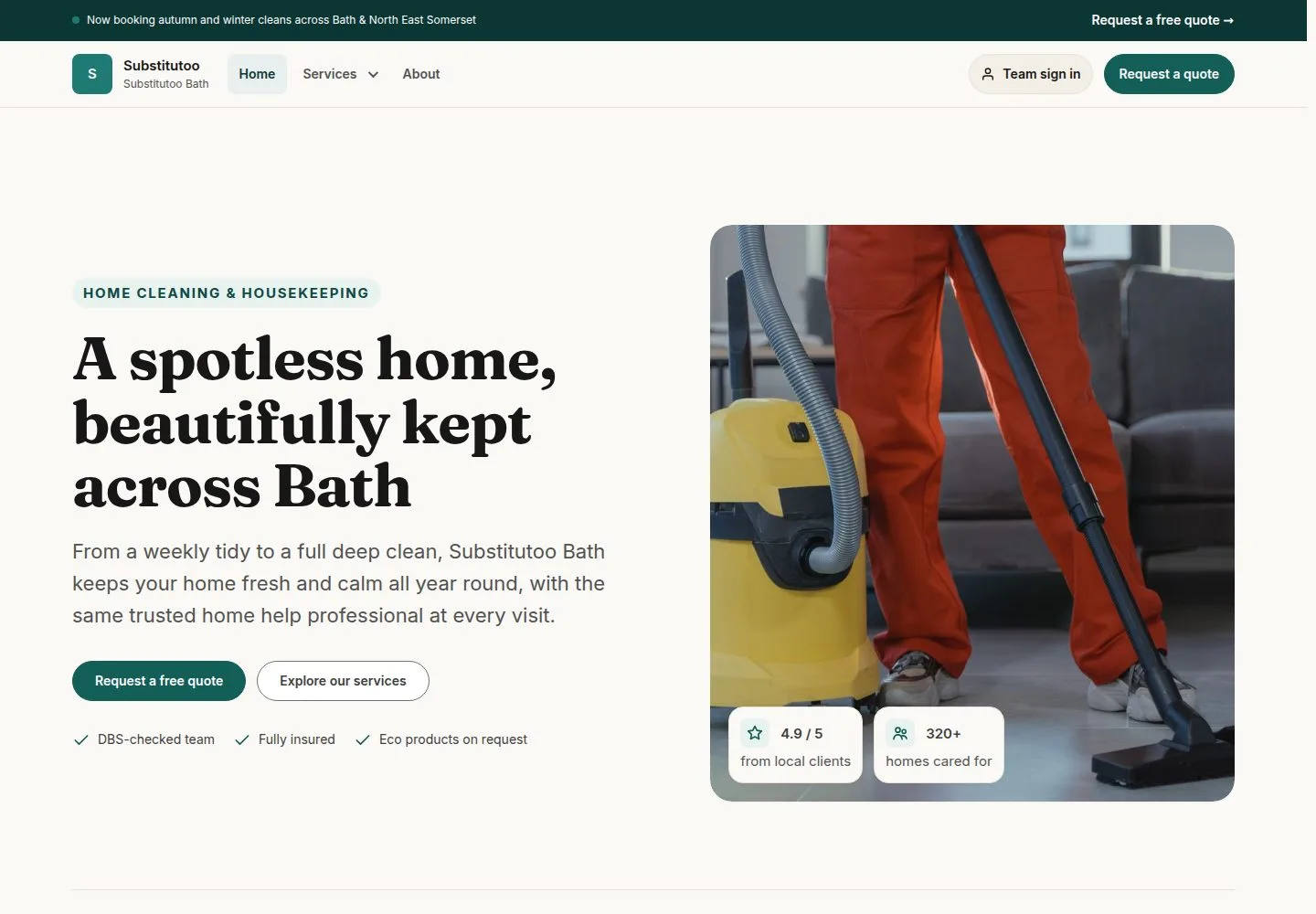
Press "Sign in" at the top right of the website

Visitor

Press "Sign in" at the top right of the website

1Step 1 of 16 · workflow step 01

  1. Sign in
  2. Top right

The link is on every public page of the brand site.

Enlarge, then scroll

Open illustrated screen ↗Full image ↗

Account · Sign in and your account01

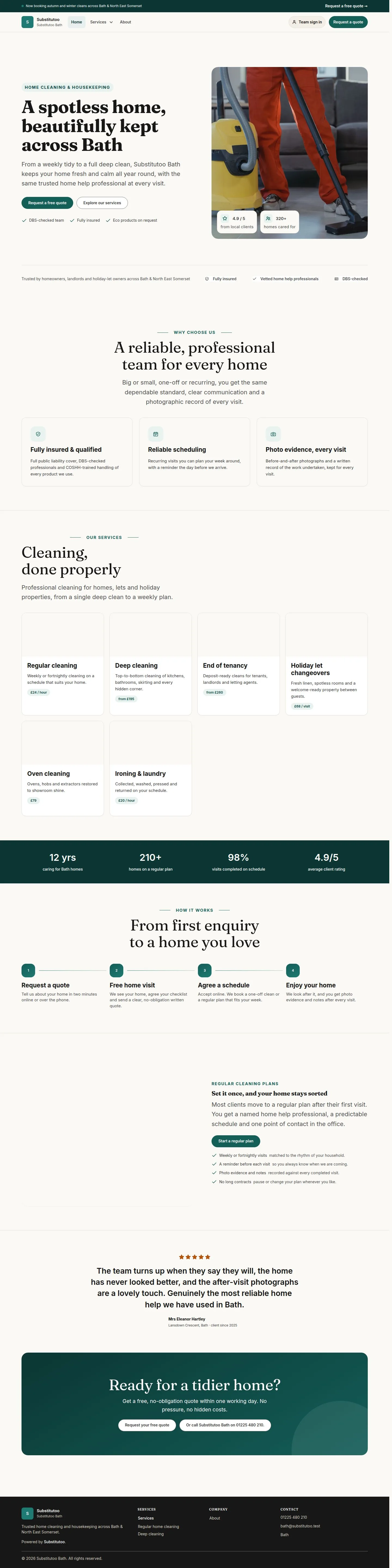
On a franchise's own site the link reads "Team sign in"

Visitor

On a franchise's own site the link reads "Team sign in"

2Step 2 of 16 · workflow step 01

  1. Team sign in

It opens the same sign-in page on the franchise's address.

Enlarge, then scroll

Full image ↗

Account · Sign in and your account02

Enter your email address and password, then press "Sign in"

Visitor

Enter your email address and password, then press "Sign in"

3Step 3 of 16 · workflow step 02

  1. Email address
  2. Password
  3. Sign in

Your username is the email address your account was set up with.

Enlarge, then scroll

Open illustrated screen ↗Full image ↗

Account · Sign in and your account03

A wrong email address or password gets one plain message

Visitor
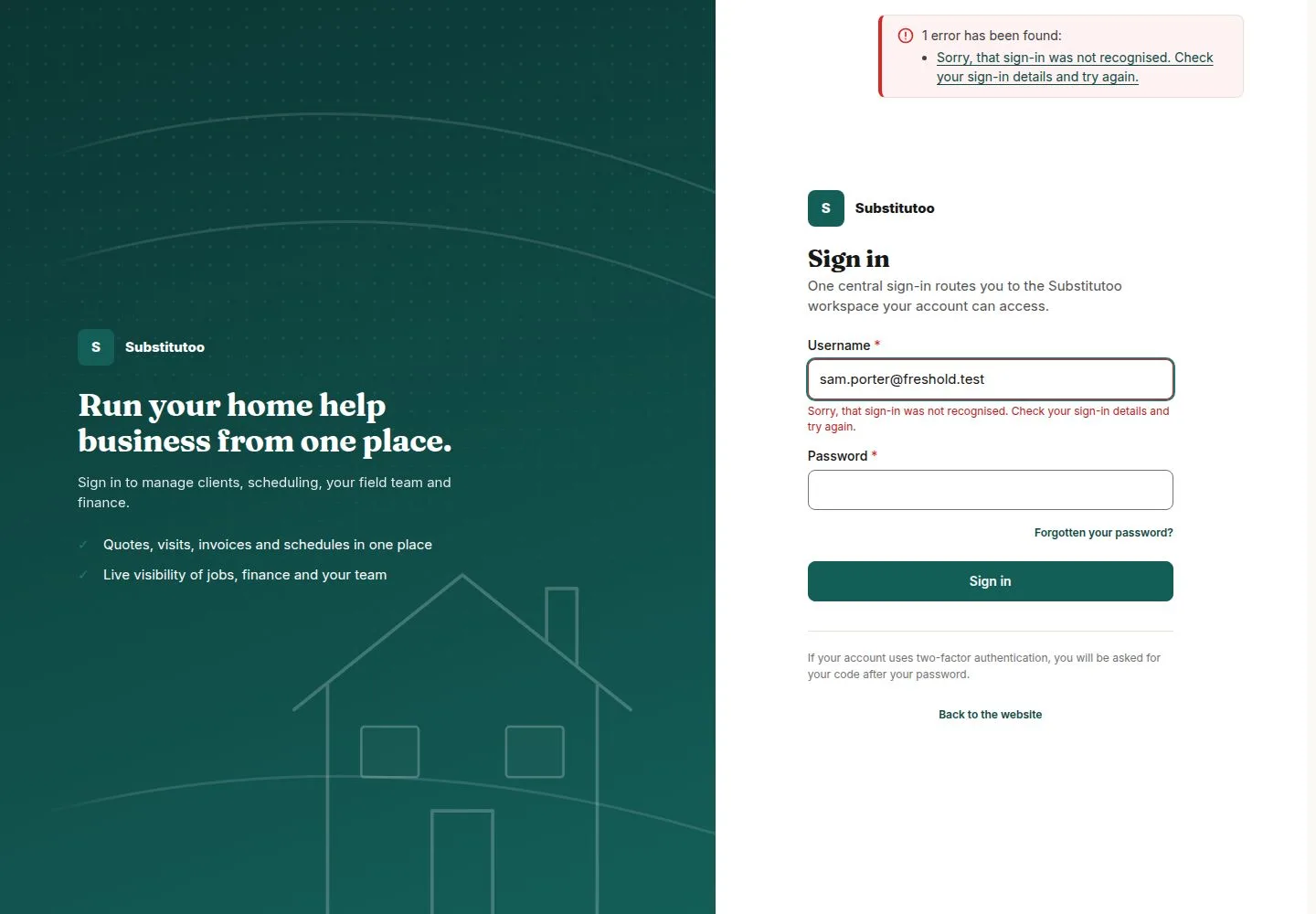
A wrong email address or password gets one plain message

4Step 4 of 16 · workflow step 02.1

  1. Same message whatever was wrong

The message is the same whatever was wrong, so it never tells anyone whether an account exists.

Enlarge, then scroll

Open illustrated screen ↗Full image ↗

The system does this
  • Stop further attempts for a while after too many failures, from one place or for one account, with the same message
  • Ask for the code from your authenticator app next, when your account has two-factor authentication on
Account · Sign in and your account04

You land where your work starts

Office Administrator
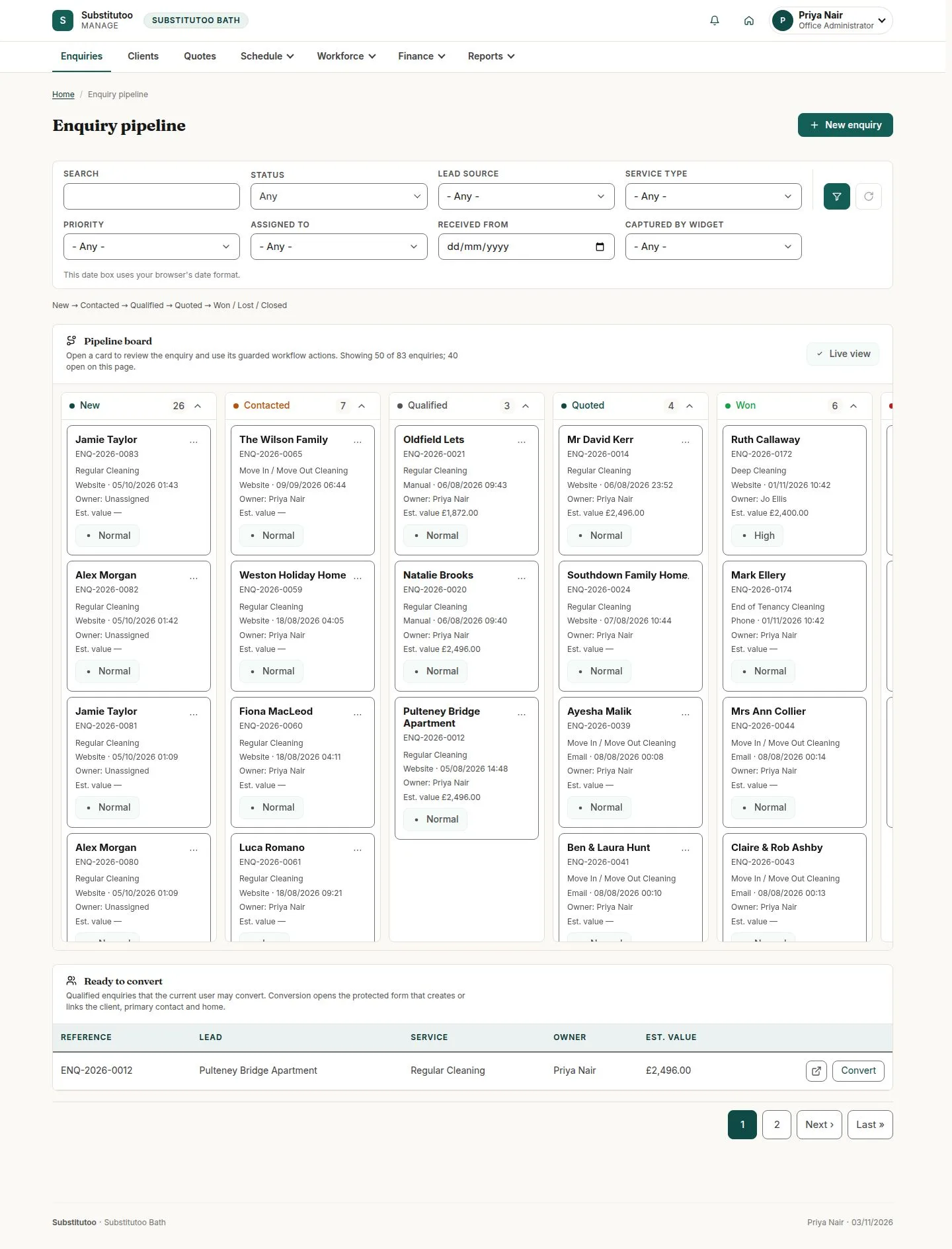
You land where your work starts

5Step 5 of 16 · workflow step 03

  1. Your role's start page

A franchise office starts on the Enquiry pipeline. Each role has its own start page.

Enlarge, then scroll

Open illustrated screen ↗Full image ↗

The system does this
  • Open the start page of your role: Enquiry pipeline for the Office Administrator and the Franchise Owner, My Day for an Operative, Franchises for the Franchisor, Enquiry review for Head Office, Switch users for the Administrator and the Switcher
Account · Sign in and your account05

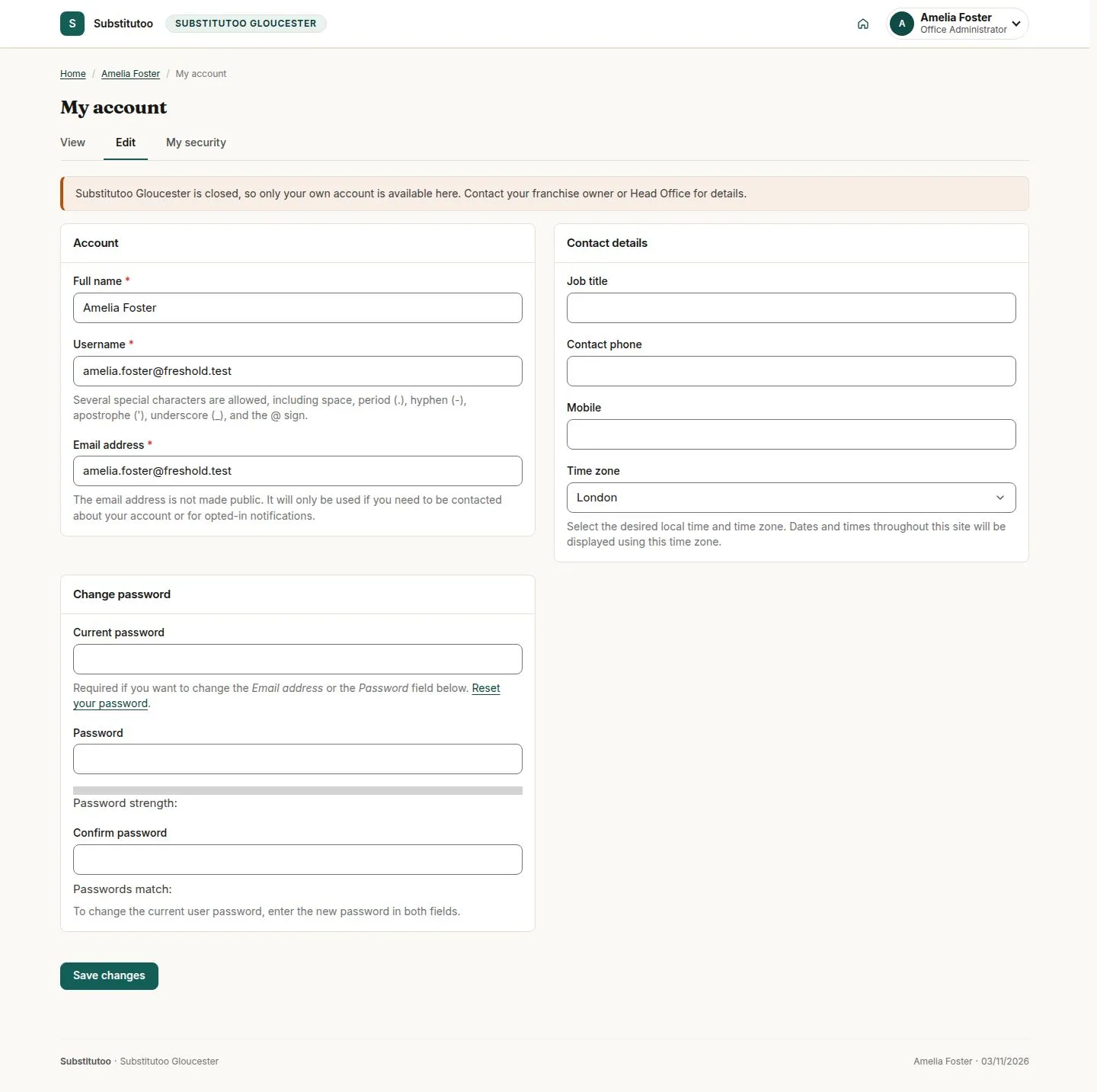
When your franchise is closed, you land on My account

Office Administrator

When your franchise is closed, you land on My account

6Step 6 of 16 · workflow step 03.1

  1. My account
  2. Why

One sentence says why only your own account is available. The same happens to an account that has no role yet.

Enlarge, then scroll

Full image ↗

Account · Sign in and your account06

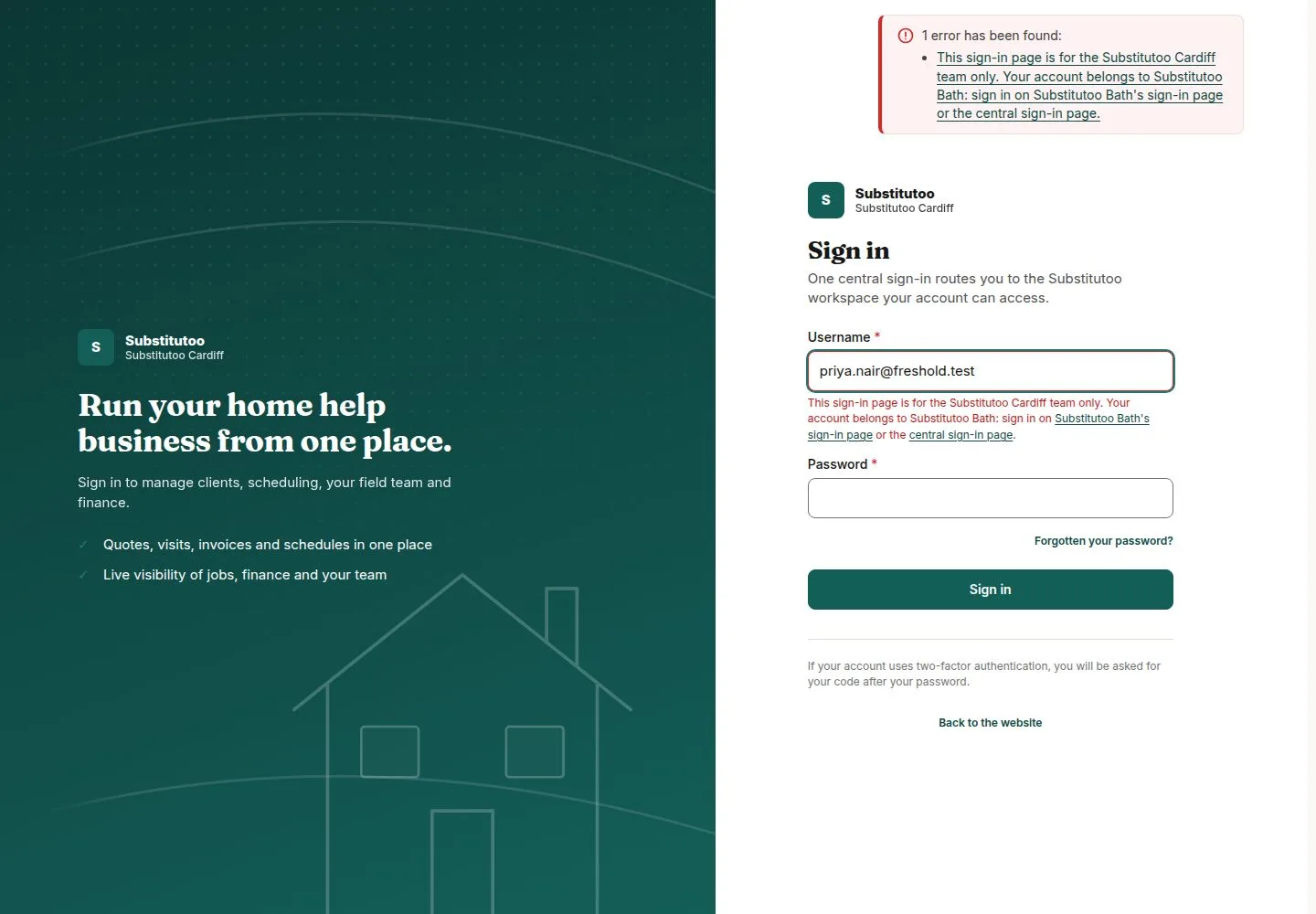
Signing in on another franchise's address is refused

Office Administrator

Signing in on another franchise's address is refused

7Step 7 of 16 · workflow step 03.2

  1. Your own franchise's address

No session opens, and the message links to your own franchise's sign-in page.

Enlarge, then scroll

Full image ↗

Account · Sign in and your account07

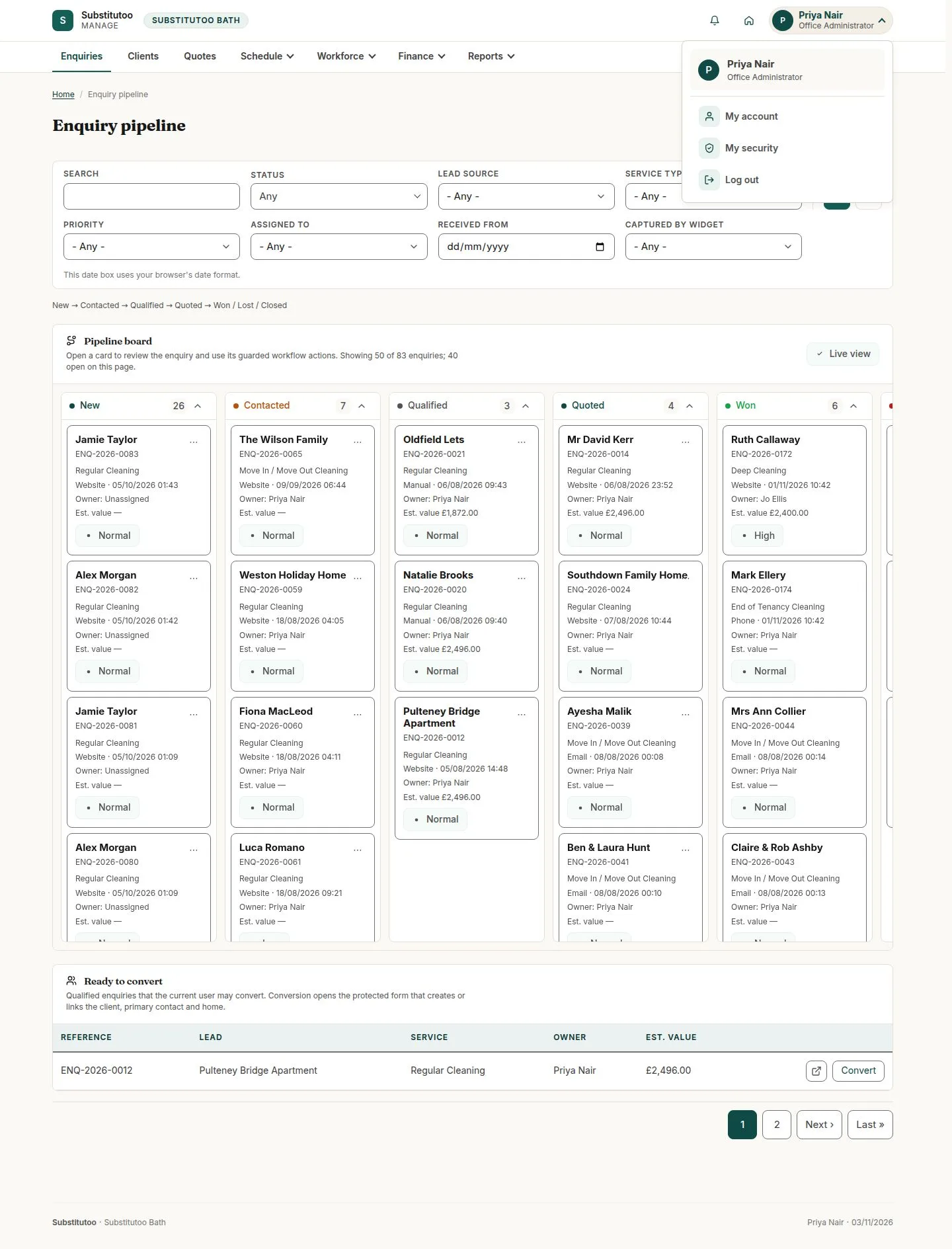
Your name at the top right opens the account menu

Office Administrator

Your name at the top right opens the account menu

8Step 8 of 16 · workflow step 04

  1. My account
  2. My security
  3. Log out

"My account", "My security" and "Log out". While you are switched into someone, "Switch back" joins them.

Enlarge, then scroll

Open illustrated screen ↗Full image ↗

Account · Sign in and your account08

"My account": your name, phone, job title and timezone

Office Administrator
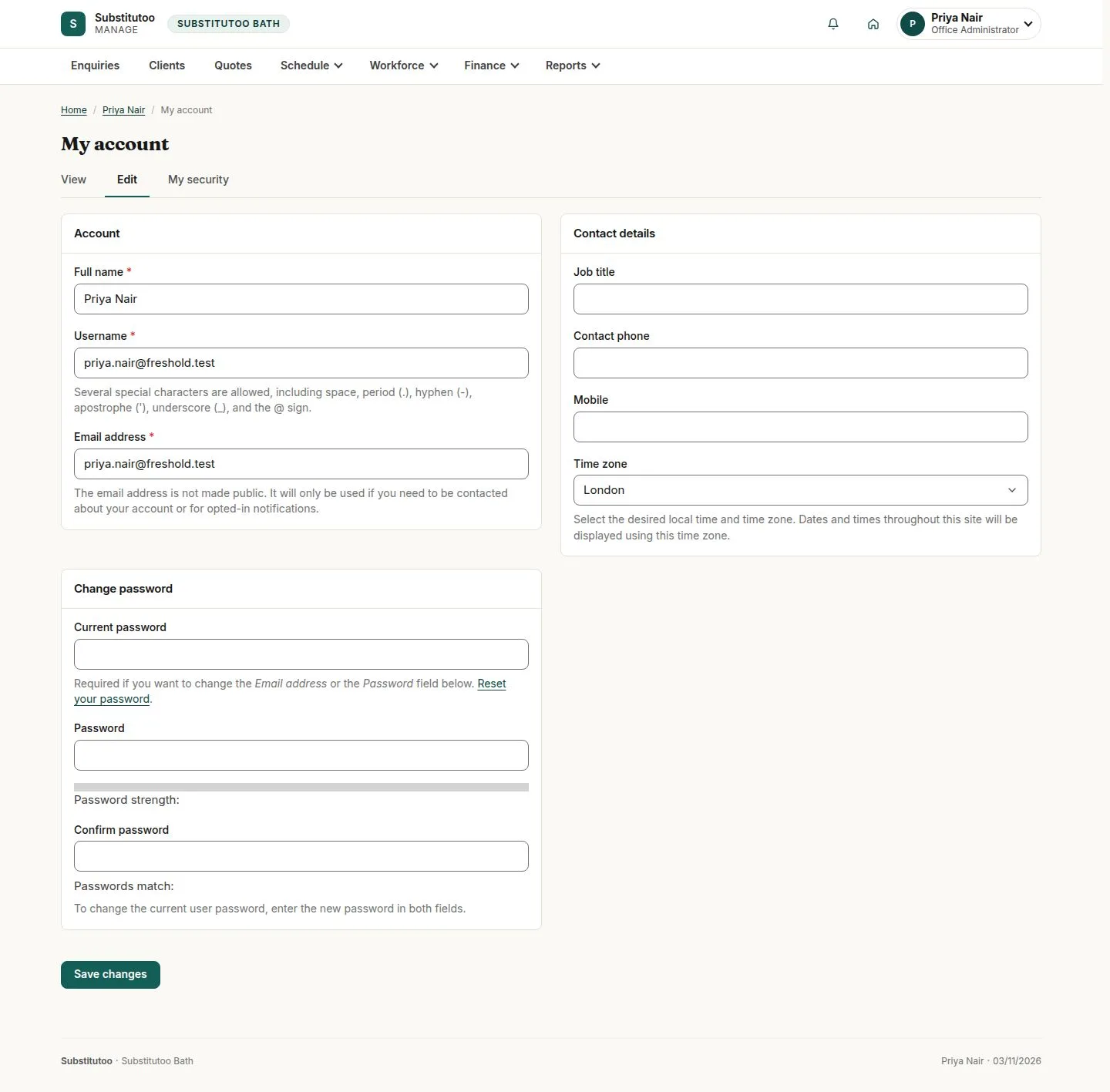
"My account": your name, phone, job title and timezone

9Step 9 of 16 · workflow step 05

  1. Name, phone, job title
  2. Timezone
  3. Current password for email or password

Changing your email address or password asks for your current password first.

Enlarge, then scroll

Open illustrated screen ↗Full image ↗

The system does this
  • End every other session of your account when you change your password
Account · Sign in and your account09

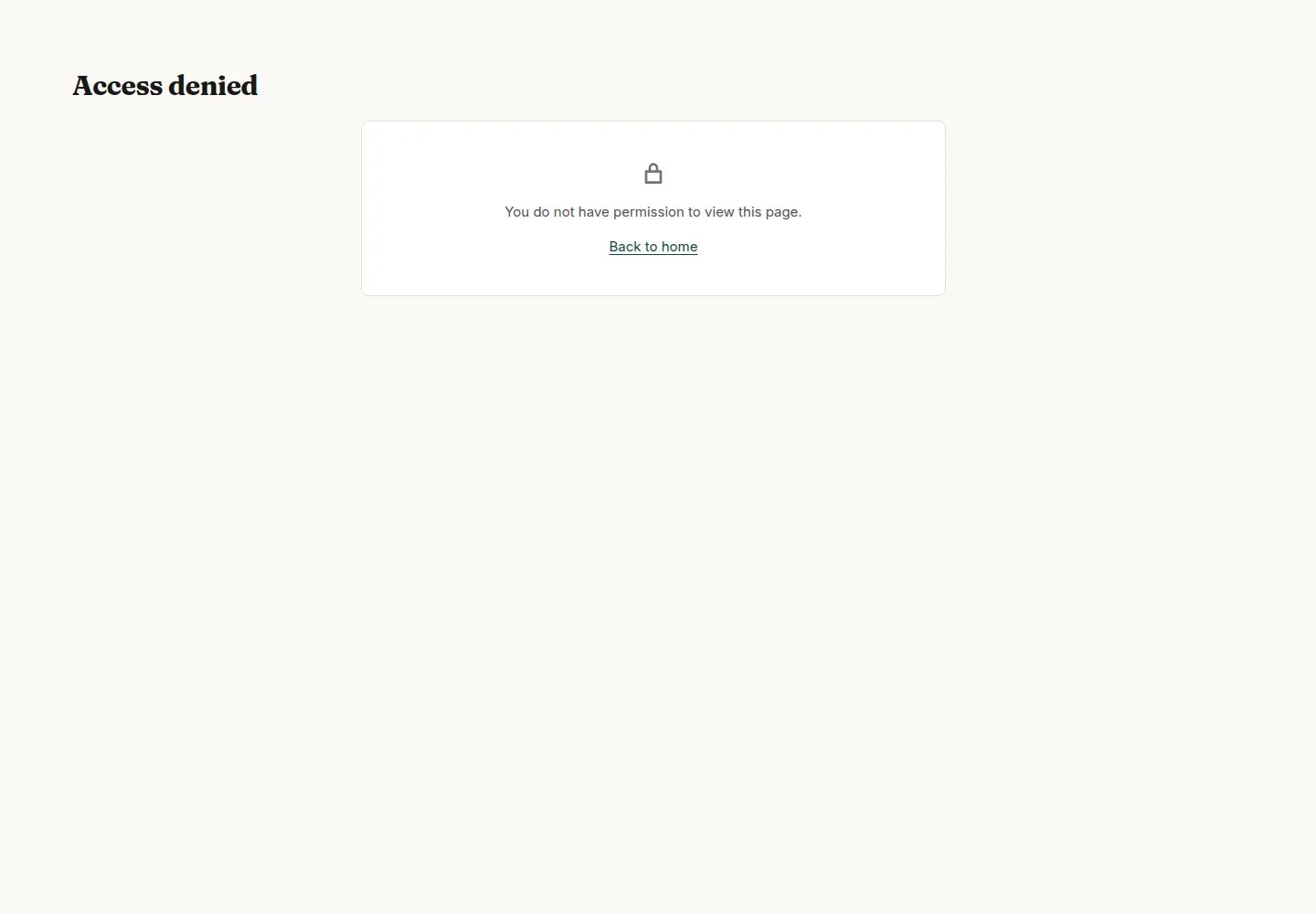
Another person's account cannot be opened by changing the address

Office Administrator

Another person's account cannot be opened by changing the address

10Step 10 of 16 · workflow step 05.2

  1. Your own account only

Enlarge, then scroll

Full image ↗

Account · Sign in and your account10

"My security": turn on two-factor authentication

Office Administrator
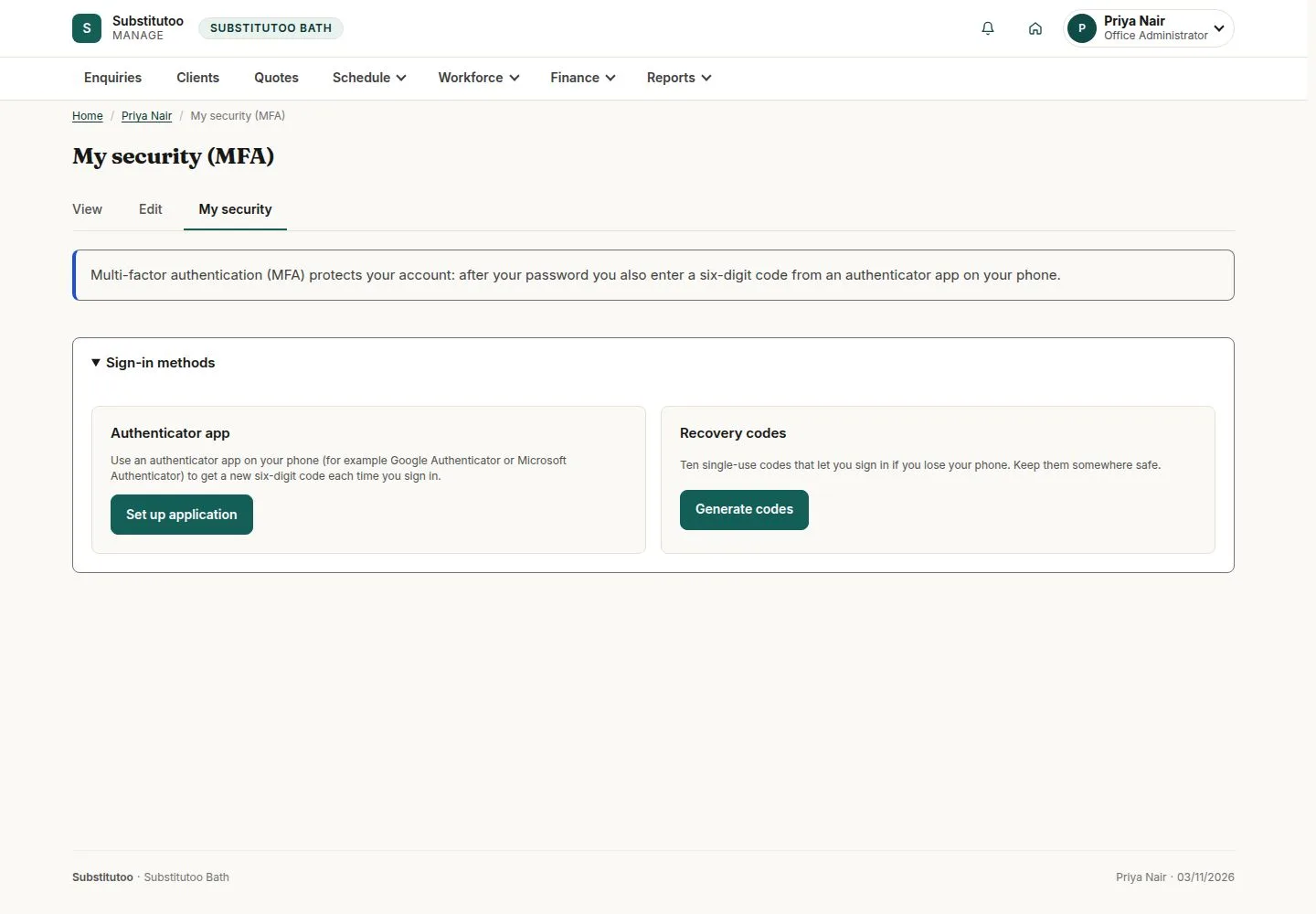
"My security": turn on two-factor authentication

11Step 11 of 16 · workflow step 06

  1. Set up application
  2. Recovery codes

Press "Set up application", confirm your password, scan the code with your authenticator app and enter the six digits. Then generate your ten recovery codes and keep them safe.

Enlarge, then scroll

Open illustrated screen ↗Full image ↗

The system does this
  • Send you one email when two-factor authentication is turned on
Account · Sign in and your account11

Forgotten your password? Ask for a sign-in link

Visitor

Forgotten your password? Ask for a sign-in link

12Step 12 of 16 · workflow step 07

  1. Forgotten your password?
  2. Email address

Enter your email address. The answer is the same whether or not the address has an account.

Enlarge, then scroll

Open illustrated screen ↗Full image ↗

The system does this
  • Email a single-use link to the account's address; the link itself is never stored
Account · Sign in and your account12

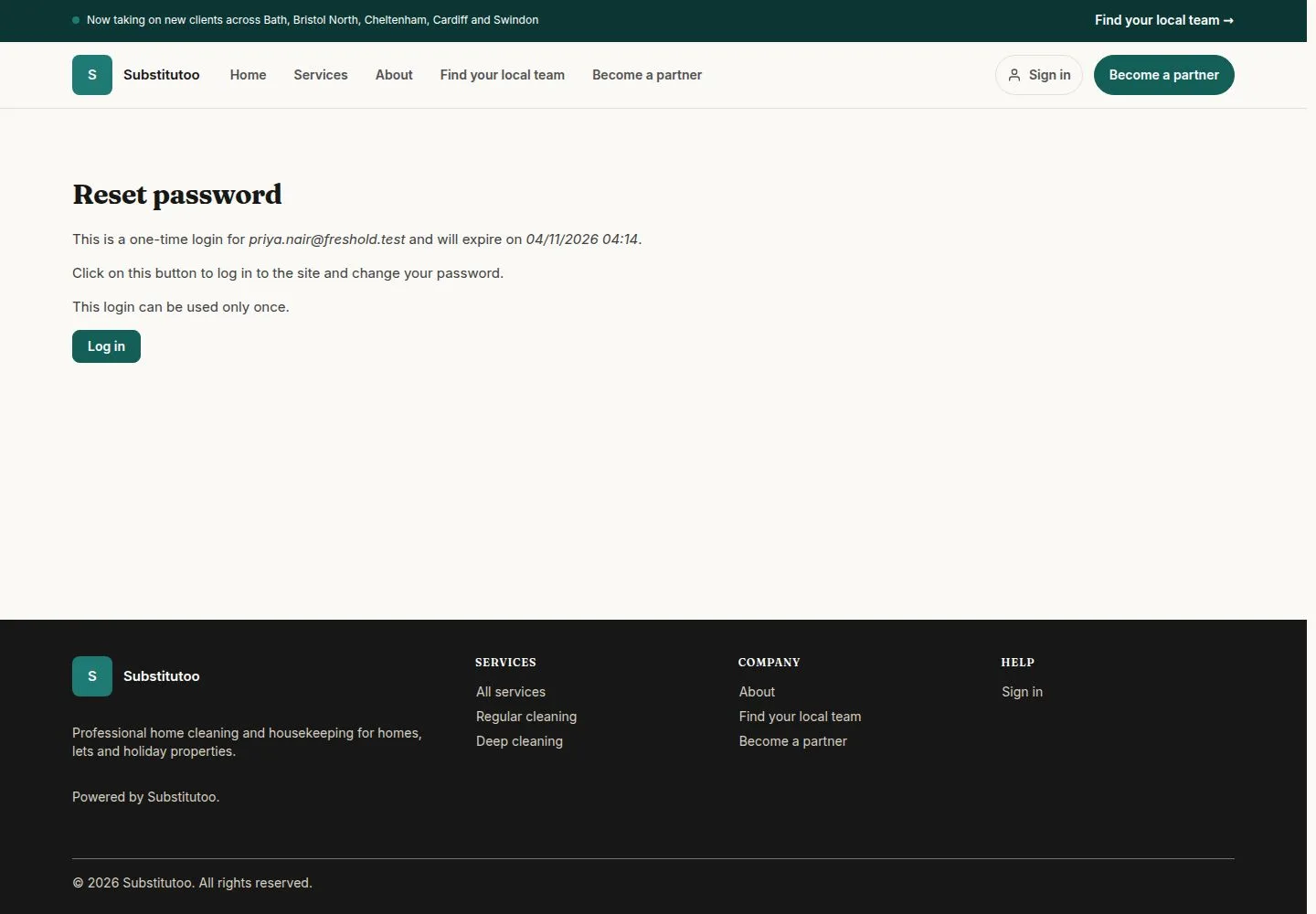
Open the link from the email and press "Log in"

Visitor

Open the link from the email and press "Log in"

13Step 13 of 16 · workflow step 07.2

  1. Log in
  2. Set a new password

You arrive on My account, where you set a new password without the old one. The link works once.

Enlarge, then scroll

Full image ↗

Account · Sign in and your account13

Press "Log out" in the account menu

Office Administrator

Press "Log out" in the account menu

14Step 14 of 16 · workflow step 08

  1. Log out

You are back on the public home page.

Enlarge, then scroll

Open illustrated screen ↗Full image ↗

Account · Sign in and your account14

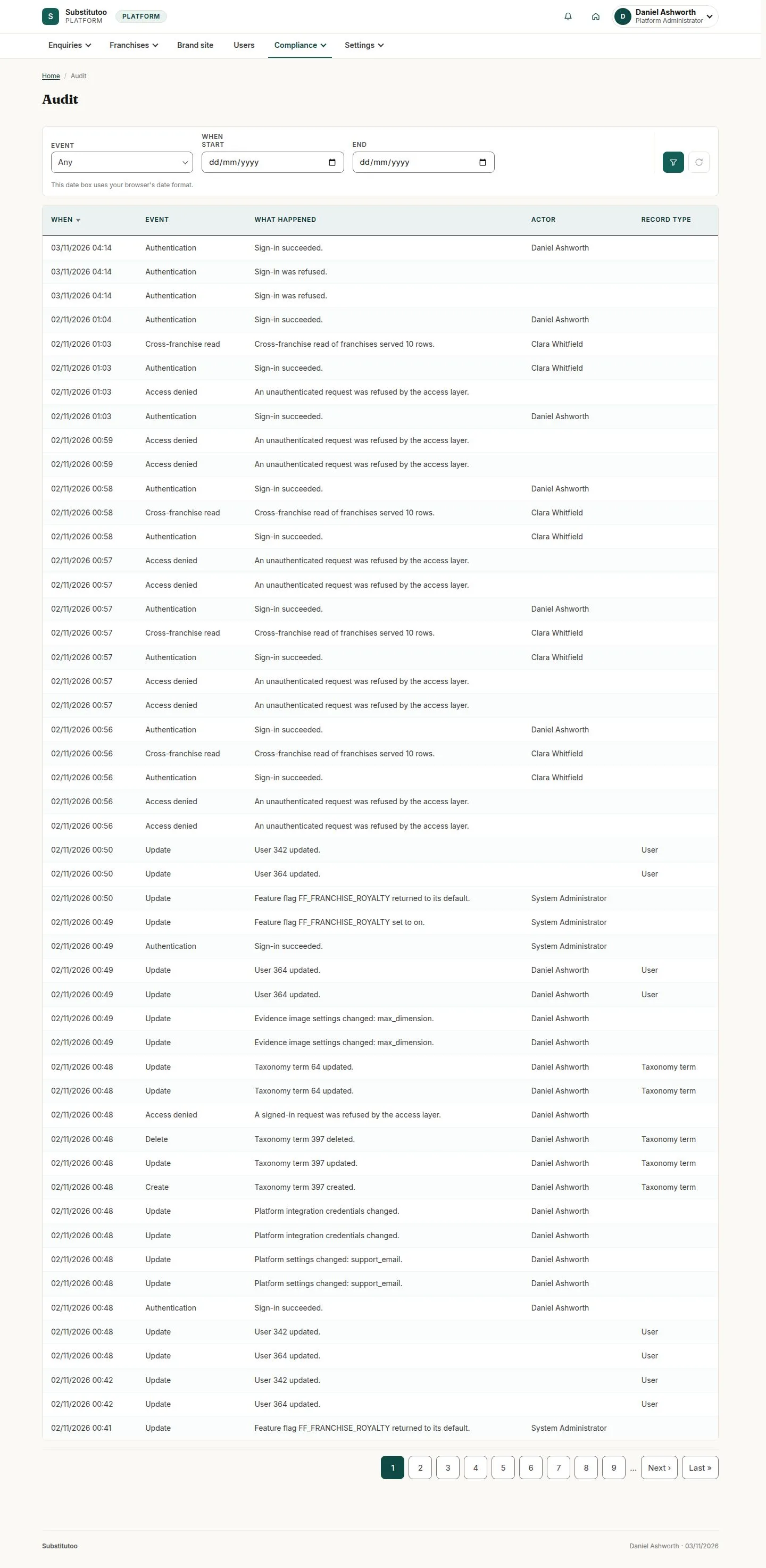
Head Office sees every sign-in in the audit log

Head Office

Head Office sees every sign-in in the audit log

15Step 15 of 16 · workflow step 09

  1. Compliance, Audit log

Sign-ins, refusals, password and two-factor changes are recorded. Find it under Compliance, "Audit log".

Enlarge, then scroll

Open illustrated screen ↗Full image ↗

Account · Sign in and your account15

A Franchise Owner sees the team's own changes under Reports, "Audit"

Franchise Owner
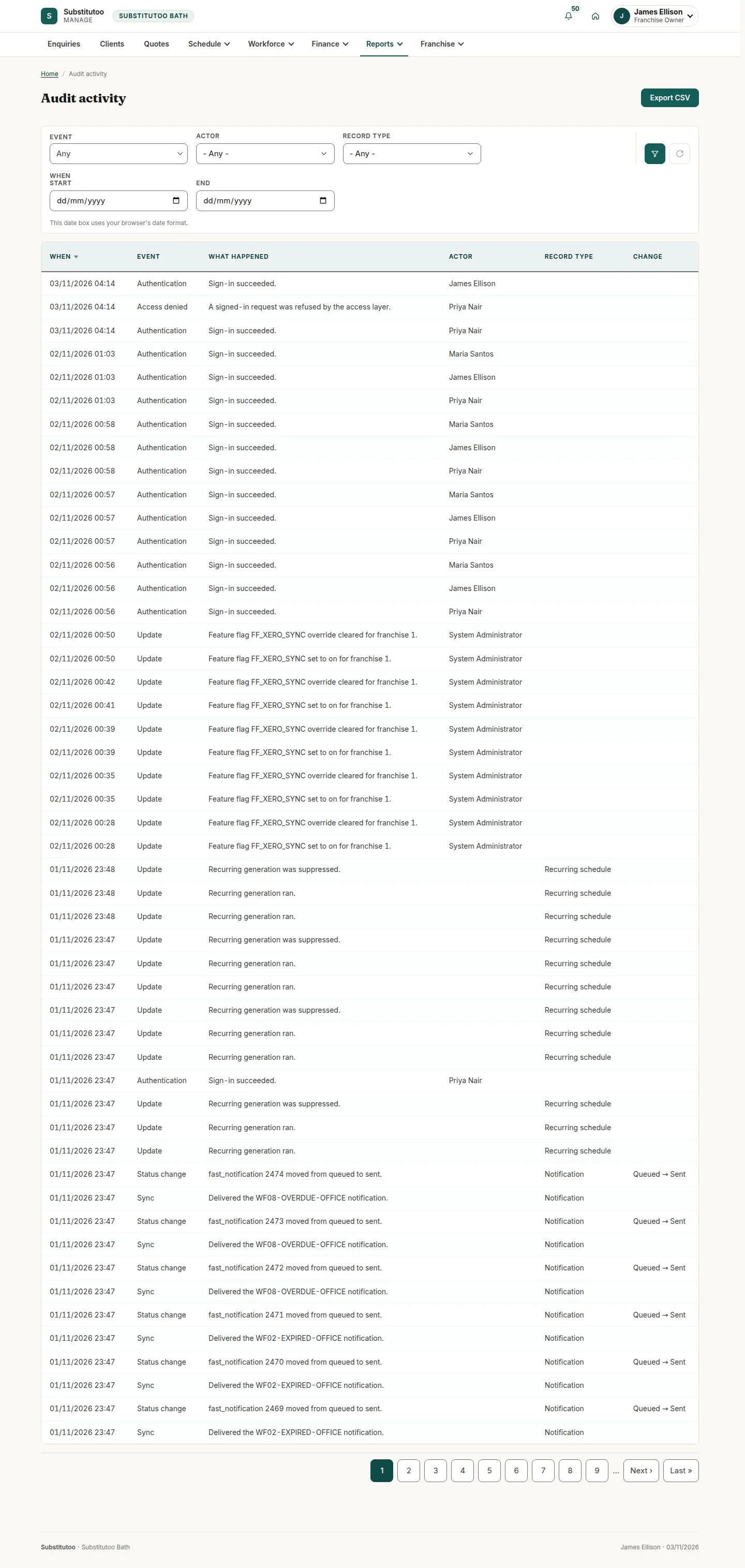
A Franchise Owner sees the team's own changes under Reports, "Audit"

16Step 16 of 16 · workflow step 09

  1. Reports, Audit

Enlarge, then scroll

Open illustrated screen ↗Full image ↗

Check

Signed in on your start page; account and security up to date

Account · Sign in and your account16
1 / 17
Privacy Terms