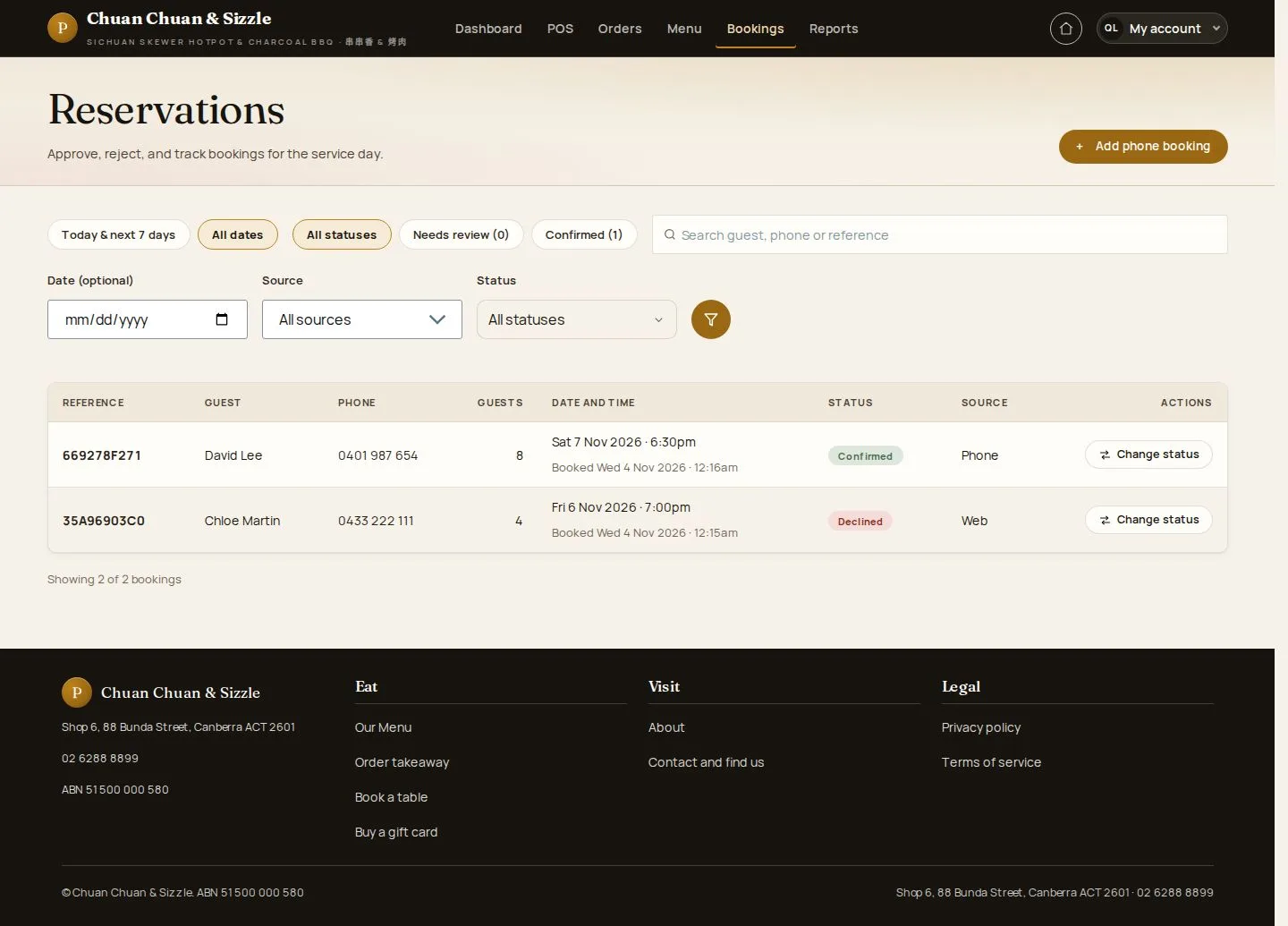
Reservations

Reservations · Approve · Reject · Cancel · Booking status

  • Signed in as a Manager
Manager

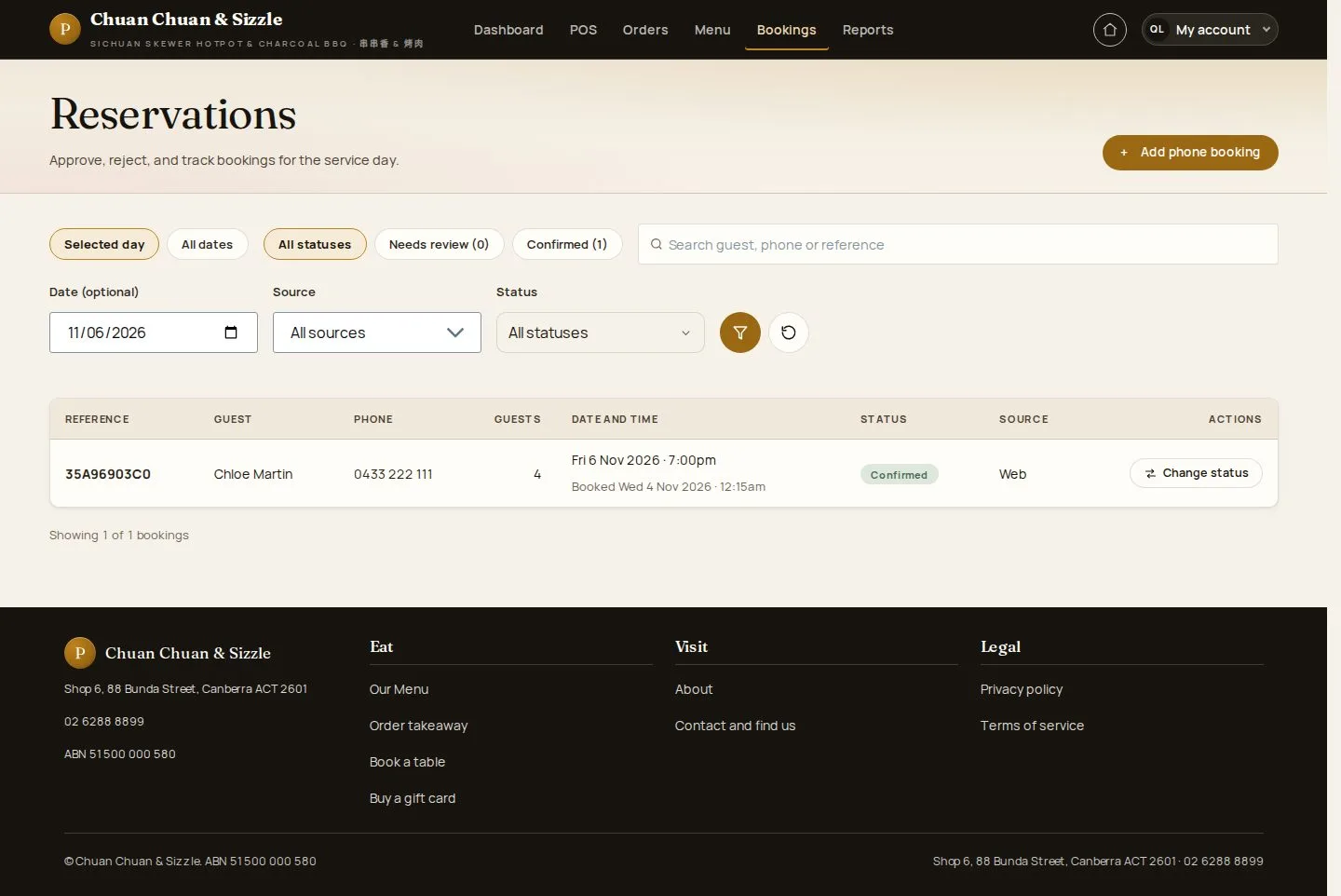
Reservations by day

Manager

Reservations by day

1Step 1 of 6

  1. Date · Status · Source
  2. Open a booking

Open illustrated screen ↗Full image ↗

Manager · Reservations01

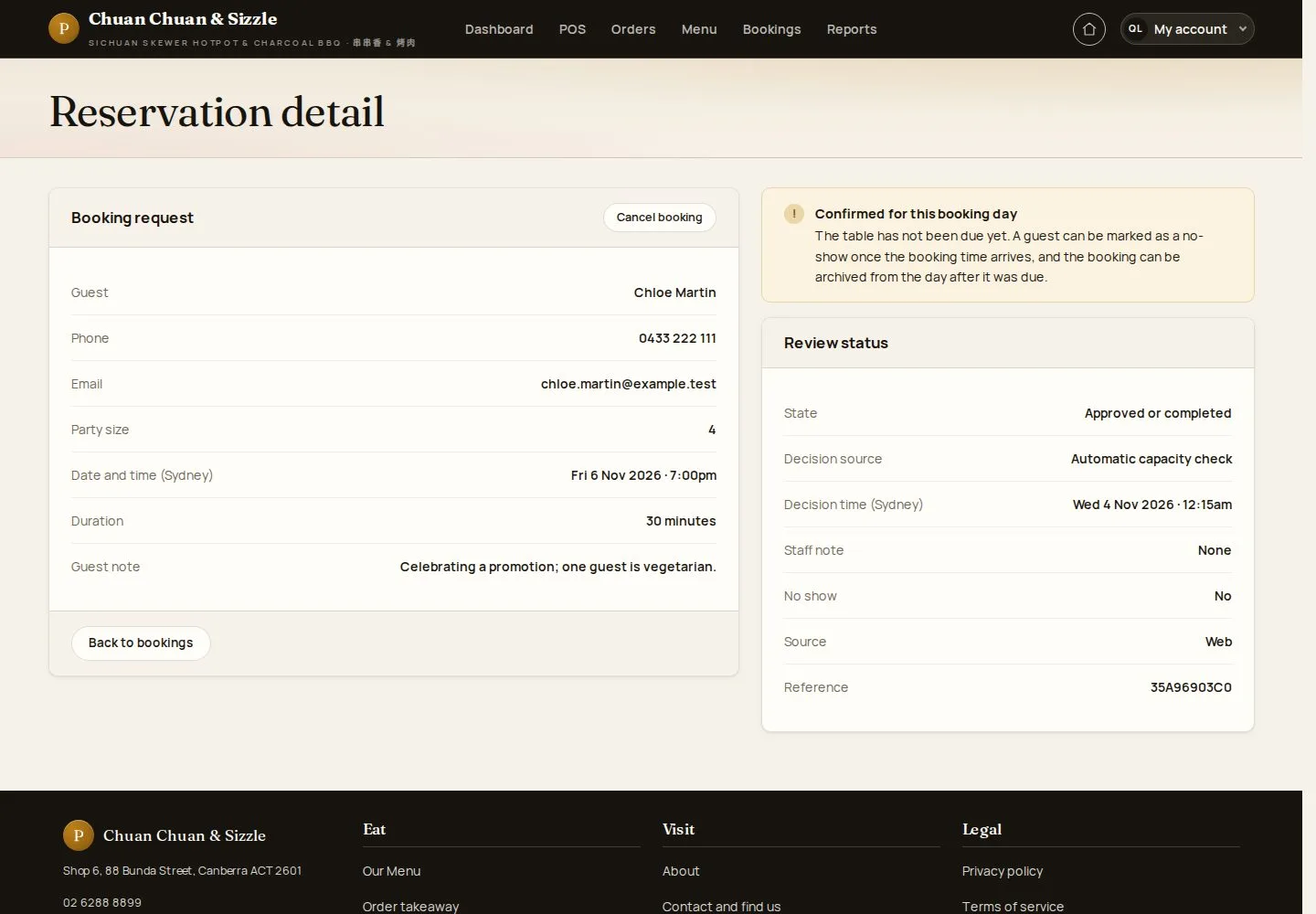
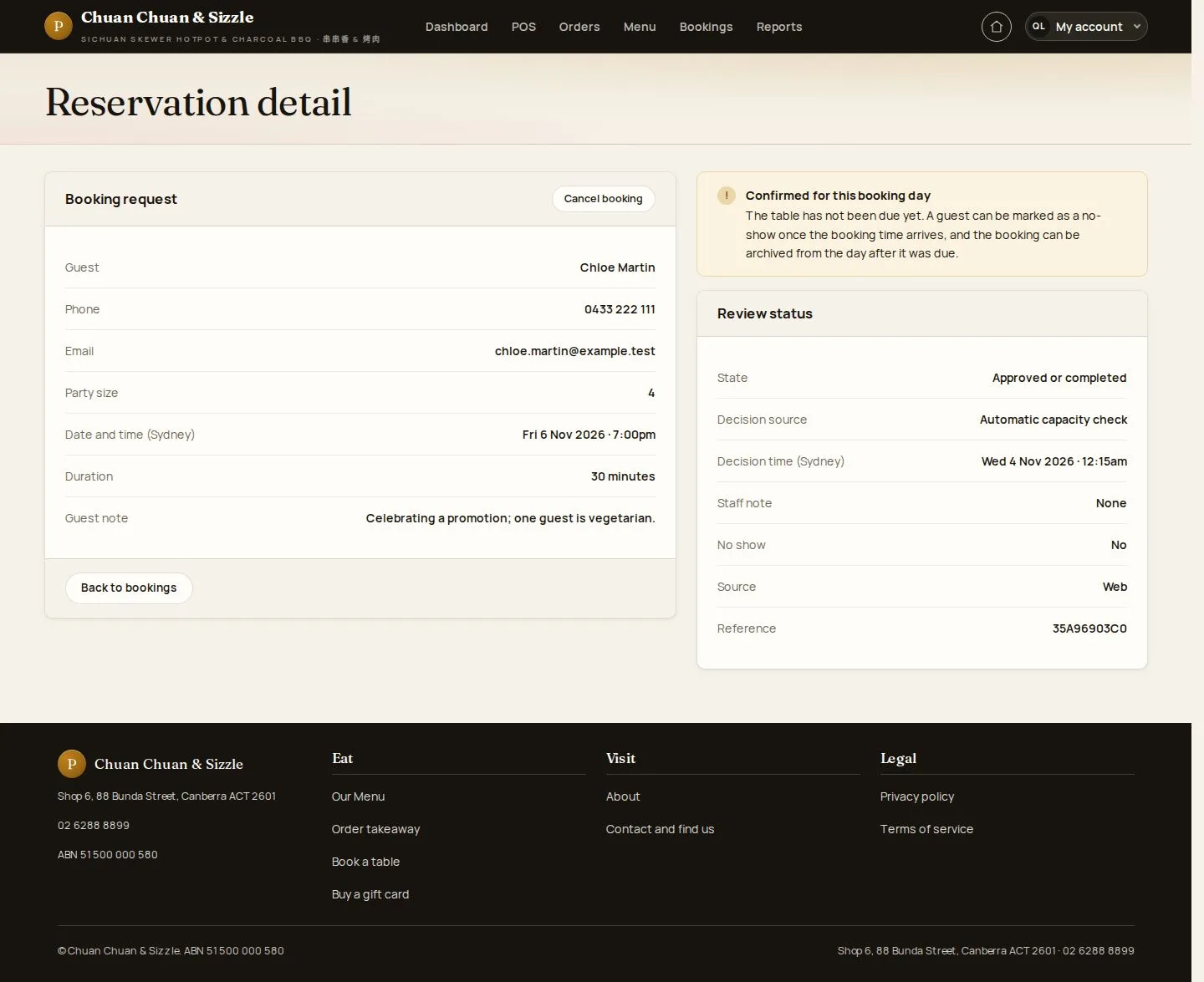
Reservation detail

Manager

Reservation detail

2Step 2 of 6

  1. Guest · Party · Time
  2. Status · Source

A booking reserves seats for a time; no table is assigned.

Enlarge, then scroll

Open illustrated screen ↗Full image ↗

Manager · Reservations02

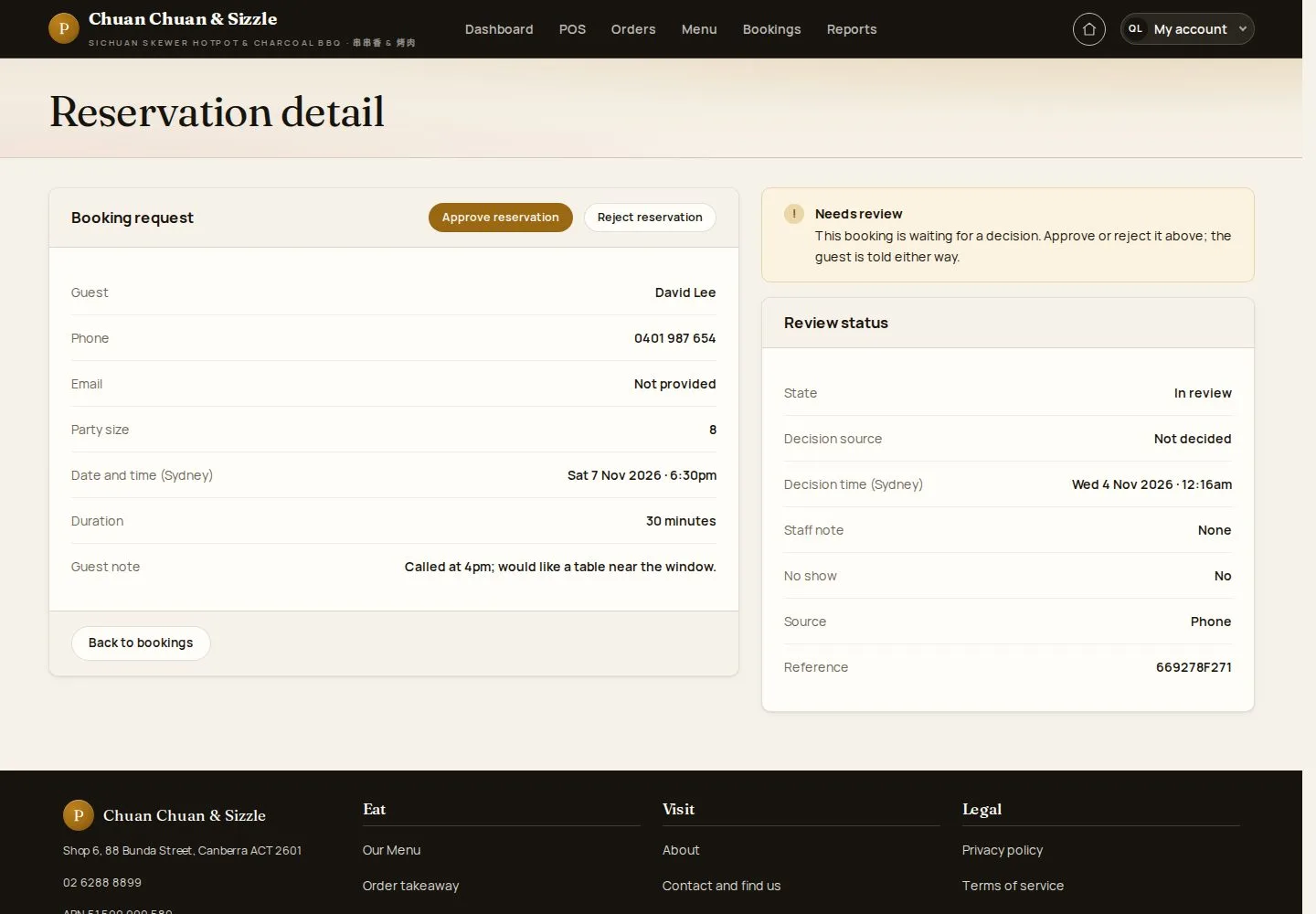
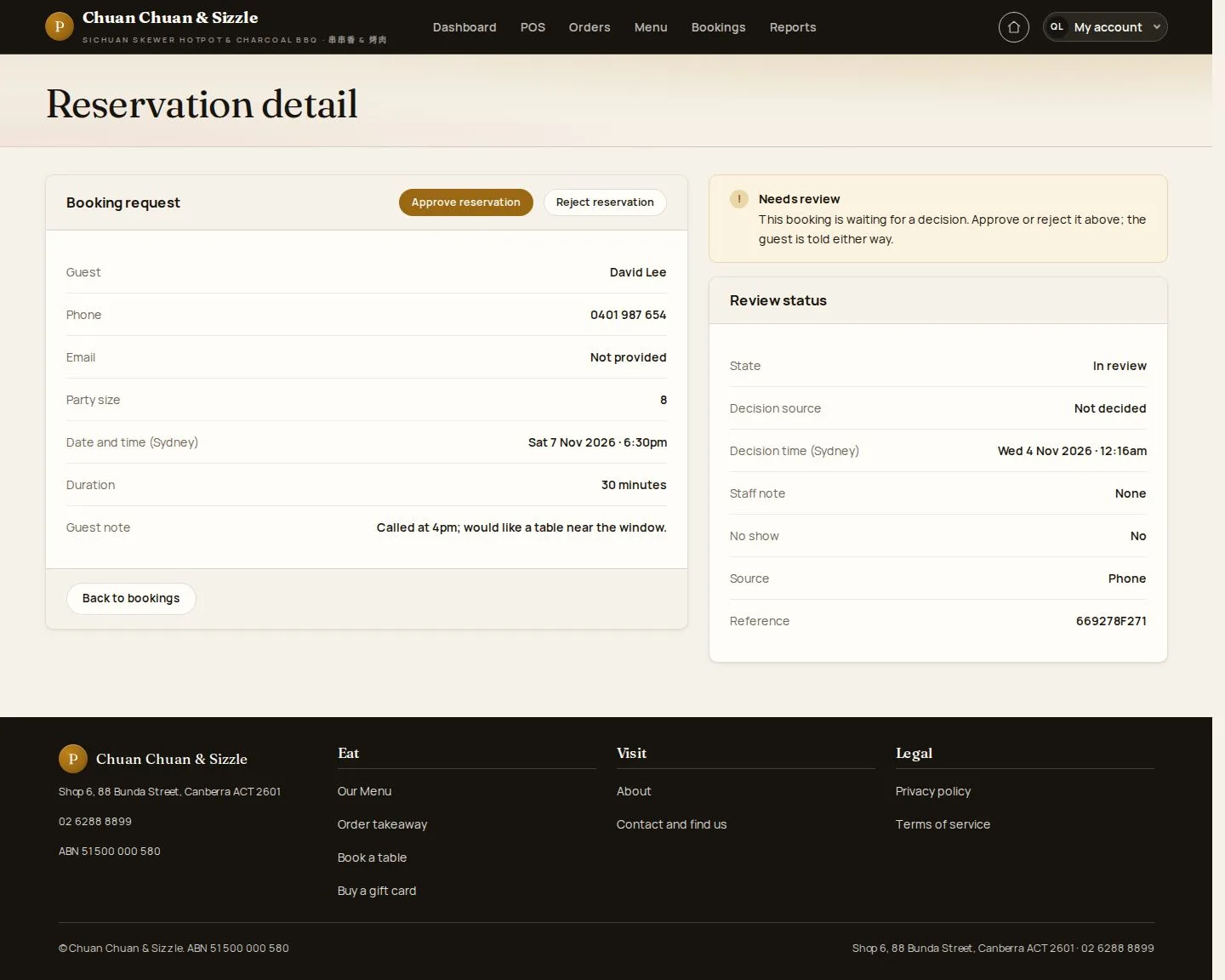
A request to review

Manager

A request to review

3Step 3 of 6

  1. Phone booking · Needs review
  2. Approve · Reject

Enlarge, then scroll

Open illustrated screen ↗Full image ↗

Manager · Reservations03

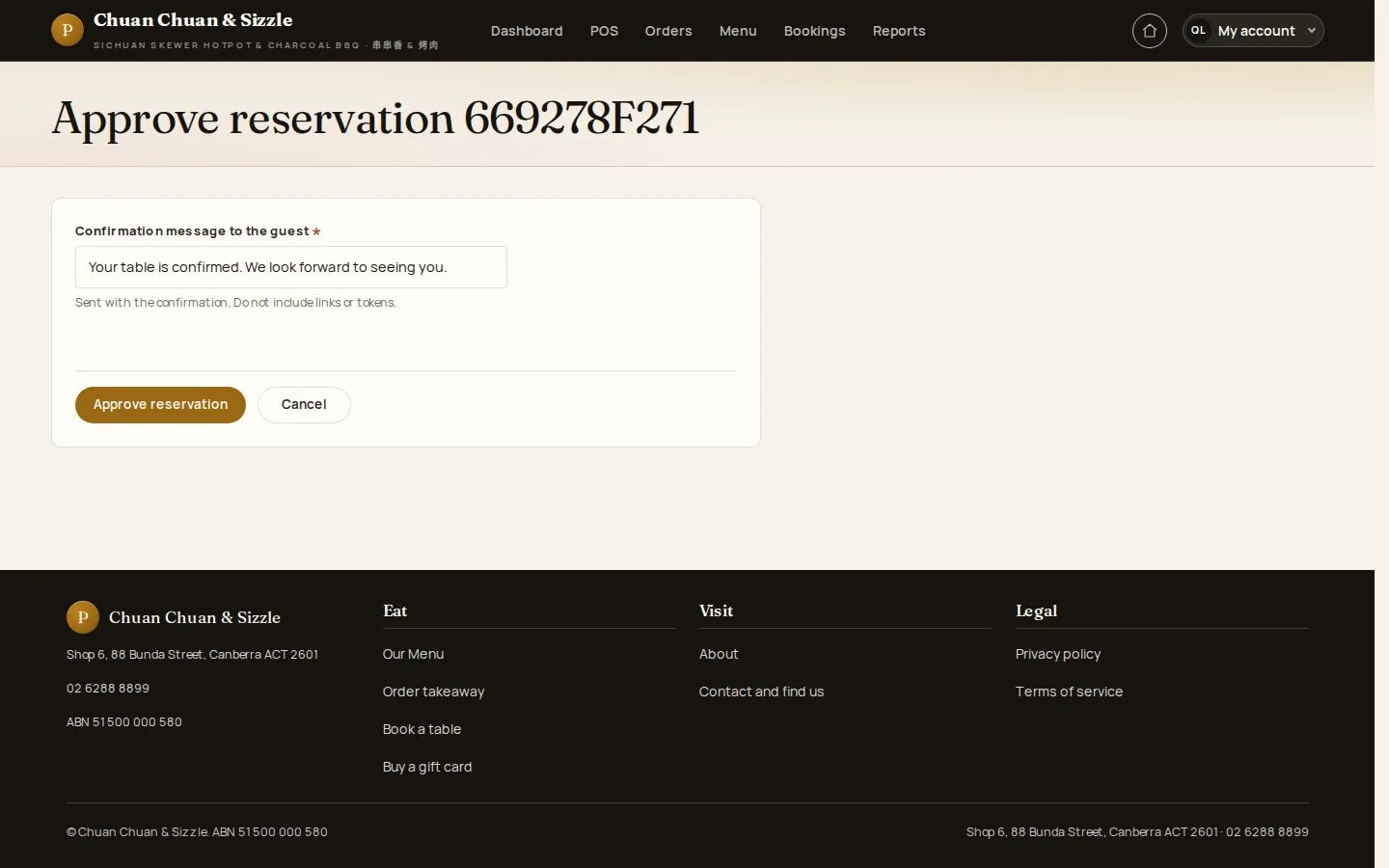
Approve reservation

Manager

Approve reservation

4Step 4 of 6

  1. Confirmation message to the guest
  2. Approve

Reject needs a reason and a suggested alternative; Cancel booking needs a reason.

Open illustrated screen ↗Full image ↗

Manager · Reservations04

Approved

Manager

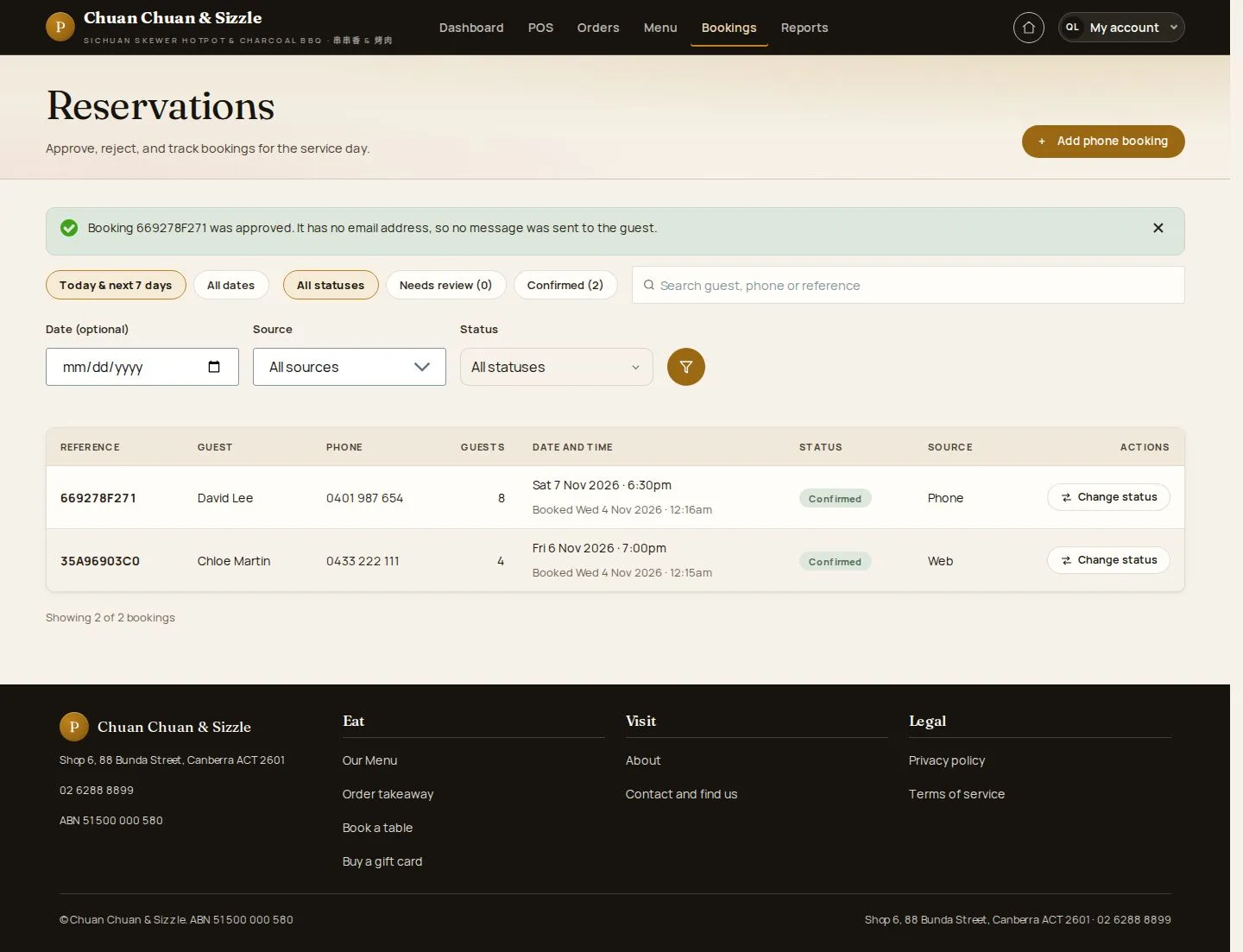
Approved

5Step 5 of 6

  1. Confirmed
  2. Emailed when the guest gave an email

Enlarge, then scroll

Open illustrated screen ↗Full image ↗

Manager · Reservations05

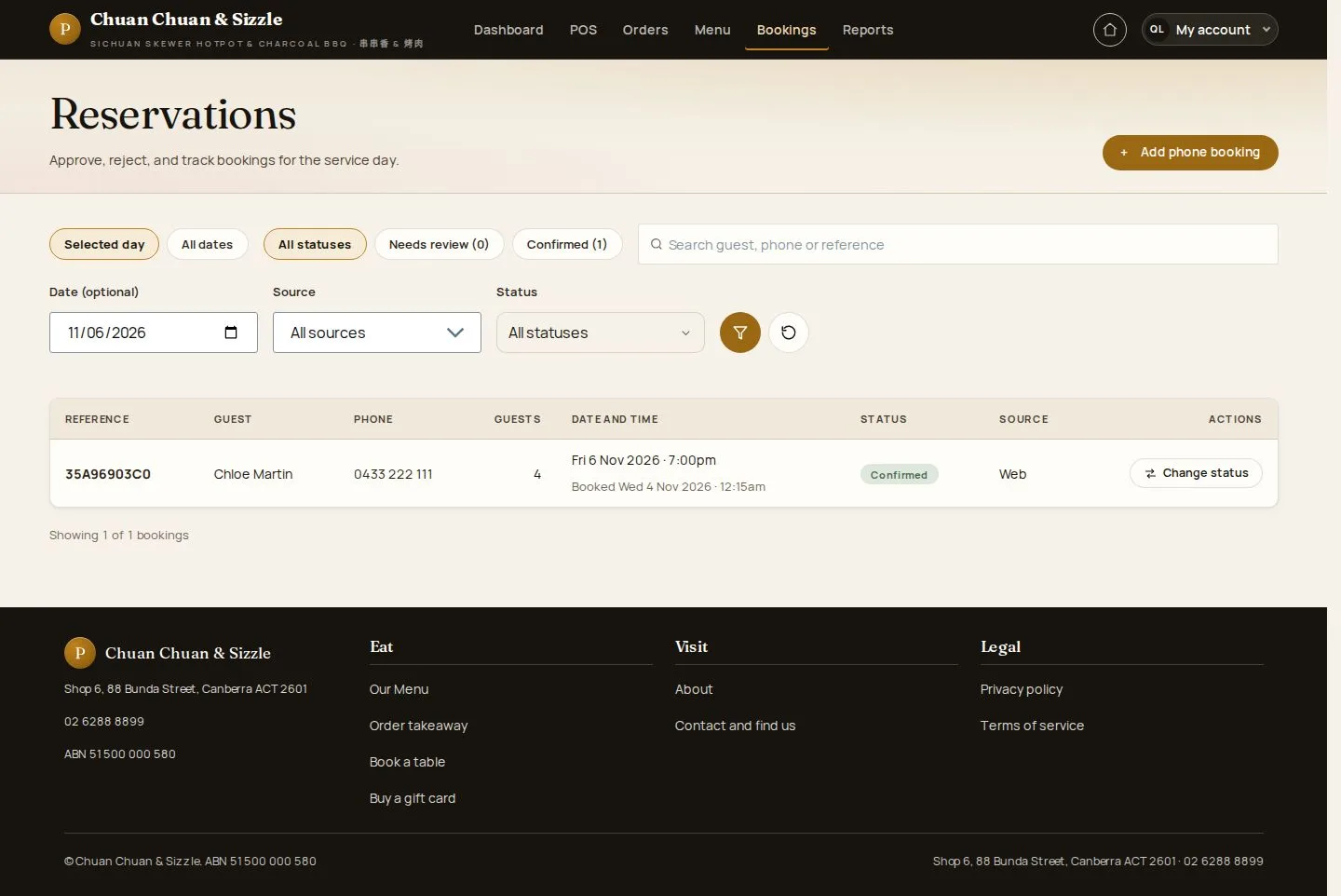
After the changes

Manager

After the changes

6Step 6 of 6

  1. Cancelled · Confirmed
  2. No-show · Archive after the date

Enlarge, then scroll

Open illustrated screen ↗Full image ↗

Check

The booking requests are decided

Manager · Reservations06
1 / 7
Privacy Terms