Courses & curriculum

Course · Chapter · Lesson

  • Course management permission
Administrator
Course Management

Administrator

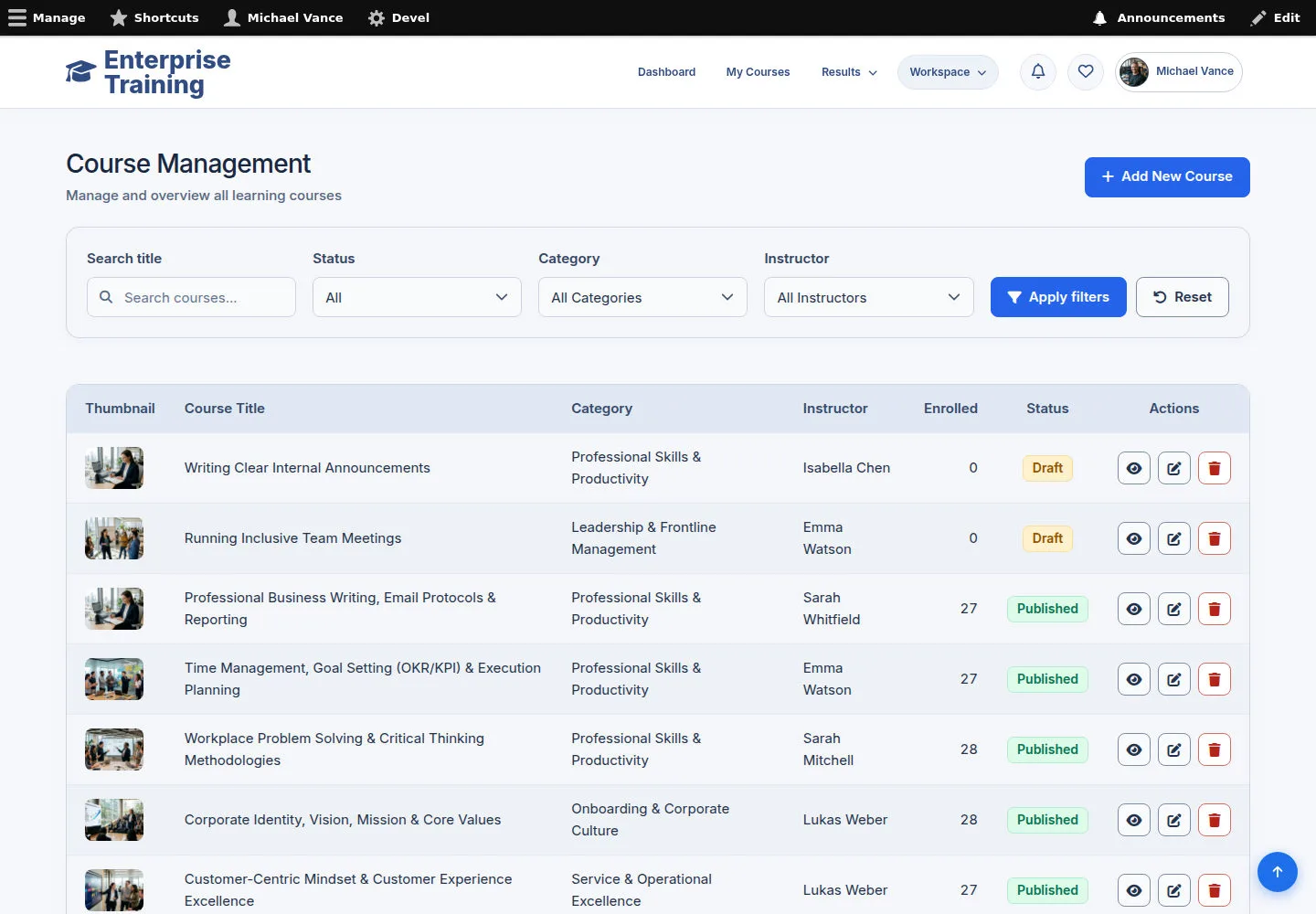
Course Management

1Step 1 of 9

  1. Course Management
  2. Search / filter
  3. Edit / Add New Course

Enlarge, then scroll

Open illustrated screen ↗Full image ↗

Administrator · Courses & curriculum01

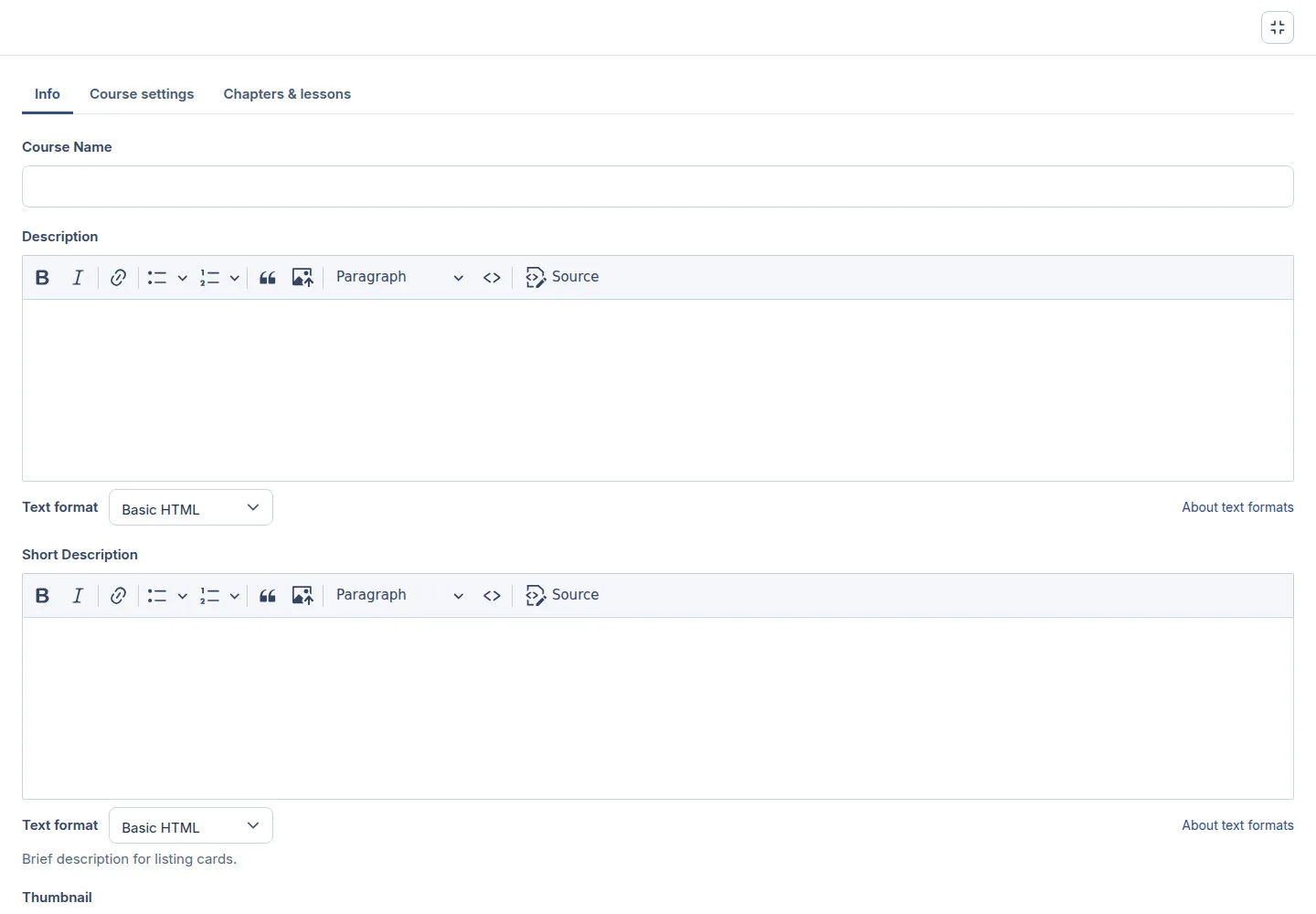
Full screen editor

Administrator

Full screen editor

2Step 2 of 9

  1. Full screen
  2. Edit form sections
  3. Exit full screen / Esc

Close an open image editor or dialog first.

Open illustrated screen ↗Full image ↗

Administrator · Courses & curriculum02

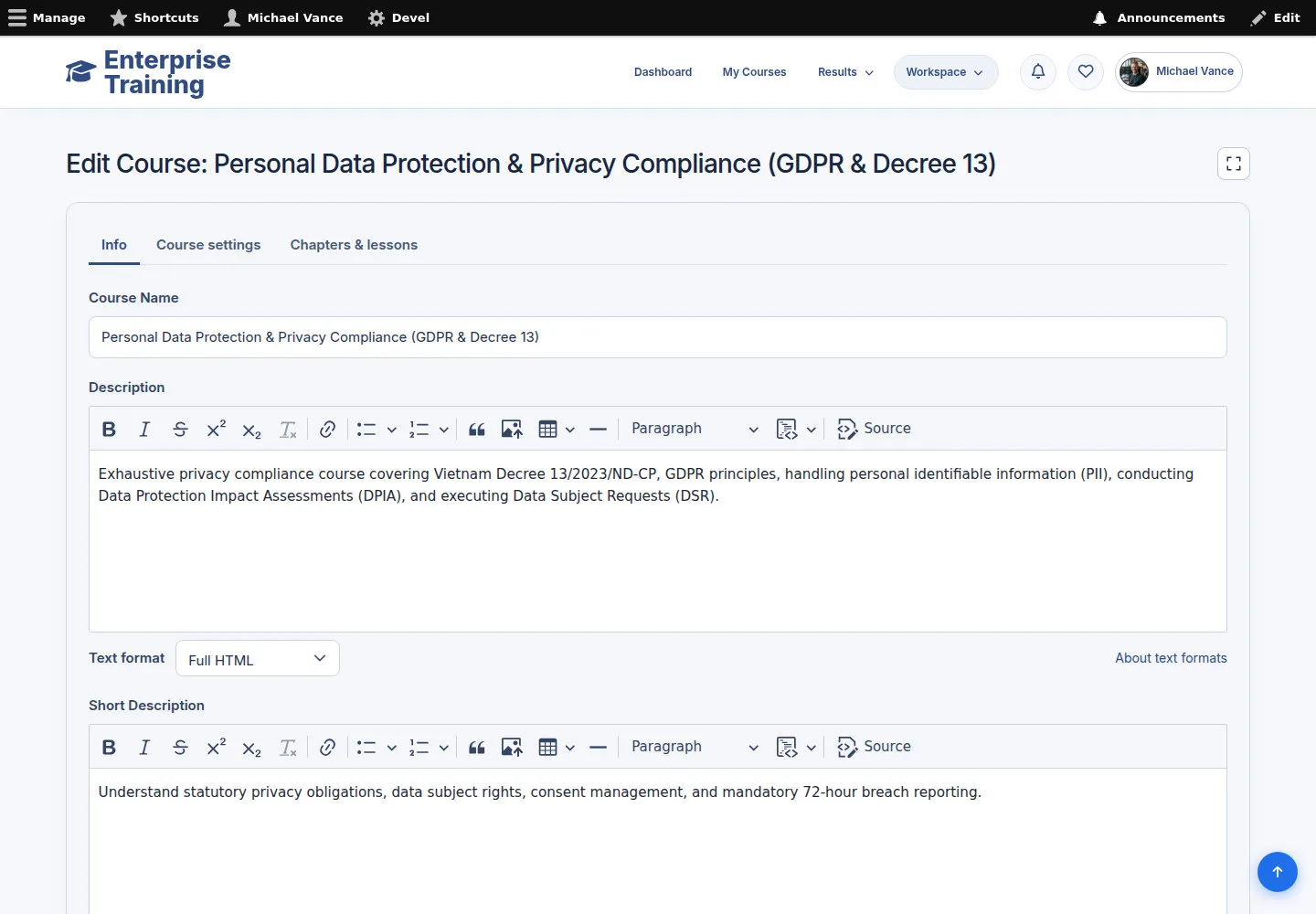
Course information

Administrator

Course information

3Step 3 of 9

  1. Course Name
  2. Thumbnail / Banner
  3. Alternative text
  4. Descriptions

Enlarge, then scroll

Open illustrated screen ↗Full image ↗

Administrator · Courses & curriculum03

Course settings

Administrator

Course settings

4Step 4 of 9

  1. Course settings
  2. Category / Tags / Level
  3. Teaching Language / Instructor
  4. Check status

Enlarge, then scroll

Open illustrated screen ↗Full image ↗

Administrator · Courses & curriculum04

Curriculum

Administrator

Curriculum

5Step 5 of 9

  1. Chapters & lessons
  2. Edit chapters & lesson references
  3. Check order
  4. Save course

Enlarge, then scroll

Open illustrated screen ↗Full image ↗

Administrator · Courses & curriculum05

Chapter & lesson references

Administrator

Chapter & lesson references

6Step 6 of 9

  1. Chapter name
  2. Selected lessons
  3. Check order
  4. Save

Enlarge, then scroll

Open illustrated screen ↗Full image ↗

Administrator · Courses & curriculum06

SCORM lesson

Administrator

SCORM lesson

7Step 7 of 9

  1. Lesson Name / Type
  2. Content
  3. SCORM Package
  4. Save changes if needed

Enlarge, then scroll

Open illustrated screen ↗Full image ↗

Administrator · Courses & curriculum07

Quiz lesson

Administrator

Quiz lesson

8Step 8 of 9

  1. Lesson Type → Quiz
  2. Choose the correct Quiz
  3. Save changes if needed

Enlarge, then scroll

Open illustrated screen ↗Full image ↗

Administrator · Courses & curriculum08

Learner view

Administrator

Learner view

9Step 9 of 9

  1. Open public course
  2. Review images & description
  3. Check curriculum

Enlarge, then scroll

Open illustrated screen ↗Full image ↗

Check

Course content and learner view checked

Administrator · Courses & curriculum09
1 / 10
Privacy Terms