Certificates & templates

Issued records · Templates · Preview

  • Certificate management permission
Administrator
Issued certificates

Administrator

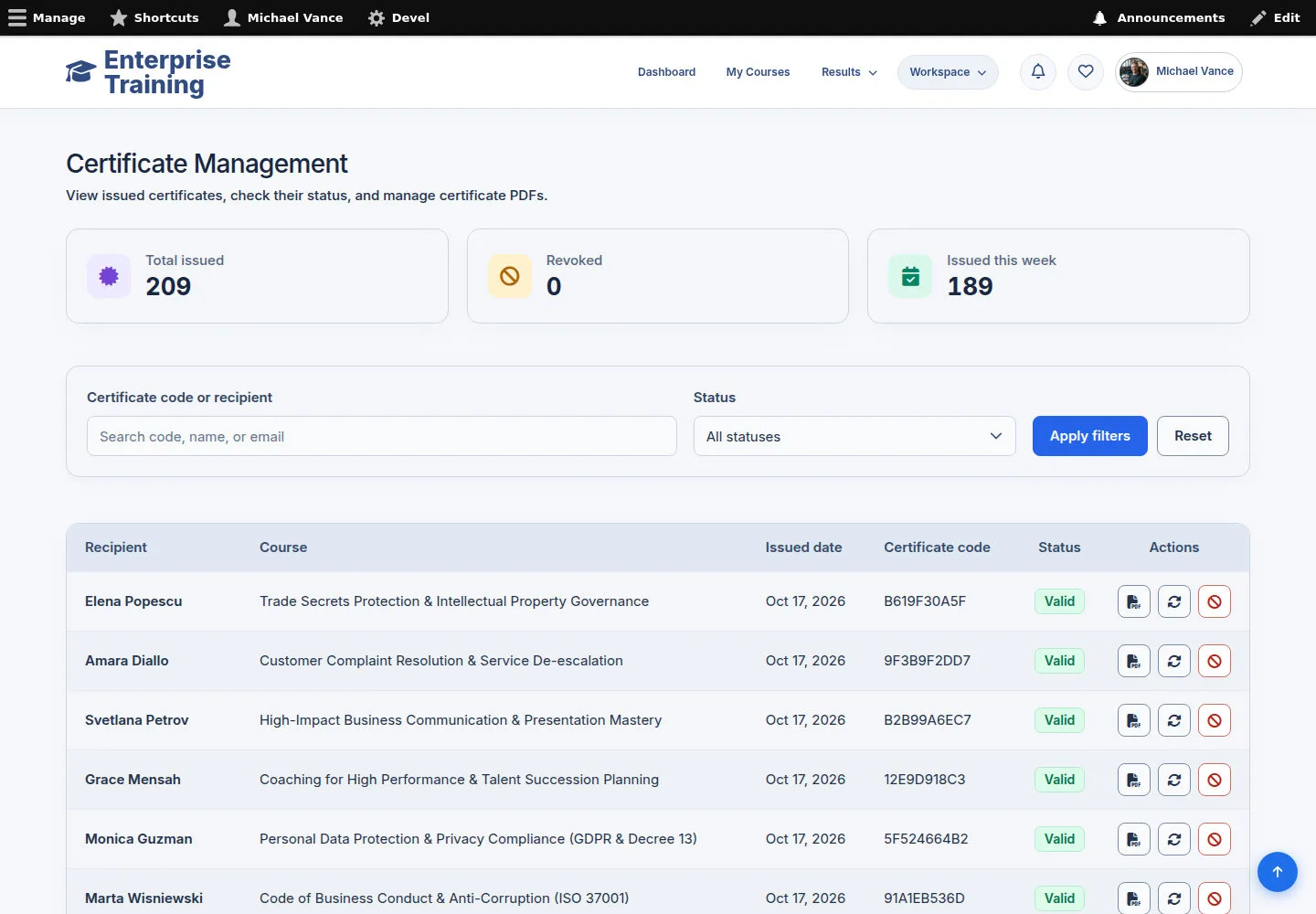
Issued certificates

1Step 1 of 5

  1. Certificate Management
  2. Check recipient / course / code
  3. Download or permitted action

Enlarge, then scroll

Open illustrated screen ↗Full image ↗

Administrator · Certificates & templates01

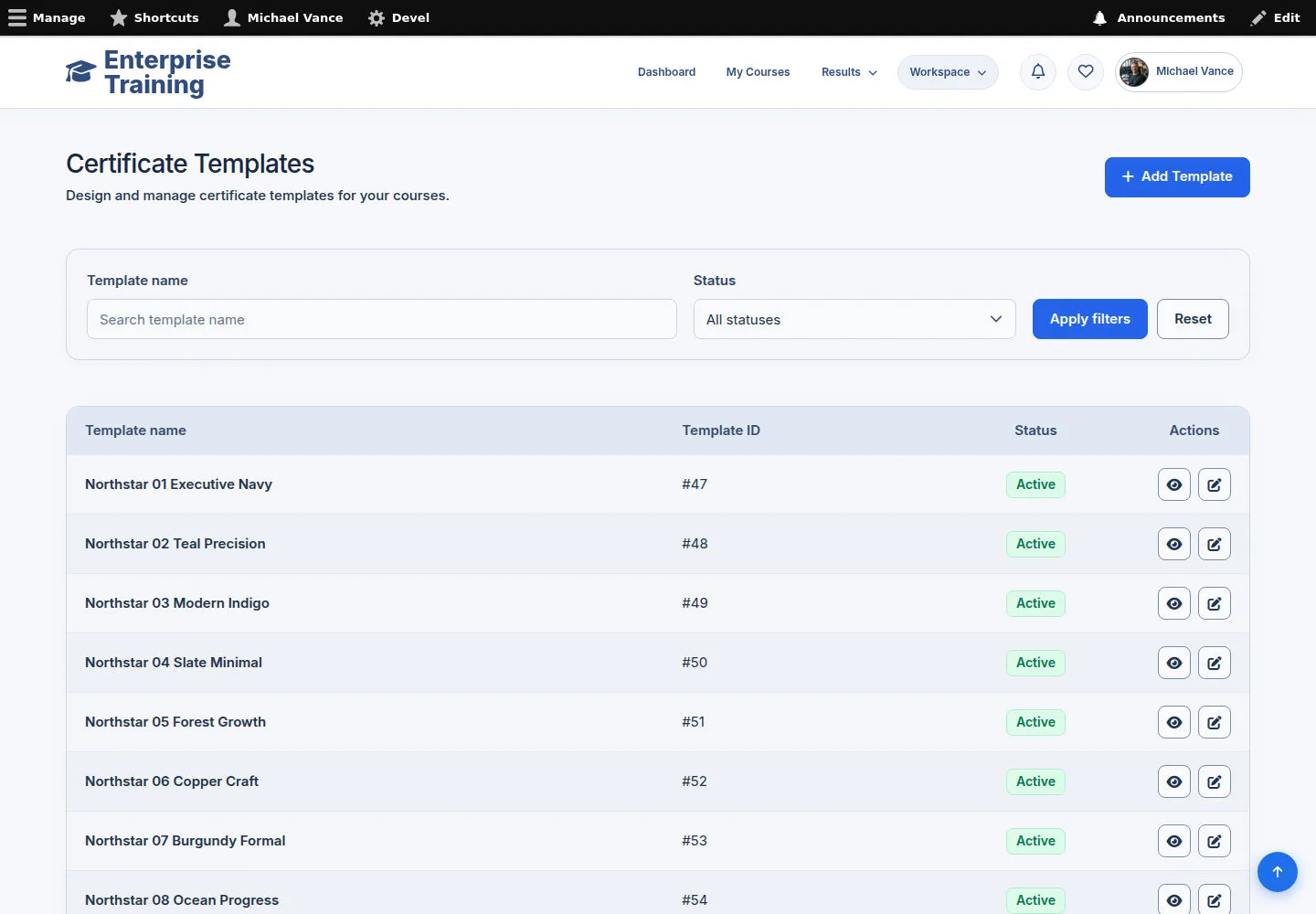
Certificate Templates

Administrator

Certificate Templates

2Step 2 of 5

  1. Certificate Templates
  2. Choose template
  3. Edit / Preview

Enlarge, then scroll

Open illustrated screen ↗Full image ↗

Administrator · Certificates & templates02

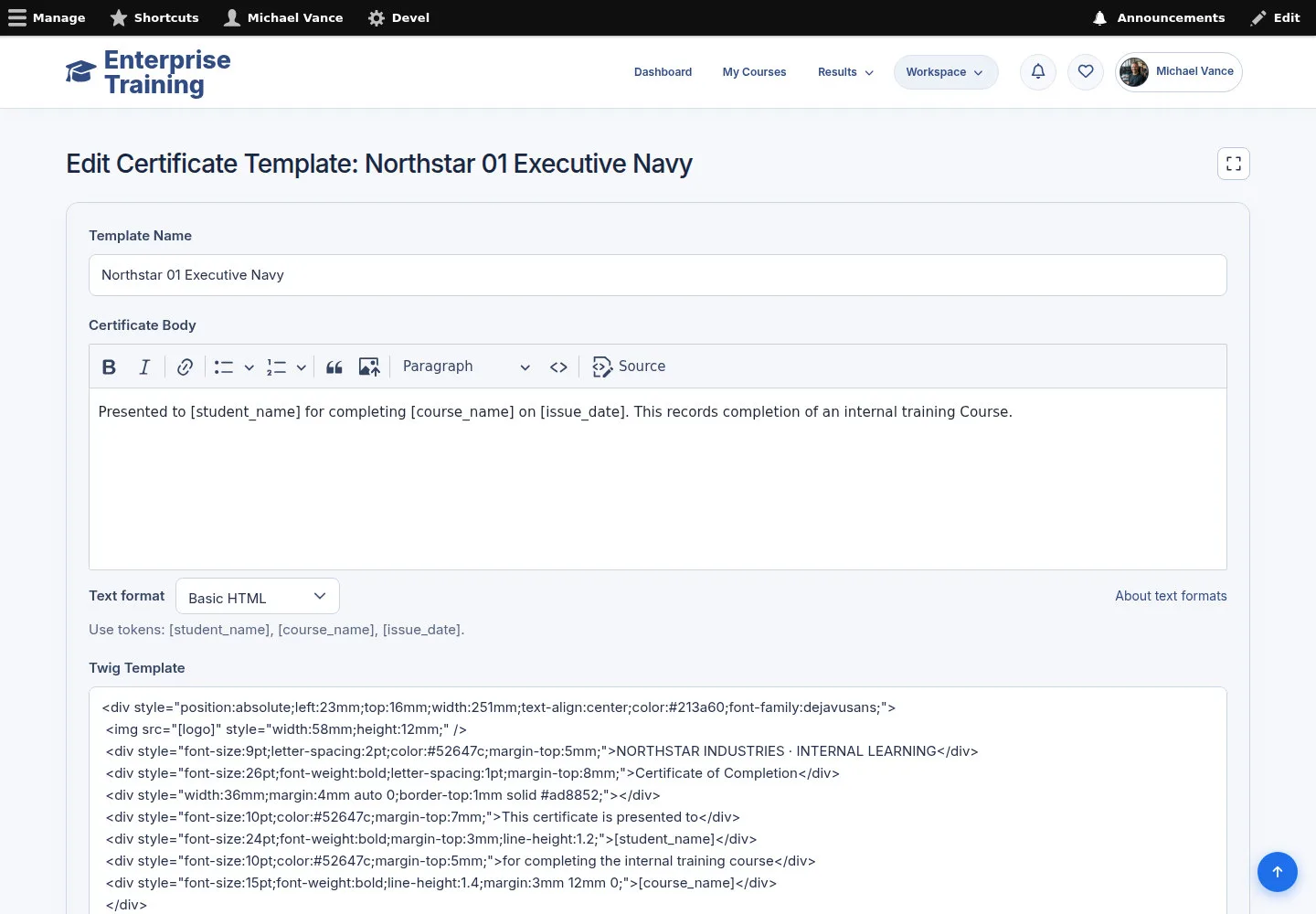
Template branding & layout

Administrator

Template branding & layout

3Step 3 of 5

  1. Review placeholders
  2. Update branding & layout
  3. Preview
  4. Save

Enlarge, then scroll

Open illustrated screen ↗Full image ↗

Administrator · Certificates & templates03

Template preview

Administrator

Template preview

4Step 4 of 5

  1. Check logo / background
  2. Review layout
  3. Check text placeholders

A template preview is not an issued learner certificate.

Open illustrated screen ↗Full image ↗

Administrator · Certificates & templates04

New template

Administrator

New template

5Step 5 of 5

  1. Name / content
  2. Layout / orientation / assets
  3. Preview
  4. Save

Enlarge, then scroll

Open illustrated screen ↗Full image ↗

Check

Issued record or template reviewed

Administrator · Certificates & templates05
1 / 6
Privacy Terms