Record a stock change

Move · Report missing · Report broken · Register found stock

  • The slab code
  • A reason
Warehouse storekeeper

Stock adjustment

Warehouse storekeeper

Stock adjustment

1Step 1 of 3

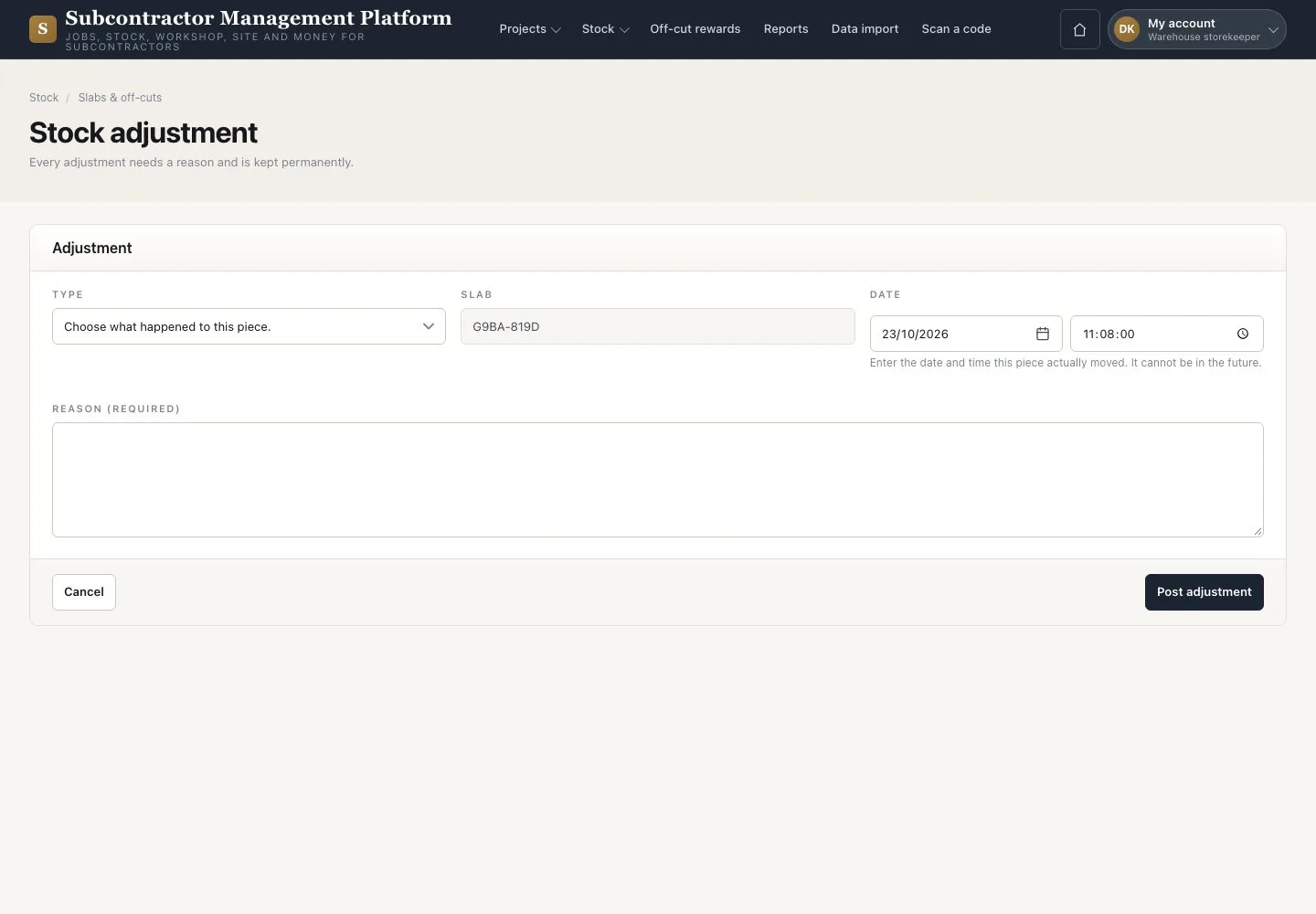
  1. Open the slab and press “Move”
  2. Choose the type: missing, broken or a move between store roots
  3. Enter the date, time and reason, then press “Post adjustment”

Unknown cost is never $0.00. A supplier return is a line exception on its goods receipt.

Open illustrated screen ↗Full image ↗

Warehouse storekeeper · Record a stock change01

Stock adjustments

Warehouse storekeeper

Stock adjustments

2Step 2 of 3

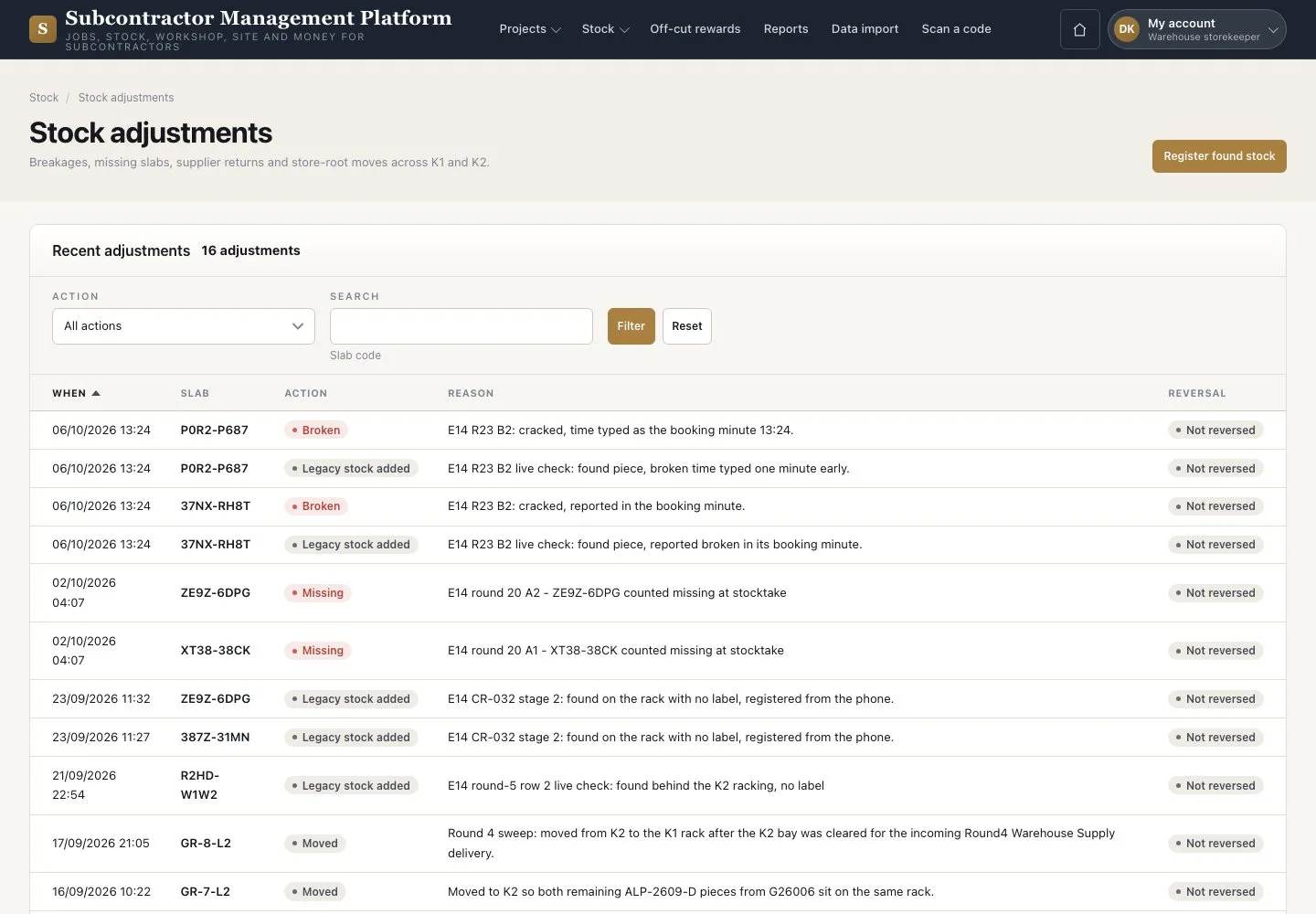
  1. Open Stock → “Stock adjustments”
  2. Filter the history
  3. Press “Register found stock” for a piece with no record

Enlarge, then scroll

Open illustrated screen ↗Full image ↗

Warehouse storekeeper · Record a stock change02

Register found stock

Warehouse storekeeper

Register found stock

3Step 3 of 3

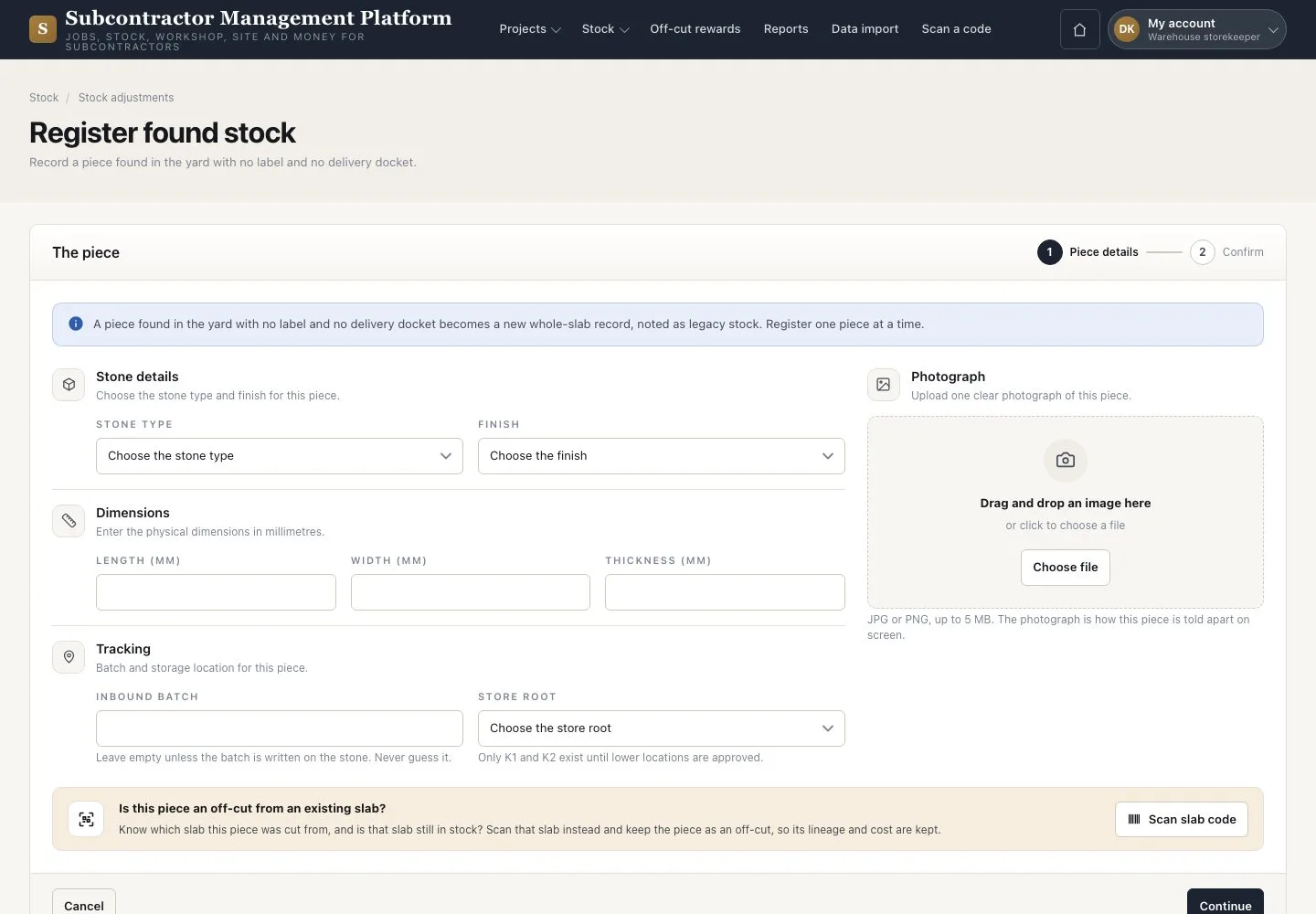
  1. Check the piece for an existing label first
  2. Enter the stone, dimensions, tracking and a photograph
  3. Press “Continue”

A Missing slab is never reopened; the found piece gets a new record and label.

Enlarge, then scroll

Open illustrated screen ↗Full image ↗

Check

The change is posted with its history; nothing is deleted.

Warehouse storekeeper · Record a stock change03
1 / 4
Privacy Terms