Issue stone to the workshop

Work orders · Parent slab · Issue to factory · Install visits

  • A Cutting order names the reserved slab
Warehouse storekeeper
Read the work orders

Warehouse storekeeper

Read the work orders

1Step 1 of 3

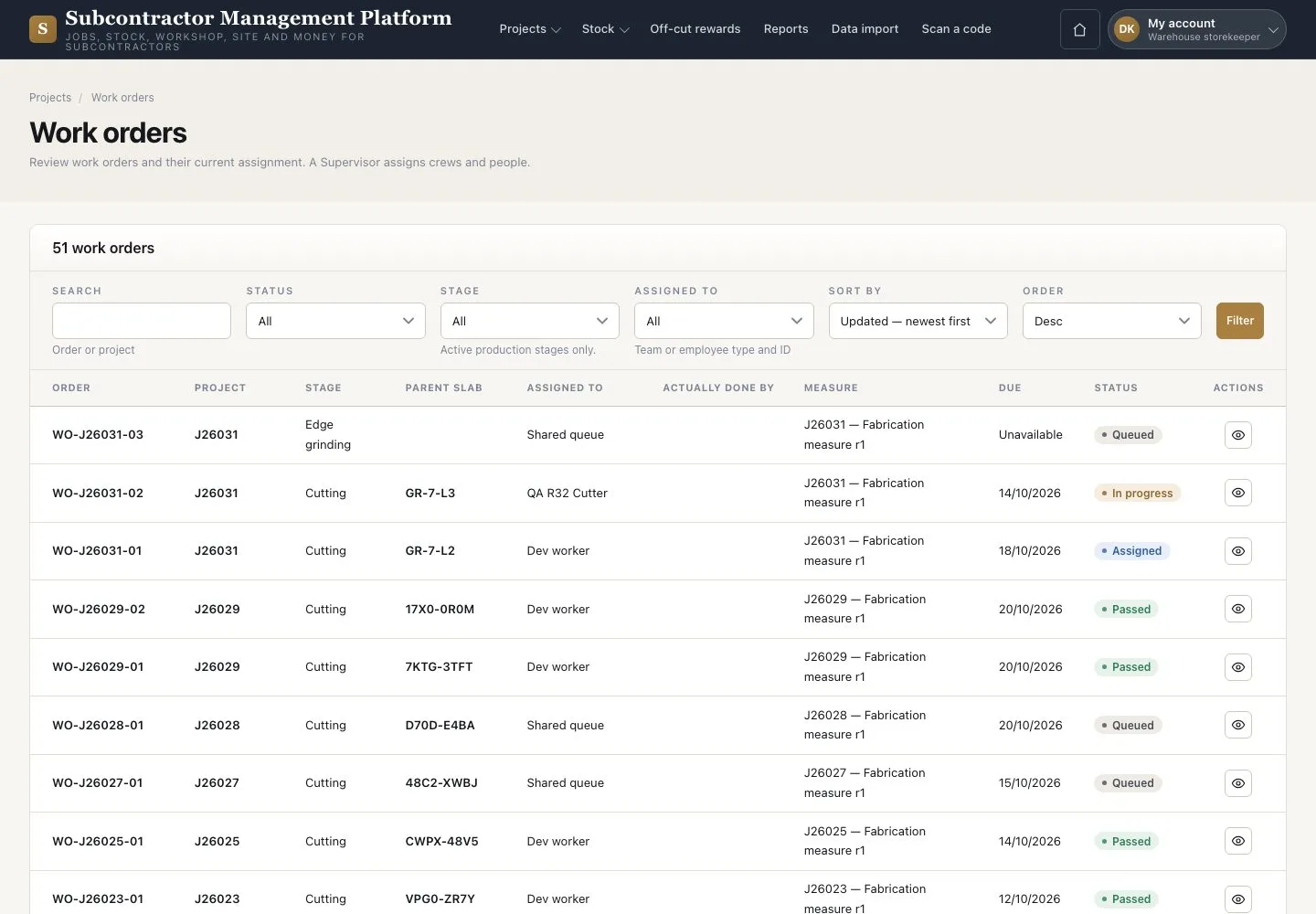
  1. Open Stock → “Work orders”
  2. Read the “Parent slab” of each Cutting order
  3. Open an order to check its pieces

Work orders and install visits are read-only for the Warehouse.

Enlarge, then scroll

Open illustrated screen ↗Full image ↗

Warehouse storekeeper · Issue stone to the workshop01

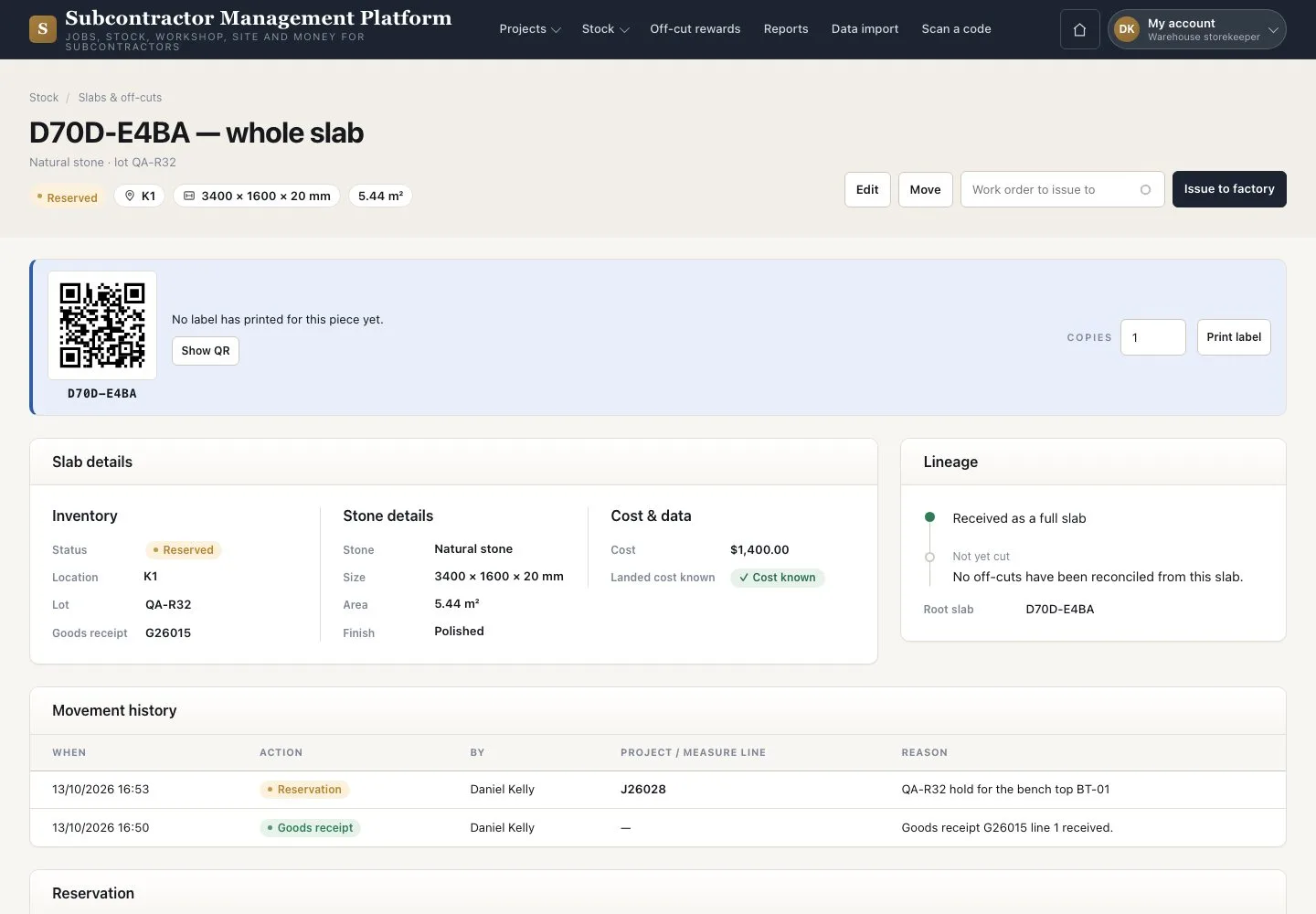
Issue to factory

Warehouse storekeeper

Issue to factory

2Step 2 of 3

  1. Open the slab record
  2. Press “Issue to factory”
  3. Pick the order that names this slab

Issue while the order is Queued or Assigned, before cutting starts.

Enlarge, then scroll

Open illustrated screen ↗Full image ↗

Warehouse storekeeper · Issue stone to the workshop02

Pieces going out

Warehouse storekeeper

Pieces going out

3Step 3 of 3

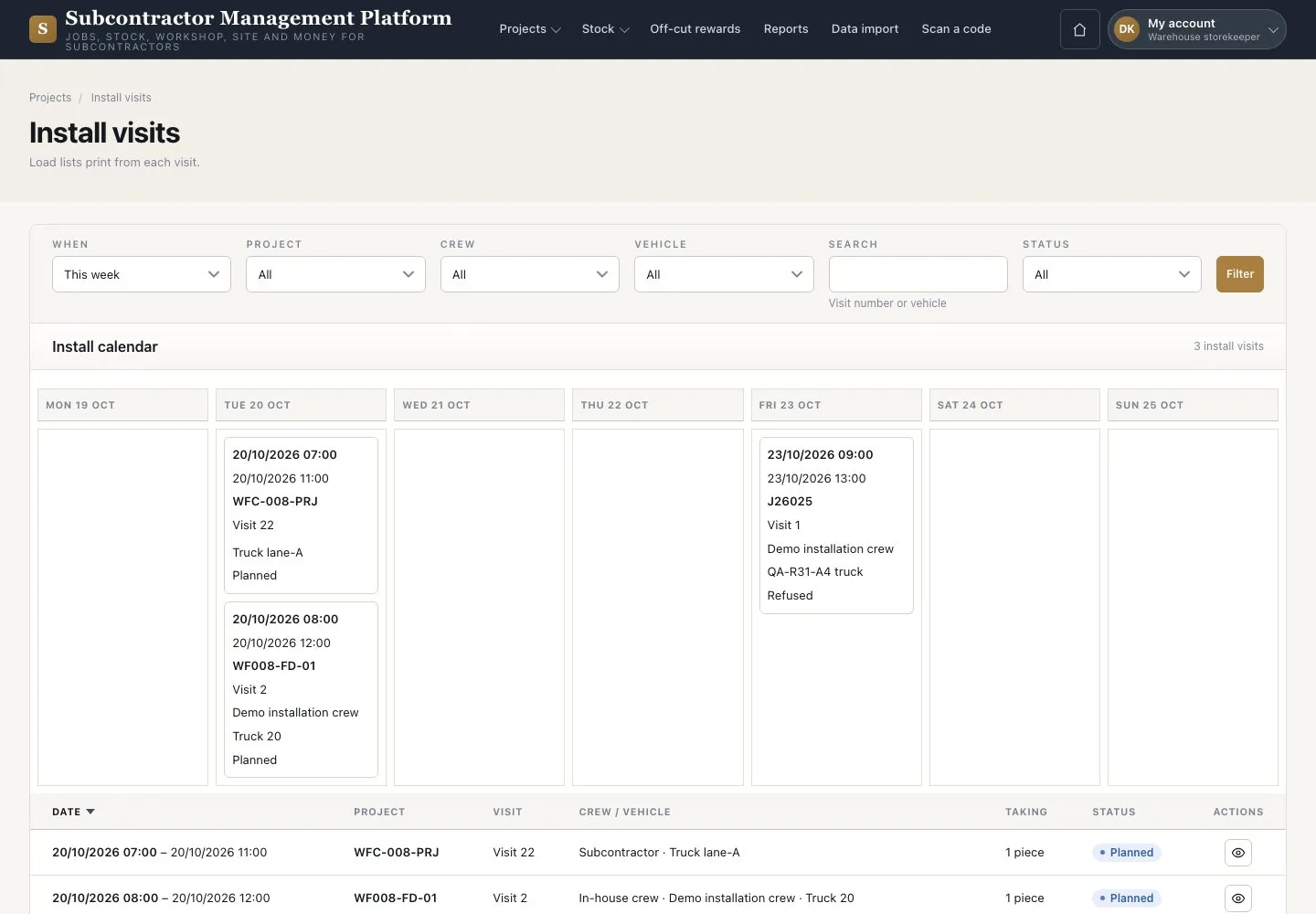
  1. Open Stock → “Install visits”
  2. Check the visit day and the pieces it carries

Enlarge, then scroll

Open illustrated screen ↗Full image ↗

Check

The slab is Issued to its work order.

Warehouse storekeeper · Issue stone to the workshop03
1 / 4
Privacy Terms