Extend, take over or release a hold

Extend hold · Take over hold · Release

  • The slab is Reserved
  • A reason for the change
Warehouse storekeeper
Extend hold

Warehouse storekeeper

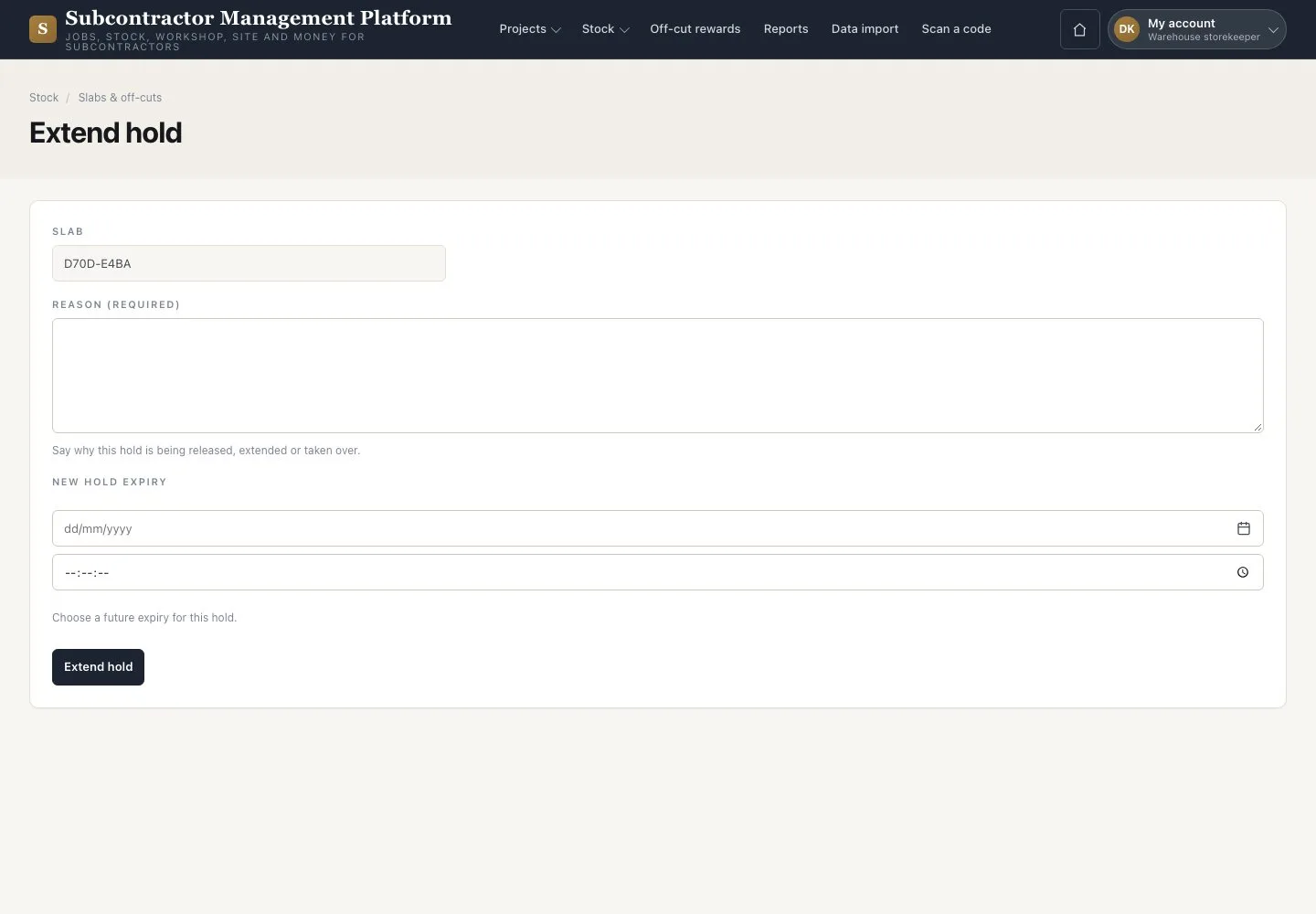
Extend hold

1Step 1 of 3

  1. On the slab press “Extend hold”
  2. Choose the new expiry and give the reason
  3. Press “Extend hold”

Open illustrated screen ↗Full image ↗

Warehouse storekeeper · Extend, take over or release a hold01

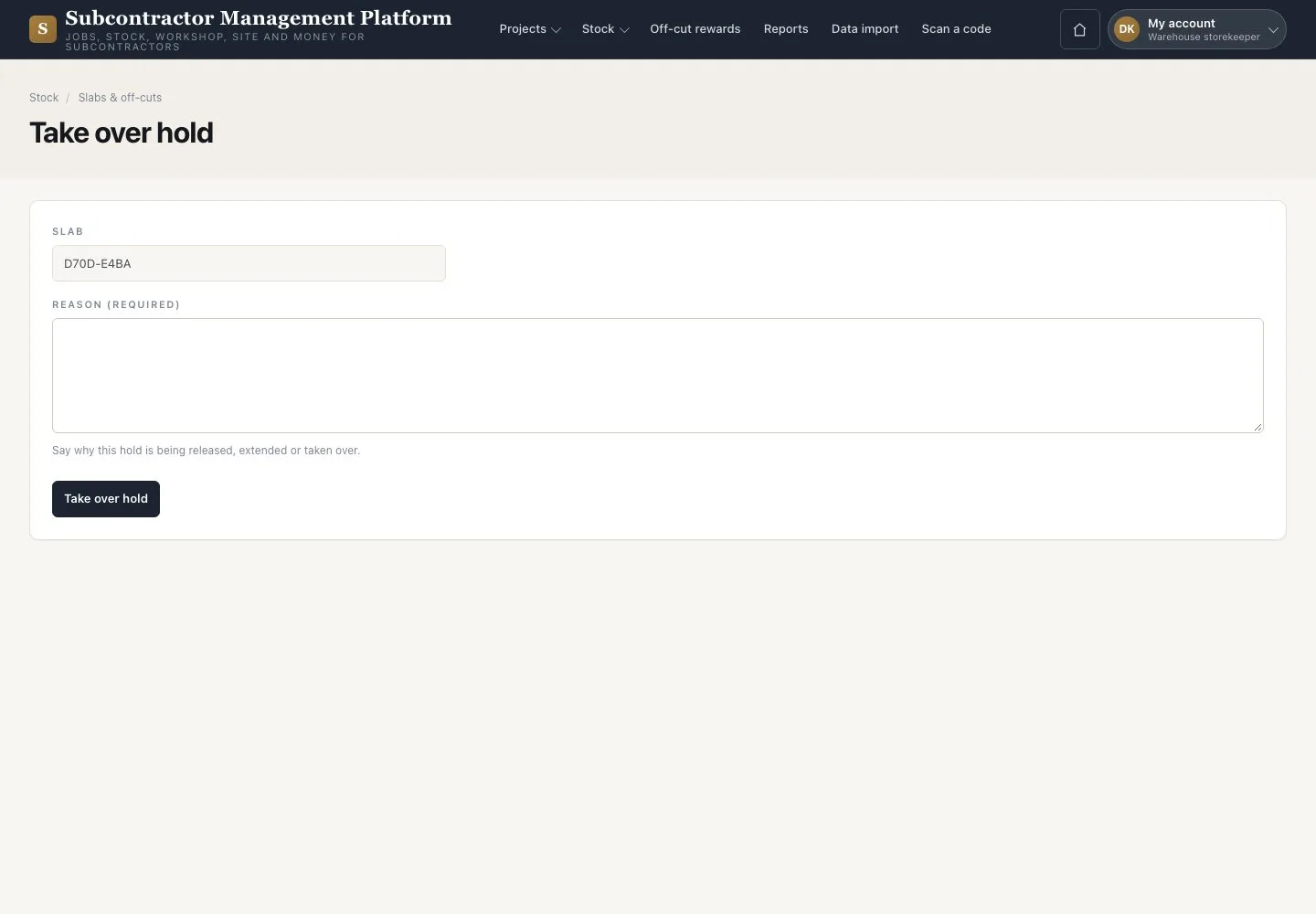
Take over hold

Warehouse storekeeper

Take over hold

2Step 2 of 3

  1. Press “Take over hold”
  2. Give the reason and confirm

You become the holder; the Project and the expiry stay the same.

Open illustrated screen ↗Full image ↗

Warehouse storekeeper · Extend, take over or release a hold02

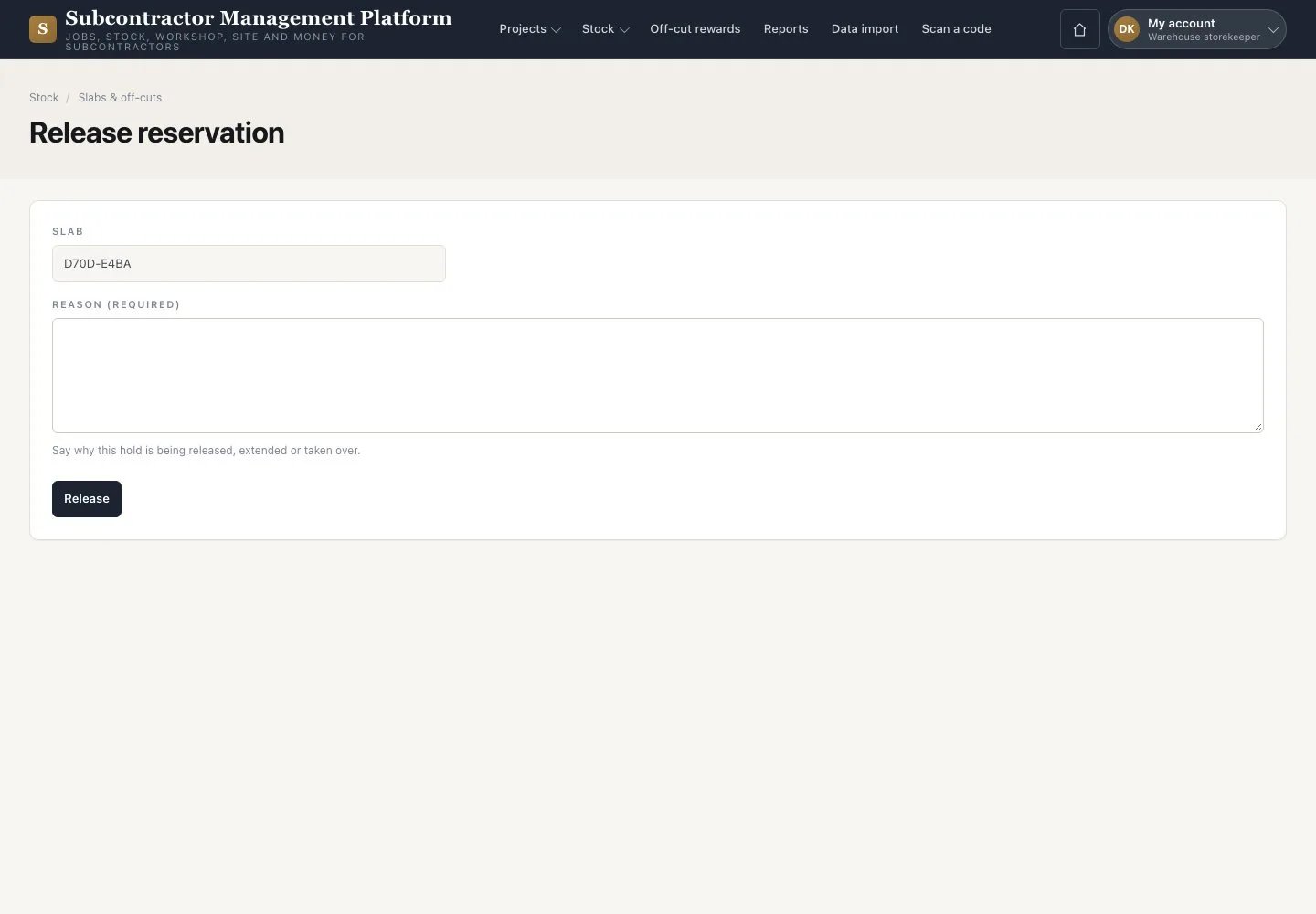
Release

Warehouse storekeeper

Release

3Step 3 of 3

  1. Press “Release”
  2. Enter the reason and press “Release”

After a Project is cancelled, release each held slab one at a time. An unchanged hold ends by itself at its expiry.

Open illustrated screen ↗Full image ↗

Check

The hold has its new expiry, holder or release, each with its reason.

Warehouse storekeeper · Extend, take over or release a hold03
1 / 4
Privacy Terms