










Find and reserve stone
Find stone · Approved measure line · Reserve
- The Project has an approved fabrication measure
- A reason and a future expiry for the hold
Warehouse storekeeper
Find stone
Warehouse storekeeper

1Step 1 of 2
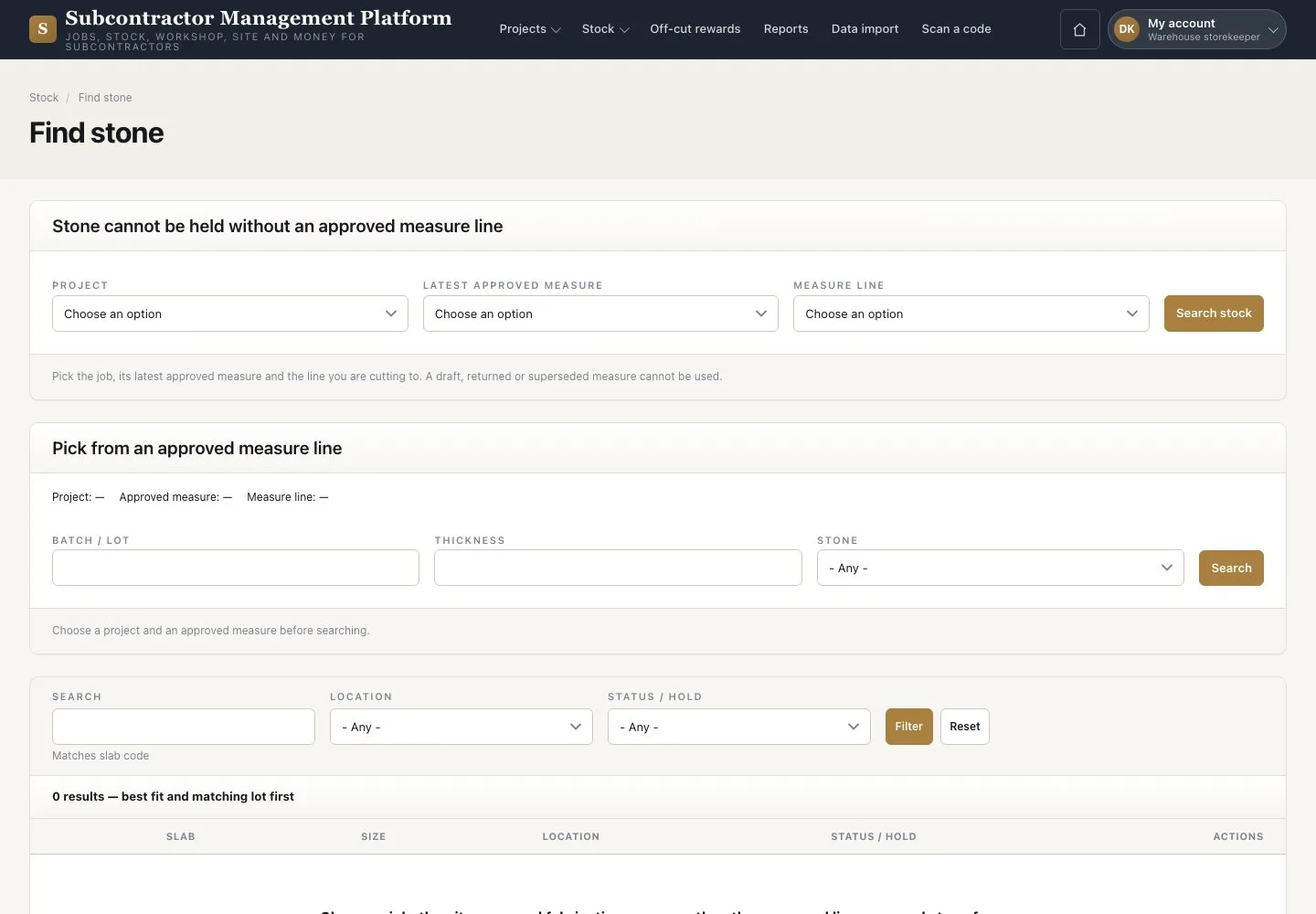
- Open Stock → “Find stone”
- Choose the “Project”, “Latest approved measure” and “Measure line”
- Press “Search stock”, then “Reserve” on the matching row with a reason and expiry
Stone cannot be held without an approved measure line. Remaining area is an estimate; check the real cutting layout.
Enlarge, then scroll
Check the slab
Warehouse storekeeper

2Step 2 of 2
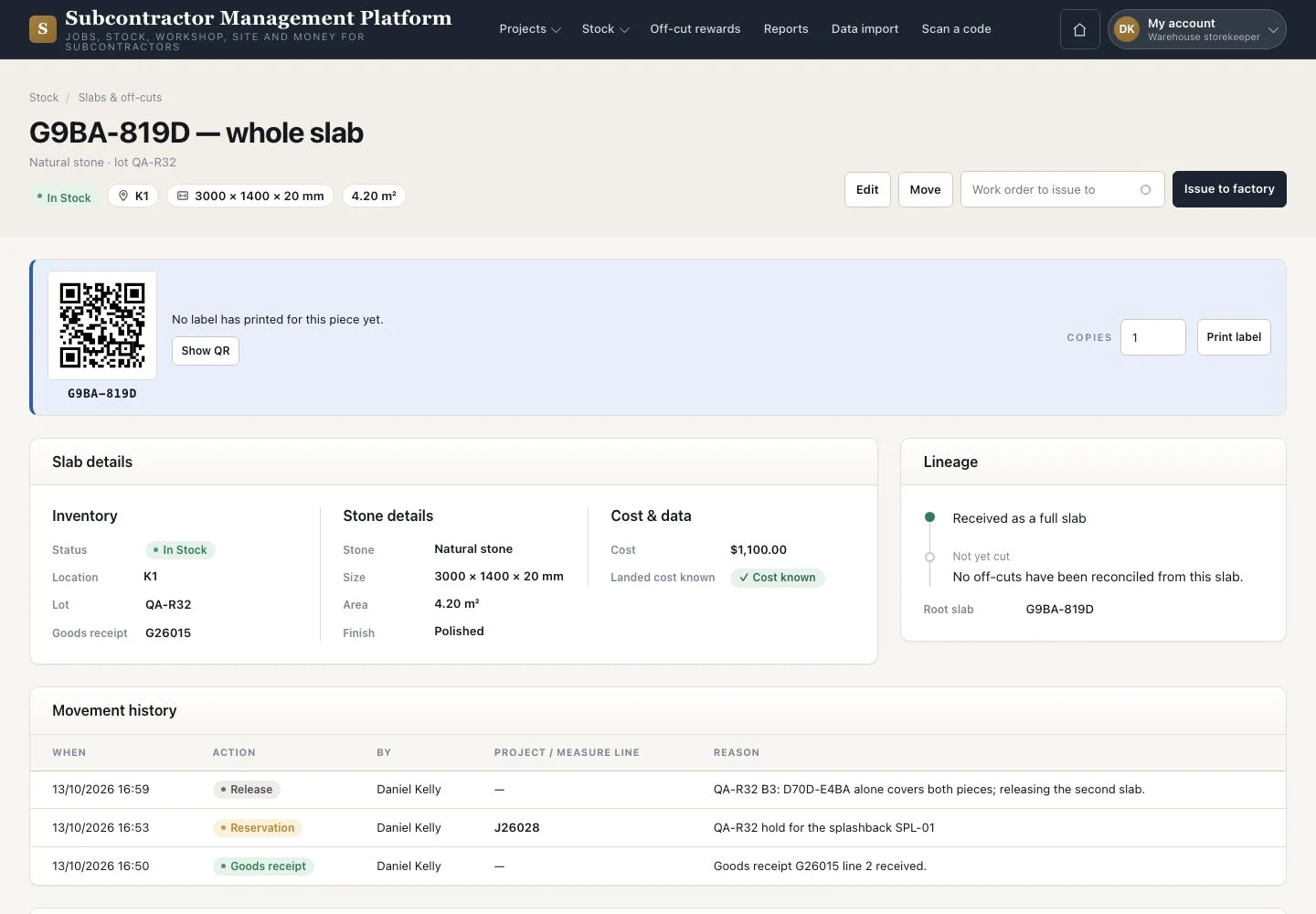
- Open the slab from the search result
- Check its photograph, dimensions, location and status
- Read its “Lineage” and “Movement history”
A slab has only one live hold.
Enlarge, then scroll
Open illustrated screen ↗Full image ↗
Check
The slab is Reserved for the Project, with one live hold.
1 / 3