Off-cuts and reports

Find an off-cut · Slabs & off-cuts · Off-cut rewards · Reports

  • Signed in on a phone or a desktop
Warehouse storekeeper
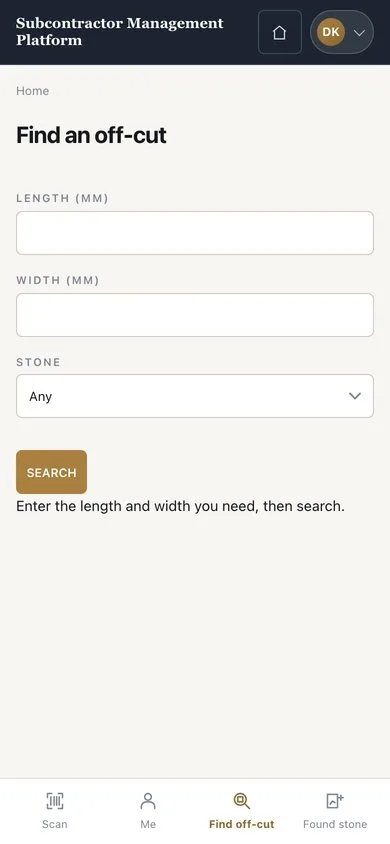
Find an off-cut

Warehouse storekeeper

Find an off-cut

1Step 1 of 4

  1. On your phone open the “Find off-cut” tab
  2. Enter the length, width and stone, then press “SEARCH”
  3. Open a piece to check it

Searching does not reserve; reserve the piece from Find stone.

Enlarge, then scroll

Open illustrated screen ↗Full image ↗

Warehouse storekeeper · Off-cuts and reports01

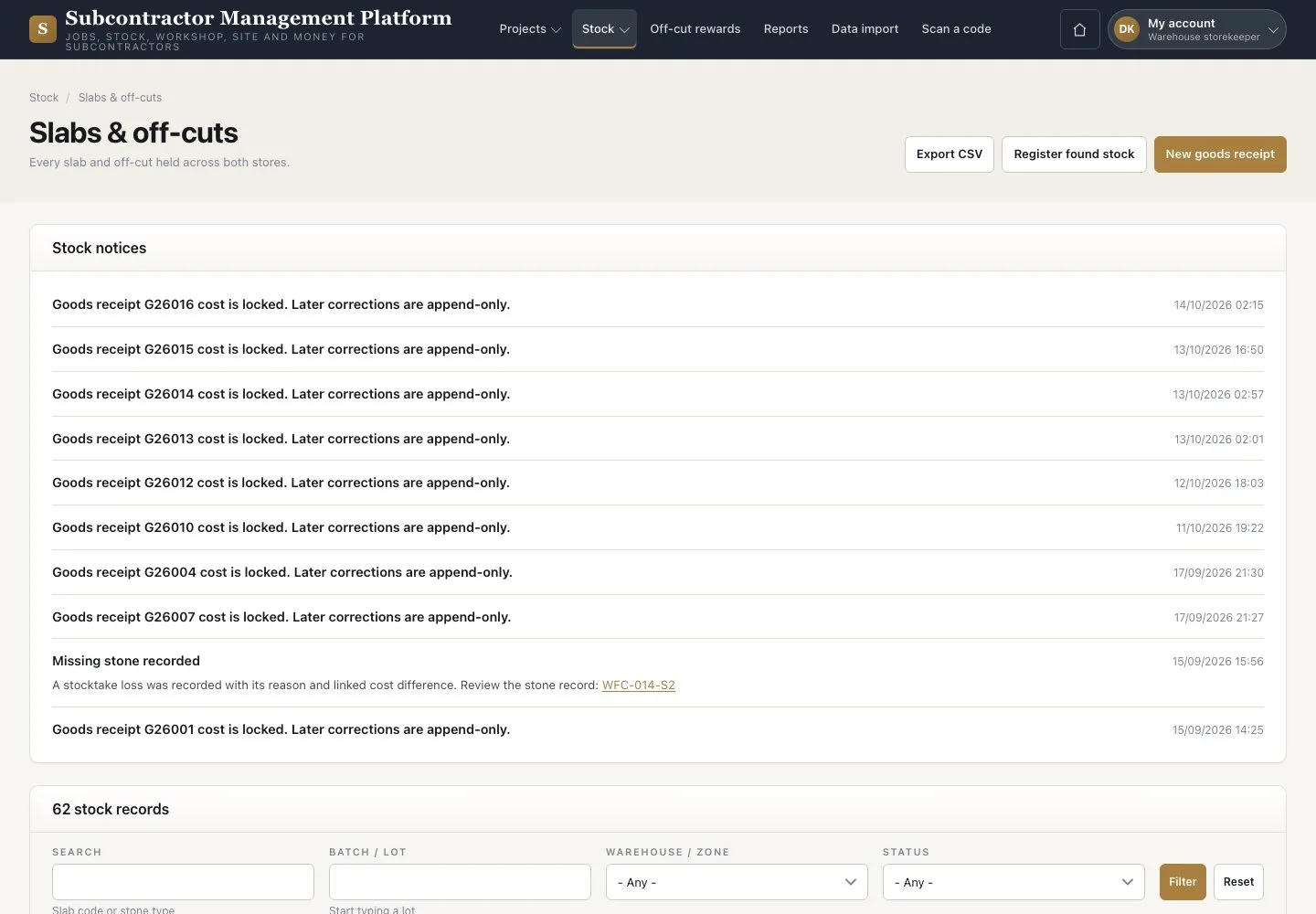
Slabs & off-cuts

Warehouse storekeeper

Slabs & off-cuts

2Step 2 of 4

  1. Open Stock → “Slabs & off-cuts”
  2. Filter by status, stone or location
  3. Open a record

Enlarge, then scroll

Open illustrated screen ↗Full image ↗

Warehouse storekeeper · Off-cuts and reports02

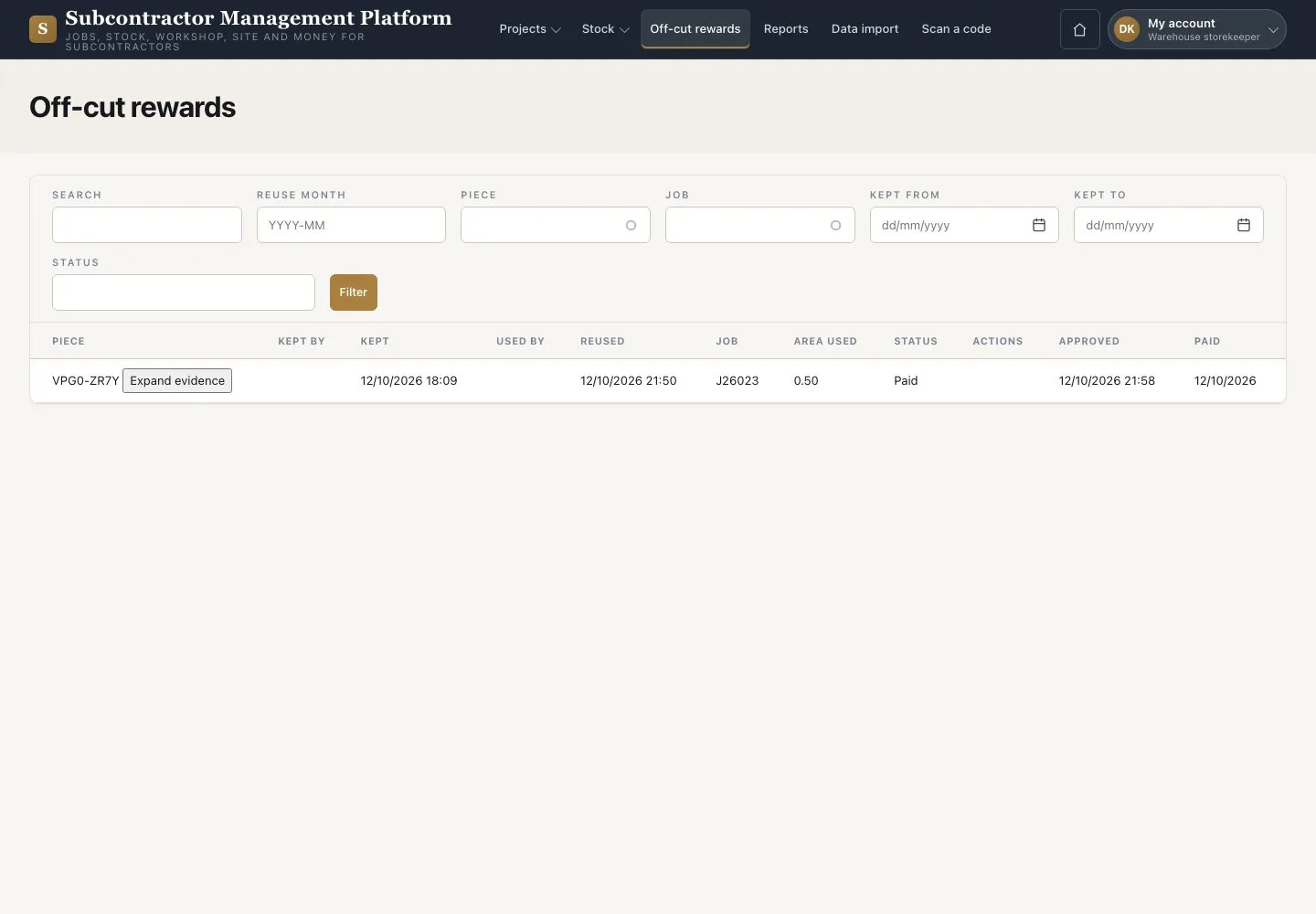
Off-cut rewards

Warehouse storekeeper

Off-cut rewards

3Step 3 of 4

  1. Open “Off-cut rewards”
  2. Press “Expand evidence” on an entry

Reward amounts stay hidden for your role.

Open illustrated screen ↗Full image ↗

Warehouse storekeeper · Off-cuts and reports03

Reports

Warehouse storekeeper

Reports

4Step 4 of 4

  1. Open “Reports” and choose “Report stock and off-cuts”
  2. Check the period and the source records

Reports are on screen; printing and export are not available.

Open illustrated screen ↗Full image ↗

Check

You can find stock and read the reports for your work.

Warehouse storekeeper · Off-cuts and reports04
1 / 5
Privacy Terms