Quote and record the outcome

New original quote · Add line · Send quotation · Record Won

  • A finalised quoting measure
  • The current rates in the Price library
Project coordinator
New quote

Project coordinator

New quote

1Step 1 of 3

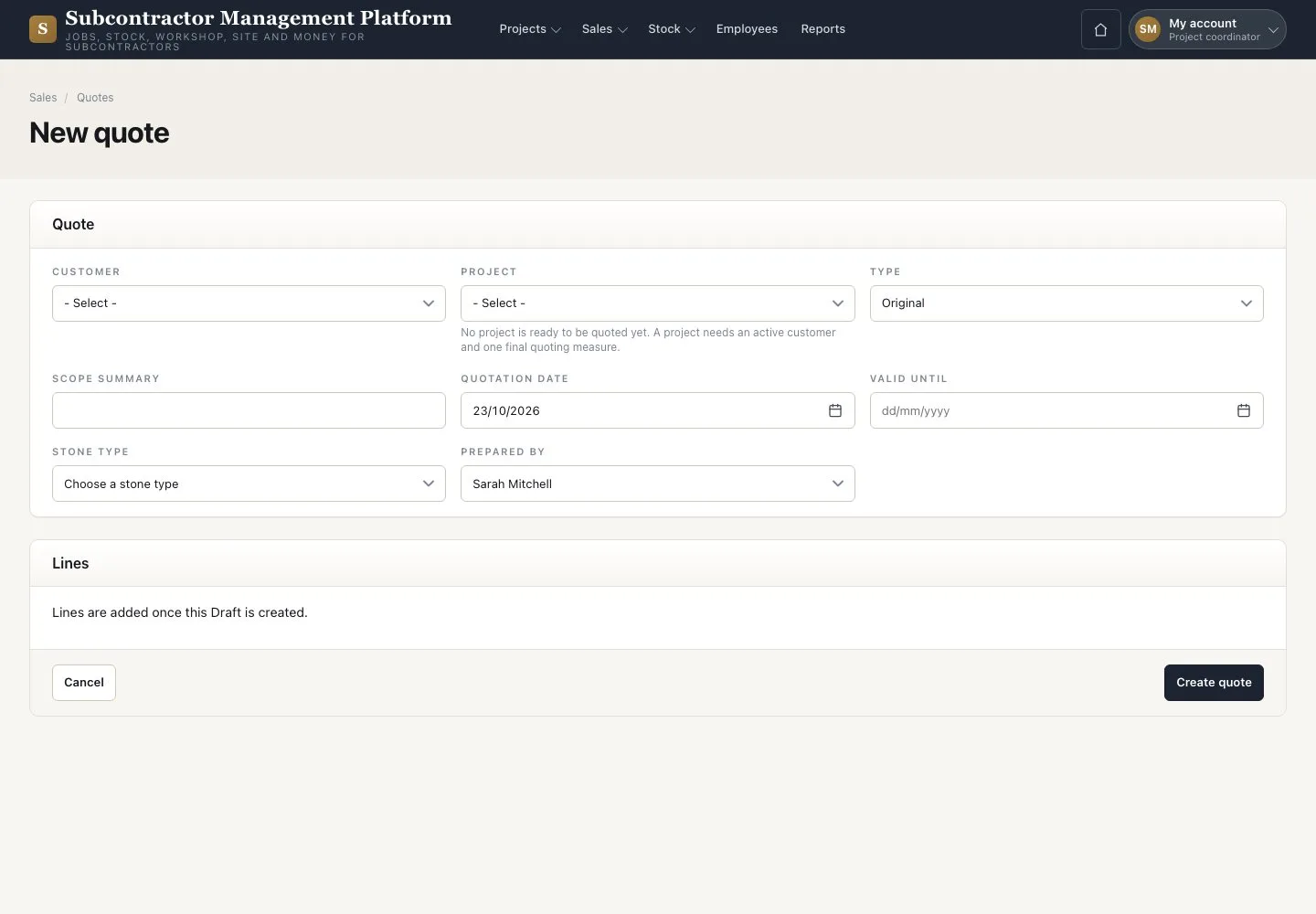
  1. On the Project press “New original quote”
  2. Fill in “Scope summary” and “Valid until”
  3. Press “Create quote”

Open illustrated screen ↗Full image ↗

Project coordinator · Quote and record the outcome01

Quote lines

Project coordinator

Quote lines

2Step 2 of 3

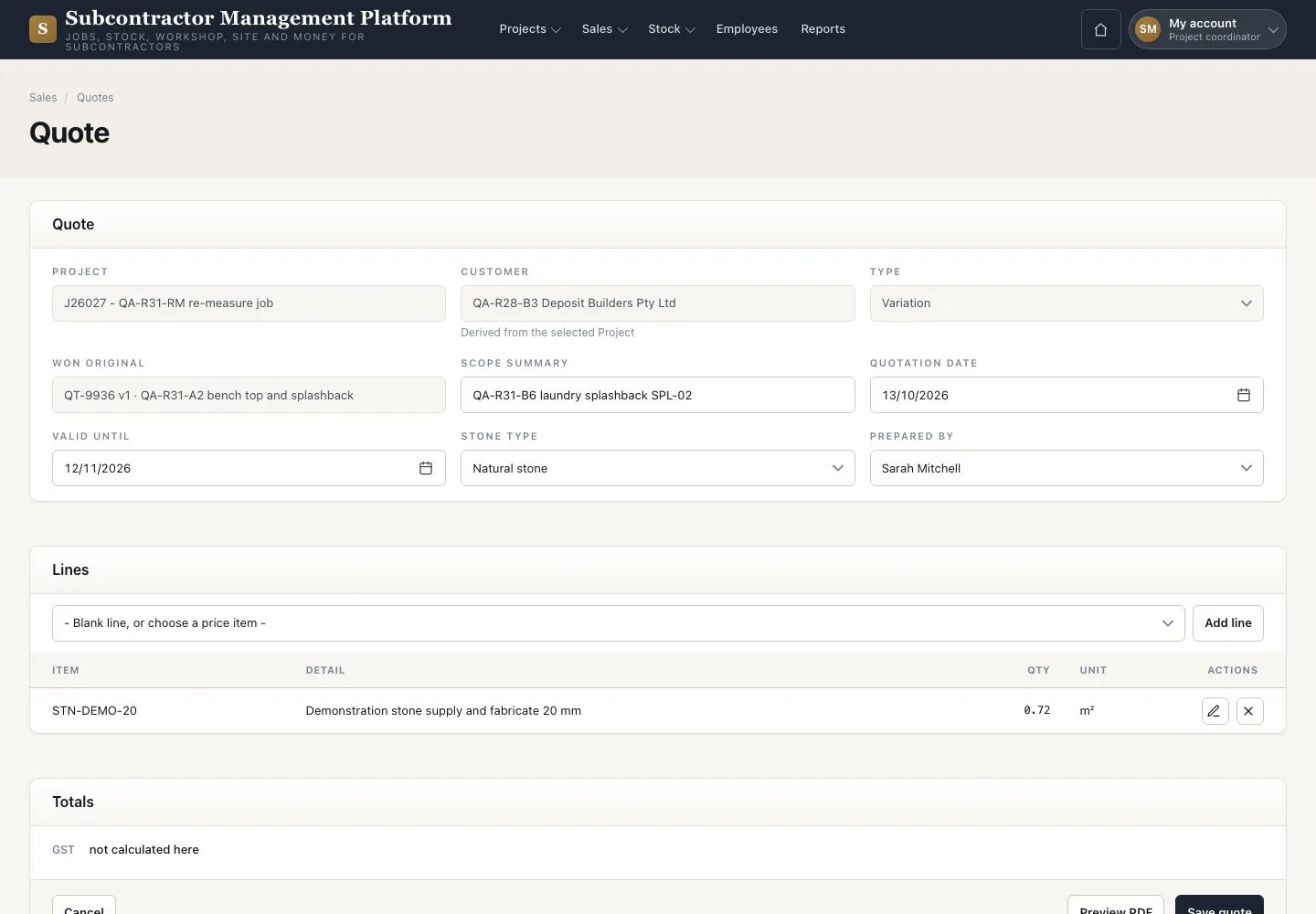
  1. Press “Add line” and choose a “Measured item” or a new scope
  2. Check the totals
  3. Press “Save quote”; “Preview PDF” shows the document

Enlarge, then scroll

Open illustrated screen ↗Full image ↗

Project coordinator · Quote and record the outcome02

Send and record the outcome

Project coordinator

Send and record the outcome

3Step 3 of 3

  1. Press “Send quotation” and choose the “Recipient”
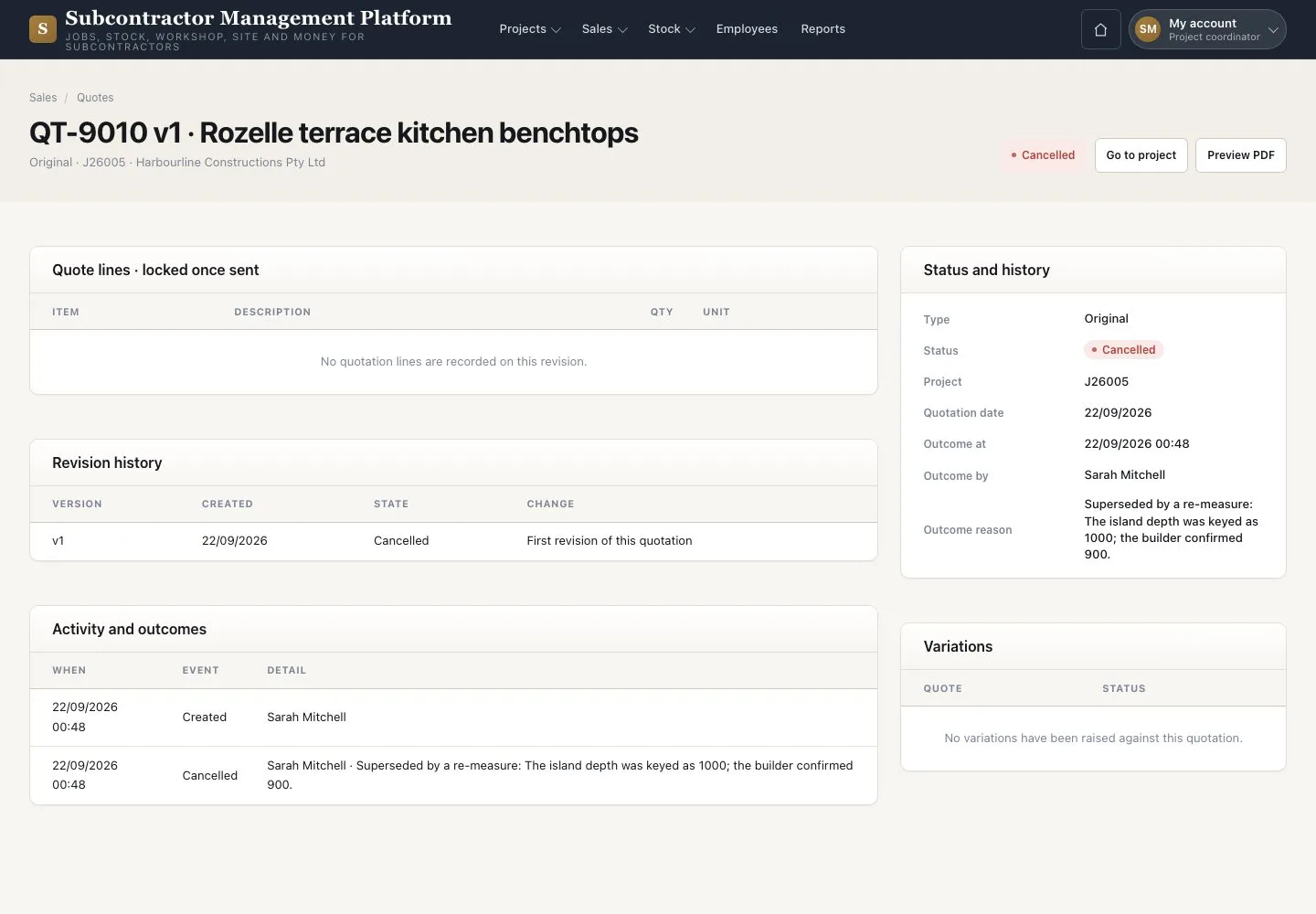
  2. Record Won, Lost, Expired or Cancelled with its evidence
  3. Check “Status and history”

Won fixes the price; it does not approve cutting. Won also drafts the deposit claim at the company percentage.

Open illustrated screen ↗Full image ↗

Check

The quote is Sent and its outcome recorded; Won moves the Project to Measuring.

Project coordinator · Quote and record the outcome03
1 / 4
Privacy Terms