Price library

Price library · New price item · Create new rate

  • The item code, unit and rate
Project coordinator
Price library

Project coordinator

Price library

1Step 1 of 3

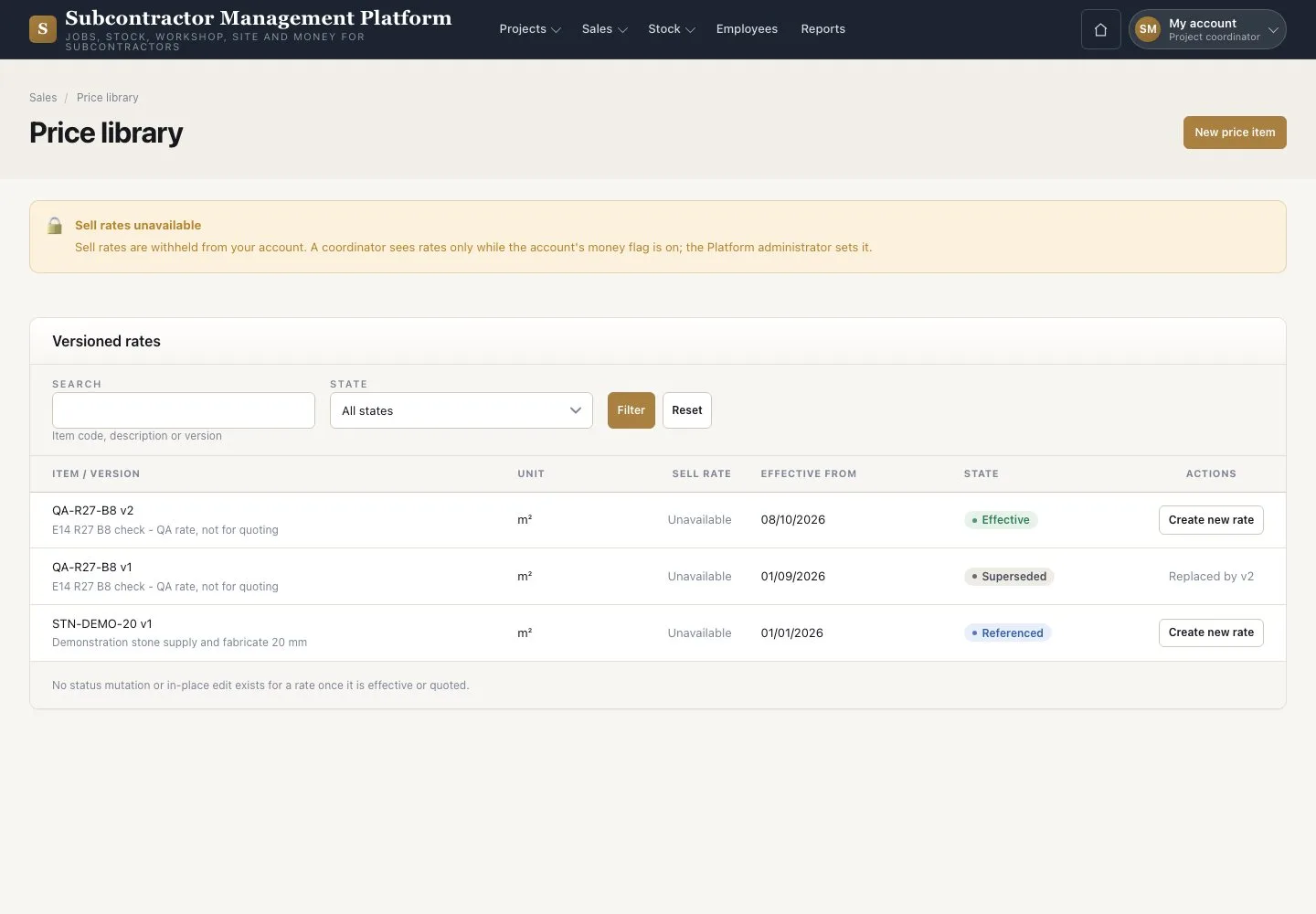
  1. Open Sales → “Price library”
  2. Filter the items

Open illustrated screen ↗Full image ↗

Project coordinator · Price library01

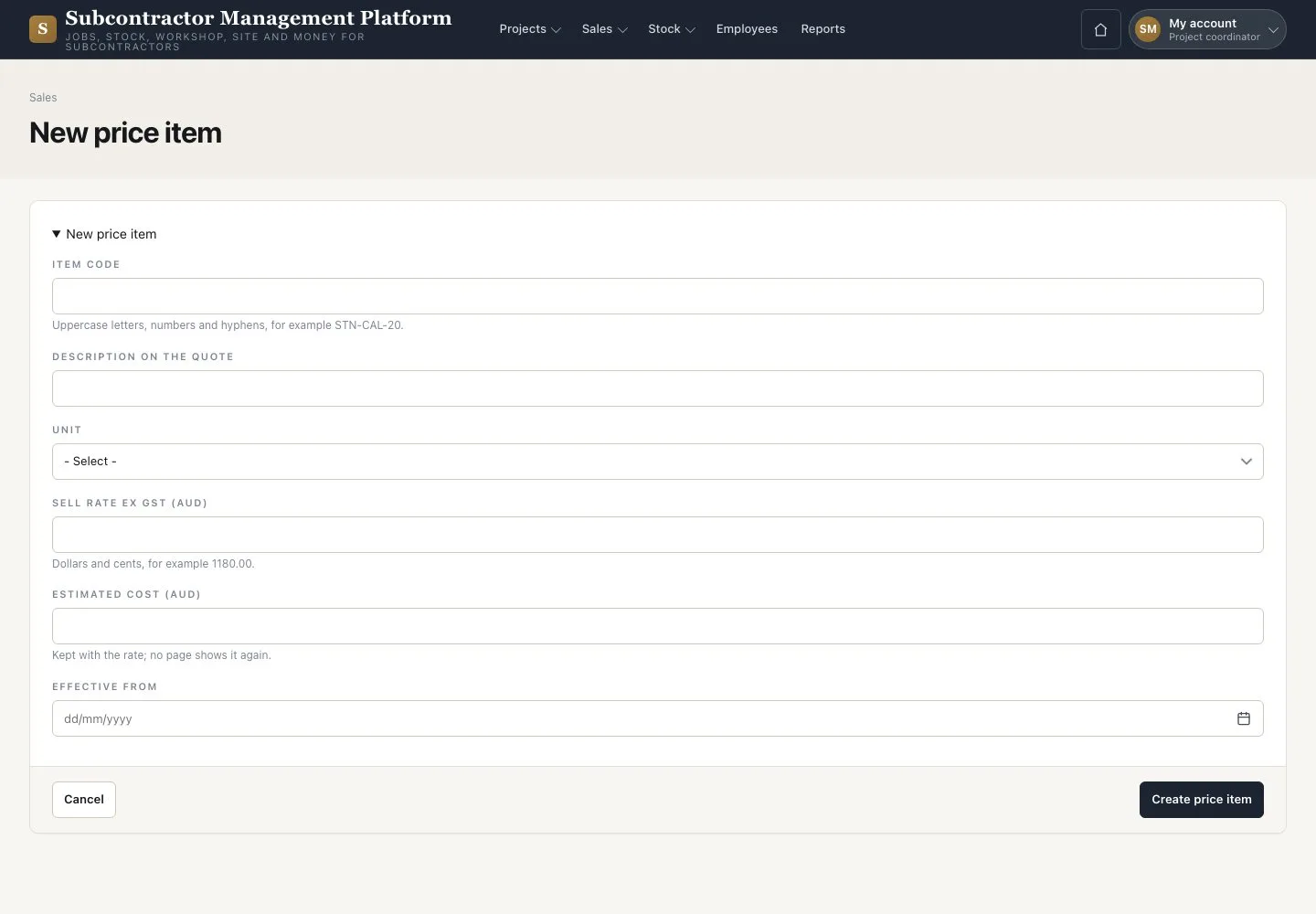
New price item

Project coordinator

New price item

2Step 2 of 3

  1. Press “New price item”
  2. Enter the code, description, unit, sell rate ex GST and estimated cost
  3. Choose “Effective from” and press “Create price item”

Enlarge, then scroll

Open illustrated screen ↗Full image ↗

Project coordinator · Price library02

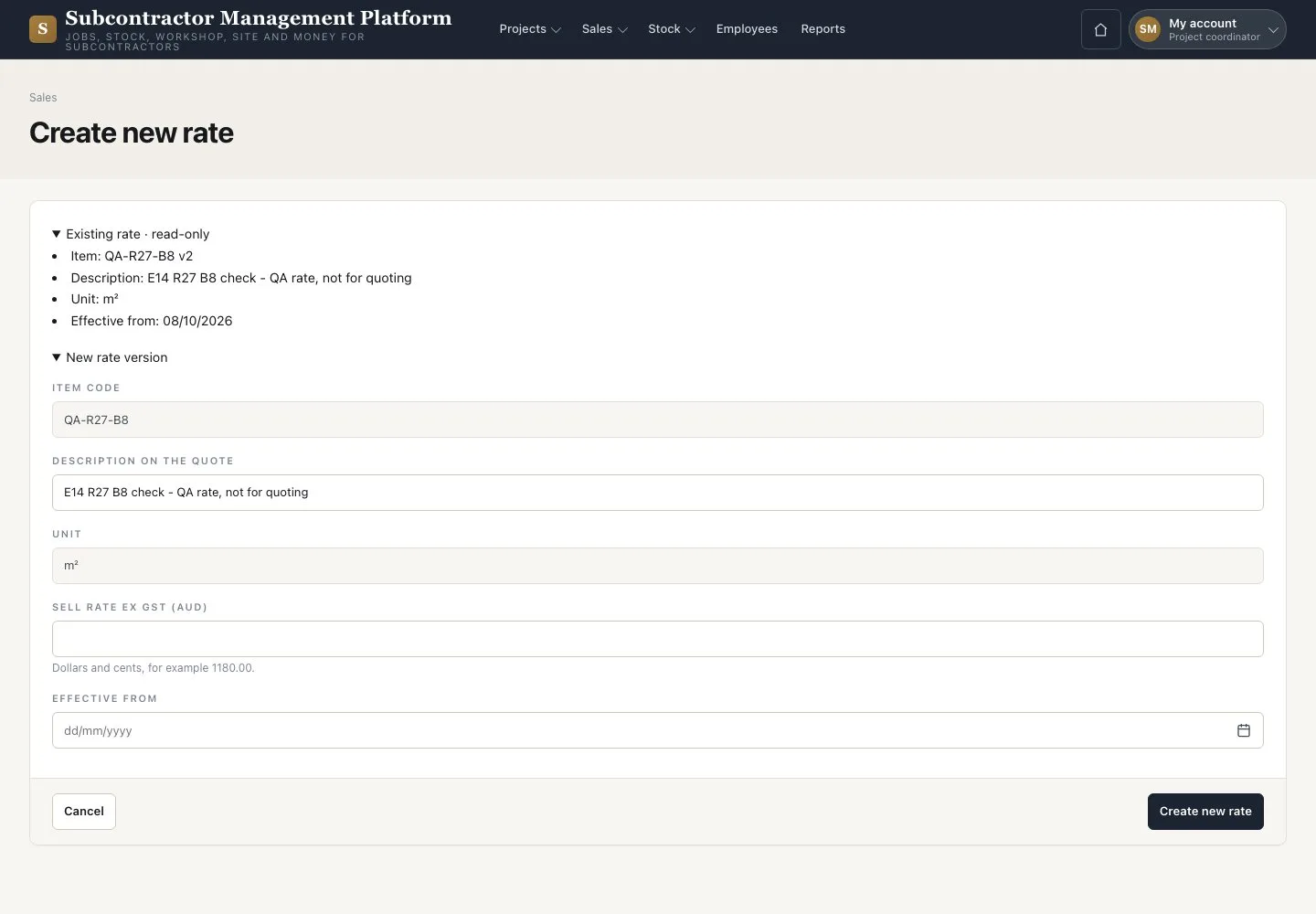
Create new rate

Project coordinator

Create new rate

3Step 3 of 3

  1. On the newest row press “Create new rate”
  2. Enter the dated rate
  3. Press “Create new rate”

Enlarge, then scroll

Open illustrated screen ↗Full image ↗

Check

The item or the new rate is recorded; a used rate is never overwritten.

Project coordinator · Price library03
1 / 4
Privacy Terms