Enquiries and customers

Website enquiries · Customers · New customer · Add contact

  • The enquiry or the customer’s details
Project coordinator
Website enquiries

Project coordinator

Website enquiries

1Step 1 of 4

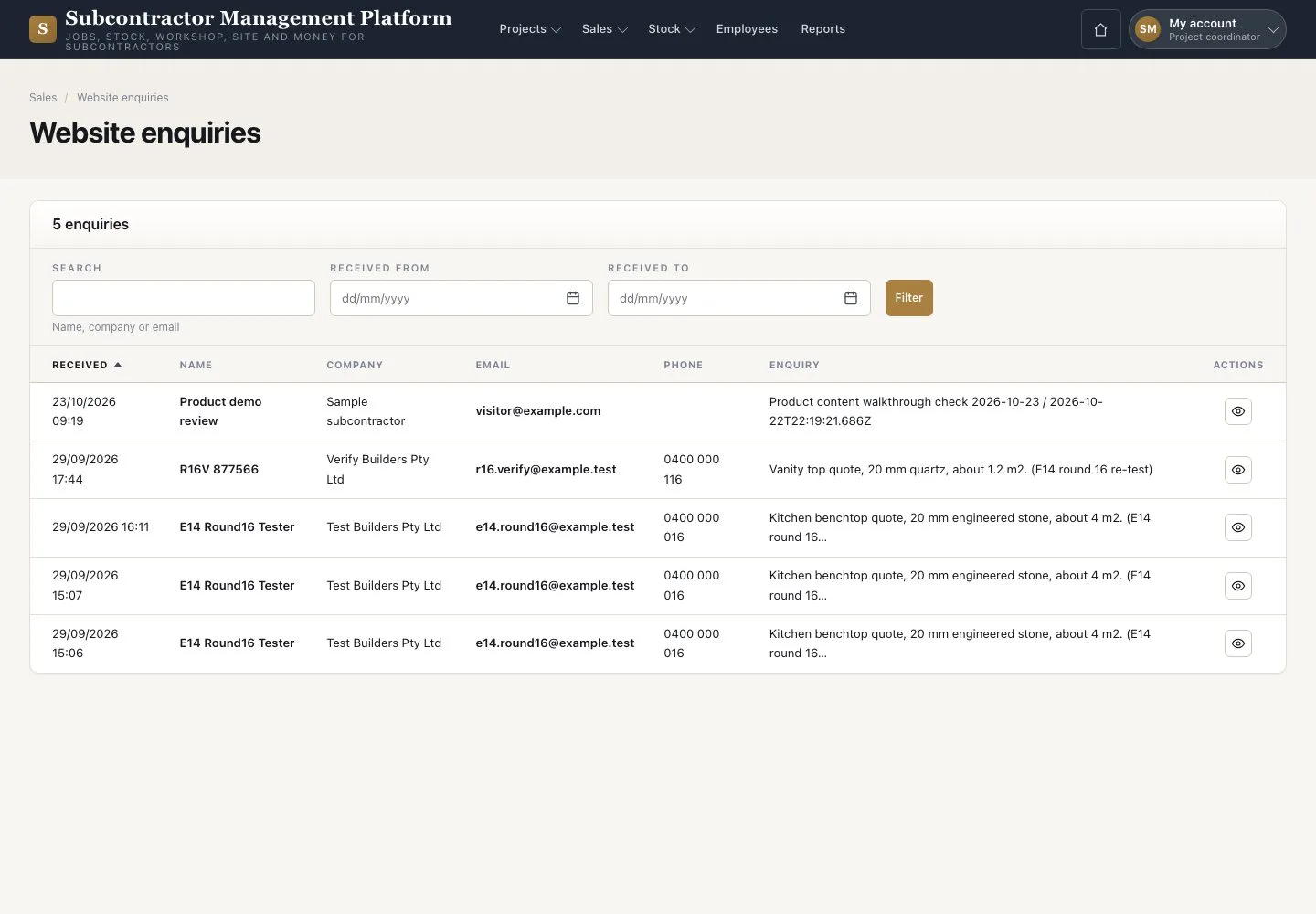
  1. Open Sales → “Website enquiries”
  2. Filter by date
  3. Open a message

Enquiries cannot be edited or deleted.

Open illustrated screen ↗Full image ↗

Project coordinator · Enquiries and customers01

Read the enquiry

Project coordinator

Read the enquiry

2Step 2 of 4

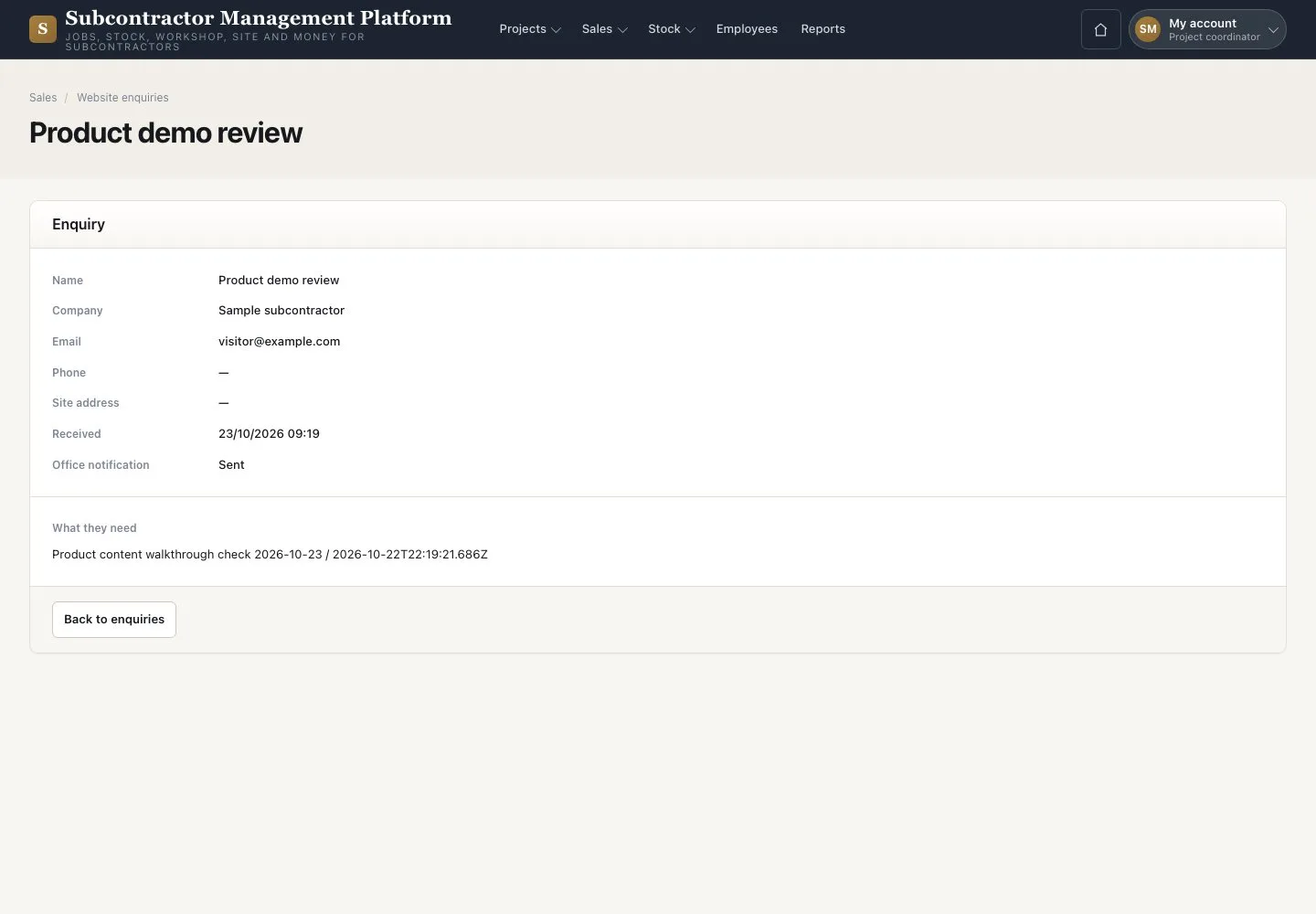
  1. Read the name, contact details and request
  2. Check whether the customer already exists

Open illustrated screen ↗Full image ↗

Project coordinator · Enquiries and customers02

New customer

Project coordinator

New customer

3Step 3 of 4

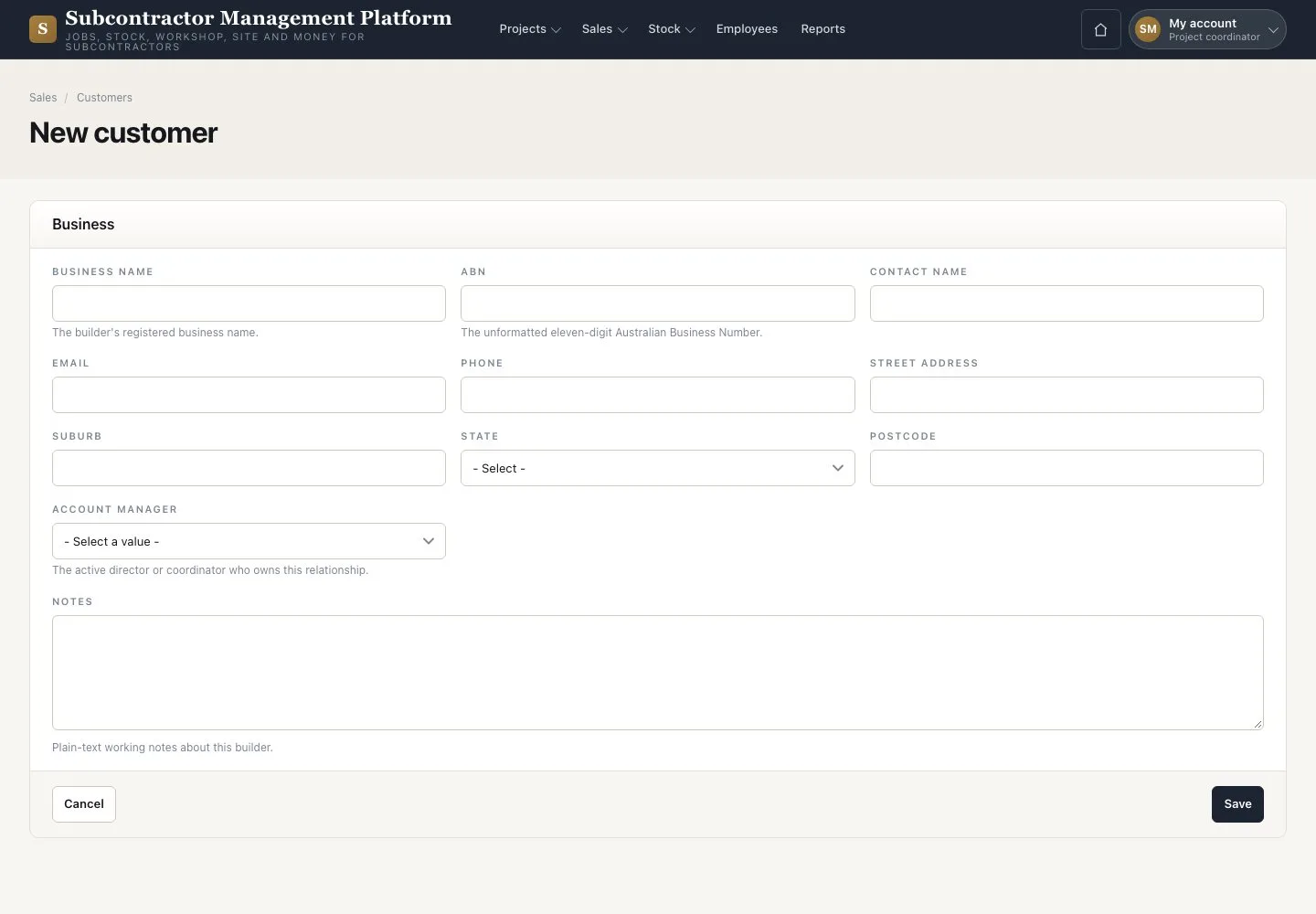
  1. Open Sales → “Customers” → “New customer”
  2. Enter the business name, ABN, address and account manager
  3. Add the primary contact with an email or phone, then press “Save”

A valid contact email is needed before a quote or claim is sent.

Enlarge, then scroll

Open illustrated screen ↗Full image ↗

Project coordinator · Enquiries and customers03

Customer record

Project coordinator

Customer record

4Step 4 of 4

  1. Press “Add contact” for each other contact
  2. Read “At a glance”
  3. Press “New project” to open a job for this customer

Enlarge, then scroll

Open illustrated screen ↗Full image ↗

Check

The customer and its primary contact are recorded.

Project coordinator · Enquiries and customers04
1 / 5
Privacy Terms