My account and Scan

My account · Scan · Me · Password

  • Your own staff account
Worker

My account

Worker

My account

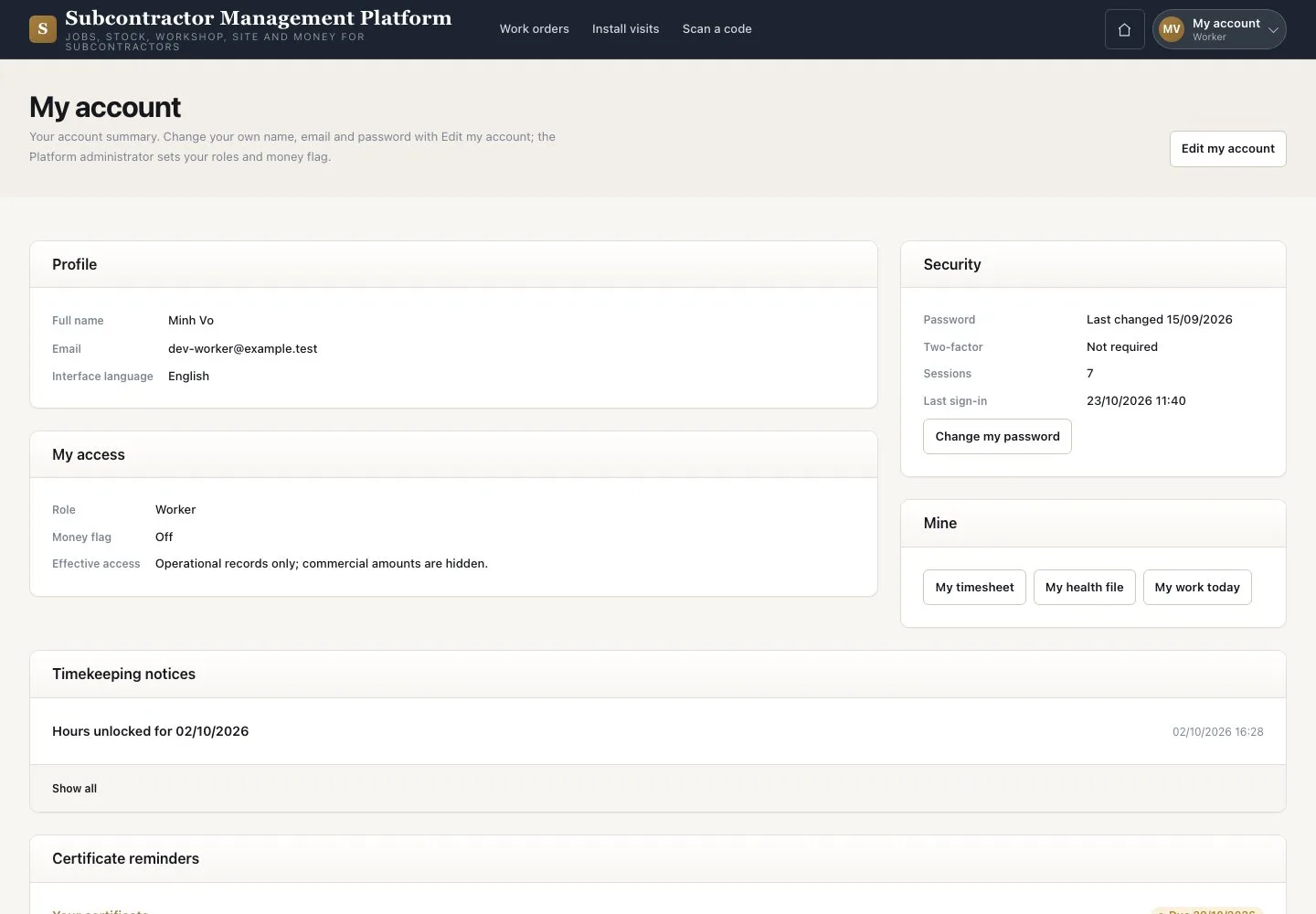
1Step 1 of 3

  1. Check your name, roles and “My access”
  2. Open a notice to reach its record
  3. Use “Mine” for your timesheet, health file and My work

Enlarge, then scroll

Open illustrated screen ↗Full image ↗

Worker · My account and Scan01

Scan

Worker

Scan

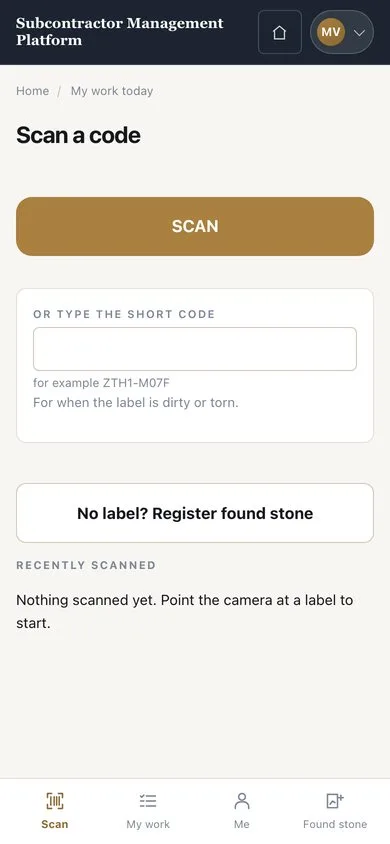
2Step 2 of 3

  1. Open “Scan” and press “SCAN”
  2. Or type the short code when a label is dirty or torn
  3. No label at all? Press “No label? Register found stone”

On a phone the tabs are “Scan”, “My work”, “Me” and “Found stone”.

Enlarge, then scroll

Open illustrated screen ↗Full image ↗

Worker · My account and Scan02

Edit my account

Worker

Edit my account

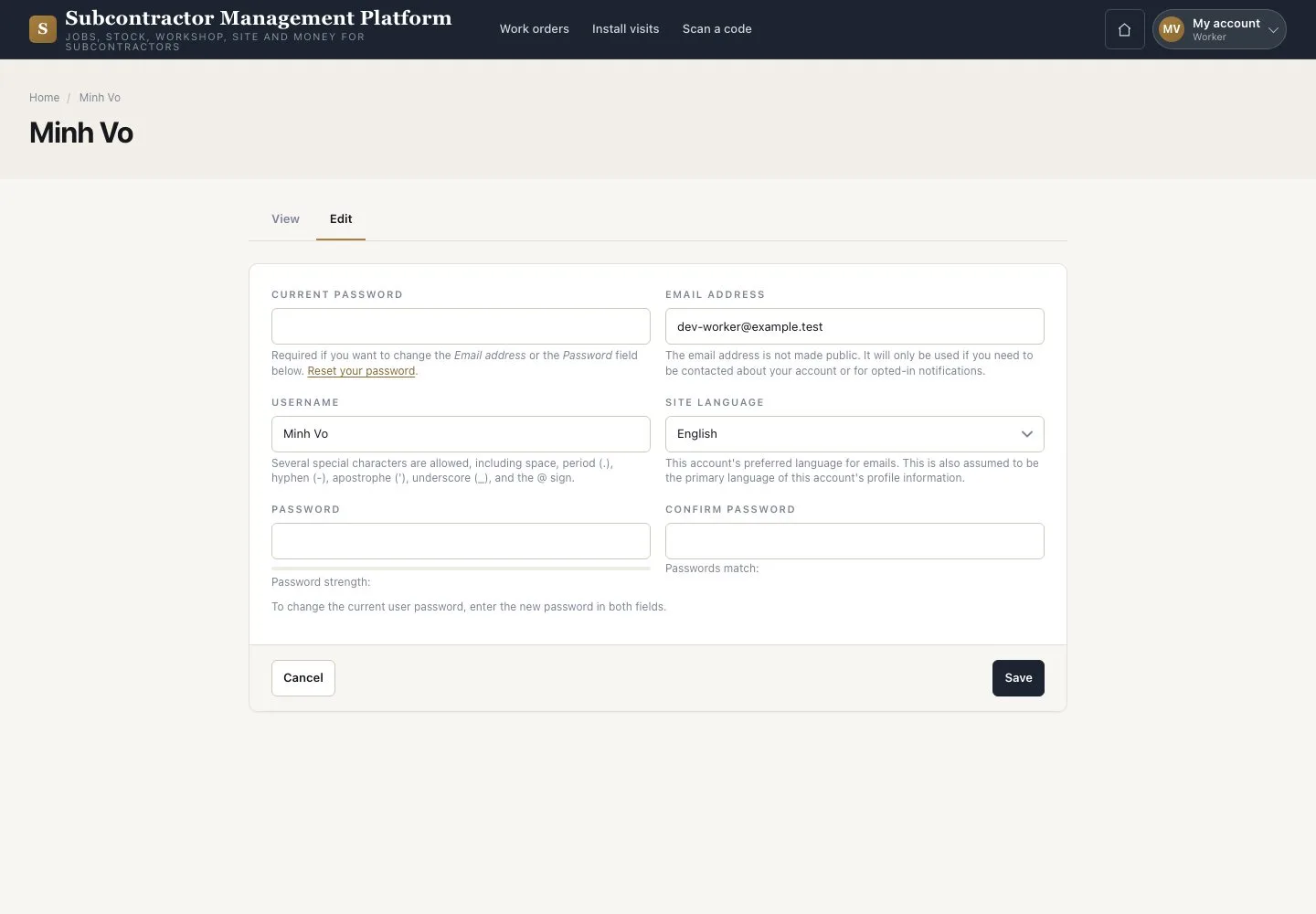
3Step 3 of 3

  1. On My account press “Edit my account” or “Change my password”
  2. Enter your “Current password” to change your email or password
  3. Enter the new password twice and save

Roles, access and status are set by the Platform administrator.

Open illustrated screen ↗Full image ↗

Check

You can reach your work, your account and any labelled piece.

Worker · My account and Scan03
1 / 4
Privacy Terms