Delivery and installation

Install record · Record the delivery · Record the install · Supervisor report

  • The visit is booked for your crew
Supervisor
Record the delivery

Supervisor

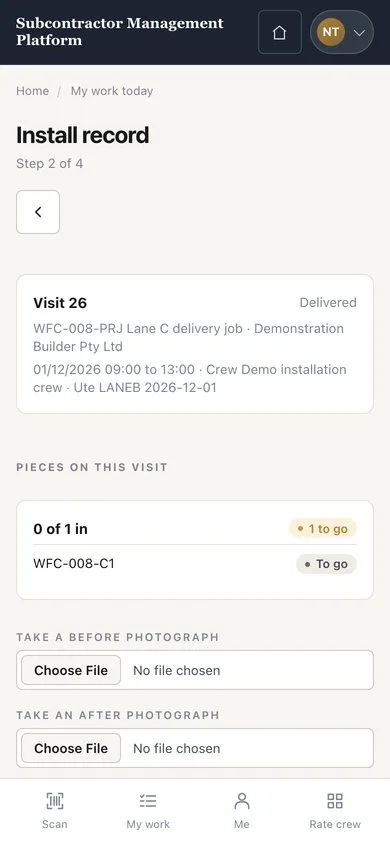
Record the delivery

1Step 1 of 3

  1. Open the install record on your phone
  2. Take the delivery photographs
  3. Press “Record the delivery”

The record buttons are at the end of the install record.

Enlarge, then scroll

Open illustrated screen ↗Full image ↗

Supervisor · Delivery and installation01

Record the install

Supervisor

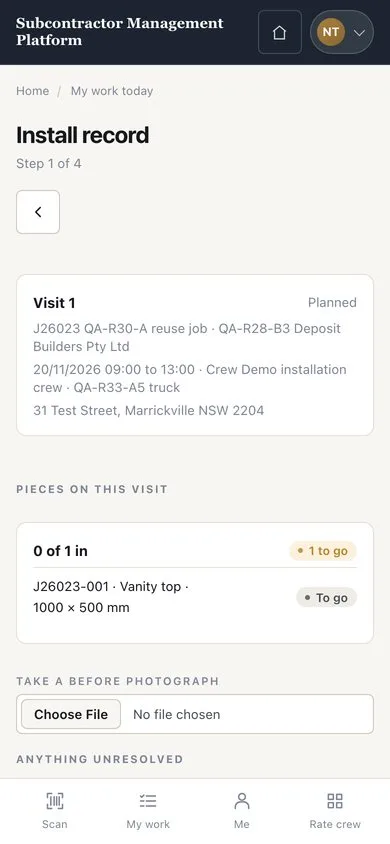
Record the install

2Step 2 of 3

  1. Take the installation photographs
  2. Press “Record the install”
  3. Use “Record a defect” for anything still to fix

Enlarge, then scroll

Open illustrated screen ↗Full image ↗

Supervisor · Delivery and installation02

Supervisor report

Supervisor

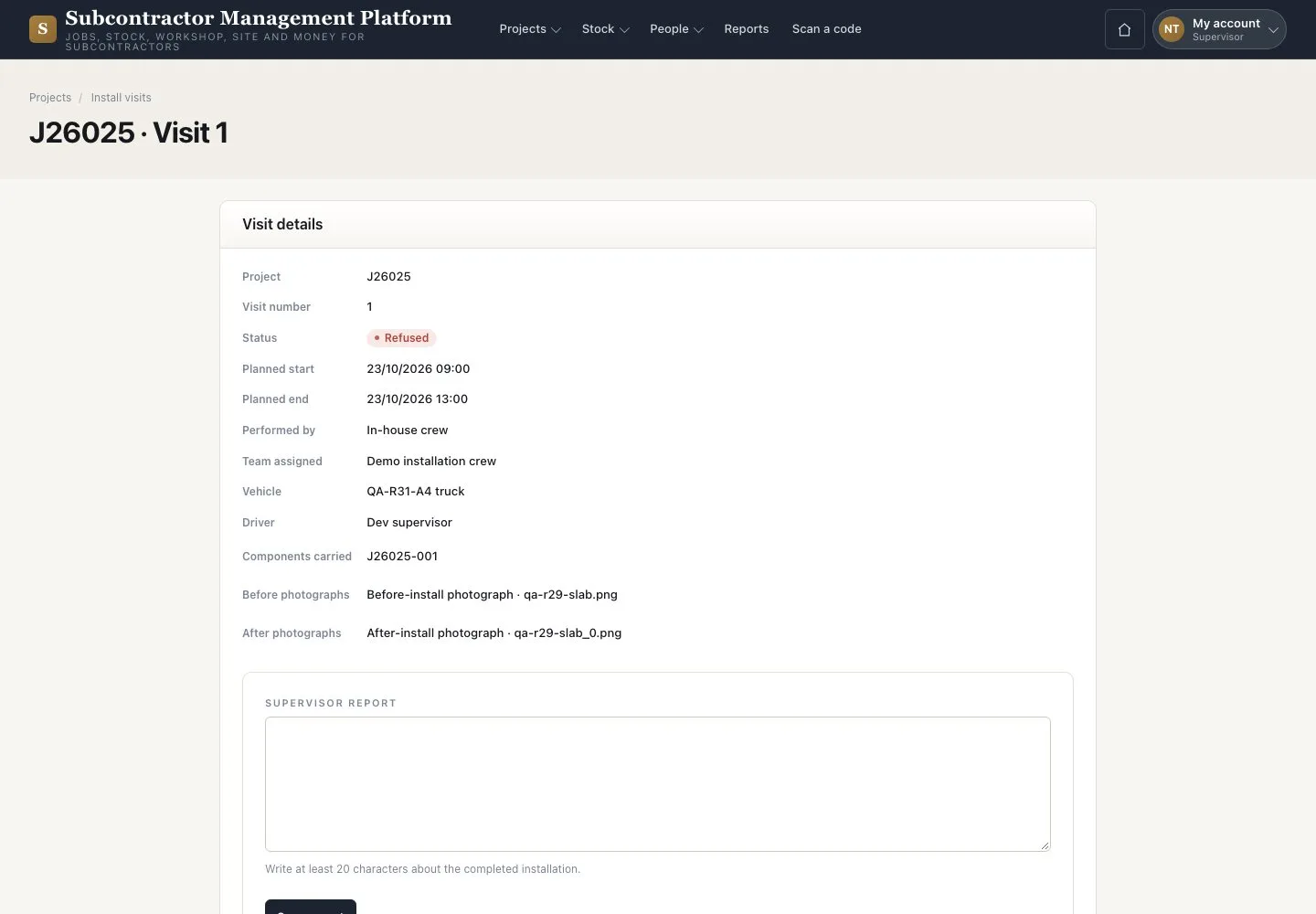
Supervisor report

3Step 3 of 3

  1. Open the visit
  2. Write the facts in “Supervisor report”
  3. Press “Save report”

Scheduling and closing the visit belong to the Project coordinator.

Enlarge, then scroll

Open illustrated screen ↗Full image ↗

Check

The visit is Delivered, then Installed, with your report.

Supervisor · Delivery and installation03
1 / 4
Privacy Terms