










Confirm team time
Timesheets · Confirm · Correct
- The working day is finished
Supervisor
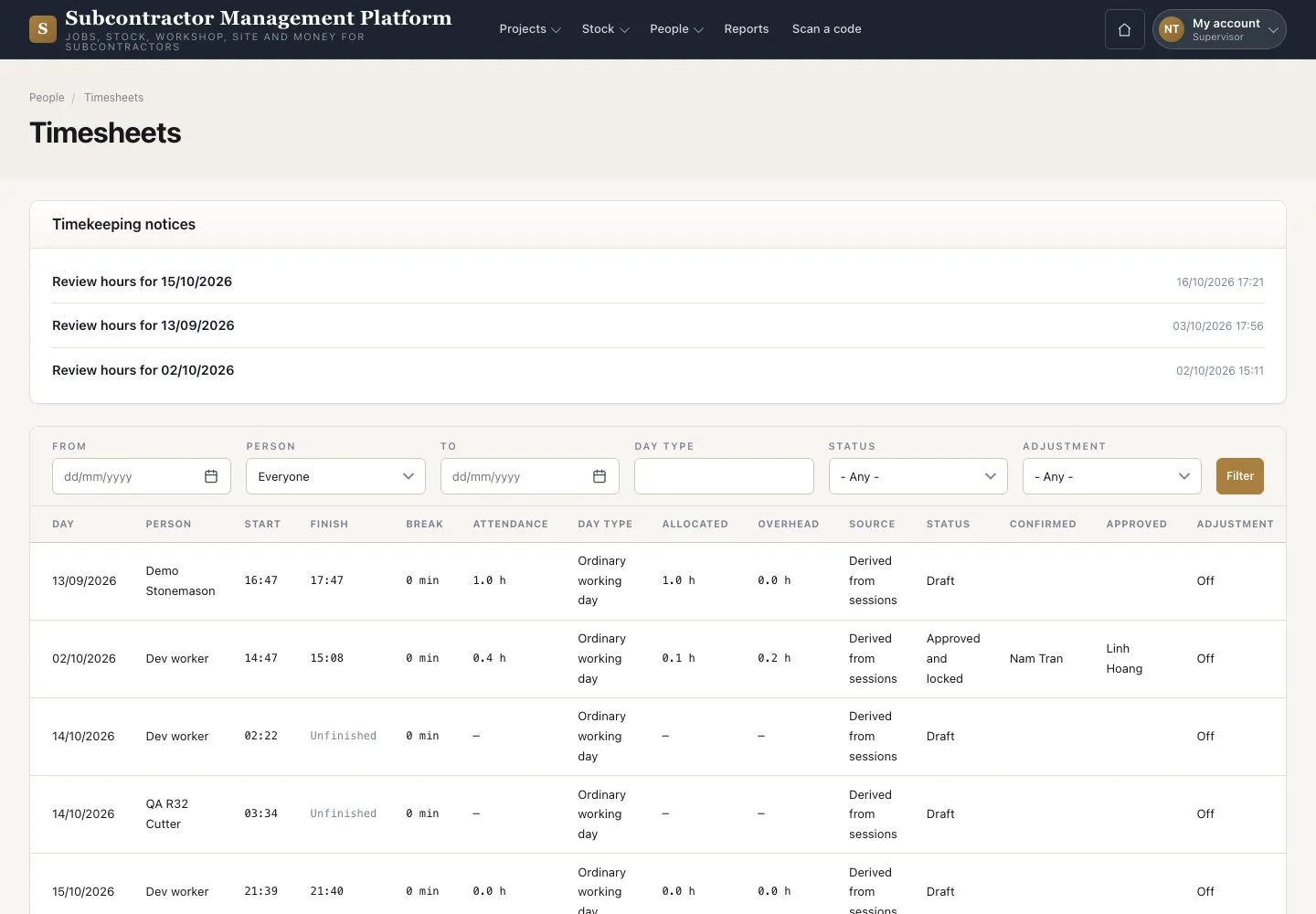
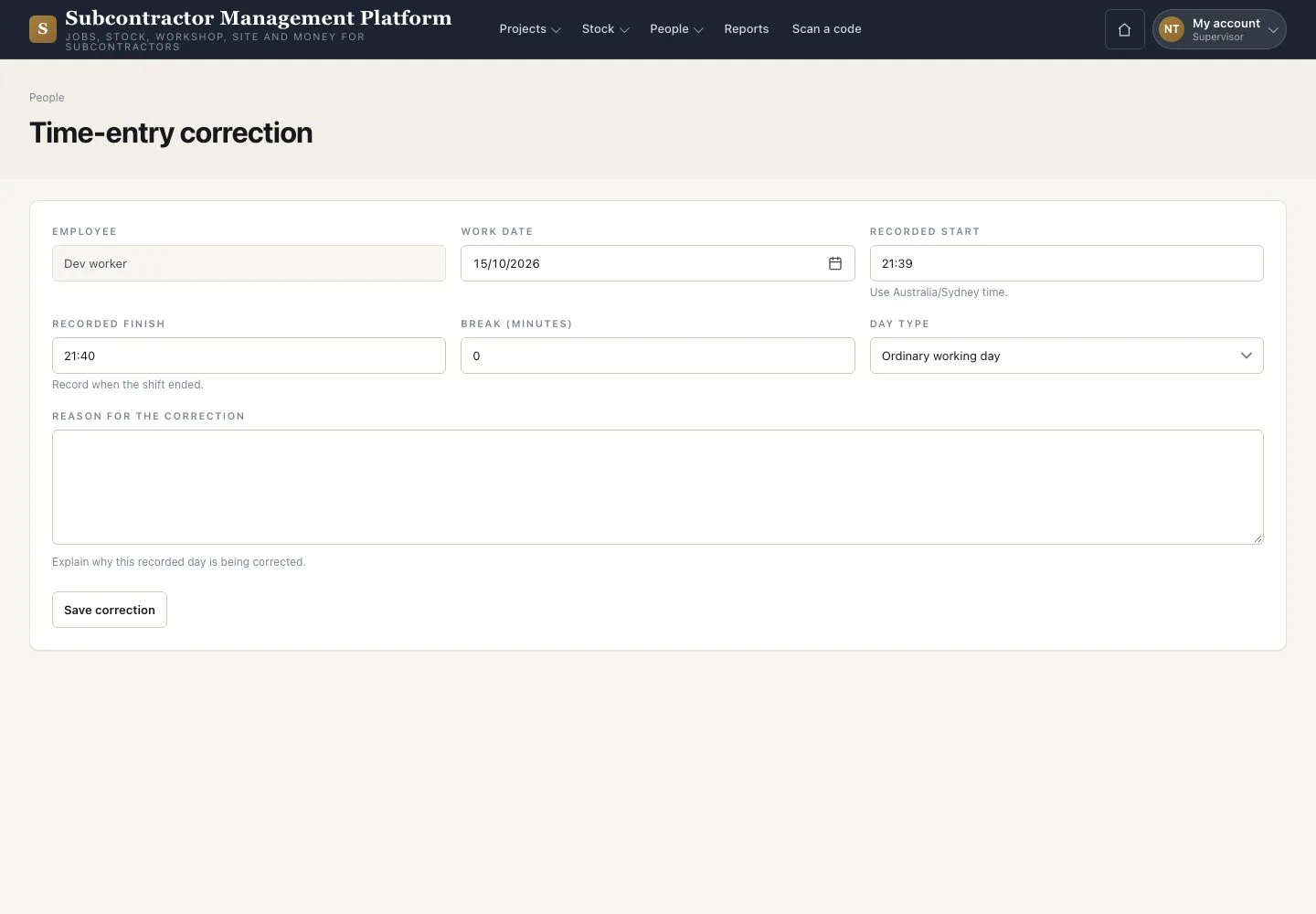

Correct a day
Supervisor

2Step 2 of 2
- Press “Correct” on the day
- Enter the factual times and the reason
- Press “Save correction”
A correction keeps the original entry in the history.
Open illustrated screen ↗Full image ↗
Check
Each day is Confirmed for the Accountant.
1 / 3