Upload a PDF

Workspace · Quick scan · Same file again

  • Signed in as a Creator
  • A PDF up to 100 MB and 500 pages
Creator
Workspace

Creator

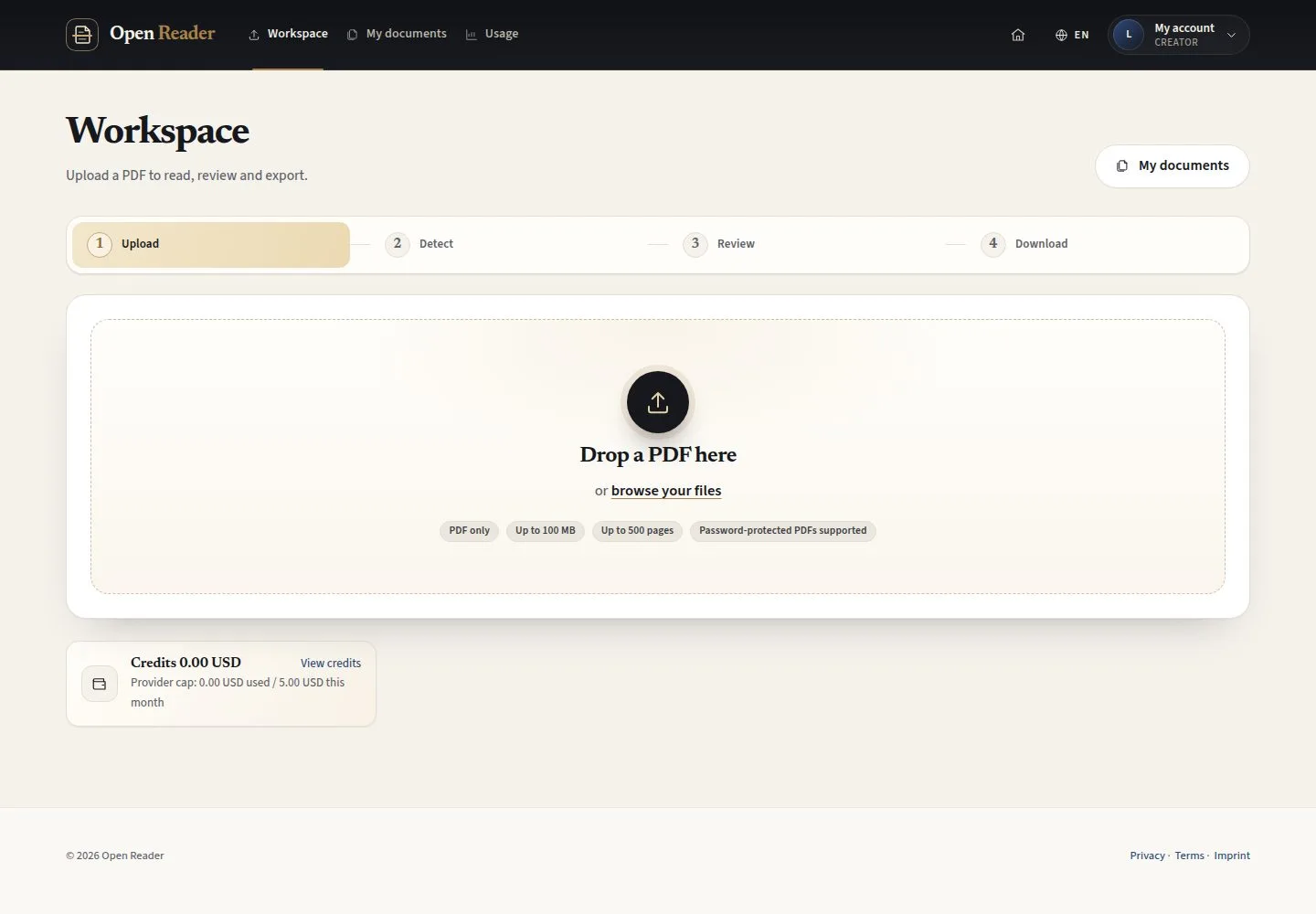
Workspace

1Step 1 of 4

  1. Drop a PDF here
  2. or browse your files

PDF only, up to 100 MB and 500 pages; password-protected PDFs are supported.

Open illustrated screen ↗Full image ↗

Creator · Upload a PDF01

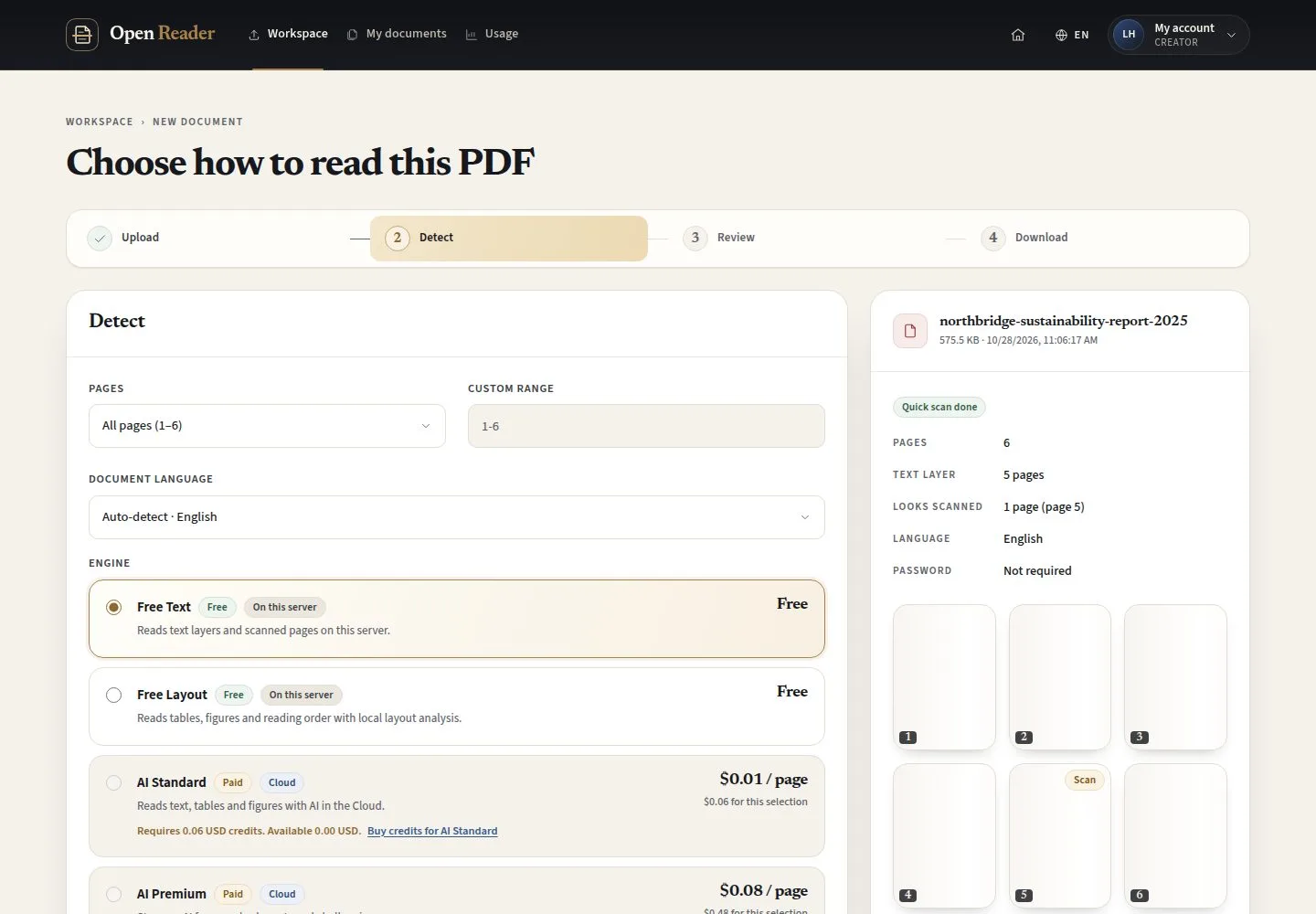
Quick scan

Creator

Quick scan

2Step 2 of 4

  1. Pages · Text layer · Looks scanned · Language
  2. Choose how to read this PDF

Enlarge, then scroll

Open illustrated screen ↗Full image ↗

Creator · Upload a PDF02

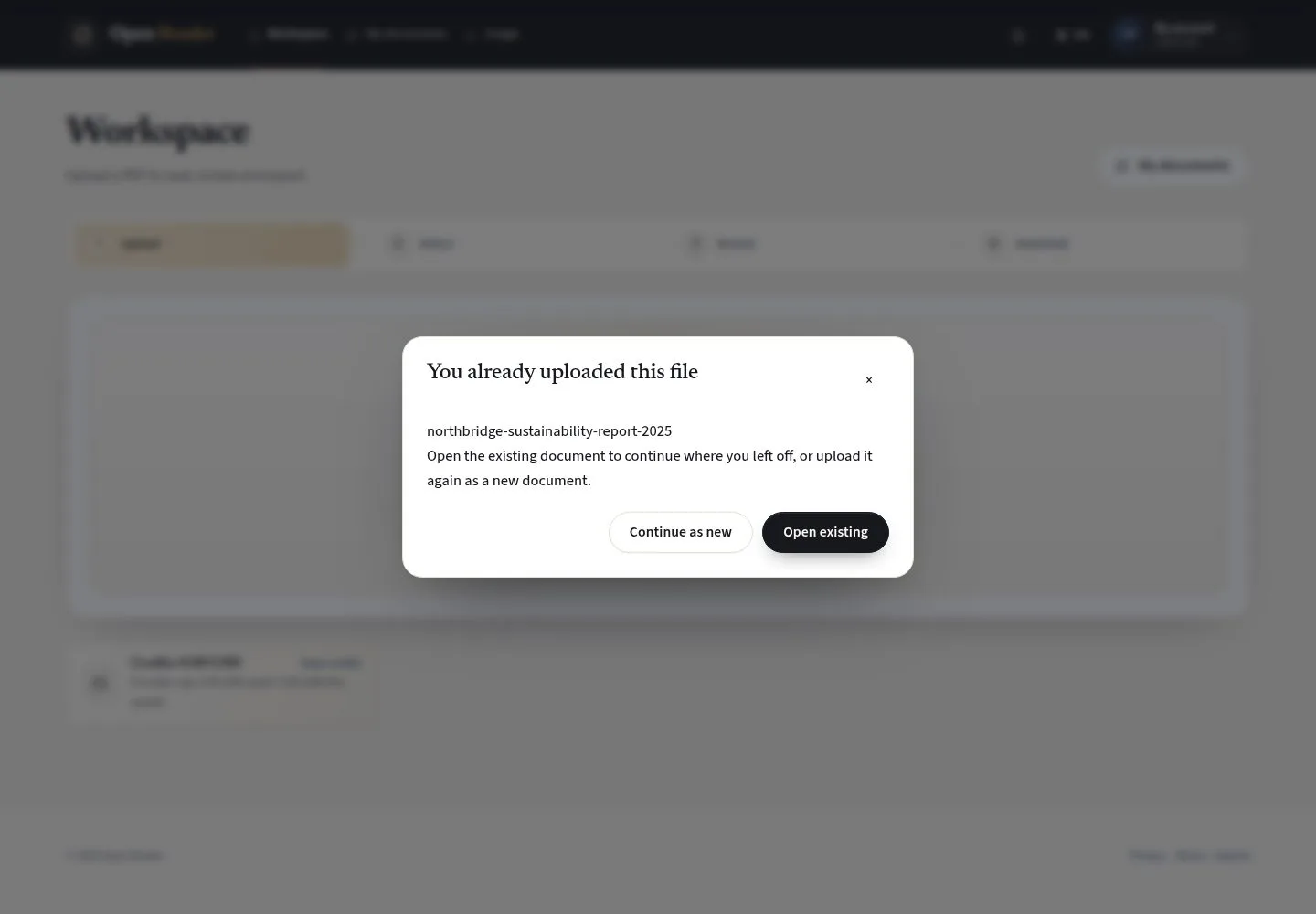
The same file again

Creator

The same file again

3Step 3 of 4

  1. Open existing
  2. Continue as new

Open illustrated screen ↗Full image ↗

Creator · Upload a PDF03

A second copy

Creator

A second copy

4Step 4 of 4

  1. A new document with its own runs
  2. Detect

Enlarge, then scroll

Open illustrated screen ↗Full image ↗

Check

The document opens at Detect with its quick scan

Creator · Upload a PDF04
1 / 5
Privacy Terms