Account and usage

Display name · Email · Password · Language · Usage

  • Signed in
Creator

Display name

Creator

Display name

1Step 1 of 5

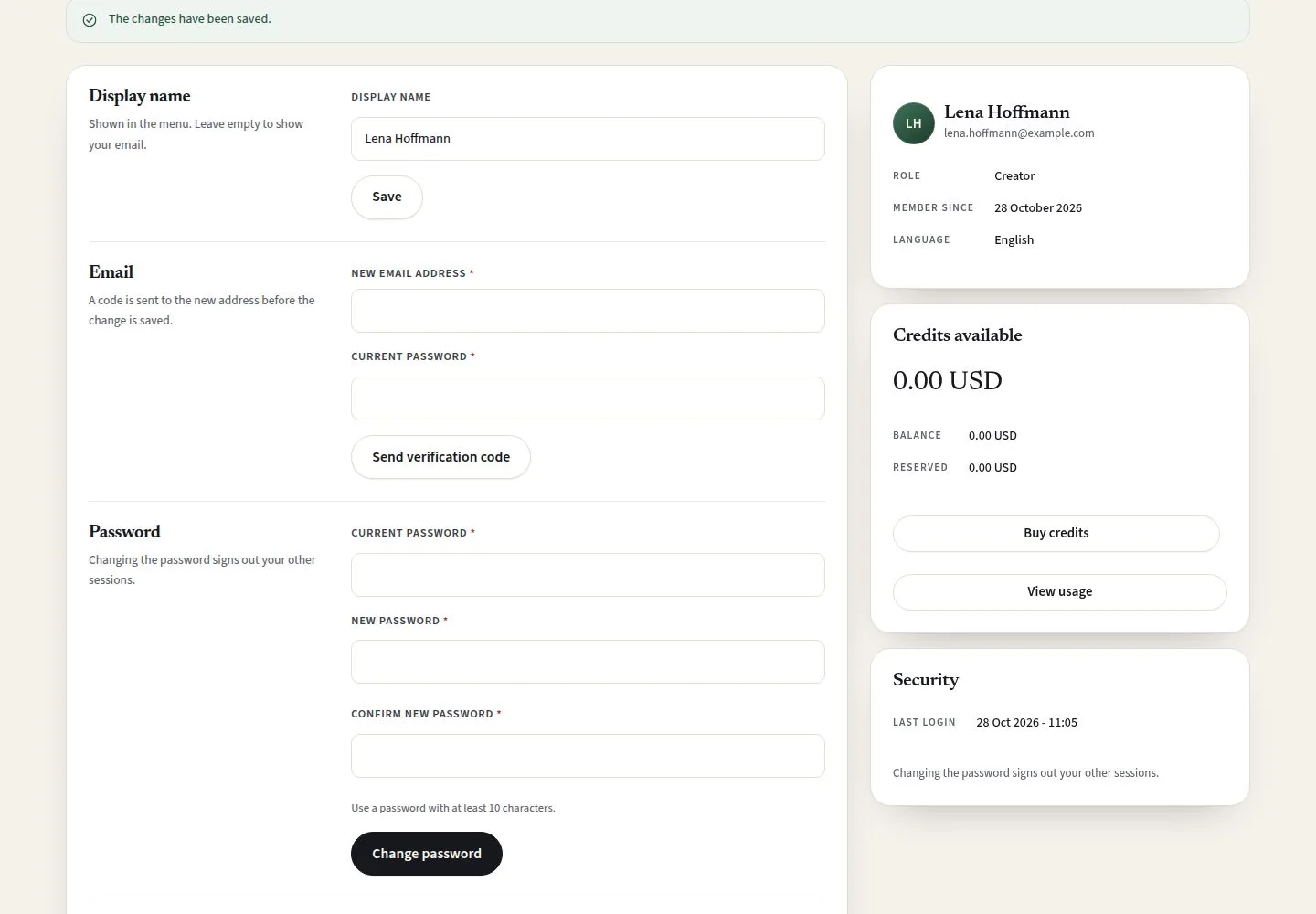
  1. Display name
  2. Save

Enlarge, then scroll

Open illustrated screen ↗Full image ↗

Creator · Account and usage01

Account settings

Creator

Account settings

2Step 2 of 5

  1. Email (with a code)
  2. Password
  3. Interface language: English · Deutsch

Enlarge, then scroll

Open illustrated screen ↗Full image ↗

Creator · Account and usage02

Usage

Creator

Usage

3Step 3 of 5

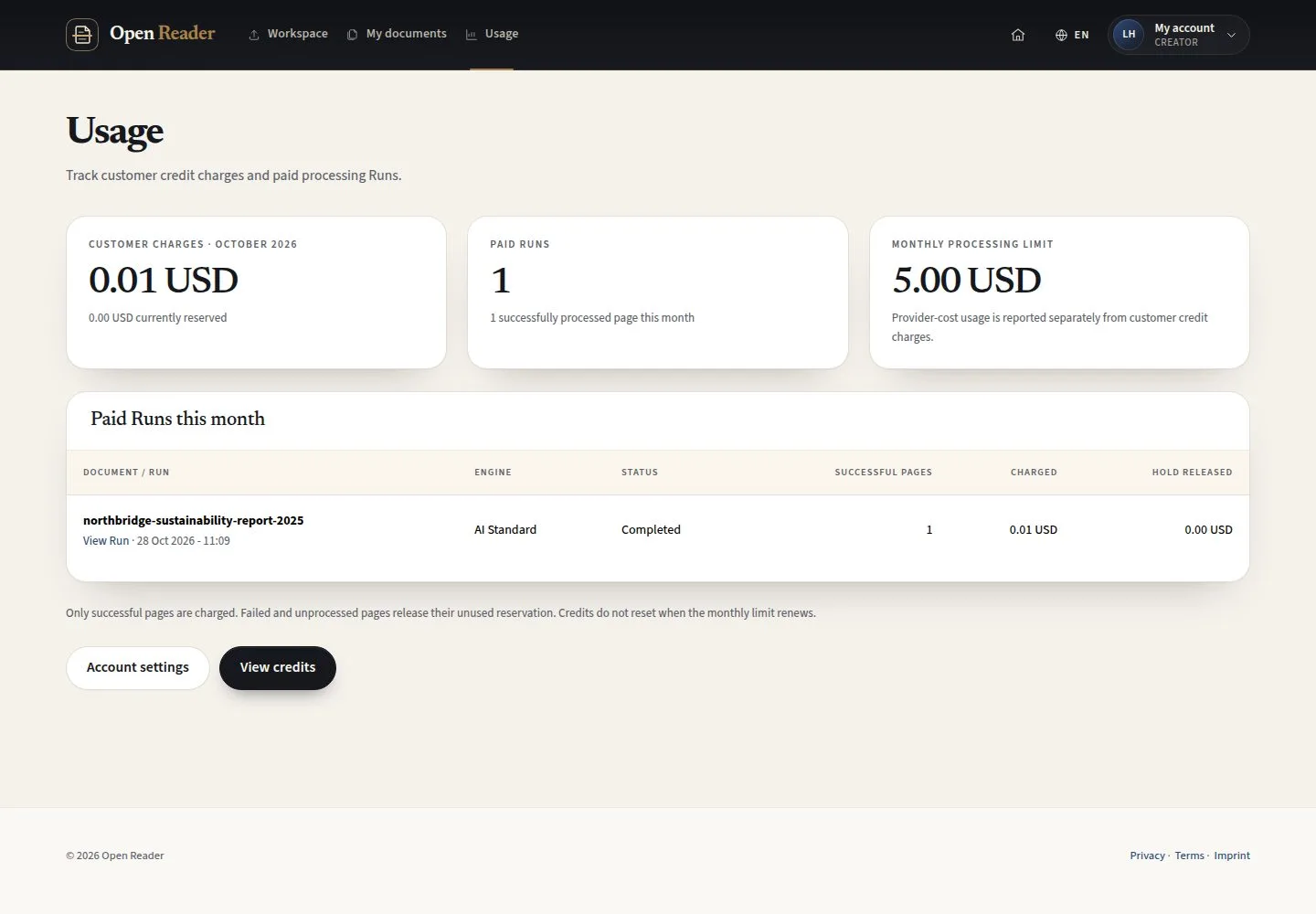
  1. Customer charges this month
  2. Paid runs this month
  3. View Run

Open illustrated screen ↗Full image ↗

Creator · Account and usage03

Run details

Creator

Run details

4Step 4 of 5

  1. Processing: engine, pages, status
  2. Credits and provider usage
  3. Page outcomes

Enlarge, then scroll

Open illustrated screen ↗Full image ↗

Creator · Account and usage04

Delete account

Creator

Delete account

5Step 5 of 5

  1. Current password
  2. Type DELETE to confirm
  3. Credits and payments
  4. Delete account

Deleting the account does not refund credits or cancel payments; review the purchase history first.

Enlarge, then scroll

Open illustrated screen ↗Full image ↗

Check

Your account details are current and you know what each AI run cost

Creator · Account and usage05
1 / 6
Privacy Terms