Buy credits

Credits · $10 · $25 · $50 · $100 · Stripe · PayPal

  • Signed in as a Creator
Creator

AI waits for credits

Creator

AI waits for credits

1Step 1 of 6

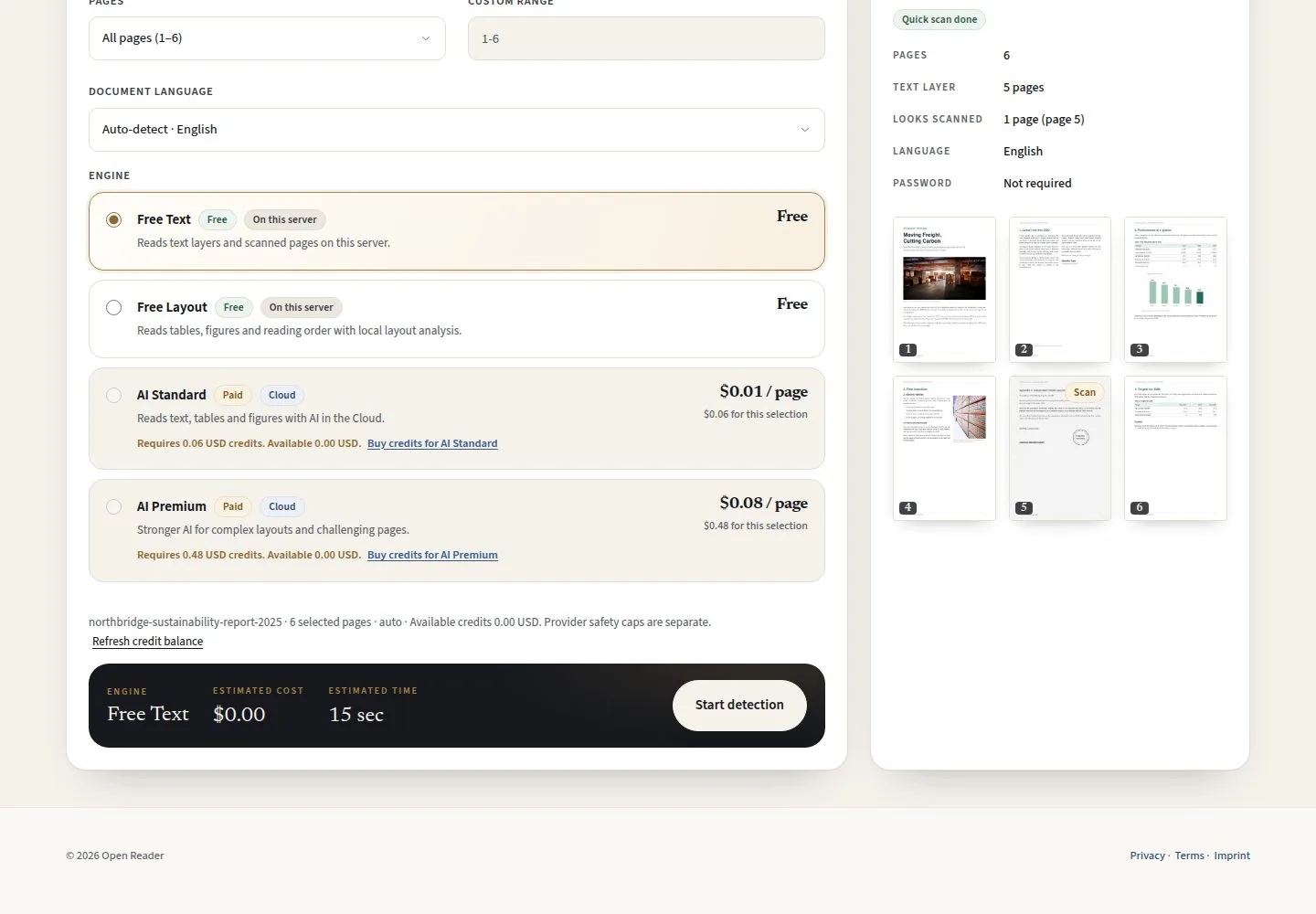
  1. AI Standard · AI Premium
  2. Requires … USD credits
  3. Buy credits for AI Standard

All four engines stay on the picker; AI unlocks when your credits cover the quote of the chosen pages.

Enlarge, then scroll

Open illustrated screen ↗Full image ↗

Creator · Buy credits01

Credits

Creator

Credits

2Step 2 of 6

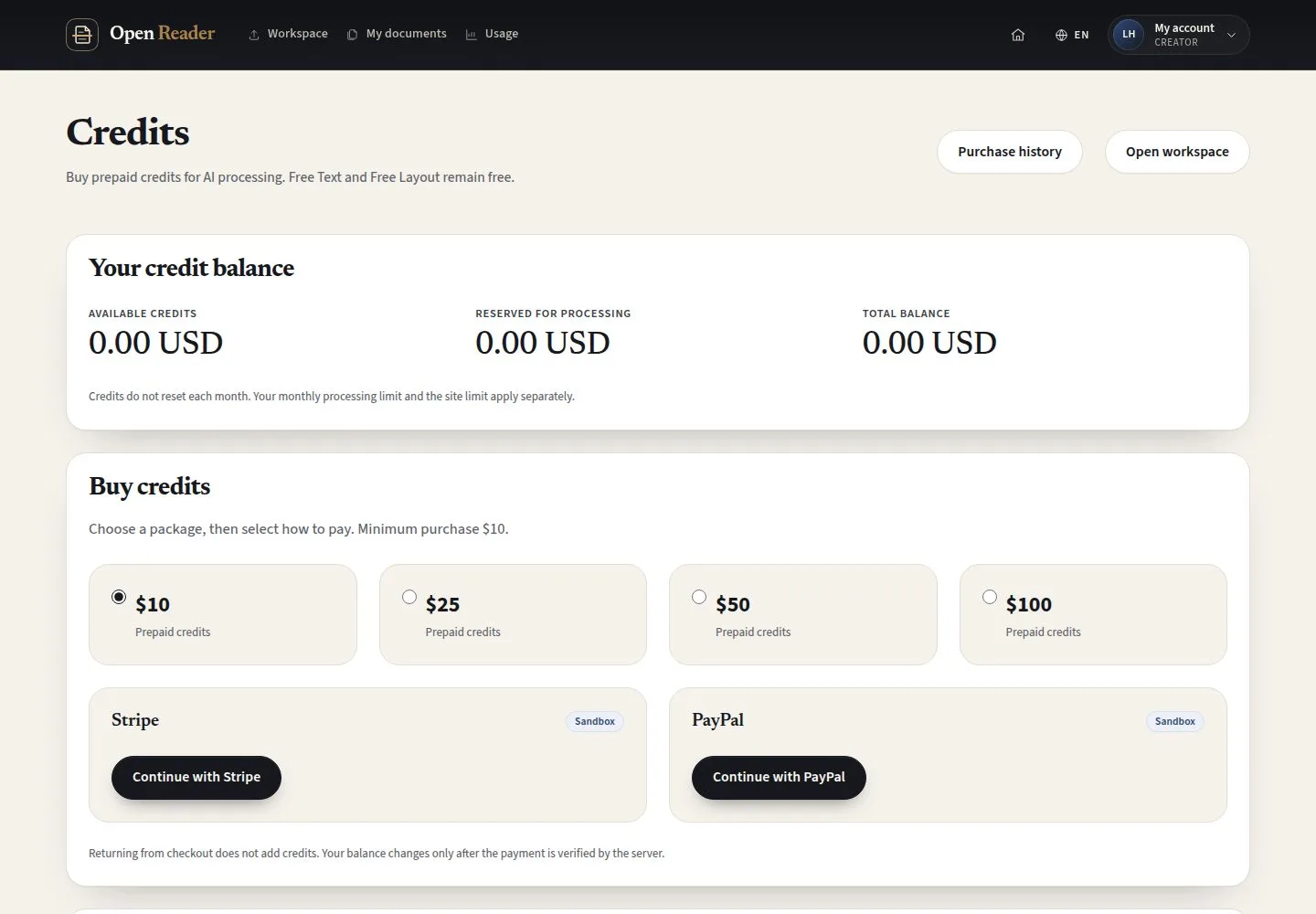
  1. Available · Reserved · Total balance
  2. $10 · $25 · $50 · $100
  3. Continue with Stripe or PayPal

Enlarge, then scroll

Open illustrated screen ↗Full image ↗

Creator · Buy credits02

Checkout

Creator

Checkout

3Step 3 of 6

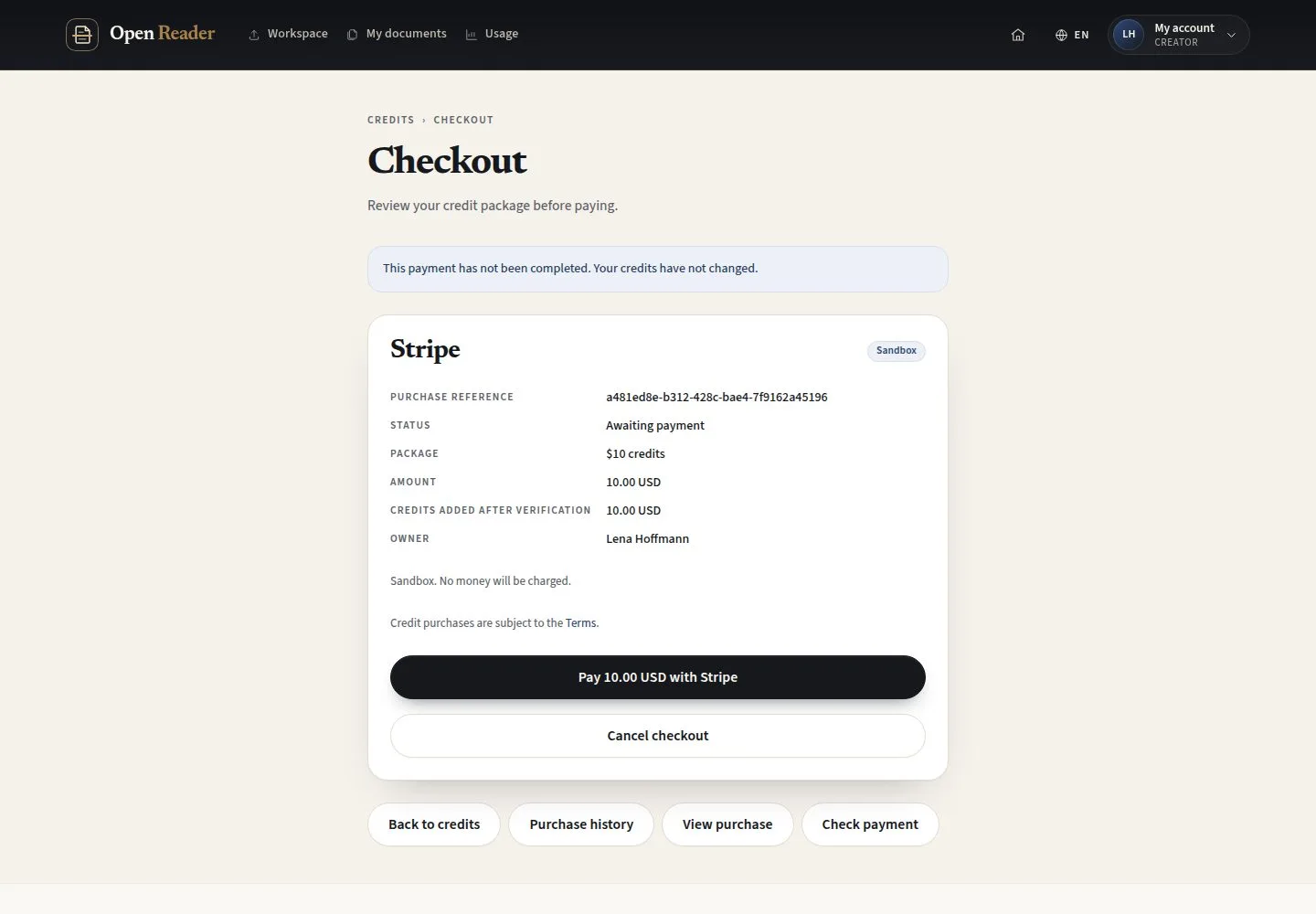
  1. Purchase reference · Package · Amount
  2. Pay 10.00 USD with Stripe
  3. Cancel checkout

Sandbox: no money is charged. Stripe opens its own secure payment page and returns you here.

Enlarge, then scroll

Open illustrated screen ↗Full image ↗

Creator · Buy credits03

Back from Stripe

Creator

Back from Stripe

4Step 4 of 6

  1. Payment verified
  2. Your balance has been updated
  3. Check payment

Returning from checkout does not add credits; the balance changes after the server verifies the payment.

Enlarge, then scroll

Open illustrated screen ↗Full image ↗

Creator · Buy credits04

Purchase history

Creator

Purchase history

5Step 5 of 6

  1. Purchase · Status · Paid · Credits added
  2. View purchase
  3. Filter purchases

Open illustrated screen ↗Full image ↗

Creator · Buy credits05

Credits available

Creator

Credits available

6Step 6 of 6

  1. Available credits
  2. Credit history

Enlarge, then scroll

Open illustrated screen ↗Full image ↗

Check

The payment is verified and the credits are available

Creator · Buy credits06
1 / 7
Privacy Terms