








Re-read and re-run

A region or chosen pages, with any engine

  • A document with a result
Creator

Draw a region

Creator

Draw a region

1Step 1 of 7

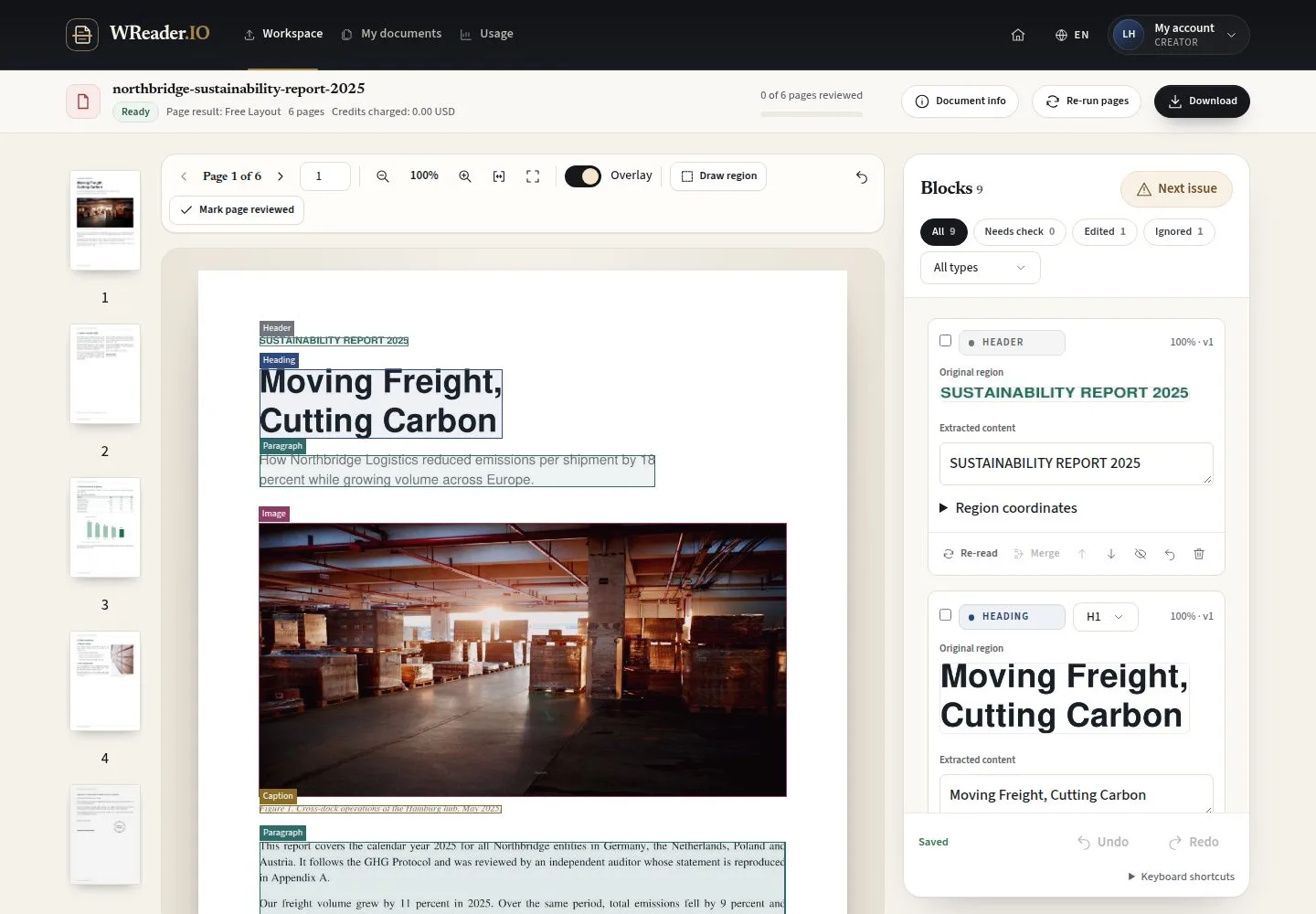
  1. Draw region on the page image.
  2. Add block types the text yourself; Re-read region lets an engine read it.

Open illustrated screen ↗Full image ↗

Creator · Re-read and re-run01

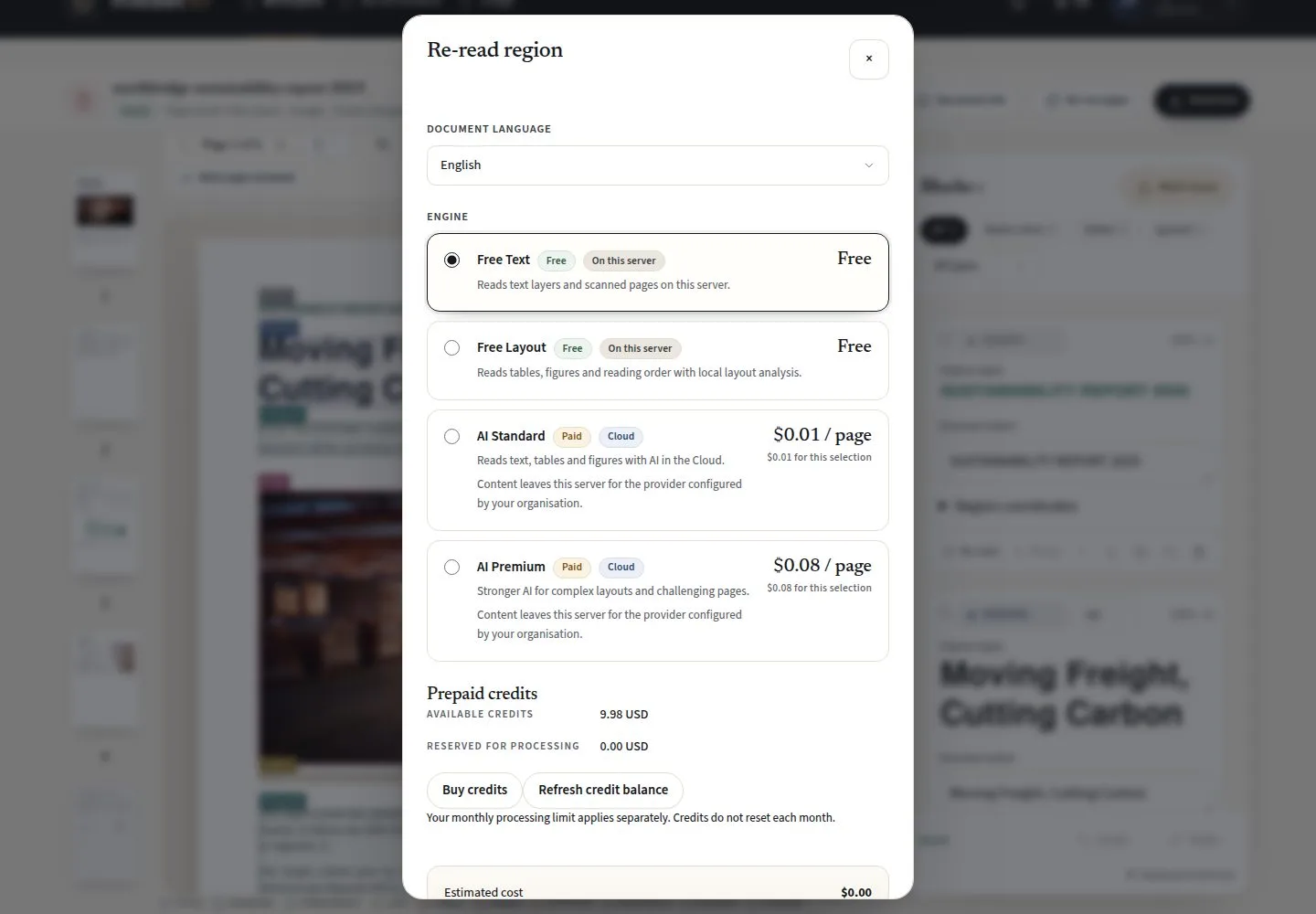
Choose an engine

Creator

Choose an engine

2Step 2 of 7

  1. All four engines; a region counts as one page.
  2. AI engines show their price and need your confirmation as in a full Run.

Open illustrated screen ↗Full image ↗

Creator · Re-read and re-run02

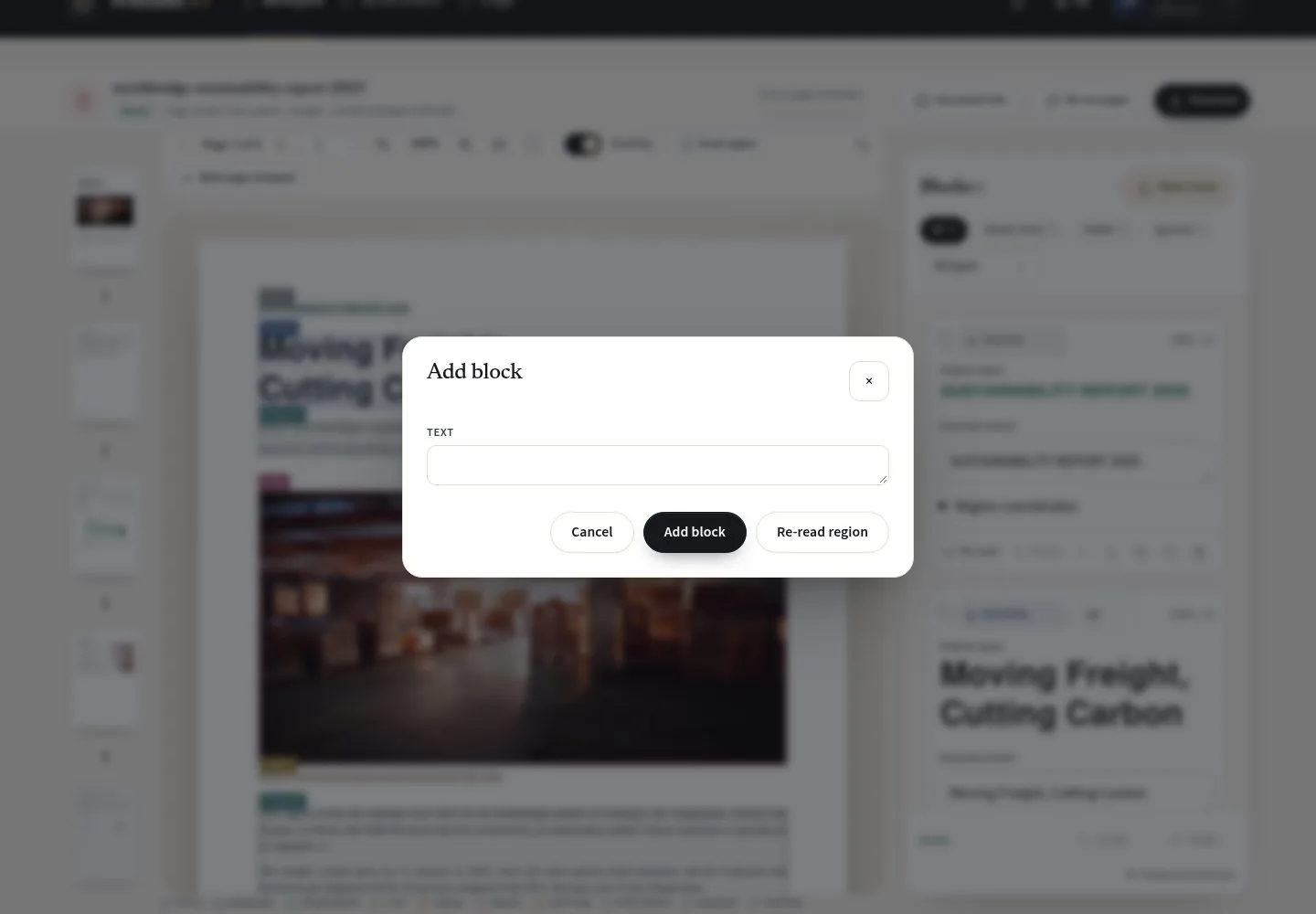
A new block

Creator

A new block

3Step 3 of 7

  1. The text of a new region becomes a manual block.

Open illustrated screen ↗Full image ↗

Creator · Re-read and re-run03

Re-read one block

Creator

Re-read one block

4Step 4 of 7

  1. Re-read on a block replaces its text when the Run succeeds.
  2. Its type, region and other corrections stay.

Open illustrated screen ↗Full image ↗

Creator · Re-read and re-run04

Re-run pages

Creator

Re-run pages

5Step 5 of 7

  1. All pages or the pages you tick.
  2. Choose the language and the engine.

Open illustrated screen ↗Full image ↗

Creator · Re-read and re-run05

Keep your corrections

Creator

Keep your corrections

6Step 6 of 7

  1. Corrections stay by default.
  2. Discard my corrections is a choice of its own.

A failed re-run leaves the earlier result as it was.

Open illustrated screen ↗Full image ↗

Creator · Re-read and re-run06

The page read again

Creator

The page read again

7Step 7 of 7

  1. The header names the engine of the result of this page.
  2. The page is no longer marked reviewed.

Open illustrated screen ↗Full image ↗

Check

A new Run reads the region or the pages again; earlier results stay until it succeeds

Creator · Re-read and re-run07
1 / 8
Privacy Terms