






Four engines

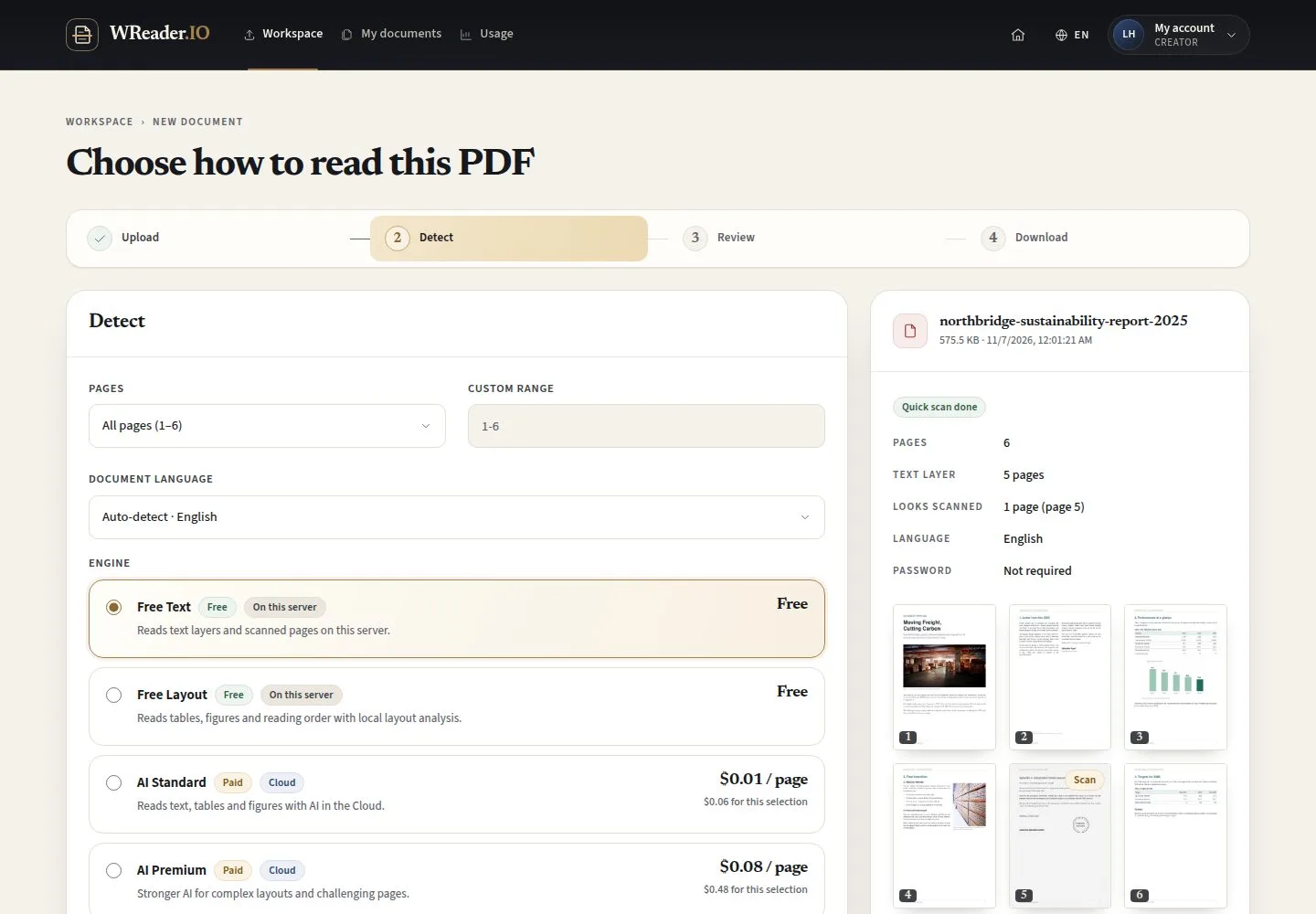
Two free on the server, two AI priced per page

  • An uploaded document
Creator

Choose how to read

Creator

Choose how to read

1Step 1 of 10

  1. Free Text reads text layers and scanned pages on this server.
  2. Free Layout adds tables, figures and reading order, also on this server.
  3. AI Standard reads text, tables and figures with AI in the Cloud; AI Premium is the stronger AI for complex layouts.

All four are always on the picker.

Enlarge, then scroll

Open illustrated screen ↗Full image ↗

Creator · Four engines01

Pages and price

Creator

Pages and price

2Step 2 of 10

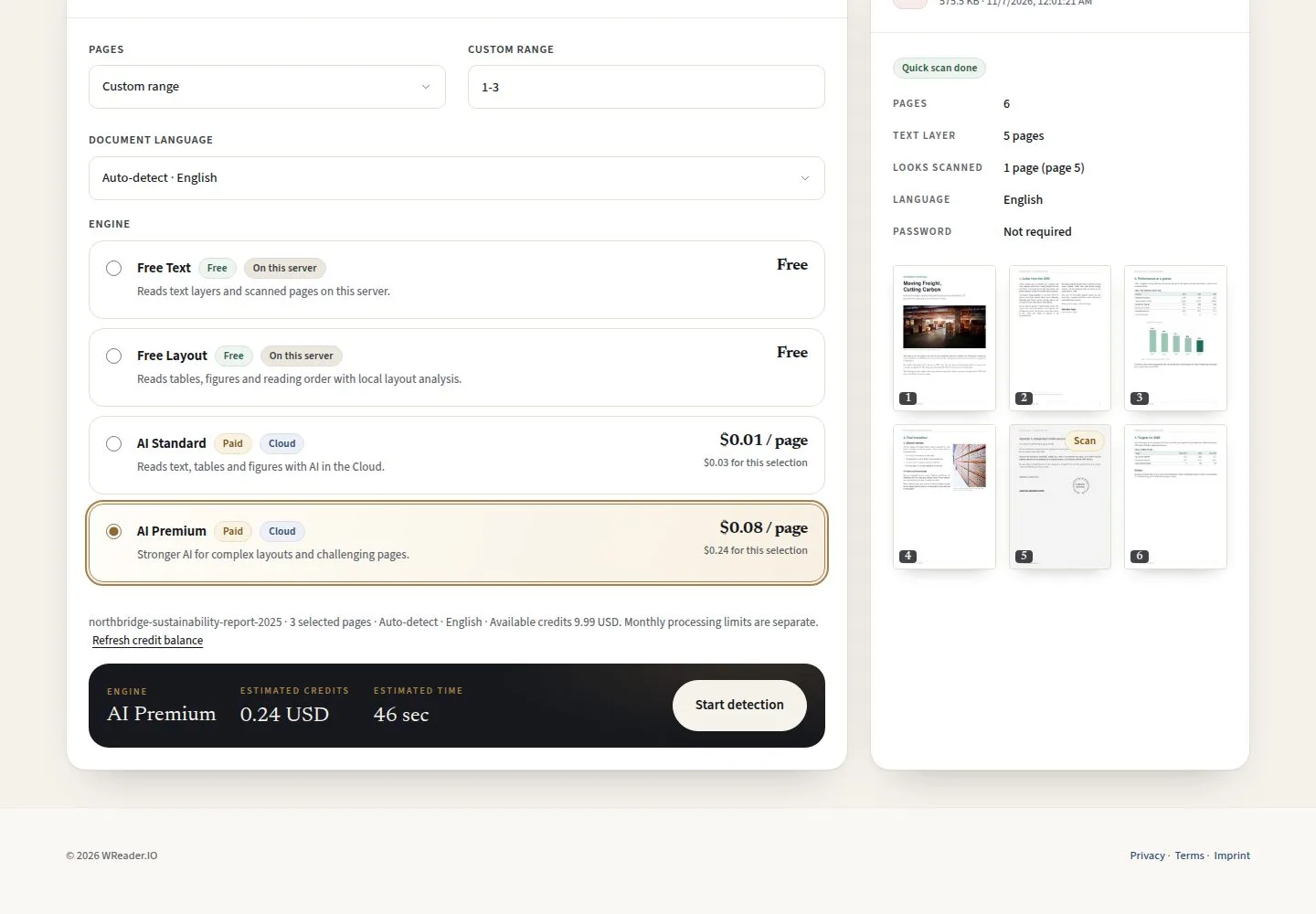
  1. All pages or a custom range such as 1-3.
  2. Each AI engine shows its price per page and for this selection.
  3. The bar at the bottom shows the engine, the cost and the time expected.

Enlarge, then scroll

Open illustrated screen ↗Full image ↗

Creator · Four engines02

Language

Creator

Language

3Step 3 of 10

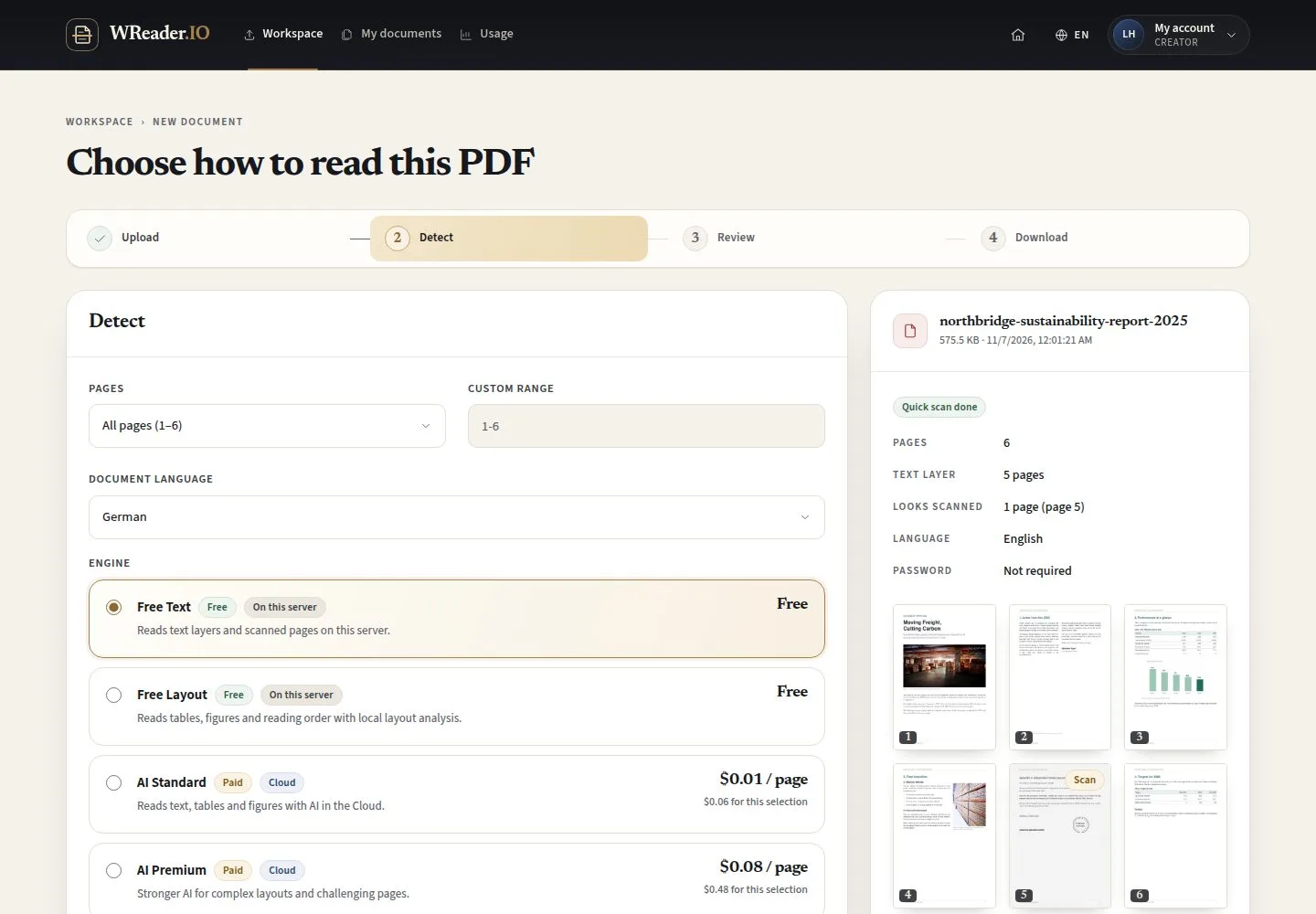
  1. Auto-detect uses the language of the scan.
  2. One Run has one language: English or German.

A mixed PDF takes one Run per language, on its own pages.

Enlarge, then scroll

Open illustrated screen ↗Full image ↗

Creator · Four engines03

A free engine

Creator

A free engine

4Step 4 of 10

  1. Choose Free Text or Free Layout.
  2. Start detection starts at once; no credits are involved.

Enlarge, then scroll

Open illustrated screen ↗Full image ↗

Creator · Four engines04

Pages that do not exist

Creator

Pages that do not exist

5Step 5 of 10

  1. A range outside the document blocks Start.
  2. The engines stay on the picker.

Enlarge, then scroll

Open illustrated screen ↗Full image ↗

Creator · Four engines05

AI without credits

Creator

AI without credits

6Step 6 of 10

  1. AI Standard and AI Premium stay visible and say what they require.
  2. Buy credits keeps the way back to this PDF.

Enlarge, then scroll

Open illustrated screen ↗Full image ↗

Creator · Four engines06

Credits equal to the quote

Creator

Credits equal to the quote

7Step 7 of 10

  1. Available credits equal to the quote are enough.
  2. Refresh credit balance reads a new balance.

Enlarge, then scroll

Open illustrated screen ↗Full image ↗

Creator · Four engines07

Credits run short

Creator

Credits run short

8Step 8 of 10

  1. A selected AI engine that loses its credits stays selected but locked.
  2. Start is blocked until you choose a free engine or add credits.

WReader.IO never switches engine by itself.

Enlarge, then scroll

Open illustrated screen ↗Full image ↗

Creator · Four engines08

Confirm credits and Cloud

Creator

Confirm credits and Cloud

9Step 9 of 10

  1. Engine, pages and the credits to reserve.
  2. The monthly limits left, yours and the site’s.
  3. The selected page content goes to the configured Cloud provider.

Only successful pages are charged; the unused reservation is released.

Open illustrated screen ↗Full image ↗

Creator · Four engines09

Confirm and start

Creator

Confirm and start

10Step 10 of 10

  1. Tick the confirmation; Confirm and start opens.
  2. Cancel leaves everything as it was; opening the dialog again asks again.

Open illustrated screen ↗Full image ↗

Check

The Run is accepted and the document goes to Processing

Creator · Four engines10
1 / 11
Privacy Terms