Start the shift

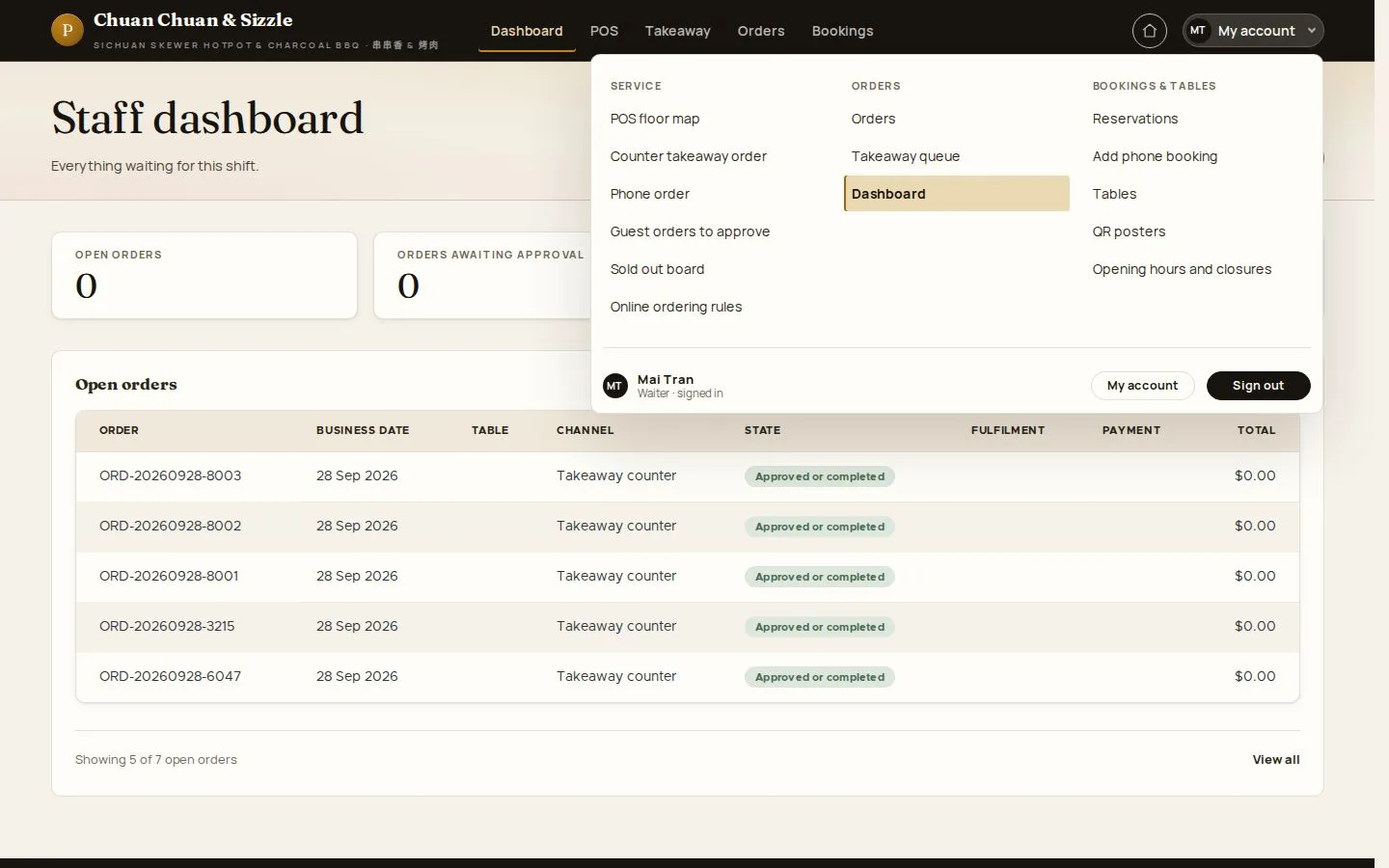
Staff dashboard · My account menu · Orders

  • A Waiter account
Waiter

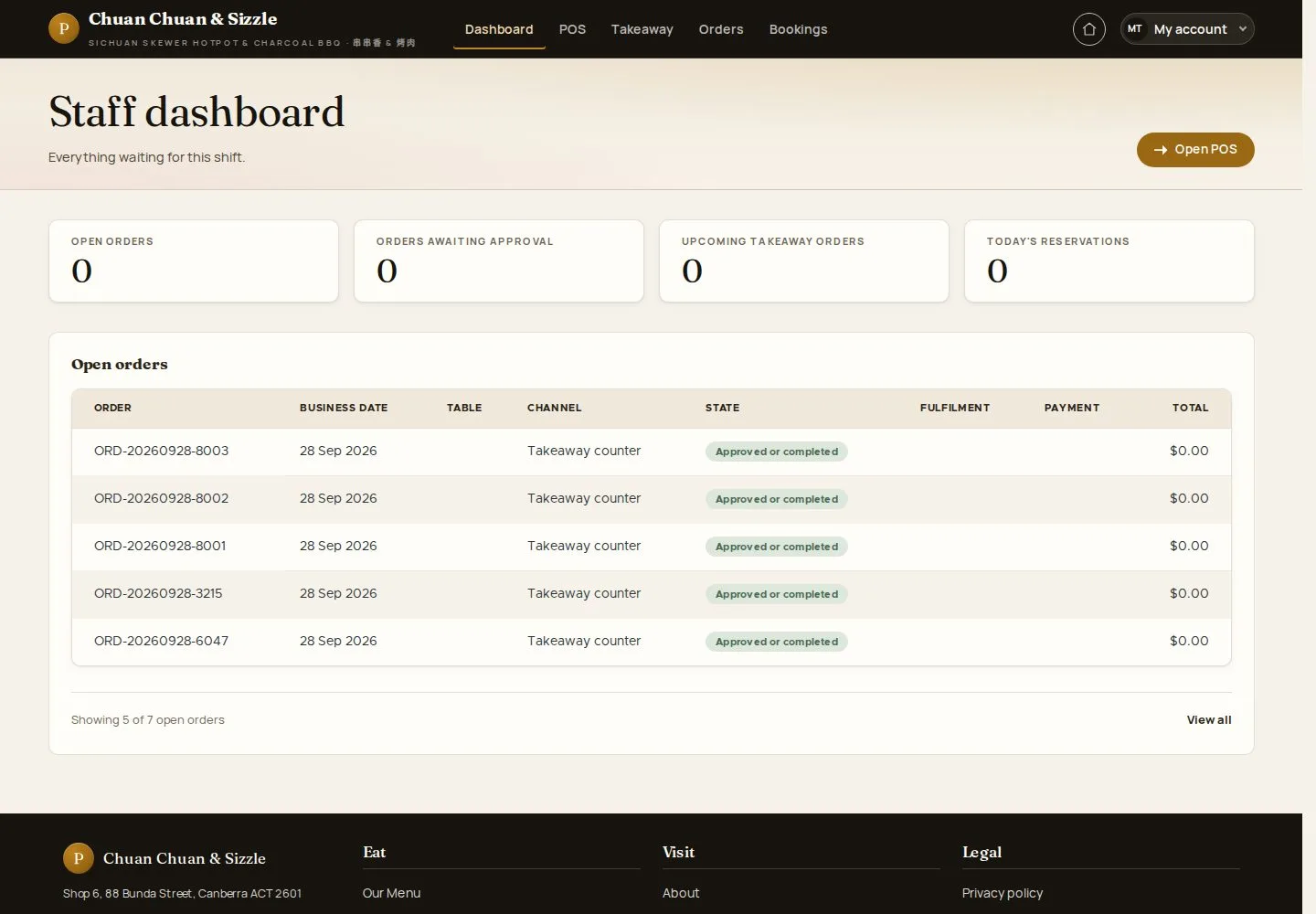
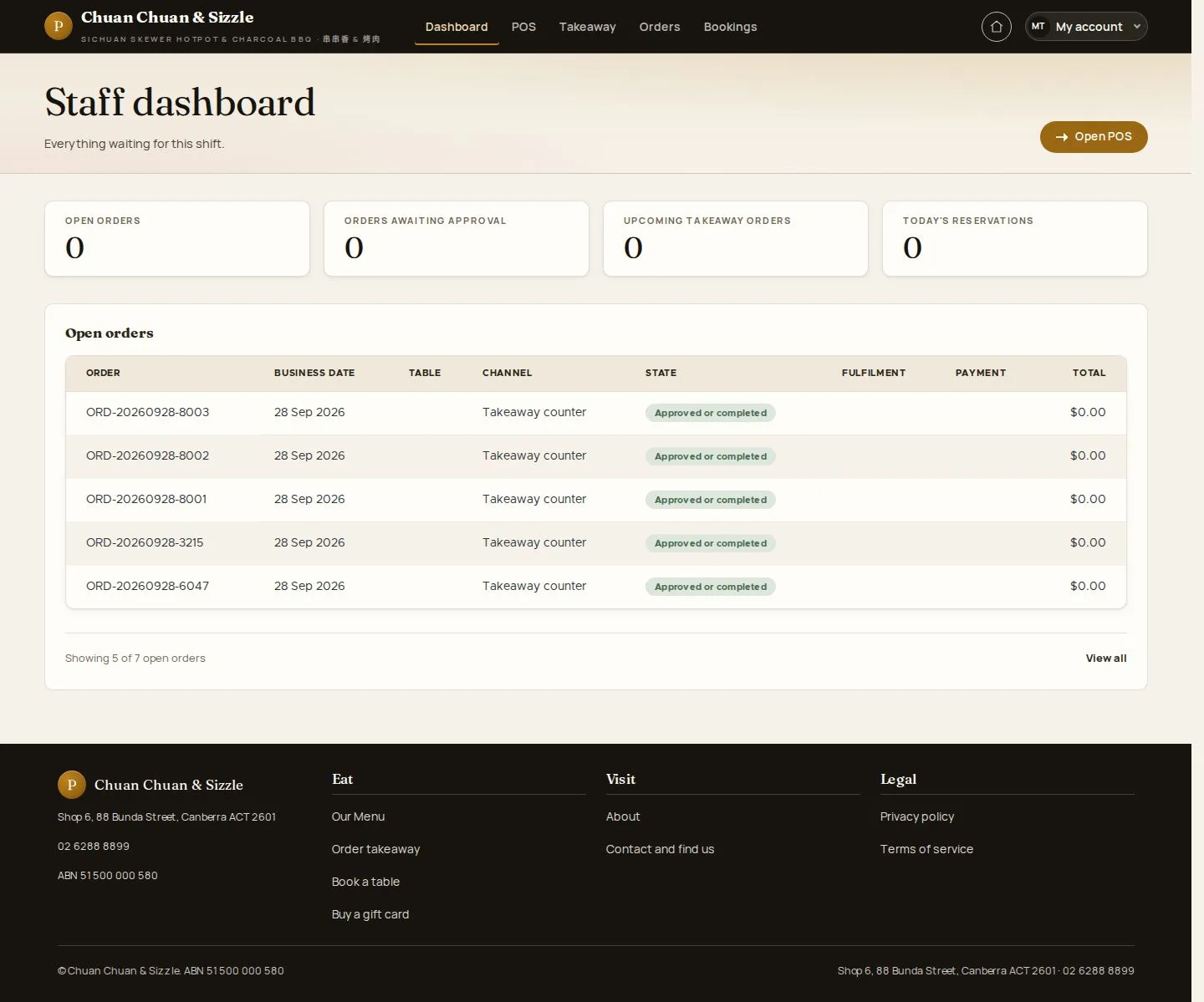
Staff dashboard

Waiter

Staff dashboard

1Step 1 of 4

  1. Open orders · Awaiting approval
  2. Upcoming takeaway · Today's reservations
  3. Open POS

Enlarge, then scroll

Open illustrated screen ↗Full image ↗

Waiter · Start the shift01

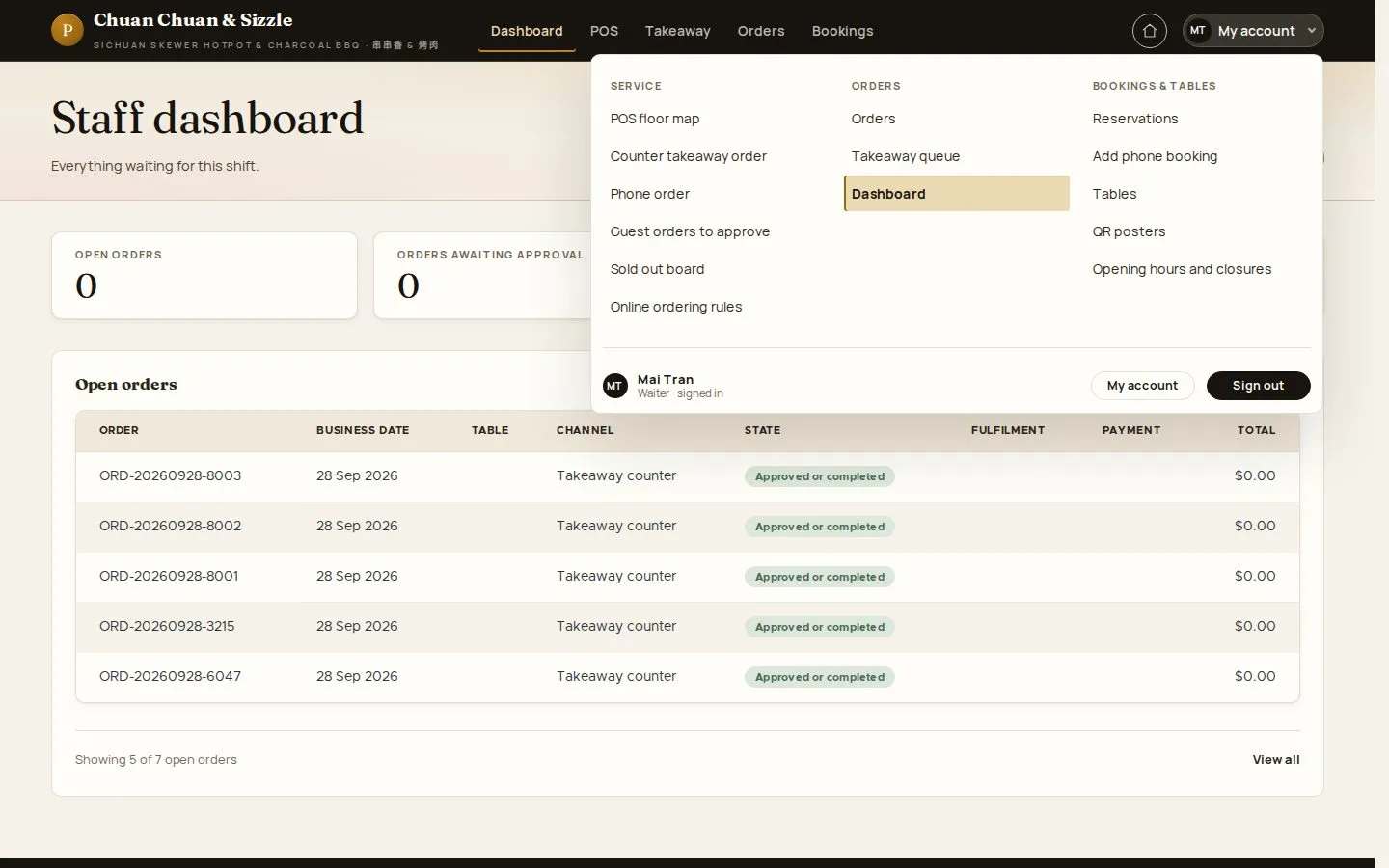
My account menu

Waiter

My account menu

2Step 2 of 4

  1. Service · Orders · Bookings & tables
  2. My account · Sign out

The Home icon beside My account opens the website without signing out.

Open illustrated screen ↗Full image ↗

Waiter · Start the shift02

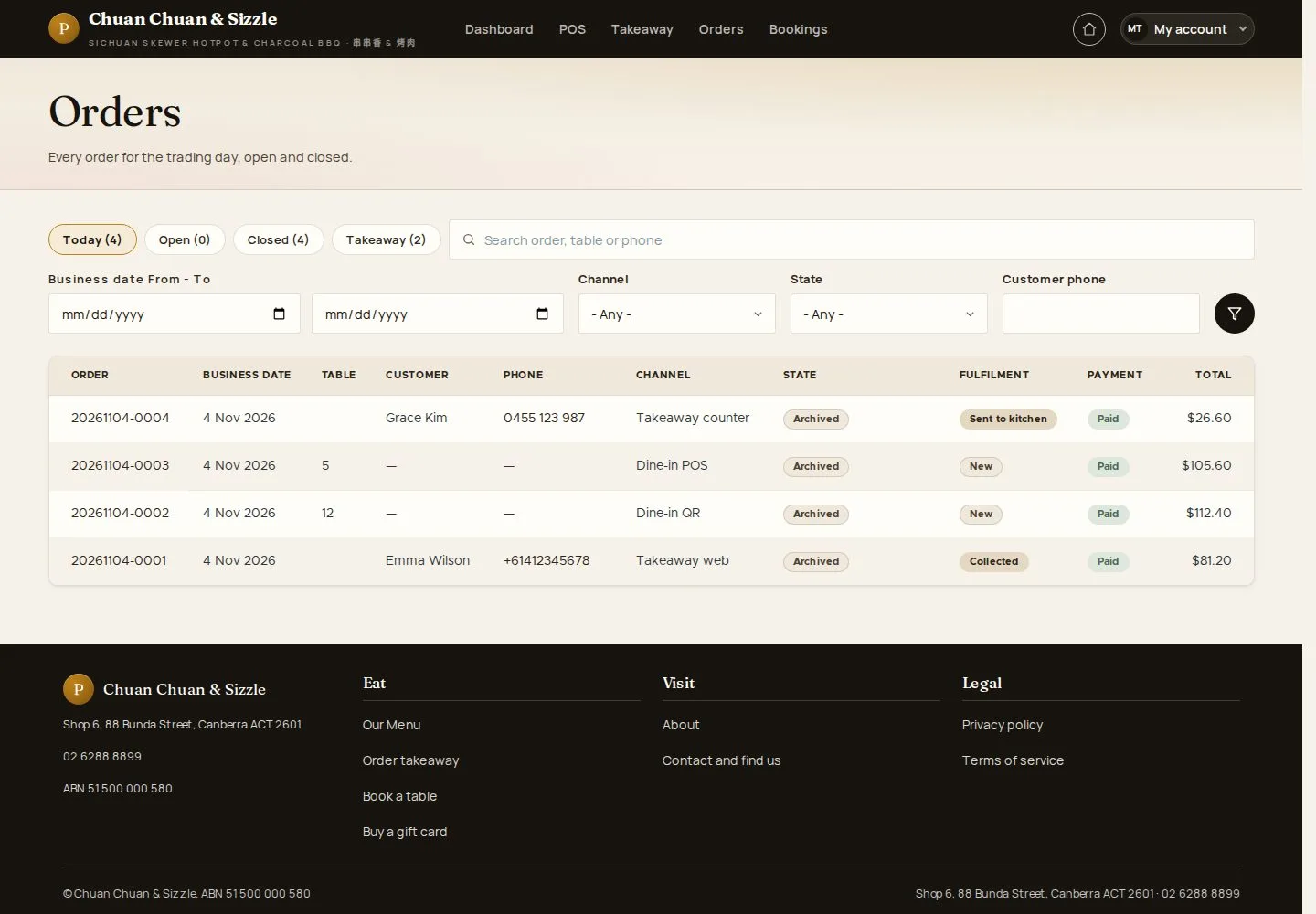
Orders

Waiter

Orders

3Step 3 of 4

  1. Today · Open · Closed · Takeaway
  2. Search · Filters

Enlarge, then scroll

Open illustrated screen ↗Full image ↗

Waiter · Start the shift03

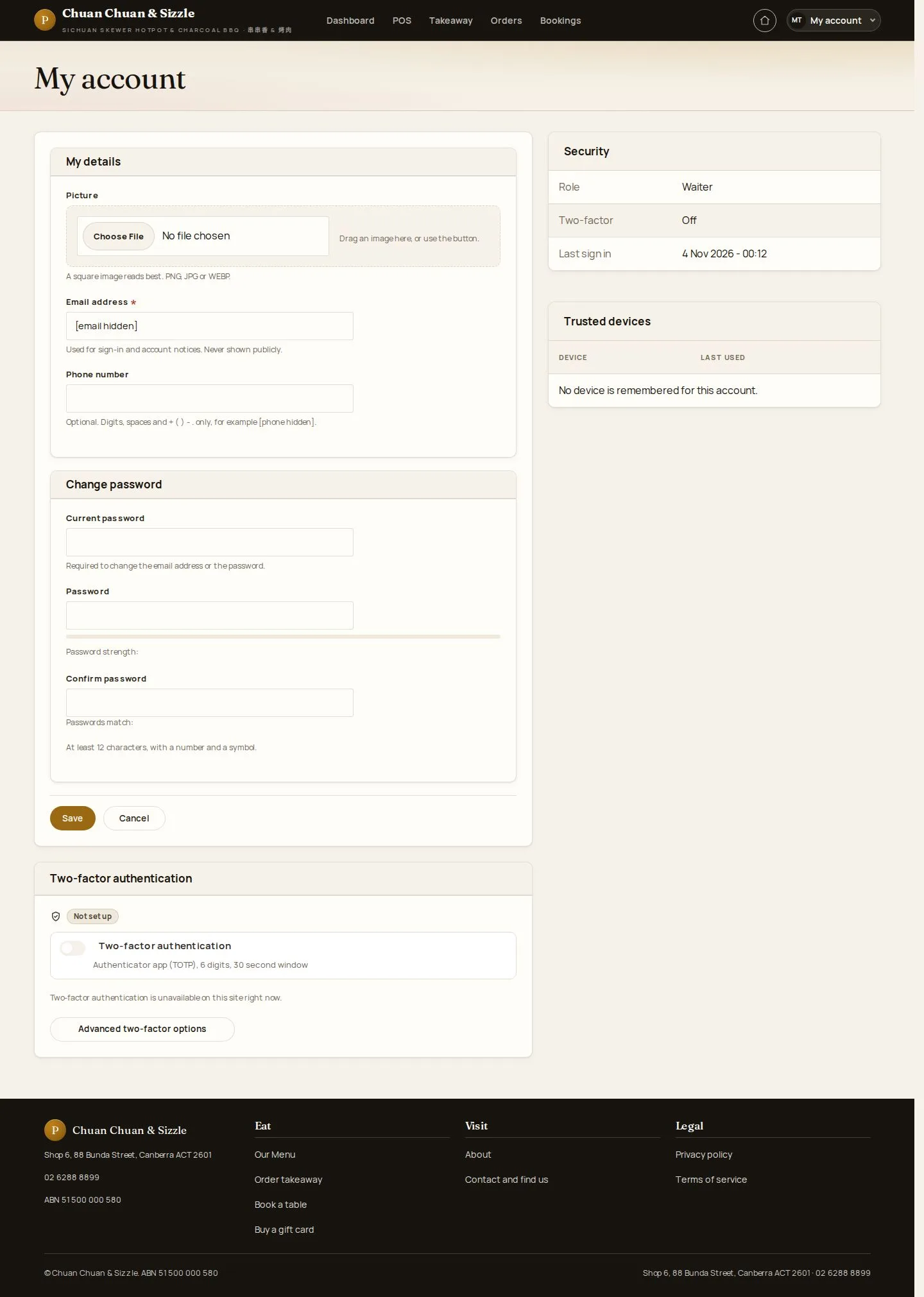
My account

Waiter

My account

4Step 4 of 4

  1. Details · Phone · Avatar
  2. Password · Two-factor authentication

Enlarge, then scroll

Open illustrated screen ↗Full image ↗

Check

Open orders, approvals, takeaway and bookings are in view

Waiter · Start the shift04
1 / 5
Privacy Terms