Counter and phone takeaway

Start counter takeaway · Phone order · Take payment and close

  • Signed in as a Waiter
Waiter

Phone order

Waiter

Phone order

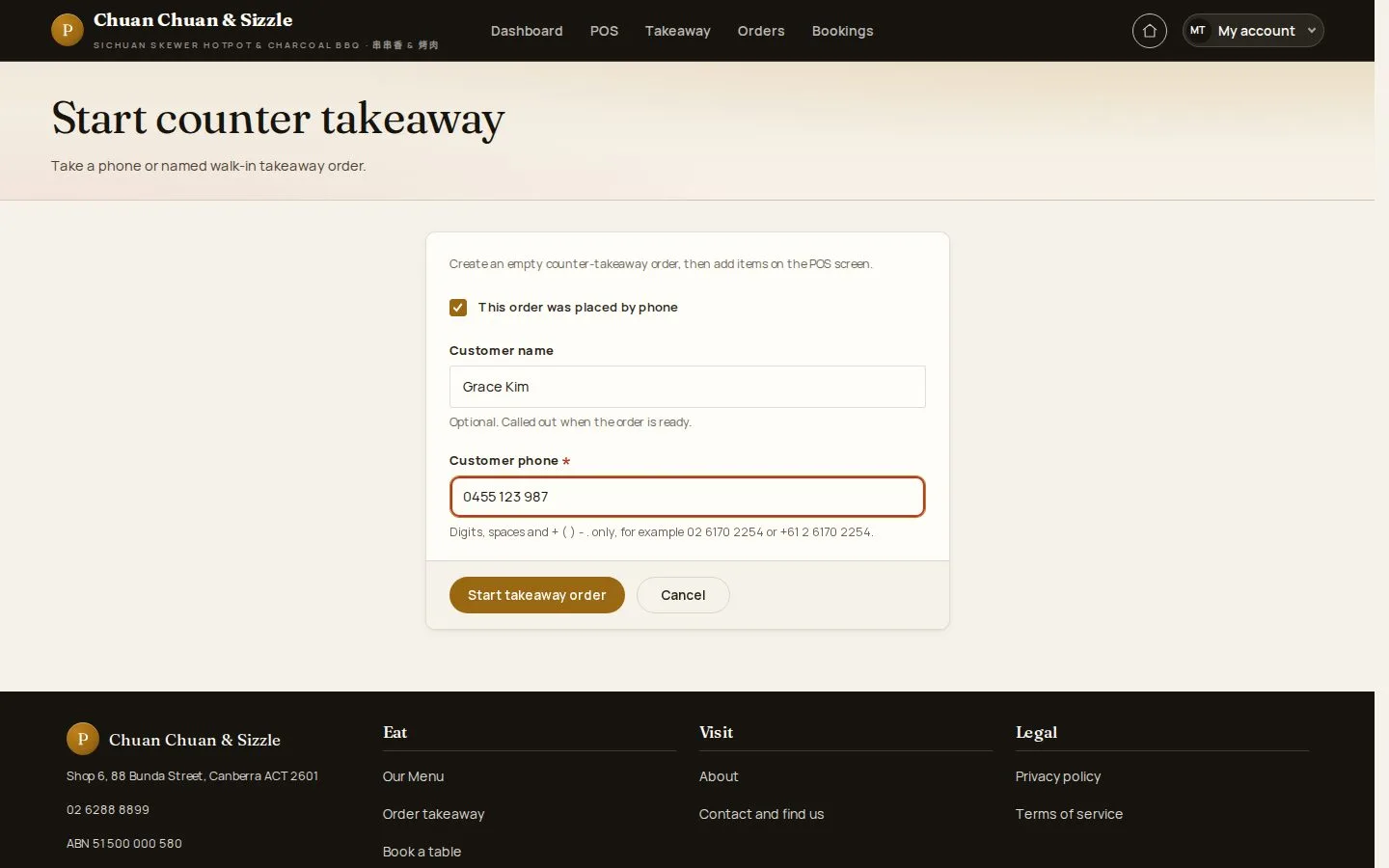
1Step 1 of 5

  1. This order was placed by phone
  2. Customer name · phone
  3. Start takeaway order

For a walk-in customer, Counter takeaway order in My account starts the order at once.

Open illustrated screen ↗Full image ↗

Waiter · Counter and phone takeaway01

Counter ticket

Waiter

Counter ticket

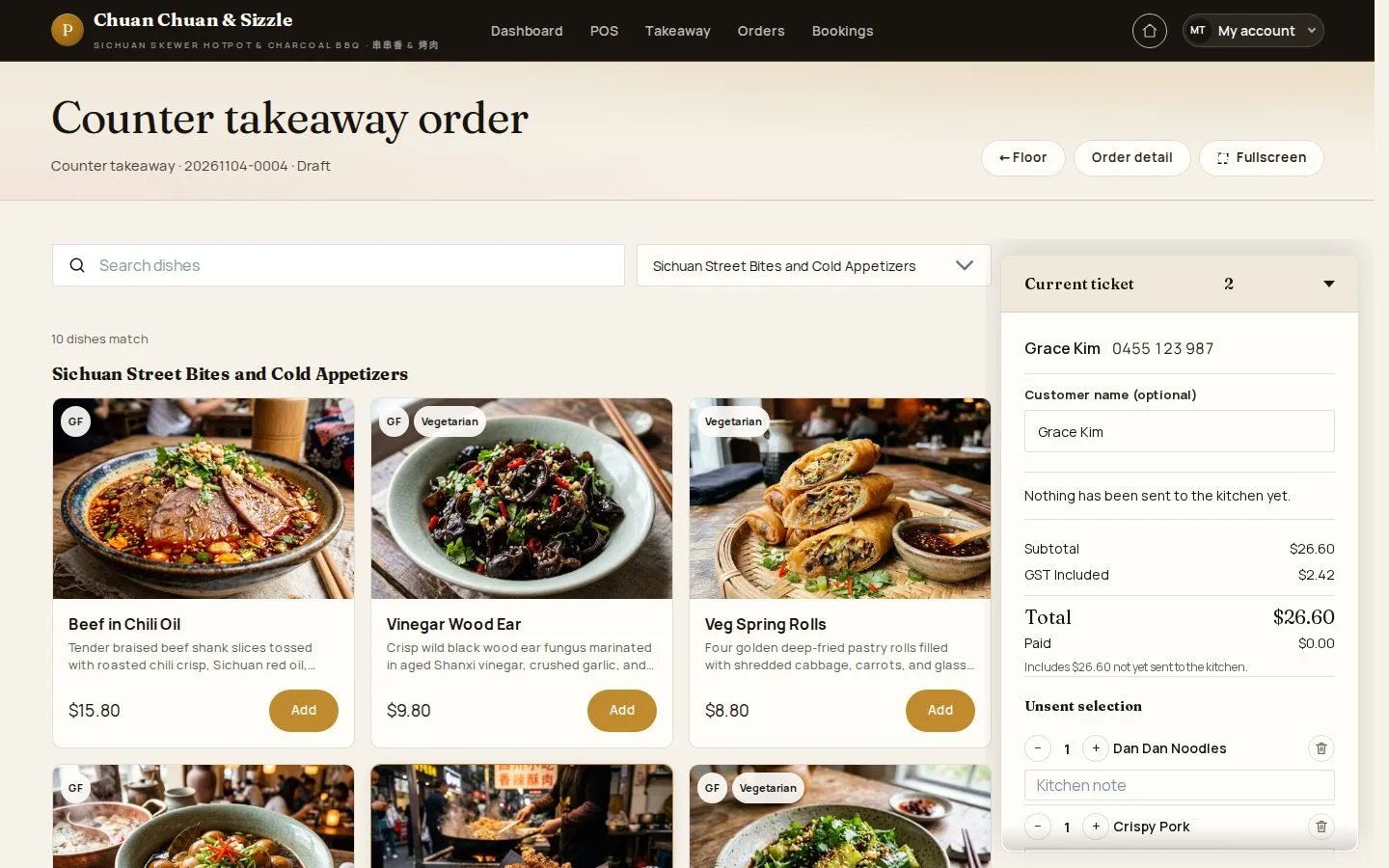
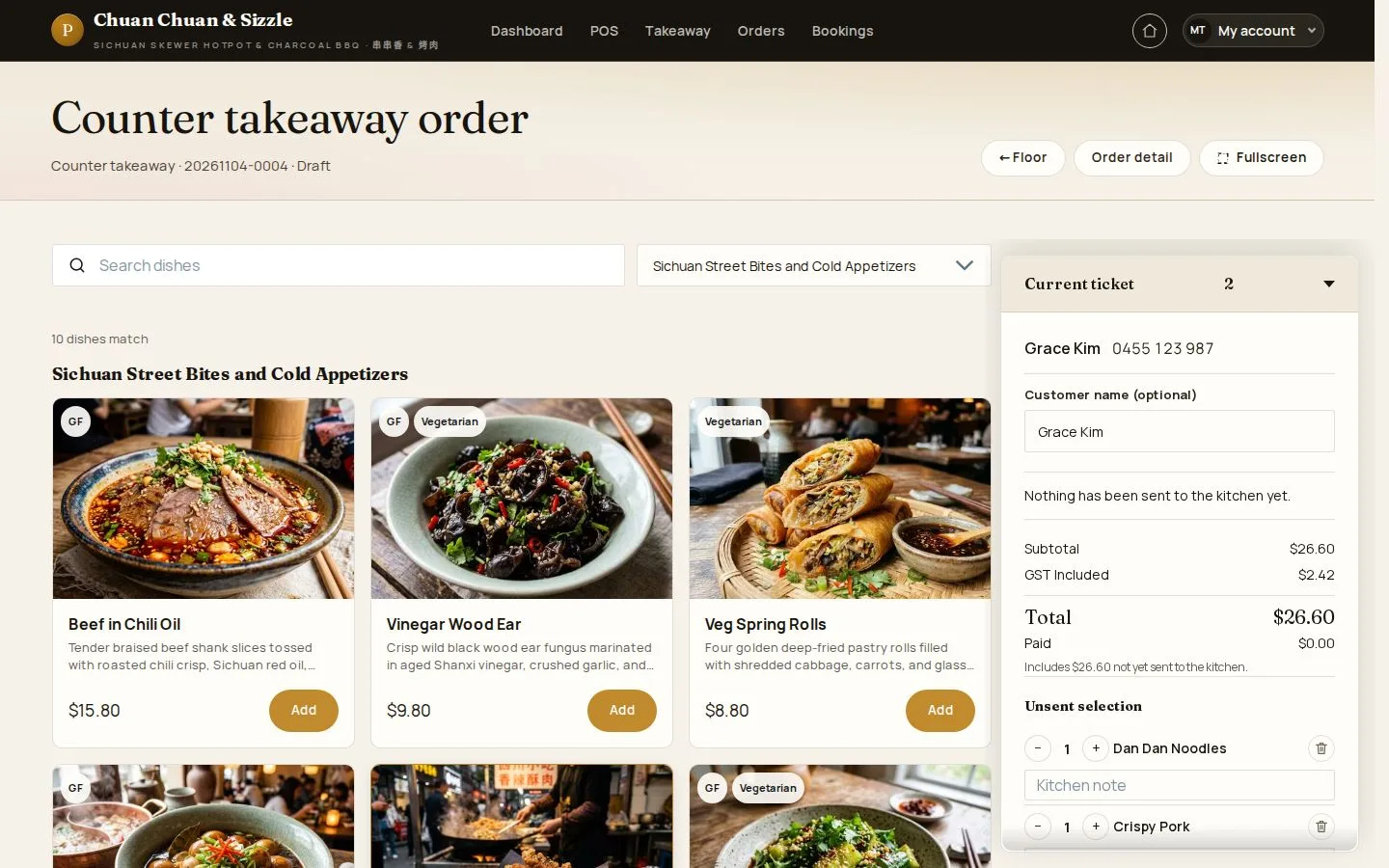
2Step 2 of 5

  1. Add the dishes
  2. Send to kitchen

Open illustrated screen ↗Full image ↗

Waiter · Counter and phone takeaway02

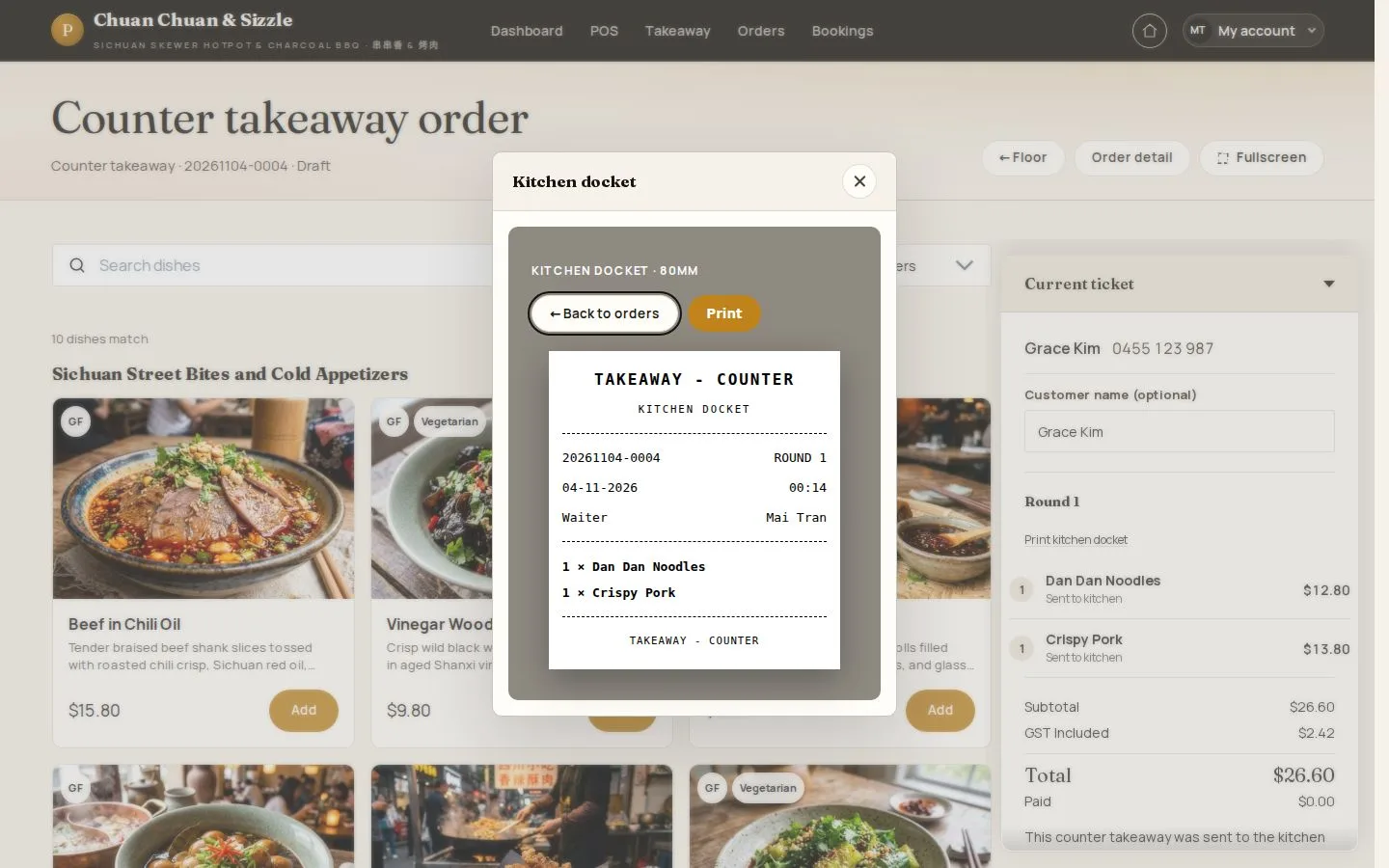
Kitchen docket

Waiter

Kitchen docket

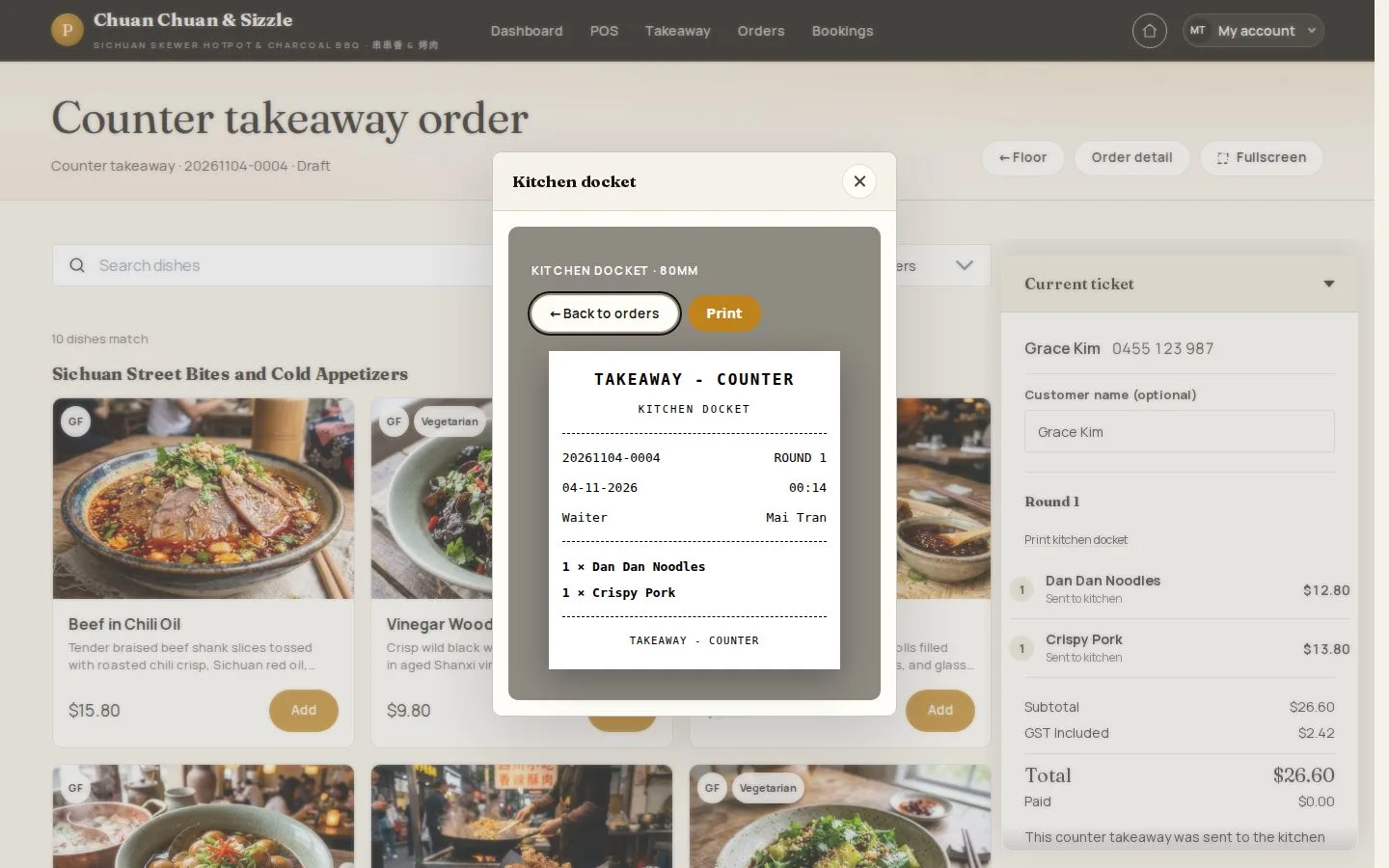
3Step 3 of 5

  1. Takeaway docket
  2. Print

Open illustrated screen ↗Full image ↗

Waiter · Counter and phone takeaway03

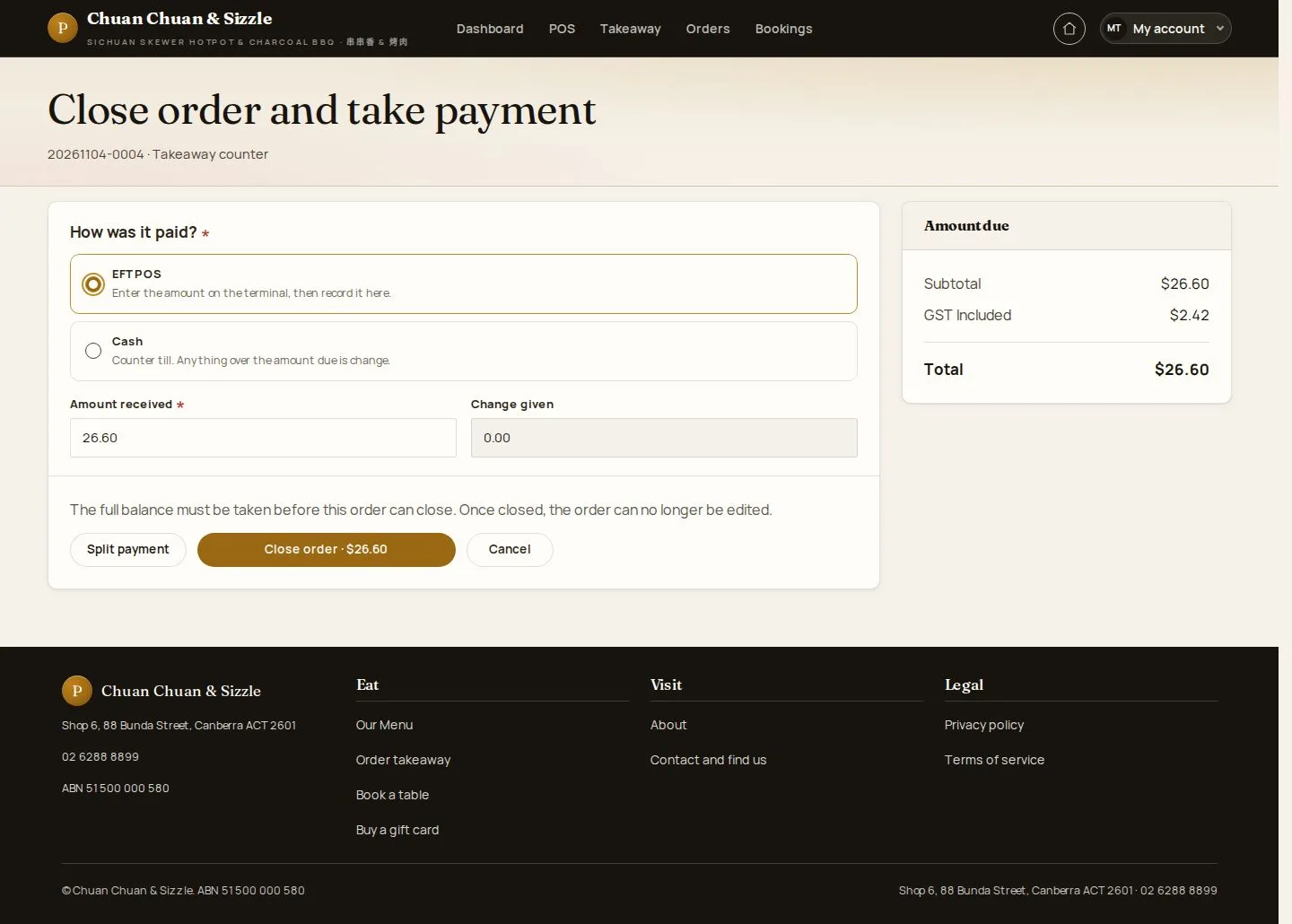
Take payment

Waiter

Take payment

4Step 4 of 5

  1. EFTPOS · Cash
  2. Amount received
  3. Close order

EFTPOS is taken on the restaurant's own terminal; MenuNerds records the amount.

Enlarge, then scroll

Open illustrated screen ↗Full image ↗

Waiter · Counter and phone takeaway04

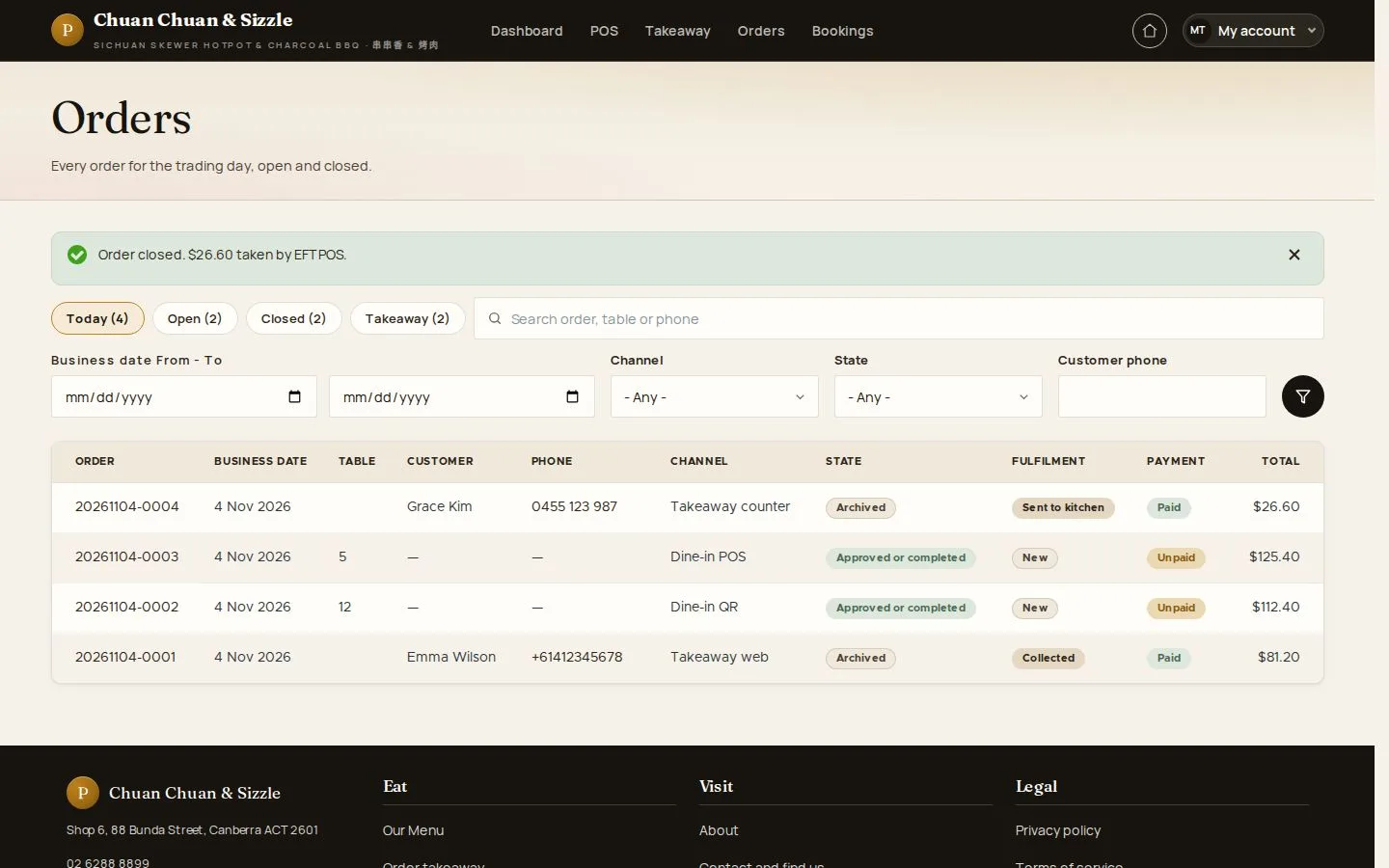
Closed

Waiter

Closed

5Step 5 of 5

  1. Order closed · the tender

Open illustrated screen ↗Full image ↗

Check

The takeaway order is paid and closed

Waiter · Counter and phone takeaway05
1 / 6
Privacy Terms