Personal learning records

Notes · Quiz results · Certificates · Wishlist

  • Signed in
  • Your saved learning records
Account
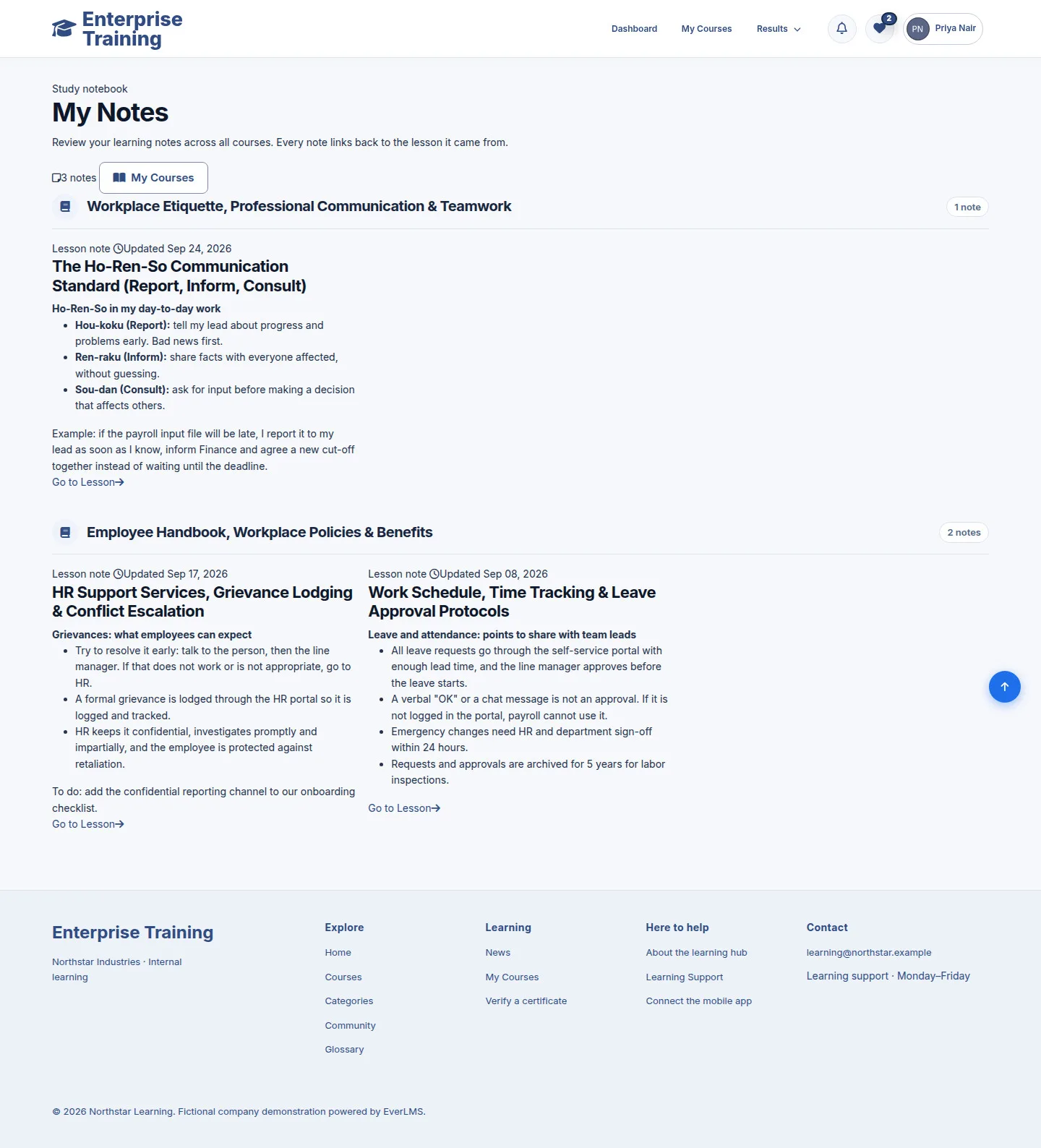
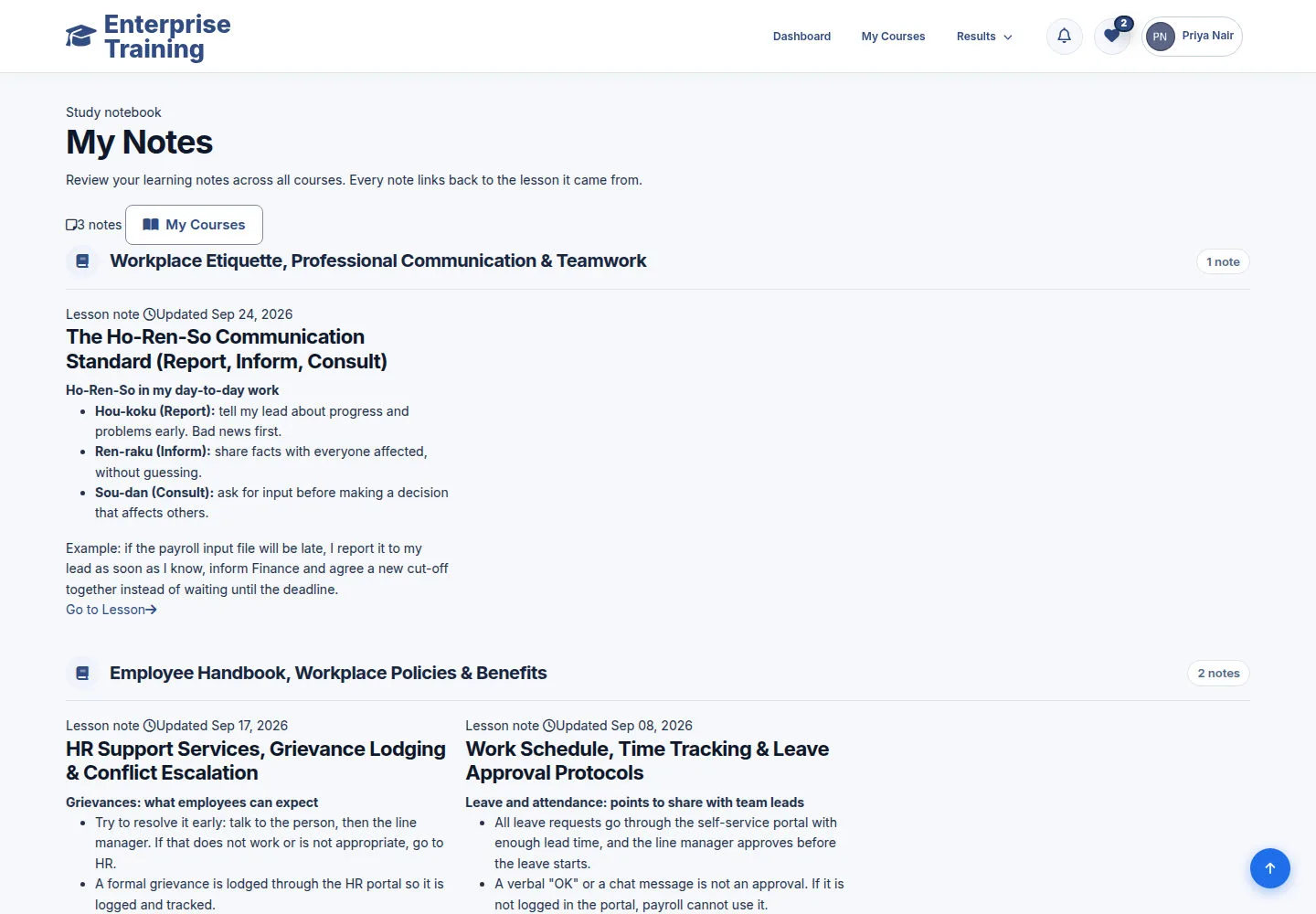
Find your notes

Account

Find your notes

1Step 1 of 9

  1. My Notes
  2. Choose a course
  3. Go to Lesson

Enlarge, then scroll

Open illustrated screen ↗Full image ↗

Account · Personal learning records01

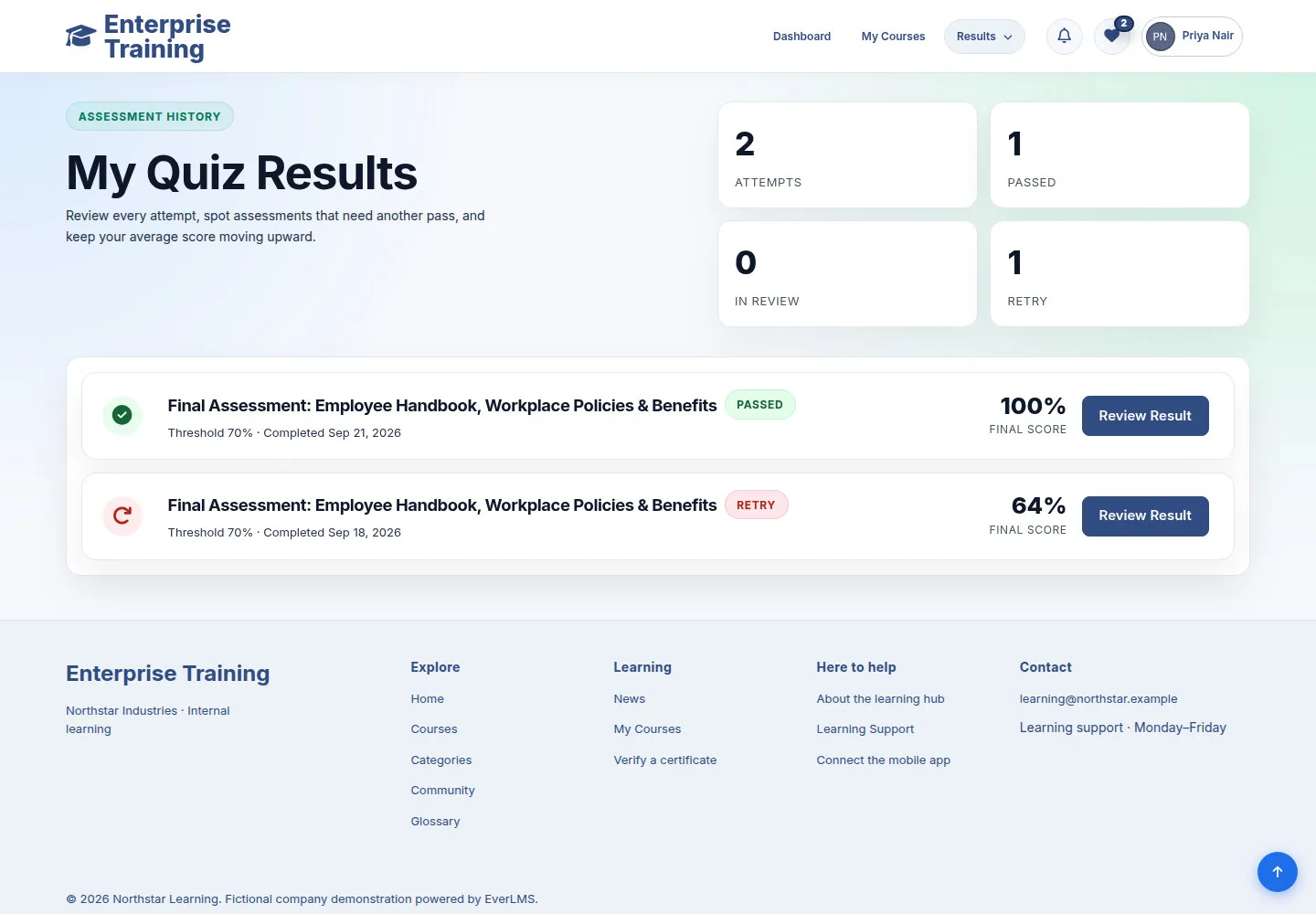
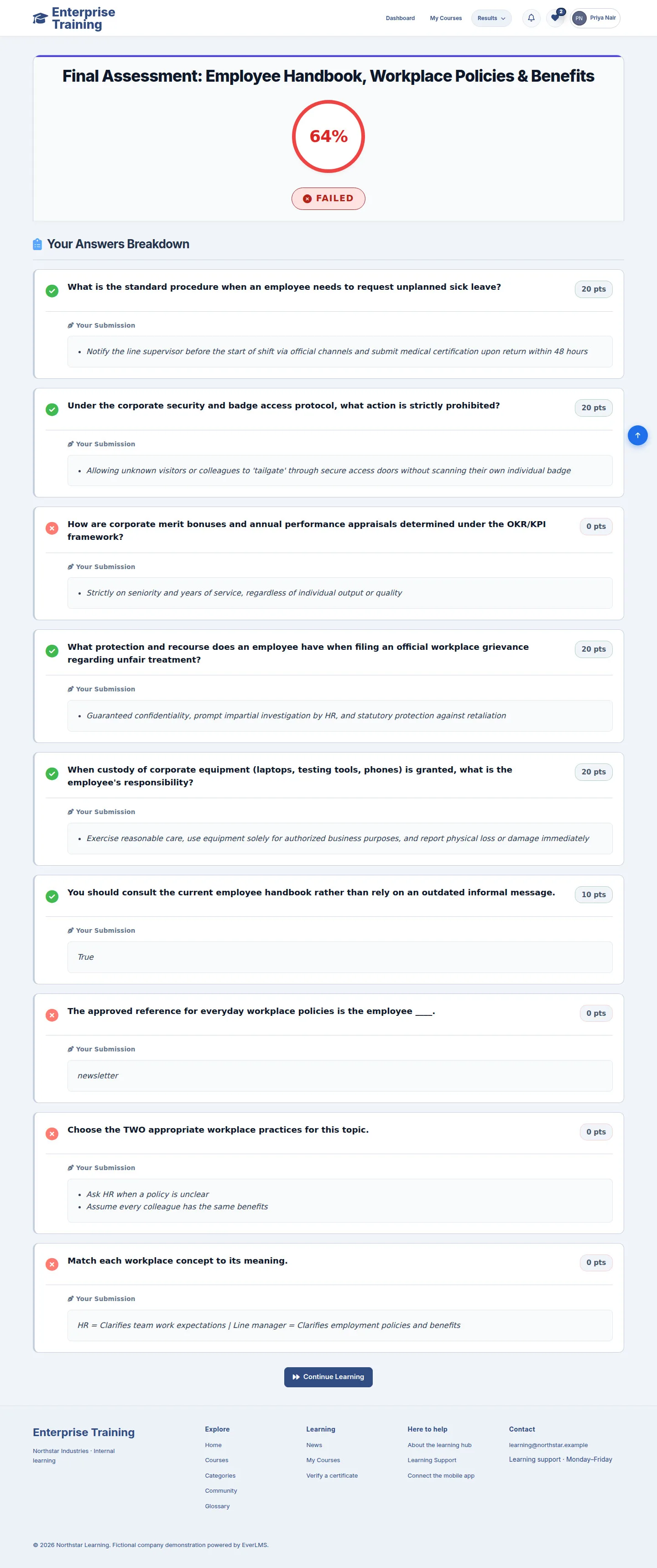
Quiz attempts

Account

Quiz attempts

2Step 2 of 9

  1. My Quiz Results
  2. PASSED / RETRY
  3. Review Result

Pending Manual Review requires grading before a final result.

Open illustrated screen ↗Full image ↗

Account · Personal learning records02

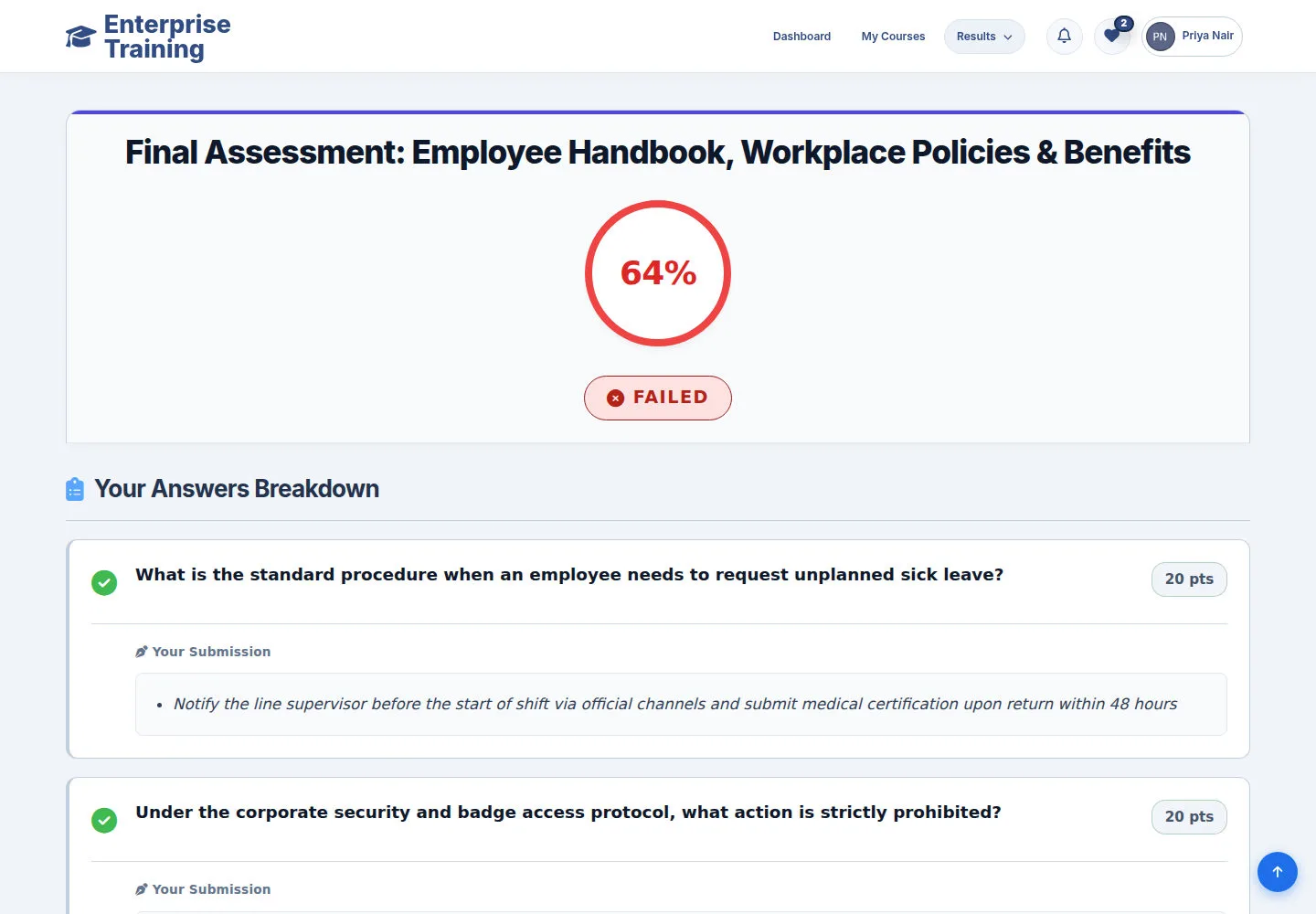
Review answer feedback

Account

Review answer feedback

3Step 3 of 9

  1. Read points & feedback
  2. Revisit incorrect answers
  3. Continue Learning

Enlarge, then scroll

Open illustrated screen ↗Full image ↗

Account · Personal learning records03

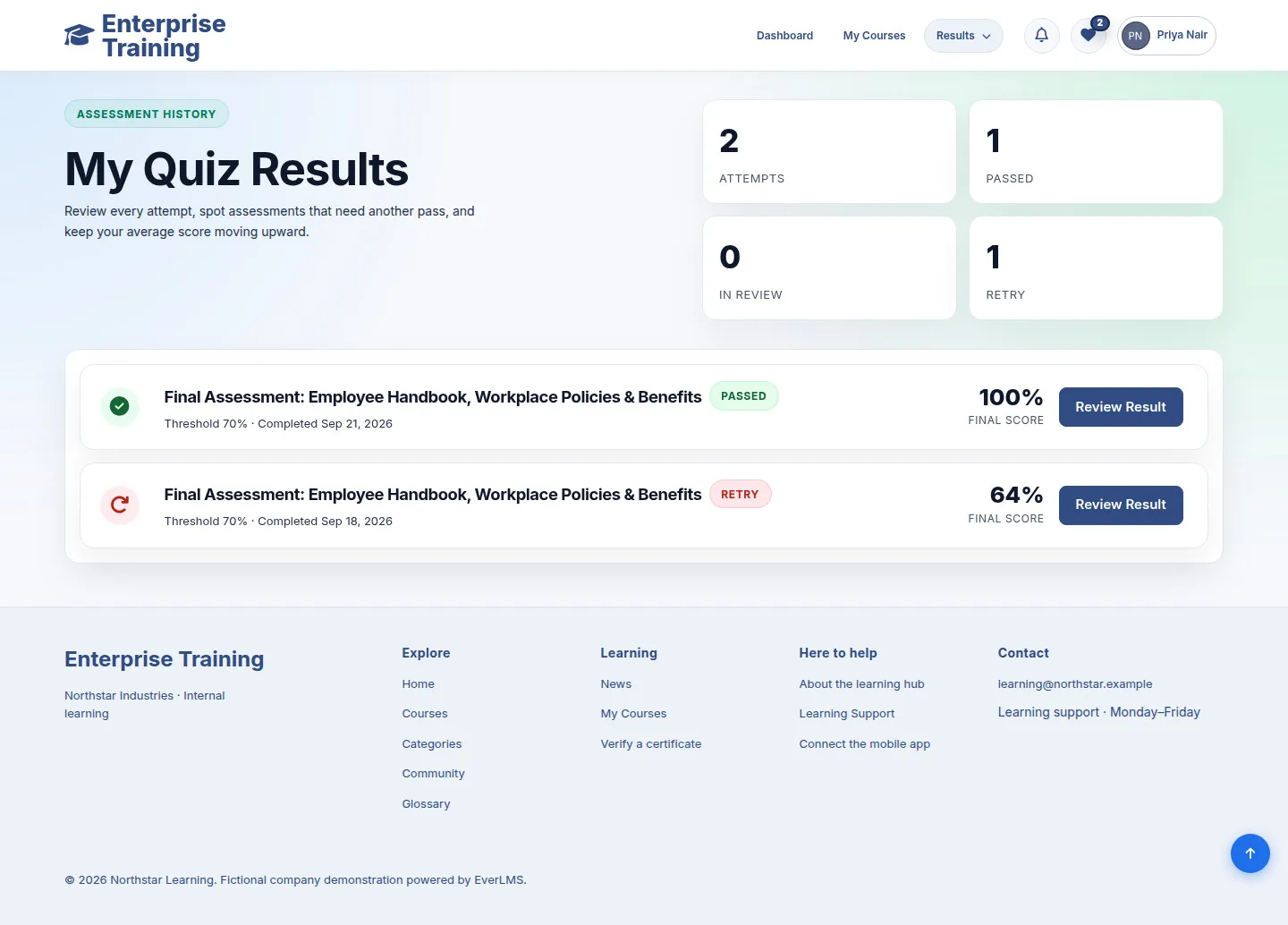
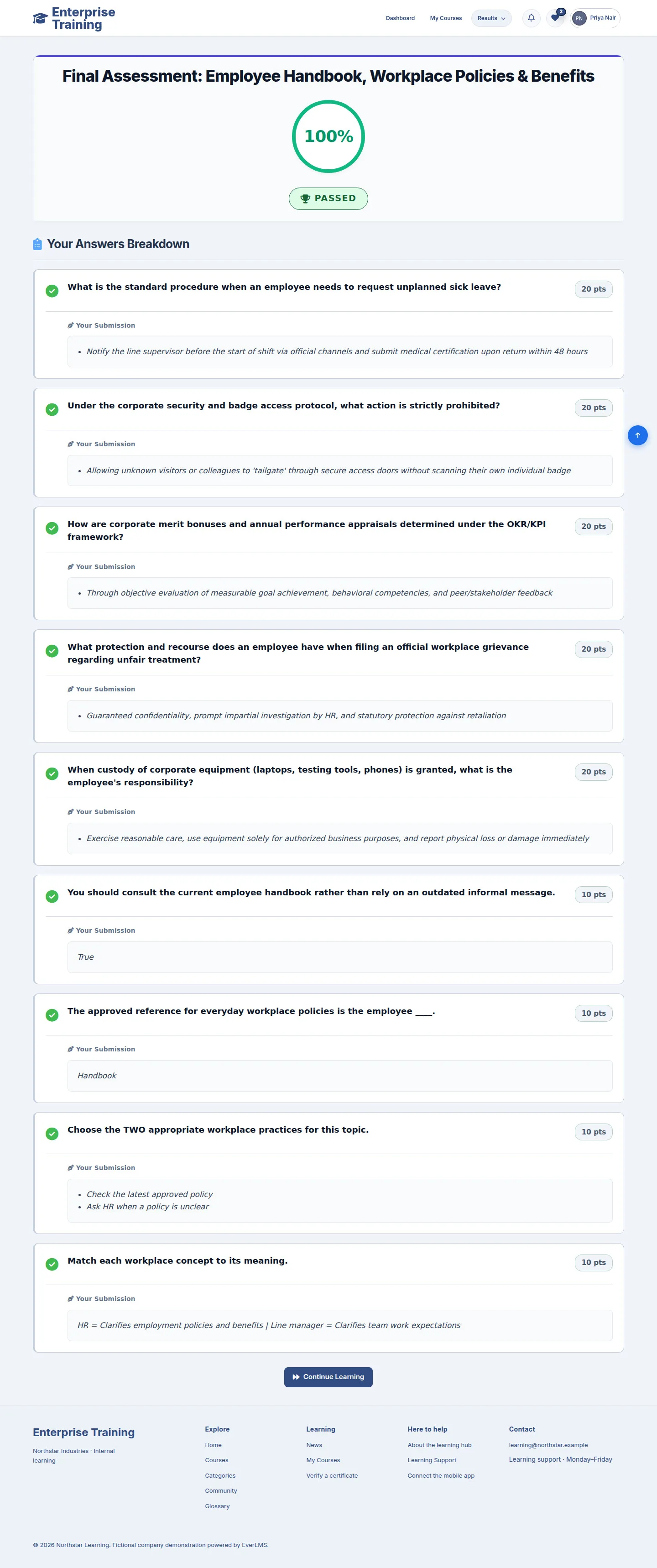
Check a passed result

Account

Check a passed result

4Step 4 of 9

  1. Check score & status
  2. Review answers
  3. My Certificates

Enlarge, then scroll

Open illustrated screen ↗Full image ↗

Account · Personal learning records04

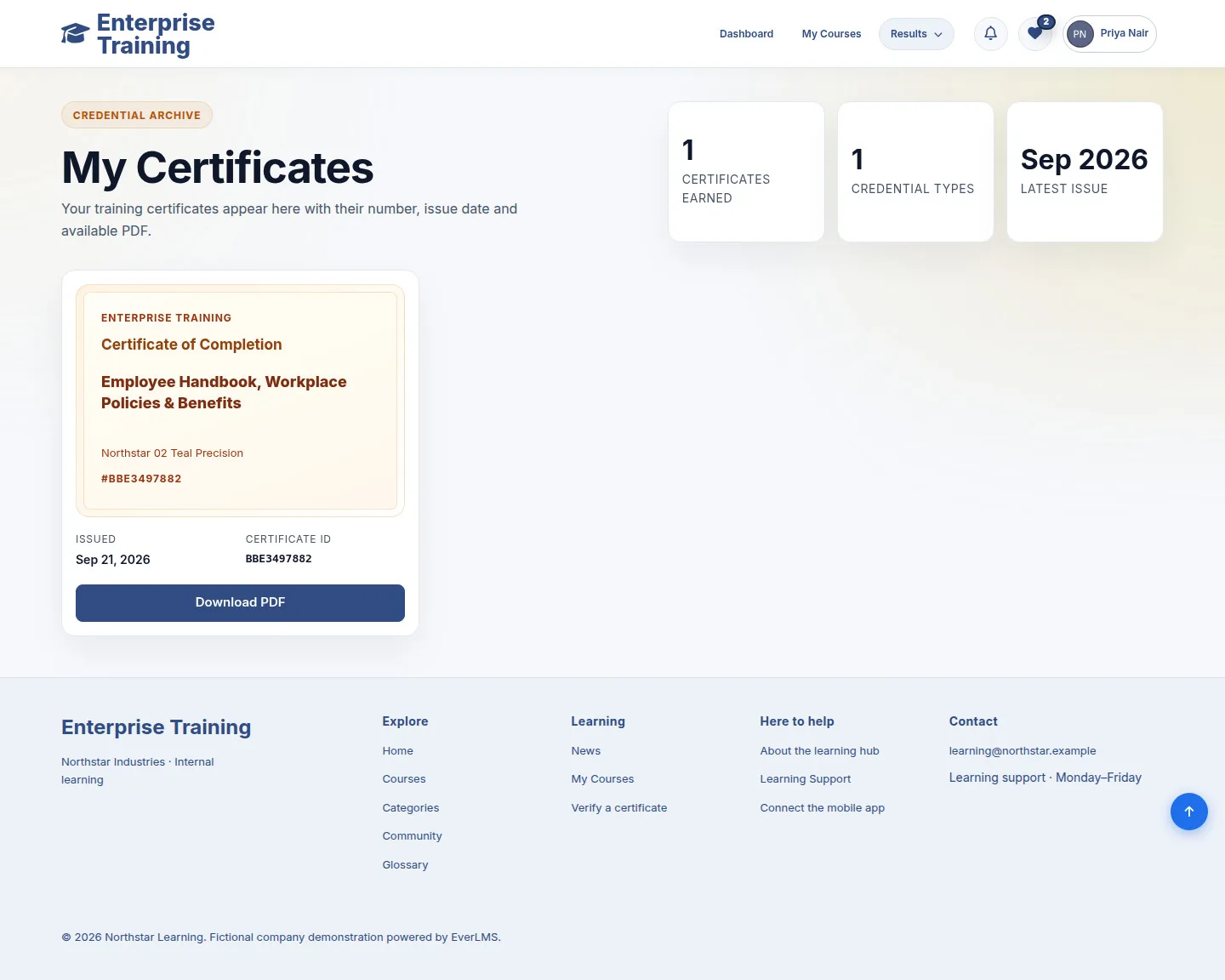
Issued certificates

Account

Issued certificates

5Step 5 of 9

  1. My Certificates
  2. Check course & Certificate ID
  3. Download PDF

Download is available for issued certificates.

Enlarge, then scroll

Open illustrated screen ↗Full image ↗

Account · Personal learning records05

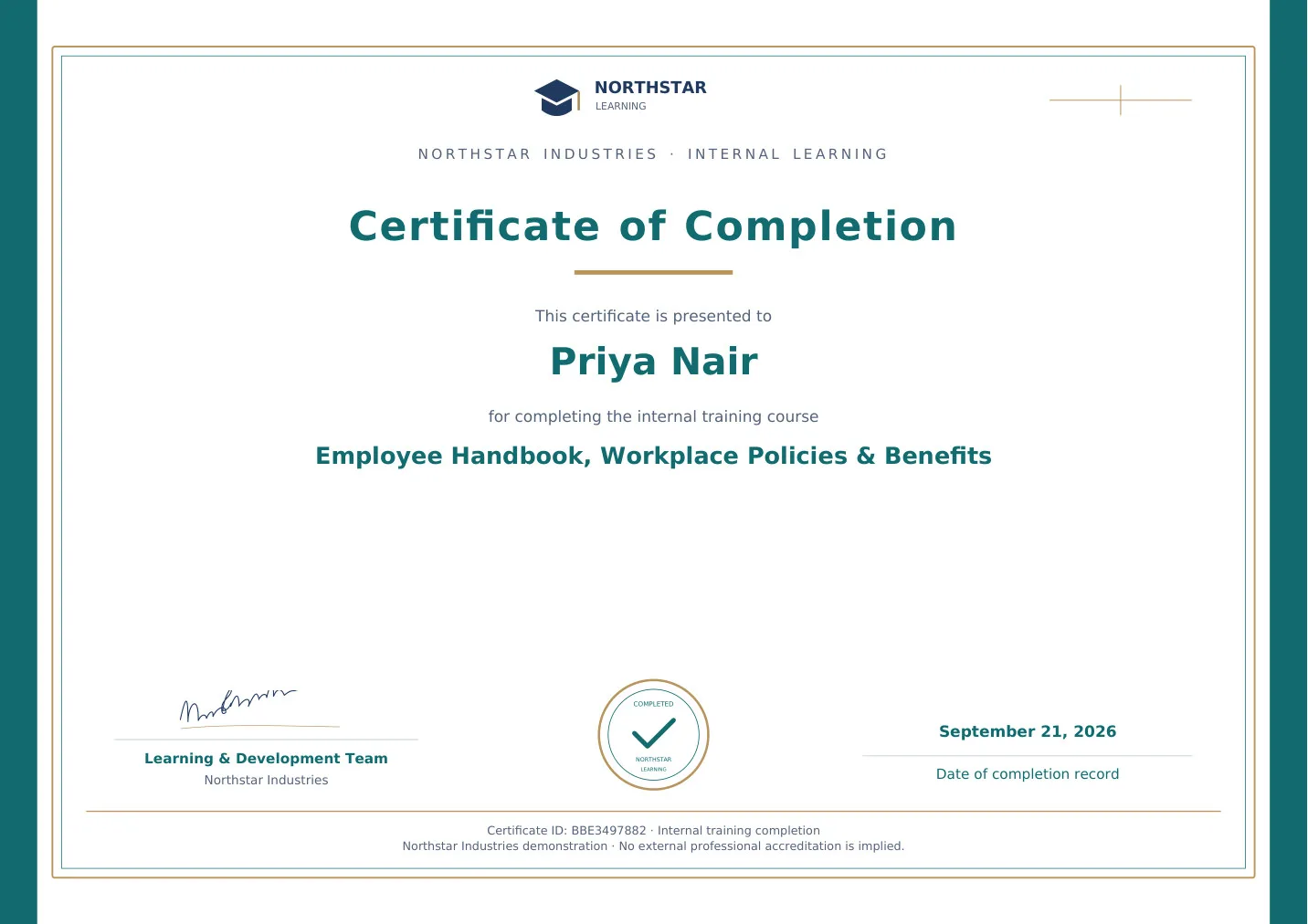
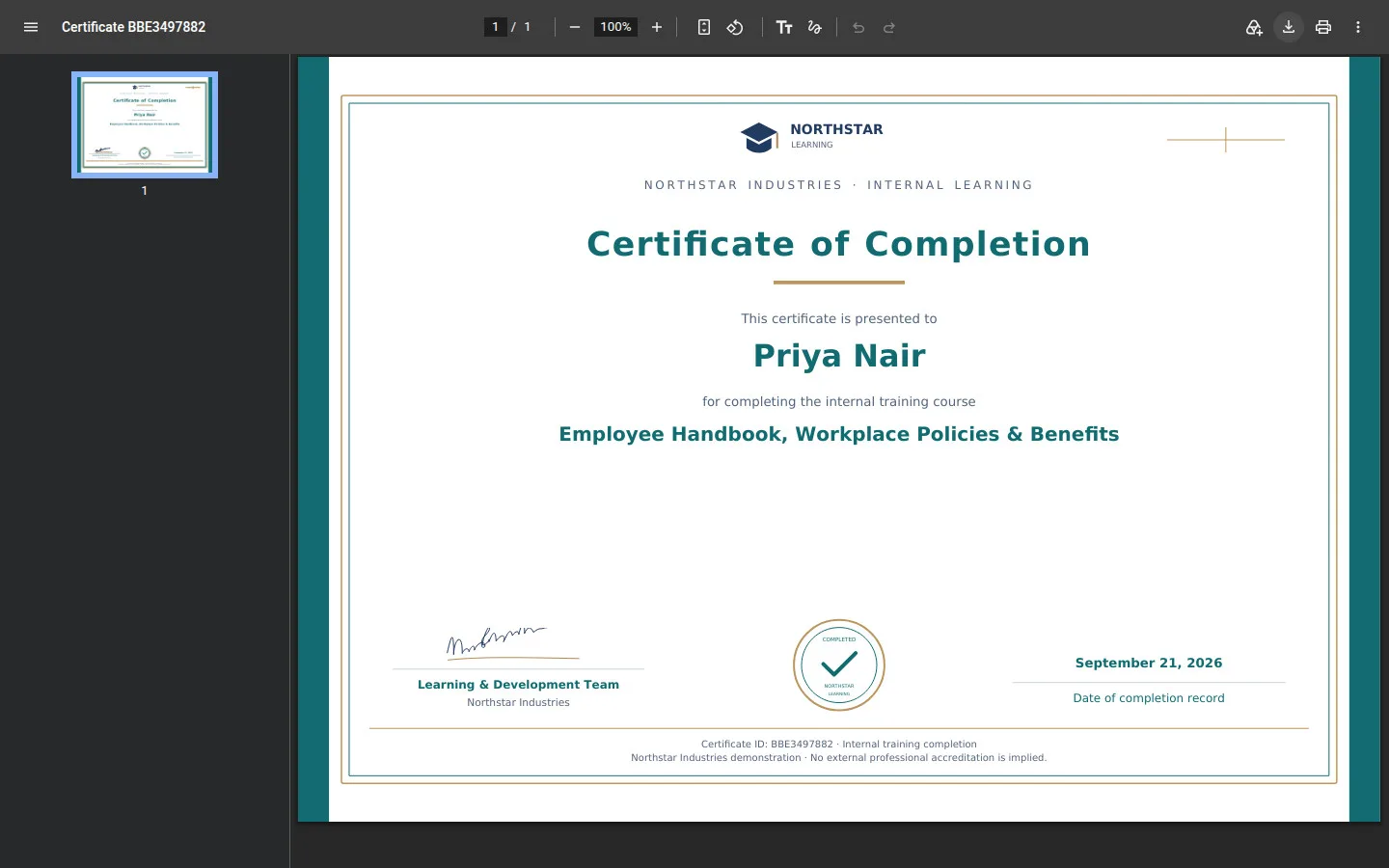
Check the certificate

Account

Check the certificate

6Step 6 of 9

  1. Learner name
  2. Course & completion date
  3. Certificate ID

Open illustrated screen ↗Full image ↗

Account · Personal learning records06

Download or print

Account

Download or print

7Step 7 of 9

  1. Viewer → Download
  2. Print / Close tab

PDF viewer controls vary by browser.

Open illustrated screen ↗Full image ↗

Account · Personal learning records07

Wishlist

Account

Wishlist

8Step 8 of 9

  1. View Course
  2. Remove from Wishlist
  3. Browse Courses

Saving a course does not enroll you.

Enlarge, then scroll

Open illustrated screen ↗Full image ↗

Account · Personal learning records08

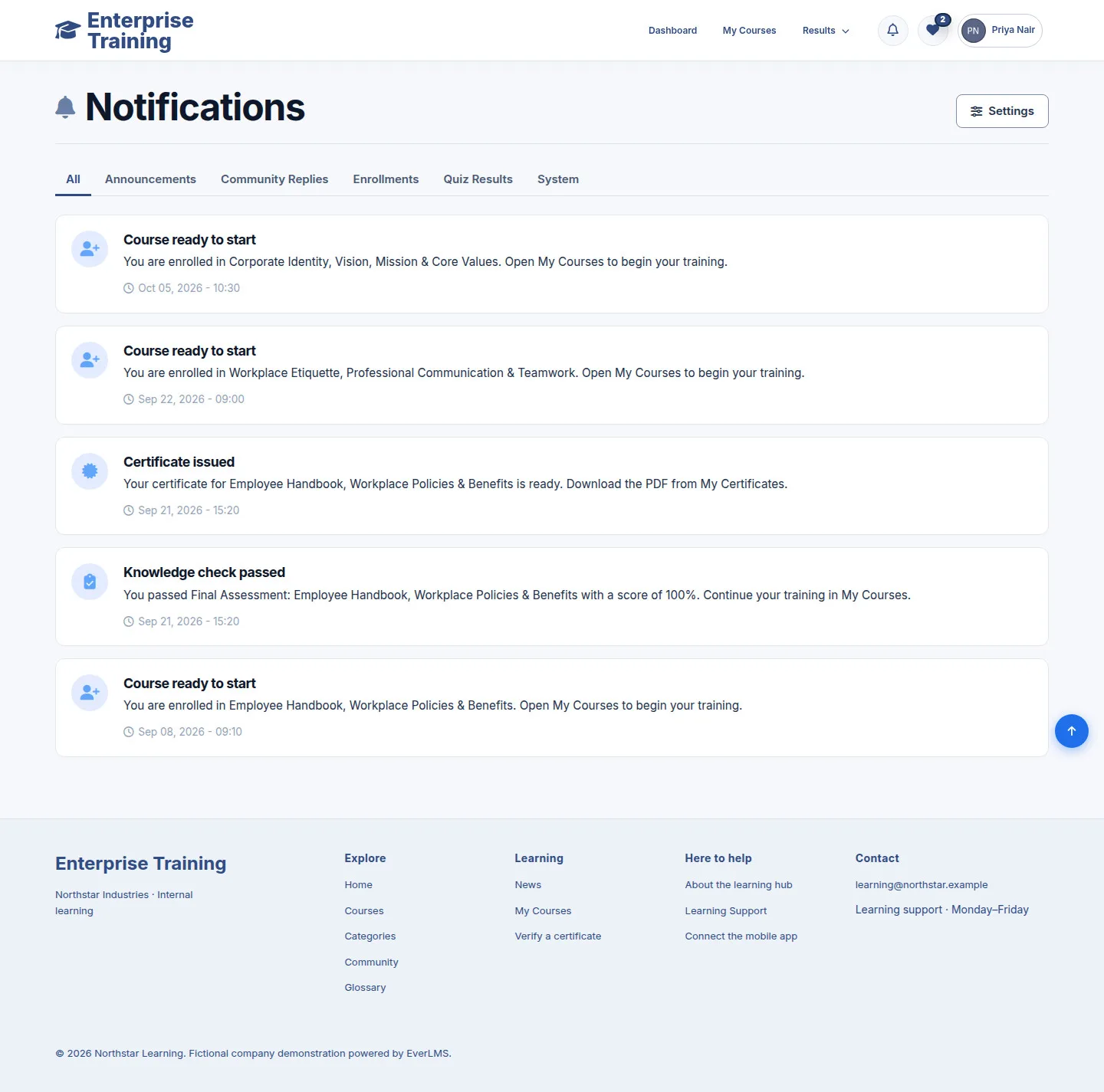
Notifications

Account

Notifications

9Step 9 of 9

  1. Choose a category
  2. Open notification
  3. Settings

Enlarge, then scroll

Open illustrated screen ↗Full image ↗

Check

Relevant record or issued PDF found

Account · Personal learning records09
1 / 10
Privacy Terms