Community discussions

Topics · Replies · Like · Share

  • Signed in
  • Posting permission for new contributions
Account
Find a discussion

Account

Find a discussion

1Step 1 of 4

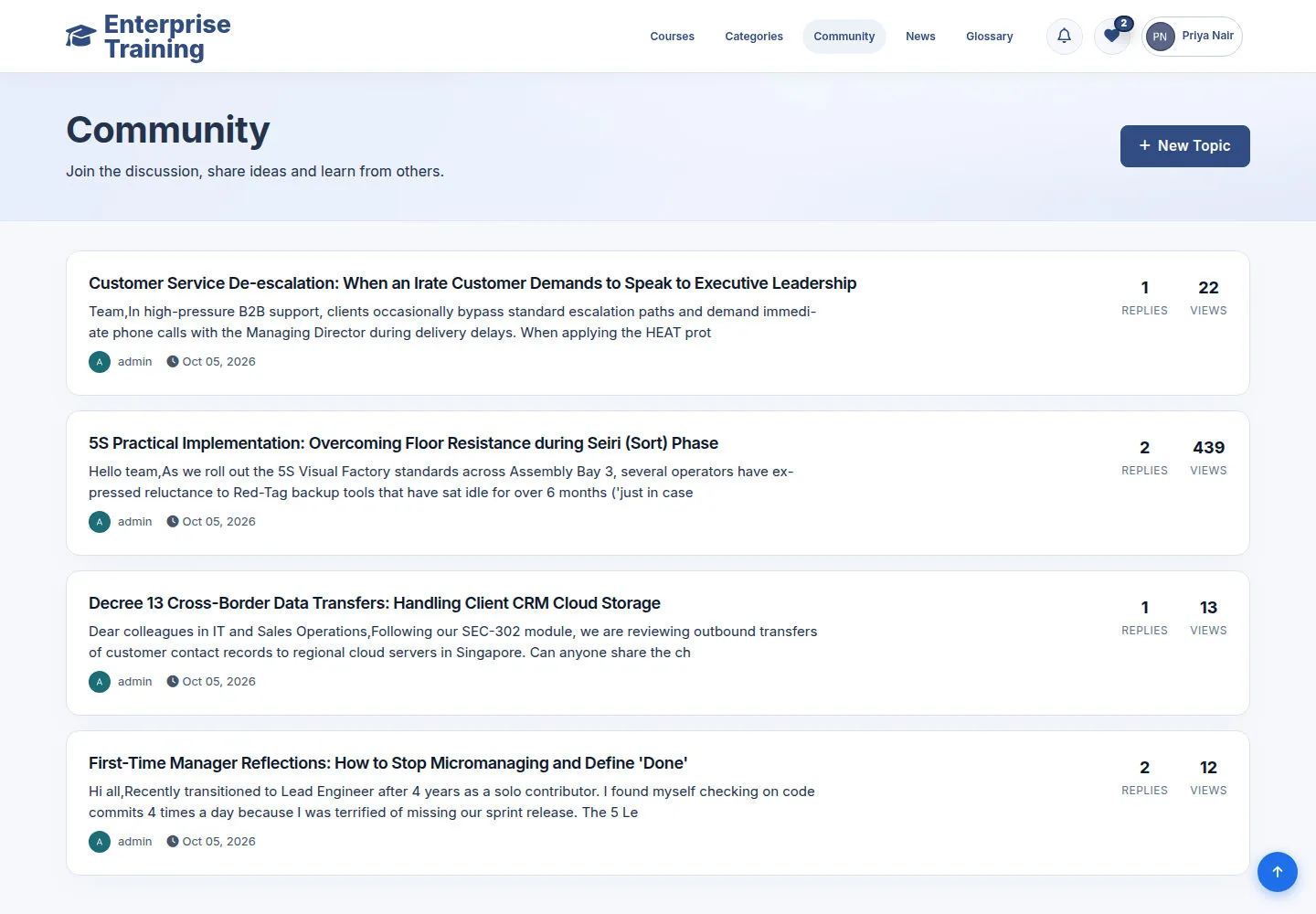
  1. Community
  2. Filter topics
  3. Open a topic

Enlarge, then scroll

Open illustrated screen ↗Full image ↗

Account · Community discussions01

Read & react

Account

Read & react

2Step 2 of 4

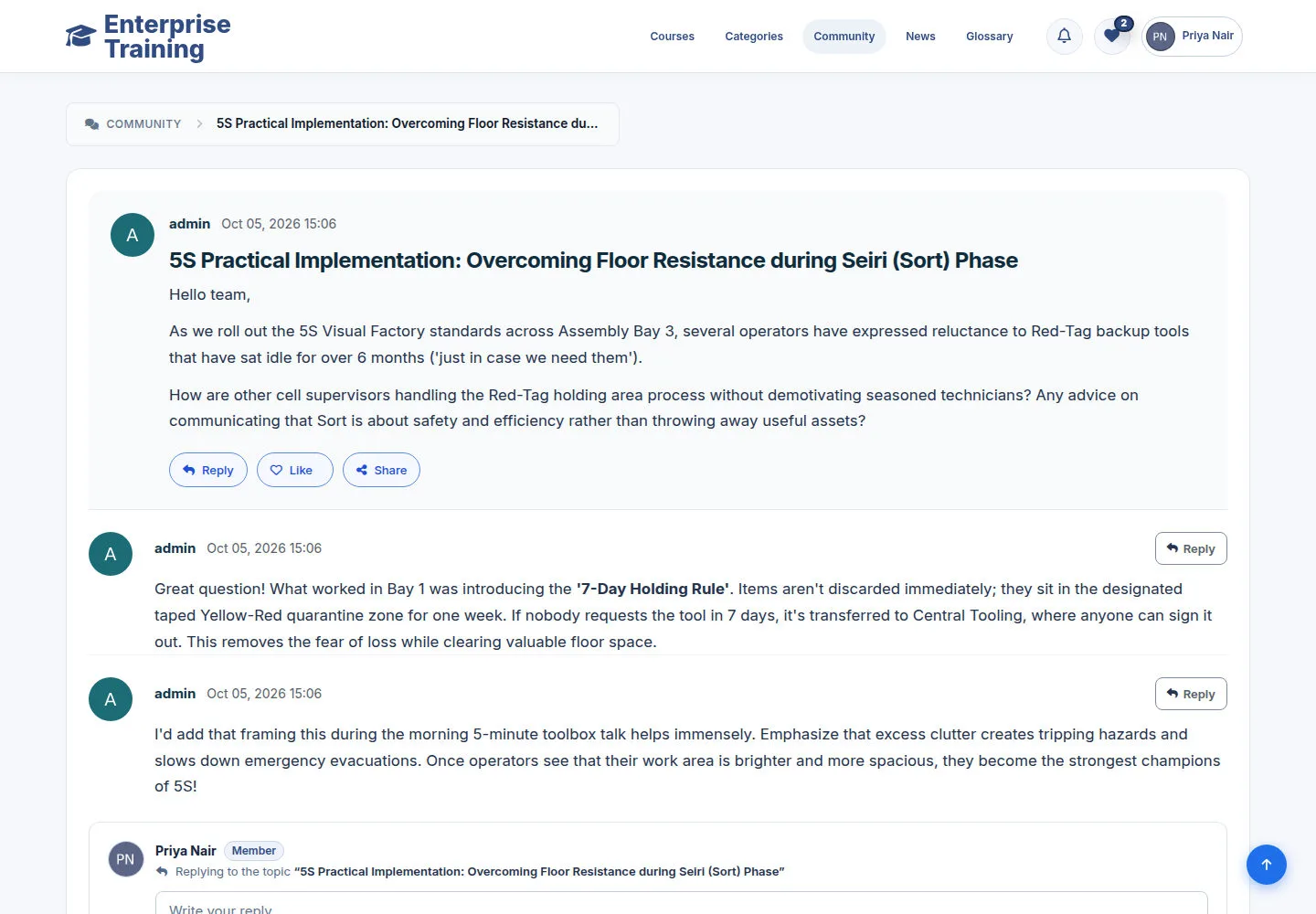
  1. Read topic & replies
  2. Like
  3. Share

Enlarge, then scroll

Open illustrated screen ↗Full image ↗

Account · Community discussions02

Start a discussion

Account

Start a discussion

3Step 3 of 4

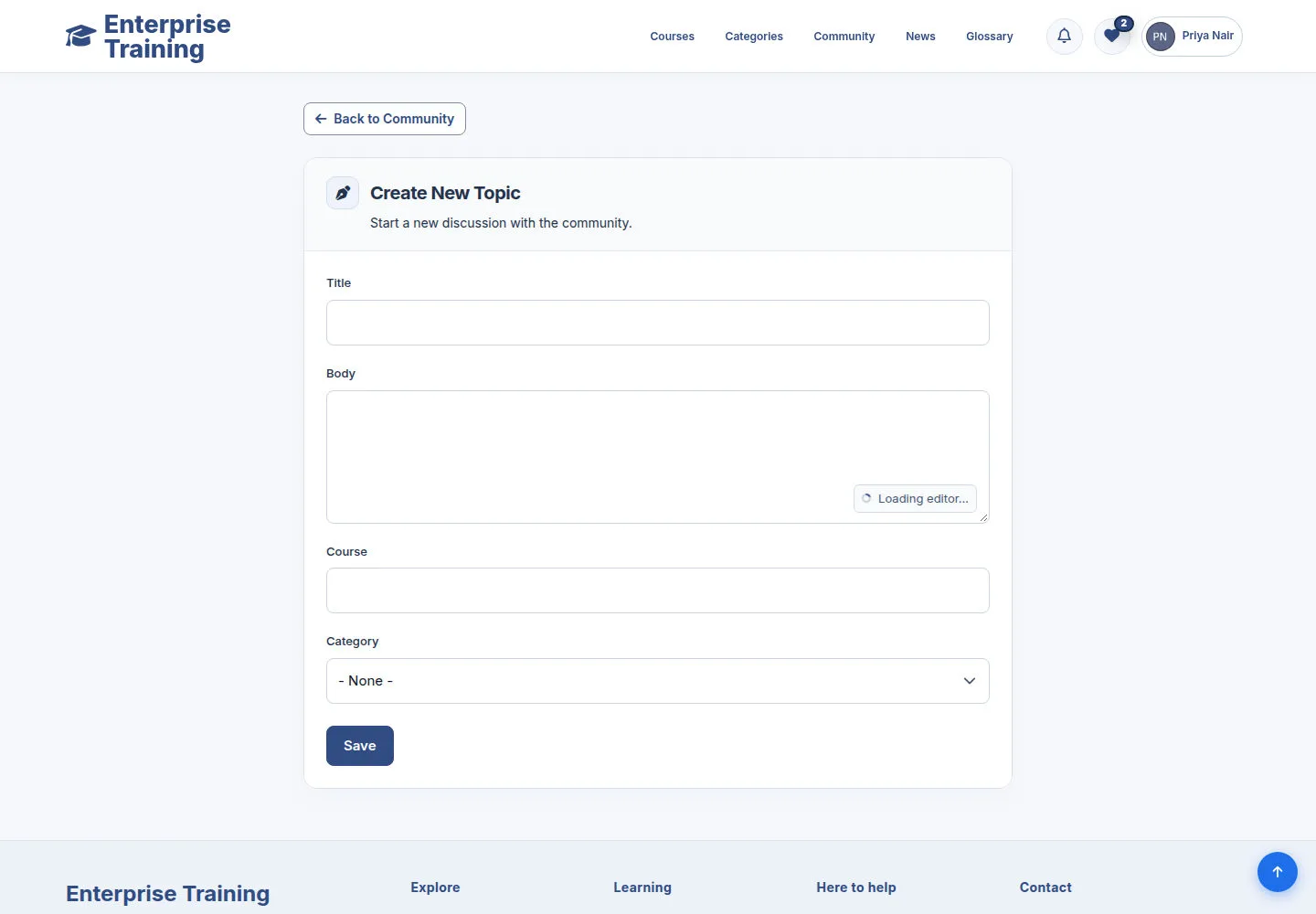
  1. Enter title
  2. Choose category
  3. Write content
  4. Post

Enlarge, then scroll

Open illustrated screen ↗Full image ↗

Account · Community discussions03

Reply to a topic

Account

Reply to a topic

4Step 4 of 4

  1. Read the discussion
  2. Write a reply
  3. Review & send

Enlarge, then scroll

Open illustrated screen ↗Full image ↗

Check

Discussion found or contribution submitted

Account · Community discussions04
1 / 5
Privacy Terms