Projects, quotes and prices

Projects · Quotes · Price library · Cancel project

  • Signed in on a desktop
Director

Project

Director

Project

1Step 1 of 3

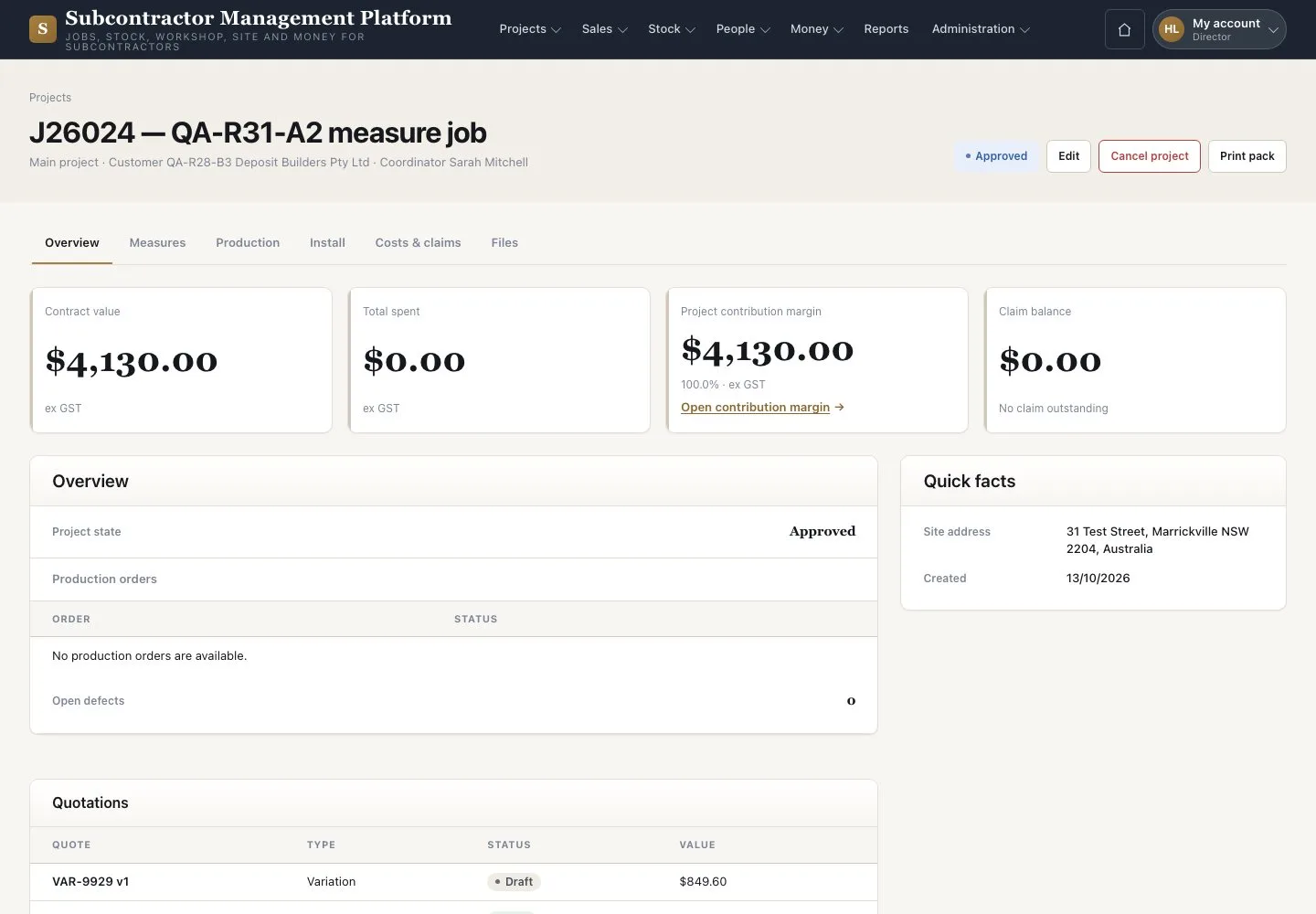
  1. Open a Project from “Projects”
  2. Read its overview, quotations and activity
  3. Press “Cancel project” with a reason when the job stops

Cancelling keeps the Project’s history; the Warehouse releases its held slabs.

Enlarge, then scroll

Open illustrated screen ↗Full image ↗

Director · Projects, quotes and prices01

Quotes

Director

Quotes

2Step 2 of 3

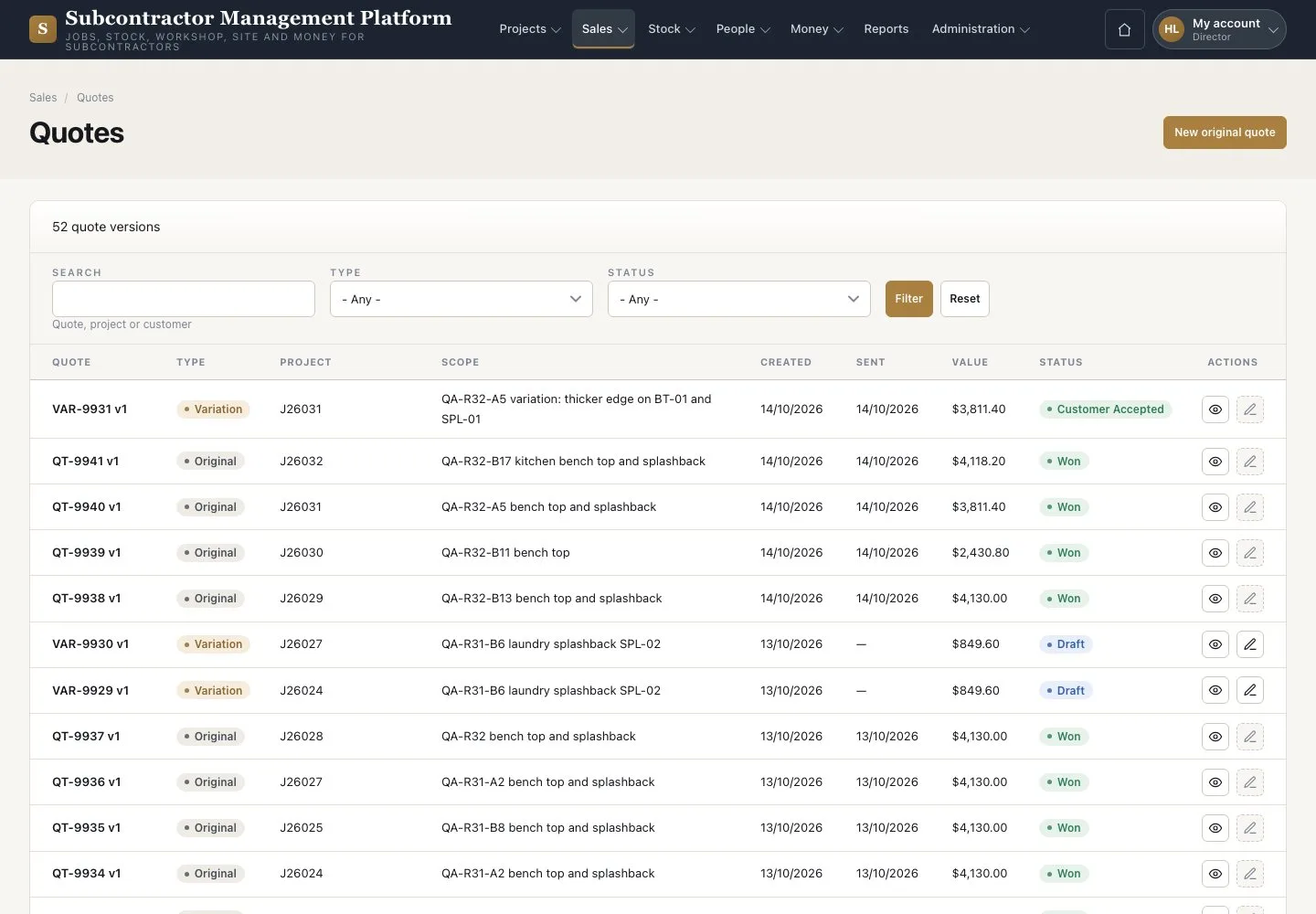
  1. Open Sales → “Quotes”
  2. Filter and open a quote

Enlarge, then scroll

Open illustrated screen ↗Full image ↗

Director · Projects, quotes and prices02

Price library

Director

Price library

3Step 3 of 3

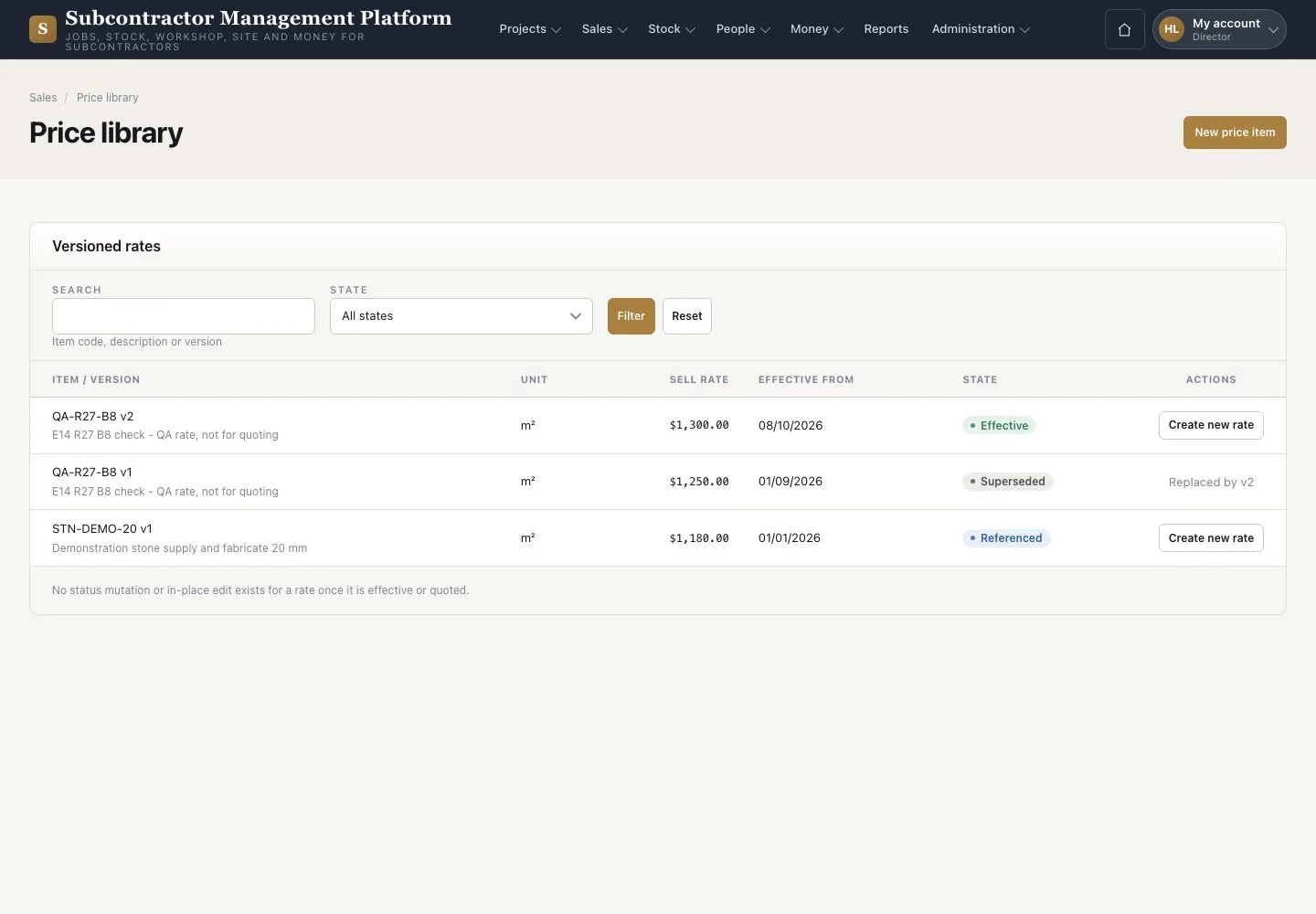
  1. Open Sales → “Price library”
  2. Add a new item or a new dated rate

Open illustrated screen ↗Full image ↗

Check

You read every Project and act only where your role allows.

Director · Projects, quotes and prices03
1 / 4
Privacy Terms