Follow a learner

Students I Teach · Learner detail · Learning timeline · Staff preview

  • A learner in one of your courses
Instructor
Students I Teach

Instructor

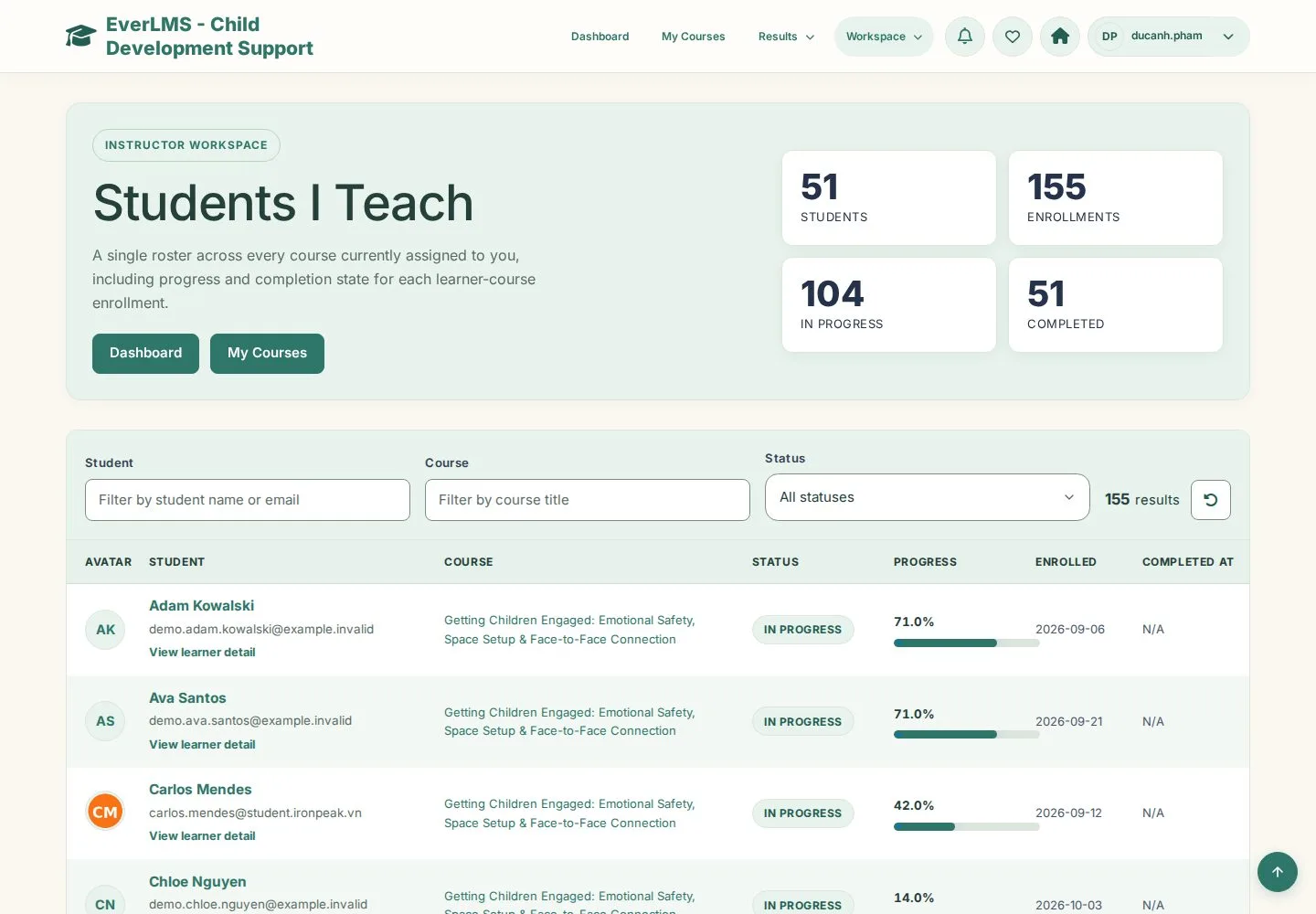
Students I Teach

1Step 1 of 6

  1. Workspace › Learners I Teach
  2. Filter by student name or email, course or status
  3. Open a learner

Enlarge, then scroll

Open illustrated screen ↗Full image ↗

Instructor · Follow a learner01

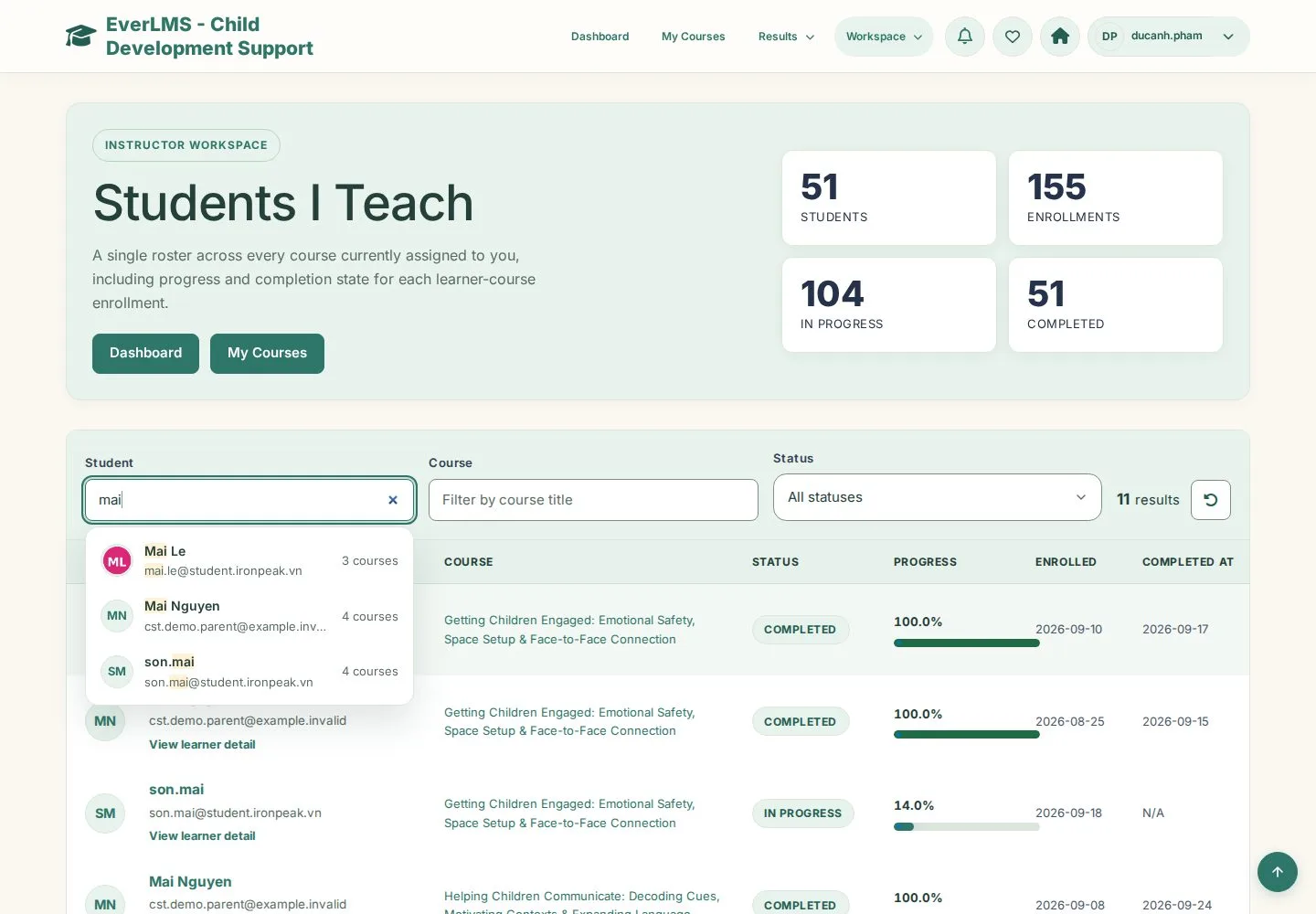
Find a learner

Instructor

Find a learner

2Step 2 of 6

  1. Type a name or email
  2. Pick the learner from the suggestions

Open illustrated screen ↗Full image ↗

Instructor · Follow a learner02

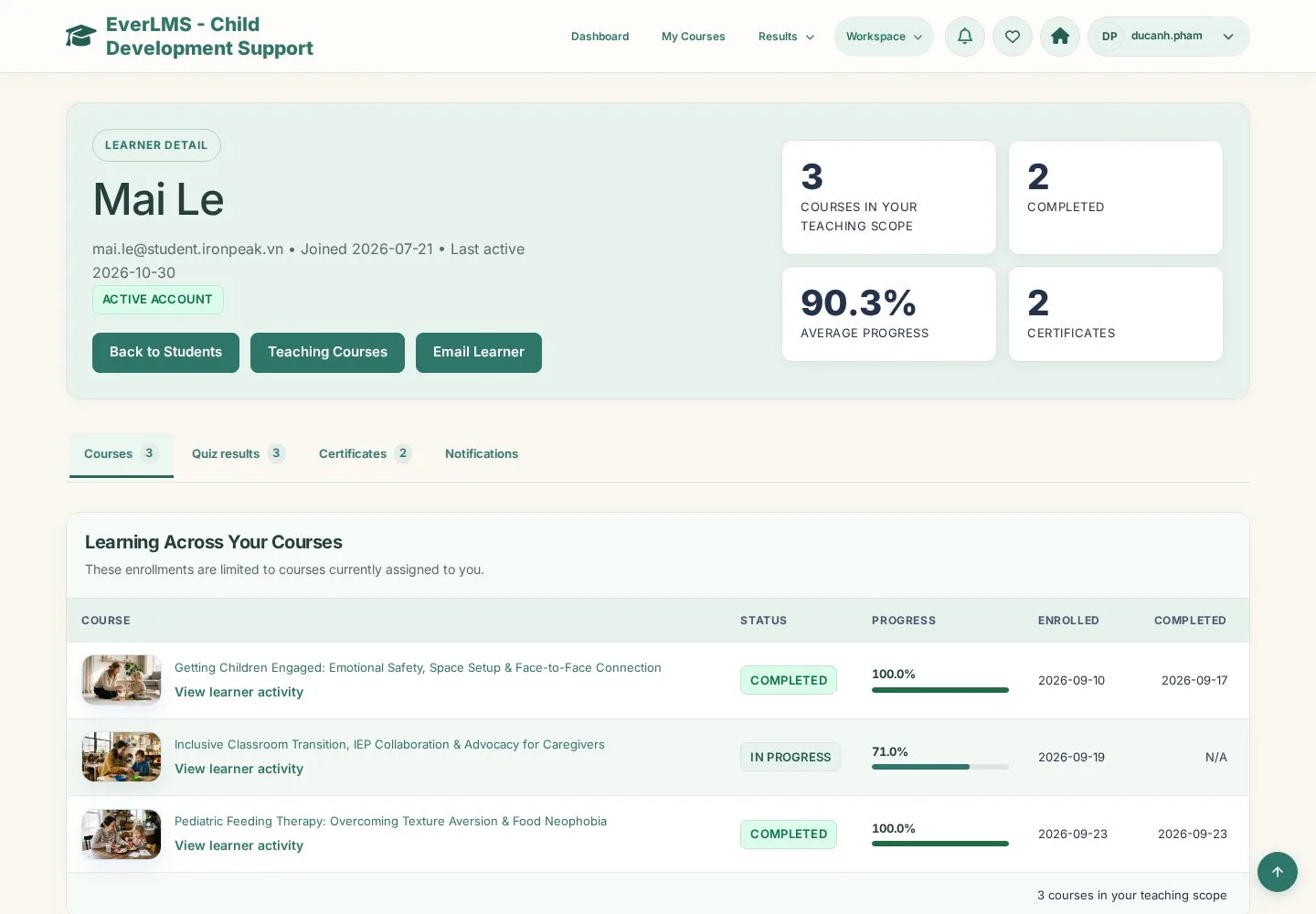
Learning across your courses

Instructor

Learning across your courses

3Step 3 of 6

  1. Status and progress per course
  2. Email Learner

Enlarge, then scroll

Open illustrated screen ↗Full image ↗

Instructor · Follow a learner03

Course activity

Instructor

Course activity

4Step 4 of 6

  1. Course snapshot
  2. Learning timeline · Learner comments · Quiz attempts

Enlarge, then scroll

Open illustrated screen ↗Full image ↗

Instructor · Follow a learner04

Learning timeline

Instructor

Learning timeline

5Step 5 of 6

  1. Each lesson with its status and date
  2. Select a lesson title to open it

Enlarge, then scroll

Open illustrated screen ↗Full image ↗

Instructor · Follow a learner05

Staff preview

Instructor

Staff preview

6Step 6 of 6

  1. The lesson opens as the learner sees it

Staff preview records no progress; it is available for courses you teach.

Enlarge, then scroll

Open illustrated screen ↗Full image ↗

Check

You see where the learner is in each course and open the lesson they are on

Instructor · Follow a learner06
1 / 7
Privacy Terms