Articles & basic pages

Article · Basic page · Publication

  • Content creation or editing permission
  • Copy and images ready
Content Editor

Choose the content type

Content Editor

Choose the content type

1Step 1 of 4

  1. Add content
  2. Article / Basic page

Enlarge, then scroll

Open illustrated screen ↗Full image ↗

Content Editor · Articles & basic pages01

Article

Content Editor

Article

2Step 2 of 4

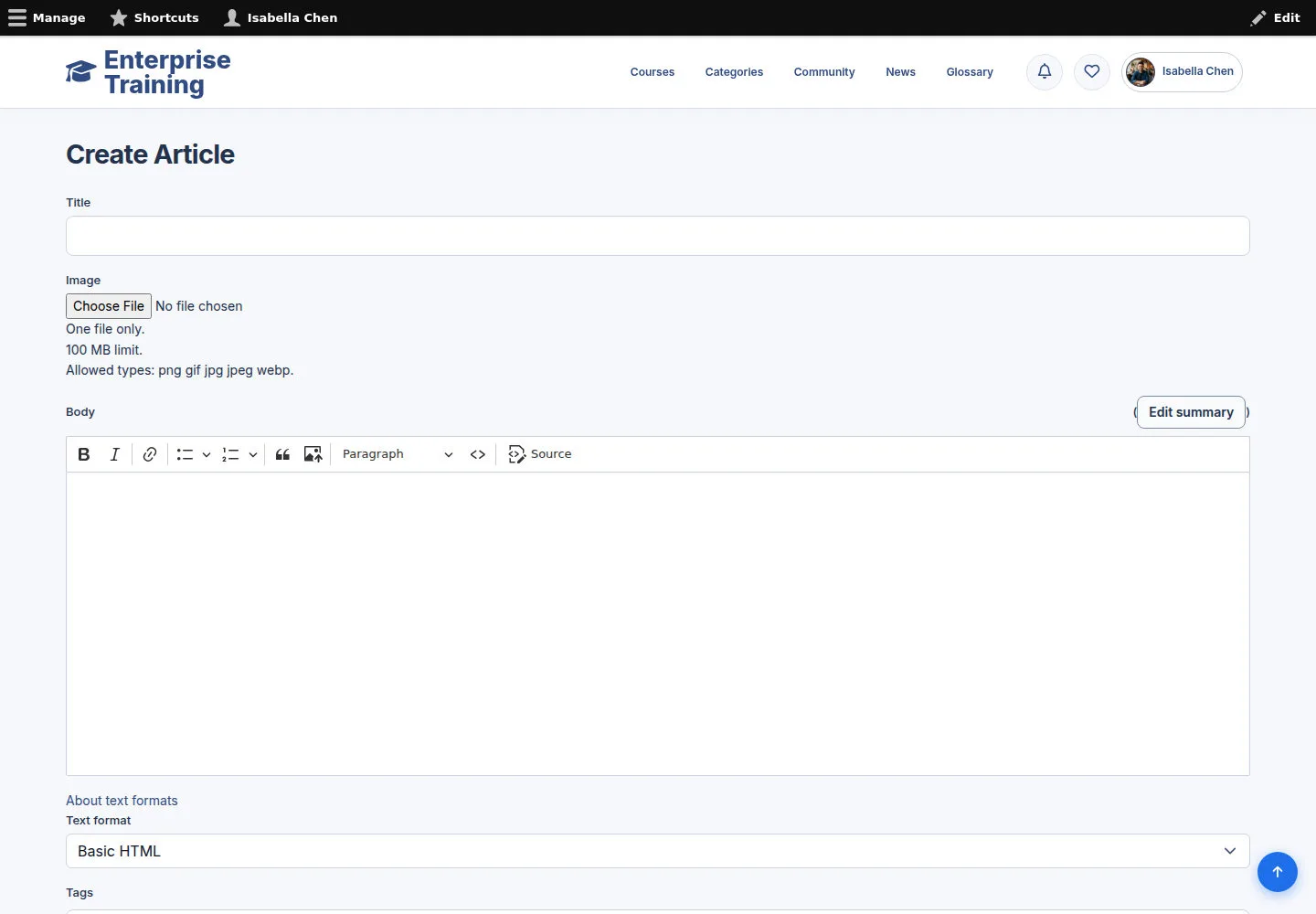
  1. Title / image / alt text
  2. Body / Tags
  3. Check Published
  4. Save

Enlarge, then scroll

Open illustrated screen ↗Full image ↗

Content Editor · Articles & basic pages02

Basic page

Content Editor

Basic page

3Step 3 of 4

  1. Title / Body
  2. Choose text format
  3. Check publication
  4. Save

Enlarge, then scroll

Open illustrated screen ↗Full image ↗

Content Editor · Articles & basic pages03

Text format help

Content Editor

Text format help

4Step 4 of 4

  1. Format help
  2. Supported controls
  3. Supported markup

Enlarge, then scroll

Open illustrated screen ↗Full image ↗

Check

Content saved with the intended publication state

Content Editor · Articles & basic pages04
1 / 5
Privacy Terms