






Win the job

One job from the first enquiry

  • A customer or an enquiry
  • Rates in the Price library
Project coordinator
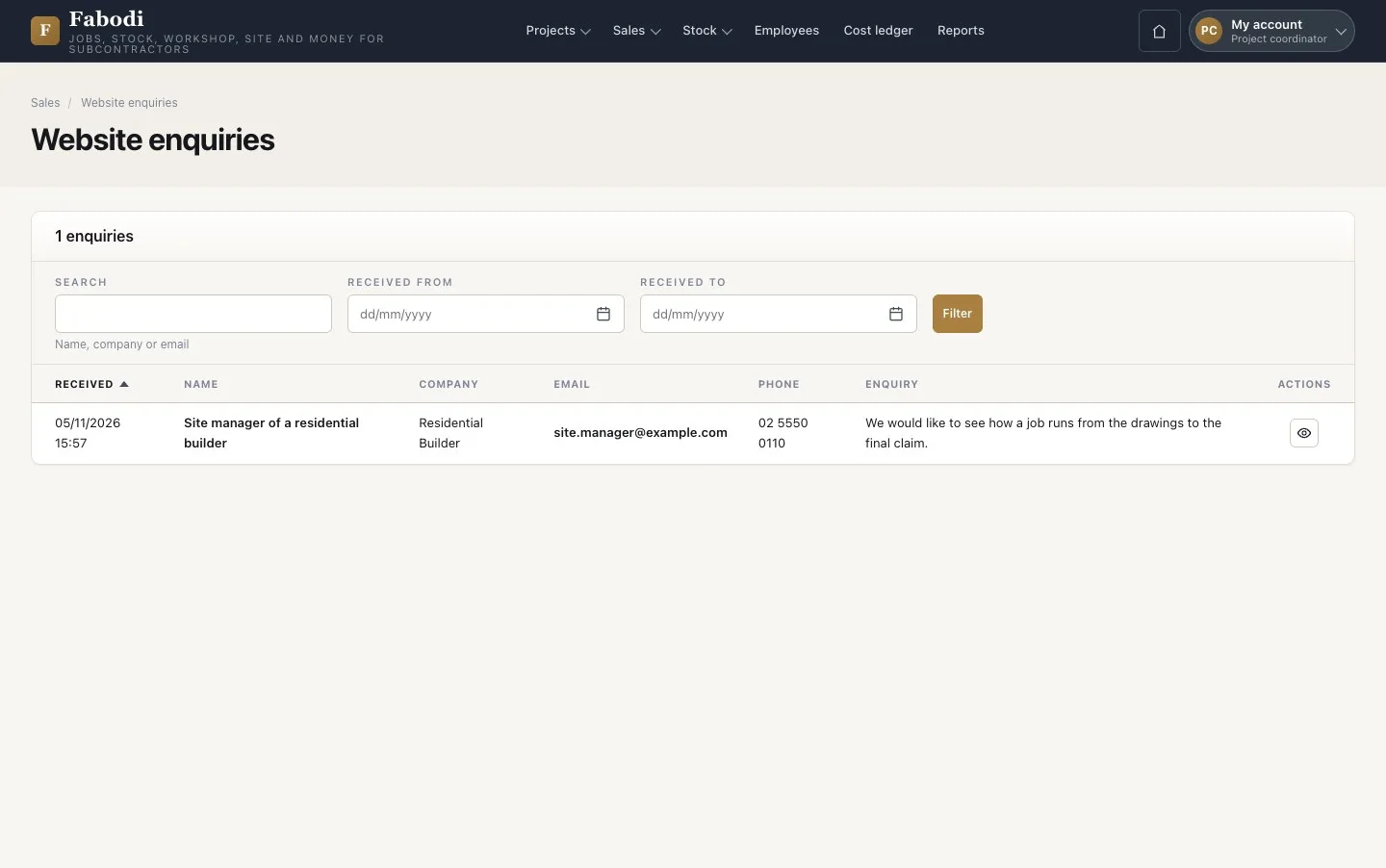
Read the enquiry

Project coordinator

Read the enquiry

1Step 1 of 14

  1. Sales → Website enquiries lists what visitors sent from the Contact page.
  2. Open one to read it. An enquiry does not become a customer or a job on its own.

Open illustrated screen ↗Full image ↗

Project coordinator · Win the job01

Add the customer

Project coordinator

Add the customer

2Step 2 of 14

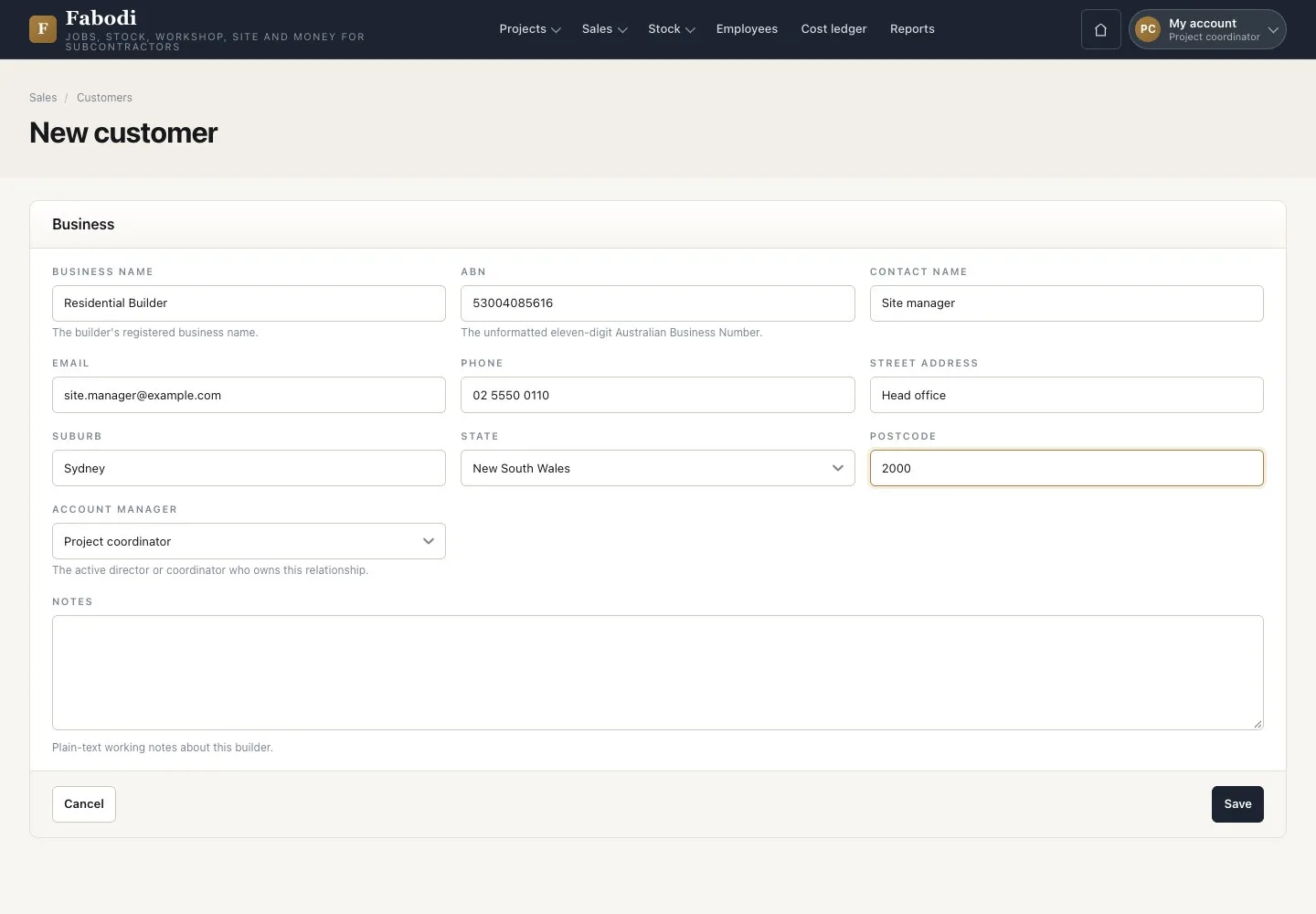
  1. Sales → Customers → add the business name and its eleven-digit ABN.
  2. Add the contact who receives quotes and claims, the address and the account manager.

The ABN must be valid and used once.

Enlarge, then scroll

Open illustrated screen ↗Full image ↗

Project coordinator · Win the job02

Payment terms

Director

Payment terms

3Step 3 of 14

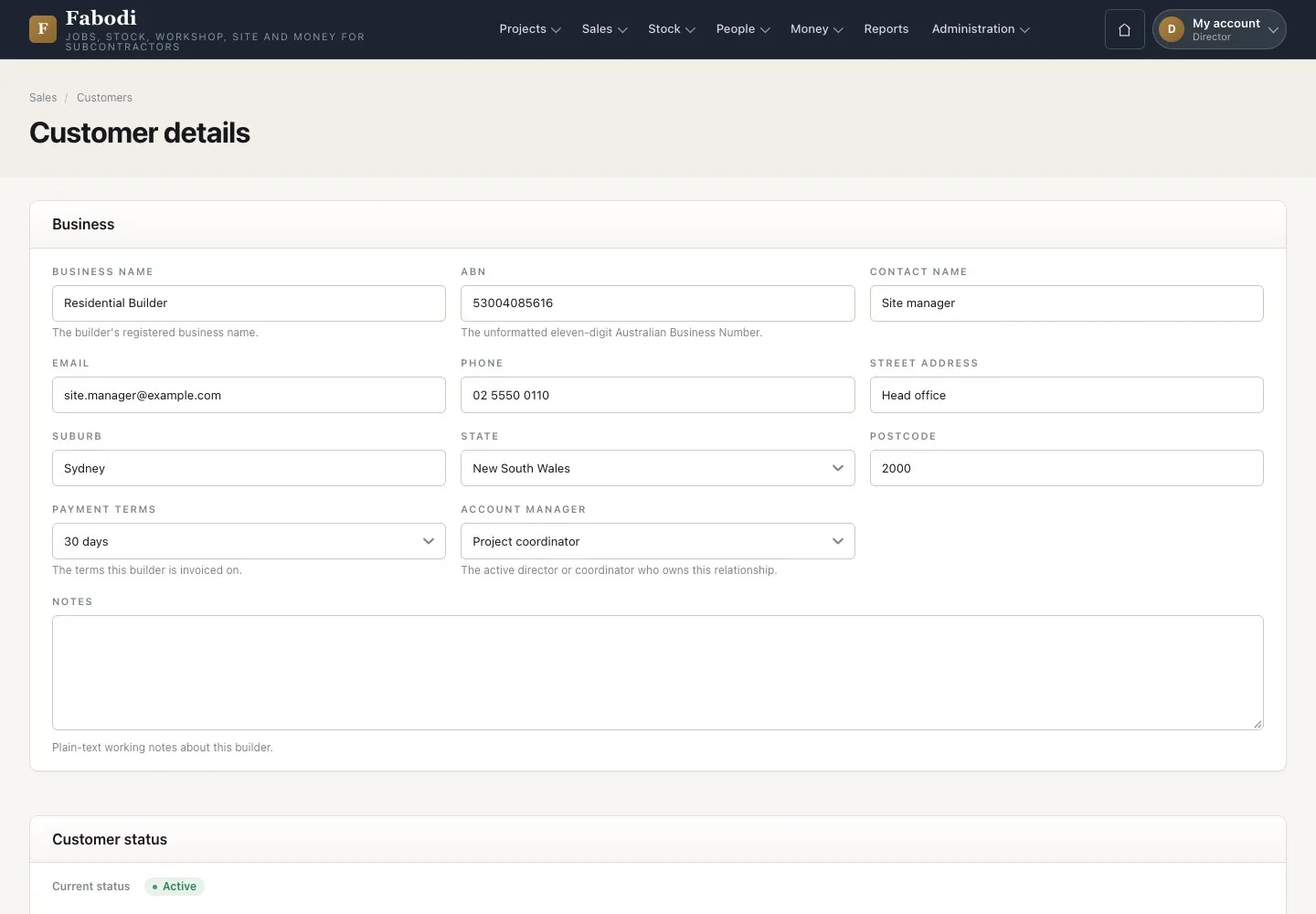
  1. A director opens the customer and sets COD, 14, 30, 45 or 60 days.
  2. Due dates on claims follow these terms.

Enlarge, then scroll

Open illustrated screen ↗Full image ↗

Project coordinator · Win the job03

Open the project

Project coordinator

Open the project

4Step 4 of 14

  1. Projects → Add project, Main project.
  2. Name the job, choose the customer, contact, site address and coordinator.
  3. The job code comes when you save, and the job starts at Enquiry.

Enlarge, then scroll

Open illustrated screen ↗Full image ↗

Project coordinator · Win the job04

Quoting measure

Project coordinator

Quoting measure

5Step 5 of 14

  1. New quoting measure on the project: contractor supplied or company measured.
  2. Add each piece: location, length, width, thickness, edge, cut-outs and a scope key.

Enlarge, then scroll

Open illustrated screen ↗Full image ↗

Project coordinator · Win the job05

Finalise the measure

Project coordinator

Finalise the measure

6Step 6 of 14

  1. Finalise makes the sheet read-only.
  2. Only a final quoting measure can be quoted.

Open illustrated screen ↗Full image ↗

Project coordinator · Win the job06

Build the quote

Project coordinator

Build the quote

7Step 7 of 14

  1. Sales → Quotes → New quote: customer, project, scope, dates, stone type.
  2. Create quote, then Add line from the Price library and enter the quantity.
  3. Each line names its measured item, or a New scope for extras such as an edge.
  4. Save quote.

A measured item takes one quote line. Put extras on a New scope, or the worker cannot start the order later.

Enlarge, then scroll

Open illustrated screen ↗Full image ↗

Project coordinator · Win the job07

Every line is mapped

Project coordinator

Every line is mapped

8Step 8 of 14

  1. A line with no measured item and no new scope is refused when you save.
  2. Map it and save again; nothing was stored.

Open illustrated screen ↗Full image ↗

Project coordinator · Win the job08

Send the quotation

Project coordinator

Send the quotation

9Step 9 of 14

  1. Send quotation, choose the contact.
  2. The PDF is emailed and the quote locks at Sent.
  3. The first quote already moved the job to Quoting.

Open illustrated screen ↗Full image ↗

Project coordinator · Win the job09

The customer accepts

Project coordinator

The customer accepts

10Step 10 of 14

  1. Record Won and attach the signed acceptance.
  2. Record Lost or Cancelled needs a reason and evidence; Expired needs a reason.

Open illustrated screen ↗Full image ↗

Project coordinator · Win the job10

Won

Project coordinator

Won

11Step 11 of 14

  1. The quote is Won and its lines stay locked.
  2. The price of the job is now fixed. Changes go through a variation.

Enlarge, then scroll

Open illustrated screen ↗Full image ↗

Project coordinator · Win the job11

The job moves on

Project coordinator

The job moves on

12Step 12 of 14

  1. The job is at Measuring and shows its contract value.
  2. New fabrication measure is the next step.

Enlarge, then scroll

Open illustrated screen ↗Full image ↗

Project coordinator · Win the job12

Deposit claim

Accountant

Deposit claim

13Step 13 of 14

  1. The accountant finds a notice with a Draft deposit claim.
  2. The amount follows the deposit percent of the configuration.

Open illustrated screen ↗Full image ↗

Project coordinator · Win the job13

Change after sending

Project coordinator

Change after sending

14Step 14 of 14

  1. A sent quote: Create revision makes a new Draft and keeps the sent version unchanged.
  2. A lost quote: Quote again opens a new job.

Open illustrated screen ↗Full image ↗

Check

The quote is Won, the job moves to Measuring and a deposit claim waits for the accountant

Project coordinator · Win the job14
1 / 15
Privacy Terms