





Lists, prices and rates

Dated, never rewritten

  • Platform administrator or director
Platform administrator
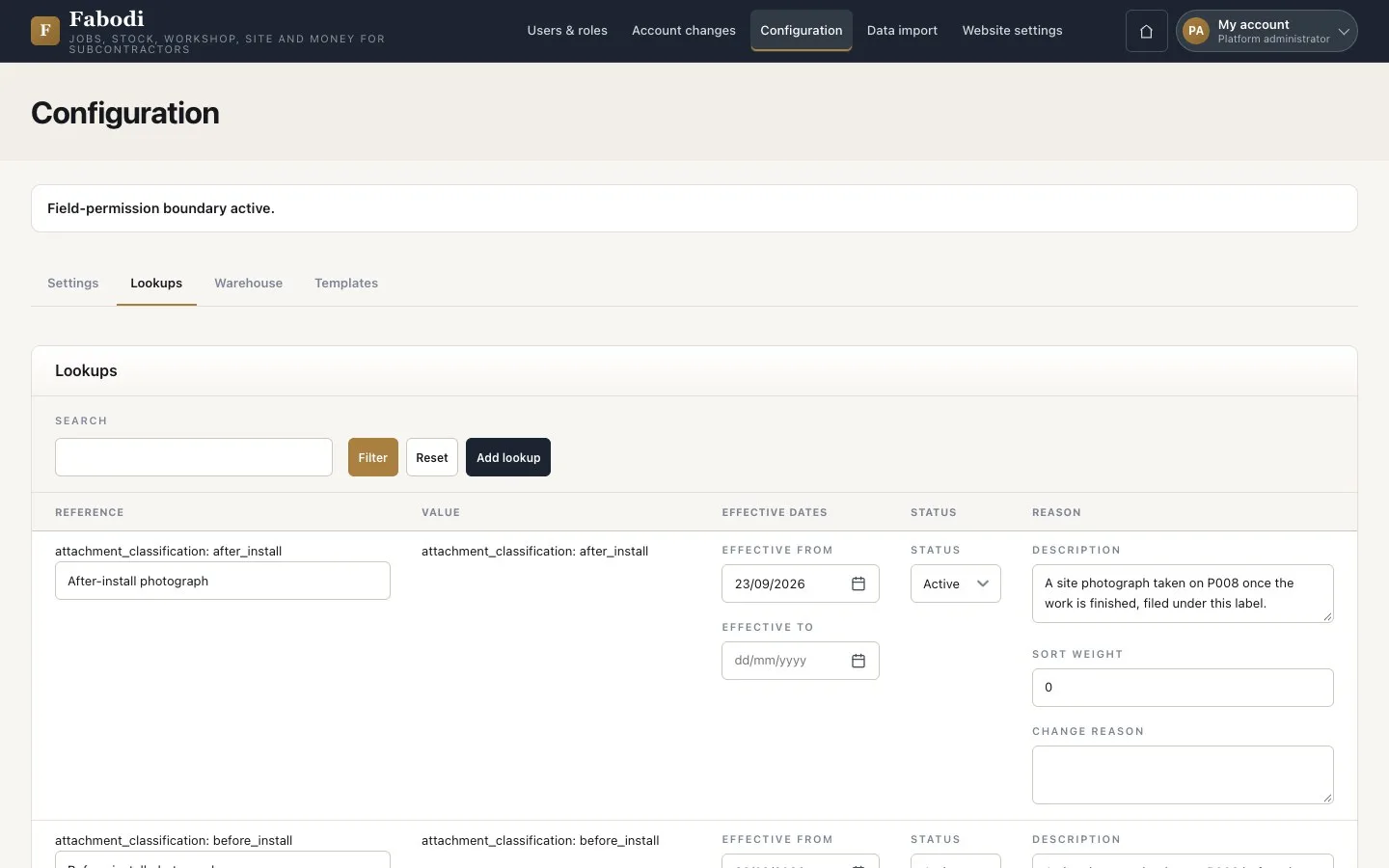
Configuration

Platform administrator

Configuration

1Step 1 of 5

  1. Administration → Configuration: settings, lookups, warehouse and templates.

Open illustrated screen ↗Full image ↗

Platform administrator · Lists, prices and rates01

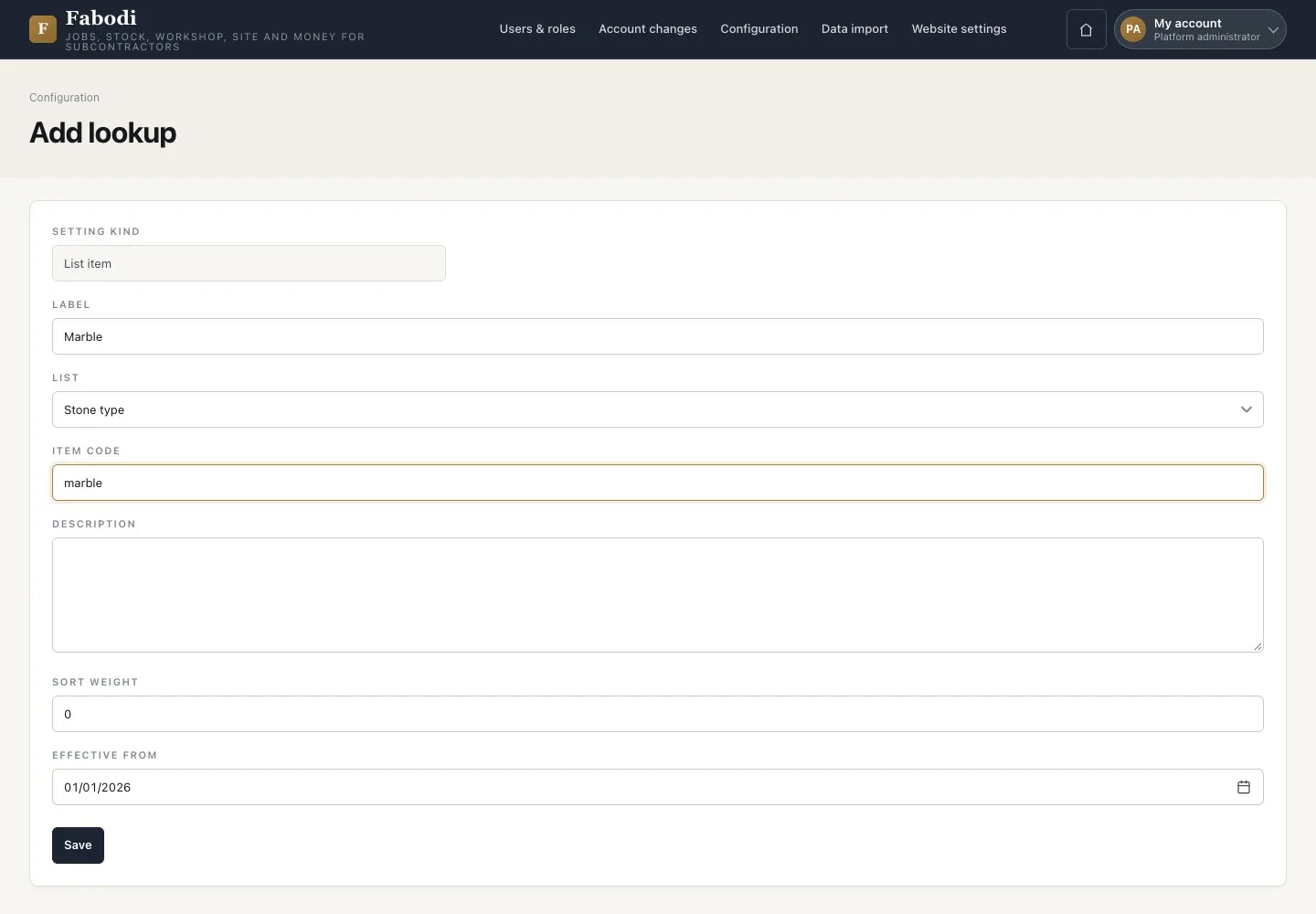
Add a lookup item

Platform administrator

Add a lookup item

2Step 2 of 5

  1. Choose the list, enter the label and item code.
  2. A new list needs development.

Enlarge, then scroll

Open illustrated screen ↗Full image ↗

Platform administrator · Lists, prices and rates02

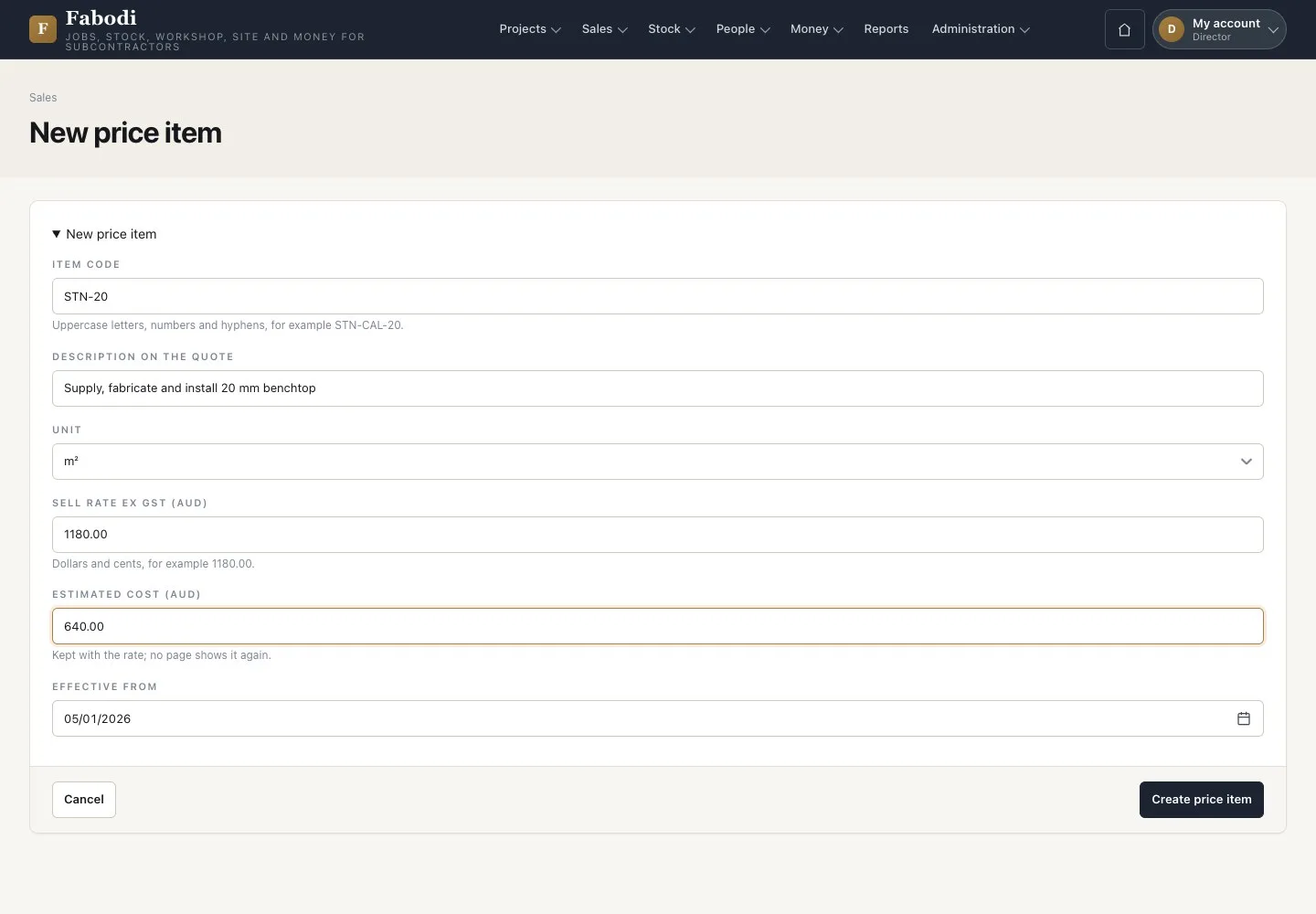
Price library

Director

Price library

3Step 3 of 5

  1. New price item: code, description, unit, sell rate, effective date.
  2. Create new rate adds a version; quotes keep the rate they used.

Enlarge, then scroll

Open illustrated screen ↗Full image ↗

Platform administrator · Lists, prices and rates03

Labour rates

Director

Labour rates

4Step 4 of 5

  1. Add labour rate revision for all positions, with the effective date.

Today, approve a new revision only on its effective date: an approved future revision stops shifts until then.

Enlarge, then scroll

Open illustrated screen ↗Full image ↗

Platform administrator · Lists, prices and rates04

Second director

Director

Second director

5Step 5 of 5

  1. Another director approves with their own password.

Open illustrated screen ↗Full image ↗

Check

Reference data, prices and rates are ready for the jobs

Platform administrator · Lists, prices and rates05
1 / 6
Privacy Terms