Drupal

Drupal 10 to 11 upgrade checklist, with Drupal 12 notes
Submitted by Hai Nguyen on
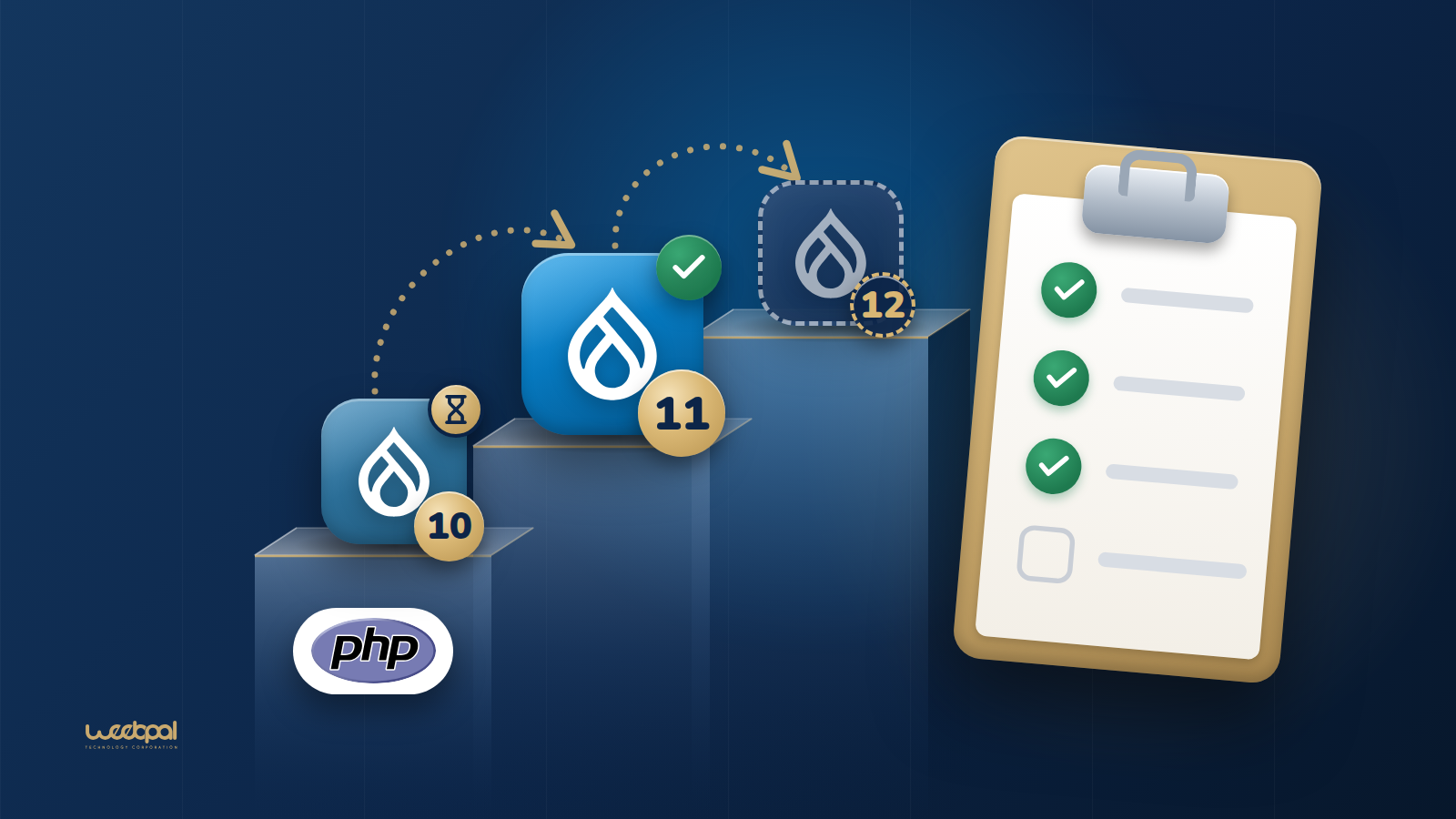
Glass stairs rising from the PHP logo through Drupal 10, 11 and 12, beside a clipboard of ticked items: a step by step Drupal upgrade checklist.

Last checked against drupal.org: 26 September 2026. A checklist for taking a Drupal 10 site to Drupal 11, with the extra checks Drupal 12 will need. Where an item rests on a drupal.org rule, it links to the page the rule comes from.

Take it with you:

  • Printable PDF (A4, 235 KB).
  • White-label PDF (A4, 231 KB): the same checklist with no WeebPal name, logo or link in it, and blank lines for who prepared it and for whom, so an agency can hand it to its clients.

The order matters. Everything up to the Drupal Rector section happens on the Drupal 10 site, because Upgrade Status checks a site against the next major version: the Drupal 11 checks run on Drupal 10. Drupal 10 reaches end of life on 9 December 2026: Drupal end-of-life dates has every date and PHP version in one table.

Before you start

  • Confirm the core version and PHP version. Drupal 11 needs 10.3.0 or later.
    drush status --fields=drupal-version,php-version
    All core database updates from before 10.3.0 were removed in Drupal 11, so a site on an older 10.x minor updates within Drupal 10 first. Take it to the latest 10.6 release, the last minor release of Drupal 10. (Source: How to upgrade from Drupal 10 to Drupal 11; Drupal core release schedule.)
  • List every module and theme, contributed and custom, and every patch applied through Composer. This list is what the rest of the checklist works through. Note which modules are enabled and which are only in the codebase.
  • Update contributed modules to their latest releases while the site is still on Drupal 10. Many projects publish releases that support Drupal 10 and 11 together, so most of the contributed code can move before the core update. (Source: Upgrade Status project page.)
  • Back up the database, the files directory and the code, then restore that backup somewhere once to prove it works. The same backup routine is what the rollback plan at the end relies on.

Hosting: PHP and database

  • PHP 8.3 or later for Drupal 11, with the zlib extension enabled. PHP 8.3 and 8.4 are supported on every Drupal 11 minor from 11.1; PHP 8.5 from 11.3. No supported Drupal version runs on PHP 7. (Source: PHP requirements; Drupal 11.0.0 release notes.)
  • Database: MySQL 8.0, MariaDB 10.6, PostgreSQL 16 or SQLite 3.45 or later. PostgreSQL also needs the pg_trgm extension, and SQLite the json1 extension. A Drupal 10 site on MySQL 5.7 or MariaDB below 10.6 has to move its database first. (Source: Database server requirements.)
  • Local, staging and production run the same PHP and database versions. An upgrade tested on one PHP version and deployed on another tests neither.

Upgrade Status

  • Install Upgrade Status with Composer on the Drupal 10 site and scan everything.
    drush upgrade_status:analyze --all
    It has to run on the current site: once the site is on Drupal 11, the deprecated APIs it looks for are gone. Its project page describes the install, including drupal/core-dev so that test code does not produce false errors. Upgrade Status 4.3 installs on Drupal 9, 10 and 11; 5.0, still in alpha, on Drupal 10.4, 11 and 12. (Source: Upgrade Status project page; Upgrade Status releases.)
  • Clear every item on the report for custom code, and record the contributed projects it flags. The report also checks the environment against the next major version's system requirements. (Source: Upgrade Status project page.)
  • Treat a clean report as necessary, not sufficient. Click through the site with deprecation logging on. Upgrade Status reads code. A deprecation that core raises only at runtime, such as passing an array to Merge::key() from Drupal 10.2, does not show up in the scan. (Source: Change record: Merge::key().)

Drupal Rector for custom code

  • Install Drupal Rector and copy its configuration to the project root.
    composer require --dev palantirnet/drupal-rector
    cp vendor/palantirnet/drupal-rector/rector.php .
    (Source: drupal-rector README.)
  • Dry run first and review the diff, then run the same command again without the dry-run option.
    vendor/bin/rector process web/modules/custom --dry-run
    Do the same for custom themes. (Source: drupal-rector README.)
  • Fix by hand what Rector leaves. Its documented limits include static calls such as \Drupal::service(). Run Upgrade Status again afterwards: what it still reports is the hand work. (Source: Rector on drupal.org.)
  • Allow Drupal 11 in the info file of each custom module and theme.
    core_version_requirement: ^10.3 || ^11
    The code then runs on both sides of the core update.

Core modules removed in Drupal 11

Contributed modules without a Drupal 11 release

  • Check each project page by hand, including new major branches. Upgrade Status can miss a compatible release. (Source: How to upgrade from Drupal 10 to Drupal 11.)
  • Look in the issue queue for the Project Update Bot's "Automated Drupal 11 compatibility fixes" issue and any patches people have tested. The bot's changes are generated by Upgrade Status and Drupal Rector and are not tested; test them before you rely on them.
  • Allow the current and the next major branch in composer.json while you wait, for example "^6.1 || ^7.0", and find what still blocks the update.
    composer why-not drupal/core ^11
    (Source: How to upgrade from Drupal 10 to Drupal 11.)
  • A module whose info file does not allow Drupal 11 yet installs with the Drupal Lenient Composer Plugin and a patch. drupal.org says the plugin should not be used in production. Use it to test on staging, and get a fixed release, or a patched copy you maintain, before go-live. The former lenient endpoint at packages.drupal.org is no longer available. (Source: Using the Drupal Lenient Composer Plugin.)
  • For an abandoned module, decide: replace it, drop the feature, or port it and post the patch in its queue.

Run the upgrade on a copy

  • Work on a copy of production, with its database and files, never on production itself. (Source: How to upgrade from Drupal 10 to Drupal 11.)
  • Require Drupal 11 core without updating yet, allow the symfony/runtime Composer plugin that core needs from 11.4, then dry-run the update and run it.
    composer require 'drupal/core-recommended:^11' \
      'drupal/core-composer-scaffold:^11' \
      'drupal/core-project-message:^11' --no-update
    composer config allow-plugins.symfony/runtime true
    composer update --dry-run
    composer update
    Update Drush in the same pass. Without the plugin permission, Composer stops to ask whether to trust symfony/runtime. (Source: How to upgrade from Drupal 10 to Drupal 11.)
  • Re-apply your changes to scaffold files such as .htaccess and robots.txt. All core files, .htaccess included, change in the upgrade. (Source: How to upgrade from Drupal 10 to Drupal 11.)
  • Run the database updates, export the configuration and review the diff.
    drush updatedb
    drush config:export
    Read the status report at /admin/reports/status as well: errors about missing extensions show there.

Testing

  • Run the automated tests the site has (PHPUnit, Behat), and run cron.
    drush cron
    (Source: How to upgrade from Drupal 10 to Drupal 11.)
  • Watch the log while you click through the site.
    drush watchdog:tail
    (Source: How to upgrade from Drupal 10 to Drupal 11.)
  • Walk the journeys that matter: log in, editing and publishing, forms, search, payments, integrations, scheduled jobs and emails. The people who use the site every day find what automated tests miss; give them staging and a list of what to try.
  • Compare key pages with the live site, and check that URLs and redirects are unchanged.

Rollback plan

  • Agree before go-live who decides to roll back, and on what signal.
  • Put the site in maintenance mode and dump the database just before the updates.
    drush maint:set 1
    drush sql:dump --gzip --result-file=pre-d11.sql
    Back up the files directory at the same point. Afterwards, drush maint:set 0 takes the site out of maintenance mode.
  • Keep the previous release, code and composer.lock, ready to deploy again.
  • Rolling back means the previous code plus the pre-update dump: Drupal cannot reverse database updates. Rehearse it once on staging. Content, orders or form submissions made between the dump and a rollback are lost with it, so freeze editing during the window or plan how to carry them over.

Drupal 12 notes

  • Drupal 12.0.0 is planned for the week of 7 December 2026. Until then these notes come from the 12.0.0-alpha1 release notes. Drupal 10 reaches end of life on 9 December 2026, the same week. (Source: Drupal core release schedule; Drupal 12.0.0-alpha1 release notes.)
  • Update to Drupal 11.4.0 or later before Drupal 12; drupal.org strongly recommends 11.5.0 or higher. Core database updates from before 11.4.0 are removed in Drupal 12. The Drupal 11 to 12 upgrade guide is still marked as work in progress and states a different minimum, so check both before you plan. (Source: Drupal 12.0.0-alpha1 release notes; How to upgrade from Drupal 11 to Drupal 12.)
  • PHP 8.5, compiled with argon2 support, and MariaDB 10.11 or MySQL 8.0. The default password hashing becomes argon2id. For PostgreSQL the release notes say 19 and the database requirements page says 18: check again at release. (Source: Drupal 12.0.0-alpha1 release notes; PHP requirements; Database server requirements.)
  • Ban, Contact, Field Layout, History, Settings Tray, Shortcut, Telephone and Stable 9 move to contributed projects. Migrate Drupal and Migrate Drupal UI are removed with no contributed version. Search, Toolbar, Claro and Olivero are proposed for removal as well. The Text (formatted, long, with summary) field type moves to the contributed Text With Summary module; drupal.org recommends updating to 11.5.0 and running database updates first. A Drupal 7 site migrates to Drupal 11 and then updates to 12. (Source: Drupal 12.0.0-alpha1 release notes; Deprecated and obsolete extensions.)
  • Use Upgrade Status 5.0 to scan for Drupal 12 on the Drupal 11 site. A major version cannot be skipped: Drupal 10 goes to 11 first. (Source: Upgrading Drupal; Upgrade Status project page.)

After the checklist

The items no scanner covers are the ones to give time to: a contributed module without a release, a deprecation raised only at runtime, a journey nobody tested. What we changed to make WE Mega Menu compatible with Drupal 11 and 12 shows one of those from the maintainer's side.

If you would rather hand the work over, we run Drupal upgrades to Drupal 11 and 12, starting with an audit of every module on the site. Agencies can have the audit and the upgrade done under their own name: see white-label Drupal development.

Last checked against drupal.org: 26 September 2026.
Drupal end-of-life dates and PHP requirements, from Drupal 7 to 12

Submitted by Hai Nguyen on
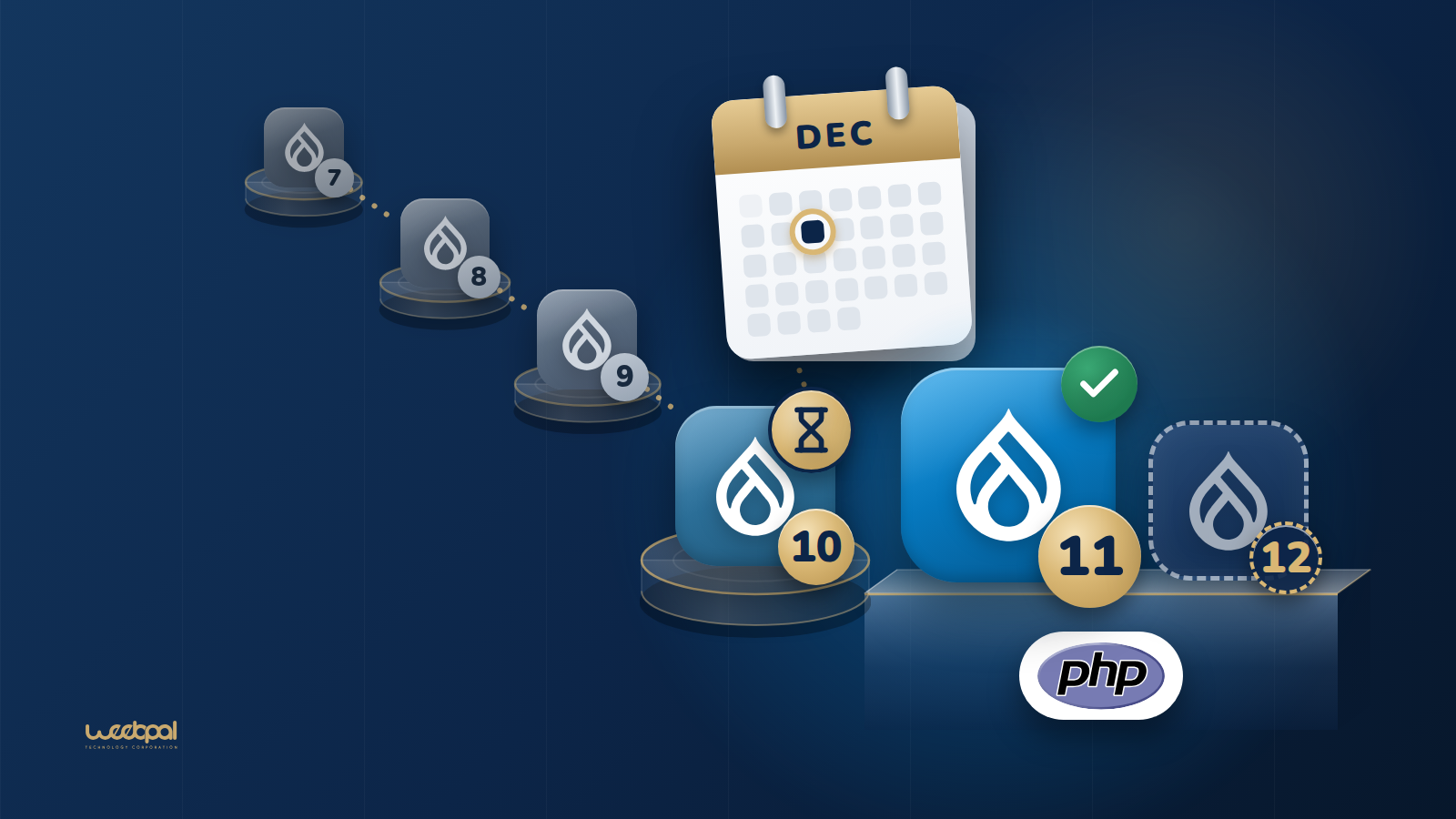
Drupal version tiles with 7, 8 and 9 greyed out, 10 marked with an hourglass and a December calendar, 11 bright with a green tick and 12 as a dashed outline: which Drupal versions have ended, which is ending and which is current or planned.

Last checked against drupal.org: 26 September 2026. Every date and version on this page comes from a drupal.org page listed under Sources at the end. Dates that are still plans are marked as planned.
Drupal 10 reaches end of life on 9 December 2026, the same week Drupal 12.0.0 is planned for release. Drupal 11 is the current major version. This page puts the support dates, the PHP versions and the database versions of every recent Drupal release in one place, for people planning an upgrade or answering a security questionnaire.

Supported and coming versions

VersionSecurity supportMinimum PHPMinimum databaseReleased
Drupal 12Pre-release. No end date published yetPHP 8.5MySQL 8.0, MariaDB 10.11, SQLite 3.45; PostgreSQL 19 in the release notes, 18 on the requirements pagePlanned: week of 7 December 2026 (alpha1: 2 September 2026)
Drupal 11Supported, the current major version. No end date published; the deprecated extensions page says mid to late 2028PHP 8.3MySQL 8.0, MariaDB 10.6, PostgreSQL 16, SQLite 3.452 August 2024
Drupal 10Ends on 9 December 2026. 10.6 is the last minor releasePHP 8.1MySQL 5.7.8, MariaDB 10.3.7, PostgreSQL 12, SQLite 3.2615 December 2022

Sources: Drupal core release schedule for the release and end-of-life dates, PHP requirements and Database server requirements for the product, Drupal 12.0.0-alpha1 release notes for Drupal 12 and Deprecated and obsolete extensions for the Drupal 11 estimate. The two drupal.org sources disagree on the PostgreSQL version for Drupal 12, which is why the table gives both. PostgreSQL also needs the pg_trgm extension on Drupal 10, 11 and 12.

Versions past end of life

VersionEnd of lifeReleased
Drupal 91 November 20233 June 2020
Drupal 817 November 202119 November 2015
Drupal 75 January 20255 January 2011
Drupal 624 February 201613 February 2008

End of life means no further releases, security fixes included. For Drupal 10, the schedule says: "No new releases of Drupal 10 will be made after this date." Drupal 7 support ended on 5 January 2025 after its end of life had been extended; drupal.org calls that date the final extension (Drupal 7 End of Life). Release dates are from the release notes of each version.

Which PHP versions each minor release supports

DrupalPHP 8.1PHP 8.2PHP 8.3PHP 8.4PHP 8.5
10.4, 10.5, 10.6YesYesYesYesNo
11.1, 11.2NoNoYesYesNo
11.3, 11.4NoNoYesYesYes
12.0NoNoNoNoYes

From PHP requirements, which also says that no supported version of Drupal runs on any version of PHP 7, and that a minor release keeps its security coverage, typically 12 months, only while it runs on a supported PHP version; if a dependency of Drupal 10 drops PHP 8.1 before 9 December 2026, drupal.org may publish an unscheduled minor release that requires PHP 8.2. From Drupal 12.0, PHP should also be compiled with argon2 support, because argon2id becomes the default password hashing.

Which minor releases get security fixes now

  • 11.4.x has a bug fix release window on the first Wednesday of each month and a security release window on the third.
  • 11.3.x shares the security window until the week of 7 December 2026.
  • 10.6.x shares the security window until Drupal 10 reaches end of life on 9 December 2026.
  • 11.5.0 is planned for the week of 7 December 2026, together with 12.0.0.

From the Drupal core release schedule and the Drupal core release history feed.

How long a major version is supported

The Release process overview sets the rules the dates above follow:

  • A new major version comes out every two years, in even years, in June, August or December.
  • Each major version is supported for at least four years, until two further major versions have been released, and only while its key dependencies are supported.
  • A new minor version comes out about every six months, in June and December. Each is supported for a year: bug and security fixes for the first six months, security fixes only for the last six.
  • When a new major version comes out, the previous one enters long-term support and gets a maintenance minor release every six months.

That is why Drupal 11 has no end date yet: it depends on when Drupal 13 is released. The deprecated extensions page, in its note on Migrate Drupal, says that "Drupal 11 will be supported until mid-late 2028".

The version a site must reach before each upgrade

  • No major version can be skipped. "To upgrade from Drupal 9 to Drupal 11, sites must upgrade from Drupal 9 to Drupal 10 then to Drupal 11" (Upgrading Drupal). Upgrade Status does not support jumping versions either (Upgrade Status project page).
  • To Drupal 11: Drupal 10.3.0 or later, and PHP 8.3. "All core updates prior to 10.3.0 have been removed in Drupal 11" (How to upgrade from Drupal 10 to Drupal 11).
  • To Drupal 12: Drupal 11.4.0 or later, because database updates added before 11.4.0 are removed from Drupal 12; the release notes very strongly recommend 11.5.0 or higher first (Drupal 12.0.0-alpha1 release notes). The Drupal 11 to 12 upgrade guide is marked as work in progress and still gives the minimum as "TBA", so check both before you plan.
  • From Drupal 7 or 6: migrate to Drupal 11, then update to Drupal 12. Migrate Drupal and Migrate Drupal UI are removed from Drupal 12 and not moved to a contributed project; the Migrate API stays in core (Drupal 12.0.0-alpha1 release notes).

What else changes in Drupal 12

From the Drupal 12.0.0-alpha1 release notes, which say most breaking changes are already in:

  • Symfony 8.1, Guzzle 8.0 and PHPUnit 12.5.
  • Ban, Contact, Field Layout, History, Settings Tray, Shortcut, Telephone and Stable 9 move to contributed projects. The Search and Toolbar modules and the Claro and Olivero themes are proposed for removal as well.
  • The default robots.txt blocks search result pages with query parameters; sites with a customised file add the new rules themselves.
  • Hosting Drupal directly on Windows in production is deprecated.

Drupal 11 had its own list: Actions UI, Activity Tracker, Book, Forum, Statistics and Tour left core (Drupal 11.0.0 release notes). Our Drupal 10 to 11 upgrade checklist turns both lists into steps.

Check what your site runs

drush status --fields=drupal-version,php-version,db-driver

The status report at /admin/reports/status shows the same, with the database version. If the answer is Drupal 10 or older, the tables above give the deadline and the PHP and database versions your hosting needs for the next step. We run Drupal upgrades to Drupal 11 and 12 from Drupal 7, 8, 9 or 10, starting with an audit of every module on the site.

Sources

All read on 26 September 2026:

Last checked against drupal.org: 26 September 2026.

What we changed to make WE Mega Menu compatible with Drupal 11 and 12

Submitted by Hai Nguyen on
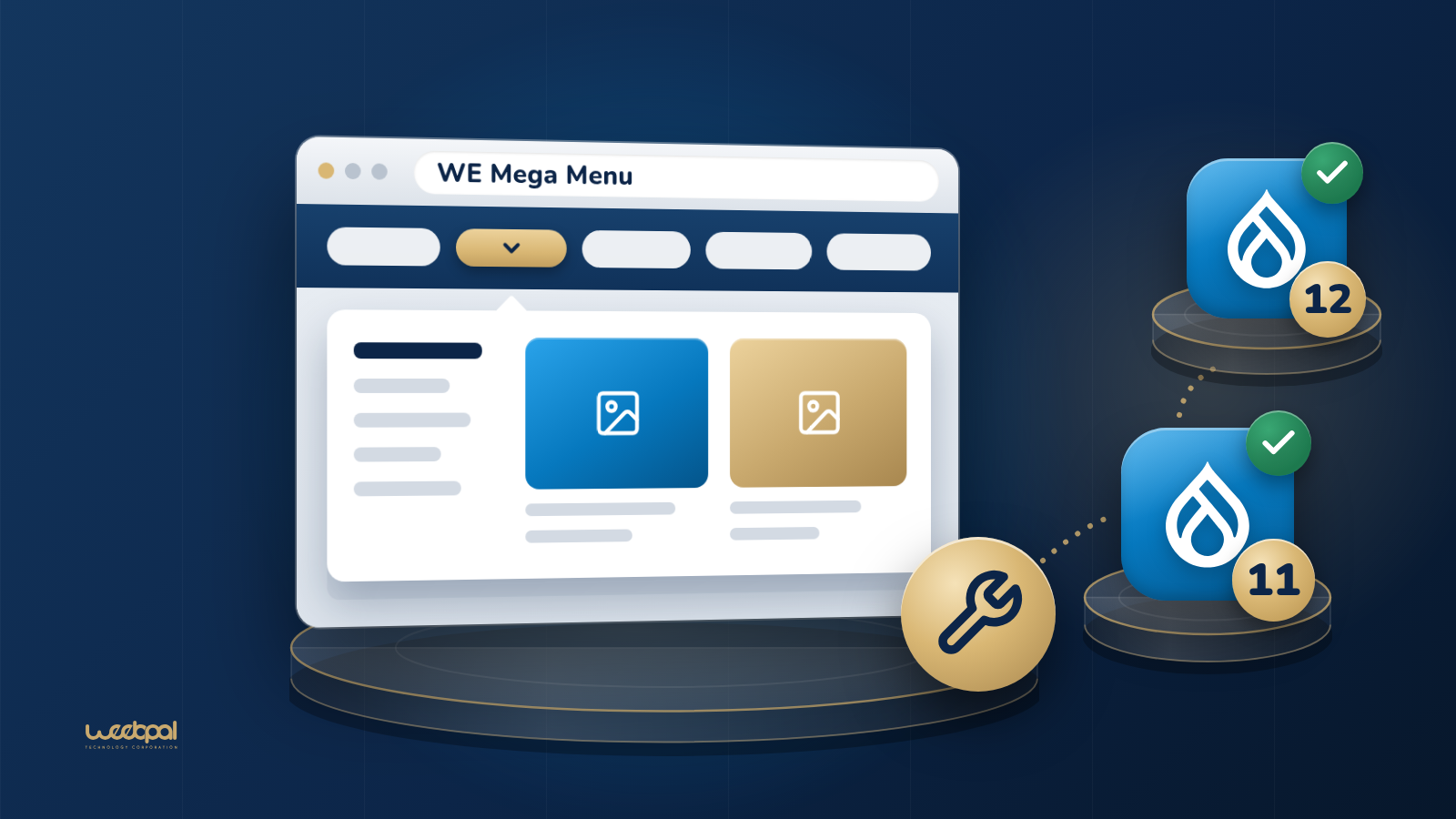
A browser window with an open mega menu and a gold wrench, linked to Drupal 11 and 12 tiles with green ticks: WE Mega Menu updated for Drupal 11 and 12.

WE Mega Menu 8.x-1.17 was published on drupal.org on 22 September 2026. Its release notes read "Support Drupal 11 & Drupal 12", and its info file declares core_version_requirement: ^10.3 || >= 11. The release before it, 8.x-1.16, came out in August 2023 and declared ^9.4 || ^10.

We maintain the module. This is the record of what changed between those releases: what the Project Update Bot proposed, what static analysis missed, and where we did not take the automated patch as it was. Everything below can be checked against the commit history on git.drupalcode.org and the issues linked from each section.

What changed, in short

  • Version constraint. ^9.4 || ^10 in 8.x-1.16, ^10 || ^11 on the development branch from January 2025, ^10.3 || >= 11 in 8.x-1.17.
  • A database call that broke on Drupal 11. Merge::key() was called with an array; it now calls Merge::keys().
  • Hooks in a class. The module's hooks moved to Drupal\we_megamenu\Hook\WeMegamenuHooks with #[Hook] attributes, and the procedural functions became #[LegacyHook] shims.
  • A deprecated cache call. invalidateAll() on the render cache became deleteAll().
  • Front-end libraries. The admin UI no longer loads Bootstrap 3.3.7 or bootstrap-notify; it loads Bootstrap 5.3.3, and the bundled jQuery UI and Chosen were updated.
  • Tooling. The ddev-drupal-contrib add-on, a phpcs.xml.dist with the Drupal standard, and Upgrade Status as a development dependency.

The Drupal 11 break that static analysis missed

In March 2024 the Project Update Bot opened #3435602, Automated Drupal 11 compatibility fixes. Its patch changed a single line, the core_version_requirement, because Upgrade Status (4.1.0 in that bot run) found nothing else to fix. On paper, the module was ready for Drupal 11.

It was not. The module stores each menu's layout with a merge query in WeMegaMenuBuilder::saveConfig(), and in 8.x-1.16 that query began like this:

$result = \Drupal::service('database')
  ->merge('we_megamenu')
  ->key([
    'menu_name' => $menu_name,
    'theme' => $theme,
  ])

Merge::key() takes one field name and one value. Passing an array is a Drupal 7 habit that core kept working through a shim, and change record 2205327 notes that "beginning with Drupal 10.2, the use of Merge::key() with an array of multiple values will cause a deprecation warning". In Drupal 10.2 to 10.6 that warning is raised by trigger_error() inside the method, and only when an array is passed. The method itself has no @deprecated tag. Upgrade Status runs PHPStan at level 0 with deprecation rules, so it sees a call to a method that exists and has nothing to report.

Drupal 11 removed the shim, and key() now begins with assert(is_string($field)). Saving a menu fails. #3536908, opened in July 2025, reports it from a Drupal 11 site as TypeError: Cannot access offset of type array on array in Drupal\Core\Database\Query\Merge->key(), or as an AssertionError where assertions are enabled. The fix is one word:

  ->keys([
    'menu_name' => $menu_name,
    'theme' => $theme,
  ])

That fix reached the 8.x-1.x branch on 2 January 2025, in the same commit that declared ^10 || ^11 (#3493458), and ships in 8.x-1.17. The bot's info file patch alone does not include it; that is the error #3536908 reports. What we take from it:

  • A runtime deprecation shows up in the log only when its code path runs. Exercise every save and submit path of a module on the old major version, with deprecation logging on, before you trust a clean Upgrade Status report.
  • Before you patch a contributed module that fails on a new major version, check its development branch and issue queue: the fix may already be committed.

From Bootstrap 3 to Bootstrap 5

The admin screen that builds the mega menu shipped Bootstrap 3.3.7, which #3482573 reported in October 2024 as no longer supported for security. Moving Bootstrap forward also meant replacing bootstrap-notify, the plugin behind the admin messages, which #3493458 describes as unmaintained and not working with Bootstrap 5. The messages are now a Bootstrap toast in the admin template.

In 8.x-1.17, we_megamenu.libraries.yml loads Bootstrap 5.3.3 from cdn.jsdelivr.net as an external asset: the CSS and the JavaScript bundle for the admin library, and the CSS for the front-end library. The bundled copies of jQuery UI and Chosen moved from 1.12.1 to 1.14.1 and from 1.6.2 to 1.8.7 (commit d533e47).

One consequence for site owners: pages that show a mega menu now request bootstrap.min.css from jsDelivr. If your Content Security Policy limits style-src, or your site must not load third-party assets (for example for GDPR), allow that host or serve a local copy through your theme's libraries-override.

Drupal 12: hooks move into a class

For Drupal 12 the bot opened #3604953 in June 2026, with a merge request generated by Upgrade Status 5.0.0-alpha2 and Drupal Rector 1.0.0-beta2, refreshed in July with 5.0.0-alpha3 and Rector 1.1.1. Most of it converts the module's hook implementations to the object-oriented form introduced in Drupal 11.1 (change record 3442349): a class in the module's Hook namespace, with a method for each hook, marked with the #[Hook] attribute.

namespace Drupal\we_megamenu\Hook;

use Drupal\Core\Entity\EntityInterface;
use Drupal\Core\Hook\Attribute\Hook;

class WeMegamenuHooks {

  #[Hook('entity_presave')]
  public function entityPresave(EntityInterface $entity) {
    // When a menu is saved, flag its mega menu configuration for an update.
  }

}

That covers hook_theme(), the block view alter hook for the mega menu block, and the entity insert, delete and presave hooks. The procedural functions stay in we_megamenu.module, reduced to a call to the service and marked #[LegacyHook]:

#[LegacyHook]
function we_megamenu_entity_presave(EntityInterface $entity) {
  \Drupal::service(WeMegamenuHooks::class)->entityPresave($entity);
}

This is the backwards-compatible pattern the change record describes. Drupal 11.1 and later discover the class, and skip any function marked #[LegacyHook], so nothing runs twice. Earlier versions do not know about attribute hooks, and PHP ignores the attribute, so they call the procedural function, which hands over to the same method. For that hand-over to work on those versions the class has to be a service, which is why 8.x-1.17 adds a we_megamenu.services.yml that registers WeMegamenuHooks with autowire: true; from Drupal 11.1 core registers classes in the Hook namespace on its own. The change record expects support for procedural hooks to be removed in Drupal 13 at the earliest, and the shims and the service entry can go then.

The theme preprocess functions were not part of the bot's conversion and are still procedural in 8.x-1.17. In its July run the bot reported that, according to Upgrade Status 5.0.0-alpha3, its changes make the module compatible with Drupal 12.

Where we changed the bot's patch

We took the conversion, then changed it before tagging the release, in commit 68747ab.

  • The version constraint. The bot set core_version_requirement: ^11.2 || ^12, which leaves out every Drupal 10 site. 8.x-1.17 declares ^10.3 || >= 11 instead, so a site on Drupal 10.3 or later can install the same release before and after its core upgrade.
  • The cache call. The module flushes the render cache after a menu is saved. 8.x-1.16 called invalidateAll(), which is deprecated in Drupal 11.2 and removed from Drupal 12 (change record 3500622). The bot wrapped the call in DeprecationHelper::backwardsCompatibleCall(), to use deleteAll() from 11.2 and invalidateAll() before it. deleteAll() exists on every version the module supports, so 8.x-1.17 calls it directly.
function we_megamenu_flush_render_cache() {
  $renderCache = \Drupal::service('cache.render');
  $renderCache->deleteAll();
}

The same commit renamed the module in its info file from "Mega Menu for Drupal 9/10" to "Mega Menu". A later commit ran phpcbf with the Drupal coding standard over the module, and another adopted the ddev-drupal-contrib add-on, which brings phpcs, phpstan, phpunit, eslint and stylelint commands to the repository. Its development environment moved from PHP 8.4 to PHP 8.5, the version the Drupal 12 pre-release requires.

What ^10.3 || >= 11 means

Drupal reads core_version_requirement as a Composer version constraint, and drupal.org publishes it as the release's core compatibility. ^10.3 allows 10.3.0 up to, but not including, 11.0.0. >= 11 allows 11.0.0 and every version after it, with no upper bound, so Drupal 12 falls inside it, and so will later major versions until a release says otherwise.

The release is marked compatible with Drupal 12. Drupal 12.0.0 is not out yet: on 26 September 2026 it is at 12.0.0-alpha1, with 12.0.0 planned for the week of 7 December 2026. If you try 8.x-1.17 on the Drupal 12 pre-release, report what you find in the issue queue.

Other fixes in 8.x-1.17

  • Menus made of links defined in code rather than as menu link content, such as the menus core itself provides, did not render: those links have no derivative ID, and the builder now falls back to the plugin ID (commit cd8806d).
  • The mobile menu toggle no longer has to be a link: any element with the navbar-toggle class in the mega menu region works (commit 6b7cf80).
  • The alignment of the menu in the admin builder was fixed (commit f873e27).

If you run WE Mega Menu

  • Update with Composer, composer require 'drupal/we_megamenu:^1.17', then run drush updatedb and drush cache:rebuild. The release adds no database updates of its own.
  • If you applied the info file patch from #3435602, or the keys() patch from #3536908, remove them from your Composer patches first: both changes are in the release, and the patches will not apply to it.
  • If you ran 8.x-1.x-dev to get Drupal 11 support, move to the tagged release.
  • Check your Content Security Policy for cdn.jsdelivr.net, as above.

What this means for your own upgrade

A module that Upgrade Status reports as compatible can still fail at runtime, and the failure can sit in contributed code you did not write. When we run a Drupal upgrade to Drupal 11 and 12, the site is upgraded on staging and your team checks the pages and journeys that matter there before go-live, which is where a failure like this one shows up. Our Drupal 10 to 11 upgrade checklist lists the other checks, and Drupal end-of-life dates has the dates and PHP versions for each major release. The module has its own page: WE Mega Menu.

How to Improve Page Speed for Your Drupal Website

Submitted by Hai Nguyen on
How to Improve Page Speed for Your Drupal Website

1. Assessing Your Current Page Speed

Before optimizing your website, it's essential to understand where you currently stand. Start by analyzing your site’s performance using these tools:

Tools for Analyzing Page Speed

  • Google PageSpeed Insights: Provides actionable insights for both desktop and mobile.
  • GTmetrix: Offers detailed reports on loading times, requests, and performance scores.
  • WebPageTest: Allows you to test performance from various global locations.
  • Lighthouse (built into Chrome DevTools): Measures Core Web Vitals, including LCP, FCP, and TBT.

Understanding Key Metrics

  • Largest Contentful Paint (LCP): Measures loading performance. Aim for under 2.5 seconds.
  • First Contentful Paint (FCP): Measures how quickly content is visible. Aim for under 1.8 seconds.
  • Total Blocking Time (TBT): Measures interactivity. Keep it below 300 milliseconds.

2. Optimizing Server and Hosting

One of the most significant factors affecting website speed is your server's performance.

Choosing the Right Hosting Provider

  • Opt for Drupal-optimized hosting (e.g., Pantheon, Acquia) for better performance and support.
  • Consider cloud hosting (AWS, DigitalOcean, Linode) for scalability and speed.

Leverage Content Delivery Networks (CDNs)

Using a CDN can help reduce latency by serving content from servers closer to your users.

  • Recommended CDNs: Cloudflare, Akamai.
  • CDNs significantly reduce load times for global users.

Enable HTTP/2 or HTTP/3

Ensure your server supports the latest HTTP protocols for faster data transfer and parallel requests.

3. Caching Strategies

Implementing effective caching is crucial for reducing load times, especially for content-heavy Drupal websites.

Drupal-Specific Caching Options

  • Use Drupal’s built-in caching for pages, blocks, and views.
  • Install caching modules such as:
    • AdvAgg (Advanced CSS/JS Aggregation)
    • Boost (static page caching for anonymous users)
    • Redis for object caching
    • Varnish for HTTP caching

Browser Caching

Configure cache expiration headers in your .htaccess file or server configuration to cache static assets in users’ browsers.

4. Image Optimization

Images often account for the largest portion of a page’s load time. Optimizing images can lead to significant performance gains.

Best Practices for Optimizing Images

  • Convert images to modern formats like WebP for better compression.
  • Compress images using tools like ImageMagick, TinyPNG, or Kraken.io.
  • Use the Image Optimize and Responsive Images modules in Drupal.

Lazy Loading Images

Lazy loading delays the loading of images until they are about to appear in the user’s viewport.

  • Implement lazy loading with the Lazy Load or Blazy module.

5. Minification and Compression

Reducing file sizes and compressing content can drastically improve speed.

Minifying CSS, JavaScript, and HTML

  • Minify assets using Drupal modules like AdvAgg and Minify.
  • Minification removes unnecessary characters like spaces and comments, reducing file sizes.

Enable GZIP or Brotli Compression

  • Enable GZIP compression on your server to compress HTML, CSS, and JavaScript files.
  • Tools like checkgzipcompression.com can confirm if your site is using compression.

6. Reducing HTTP Requests and External Resources

Reducing the number of HTTP requests can improve loading speeds.

Combining and Reducing CSS & JavaScript Files

  • Use modules like AdvAgg to combine multiple CSS/JS files into a single file.
  • Avoid using too many external fonts and scripts; self-host fonts if necessary.

Defer and Async JavaScript

  • Defer non-critical JavaScript to avoid blocking the initial render.
  • Use Drupal settings or modules to configure async/defer for scripts.

7. Database Optimization

Drupal sites with extensive content can experience slow database queries.

Clean Up Unnecessary Data

  • Regularly delete old revisions, logs, and unused tables.
  • Use the DB Maintenance module to optimize and repair tables.

Enable Database Caching

  • Use Redis or Memcached for efficient database caching.

8. Optimizing Web Fonts to Improve LCP, FCP, and TBT

If you’ve tried other optimizations but still see high LCP, FCP, or TBT values, web fonts might be the culprit.

How Web Fonts Impact Performance

  • Web fonts are often loaded from external resources, which can delay content rendering.
  • They increase HTTP requests, especially if multiple weights and styles are used.
  • Slow-loading fonts can lead to “flash of unstyled text” (FOUT).

Solution: Switching to Standard System Fonts

Switching to standard system fonts eliminates the need for additional font-loading requests, improving LCP, FCP, and TBT.

Benefits of Using System Fonts

  • Instant Loading: No need for external font files.
  • Consistency across devices: System fonts are optimized for readability across all devices.
  • Improved Performance: Reduces render-blocking resources.

This font stack prioritizes fonts based on the user’s device, ensuring a fast and consistent experience.

9. Regular Monitoring and Maintenance

Website optimization is an ongoing process. Regularly monitor your site’s performance to maintain speed.

Continuous Monitoring Tools

  • Use tools like Pingdom, UptimeRobot, or New Relic for real-time performance tracking.

Regular Updates

Keep your Drupal core, modules, and themes updated to benefit from performance improvements and security patches.

Improving your website’s page speed is not just about enhancing user experience; it directly impacts SEO and business success. By following the strategies outlined above (especially those tailored for Drupal), you can significantly boost your site’s performance.

Start by analyzing your current site speed using the tools mentioned, and gradually implement the techniques discussed here. The improvements in user engagement, lower bounce rates, and better search engine rankings will be well worth the effort.

Unlock your website’s full potential: reach out to us for expert page speed optimization and see the impact on performance and conversions.


Contact Us:

Phone: (+84) 938 893 995
Email: [email protected]

The Power of Drupal: Part 1 - Popular Websites Powered by Drupal

Submitted by Hai Nguyen on
The Power of Drupal: Part 1 - Popular Websites Powered by Drupal

(Validated as of August 30th, 2023)

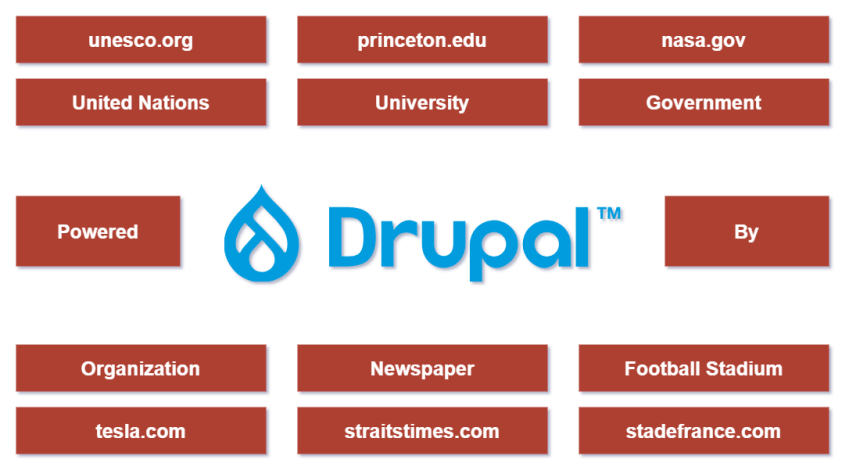
Drupal, the open-source content management system (CMS), is used by a wide array of websites ranging from government portals to universities, and corporate giants to celebrity sites. Let's dive into some of the popular websites that have utilized the power of Drupal to build their online presence.

Which well-known organisations run on Drupal?

unesco.org: Drupal 9/10
Organiation Name: United Nations Educational, Scientific and Cultural Organization (UNESCO)
Description: UNESCO is a specialized agency of the United Nations aimed at promoting world peace and security through international cooperation in education, the sciences, and culture. It has various programs to safeguard tangible and intangible cultural heritage, advocate for free speech, and improve education worldwide.

tesla.com: Drupal 9/10
Organization Name: Tesla, Inc.
Description: Tesla is an American electric vehicle and clean energy company founded by Elon Musk and several co-founders. They produce electric cars, battery energy storage systems, solar panels, solar roof tiles, and other related products and services.

nasa.gov: Drupal 7
Organization Name: National Aeronautics and Space Administration (NASA)
Description: NASA is the United States government agency responsible for the nation's civilian space program and for aeronautics and aerospace research. It conducts space exploration missions, research on Earth's climate, and much more.

thebeatles.com: Drupal 8
Organization Name: The Beatles
Description: The official website for The Beatles, one of the most famous and influential bands in the history of music. The website offers insights into the band's history, discography, and other related information.

emmys.com: Drupal 7
Organization Name: The Academy of Television Arts & Sciences
Description: This is the official site for the Emmy Awards, which recognize outstanding achievements in the television industry. The Academy celebrates creativity, diversity, and pioneering spirit in television programming.

ymca.org: Drupal 9/10
Organization Name: Young Men's Christian Association (YMCA)
Description: Often simply called the "Y", the YMCA is a worldwide organization aimed at putting Christian principles into practice through programs that build healthy spirit, mind, and body for all.

wfp.org: Drupal 6
Organization Name: World Food Program (WFP)
Description: The WFP is the food assistance branch of the United Nations and the world's largest humanitarian organization addressing hunger and promoting food security.

straitstimes.com: Drupal 9/10
Organization Name: The Straits Times
Description: The Straits Times is the flagship English daily newspaper in Singapore, providing news and views about Asia and beyond. It has been published since 1845.

stadefrance.com: Drupal 9/10
Organization Name: Stade de France
Description: Located in Saint-Denis, a suburb of Paris, Stade de France is the national stadium of France. It is used for football (soccer) matches, rugby games, concerts, and other major events.

sprep.org: Drupal 9/10
Organization Name: Secretariat of the Pacific Regional Environment Programme (SPREP)
Description: An intergovernmental organization dedicated to promoting environmental sustainability and resilience within the Pacific region.

london.gov.uk: Drupal 9/10
Organization Name: Greater London Authority
Description: The official city government site for London, England.

ny.gov: Drupal 9/10
Organization Name: New York State Government
Description: The official website for the state government of New York.

Which universities run on Drupal?

princeton.edu: Drupal 9/10
Organization Name: Princeton University
Description: An Ivy League research university located in Princeton, New Jersey, known for its rigorous academics and historic campus.

missouri.edu: Drupal 9/10
Organization Name: University of Missouri
Description: Often referred to as Mizzou, it's a public research university located in Columbia, Missouri.

uoregon.edu: Drupal 9/10
Organization Name: University of Oregon
Description: A public research university located in Eugene, Oregon, known for its diverse programs and Duck athletics.

unh.edu: Drupal 9/10
Organization Name: University of New Hampshire (UNH)
Description: A public research university located in Durham, New Hampshire.

umn.edu: Drupal 9/10
Organization Name: University of Minnesota
Description: A major public research university with multiple campuses across Minnesota.

arizona.edu:  Drupal 10
Organization Name: University of Arizona
Description: A public research university based in Tucson, Arizona.

utexas.edu:  Drupal 7
Organization Name: University of Texas at Austin
Description: A major public research university located in Austin, Texas.

upenn.edu: Drupal 9/10
Organization Name: University of Pennsylvania
Description: An Ivy League institution located in Philadelphia, known for its diverse academic programs and historical significance.

unl.edu: Drupal 7
Organization Name: University of Nebraska-Lincoln
Description: The oldest and largest campus in the University of Nebraska system.

surrey.ac.uk: Drupal 9/10
Organization Name: University of Surrey
Description: A public research university located in Guildford, Surrey, England.

rutgers.edu: Drupal 9/10
Organization Name: Rutgers, The State University of New Jersey
Description: A major public research university in New Jersey.

umd.edu: Drupal 7
Organization Name: University of Maryland, College Park
Description: A public research university located in College Park, Maryland.

pdx.edu: Drupal 9/10
Organization Name: Portland State University
Description: A public research university located in downtown Portland, Oregon.

ox.ac.uk: Drupal 6
Organization Name: University of Oxford
Description: A prestigious and historic research university located in Oxford, England.

uiowa.edu: Drupal 8
Organization Name: University of Iowa
Description: A public research university located in Iowa City, Iowa.

pitt.edu: Drupal 6
Organization Name: University of Pittsburgh
Description: A state-related research university located in Pittsburgh, Pennsylvania.

amherst.edu: Drupal 9/10
Organization Name: Amherst College
Description: A private liberal arts college located in Amherst, Massachusetts.

utoronto.ca: Drupal 9/10
Organization Name: University of Toronto
Description: A major public research university located in Toronto, Ontario, Canada.

mcgill.ca: Drupal 7
Organization Name: McGill University
Description: A public research university in Montreal, Quebec, Canada.

ucsf.edu: Drupal 9/10
Organization Name: University of California, San Francisco
Description: A major health sciences university located in San Francisco, California.

tufts.edu: Drupal 9/10
Organization Name: Tufts University
Description: A private research university located in Medford/Somerville, near Boston, Massachusetts.

rice.edu: Drupal 9/10
Organization Name: Rice University
Description: A private research university located in Houston, Texas.

virginia.edu: Drupal 7
Organization Name: University of Virginia
Description: Founded by Thomas Jefferson, it's a public research university in Charlottesville, Virginia.

umass.edu: Drupal 6
Organization Name: University of Massachusetts Amherst
Description: The flagship campus of the University of Massachusetts system.

gatech.edu: Drupal 9/10
Organization Name: Georgia Institute of Technology
Description: A top research university located in Atlanta, Georgia.

home.dartmouth.edu: Drupal 9/10
Organization Name: Dartmouth College
Description: An Ivy League research university located in Hanover, New Hampshire.

ucdavis.edu: Drupal 9/10
Organization Name: University of California, Davis
Description: A major public research university and part of the University of California system, located in Davis, California.

ucalgary.ca: Drupal 9/10
Organization Name: University of Calgary
Description: A major public research university located in Calgary, Alberta, Canada.

Which large companies run on Drupal?

ge.com: Drupal 9/10
Organization Name: General Electric (GE)
Description: An American multinational conglomerate, GE operates in various sectors such as aviation, power, renewable energy, and healthcare.

sketchup.com: Drupal 9/10
Organization Name: SketchUp
Description: SketchUp is a 3D modeling software used for a wide range of drawing applications such as architectural, interior design, and more.

nba.com: Drupal 9/10
Organization Name: National Basketball Association (NBA)
Description: The NBA is a professional basketball league in North America comprising 30 teams and is one of the major professional sports leagues in the USA and Canada.

verifone.com: Drupal 9/10
Organization Name: Verifone
Description: A global provider of payment and commerce solutions, including point-of-sale (POS) systems.

startrek.com: Drupal 9/10
Organization Name: Star Trek
Description: The official site for the Star Trek universe, covering the series, movies, characters, and more.

score.org: Drupal 9/10
Organization Name: SCORE
Description: A nonprofit organization that provides free business mentoring services to prospective and established small business owners in the United States.

acquia.com: Drupal 9/10
Organization Name: Acquia
Description: A cloud product for building, delivering, and optimizing digital experiences with Drupal.

Which government sites run on Drupal?

london.gov.uk: Drupal 9/10
Organization Name: Greater London Authority
Description: The official city government site for London, England.

ny.gov: Drupal 9/10
Organization Name: New York State Government
Description: The official website for the state government of New York.

energy.gov: Drupal 9/10
Organization Name: U.S. Department of Energy
Description: A department of the U.S. government responsible for policies regarding energy and safety in handling nuclear material.

commerce.gov: Drupal 9/10
Organization Name: U.S. Department of Commerce
Description: A department of the U.S. government concerned with promoting economic growth.

irs.gov: Drupal 9/10
Organization Name: Internal Revenue Service (IRS)
Description: The revenue service of the United States federal government responsible for collecting taxes and administering the Internal Revenue Code.

lacity.org: Drupal 9/10
Organization Name: City of Los Angeles
Description: The official website for the city government of Los Angeles, California.

iowa.gov: Drupal 9/10
Organization Name: Iowa State Government
Description: The official website for the state government of Iowa.

ice.gov: Drupal 10
Organization Name: U.S. Immigration and Customs Enforcement (ICE)
Description: A federal agency responsible for enforcing immigration and customs laws in the United States.

nd.gov: Drupal 9/10
Organization Name: North Dakota State Government
Description: The official website for the state government of North Dakota.

sprep.org: Drupal 9/10
Organization Name: Secretariat of the Pacific Regional Environment Programme (SPREP)
Description: An intergovernmental organization dedicated to promoting environmental sustainability and resilience within the Pacific region.

fcc.gov: Drupal 9/10
Organization Name: Federal Communications Commission (FCC)
Description: A U.S. government agency responsible for regulating interstate communications by radio, television, wire, satellite, and cable.

finance.belgium.be: Drupal 6
Organization Name: Federal Public Service Finance of Belgium
Description: The department responsible for the federal finances of Belgium, including taxation.

sf.gov: Drupal 9/10
Organization Name: City and County of San Francisco
Description: The official website for the city government of San Francisco, California.

monarchie.be/en/royal-family/the-king: Drupal 7
Organization Name: Belgian Monarchy - The King
Description: The official website section detailing information about the King of Belgium and the Belgian royal family.

What does this list tell you about Drupal?

The versatility of Drupal is evident in its widespread use across various industries. Whether you're a large corporation, a government entity, an educational institution, or simply a fan site, Drupal's scalable and customizable nature makes it a preferred choice for web developers around the world.

Considering making the move to Drupal or upgrading your existing Drupal site? With such esteemed company, it's clear that Drupal remains a leading choice in the CMS world.

I'm proud to have 2 websites on this list built by WeebPal.

How to Create a Custom Entity in Drupal 10 in 3 Minutes?

Submitted by Hai Nguyen on
How to Create a Custom Entity in Drupal 10 in 3 Minutes?

If asked about the quintessential element in Drupal, my immediate response would be the "Entity". It's the heartbeat of Drupal, its foundational concept.

Out of the box, Drupal offers essential entity types like node, taxonomy, user, block, comment, media, and more. Additionally, contribution modules expand the list with entities such as Commerce Product, Store, Order, Variation, Paragraph, and Component builder item.

However, despite their prevalence, coding a new Custom Entity often poses a challenge for many, whether they're beginners or experienced Drupal developers. The web overflows with guides on the topic, but successfully crafting a complete entity remains elusive for most.

Wouldn't it be wonderful if there was a function to craft a new entity effortlessly? A module now exists that can generate a Drupal Custom Entity in just 3 minutes. The resulting entity adheres to standards, allowing any developer to extend its functionality.

1. The Advantages of Custom Entities in Drupal 10

  • Solution Architects: Entities translate to ERDs and data structures.
  • Developers: Entities optimize numerous functions.
  • Drupal Site Builders: While similar to content types, entities can boost website speed. Using custom entities over content types diversifies data across multiple tables. This can significantly enhance the performance of sites where certain content types, like basic pages, are frequently accessed but have scant content.
  • Custom entities, as opposed to direct database tables, tap into Drupal's innate prowess, fostering standardization across projects and among developers.

2. The Hurdles of Crafting a Custom Entity in Drupal 10

  • Building a custom entity from scratch is a formidable task.
  • In Drupal development, maintaining consistency among the plethora of entities is paramount.
  • Harnessing all standard functions that entities offer isn't always straightforward.
  • The constant demand to code custom entities and address their gaps can tax organizations.

3. The Aim of This Module: Custom Entity Example

  • From a design perspective, entities help visualize business flows, ERDs, and Class Diagrams in Drupal, enabling the verification of relationships and logic flows. While content types have their merits, entities prove superior for large datasets.
  • During the technical documentation stage, this module clearly defines functions for each entity, ensuring they align seamlessly with actual code functions. Once this phase concludes, developers have a roadmap to craft intricate functions within each entity.
  • Experienced Drupal developers can easily assign tasks to their team and oversee, assist, and evaluate their progression, thanks to a comprehensive list of entities and accompanying technical documentation.
  • For Drupal configuration, Drupal 10 is fully in sync with standard entities, making configurations for language, domain access, permissions, views, menus, and blocks intuitive.

4. Introducing: The Custom Entity Example Module

Features:

  • A prototype of a standard custom entity that integrates seamlessly with admin content, type management, multilingual capabilities, and view contextual filters and so on.
  • A drush command for automated content generation using copy-replacement (detail in README.txt).
  • A user interface to automate new entity creation through copy-replacement (detail in README.txt).
  • As we move forward, expect the introduction of more vital functions.

5. As we move forward, expect the introduction of more vital functions.

How to migrate a complex website from Drupal 7 to Drupal 9

Submitted by Hai Nguyen on
How to migrate a complex website from Drupal 7 to Drupal 9

Drupal 9 is far better than Drupal 7 and Drupal 7 is coming to the end of its life. There're many topics mentioned about that, so this blog will not explain why we need to migrate.

This blog is showing how we migrate a complex website from Drupal 7 to Drupal 9 completely without any problem, without any business stuck, and without any missing content, …
The sample project for this blog is https://apexembdesigns.com.

We're allowed by the client to use this website as a sample to showcase how to migrate:

  • Original version: This website was built by Drupal 7 in 2010 (by another Company)
  • Over 10 years: the owner wanted to upgrade to Drupal 9
  • Some information about this website:
    • - 104 nodes
    • - 13,912 products
    • - 407,142 users
    • - 3,773,586 orders
    • - 6,967,976 file license
    • - 131 taxonomy terms
    • - 14 taxonomy vocabularies
    • - 208,201 files
    • - 25,061 wishlists
    • - 222,143 wishlist items
    • - 4,458 votingapi_result
    • - 3,759 votingapi_vote
    • - 965,386 webform submissions
    • - 966,848 alias
    • - 11,425 redirect items
  • Requirement
    • - Don't break their business (this system receives thousands of orders per day)
    • - Keep all data 100% the same as it’s in the Drupal 7 site, with no missing pieces of content
    • - Keep all pages, blogs
    • - Keep all contents, user, data
    • - Keep all process
    • - Keep all orders
    • - Keep all URL aliases
    • - Improve some functions
    • - ...

Step 1: Review the project thoroughly

This step helps us understand almost (almost, can’t everything) what we have in this website from DB, source code, modules, theme, pages, contents, public files, and private files, … Depending on our experience we can see 90%, 80%, 60% of the project. The higher the percentage we can see in this step, the more sure we can complete the project.

Step 2: Rebuild the data structure

Following the D7 data structure, we build a data structure, content types, taxonomy, user, and entities, ... for D9. Normally, we will do the same, however, in some cases, we need to improve to have a better structure in Drupal 9.

Step 3: Rebuild the theme

Create a theme, create and style manually for all template pages

Step 4: Rebuild modules & functions

Almost modules in d7 are available in d9. However, sometimes we face bad cases, for example in this project, the file license module is not good to use, so we need to code a new module to handle that function.

Step 5: Migrate data

This is the most difficult and important step. There’re many modules and guides on the internet but unluckily, all of them are unhelpful for this size of the web. To solve this problem, we coded a custom module that helps us to handle all situations of data from small (hundreds of content) to very big (tens/hundreds of millions of contents) and this module is adapted and improved by each project. When it’s flexible enough, we’ll release a contrib module.

The basic idea of the module is: the migration data handles in five steps:

  • Installing: we install a migration module in Drupal 9 to handle the migration, and a custom module for Drupal 7 to respond to all data in the Drupal 7 site as the APIs
  • Fetching: The migration module in Drupal 9 will call one by one API in Drupal 7 to get all data, saving it to the migration mapping table
  • Parsing: Load all entry in the migration mapping table and create the new appropriate entity entry in Drupal 9, this step only migrate the non-relationship fields (text, URL, boolean, number, …), save the newly created entity key (entity id, entity type, bundle) to keep track for the next step
  • Linking: Load all entries in the migration mapping table, get all relationship fields (taxonomy term, entity reference, uid, files, image, media, alias, redirect, …), get the appropriate new entity, and set this field. After Step 3, all entities have existed and all related fields are linkable.
  • Last updating (at the released date, after Step 6: Test below): Because the size of data is significant, we need a few days to migrate but the live site is still running, data is still being added, and we can’t ask clients to stop the website to wait for, we can only do it when the live site is still running. But when everything is ready, the website is ready to go live, we can ask them to move the old site to maintenance mode in 1 day, and in that time, we will migrate the last time for the new/updated data only, and this process runs very quickly. After that, we will have everything from the Drupal 7  site in the Drupal 9 version, we can replace it now.

Step 6: Test

This is a very important step too. To release a project not only solve what we can see but also all the points we can't see that are found by the Tester and the Client. Depending on the complexity of the project, this step should be about 20% to 50% of the total time frame.

Step 7: Go live

After all, we have the completed project, all functions run well, all bugs are found and fixed, and the new website will replace the old one.

Step 8: Maintain

This is the time that we need to solve some remaining issues that were not found in the Testing step.

Step 9: Develop and deploy new requirements

This is the happiest time in this project because updating functions, and deploying new features on Drupal 9 is wonderful, much much better than what Drupal 7 was.

Here is the end of the guide. Hope with the 9 steps above, you can imagine how a migration project works, what is the migration process, and what to notice.

Thank you for reading!

Who can use Drupal to build a complete Website or Web Application?

Submitted by Hai Nguyen on
Who can use Drupal to build a complete Website or Web Application?

Who's Best Suited to Utilize Drupal for Web Development?

You might often hear that Drupal, a well-known CMS, is accessible and usable by just about anyone wishing to create a website. This, however, is a misconception.

Why am I confident in making this claim?

I base this on two decades of programming experience, over a decade as a web developer across various products, and nearly ten years specializing in Drupal. With 100+ projects for diverse clients and collaboration with professionals ranging from newbies to industry leaders, I have cultivated a rich perspective on Drupal's capabilities.

What kind of product is Drupal, really?

Drupal is an exceptional product, rich in features. It's crafted to synergize distinct concepts, making the development process seamless for those well-versed in its nuances.

Compare this with WordPress or Magento: learn their basics, follow some steps, and you'll have a functional website. Even if things go awry, you'll still end up with something usable.

Drupal, however, is a different beast. Many mistake it for a CMS like WordPress or Magento. Some label it as a Content Management Framework (CMF). In reality, Drupal blends the characteristics of both: a framework disguised as a CMS. This duality is both its strength and its challenge.

CMS vs. Framework: What's the difference?

Technical Perspective:

  • CMS: A pre-constructed system allowing anyone, not just developers, to swiftly create websites and manage content.

  • Framework: Essentially a toolkit or a library that developers use to construct websites/apps based on their skills and requirements.

Target Audience:

  • CMS: Suitable for a broad audience, including those with minimal technical know-how. Customization within the CMS's bounds can be straightforward, but external customizations can be challenging and time-consuming.

  • Framework: Reserved for developers. Beginners might construct basic sites while senior developers can create intricate, custom functionalities. Expert developers, like technical architects, can harness a framework's power for sophisticated projects.

To address two pressing queries:

  1. Can a non-developer use a framework? No, it's not feasible.

  2. Can someone unfamiliar with Drupal use it? Let's delve deeper.

When Should You Opt for Other Products?

  • WordPress: Ideal for blogs, landing pages, or business websites requiring minimal customization.

  • Magento: Reserved for e-commerce websites, needing technical proficiency for customization.

  • Other Frameworks (Symfony, Laravel, etc.): Necessary for developers, especially those with an in-depth understanding of the specific framework.

Why Choose Drupal?

Rather than rehash commonly cited pros and cons, I'll share insights from my hands-on experience.

Advantages:

  • Versatility: From landing pages to CRMs, Drupal's flexibility allows for a vast range of applications.

  • Architecture: Resembling a framework, Drupal facilitates complex customizations.

  • Development Speed: When compared to traditional frameworks, Drupal expedites the web development process.

Disadvantages:

  • Complexity: Mastering Drupal's varied concepts can be challenging. Effective utilization demands a thorough understanding, guided training, and practical experience.

Remember, while Drupal is powerful, the key is in the developer's proficiency. It's not about what Drupal can do; it's about who is executing the task.

So who should be building on Drupal?

Drupal's capabilities are vast, but its optimal utilization isn't straightforward. A layperson or even a regular developer might struggle. You'll need a seasoned Drupal expert.

The broader adoption of Drupal, akin to WordPress, hinges on the introduction of intuitive interfaces that bridge human action with complex framework logic. This challenge is one many, including myself, are striving to address in endeavors like "SIBU.AI."

Force Switch User (FSU) Module - Making User Switching As Convenient As Possible

Submitted by Hai Nguyen on
Force Switch User (FSU) Module - Making User Switching As Convenient As Possible

As a Drupal developer, you may have worked on a website where you must change user/role frequently.

Drupal default login does allows you to do that, but it wastes time and is a bother when you have to log in/log out so many times.

That's why we create Force Switch User. You can switch to another user with just one click in real time without touching Drupal log in panel.

What's more is there are Master and Anonymous roles, which makes this module unique.
This is why we think the Force Switch User will not only benefit developers but will also be valuable for websites that allow users to switch to other roles immediately like Online Learning, E-commerce, etc.

Also, we write and optimize the code to force log in/log out user session, which doesn't cause any errors and bugs like we had from using the other module. The action and dashboard is made as easy and convenient as possible for use.

Learn more details below.

How it works

After being installed and enabled, there will be a small moving panel on your website, where you can enter the log-in credential immediately.

FSU panel closed

FSU panel closed

FSU panel open

FSU panel open

You can enter the user account that you have without using Drupal default login pages/places.

A recent user log within the panel exists so that you can click and switch to the user account instantly

There is a FSU Master tab where you can enter the master password and have the admin (highest role), which you can use to create FSU account, set the role, edit or change any anonymous FSU users.

There is another force switch user module, but it only allows 1 type of user (admin). We allow Master and Anonymous Roles.

Who is this module for?

  • Drupal Developers
  • Webmasters with lots of user roles
  • Online courses, E-commerce, or any sites that allow users to switch the user/role in real time.

Types of User Roles


Master

This is the highest level of users who can set the rules and rights for anonymous users.

There is a master password, which you can use to log in immediately.

FSU Master

FSU Master

Anonymous

Once enabled, any anonymous user can enter the FSU account and log in. They can search and choose the existing users and switch to another use in no time.

Force Switch User Settings

To make it simple and convenient, there are only 4 setting tabs.
FSU config

FSU config

1. Config

FSU config

FSU config

Enable

If you want to get the Force switch user to work, this box must be ticked

Flush all caches when switching to new user

This will allow you to clear/flush all the previous caches before changing to the different users

Enable brute force protection

Once ticked, any anonymous users only have 5 times to try with the log-in.

Master password

The most important password for the highest-level user role (admin)

Skin

There are up to 8 colors for you to choose from the module dashboard

Position

7 postions have been carefully chosen and styled so that you can select.

User roles

Here, you set the who will see and use the FSU module. User roles include anonymous user, authenticated user, administrator

2. Create FSU Account

FSU config

Create FSU Account

This tab helps you create as many FSU username account as you can with status as active or inactive, and grants them the certain user roles (authenticated user, administrator)

3. FSU accounts

FSU config

FSU Account

Within the FSU accounts tab, you can see all of the FSU accounts you created. You are able to edit and delete any account stored here.

4. Logs

FSU config

FSU logs

Inside this, you'll see the most recent status and date of the FSU usernames

Top 18 Drupal Development Companies

Submitted by Hai Nguyen on
Top 18 Drupal Development Companies

Editor's note, 2026. This is a snapshot from August 2017. The employee counts, revenue figures and client lists below were what was published at the time; nine years later some of these companies have grown, some have been acquired and some no longer trade. It is left here as a record of the market at that date rather than as a current recommendation, and nothing in it has been re-verified. If you are choosing a supplier today, the questions matter more than the list (see the end of the post).

If you are looking to hire the top Drupal development companies, then there are several factors you will want to keep in mind. Start by asking exactly what you want the company to do for your company as different Drupal companies specialize in unique areas. Think about rather you are hiring for a one time project or if you are looking to establish a long-term relationship. Regardless of why you are needing a Drupal development company, you will want to consider these top entities

Which companies are on the list?

1. VIG Industries

With more than 600 clients, VIG Industries is one of the largest Drupal companies. Some of their clients include Subway, ACE Hardware, and Circuit City. In addition to Drupal services, this company offers web design and development. The company maintains offices in California along with the United Kingdom, Australia, and Canada. This company offers services for businesses regardless of their size. Since their founding in 2006, they have grown to produce over $5 million in revenue each year while keeping their pricing very low. This company employees over 150 full-time employees to service their accounts.

2. CommonPlaces Interactive

Since its creation in 1996, CommonPlaces has been the choice of over 500 companies including Staples, Kabbalah Centre, Epsilon Agility and the Council of Residential Services. In addition to Drupal services, the 17 full-time employees also offer Ruby on Rails development and web development. This company produces about $950,000 dollars in revenue, and they are headquartered in Manchester, New Hampshire. The software developed by this company was used to found LinkedIn.com. Mid-range prices are paid for most Drupal services at this company.

3. Magic Logix

Based in Carrollton, Texas, nine full-time employees work at Magic Logix with clients including Marriott, FedEx and Whole Foods. In addition to being a top Drupal company, this corporation offers Joomla development and Magneto solutions. This company produces about $1.3 million in revenue, and they are ready to handle any size project. One of the reasons that companies often cite for hiring this entity is its mid-range pricing.

4. ImageX

Vancouver, Canada, based ImageX is a full-service Drupal agency. This company tends to focus on working with higher education institutions including Indiana State University and Arizona State University. The company also works with Warner Brothers Records. The company hires about 25 full-time employees in Vancouver including an executive team of five people headed by Greg Hilton. In addition to Drupal services, this company works with all aspects of web design. They generate in excess of $10,000 of revenue annually.

5. Allied Technique

The 45 full-time employees at Seattle-based Allied Technique generate about $2.8 million in revenue each year. Walmart and Microsoft are both customers of this firm that was founded in 2008. In addition to Drupal development, the specialists at this company also offer Magneto solutions. This company headed by Andrew Ngau also goes by Allied Computers. Mid-range prices are charged to most companies who hire this entity.

6. OpenSourcery

The 13 full-time employees at Portland, Oregon, based OpenSourcery generates about $1 million dollars in revenue annually. The Oregon State Fair, Wellgram and 24-7 Townhall are clients of this company. This company that was founded in 2004 also specializes only in Drupal development. Expect to pay about average prices when dealing with this company.

7. Unleased Technology

Generating more than $25,000 of revenue annually, the team at Unleased Technology focuses on helping companies build websites and hosting them. Expect to pay about $125/hour for their services. This Columbia, Maryland, based company focuses on working with many different non-profits.

8. OpenCircle Technologies

Since its founding in 2000, OpenCircle Technologies has specialized in Drupal development along with Zend Framework and Magento services. Customers who want extreme confidentiality will want to talk to this company because they will not release their customer list. This company's two employees based in Mill Valley, California, generate about $114,500 in revenue each year by charging medium rates.

9. LevelTen Interactive

Originally founded in 1999 as LevelTen Design, this Dallas-based company works to provide customers with interactive websites along with Drupal. Some of this company’s notable clients include the Kimbell Art Museum, Abilia and LiveHappy. This company has three full-time employees and generating about $7 million dollars annually in revenue while charging industry-average rates.

10. Appnovation Technologies

Specializing in web development along with Drupal, Sesame Street, HolaMun2 and Nerve are all customers of Appnovation Technologies operating offices around the world. This company with two full-time employees generates up to $1 million in revenue annually. The first Appnovation Technologies office was opened in 2008. Potential customers of this company can expect to pay a medium rate.

11. Achieve Internet

One of the oldest companies to work in Dupont development is Achieve Internet. This company based in Chicago generates about $1.5 million in revenue annually working for companies like NBC, Universal, and Experian. If you are looking to combine Dupont services with web development at a firm charging low rates, then this company may be the right one for you.

12. WeebPal Technology Corporation

WeebPal is an international technology company specializing in website and web application development on the robust Drupal product. Since 2012, WeebPal has successfully completed 100+ projects across diverse countries, including the United States, Australia, the United Kingdom, Switzerland, and Japan.

13. Icreon Tech

Since 20i00, customers including have been trusting Icreon with their Drupal development needs. About eight New York City-based employees earn approximately $1 million in revenue annually with about 50 percent of it coming from Drupal services and the other part coming from other web development services. Some of their top clients include Fox, Pepsi and Kenya who may have chosen this company because of its mid-range prices.

14. Cheeky Monkey Media Inc.

Almost 90 percent of all work that Cheeky Monkey Media Inc. completes is Drupal while they do a very small bit of web development. This Kelowna, Canada, based company delivers top-notch results while charging a lower than average price to companies like government organizations, non-profits, and educational programs although the company keeps their client’s names private.

15. Blue Fountain Media

Open Campus, Service King, and Luxor are a few of the satisfied customers at Blue Fountain Media who is based in New York City. This company has about $16.1 million in revenue annually earned by about 85 full-time employees. Amazingly, this company where Gabriel Shaoolian is the CEO opened in 2016, and it charges lower than normal prices.

16. Mobomo

Generating more than $50,000 in revenue annually, Mobomo focuses on a variety of services including Ruby on Rails, UX/UI design, data visualization, AngularJS, Node.js, Backbone in addition to Drupal. This company that employees more than 50 full-time employees is based in Vienna, Virginia. It has been serving customers including the United Service Organization, Gallup and the United States Navy since 2007.

17. Lullabot

Customers like TheaterMedia, The Grammys, and Martha Stewart Living brag about the services they receive at Lullabot including their Drupal services and their website redesigns. This company based in Providence, Rhode Island, where they generate more than $10,000 in revenue annually. This expensive company hires about 15 employees who each have many years experience in the industry.

18. August Ash Inc.

Since 1999, August Ash Inc. has been providing computer services including Dupont development. The two full-time employees generate about $180,000 in revenue annually. The Minneapolis-St. Paul Airport based in this company’s hometown of Minneapolis is one of their customers along with Grace Point Church and 3 M are some of this company’s customers. The company provides search engine optimization and other web services usually charging medium rates for their services.

Choosing a supplier today

A list of companies ages badly. The questions do not. Whoever you are considering, the answers to these separate proposals faster than any comparison table:

  • Who owns the source code, and from what date?
  • When is the price fixed, and against what artefact?
  • Who fixes a defect found three months after launch: the team that built it, or a support desk reading the code for the first time?
  • What happens if the supplier becomes unavailable?

The longer version is in 12 questions to ask a Drupal agency before you sign. Our own answers are published: source code ownership, the warranty and its exclusions, and how pricing works. What we have actually delivered is in the portfolio.

Subscribe to Drupal