








Engines and settings

Availability, prices, limits and retention

  • Signed in as a Content Admin
Content Admin
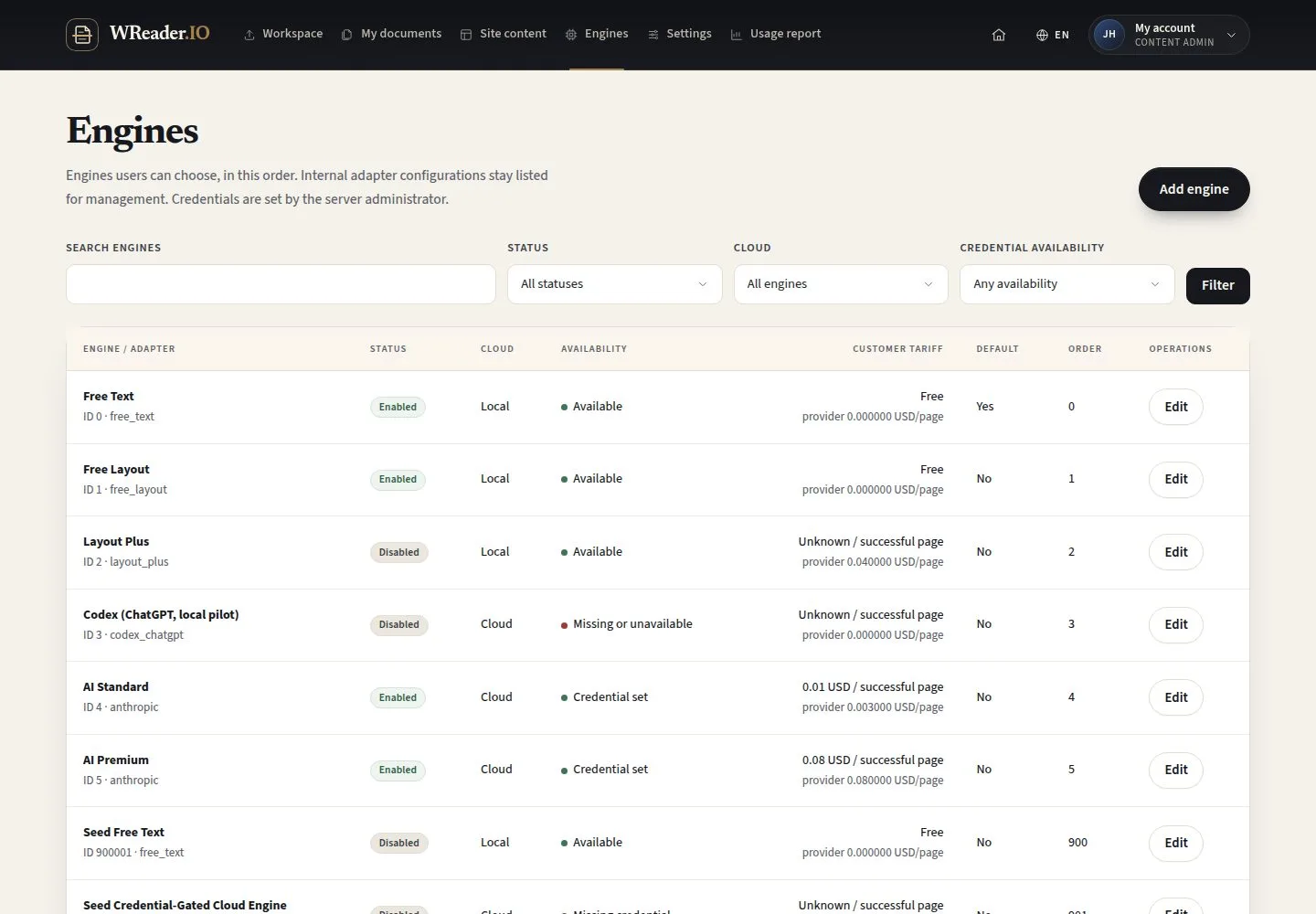
Engines

Content Admin

Engines

1Step 1 of 8

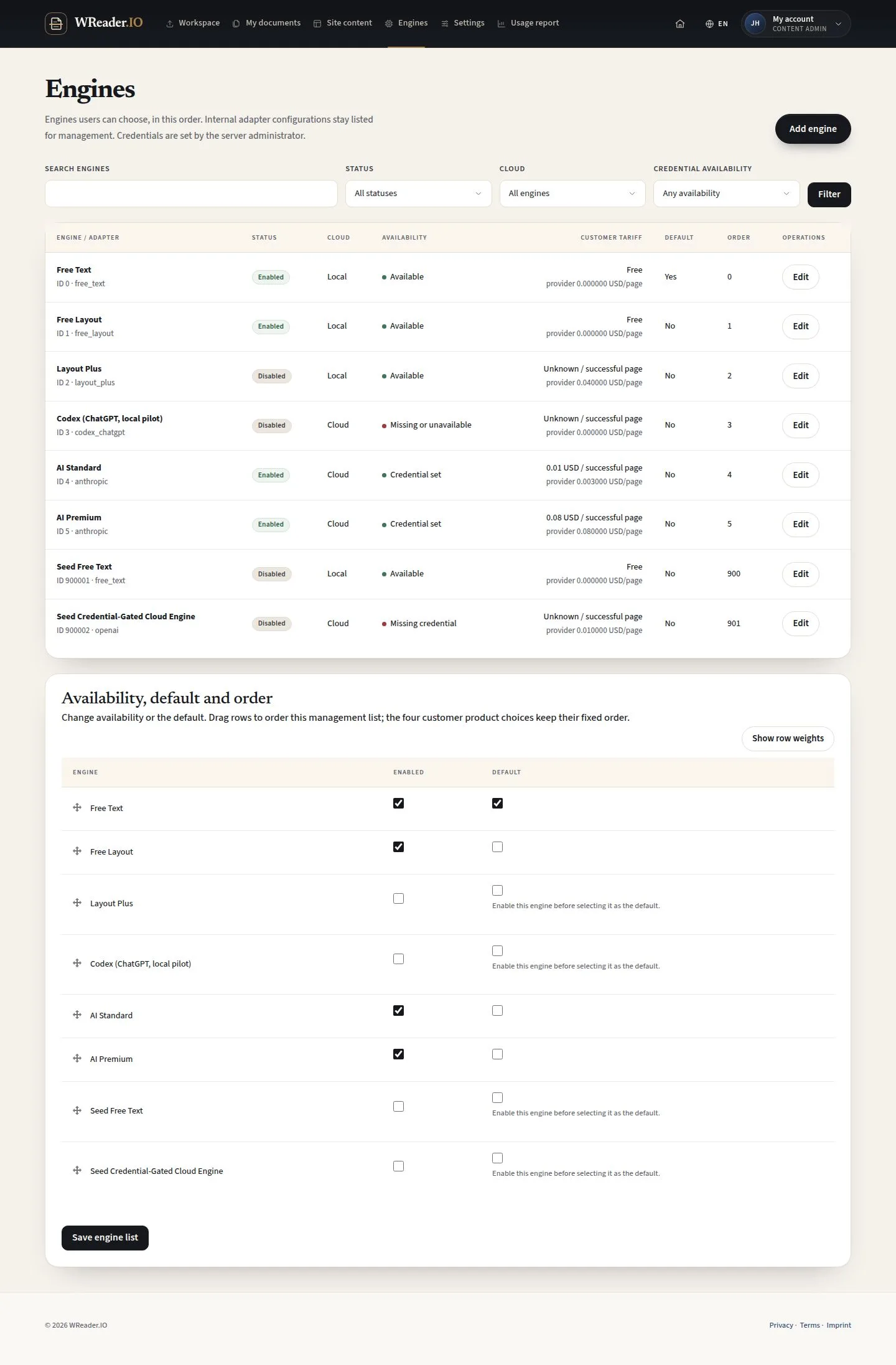
  1. Status, Cloud or local, availability and customer tariff.
  2. The list holds internal configurations too; customers always see the four product engines.

Enlarge, then scroll

Open illustrated screen ↗Full image ↗

Content Admin · Engines and settings01

Edit an engine

Content Admin

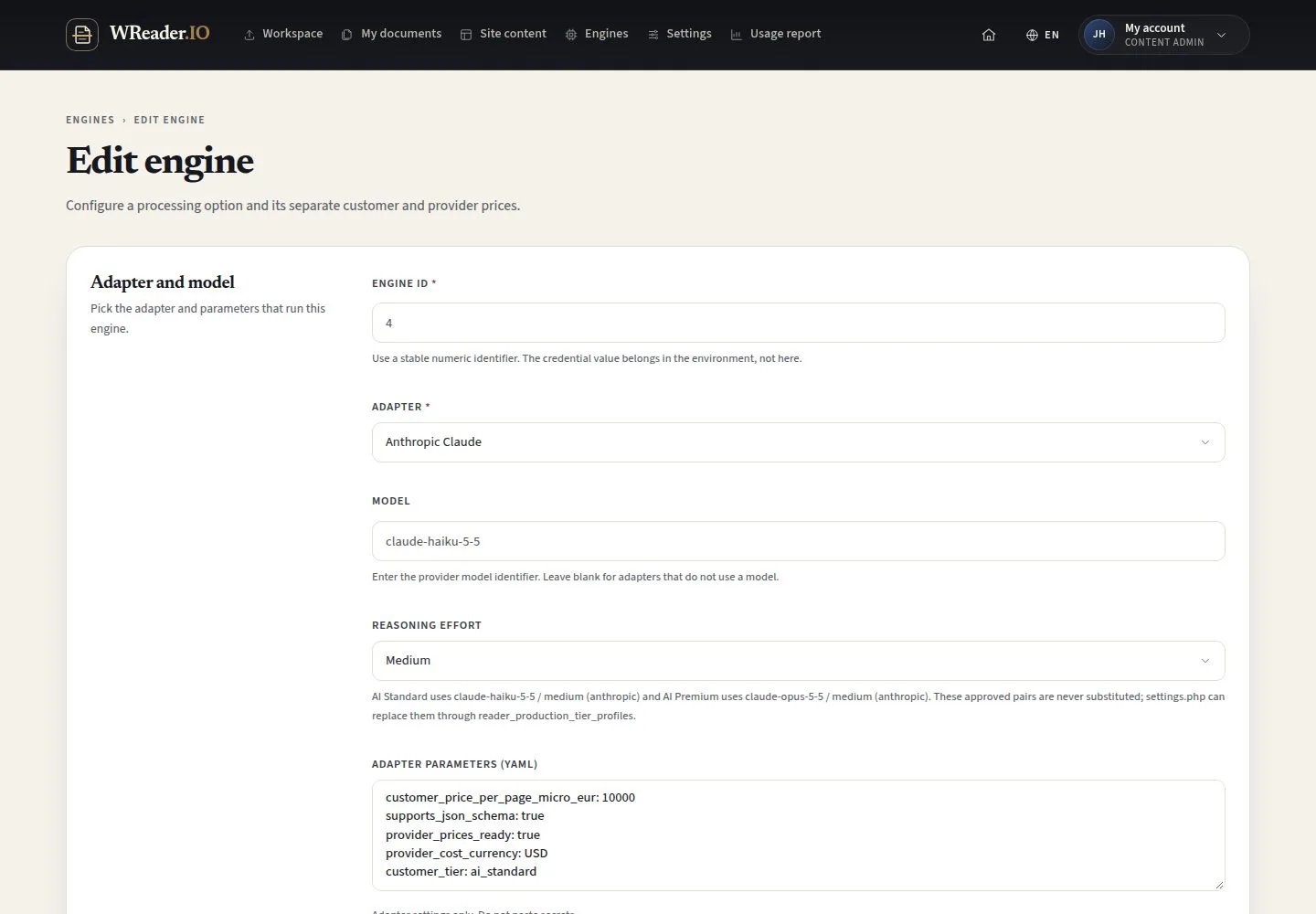
Edit an engine

2Step 2 of 8

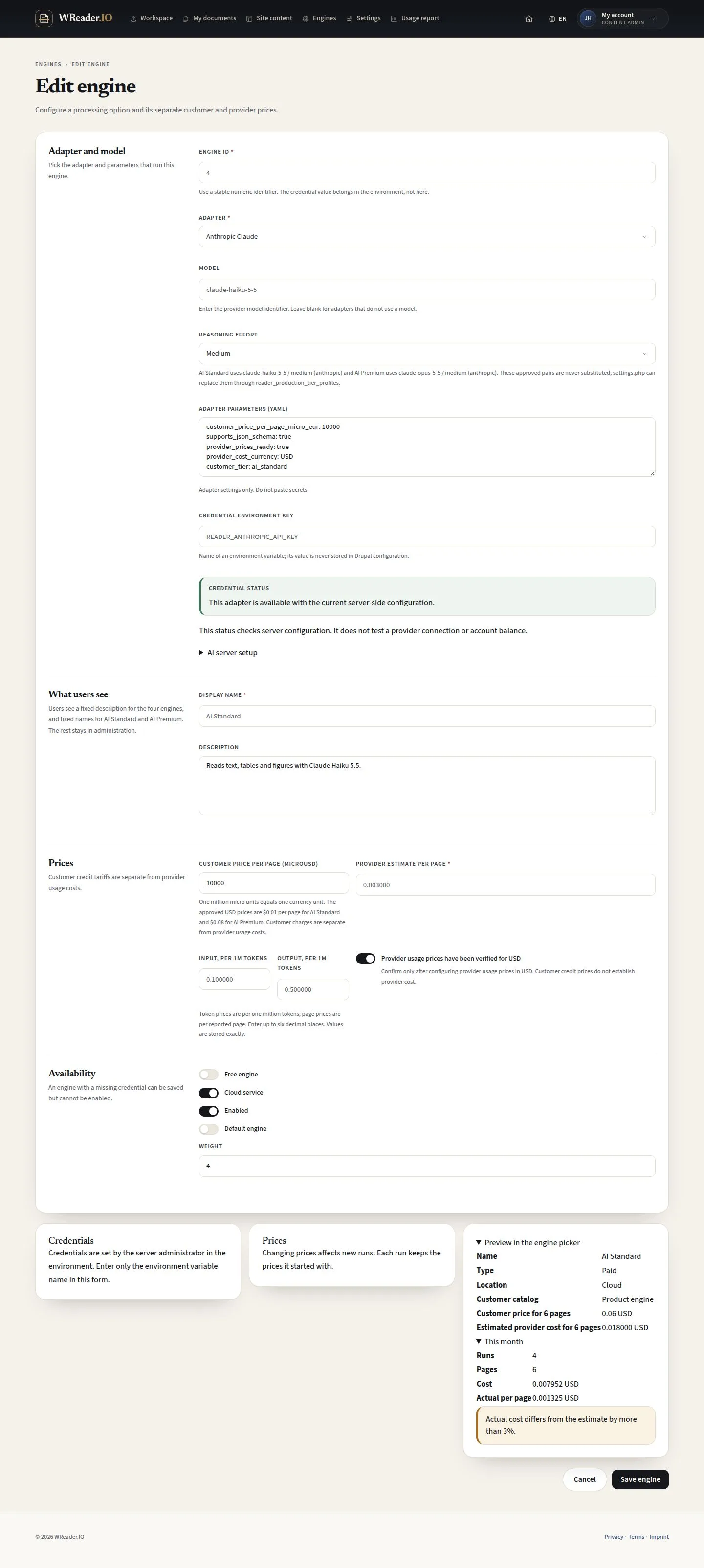
  1. Adapter, model and reasoning effort.
  2. Customer price and provider prices are kept apart.
  3. The credential field takes the name of an environment variable.

Enlarge, then scroll

Open illustrated screen ↗Full image ↗

Content Admin · Engines and settings02

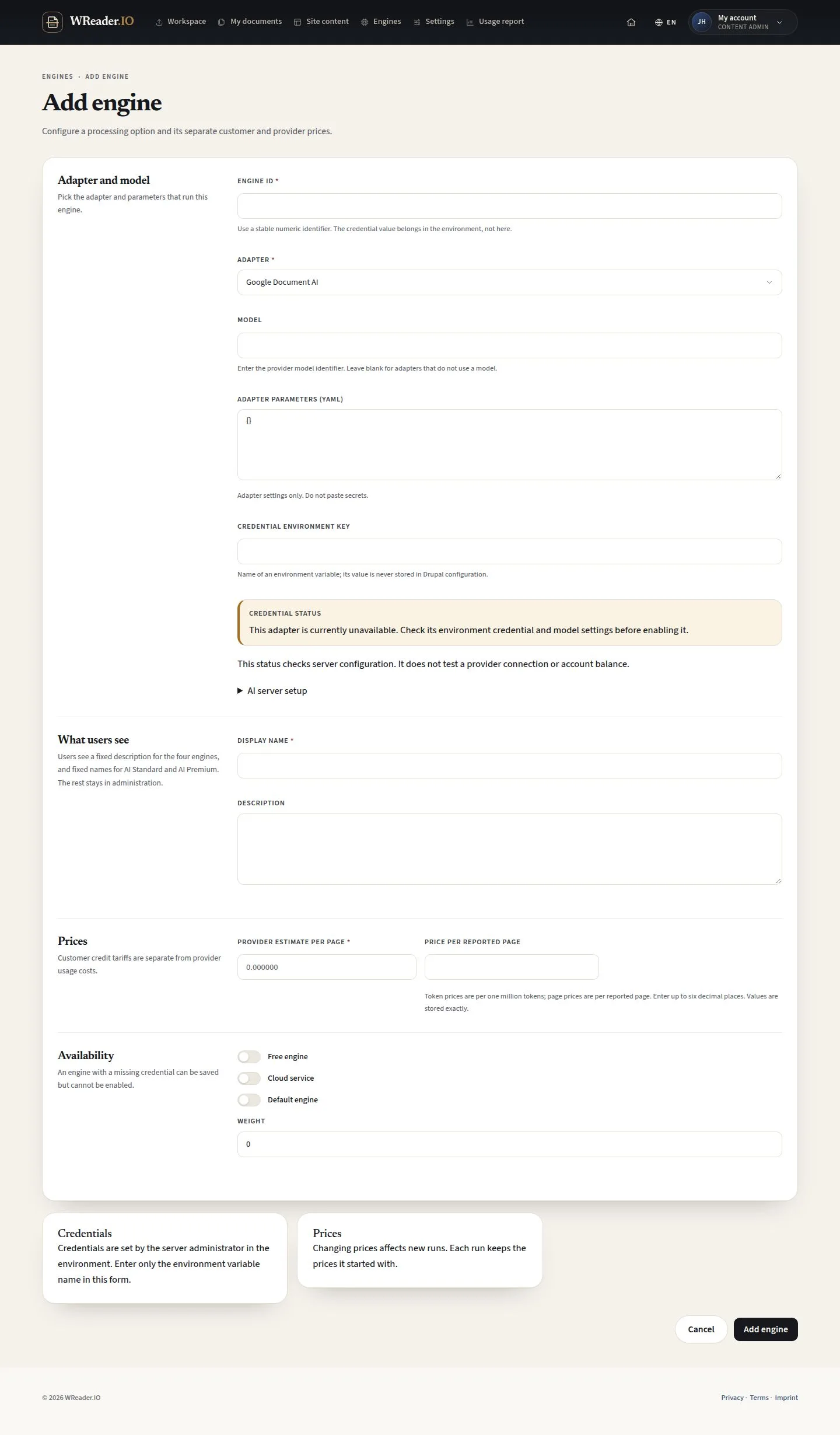
Add engine

Content Admin

Add engine

3Step 3 of 8

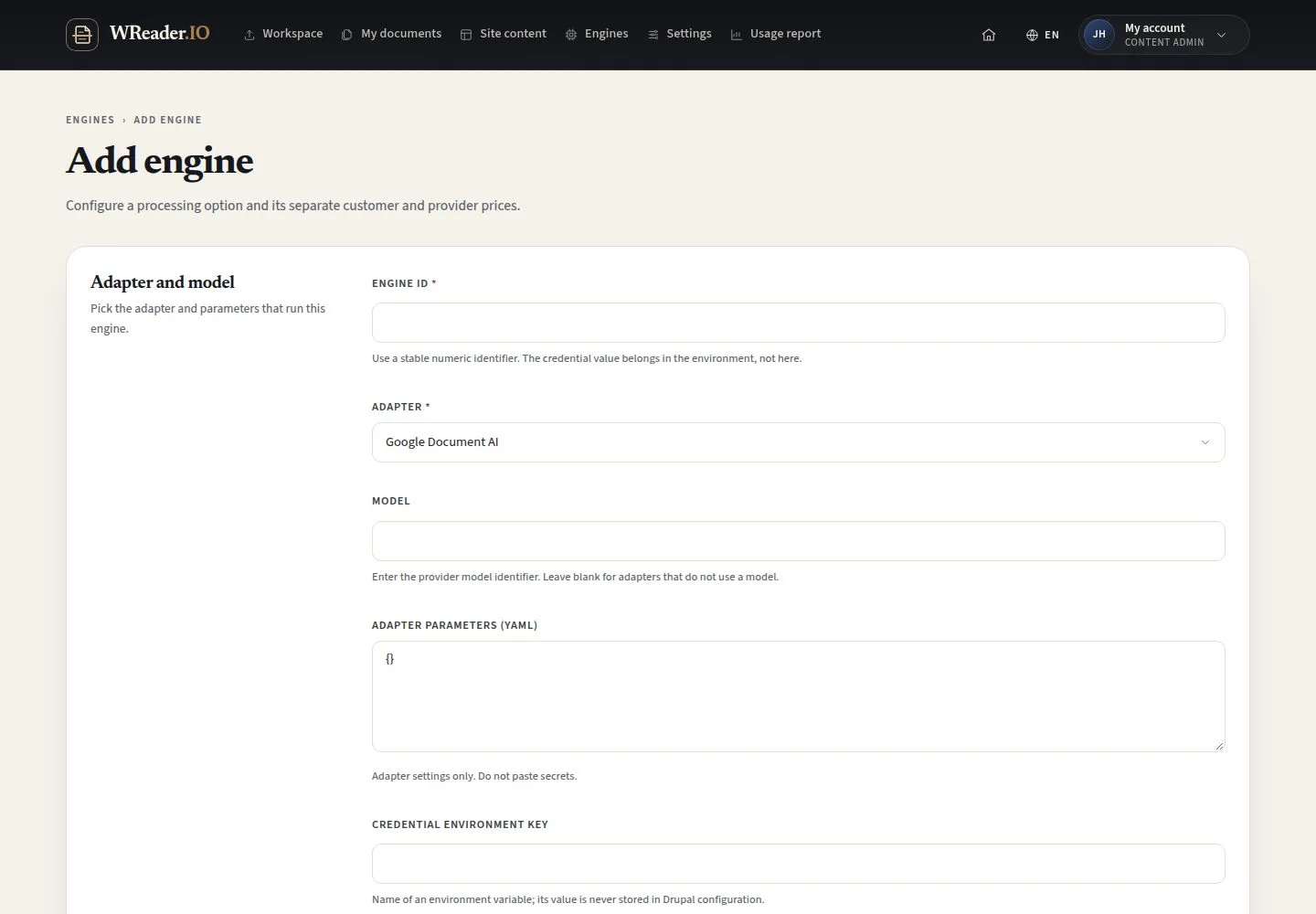
  1. A new engine is always saved Disabled.
  2. It stays technical: customers keep the four product engines.

Enlarge, then scroll

Open illustrated screen ↗Full image ↗

Content Admin · Engines and settings03

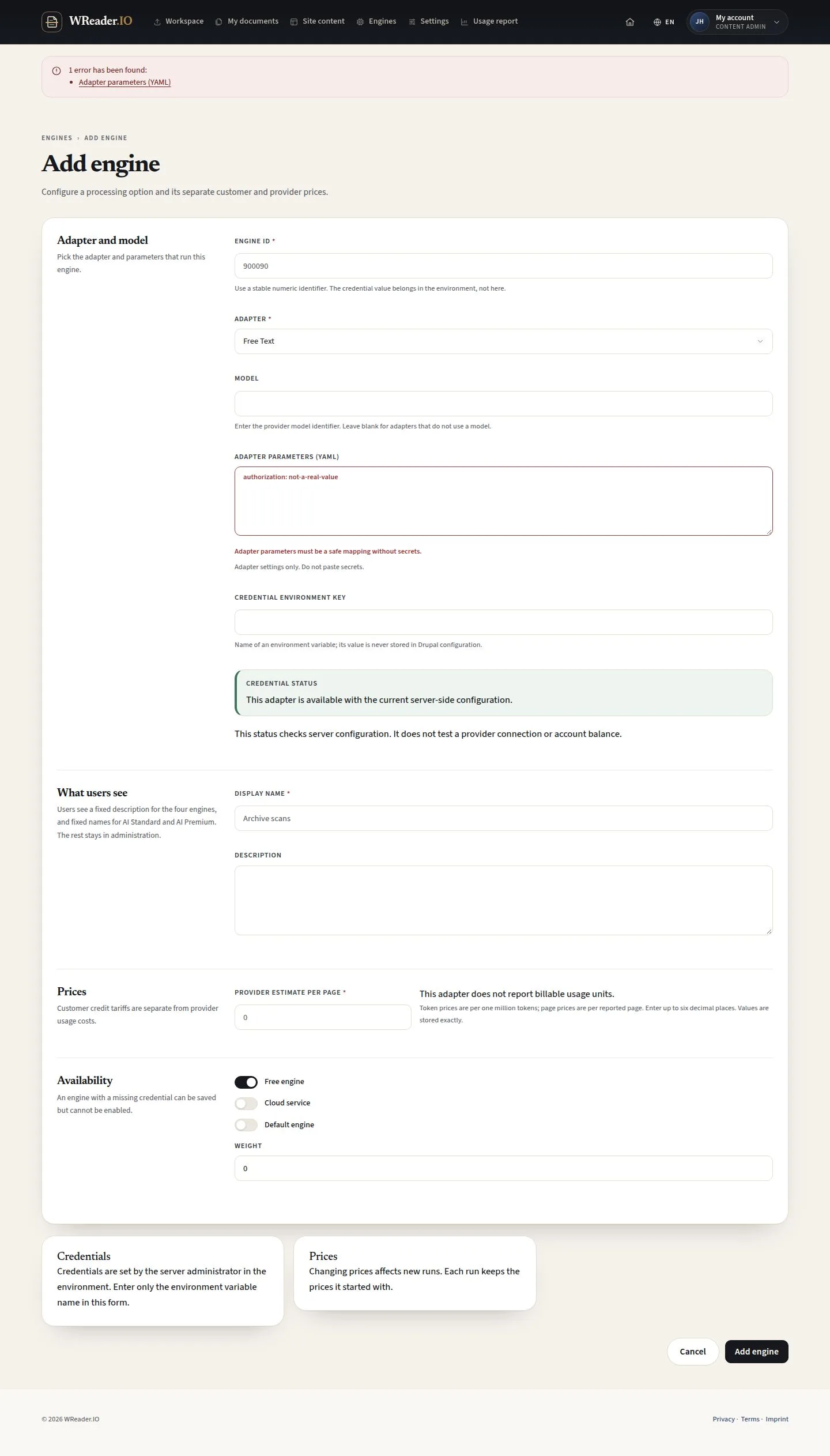
No secrets in forms

Content Admin

No secrets in forms

4Step 4 of 8

  1. A key or token in the parameters is refused.

Enlarge, then scroll

Open illustrated screen ↗Full image ↗

Content Admin · Engines and settings04

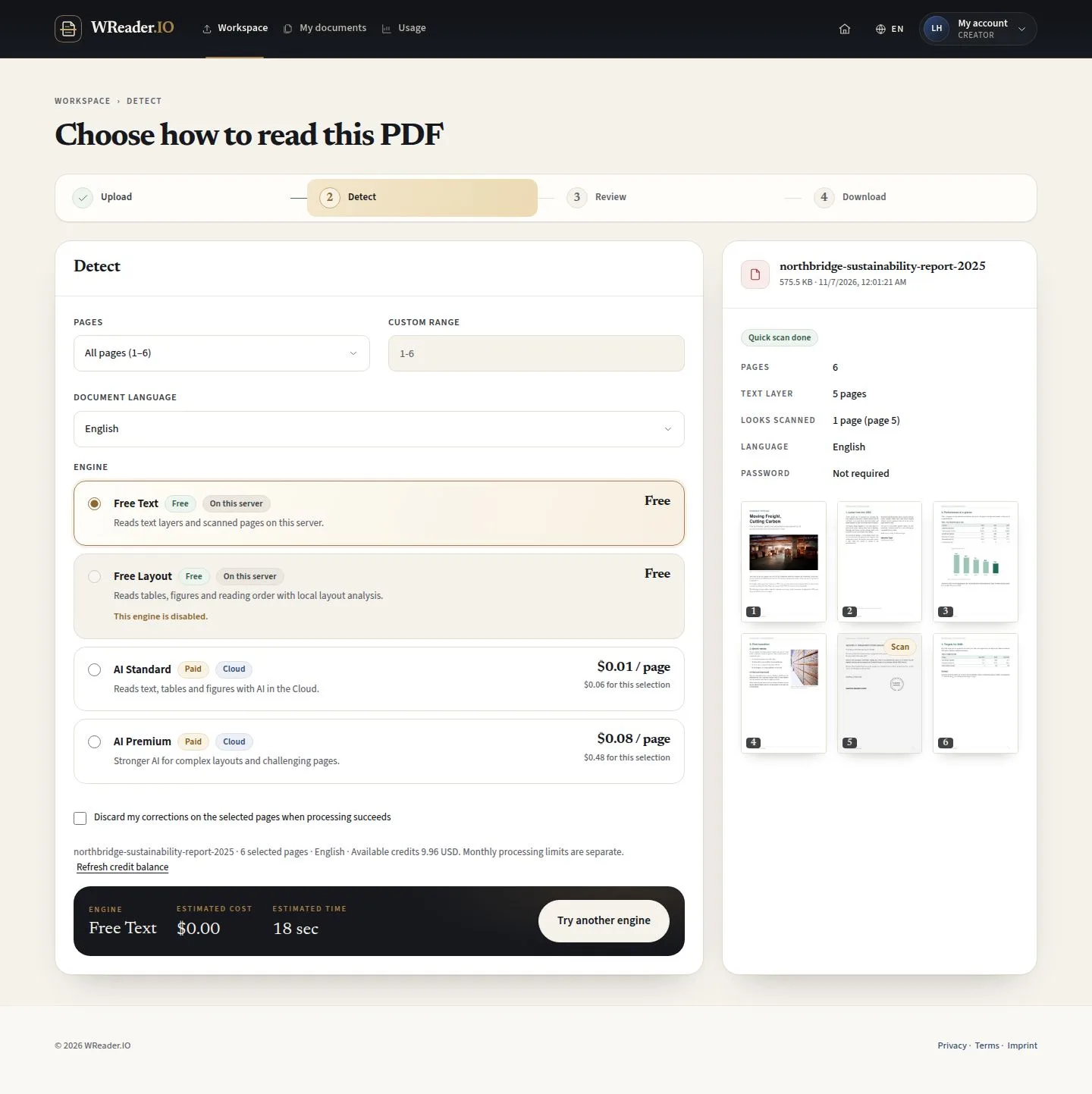
Engine switched off

Creator

Engine switched off

5Step 5 of 8

  1. It stays on the picker of customers, with its reason.
  2. Runs already accepted finish on it.

Enlarge, then scroll

Open illustrated screen ↗Full image ↗

Content Admin · Engines and settings05

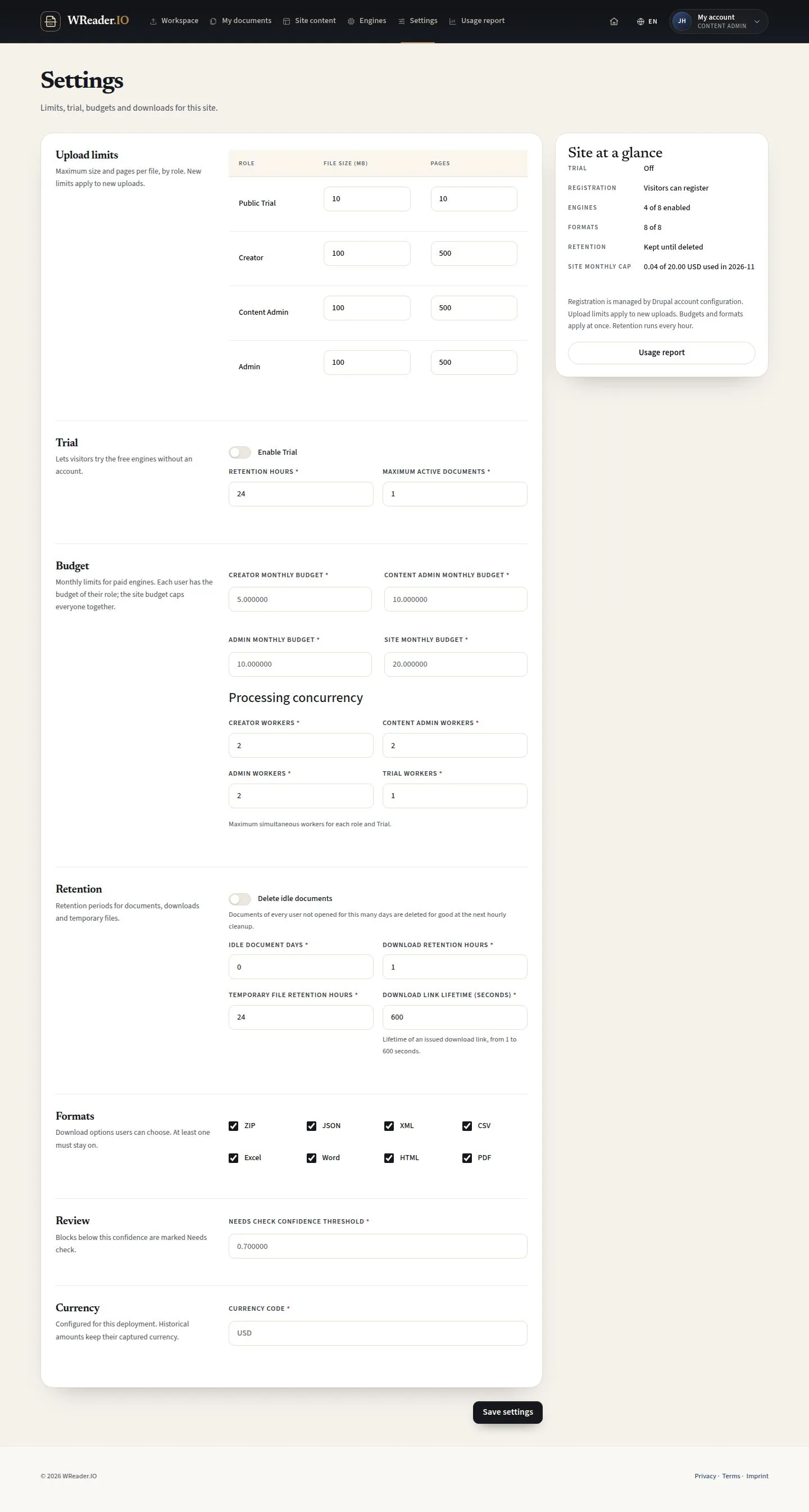
Settings

Content Admin

Settings

6Step 6 of 8

  1. Upload limits by role, the Trial and monthly budgets.
  2. Formats, review threshold and retention.
  3. Site at a glance sums them up.

Enlarge, then scroll

Open illustrated screen ↗Full image ↗

Content Admin · Engines and settings06

Wrong values

Content Admin

Wrong values

7Step 7 of 8

  1. Every field states its error.
  2. Nothing is saved until all are right.

Enlarge, then scroll

Open illustrated screen ↗Full image ↗

Content Admin · Engines and settings07

The effect

Creator

The effect

8Step 8 of 8

  1. A new upload limit shows in the Workspace at once.
  2. A higher budget adds no credits to any wallet.

Open illustrated screen ↗Full image ↗

Check

Engines and limits are as intended, and customers see the effect

Content Admin · Engines and settings08
1 / 9
Privacy Terms